






QuillBot
Writing tools that offer rewriting, grammar checking, summarization, and citation assistance
Tags:AI writing toolsWhat is QuillBot?
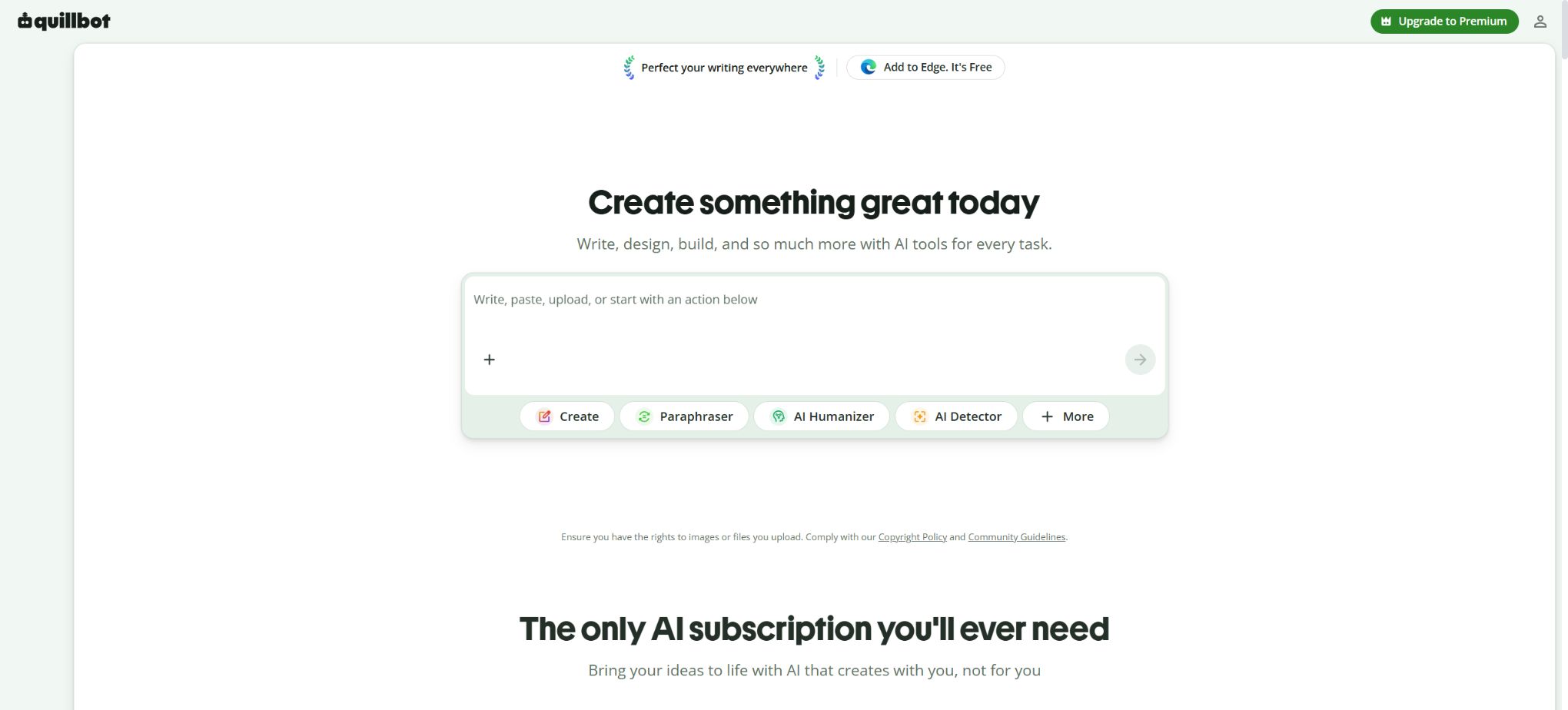
QuillBot is an AI writing tool designed for students, authors, and professionals; its main functions are rewriting and polishing text in English. The product has been expanded to include grammar checking, summarization, translation, citation generation, plagiarism detection, AI analysis, AI Humanization, AI chat, image and presentation creation, as well as a Flow writing environment.
Free users can use most of the basic tools for an extended period, but there are limits on the number of entries they can make, on the available modes, on the daily usage quota, and on the storage space. The Premium version removes these restrictions, allowing unlimited text rewriting, access to advanced modes, more sophisticated grammar suggestions, a higher limit on text checks for plagiarism, as well as enhanced AI functions.
Main functions of QuillBot
- Use Paraphraser to rewrite sentences and paragraphs while preserving the original meaning;
- Adjust vocabulary, style, and tone using modes such as Standard and Fluency;
- Check spelling, grammar, and punctuation, and provide suggestions for improved clarity;
- Compress long texts into paragraphs, key points, or custom summaries;
- Translate text between various languages;
- Generate references in formats such as APA, MLA, and Chicago;
- Scan for accidental plagiarism and identify similar content that may need to be cited;
- Identify the parts in the text that appear to have been generated or edited by AI.
- Use AI Humanizer to adjust mechanized expressions;
- Ask questions, brainstorm, write, and work with files in AI Chat;
- Conduct research, draft, rewrite, and cite using Flow in a centralized manner;
- Generate images and presentations, as well as handle common PDF and file conversion tasks.
Paraphraser – Rewriting tool
The free version allows for the rewriting of up to 125 words per session; it provides unlimited use of the Standard and Fluency modes, as well as three levels of synonym intensity. The Premium version removes the limit on the number of words that can be rewritten per session, offers 9 preset modes, unlimited custom modes, the ability to compare different modes, and up to 50 records of past revisions per month.
The rewritten version is not automatically equivalent to the original text nor is it necessarily factually accurate; an excessive use of synonyms can alter terms, logic, and tone. In academic writing, it is still necessary to cite the original sources, and rewriting should not be used as a way to avoid plagiarism or to conceal the use of AI.
Grammar Checker – grammar verification
Most spelling, grammar, and punctuation checks are available for free, with issues indicated in color. The Premium version provides advanced suggestions regarding the passive voice, repeated expressions, clarity, and conciseness, making it more suitable for a thorough review of the final draft.
Summarizer and Translator
The free Summarizer can handle up to 1,200 words per task and offers both paragraph and bullet-point formats; the Premium version allows processing of up to 6,000 words and provides custom summaries.
The Translator offers a free service with a maximum of 5,000 characters per translation; the Premium version is stated to have no such limit, though it is still subject to reasonable usage constraints and system capacity limits.
Plagiarism check, AI Detector and Humanizer
The Plagiarism Checker is available only to Premium users; it allows for the scanning of 25,000 words per month, supports over 100 languages, and enables the transfer of the detected content to a citation generator. Any unused quota or additional word limits can be checked in the account settings. Subscribers through app stores cannot purchase extra words for plagiarism checking at the moment.
The free AI Detector allows for up to 1,200 words per use and 10 uses per day, while the Premium version offers unlimited scanning. The free Humanizer has restrictions on the amount of text that can be processed and on the number of uses per day; the Premium version provides full access.
Neither detection nor \"humanization\" can determine the author’s identity; the results should be considered in conjunction with drafts, citations, and human judgment.
AI Chat, image and presentation generation
Free accounts allow 20 uses of AI Chat per day, as well as the creation of 3 images and 3 presentations. Premium accounts offer unlimited AI Chat usage, along with 300 images and 30 presentations per month. The accuracy of the generated content, the details of the images, the fonts used, copyright issues, and the logic of the presentations still require manual verification.
QuillBot Flow
Flow brings together the editor, rewriting tools, grammar checks, research functions, and citation tools in a single workspace, making it suitable for the entire process from organizing materials to revising drafts. Free accounts offer 10MB of storage space, while Premium accounts provide 100MB; it is still necessary to keep local backups when working with a large number of files.
Comparison between free and Premium plans
| Functions | Free | Premium |
|---|---|---|
| Paraphraser | 125 words each time | There is no limit on the number of characters entered. |
| Rewriting mode | Standard, Fluency | 9 preset options and unlimited custom modes |
| Summarizer | 1200 words each time | 6,000 words per time in Custom mode |
| Translator | 5000 characters per time | No restrictions |
| Plagiarism Checker | Not available | 25,000 words/month |
| AI Detector | 1,200 words per session, 10 sessions per day | No restrictions |
| AI Chat | 20 times per day | No restrictions |
| Image generation | 3 pieces per day | 300 pieces/month |
| Presentation generation | 3 servings per day | 30 copies/month |
| Flow storage | 10MB | 100MB |
QuillBot price
QuillBot Premium offers monthly, 3-month, and annual subscription options. The core functions are the same for all Premium subscription periods; the main differences lie in the upfront payment period and the equivalent monthly price. The table below shows the reference prices in dollars as listed on the official website; regional differences, taxes, student discounts, and prices in app stores are subject to those indicated on the payment page.
| Plan | Settlement price | Converted to monthly price | Suitable for users |
|---|---|---|---|
| Free | $ | $ | Basic rewriting, grammar, summary, and detection |
| Premium monthly payment | $ | 19.95 dollars | Short-term projects or temporary use |
| Premium 3 months | $ | About 13.31 dollars | Semester or mid-term writing project |
| Premium annual payment | $ | About $8.33 | Long-term, high-frequency use |
| Team | Contact sales or go to the settlement page. | By seat and contract | Member management, centralized billing, and data control are required. |
Students can enjoy additional discounts on top of the annual rate by using the designated qualification verification channels; the promotional page will show both the annual savings and the student discount together. Before making a purchase, it is necessary to check the actual total price, the date of automatic renewal, and the refund terms, rather than focusing only on the percentage savings mentioned in the promotions.
Extra character pack for plagiarism checking
| Extra characters | Price | Applicable conditions | Precautions |
|---|---|---|---|
| 6250 words | $ | Premium plan, and the monthly quota is no longer sufficient. | Subscriptions to the app store are not available for purchase at the moment. |
| 25,000 words | 8.95 dollars | Premium plan, and the monthly quota is no longer sufficient. | Only increase the number of characters scanned for plagiarism detection. |
| 62,500 words | 19.95 dollars | Premium plan, and the monthly quota is no longer sufficient. | Do not increase the quota for other AI tools. |
Supported platforms
| Platform | Provided format | Primary uses |
|---|---|---|
| Web | Complete web tool and Flow | Rewriting, grammar, summarization, detection, plagiarism checking, and generation |
| Chrome, Edge, Safari | Browser extensions | Call it in web pages, emails, and online editors |
| Microsoft Word | Word add-ins | Rewrite and proofread in the document |
| Windows, macOS | Desktop application | Assistance for cross-application writing |
| iPhone, Android | Mobile apps and keyboards | Rewriting, grammar, and quick input for mobile devices |
Tools, the number of uses, and input restrictions may vary across different platforms, and the official website clearly states that these limits change depending on the platform. When needing to check for plagiarism, use Flow, or employ newly created tools, it is necessary to first confirm whether the mobile apps and browser extensions provide access to the same functions as the web version.
QuillBot usage guide
Use Paraphraser correctly
- First, complete your initial draft and identify the sentences or sections that need improvement;
- Enter a small, semantically complete paragraph each time;
- Start in Standard or Fluency mode;
- Reduce the strength of synonyms to protect technical terms;
- Compare multiple options instead of accepting the first version directly;
- Check each sentence for facts, subjects, negations, and temporal relationships;
- Retain the necessary citations and carry out final manual editing.
Complete the summary and citations.
- Confirm that you have the right to upload the original materials;
- Import the text in segments based on the character limit of the tool;
- Choose paragraph, bullet points, or the Custom summary mode;
- Adjust the length of the summary and verify the key figures and conclusions;
- Use the Citation Generator to enter the information from genuine sources;
- Select a specified format such as APA, MLA, or Chicago;
- Return to the original source to verify the author, date, title, and page numbers.
Check the final draft using plagiarism detection and AI tools.
- Upload the text to be reviewed before finalizing it;
- First, run the Plagiarism Checker to check for similar paragraphs;
- To add citations by borrowing ideas or to provide a genuine restatement;
- Run AI Detector again and check the areas that may have been marked;
- Do not distort the professional content in order to lower scores.
- Save drafts, revision history, and reference materials;
- Comply with the AI disclosure rules set by the school, journal, or employer before submission.
Who is QuillBot suitable for?
- Student: Improve English expression, summarize information, and generate citations;
- Researchers: Handling abstracts, language polishing, and reference formatting;
- Content author: Quickly compare sentence structures, tone, and title expressions;
- Professionals: optimizing emails, reports, resumes, and cover letters;
- English learners: Observe more fluent expressions and identify grammatical errors;
- Teachers and editors: Use detection and plagiarism checking as auxiliary signals for review;
- Small teams: Use the Team solution to manage team members and invoices in a centralized manner.
The advantages of QuillBot
- The free rewrite tool has no limit on the number of uses per day, making it suitable for light use;
- High integration in terms of rewriting, grammar, summarization, citation, detection, and plagiarism checking;
- Various rewriting modes and synonym strengths facilitate control over the output;
- The free and Premium quotas are clearly outlined in the help documentation;
- Covers the Web, browsers, Word, as well as desktop and mobile devices;
- It supports multi-language translation and plagiarism checking in over 100 languages;
- The annual plan results in a significantly lower overall cost compared to monthly payments.
Usage restrictions and precautions
- Rewriting may alter the original meaning, terminology, and logical relationships, so it is necessary to check each sentence carefully;
- Humanizer cannot prove that the text was written independently by a human;
- The AI Detector is prone to false positives and false negatives, and therefore cannot be used as the sole basis for making decisions.
- Plagiarism detection databases cannot cover all sources, nor do they constitute a copyright license;
- Free tools have limits on the number of characters per use, the number of uses per day, or storage capacity;
- The so-called unlimited functionality is still subject to reasonable use, system capacity, and platform differences.
- Subscriptions from the app store do not allow the purchase of additional packages for checking the number of characters.
- Academic and professional settings must adhere to rules regarding citations, AI disclosure, and originality.
Privacy and data training
QuillBot utilizes the input data and usage information to provide, improve, and personalize services; users can adjust the settings related to training in the Data and Privacy section of their accounts. For users of the Team plan, their text inputs are not used for training purposes by default, and third-party service providers are also prohibited from using users’ data to train their own models, in accordance with the official policies.
Following the privacy updates in 2025, text input storage will be enabled by default; any existing consent settings will be transferred to the new control system. Before processing unpublished papers, customer materials, or confidential documents, it is necessary to check the storage and training options, and to choose either Team mode or avoid uploading such files in accordance with the organization’s policies.
API, GitHub, and open-source information
The official website of QuillBot, intended for ordinary users, does not offer a general rewriting API that can be purchased directly; the “API Documentation Generator” available on the site is merely an AI tool designed to assist users in creating API documentation, and it is not an interface developed by QuillBot. When enterprises need to integrate this service, they should contact the official team to determine the applicable terms of cooperation and licensing.
The QuillBot platform, the rewriting models, the plagiarism detection system, and AI Detector are not open-source projects; moreover, no official public GitHub repository representing a complete product has been found. Unofficial browser scripts or reverse-engineered interfaces may violate the terms of use and pose risks to accounts and data.
Frequently Asked Questions
Is QuillBot free?
There is a free version available: the rewriter can handle up to 125 words per use, with no limit on the number of uses per day; it also offers basic grammar checks, summarization, translation, and limited AI detection. Advanced features such as unlimited rewrites and plagiarism checking are available only with the Premium version.
How much is QuillBot Premium?
The monthly fee is 19.95 dollars; for 3 months it is 39.95 dollars, and the annual fee is 99.95 dollars. The annual rate corresponds to approximately 8.33 dollars per month. The actual price and taxes in your region will be indicated on the payment page.
Can QuillBot detect plagiarism?
Yes, but it is available only to Premium users; the service includes 25,000 words of scanning per month. If this quota is not sufficient, additional word packs can be purchased.
Does QuillBot support Chinese?
The Translator and Plagiarism Checker support multiple languages including Chinese; however, the performance of certain rewriting or grammar-related functions in Chinese may not be identical to that in English. For formal Chinese documents, it is still recommended to use professional Chinese proofreading services.
Is QuillBot open source?
No. It is a commercial online service; the tools and model codes available on its official website are not released as open-source projects.
Tools similar to QuillBot




 Guigong Network Security Registration No. 45132202000164