






Grammarly
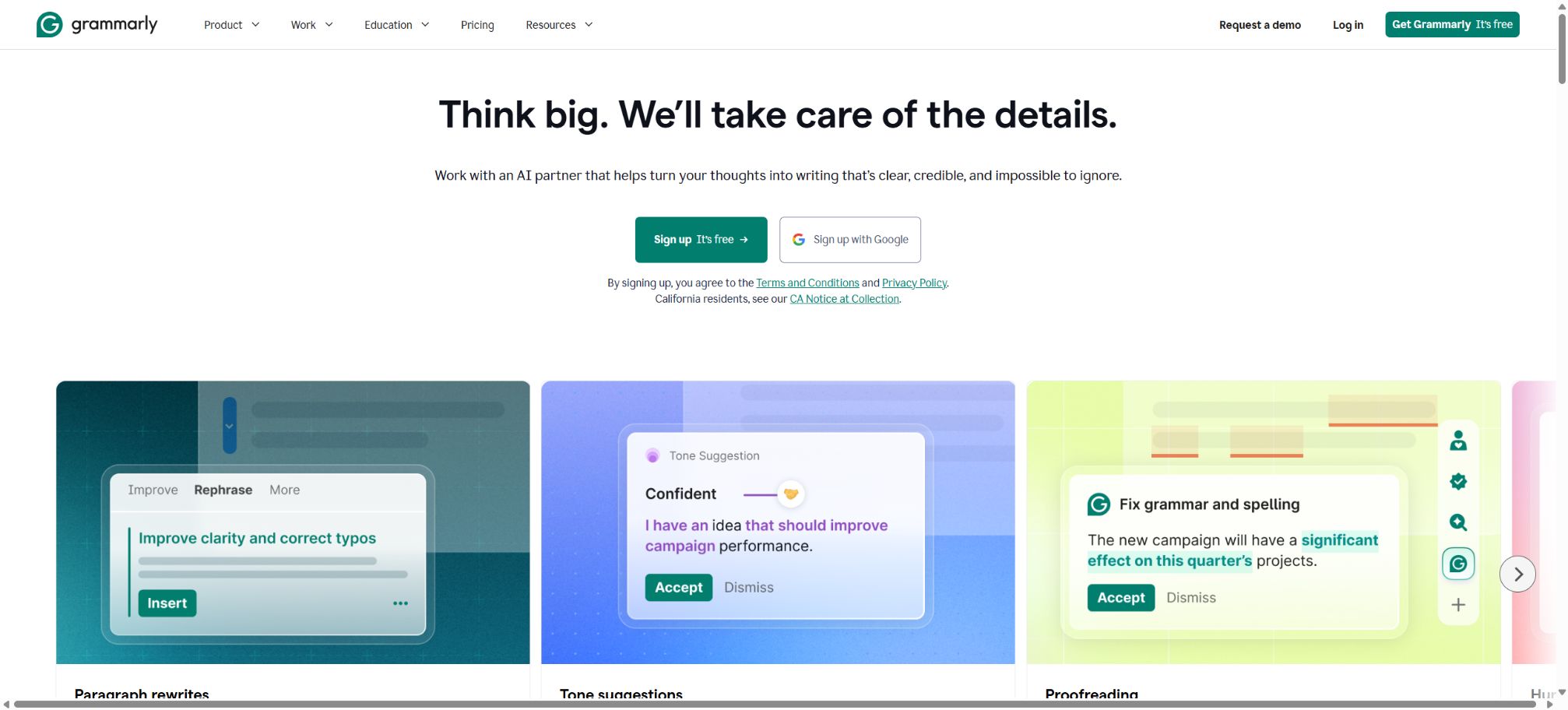
Check grammar across applications, rewrite the tone, and improve the quality of communication.
Tags:AI writing toolsWhat is Grammarly?
Grammarly is a writing assistant that works across various applications; it checks spelling, grammar, punctuation, clarity, and tone as the user types, and provides suggestions for improvements that can be applied directly. The paid version offers additional features such as rephrasing entire sentences, improving fluency, ensuring language inclusivity, maintaining consistency in citations, detecting plagiarism, performing AI text analysis, and using generative AI.
In October 2025, Grammarly was renamed Superhuman; Grammarly continued to exist as a writing tool, and together with Superhuman Go, Docs, and Mail it formed a new AI productivity suite. Existing Grammarly subscriptions and the Superhuman suite are two separate options that can be purchased independently, and their prices and benefits cannot be combined.
Main functions of Grammarly
- It checks for English spelling, grammar, punctuation, and common errors in expressions in real time;
- Analyze the tone of the text and indicate the level of formality, confidence, and courtesy.
- Provide suggestions for improving clarity, conciseness, fluency, and the overall structure of sentences.
- Adjust writing feedback according to goals, audience, register, and intent;
- Use generative AI to draft, rewrite, abbreviate, expand, and summarize;
- Check for unintentional plagiarism and help maintain consistent citation formatting;
- Estimate the proportion of content in the text that appears to have been generated by AI;
- Use specialized Agents such as Proofreading, Rewriting, and AI Detector in docs;
- Configure a Style Guide, Brand Tone, Snippets, and Knowledge Share for the team;
- Work across applications via browsers, desktop versions, mobile devices, and web editors;
- Enterprise offers governance functions such as SSO, SCIM, DLP, BYOK, and audit logs;
- Provides enterprises with APIs for writing scoring, AI detection, plagiarism checking, and analysis.
Real-time suggestions for grammar, clarity, and tone
Grammarly uses underlines of different colors to indicate issues related to correctness, clarity, tone, and style; users can view the explanations and decide whether to accept or ignore each suggestion. The free version provides basic error correction and tone analysis, while the Pro version offers full sentence rewriting, tone adjustment, improved flow, and unlimited personalized suggestions.
Generative AI and writing Agents
The Free plan includes 100 generative AI prompts per month, the Pro plan offers 2,000 prompts per member per month, while the Enterprise plan provides an unlimited number of prompts per member. AI Chat in Superhuman Go and docs has its own daily limit – according to the current documentation, this limit is 1,000 prompts per day; therefore, the quotas associated with each interface should be considered separately.
Docs is a new AI writing platform that provides access to various agents such as Proofreader, AI Detector, Paraphraser, Humanizer, and General AI Chat. Text that is generated or significantly rewritten may be identified by the AI Detector as AI-generated text; therefore, it is not possible to rely on AI for rewriting while expecting the detection score to remain unchanged.
Plagiarism checking and AI text detection
Pro includes functions for detecting accidental plagiarism and AI-generated text; the results show the proportion of text that may have been created by AI. The developers clarify that this proportion is merely an approximate estimate, not an exact figure, and it does not guarantee that the same conclusions will be obtained as those from Turnitin, GPTZero, or other detection tools.
It is more difficult to determine the accuracy of short texts, and human-written content may also be misinterpreted. Schools, publishing houses, and employers should not make punitive decisions based on a single score alone; instead, they should take into account the draft history, citations, the writing process, and manual review.
Multilingualism and Translation
The core language of Grammarly remains English, and it supports preferences for American, British, Canadian, Australian, and Indian English. Currently, it provides suggestions and paragraph-level rewrites in Spanish, French, German, Italian, and Portuguese; it also offers rewriting and translation in Ukrainian.
Chinese is not a language with a complete grammatical structure.
Team brand and collaborative control
Pro supports up to 149 seats and includes 1 set of Style Guide, 1 Brand Tone, 2 user groups, Snippets, Knowledge Share, and team analytics. Enterprise expands the number of brands and user groups to an unlimited amount, and adds custom roles, application control, confidential mode, cost centers, and more detailed analytics.
Superhuman Go integration
Users can enable Superhuman Go on Chrome, Edge, Windows, Mac, and mobile devices, and use context-aware Agents and Connectors through the sidebar. Go can access the context of windows or connectors that have been explicitly allowed by the user, and it can perform actions related to emails, calendars, or project management tools; it is necessary to review the details regarding the data and permissions of each Agent before enabling it.
Supported platforms and usage methods
| Platform | Usage method | Typical scenarios | Precautions |
|---|---|---|---|
| Web page editor and docs | Open the browser | Long-text editing, Agents, plagiarism checking, and AI detection | Different functions are made available according to the plan. |
| Chrome, Edge | Browser extensions | Google Docs, email, web forms, Superhuman Go | The new Go experience can be enabled in the settings. |
| Safari, Firefox | Browser extensions | Web writing and basic tips | The capabilities of Go are not exactly the same as those of Chrome and Edge. |
| Windows, Mac | Desktop application | Word, Outlook, Slack, and other local applications | It is possible to turn off checking by application. |
| iPhone, iPad | Apps, keyboards, editors, and Safari extensions | Mobile writing | Keyboard permissions and application support vary. |
| Android | Partner apps and floating components | Checking text in various mobile applications | Requires Android 9 or higher |
Grammarly prices
The Grammarly official website offers Free, Pro, and Enterprise versions for direct purchase. The Pro version is available for monthly, quarterly, or annual payment, and it supports up to 149 users.
Mobile app stores may still sell Premium; Premium includes only the core individual features and 1,000 AI prompts per month, but it does not include Pro’s team management capabilities.
| Plan | Price | AI suggestions | Primary interests |
|---|---|---|---|
| Free | $ | 100 times/month | Basic error correction, tone checking, and basic generation |
| Pro monthly plan | $ | 2,000 times/member/month | Advanced suggestions, full sentence rewriting, plagiarism checking, AI detection, and team features |
| Pro monthly plan | $ | 2,000 times/member/month | Similar to the Pro core benefits, payments are made on a quarterly basis. |
| Pro annual subscription | $ | 2,000 times/member/month | Similar to the Pro core benefits, the annual payment rate is the lowest. |
| Enterprise | Contact sales | Unlimited/Members/Month | Superhuman Go, SSO, SCIM, DLP, BYOK, auditing, and dedicated support |
Pro currently offers a 7-day free trial, with a reminder sent two days before the end of the trial period. Taxes, discounts, and the Premium price in app stores may vary depending on the region; additional seats are charged proportionally to the remaining duration of the subscription.
Comparison of Free, Pro, and Enterprise
| Functions | Free | Pro | Enterprise |
|---|---|---|---|
| Basic spelling and grammar | Support | Support | Support |
| Rewriting the entire sentence and adjusting the tone | Not supported | Support | Support |
| Plagiarism checking and AI detection | Not supported | Support | Support |
| AI suggestions | 100 times/month | 2,000 times/member/month | Unlimited/Members/Month |
| Style Guide and Brand Tone | None | 1 set each | Infinity |
| User group | None | 2 | Infinity |
| SSO, SCIM, and DLP | None | None | Support |
| Analysis | None | Team analysis | Team and individual analysis |
Price of the Superhuman kit
The Superhuman suite is another subscription option that includes Go, Grammarly, Docs, and Mail. Before making a purchase, it is necessary to determine whether to buy Grammarly Pro separately or the entire suite, in order to avoid double billing.
| Kit | Annual equivalent | Monthly payment | Grammarly benefits |
|---|---|---|---|
| Superhuman Free | $ | $ | Basic writing and cross-application AI chat |
| Superhuman Pro | $ | $ | The annual plan includes Grammarly Pro; the monthly plan requires an additional $15 per month to get the full Pro version. |
| Superhuman Business | $ | $ | Includes Pro capabilities, along with Mail and a more comprehensive set of features. |
| Superhuman Enterprise | Custom quote | Custom quote | Advanced security, management, SSO, and DLP |
Grammarly usage guide
Check in the browser in English.
- Install official extensions that are compatible with the browser;
- Log in to your account and select the main English dialect;
- Open your email, Google Docs, or a web page editor;
- Enter text and view different types of suggestions by color;
- Expand the suggestion notes to verify that the semantics have not changed;
- Accept or ignore each item one by one, rather than replacing them all at once in a blind manner.
- Check the name, numbers, links, and technical terms before sending.
Use Pro to carry out proofreading of long texts.
- Import the document into a web editor or open it in Docs;
- Set the audience, formality level, domain, and purpose of writing;
- First, address the issue of correct red colors, and then deal with clarity and tone.
- Rewrite the entire sentence to compare the factual meaning of the original and the new sentence;
- Run a plagiarism check and add any missing references;
- Use the AI assessment scores as a reference rather than as a definitive conclusion;
- Perform a manual review of the document using separate tools before exporting.
Configure brand rules for the team
- Define the responsibilities of administrators, editors, and regular members;
- Include brand terminology, spelling rules, and prohibited expressions in the Style Guide;
- Establish the Brand Tone using the approved samples;
- Save frequently used responses as Snippets or Knowledge Share;
- Create user groups by department or project;
- Test the recommended hit rate on small documents;
- Review the adoption rate through panel analysis and update the rules regularly.
Who is Grammarly suitable for?
- English learners: encounter problems with basic grammar, spelling, and expression;
- Working professionals: Improve the tone of emails, reports, and instant messages;
- Content author and editor: responsible for ensuring the clarity of long texts, as well as handling citations and originality issues;
- Students and researchers: Check the English wording and assist with organizing citations;
- Customer service and sales teams: use the brand’s tone of voice and Snippets for consistent communication;
- Multinational companies: through authorization mechanisms, analysis tools, and DLP governance writing tools;
- Development team: Uses enterprise APIs for quality, AI, and plagiarism checks.
The advantages of Grammarly
- Feedback is displayed directly in the application where the user is writing;
- High integration of basic error correction, tone adjustment, rewriting, plagiarism detection, and AI analysis;
- It covers browsers, desktops, mobile devices, and web editors;
- Pro serves both individuals and teams of up to 149 people;
- The Style Guide, Brand Tone, and Snippets help ensure consistency in expression;
- Enterprise offers fine-grained security and management capabilities;
- When combined with Superhuman Go, it can be extended to cross-application Agents.
Usage restrictions and precautions
- Grammarly’s most advanced functions are still focused on English; Chinese is not considered a language for which comprehensive checking is available.
- Suggestions may alter the semantics, the strength of the facts, or the individual style; therefore they should not be accepted uncritically.
- AI detection can lead to false positives and false negatives, and therefore cannot be used as the sole evidence of academic integrity.
- Plagiarism checking does not equate to copyright licensing, nor can it cover all closed databases;
- The quotas for the Free, Pro, Premium, Enterprise, and Superhuman packages vary;
- When Go is enabled, new context, Agent, and Connector permissions are created.
- Some websites, password fields, complex editors, or restricted applications may not display suggestions.
- Organizational policies must be followed before handling medical, legal, financial, or confidential information.
Privacy and security
Grammarly states that it does not sell or use the content uploaded by users for advertising purposes, and it employs privacy-focused design measures as well as third-party security certifications. Its official Trust Center outlines controls such as SOC 2 Type 2; the Enterprise version also offers features like BYOK, DLP, confidential mode, session timeouts, and audit logs.
A writing assistant needs to work with context that is entered by the user or for which the user has given explicit permission; it is not the same as traditional keyloggers. Users should still close any applications and websites that do not need to be monitored, and they ought to review the scope of data collected as well as the policies related to third-party agents before enabling the Go connector.
API, GitHub, and open-source information
The Grammarly Enterprise API uses HTTP REST interfaces and currently offers beta features such as Writing Score, AI Detector, Plagiarism Detection, Analytics, and License Management; for access to some of these features, it is necessary to contact sales. Authentication is carried out via OAuth 2.0, and when integrating this API in production environments, it is important to use the minimum required scope and to protect the tokens used.
The Grammarly products, its proofreading models and detection models are not open-source projects. The company did provide a Text Editor SDK; unofficial clients or reverse-engineered interfaces available on GitHub do not represent official support, nor should they be used as a way to bypass subscription requirements and privacy controls.
Frequently Asked Questions
Is Grammarly free?
There is a Free plan that allows for basic error checking, checking of tone, and 100 uses of generative AI prompts per month. For full sentence rewriting, plagiarism detection, AI analysis, and advanced suggestions, a Pro plan or a higher tier is required.
How much does Grammarly Pro cost?
The cost is $30 per month, $60 per quarter, and $144 per year; this amounts to $12 per month when billed annually. Each additional member is charged separately, and a team can have up to 149 members.
Does Grammarly support Chinese?
It does not offer grammar and style checking in Chinese that is as comprehensive as that available in English. Users can use translation tools or general AI services to work with Chinese text, but it should not be regarded as a professional tool for editing Chinese content.
Are the AI detection results reliable?
It can only be used as a reference. The authorities make it clear that the tests are not 100% accurate; it is more difficult to determine the outcome for short texts, and the results may not exactly match those of other detectors.
Is Grammarly open source?
No. The official APIs and development tools offer integration capabilities, but the core products, models, and server-side code are not open source.
Tools similar to Grammarly




 Guigong Network Security Registration No. 45132202000164