






enaiblr Apps
enaiblr Apps – make AI-powered searching more efficient and simpler.
Tags:AI search engineWhat is enaiblr Apps?
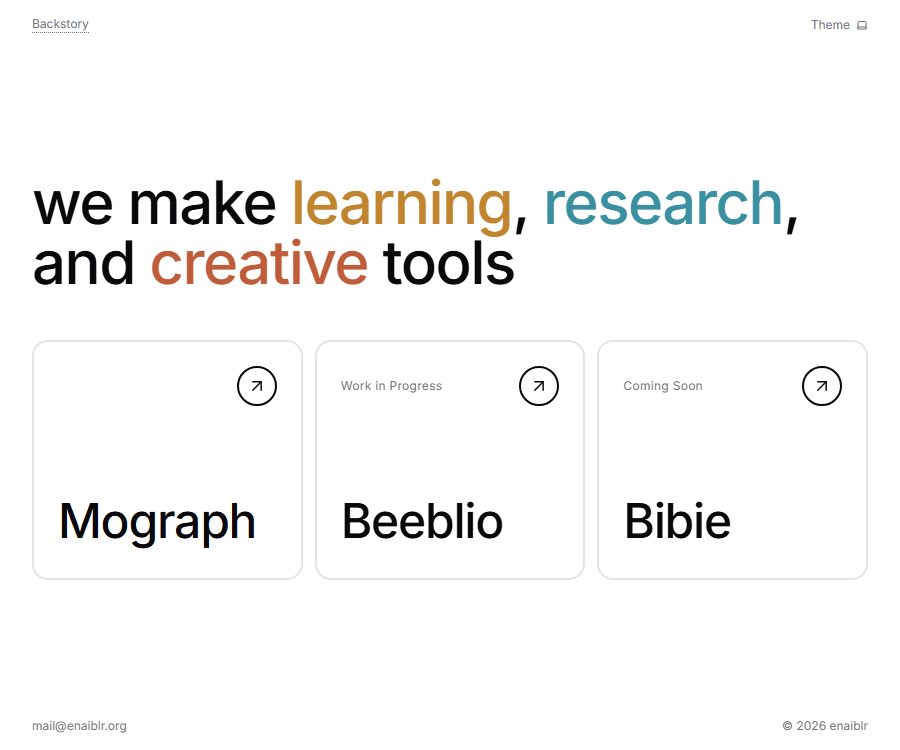
ENAIBLR Apps is a collection of web-based tools designed for learning, research, and creative tasks; it is not merely an AI search engine with a single function. The main page of the current platform highlights Mograph, Beeblio, and Bibie, while the old version of Mini AI Apps still offers a range of lightweight tools.
This entry refers to a set of independent products available on enaiblr.org; it is not the corporate AI consulting website that shares the same name. The company profiles, scope of services, and page structures of these two sites are different, and their functions and policies cannot be interchanged.
Product portfolio and current status
| Product or entry point | Current status | Positioning | Usage tips |
|---|---|---|---|
| Mograph | Now open | Create and edit 2D and 3D animations | It can be started for free; advanced export options require payment. |
| Beeblio | During development, you can try running tests. | Automated research of scientific literature | Functions and stability may continue to change. |
| Bibie | Coming soon | Family education and self-learning tools | Currently, only interests can be registered. |
| Mini AI Apps | The page is accessible. | Search, chat, transcription, voice, flashcards, and financial tools | You need to log in before clicking the tool. |
“Can be tested” and “Coming soon” should not be considered as services that are already available in full. Users should make their choices based on the current status of the page; they should not assume that Beeblio or Bibie already offer complete production services based on old information.
Mograph: Editable AI animations
Mograph is currently enaiblr’s most comprehensive product; it allows the creation of animated effects using simple instructions, templates, styles, logos, or product images. Its focus is not on producing fixed videos that cannot be modified, but rather on preserving the text, elements, layout, timing, and motion structure so that users can make further adjustments.
- Logo reveal: Transform the static brand logo into an element used at the beginning, end, or during transitions.
- Title and subtitle bars: Generate dynamic titles, speaker information, chapter cards, and subtitle elements.
- Product display: Add animations to product images, interfaces, and key features.
- Dynamic data: Present numbers, comparisons, and milestones through animations.
- Social graphics: Create reusable visual systems for announcements, promotions, and short content.
- 3D scenes: Creating spatial text, animated objects, and composites based on Three.js.
The fact that the resulting file remains editable does not mean that all animations can be transferred to any video editing software without loss of quality. Before using it, it is necessary to determine whether what has been downloaded is a rendered video or the source code, and to check whether fonts, external assets, and browser rendering can be reproduced in the target workflow.
Mograph input and output
| Stage | Available content | Results | Impact of the package |
|---|---|---|---|
| Creative input | Text description, templates, visual style | Editable animation sequence | Free accounts can be created right away. |
| Attachment | Logos, product images, and project materials | Animations with custom assets | Paid plan support available |
| Edit | Text, composition, color, time, and motion | Updated sequence | Each time AI editing is used, points are consumed. |
| Normal export | Existing animation sequences | MP4 or WebM | Resolution, watermark, and format vary depending on the plan. |
| Advanced Export | Existing animation sequences | 4K, 60FPS, transparent WebM or source code | Available in Creator and Pro versions |
Creating a Mograph costs 1 point, and initiating an AI-based edit also costs 1 point; previewing and rendering existing animations does not require any points. If creation or editing fails, the points are refunded.
Mograph usage process
- Register and log in, then check your free point balance and the current export limits.
- Enter the animation target, or start with templates and visual styles.
- When brand materials are needed, select the paid plan that allows file attachments and then upload the logo or product images.
- Check the text, layers, composition, colors, timing, and movement of the generated sequence.
- Use explicit, individual modification commands iteratively to avoid changing too many elements at once.
- Preview the entire sequence to check the loops, rhythm, edges, transparent background, and font.
- Select MP4, WebM, transparent WebM, or source code download based on the distribution channel.
AI editing consumes points each time it is used; therefore, it is usually more cost-effective to first prepare a list of the changes to be made locally. Before final release, it is also necessary to check the brand guidelines, the rights to the used materials, any issues with image flickering, and the readability on mobile devices.
Mograph templates and styles
Templates provide existing compositions and movement structures, while style controls colors, textures, and the overall artistic direction. Users can start with options such as application or dashboard displays, 3D wireframes, freeze-frame explanations, scrapbooks, Brutalism, Memphis design, hardware disassembly, and data architecture.
- Editorial Ink and Minimalist are suitable for headings with an editorial feel and concise messages.
- Liquid and Organic Motion are suitable for displaying flowing forms and brand logos.
- Luxury or High-End Fashion is suitable for emphasizing materials, negative space, and rhythm.
- SaaS and UI Animation are suitable for dashboards, feature demonstrations, and product launches.
- Hand-Drawn and Intentional Imperfection are suitable for hand-drawn or non-mechanical textures.
- Anime, Manga, Pop-Art, and Memphis are better suited for strong visual expression.
Templates and styles can only serve as a starting point; they do not guarantee consistency with the brand on their own. When using them, companies should establish rules regarding fonts, color palettes, safe zones for logos, animation speeds, and accessibility considerations.
Mograph price packages
| Package or version | Price | Billing cycle | Core benefits or quota | Suitable for users |
|---|---|---|---|---|
| Free | $ | No fixed cycle | 10 points, all templates and styles, editor, 720p MP4 with watermark | Experience and low-frequency trials |
| Starter | 4.99 dollars | Monthly | 50 points, 1080p, WebM, attachments, private sequences, no watermark, 30FPS | Lightweight content creators |
| Creator | 9.99 dollars | Monthly | 120 points, 4K, 60FPS, transparent WebM, source code download, and Starter benefits | Professional creators and brand teams |
| Pro | 19.99 dollars | Monthly | 300 points, maximum monthly limit, 4K, 60FPS, transparent WebM and source code | Creation of high-frequency animations |
The figures above represent the monthly price of the dollar on a global scale; the page also offers the option to view prices in the Indonesian region. Prices and taxes may vary depending on the region. Monthly points become invalid at the end of each billing period, while one-time top-ups of points do not expire, although the price of such top-up packages is not yet displayed.
The “source code download” option available for Creator and Pro is a format for delivering animations created by users; it does not mean that the Mograph platform itself is open source. Before making a purchase, it is necessary to check on the payment page the options related to automatic renewal, cancellation, refunds, and payment methods.
Beeblio: Research on automated testing projects
Beeblio is described on its current homepage as a research automation tool intended for everyone; it is still in the development stage and offers a testing interface. The creator’s application page describes it further as a tool for automating the search of scientific literature.
- Suitable for exploring paper searches and organizing research materials.
- Currently, the complete public information regarding the input format, database coverage, and output fields is not available.
- No rules for the systematic review process, screening and removal of duplicates, citation extraction, or access to the full text were identified.
- Testing functions may change, stop operating, or erase data; therefore they are not suitable for use in critical research.
- Answers related to a paper must be verified against the original paper; automated results cannot be considered as final evidence.
Beeblio does not currently have any publicly available pricing information, formal service commitments, APIs, SDKs, or separate privacy policies. Before uploading unpublished research, restricted full texts, or personal data, it is necessary to wait for the company to establish clear policies in this regard.
Bibie: A learning tool that has not yet been launched.
Bibie is positioned as a tool for family education and self-directed learning; it is currently marked only as something that will be released soon, with options to register interest. No information is available regarding the courses offered, the age range of users, the teacher interface, parental controls, content censorship, or the official date of release.
Since the product may be intended for minors, special attention must be paid to guardians’ consent, age appropriateness, learning data, content safety, and deletion mechanisms when it is launched in the future. At this stage, it is not necessary to specify any particular teaching functions or prices.
List of Mini AI Apps tools
The Mini AI Apps page still shows ten entries; four of them are marked as Pro, five specific tools are marked as Free, and another entry leads to a collection of additional apps created by the developers. The fact that the page is titled “Free AI Apps” does not mean that all of the AI functions available on it are free.
| Tools | Marking | Publicly disclosed uses | Use boundaries |
|---|---|---|---|
| AI Tools Search | Pro | Search for AI tools on the Internet | The index range and update cycle are not publicly available. |
| File Chat | Free | Dialog with the document | The file type, size, and retention period are not disclosed. |
| Disposable Chat | Free | Temporary AI chat – the page states that there is no limit on usage. | The fair use terms with no limit on usage have not been made public. |
| Web Chat | Pro | Obtain the most up-to-date web information through chatting. | The search coverage and citation mechanisms are not made public. |
| Audio Transcriber | Pro | Convert audio to text | Language, duration, and file size restrictions are not disclosed. |
| Natural AI Voice | Pro | Convert text into natural speech. | The audio licensing and download formats are not disclosed. |
| Japanese Flashcards | Free | Japanese alphabet flashcards | Suitable for basic practice rather than complete courses |
| Paper Flashcard | Free | Convert scientific papers into flashcards | The generated content needs to be reviewed against the paper for verification. |
| Finance Tracker | Free | Record income and expenses, manage budgets, and export to Excel | It does not constitute financial advice. |
| More Apps | Free entry | Open the collection of external experimental applications | The status and policies of each application need to be verified separately. |
Registration and use of Mini Apps
- Open the Mini AI Apps page to view the current list of tools.
- Click on the target tool; if you are not logged in, you will be directed to the login page.
- Choose to log in with Google, or use an account with an email address and password.
- Confirm whether the tool is marked as Free or Pro before deciding to proceed.
- Upload only the minimum number of files, web pages, or audio files required to complete the task.
- Check the generation results and export the content that needs to be retained before leaving.
- When it comes to privacy or payment matters, first check the actual policies and settlement details in your account.
The login page states that access to an unlimited number of AI functions is available after logging in, but it does not specify which tools are covered by this unlimited access or whether there are any restrictions related to fair use. There should be no preset limits on batch processing of files, long audio files, or frequent calls.
Differences between Free and Pro
ENAIBLR Mini Apps differentiate between Free and Pro versions in their code configuration, but there is no available page showing the actual price of the Pro version nor a complete list of its features. The only differences that can be identified are those indicated by the tools themselves; it is not possible to determine the subscription cost for Mini Apps based on the prices of Mograph.
- Free: File chatting, temporary chatting, Japanese flashcards, thesis flashcards, and financial tracking.
- Pros: AI-powered search, web chatting, audio transcription, and natural speech.
- Logging in is a common prerequisite for using the tool; it does not mean that one automatically becomes a Pro member.
- “Unlimited” appears only in the descriptions of temporary chats and in promotional materials for logging in; the specific restrictions have not yet been made public.
- Mograph is a standalone product with its own points and package system.
Suitable for users and typical use cases
- Content creators who need to quickly create editable titles, logo animations, and product animations.
- Individual users who want to use low-cost tools for conducting question-and-answer sessions on documents, having temporary conversations, or transcribing audio.
- Students and researchers who need to turn papers into flashcards and explore literature searches.
- Users who are learning Japanese kana or wish to use a lightweight tool to manage their personal finances.
- Early users who are willing to test research tools that are still in the development stage and to accept any functional changes.
- We are seeking independent developers and educators who have innovative experimental ideas and learning applications.
Platform, input, and output
| Products | Main inputs | Main output | Platform status |
|---|---|---|---|
| Mograph | Text, templates, styles, logos, and product images | Editable sequences, MP4, WebM, transparent WebM, or source code | Web application |
| Beeblio | Research questions or literature search criteria | Study the results of automation | Under testing |
| Bibie | Not yet made public | Not yet made public | Pending registration |
| Mini Apps | Texts, files, web pages, audio, or financial records | Chat, transcription, voice, flashcards, or tables | Web entry point – login required |
| Native mobile apps | Not applicable | Not applicable | Not confirmed yet |
| Browser extensions | Not applicable | Not applicable | Not confirmed yet |
The site provides lists of web applications along with their icons, allowing for a experience similar to that of installed mobile apps; however, this is not equivalent to official native mobile applications. No official product pages for these apps can be found on the App Store, Google Play, or the Chrome Web Store.
Mograph Privacy and Data Processing
Mograph’s privacy policy was last updated on August 11, 2026; it specifies that the service collects information related to login accounts, sequences and materials that are uploaded or generated, relevant metadata, as well as usage data. This policy applies only to Mograph and does not necessarily apply to all enaiblr Mini Apps.
- Authentication is handled by Neon Auth, and login is also possible via Google.
- Neon Postgres and Google Cloud Storage are used for databases and storage.
- AI generation will use OpenRouter and Google Gemini.
- The content may be processed by these service providers in accordance with their respective policies.
- During the account’s active period, the account details and user content are stored to provide services.
Users can contact support to request account deletion; once ownership is verified, the data, private sequences, uploaded materials, generated packages, rendering tasks, and outputs will be deleted or anonymized within 30 days. Encrypted backups may be retained for an additional maximum of 90 days, while certain payment, anti-fraud, security, and audit records can be kept in accordance with the law.
Content ownership and commercial usage considerations
The Mograph terms state that the user retains ownership of the content he creates, and grants the platform a non-exclusive global license to host, copy, and render such content solely for the purpose of providing services. The terms do not guarantee that all AI-generated elements will automatically possess exclusive copyright or be free from any third-party rights issues.
- It is not allowed to upload malicious code or materials that infringe on others’ intellectual property rights.
- It is not allowed to generate illegal, explicit, hateful, or abusive content.
- Brand logos, product images, fonts, music, and materials must have legitimate commercial usage rights.
- The exported source code still requires checking for dependencies, font, and asset licenses.
- The platform is provided as it is, and users should create their own backups of important projects and final files.
The general terms regarding privacy, copyright, refunds, and commercial use for Mini Apps have not been made public at this time. When handling document queries, processing papers, as well as managing voice and financial records that contain sensitive information, it is necessary to avoid entering confidential data.
API, SDK, GitHub, and open source
| Project | Current status | Explanation |
|---|---|---|
| enaiblr Apps API | Not confirmed yet | There are no documents available regarding public endpoints, authentication, or rate limiting. |
| Official SDK | Not confirmed yet | No official development package was found. |
| Download Mograph source code | Available in Creator and Pro versions | It refers to projects for creating animations, not the source code of the platform. |
| Creator GitHub | The profile is accessible. | A personal repository does not automatically constitute the official open-source repository of the product. |
| enaiblr Apps core code | Open source not confirmed | No corresponding license or complete warehouse was found. |
| Mograph core platform | Open source not confirmed | Downloading the results for a fee does not change the licensing terms of the platform. |
Main advantages
- One entry point covers creativity, research, chatting, voice functions, learning, and basic financial tasks.
- The structured animations of Mograph make it easier to continue editing compared to static videos.
- Free tools can be used to test various personal workflows at a low cost.
- The free version of Mograph provides the ability to actually create content and export it with a watermark.
- Research and learning products clearly indicate whether they are in development or about to be released, which makes it easier to assess their maturity level.
- The creator’s additional application suite provides extra tools for research and visual experimentation.
Main limitations
- The product portfolio is still being restructured, with the homepage, Mini Apps, and external applications existing side by side.
- The price, quota, refund policies, and privacy policy of General Pro are not fully disclosed.
- The features of Beeblio are still under development, and Bibie has not yet been launched.
- Multiple tools provide only a single sentence describing their purpose; the input restrictions and the duration for which data is stored are not clear.
- The monthly credit of Mograph is not carried over, and frequent AI edits will quickly deplete this credit.
- No public APIs, SDKs, official product repositories, or open-source licenses have been confirmed.
- Free, Pro, trial, and external applications need to be assessed individually; they cannot be classified together.
Usage suggestions and summary
If the main goal is to create editable animations, Mograph should be evaluated directly; start by using the 10 free credits available to assess the quality of the output and the ease of editing. If file sharing, flashcards, or financial tracking are needed, begin with the free tools offered by Mini Apps, but avoid uploading sensitive information.
Beeblio and Bibie are better suited for keeping an eye on their progress, rather than relying on them to carry out critical tasks. The actual usability, pricing, and policies vary greatly among the various enaiblr Apps, so it is necessary to check each one individually before using them.
Frequently Asked Questions
Is enaiblr Apps a collection of apps or tools?
It is a collection of tools. Currently, it includes three main categories: Mograph, Beeblio, and Bibie, in addition to the page with lightweight Mini AI Apps that are still accessible.
Are all Enaiblr Apps free?
No. Mini Apps offer both free and Pro versions of its tools; Mograph also provides a free version as well as three monthly subscription plans. The official prices for Beeblio and Bibie have not yet been disclosed.
What types of animations can Mograph generate?
It can create logos, titles, subtitle bars, product displays, dynamic data, social graphics, and 3D scenes, and allows for further adjustments to text, layout, colors, timing, and motion.
What are the limitations of the free version of Mograph?
The free version provides 10 credits; it allows the use of templates, styles, and an editor, and enables the export of MP4 files with watermarks at a resolution of up to 720p. Features such as attachments, watermark-free files, and higher resolution outputs are available in the paid version.
How is the Mograph integration consumed?
Creating an animation or performing AI-based editing costs 1 point each, while previewing and rendering existing animations does not require any points. Points are refunded in the event of a failed creation or editing attempt.
Has Beeblio been officially launched?
It has not been confirmed yet that it will be officially launched. The homepage indicates that it is still in the development stage and provides a testing interface; the available public information is not sufficient to determine the full range of functions, prices, or service commitments.
Can Bibie be used now?
Not yet. Bibie is currently marked as upcoming; it is only possible to register interest, while the specific courses, platform, and release date have not been disclosed yet.
Is registration required for Mini Apps?
It is necessary. When clicking on a specific tool, unlogged-in users are directed to the login page, where they can choose to log in using Google credentials or their email and password.
Does enaiblr Apps provide APIs or SDKs?
No public APIs, SDKs, authentication documents, or usage rules were found in this review; the existing products rely primarily on web-based interactions.
Is Mograph open-source software?
It is not an open-source platform that has been confirmed as such. The download of the source code for Creator and Pro refers to the output of animations created by users; it does not mean that the source code of Mograph itself is made available.
Tools similar to enaiblr Apps


 Guigong Network Security Registration No. 45132202000164