






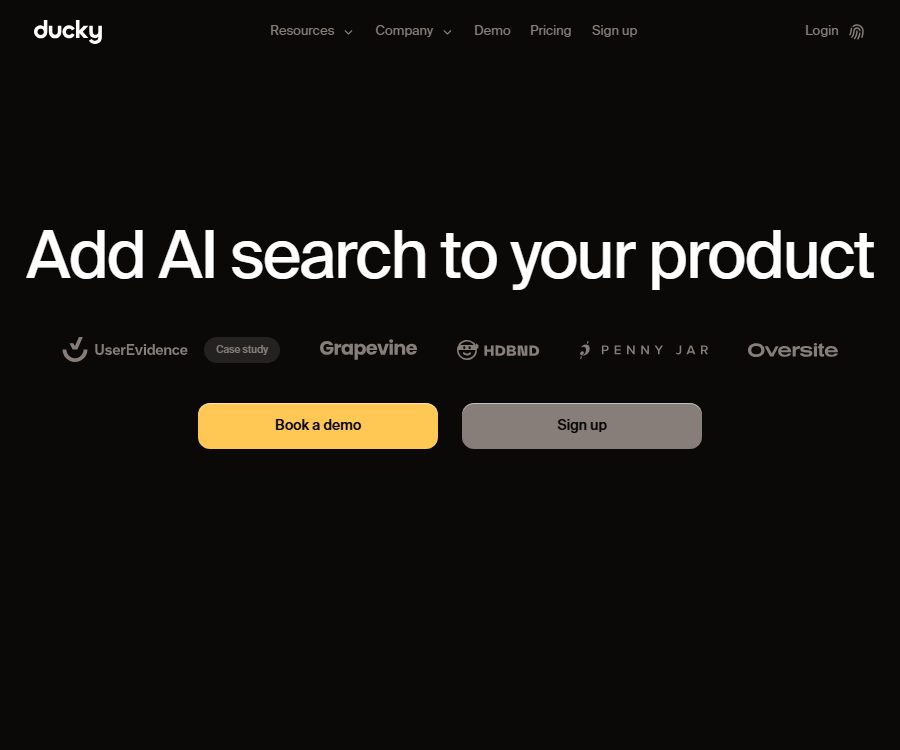
Ducky
Ducky – makes AI-powered searching more efficient and simpler.
Tags:AI search engineWhat is Ducky?
Ducky is a fully managed retrieval infrastructure provided by Lyco.AI, Inc., which helps developers create indexes for RAG applications and AI agents, search through documents, and provide context that can be used by the models. Teams do not need to deploy vector databases on their own, manage separate pipelines, or handle retrieval and reordering services.
This entry introduces the Ducky AI search platform designed for developers; it is not the Duckie customer service bot, the command-line tool with the same name, or any other search-related projects. Ducky provides a web console, network APIs, as well as SDKs for Python and TypeScript.
Overview of main functions
| Functions | Enter | Output | Suitable for tasks |
|---|---|---|---|
| Text indexing | Main text, titles, document numbers, and metadata | Searchable documents and content chunks | Search for knowledge bases, products, reviews, and internal documents |
| File index | Text files such as PDF, TXT, Markdown, etc. | Text automatically extracted and indexed | Manuals, reports, contracts, and long documents |
| Multimodal indexing | Text and JPEG, PNG, GIF, WebP images | A unified representation that allows searching in natural language | Visual materials, product images, and text-and-image documents |
| Mixed search | Natural language queries and search parameters | The result of combining keywords with semantics | Applications that require precise matching of words and concepts |
| Metadata filtering | Category, date, tag, rating, and permission fields | Results that meet the structured criteria | Multi-tenant, permissions, status, and business filtering |
| rearrangement | Initial search of candidates | Results of the correlation reordering | Improve the quality of top results |
| Ask interface | Index name and natural language question | Comprehensive answer, confidence level, and related documents | Q&A assistant and intelligent agent knowledge retrieval |
| Document management | Requests to create, update, list, and delete documents | Index content that is continuously maintained | Synchronize with the product database and content system |
Project, Index, and Document
A Project represents the highest level of resource and permission boundary; a single Project can contain multiple Indexes, and API keys are also associated with Projects. An Index is a collection of related documents, and it is necessary to specify the target Index when performing searches.
- Isolate environments, customers, or applications using different Projects.
- Use different indexes to isolate products, documentation, tickets, or regulatory materials.
- Each Document belongs to an Index, and it is possible to use custom document numbers.
- The main text is the content that is searched for, while the title and original address can serve as auxiliary fields.
- Metadata stores structured attributes such as category, version, permissions, author, rating, and date.
- API keys should be granted only to services that need access to the corresponding project.
The design of Index is simpler compared to that of traditional search engines; it does not require users to define complex mappings in advance. Although the configuration is simplified, teams still need to design the data boundaries, permission fields, document versions, and synchronization strategies on their own.
Text and file indexing
Developers can submit text directly, or they can upload PDF and UTF-8 text files. The documentation specifies that the size of a single file should not exceed 60MB; the platform will extract the content from such files and then proceed with splitting it, vectorizing it, and indexing it.
- The content field is a necessary element of a text index.
- title, original address, source document id, and metadata are optional fields.
- Metadata values support string, numeric, and boolean types.
- A maximum of 100 documents can be submitted at once for batch indexing.
- The asynchronous SDK methods are suitable for parallel uploading, but it is still necessary to control client concurrency.
- Upsert uses the same document number to create or update content.
- When deleting upstream content, the deletion interface should be called simultaneously, and the index results should be verified.
Before uploading a PDF, it is necessary to verify that the scanned version contains text that can be extracted, and to check tables, page headers, and paragraphs that span multiple pages. Even in cases where complex layouts are successfully indexed, errors in order or segments lacking context may still occur.
Multimodal image indexing
Ducky’s multimodal indexing capability allows images and text to be combined into searchable documents, with visual information being extracted automatically. It currently supports JPEG, PNG, GIF, and WebP formats; images can be submitted using accessible URLs or Base64 encoded data.
- It is suitable for searching for product appearances, charts, screenshots, design assets, as well as graphic and textual knowledge bases.
- Natural language queries can match the visual content of images along with the accompanying text.
- There is a 10-second timeout limit for fetching image URLs at the moment.
- Using Base64 increases the size of the request body and the transmission costs.
- Small text, complex charts, and content with low resolution in the image may not be recognized accurately.
- Before uploading, unnecessary sensitive information such as faces, identification documents, keys, and customer data should be removed.
The older version of the documentation states that only text is supported at present, whereas the newer multi-modal documents and product pages do offer support for images. This indicates a lack of synchronization in the updates to the documentation; therefore, it is necessary to rely on the current API specifications and account features when using these tools.
Retrieval process and search types
Ducky breaks down documents into smaller segments and creates semantic representations of them; it then stores these segments along with metadata in the Index. When performing queries, it is possible to use keywords, semantic data, or a combination of both, and reordering can be applied at the end.
| Search method | Match key points | Suitable scenarios | Main boundaries |
|---|---|---|---|
| Keyword search | Exact words and approximate words | Numbers, terms, models, and regulatory provisions | Synonymous expressions may be missed. |
| Semantic search | Query and meaning of content | Natural language question answering and concept matching | It is possible to receive content that has a similar meaning but is not accurate. |
| Mixed search | Joint weighting of keywords and semantics | Product search and enterprise knowledge retrieval | It is necessary to adjust the weights according to the dataset. |
| Metadata filtering | Structured field conditions | Permissions, dates, categories, and workflow status | Metadata errors can lead to unauthorized access or missed detections. |
| rearrangement | Secondary sorting of candidate results | Improve the relevance of the first few results | Increases processing time and retrieval costs |
The alpha parameter is used to balance keywords and semantic signals, while top_k controls the number of results returned; the allowed range for this value in the current document is from 1 to 100. Teams should use real datasets to evaluate recall rate, top accuracy, latency, and the cost per query.
How to use the search results
Retrieve can return both the results aggregated by document and the individual content blocks; these results include the main text, metadata, and relevance scores. The application can choose the most relevant blocks to include in the prompt for the large model, or it can display the corresponding documents to the user.
- The document results facilitate the presentation of complete records and original materials.
- The chunked results facilitate controlling the length of the context sent to large models.
- The correlation score is suitable for sorting and debugging, and should not be regarded as an indicator of factual accuracy.
- Metadata can be used to make further decisions regarding permissions, channels, and versions.
- The original document number facilitates returning to the business system for verification and updates.
- When generating a response, the audit records of the documents and sections used should be retained.
Ask interface
The Ask interface combines the search process and the generation of answers into a single request; once a user submits a question, the internal intelligent agent carries out expanded searches, performs inference across different documents, and produces an immediate answer. The response includes information on the level of confidence in that answer as well as relevant documents, making it suitable for quickly creating Q&A functions.
Confidence levels do not constitute a guarantee regarding legal, medical, or business-related facts; the associated documents may also be outdated, contradictory, or lack the appropriate permissions. Applications with high risk should include mechanisms for checking the original content, setting thresholds, rejecting requests, undergoing manual approval, and providing traceable references.
Complete integration tutorial
- Register an account and create a Project to define the boundaries of the development, testing, and production environments.
- Create an Index in the Project, and plan its naming based on data usage and access permissions.
- Create a dedicated API key and save it in the server-side key management system.
- Install the Python or TypeScript SDK, or choose to call the network interface directly.
- Prepare a small amount of representative text, PDFs, and metadata to first verify the quality of extraction and segmentation.
- Submit the indexing task and save the document number; check the list as well as the results of reading individual documents.
- Test real user questions using keyword, semantic, and hybrid search methods.
- Adjust alpha, top_k, filtering criteria, and whether to reorder, and create an offline evaluation set.
- Integrate the search results or Ask responses into the application, while also implementing permission and fact verification.
- Monitor indexes and retrieval tokens, failed requests, delays, empty results, and excessive costs.
- Set up synchronization tasks for updates and deletions, regularly rotate keys, and review the data storage arrangements.
Python, TypeScript, and direct APIs
| Access method | Install or invoke | Features | Suitable for users |
|---|---|---|---|
| Python SDK | Install duckyai | Synchronization, asynchronous operation, and context management support | Python backend, data, and AI team |
| TypeScript SDK | Install duckyai-ts | Type support, zero dependencies, and on-demand packaging | Node.js and full-stack applications |
| Direct API | Standard network request | No restrictions imposed by programming languages; full control over requests is available. | Other languages and custom integrations |
| Ask interface | SDK or network requests | Return directly the comprehensive answer, confidence level, and document. | Quick Q&A and Agent Prototypes |
The current version of the Python package is 0.12.0, while the current version of the TypeScript package is 1.4.1. These versions will continue to change; in a production environment, it is necessary to lock down the dependencies, check the change logs, and carry out regression tests before performing any upgrades.
API key security
- Do not store the key in the browser frontend, mobile app packages, or public repositories.
- Create keys separately for each project and environment to prevent sharing across different clients.
- Add authentication, request limits, and audit logs to the own backend.
- Do not use the Index name provided by the user directly for unauthorized queries.
- Immediately revoke it when the key is leaked, and check for any abnormalities in indexing, retrieval, and costs.
- Mask keys, customer content, and sensitive metadata in the logs.
Price and quantity used
| Package or version | Price | Billing cycle | Core benefits or quota | Suitable for users |
|---|---|---|---|---|
| Trial | $ | Trial | 100,000 index tokens, 100,000 retrieval tokens | Prototype and small dataset testing |
| Launch | $ | Monthly | 3 million indexing tokens and 3 million retrieval tokens per month, along with dedicated Slack support. | Launched applications and ongoing traffic |
| Launch index exceeded the limit. | $ | Pay-as-you-go | Charging applies once the package index limit is exceeded. | Add or frequently update a large number of documents |
| Launch retrieval exceeds the limit | $ | Pay-as-you-go | Charging applies once the search quota for the package is exceeded. | Applications with high query volumes |
Indexing and retrieval involve different token quotas and overage rates; it is not possible to estimate costs based solely on the number of documents or queries. Document length, chunking, the amount of context returned, reordering, and repeated updates all affect the actual usage.
The public page does not specify whether the trial period is refreshed on a monthly basis, whether automatic renewal applies after the launch, how unused credits are carried over, what the fees are, what happens to failed requests, and what the rules regarding refunds and cancellations are. It is necessary to confirm these details on the settlement page or in a written contract before proceeding with the purchase.
Suggestions for cost control
- First, remove duplicates from the document, eliminate template headers, and get rid of any repetitive content that has no value for searching.
- Use the document ID for upsert, so as to avoid treating every minor update as a new document.
- Set a reasonable value for top_k when performing queries; do not use the default value of 100.
- Enable rearrangement only when it is necessary to improve the quality of sorting.
- Use metadata filtering to narrow down the search range and reduce irrelevant context.
- Caching allows for the reuse of retrieved results, while also providing a mechanism to invalidate outdated content.
- Monitor the index and retrieval tokens separately, and set monthly budgets as well as alerts for exceeding those limits.
GitHub, SDKs, and open-source status
| Project | Current status | License status |
|---|---|---|
| Ducky hosting platform | Closed-source SaaS | The terms specify that the platforms, algorithms, and technologies constitute the company’s intellectual property. |
| ducky-cookbook | Public example and guide repository | No license file or SPDX identifier detected. |
| Python SDK | It can be installed through the package repository. | The license is not specified in the current package metadata. |
| TypeScript SDK | It can be installed through the package repository. | The license is not specified in the current package metadata. |
| OpenAPI and interface documentation | Made publicly available | Readable documents do not mean that the code can be freely redistributed. |
The cookbook is available publicly and continues to be updated; it can be used for learning how to handle questions related to legal documents, as well as for integrating functions such as Slack search. However, without a license, one does not have the right to copy, modify, or distribute it for commercial purposes. The fact that an SDK can be downloaded and installed does not mean that the platform or package is subject to an open license.
Privacy, security, and data retention
The privacy policy explains that names, email addresses, phone numbers, addresses, IP addresses, browser information, device details, as well as usage and diagnostic data are processed, and that cookies, pixels, and similar technologies are used. Personal information can be utilized to manage accounts, fulfill contracts, enable communication, conduct analysis, improve services, and carry out marketing activities.
- Personal information may be shared with service providers, affiliated parties, business partners, and transaction handlers.
- The data may be processed in the country where the company and the processor are located, and the data protection laws there may differ from those in the user’s country.
- Personal data is retained for as long as is necessary for business purposes, to resolve disputes, and to meet legal obligations; there is no unified, publicly specified time limit for its retention.
- Users can update some information in their accounts, and they can also request access to, correction of, or deletion of that information.
- The company undertakes to take commercially reasonable protective measures, but does not guarantee absolute security.
- The service is not available for children under 13 years old.
The terms state that Ducky connects only to data provided by the user intentionally, and takes reasonable measures to ensure confidentiality. At present, there is no clear information available regarding the locations where data is stored, the time limits for deleting indexes, backup strategies, DPA standards, SOC 2 and ISO 27001 certifications, details of encryption procedures, or any commitments regarding whether customer data is used for training models.
Recommendations for corporate data
- Do not index sensitive personal information or client secrets before signing a data processing agreement.
- Confirm with the service provider regarding data retention, sub-processors, training purposes, and proof of deletion.
- Use metadata to implement tenant and permission filtering, but enforce authentication again at the application backend.
- Use masked or synthetic data for testing environments; do not copy the entire production knowledge base.
- Retain the original upstream data and index lists to avoid relying on the managed indexes as the only backup.
- Export the necessary mappings before the contract ends, and verify the processes for deleting documents, chunks, and backups.
Accuracy, copyright, and commercial usage boundaries
Ducky is responsible for searching and generating answers based on indexes, but users still need to review the results. Search scores, reordered results, and Ask confidence levels cannot prove that the answers are accurate, complete, or suitable for high-stakes decisions.
- Only the indexing team has the authority to process documents and transmit them to external services.
- Verify contract permissions for customer content, employee information, and licensed databases.
- Search applications must implement access control both before and after a search is performed.
- When displaying the answer to the user, the original text location and update time are provided.
- Reject responses and initiate manual review for conflicting documents, cases with no results, and those with low confidence levels.
- The terms do not fully specify the rights regarding customer data and the generated outputs; the company must provide written confirmation.
- The platform itself shall not copy, modify, or distribute it without written consent.
Suitable for users and scenarios
- SaaS development team: Adds a help center and in-app search to the product.
- Agent developer: Provides the relevant context for tool calls and responses.
- E-commerce team: Search for products using natural language, images, and metadata.
- Corporate knowledge team: Search for manuals, policies, meeting minutes, and internal reports.
- Legal and Compliance Team: Develop a prototype of question-and-answer format with original text verification.
- Customer service products: Search for tickets, product documentation, and solution knowledge.
- Data team: Quickly test keyword, semantic, mixing, and rearrangement strategies.
Advantages and main limitations
Main advantages
- Managed indexing, partitioning, semantic search, and reordering to reduce the need for custom infrastructure.
- It also offers keyword, semantic, mixed search, and advanced metadata filtering.
- It supports text, PDF, text files, and multimodal images.
- Python, TypeScript, and direct APIs cover the common integration methods.
- The Ask interface can directly return the answer, confidence level, and related documents.
- The free quota allows you to first verify the quality using a real small dataset.
Main limitations
- Indexing and retrieval are billed using different tokens, so their costs need to be monitored separately.
- Mixed weights, partitioning, metadata, and permissions still require design and evaluation by the team.
- Answers generated by Ask may not be accurate, and they cannot replace the original text or professional review.
- The scope of support for some old documents does not match that of the new multimodal pages.
- There is insufficient public information regarding data retention, authentication, uses for training, and deletion procedures.
- The platform is closed-source; no license statement has been detected for the public cookbook and SDK.
Summary
Ducky is suitable for development teams that wish to quickly add hosted document indexing, hybrid search, reordering, and Q&A capabilities to their AI products, without having to manage search clusters on their own. Before going live, it is essential to verify the quality of real data, permission isolation, the costs associated with the two types of tokens, privacy agreements, the process for deleting data, and the limits regarding the use of example code without a license.
Frequently Asked Questions
What type of tool is Ducky?
It is a fully managed RAG retrieval infrastructure that offers document indexing, keyword and semantic search, reordering, as well as direct Q&A capabilities; it is integrated into applications primarily through APIs and SDKs.
Can Ducky be used for free?
A trial version is available; it includes 100,000 indexing tokens and 100,000 retrieval tokens. The official website does not specify whether these quotas are refreshed on a regular basis.
How much is the Launch package?
The current price is $290 per month, which includes 3 million indexing tokens and 3 million retrieval tokens per month, as well as dedicated Slack support.
How is excess usage charged?
The excess cost for indexing is $0.014 per 1K tokens, while the excess cost for retrieval is $0.079 per 1K tokens. Monitoring and budgets should be set up separately for each of these.
Is PDF and image support available?
PDF, text files, and multi-modal images are supported. The image formats include JPEG, PNG, GIF, and WebP; the restrictions on files and images should be checked according to the current interface specifications.
What search methods are supported?
It supports keyword, semantic, and hybrid searches; weights can be adjusted using alpha, and metadata filtering as well as optional reordering are available.
What is the difference between the Ask interface and regular searches?
A regular search returns documents and segments, while Ask proceeds to compile a comprehensive answer along with a confidence level and related documents. In both cases, it is necessary to carry out one’s own checks regarding permissions and accuracy of the information.
Are there Python and TypeScript SDKs?
Yes, the Python package is named duckyai, while the TypeScript package is named duckyai-ts. It is also possible to call the API directly using standard network requests.
Is the ducky-cookbook open source?
The repository is publicly readable, but no license file or SPDX identifier has been detected. Being public does not imply permission for modification, commercial use, or redistribution.
Is the Ducky platform open source?
Since it is not open source, the terms designate the platform, algorithms, and related technologies as the company’s intellectual property. Even if the SDKs and example repositories are made public, the platform remains closed source.
Tools similar to Ducky



 Guigong Network Security Registration No. 45132202000164