






Lutra AI
Lutra AI, an intelligent tool focused on AI-powered searching.
Tags:AI search engineWhat is Lutra AI?
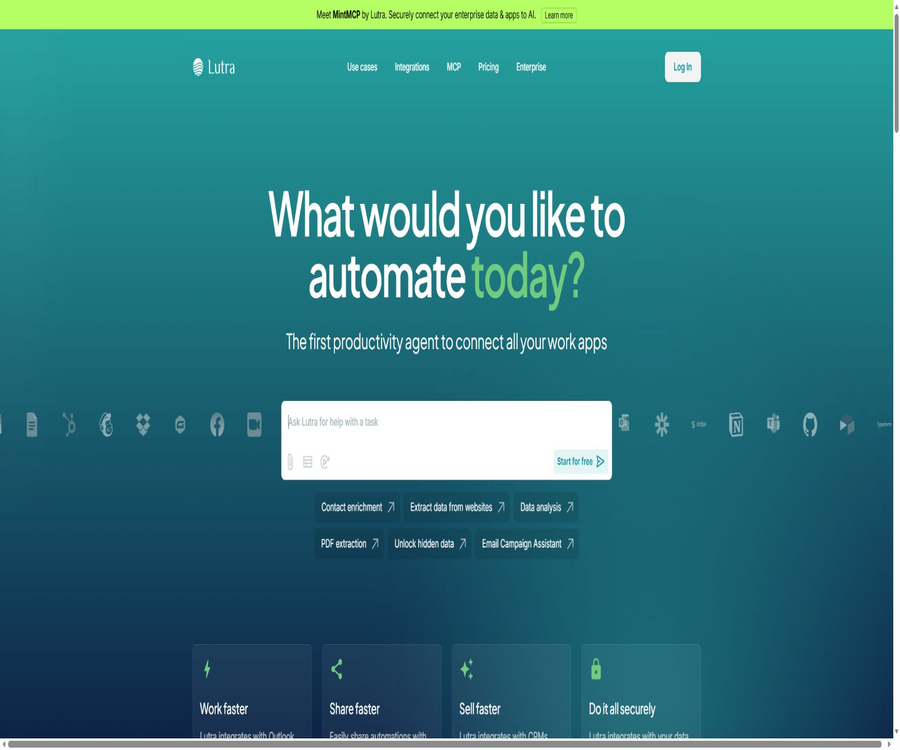
Lutra AI is an cross-application productivity agent operated by Dependable AI, Inc.; it was developed by a team with experience in technologies from Google, Coursera, Amazon, and other companies.
After the user describes the goal in English, Lutra asks for any necessary conditions, generates executable code, coordinates the connected applications to carry out the task, and then saves the established process as a Playbook.
What problem does it solve?
Lutra’s focus is not on providing responses to individual conversations, but rather on creating repeatable workflows that integrate web research, data extraction, file handling, email management, spreadsheets, CRM functions, and team collaboration.
It is suitable for individual and corporate teams that need automated handling of sales, operations, finance, marketing, and research tasks, but do not want to write integration code from scratch.
Core competencies
Natural language generation of executable workflows
- The user enters the target, data location, filtering criteria, output fields, and delivery method; the Agent breaks down any vague requirements into specific steps and asks for additional information when needed.
- Lutra generates code for tasks, using the same logic to process large volumes of data repeatedly; users can view the plans and the code before proceeding with execution, so as to confirm everything.
- When executing code, it is still possible to write incorrect data, send wrong content, or consume too many resources; important workflows should first be tested with a small number of samples and require manual approval.
Web page research, extraction, and data analysis
- It is possible to access a set of web pages, extract specified fields, categorize text, summarize news or company information, and then save the structured results in tables, documents, or CRM systems.
- AI tools enable the extraction of structured data from text, categorization of documents, text generation, conversion of Markdown to PDF, creation and rendering of HTML templates, as well as file saving.
- The input can include CSV, Excel, PDF, Google Drive files, Google Docs, Google Sheets, and Airtable files; it is suitable for handling invoices, leads, surveys, and reports.
- Search results and third-party data may be outdated, missing, or subject to access restrictions; users need to check key fields, dates, permissions, and eliminate duplicate results.
Email, forms, and integration with business systems
- The platform can be connected to applications such as Gmail, Outlook, Google Workspace, Microsoft File Services, Slack, Airtable, Notion, HubSpot, GitHub, Stripe, Xero, and more.
- Typical tasks include summarizing unread emails, extracting insights from the mailbox, updating HubSpot, adding company information, creating draft replies, and saving the results in Google Sheets.
- Reading and writing within the application generally does not consume Lutra credits, but third-party services may charge extra fees; the actual operations that can be performed depend on the account permissions and the scope of the connectors.
Playbook, Scheduling, and Sharing
- After completing a task, the steps can be saved as a Playbook; input variables can be defined and the process can be scheduled to run automatically. This approach is suitable for preparing weekly reports, updating lists of potential clients, organizing emails, and checking data quality.
- The Playbook can be shared with the team to ensure consistent standards of execution, and it can also be triggered by Zapier, scripts, or other systems using a unique Webhook token.
- The Webhook returns a run number and status, allowing external systems to poll for results; a leaked token can enable others to initiate the process, so it must be kept confidential and rotated regularly.
MCP and custom integration
- Lutra can serve as a client for MCP to connect to compatible services; it also allows users to access their own MCP Servers, enabling the Agent to invoke various tools.
- Custom integrations can define inputs, outputs, and operations using Python data classes and functions; the public functions are visible in conversations and Playbooks, while the helper functions that start with an underscore remain hidden.
- The platform enables the generation or modification of integration code through dialogue, and it provides credential management for API keys and tokens; self-created plugins are visible only to the account by default, while the team version allows them to be shared within an organization.
- The connector is also compatible with formats such as REST and OpenAPI, but for using the generic API interfaces, it is necessary to contact the development team for confirmation; the internal connector catalog cannot be regarded as an unlimited set of public APIs.
Input, processing, and output
| Task type | Common inputs | Handling method | Common outputs |
|---|---|---|---|
| Web research | Web page list, company names, field requirements | Search, read, extract, merge, and reference | Structured tables, research summaries, CRM records |
| File processing | PDF, CSV, Excel, cloud documents | Analysis, classification, verification, calculation, and conversion | Tables, PDFs, visualizations, or standardized data |
| Email automation | Emails, filtering criteria, templates, and contacts | Read, classify, summarize, draft, or send | Drafts, tags, summaries, and outreach records |
| Business system synchronization | CRM, forms, financial, or project data | Query, create, update, associate, and deduplicate | Updated records, reports, and operation logs |
| External trigger | Webhook JSON parameters | Start the Playbook and return it to the running state. | Run number, logs, and final results |
Complete usage process
- Create an account and start with a low-risk task, by defining the objectives, specifying the location, fields, filtering criteria, and the desired output.
- Connect to the required application as indicated, grant only the minimum permissions necessary to complete the task, and ensure that the data policies of the work account allow the use of third-party agents.
- Describe the tasks in the chat so that Lutra can generate plans and code; then check each operation related to reading, writing, sending, deleting, and making calls to external data sources.
- Run with a small sample size to verify the accuracy of the results, energy consumption, duplicate entries, error handling, and the actual impact on third-party systems.
- Based on the feedback, adjust the categories, fields, or steps; once stabilization is achieved, save it as a Playbook, and set the parameters, execution time, and points for manual approval.
- Create a Webhook when system triggering is required, securely store tokens, and monitor logs; review credentials, permissions, and data scope before sharing them with the team.
Packages and prices
| Package or version | Price | Billing cycle | Core benefits or quota | Suitable for users |
|---|---|---|---|---|
| Free | 0 dollars | Monthly | Standard Agent access: 100 points per month | Try out small-scale automated personal systems. |
| Essentials | 29 dollars | Monthly | Standard Agent access: 2,000 points per month | Users who are continuously working on their personal workflows |
| Professional | 79 dollars | Monthly | Unlimited access for agents, 6,000 points per month, priority support, and discounted points available for purchase | High-frequency automation professional users |
| Custom or Enterprise | Contact sales | Customization | Custom workflows, higher limits, enterprise-level security, and dedicated support | Organizations that require governance, scaling, and service support |
Some use case pages list the amounts and limits associated with the individual plans mentioned above, while the dynamic main pricing page shows only the subscription-based billing framework and may not display specific figures; differences can also arise due to variations in account type, region, and billing cycle.
Subscriptions are automatically renewed by default, but this can be stopped in the account settings and the subscription will remain valid until the end of the current period. A proportional refund for the current period is generally not provided; trials or promotional offers need to be canceled before their expiration to avoid charges.
How are points consumed?
| Operation | Integration | Explanation |
|---|---|---|
| Read a webpage | 1 | The same data that is already cached may no longer be deducted. |
| Search the internet | 3 | It will read and combine multiple pages. |
| Get profile information | 3 | Used to supplement information about public figures. |
| Obtain company information | 3 | Used for supplementing corporate data |
| Text generation, classification, analysis, or extraction | Floating | It depends on the length of the text, the size of the file, and its complexity. |
| Connect for reading or writing within the application | It is usually 0. | Fees for third-party services may still exist. |
Once the monthly quota is exhausted, it is possible to upgrade the package. Professional and Custom users can purchase additional discount credits; before starting a task, it is necessary to check the balance and the cost per task in the control panel.
API, Webhook, SDKs, and open source
- The public access method for users is primarily the Playbook Webhook; network requests using tokens can be used to initiate execution and check the status.
- Lutra supports MCP clients, custom MCP servers, REST, OpenAPI, and Python-based custom integrations, making it suitable for incorporating internal systems into workflows.
- For the more comprehensive Lutra API, it is necessary to contact the development team; as of now, there is no information available regarding a universal SDK, versioned APIs, or clear public rate limits.
- As of now, there are no officially open-source versions of Lutra’s core products, the Agent runtime, or the SDK repositories; the main service should be regarded as a proprietary cloud platform. The integration with GitHub merely serves to connect to third-party coding platforms.
Relationship between platform and products
| Products | Positioning | Relationships and differences |
|---|---|---|
| Lutra AI | Web-based productivity agents and workflow automation | Create and run Playbooks for individuals and teams. |
| MintMCP | Enterprise Agent and MCP Governance Platform | Launched by the Lutra team, it focuses on gateways, identity, permissions, auditing, and security controls. |
There is no official desktop or mobile application available, so it should be used as a web service for now; the enterprise features and pricing of MintMCP cannot be automatically equated to the personal subscription benefits of Lutra.
Privacy, training, and data storage
- The platform may process names, contact information, devices and IP addresses, job titles at companies, billing addresses, usage analytics, credentials for third-party accounts, as well as content uploaded by users.
- The workflow descriptions and the content generated by the free tier are used by default for model training; the paid tier is set to exclude training by default, but users can choose to include it.
- Content submitted privately is not made available to other users by default; users grant the platform permission to display, execute, and reproduce such content in order to provide services, and they are subject to requirements regarding deletion and legal retention of that content.
- Once content is voluntarily shared or created, a broader, transferable, sub licensable, and ongoing license for use is granted to the platform and other users; confidential or third-party restricted data must be removed prior to sharing.
- The data is stored by account, payment, system operation, as well as for legal and business purposes; the policies do not specify fixed time limits for all workflows, logs, caches, and backups.
- Google API data is subject to the Limited Use requirement; however, when connecting to other services, it is still necessary to check their respective authorization scopes, organizational policies, and methods for revoking access.
Safety and operational risks
- Lutra states that it uses OAuth, encryption for data transmission and storage, regular audits, and SOC 2 certification; companies can contact the team to obtain the relevant certifications.
- Users can view the operations and code carried out by the Agent, but visibility does not equate to code security; steps that involve sending messages, making payments, deleting data, publishing content publicly, or performing bulk writes to databases should require approval.
- Connection permissions should be applied in accordance with the principle of minimization; OAuth, Webhook, and custom integration credentials should be revoked upon employee departure, project completion, or discontinuation of the Playbook.
- External web pages may contain errors or malicious instructions; therefore, workflows should restrict the accessible domains, the tools that can be invoked, the areas to which data can be written, and the size of batches processed at any given time.
Copyright, Commercial Use, and Liability
- Users must ensure that they have the legitimate right to process the data they upload and connect to, and they are responsible for the generated code, the automated results, as well as any consequences that arise from its execution.
- The terms allow users to own their own submitted and created content, but the permissions granted to the platform and to those to whom the content is shared vary depending on whether it is shared privately or publicly.
- The generated text, code, and research results may still be inaccurate or inconsistent with materials from third parties; it is necessary to verify facts, licenses, privacy, and branding requirements before using them for commercial purposes.
Suitable for users and typical use cases
- Researchers and operational staff who need to extract structured information from a large number of web pages, PDFs, emails, or tables.
- Teams that wish to add CRM data, draft personalized emails, synchronize tables, and establish regular sales processes.
- Technical and automation teams are needed to connect internal APIs, MCP Servers, or business systems to natural language agents.
- It is not appropriate to handle high-risk payments, make deletions, or take decisions related to healthcare, law, or human resources without proper approval and segregation of permissions.
Summary
The value of Lutra AI lies in its ability to combine natural language, code generation, application integration, and reusable Playbooks into a unified process for execution across different systems.
Before official use, it is necessary to verify the current settlement prices, the cost associated with points, connection permissions, and training settings; moreover, for operations with a high impact, mechanisms for manual review and reversal should be in place.
Tools similar to Lutra AI



 Guigong Network Security Registration No. 45132202000164