






LiftmyCV
LiftmyCV, an intelligent tool focused on AI-driven searching
Tags:AI search engineWhat is LiftmyCV?
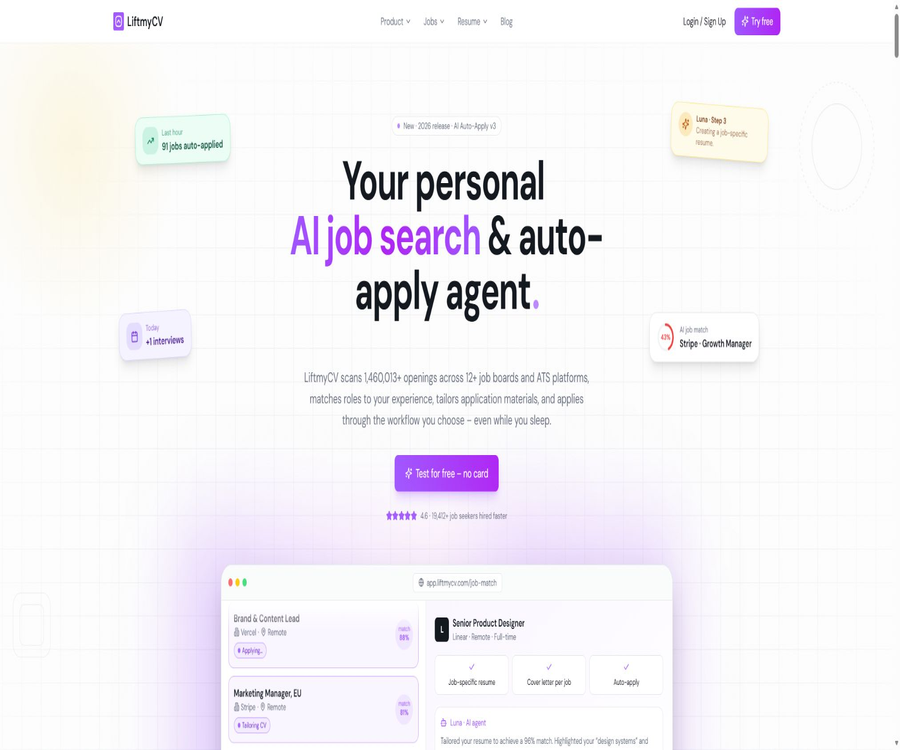
LiftmyCV is an AI-powered job search and automatic application platform designed for job seekers, operated by Fortunestack LTD. It integrates job discovery, matching scoring, application document generation, form filling, submission, and progress tracking into a single workflow.
The platform operates primarily through web applications, Chrome extensions, and cloud-based automation, and is suitable for individual job seekers who wish to reduce the need to fill out forms repeatedly. It cannot replace a candidate’s own judgment, nor does it guarantee an interview or employment.
A one-sentence summary
After uploading their resumes and completing their job application details, users can filter jobs, have AI assess the degree of suitability, have resumes and cover letters generated for each position, and then choose to have these submitted manually, via automatic delivery through the browser, or through cloud-based submission.
Main functions
- Aggregate job listings from various recruitment websites and ATS platforms, and filter them by position, location, working arrangement, and publication date.
- The degree of fit for a position is calculated based on personal profile, skills, experience, and preferences.
- Create ATS-friendly custom resumes tailored to specific job descriptions.
- Generate personalized cover letters based on the position and the candidate’s experience.
- Automatically fill in application fields such as name, work experience, education, skills, salary, and qualifications.
- Submit applications using modes such as Copilot, Autopilot, Non-stop, and Stealth Apply.
- Use the application history and dashboard to track positions that have been submitted, skipped, failed, or are currently in progress.
- It allows setting the position, location, type of work, matching degree, and the number of applications to be submitted at once.
Job search and AI matching
LiftmyCV compares job descriptions with candidates’ profiles and assigns a matching score to help users focus on positions that better suit their experience and preferences. This matching score is intended as a tool for filtering, not as an accurate indication of the actual chances of being hired by the employer.
| Filter dimensions | Content can be set. | Use value |
|---|---|---|
| Job direction | Job title, keywords, or multiple target roles | Reduce unnecessary positions |
| Location | National, city, and remote requirements | Control the work location |
| Working method | Remote, hybrid, or on-site | Match with personal arrangements |
| Position attributes | Full-time and other types of employment | Filter out inappropriate contracts |
| AI matching | Minimum matching score or skill preferences | Give priority to handling relevant positions. |
| Number of deliveries | Maximum for a single run or continuous operation | Control consumption and the pace of requests |
Supported job channels
The platform covers LinkedIn, Glassdoor, Monster, Wellfound, as well as recruitment websites and ATS systems such as Greenhouse, Lever, Workable, Ashby, Recruitee, Breezy, and SmartRecruiters. The structure of applications varies depending on the channel used, and the actual number of positions that can be filled automatically may be lower than the number of results shown in the searches.
- The quick application process on recruitment websites is usually more suitable for browser automation.
- Positions that lead to external career pages may require manual processing.
- Verification codes, logging in, email verification, and the addition of required fields may interrupt delivery.
- The position may no longer be available, may have been closed, or its details may differ from what is displayed.
- The scope of platform updates does not guarantee that every job application form can be submitted successfully.
Multiple automatic delivery modes
| Pattern | Operation location | Degree of manual control | Suitable scenarios |
|---|---|---|---|
| Copilot | Chrome browser | Reviewed by the user before submission | Key positions and careful delivery |
| Autopilot | Chrome browser | Submit automatically according to the rules | Batch processing of matching positions |
| Non-stop Auto-Apply | Chrome browser | Keep switching channels and keeping it running. | Proactive job hunting over an extended period of time |
| Custom Apply | Recruitment website page | Use the filtering criteria set by the user on the website. | For specific search results or favorites |
| Auto-Apply Queue | Platform job queue | Select first, then process in batches. | Hope to secure the target position |
| AI Matches Swipe | Cloud | After sliding selection, the system will submit it. | Mobile browsing and quick filtering |
| First Apply | Cloud scanning | New job postings can be pushed using automation. | Hope to identify positions available in the next 24 hours as soon as possible. |
| Stealth Apply | Cloud | Submit independently after authorization. | Do not want to keep the browser running. |
How to choose between Copilot and Autopilot
Copilot leaves the completed application for the user to review, which is more suitable for positions that involve details such as salary expectations, visa requirements, information on equal employment opportunities, or many open-ended questions. Autopilot is more efficient, but incorrect information may still be submitted before it is detected by a human.
- Copilot should be used first for key positions, with each item being reviewed individually.
- For general-purpose roles, Autopilot can be tested in small batches once the data becomes stable.
- Do not allow AI to create fake dates, certificates, educational qualifications, or work authorizations on its own.
- Questions related to sensitive personal information should be answered based on one’s true circumstances.
- After updating your profile, check a complete application first.
Resume generation per position
Once \"Resume per Job\" is enabled, the system will create a version of the resume tailored to that specific position, based on the user’s profile, existing resumes, and the job description. Users should check whether their work experience is accurate, whether the keywords used are appropriate, whether the dates are consistent, and whether the format can be properly interpreted by ATS systems.
| Materials | Generation basis | Output or purpose | Main risks |
|---|---|---|---|
| Job applicant information | Upload your resume and manually fill in the details. | The basic information will be filled in automatically thereafter. | Errors can affect all applications. |
| Resume tailored to the position | Personal profile and specific job description | Used for applying for corresponding positions | It is possible that the text has been altered too much or that some facts have been omitted. |
| Cover letter | Job requirements, experience, and personal details | Submit along with the application or download separately | There may be clichés or false connections. |
| Achievement description | Personal experiences and tips | Presentation of results in the supplementary materials | Numbers and responsibilities must be verified manually. |
| PDF or DOCX resume | Job application materials on the platform | Download, archive, or deliver manually | Export requires additional Lifts |
Application tracking
Auto-Apply History keeps track of the application links, status, materials used, as well as whether the application was successful or not; Job Tracker organizes the progress of job applications in a dashboard format. Certain features related to history and cloud storage require a valid subscription.
- View applications that have been submitted, skipped, failed, or are pending.
- Check which resume was used for automatic delivery.
- Identify duplicate applications and positions with no response for a long time.
- Centralize the management of interviews, follow-ups, and rejection statuses.
- Record the reason for the failure and decide whether to retry or switch to a manual application.
Usage method
- Register an account and log in using Google or the authentication methods provided by the platform.
- Upload your existing resume so that the system can create a profile for the applicant.
- Check each item separately: name, contact information, work experience, education, and skills.
- Fill in the application details such as work authorization, visa, location, salary, and start date.
- Install a Chrome extension, or choose the mode that supports cloud-based operation.
- Set the target position, location, working method, matching degree, and submission limit.
- First, use the free Lifts to test a small number of positions and the entire submission process.
- Check the generated resume, cover letter, and automatically filled-in answers.
- Choose Copilot, Autopilot, Queue, or Stealth Apply.
- Regularly check the application history, failure records, and responses from the recruiters.
Lifts billing rules
The price information was verified on August 23, 2026; the actual amounts, taxes, exchange rates, and discounts may vary, and the final figures will be those displayed on the settlement page.
LiftmyCV uses a scoring system called Lifts to measure the number of AI tasks that have been completed successfully; a basic submission through Chrome typically requires 1 Lift. Submitting applications via the cloud, submitting resumes specific to each position, and generating separate documents require more Lifts.
| Operation | Typical consumption | Explanation |
|---|---|---|
| Automatic delivery for basic Chrome versions | 1 Lift | Includes searching, matching, filling in, and successful submission |
| Chrome is used to send out job resumes and generate them. | 2 Lifts | Generate an additional resume for this position. |
| AI Matches cloud delivery | 3 Lifts | No Chrome extension required |
| AI Matches delivers and generates job resumes. | 4 Lifts | Submit and create a customized resume in the cloud. |
| Stealth Apply | 2 Lifts | Autonomous delivery in the cloud |
| Apply stealthily and generate a job resume. | 3 Lifts | Cloud-based delivery and resume customization |
| Generate a job application letter | 1 Lift | Generate one based on the position |
| Generate achievement description | 1 Lift | Used to improve job application materials |
| Automatic filling of resume details | Free for the first time, 5 lifts thereafter | Extract fields from the resume |
| Generate a resume based on the job description | 10 Lifts | Generate a dedicated resume for the specific position independently. |
| Export resumes in PDF and DOCX formats | 10 Lifts | Export the data as a document. |
Price packages
The platform offers 3 free Lifts, one-time point packages, and monthly subscriptions; these packages can be used in combination. Prices and benefits may vary depending on the region, account, or ongoing promotions, so it is necessary to refer to the account settlement page before making a payment.
| Package or version | Price | Billing cycle | Primary limit or entitlements | Suitable for users |
|---|---|---|---|---|
| Free trial | $ | Registration gift | 3 lifts available, allowing you to experience basic automation. | First-time test user |
| 200 Lifts | 14.99 dollars | One-time use | 200 pay-as-you-go credits and automation capabilities for major browsers | Intensive job hunting in the short term |
| 500 Lifts | $ | One-time use | 500 pay-as-you-go points and advanced material generation | Users with moderate delivery volumes |
| 1000 Lifts | 49.99 dollars | One-time use | 1,000 pay-as-you-go credits and premium support | High delivery volume but no desire to subscribe |
| Basic | $ | Monthly subscription | 100 Lifts per month plus subscription features | Ongoing job hunting and history tracking |
| Unlimited | $ | Monthly subscription | No limit on the number of lifts, all functions are available; up to 3 job application documents. | A large number of continuous automatic deliveries are required. |
Differences between the free version and the paid version
- New users can use 3 free Lifts trials without having to purchase points first.
- The free queue can accommodate up to 10 positions.
- The pay-as-you-go package is suitable for temporary job hunting that does not require continuous cloud services.
- Basic offers a monthly quota and unlocks the ongoing features that require a subscription.
- Unlimited is designed for frequent deliveries, but it is still subject to fair use policies, channel rules, and technical limitations.
- The abstract of a First Apply submission can be obtained for free, but the abstract itself does not replace the submission made by the user.
Failed deliveries and fee deductions
The basic rule is that Lifts are deducted only after the AI operation is completed successfully; when submission is not possible due to verification codes, security restrictions, or technical issues, no deduction is made or the amount may be refunded. Users should still check the status in the history record, as accessing the application page does not necessarily mean that the request has been submitted.
- Check whether the status is clearly marked as successfully submitted.
- Check whether the recruitment website sends a confirmation email.
- Identify failures caused by closed positions, changes in forms, or required fields.
- Check whether the failed tasks have been returned to Lifts.
- Do not repeatedly try to access pages that may trigger restrictions on recruitment websites.
Refunds and cancellations
One-time Lifts, subscriptions, and other digital credits are generally non-refundable once purchased, regardless of whether they have been used or not. In a few cases such as repeated charges, failed payments, or unauthorized transactions confirmed by the payment processor, an individual review can be requested within 14 days after purchase.
- Use 3 free Lifts to verify compatibility before purchasing.
- Subscriptions can be canceled, but cancellation only stops future renewals.
- The subscription fee that has already been deducted is usually not refunded based on the remaining time.
- Unused one-time points are not refunded automatically.
- For refund exceptions, it is necessary to keep the invoice, order details, and evidence of the issue.
Privacy and job application information
The platform handles information such as resumes, contact details, addresses, social media accounts, work experience, educational background, skills, salary, visa status, work permits, and data related to equal employment opportunities. Automatic submission sends the necessary information to job websites, ATS systems, employers, or recruitment agencies.
| Data type | Uses | Matters that require attention |
|---|---|---|
| Identity and contact information | Registration, form filling, and contacting the employer | After submission, it is subject to the recipient’s privacy rules. |
| Resume and professional experience | Job matching, document preparation, and application submission | It is necessary to remain truthful and remove any irrelevant or sensitive information. |
| Address and work authorization | Answering questions about eligibility and region | Fill in only the fields that are required for the application. |
| Salary and employment details | Automatically answer application questions | Avoid submitting large amounts of outdated data. |
| Equal Employment Information | Complete the voluntary status questionnaire | Information related to race, disability, and veterans is more sensitive. |
| Browser activity | Navigation, filling out forms, and tracking deliveries | Expansion requires reading and manipulating recruitment pages. |
| AI processes data | Generate resumes, cover letters, and field responses | Some of the data will be processed by external AI services. |
Email verification permissions
Some Greenhouse applications may require an email verification code; the platform can access the corresponding Gmail verification emails through targeted searches once the user has granted permission. Even though it is stated that other emails will not be read or saved, users should still carefully assess the permissions related to their email accounts and turn them off when they are not needed.
Account and data deletion
- Stop all browser and cloud-based automated delivery tasks.
- Cancel the subscription and confirm that no renewal will take place for the next period.
- Export the resumes and application histories that need to be retained.
- In the account settings, turn off Stealth Apply and email access.
- Remove Chrome extensions and browser permissions that are no longer needed.
- Submit a request to delete account and personal data.
- Check the authorizations for your Google account and remove any connections that are no longer in use.
- The materials already submitted to the employer will be processed in accordance with the rules of the recipient.
Browser extensions
The official Chrome extension is used to navigate through job listings, fill out forms, switch between different positions, and submit applications. The current store page indicates that it is available in English. This extension handles identity information, authentication details, and user activities; it is necessary to review the permissions before installing it, and a dedicated job-search browser should be used.
| Platform | Support status | Primary uses |
|---|---|---|
| Web applications | Support | Data, positions, queues, history, and subscription management |
| Chrome extensions | Core support | Automatically fill in and submit on recruitment websites |
| Mobile browser | Partial support | Browse jobs, AI Matches, and cloud mode |
| Other desktop browsers | Cloud features are available. | Extended automation is not necessarily compatible. |
| Native iOS apps | Not verified. | No independent client confirmed. |
| Native Android apps | Not verified. | No independent client confirmed. |
API, SDK, and open-source status
No public-facing LiftmyCV API, Webhooks, official SDKs, or server-side code that can be deployed independently have been identified. The Chrome extension is a component of a commercial product; this does not mean that the core code of the platform is open source.
| Openness capability | Current status | Correct understanding |
|---|---|---|
| Public API | Not verified. | It is not possible to initiate deliveries in batches using the development interface. |
| Official SDK | Not verified. | There are no public client libraries or licenses. |
| Webhook | Not verified. | There is no interface for querying the status of public applications. |
| Official GitHub core repository | Not verified. | It is not possible to deploy the entire platform on one’s own. |
| Chrome extensions | Provide | Closed-source commercial extensions are not equivalent to open-source SDKs. |
Which users are it suitable for
- Pay attention to active job seekers on multiple recruitment websites at the same time.
- Professionals who wish to reduce the need to fill out forms repeatedly.
- Those who need to create customized resumes for different positions.
- Applicants for key positions who prefer a review prior to submission.
- Frequent job seekers who need to continuously discover new positions.
- It is intended to keep a unified record of the progress of numerous applications.
Product advantages
- Search, matching, material generation, delivery, and tracking constitute a complete process.
- It also offers manual verification, browser automation, and a cloud-based autonomous mode.
- Create resumes and cover letters specific to each position, rather than reusing the same documents.
- Pay-as-you-go packages and subscriptions can be combined, offering flexible payment options.
- Failed tasks usually do not result in a deduction or the corresponding Lifts can be refunded.
- The application history allows tracking of submission, skipped, and failed statuses.
Restrictions and risks
- The AI matching score does not represent the recruiter’s evaluation.
- Automatic delivery does not guarantee an interview or employment.
- Job boards may restrict automation or modify the page structure.
- Verification codes, email verification, and logging in can cause the task to fail.
- The cloud mode may submit the application on behalf of the user before the user can review it.
- Incorrect information may be submitted to multiple employers at the same time.
- Resumes and application responses contain a large amount of sensitive personal information.
- AI-generated materials may contain factual errors or formatting issues.
- Payments are usually non-refundable; a free trial should be completed first.
- There are no public APIs, SDKs, or open-source versions that can be deployed on one’s own.
Suggestions for safe use
- Enter only the minimum amount of personal information required for the application.
- Verify work experience, educational background, certificates, salary, and authorization status.
- First, use Copilot to carry out end-to-end testing for a small number of positions.
- Confirm the allowed operations and account rules of the recruitment website.
- Check whether custom resumes are consistent with the facts for different positions.
- Answers to questions regarding visas, disabilities, race, and veterans’ issues.
- Set a reasonable daily delivery volume and keyword range.
- Regularly check the history, confirm emails, the Lifts balance, and the reasons for failures.
- Turn off unused cloud tasks, email access, and additional permissions.
- Cancel the subscription after finishing the job search and delete any data that is no longer needed.
Frequently Asked Questions
Is LiftmyCV free?
New users can get 3 free Lifts tests to explore basic automation, without the need to subscribe to a paid plan first. Additional delivery and ongoing features require the purchase of pay-as-you-go packages or monthly subscriptions.
Does one Lift equal one delivery?
Delivering a basic Chrome version typically requires 1 Lift, but cloud delivery, job resume submissions, and other AI-related operations consume more credits. It is necessary to check the amount of credits used for each specific action, rather than assuming that all Lifts refer to a single application.
Will the resume be rewritten for each position?
Once the resume is customized for each position, a dedicated version is created based on the job description, and a cover letter can also be generated at the same time. Candidates still need to verify the facts, figures, dates, and key terms related to the position.
Is it possible to deliver content without opening Chrome?
Cloud-based workflows such as AI Matches and Stealth Apply do not require Chrome extensions, but they typically consume more Lifts and may necessitate a valid subscription. It is important to understand that these workflows mean that the user will be submitting applications on their behalf before enabling them.
Is there a fee charged if the delivery fails?
If completion is unsuccessful due to verification codes, security restrictions, or technical issues, Lifts are usually not deducted or are refunded where applicable. Users need to check the actual status through the history record and confirmation emails.
Can I request a refund?
Purchased pay-as-you-go packages and subscriptions are generally non-refundable; canceling a subscription merely stops future renewals. Exceptions such as repeated charges, failed payments, and verified unauthorized transactions can be submitted for review within 14 days.
Is LiftmyCV an open-source tool?
No. The platform and Chrome extensions are closed-source commercial services; no public APIs, official SDKs, or official core repositories that can be deployed independently have been identified.
Summary
LiftmyCV is suitable for job seekers who wish to handle multi-channel job searches, customized application documents, and repeated submissions in one place; the Copilot and queue modes are particularly useful when manual control is needed. Its value lies in reducing mechanical tasks, rather than replacing the candidate’s decisions regarding which jobs to apply for or what information to include in applications.
Before starting to pay, it is advisable to use the free Lifts service to test the target recruitment channels, and to check the generated materials, sensitive information, permission settings, scope of automatic submissions, and refund rules. For key positions, manual review is always more important than aiming for a high number of applications.
Tools similar to LiftmyCV




 Guigong Network Security Registration No. 45132202000164