






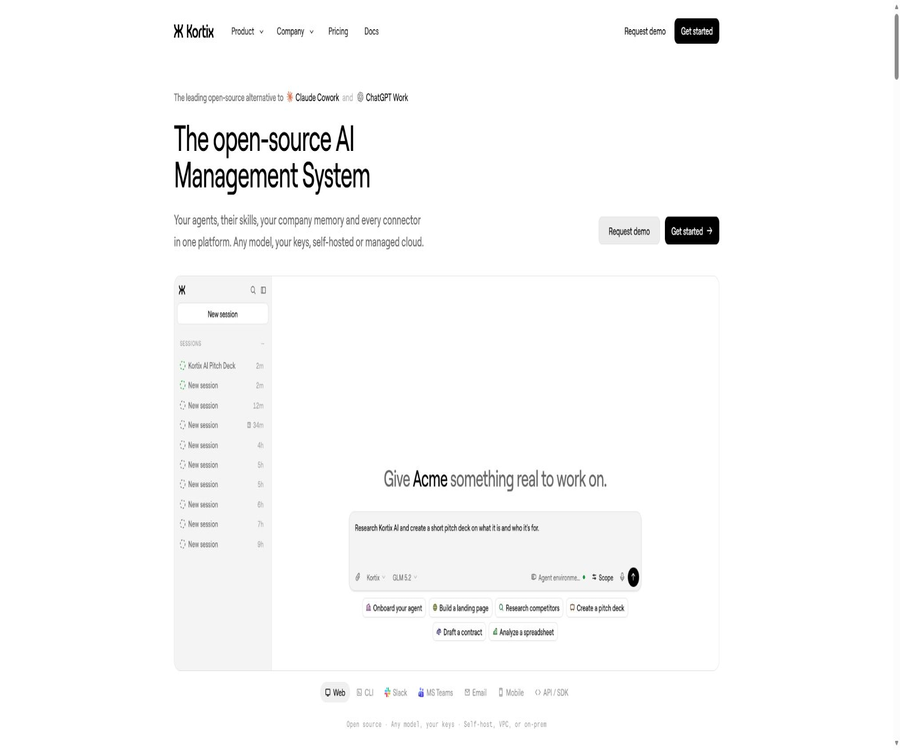
Kortix
Kortix, an intelligent tool focused on AI-driven search.
Tags:AI search engineA one-sentence summary
Kortix is an AI Agent management system designed for enterprises and teams; it brings together agents, skills, shared memory, connectors, triggers, and the execution environment within a version-controlled project structure.
Tool Introduction
Kortix emphasizes the concept of “Company as Code”: each project uses a Git repository as a permanent store for its configuration and knowledge. Agents carry out tasks in separate computing environments and submit their results as change requests; humans can then review those differences before deciding whether to merge them.
The early projects were well known for the Suna universal AI assistant; the official repository still uses the name Suna, but the product, documentation, and code explanations have all been updated to refer to the Kortix AI Management System. The interfaces, deployment methods, and pricing details outlined in the older tutorials may no longer be valid.
Core architecture
| Hierarchy | Main content | Problems solved |
|---|---|---|
| Project repository | Lists, Agents, Skills, Memory, and Trigger files | Make enterprise AI configurations into versions that can be compared and rolled back. |
| Connector | Application directories, MCP, OpenAPI, GraphQL, and web requests | Allow the Agent to read from and operate on the business system. |
| Model layer | Multiple models, built-in keys, and compatible endpoints | Avoid being tied to a single model provider. |
| Agent Harness | Planning, tool invocation, and permissions based on OpenCode | Transform the model into an Agent capable of performing multiple tasks. |
| Agent Computer | A Linux sandbox that is independent for each session | Provides an actual operating environment for codes, files, and tools. |
| Change request | Branches, differences, review, and merging | Maintain manual control before the results are moved to the default branch. |
Main functions
Company as Code
Agent definitions, skills, organizational memory, connector configurations, and triggers can all be saved as text files in the same Git repository. Teams can search for, compare, review, and roll back these changes, rather than relying solely on settings stored in closed databases.
Multi-Agent and Shared Skills
A team can create different Agents for sales, engineering, finance, operations, or data-related tasks, and reuse standard working methods through skill profiles. Each Agent can have its own models, tools, connectors, keys, and execution permissions.
Corporate memory
Memory stores business facts, processes, and experience in the form of project files, and these can be reviewed along with the Git history. Long-term memory helps to ensure consistency when carrying out repeated tasks, but incorrect or outdated information can also affect subsequent decisions.
Agent Computer
Each session launches an independent Linux sandbox, which clones the project repository and creates a dedicated branch. The agent can install dependencies, run programs, process files, and invoke tools; once the sandbox is closed, only the changes committed to Git remain.
Connectors and tools
The platform displays over 3,000 different application connections, and it supports MCP, OpenAPI, Postman, GraphQL, as well as standard web request interfaces. These connectors are suitable for integrating with Slack, GitHub, Notion, CRM systems, payment services, and ticketing systems.
Automated trigger
Tasks can be initiated through manual interaction, scheduled timers, or signed Webhooks, and they all go through the same execution workflow. They are suitable for generating daily reports, monitoring, data synchronization, error troubleshooting, and periodic maintenance of content.
Change request
File changes made by the Agent are first stored in the session branch, with additions, deletions, and modifications being presented through change requests. By default, the Agent can only propose changes; merging them is a separate permission.
CLI and development interfaces
Kortix offers command-line tools, REST interfaces, and SDKs for creating projects, starting sessions, checking running status, managing connectors, and handling change requests. Developers can also integrate Agent sessions into their own applications.
How does a task run?
- The team defines the project list, agents, skills, memory, and runtime environment in the Git repository.
- The administrator connects the models, business applications, and necessary keys, and defines the scope of authorization for the Agents.
- Users can initiate tasks from web pages, Slack, CLI, API, timers, or Webhooks.
- The platform creates a separate sandbox and a Git branch with the same name for that session.
- The OpenCode Agent reads the tasks, plans the steps, and invokes the approved tools.
- External operations that require approval will be paused, along with the specific parameters shown.
- The Agent submits the files and configurations that need to be retained to the session branch.
- The system creates a change request and shows the differences from the default branch.
- The person in charge reviews the results and decides whether to make modifications, close the request, or merge the changes.
- The combined content becomes the new project status for subsequent sessions.
The differences between Agents, skills, and memory
| Project | Save content | Update method | Typical uses |
|---|---|---|---|
| Agent | Roles, models, permissions, and available resources | Edit Agent files or lists | Researchers, developers, financial assistants, and operations agents |
| Skills | Reusable steps, rules, and working methods | Manual maintenance or updates after verification | Invoice verification, error detection, and content refresh |
| Memory | Corporate facts, historical experience, and task context | Sessions are accumulated and reviewed via Git. | Customer preferences, process experience, and project knowledge |
| Project list | Authorize the execution of images, connectors, keys, and triggers | Modify kortix.yaml | Determine the capabilities and governance boundaries of the entire project. |
| Change request | Persistent changes to the project made within a session | Manual review and merging | Help the Agent improve its skills, memory, coding abilities, or reporting skills. |
The model supports integration with BYOK.
Kortix is not tied to a single model; users can choose a model based on Agent, session, or message. It supports connection to major model providers, custom-compatible endpoints, one’s own API keys, or existing ChatGPT subscriptions.
| Model approach | Cost considerations | Main features | Suitable for users |
|---|---|---|---|
| Built-in API key | Pay the model provider directly | The model bill is separated from the Kortix calculation integral. | Teams that already have enterprise model contracts |
| ChatGPT subscription connection | Use an existing subscription. | It helps to reduce the need for separate configuration of certain OpenAI access settings. | Individuals or teams that already have a suitable subscription |
| Kortix hosting model | Team points are consumed based on the model’s token usage. | There is no need to manage the corresponding model keys manually. | Team aiming to unify the experience and billing process |
| Compatible endpoints | Depends on whether it is self-built or a third-party service. | Private models and specific gateways can be used. | Enterprises in areas with available data or those with requirements regarding model governance |
The models, quotas, regions, and data terms vary depending on the method of access. Before going live, it is necessary to test the selected model, API dialect, context length, tool calls, and billing using actual tasks, rather than merely checking whether the key can establish a connection.
Connector and credential proxy
The credentials of third-party connectors are stored on the server side; the Agent sandbox typically holds only limited Kortix tokens, which are then used by the platform agents to invoke the actual tools. This reduces the chances of the original OAuth tokens ending up in a general sandbox.
- The application catalog includes common collaboration, coding, CRM, financial, and document management tools.
- Custom systems can be integrated via MCP or API descriptions.
- Connectors should be authorized separately for the workspace and the Agent.
- Different policies should be set for reading, writing, and destructive operations.
- Tool parameter conditions can restrict recipients, accounts, or target resources.
- External web pages and documents may contain content designed to inject prompts.
- The terms, throttling rules, and retention policies specific to the connector service still apply.
- After revoking the upstream credentials, it should be verified that the Kortix token can no longer be used for access.
Key management
Project keys are encrypted statically using AES-256-GCM, and they are isolated through keys derived specifically for each project. Keys that are allowed to be used as environment variables are written to a temporary file system at the time the sandbox is started; however, the Agent may still have access to their actual values when using certain tools.
| Key-based method | What can be seen in the sandbox? | Control boundary | Precautions |
|---|---|---|---|
| Connector credentials | Platform tokens with scope limitations | Actual credentials of the server-side proxy | Check connector and parameter-level permissions. |
| Regular operation key | Actual environment variable values | The list of agents is intersected with the permissions of the initiators. | Authorized Agents may read or disclose the true values. |
| Export restriction keys | Controlled handle | Only replace the hosts listed in the schedule with their actual values. | It cannot replace application-level user authorization. |
| Model provider key | It is usually used on the server side by an LLM gateway. | Configure by project and model | Verify specific models, regions, and limits. |
| Disable key | No delivery | The platform refuses to grant it. | Suitable for deactivation and incident response |
The first time the list of Agent permissions is updated for a project, any other Agents that are not included in that list lose access to the project’s keys; this represents an important change in governance practices. The production configuration should list all Agents that require access to keys, and actual permissions should be verified through test sessions.
Tool invocation approval
Project policies allow tool calls to be set to run directly, require approval, or be blocked, and can be configured based on the tool path and parameters. An appropriate default policy enables automatic execution of read operations, while leaving send, payment, deletion, and write operations to manual confirmation.
- Use the risk model as the explicit default policy.
- Set conditions for email sending based on the recipient’s domain name.
- Approval is required as a default for payment and billing tools.
- Directly block or require secondary confirmation for deletions, deployments, and permission changes.
- Each approval shows the complete objective and key parameters.
- Do not use permanent permissions that cover the entire session.
- When the parameter conditions cannot be parsed, it should be handled as a failure and closed.
- Regularly test the strategy using malicious inputs and incorrect parameters.
Old projects that lack strategy blocks may continue to use the looser default values from the past. When migrating existing projects, it is necessary to explicitly check the default settings; one cannot assume that all old agents are under control just because the new interface includes approval functions.
Session isolation
Each session is associated with a sandbox, a file system, and a Git branch; it does not share its execution directory with other sessions. The sandbox has a limited lifespan, and it can be destroyed and recreated in the event of incorrect installation or destructive modifications.
| Sandbox provision method | Isolation format | Main features | Confirmation is needed. |
|---|---|---|---|
| Platinum | Cloud Hypervisor micro virtual machine | Stronger virtualization boundaries | Whether it belongs to the current account and plan |
| Daytona | Run by an external sandbox provider | One of the default optional paths for self-hosting | Regions, Networks, Reservations, and Billing |
| E2B | Run by an external sandbox provider | Suitable for on-demand agent computation | Data processing and resource constraints |
| Default computing for container types | Container isolation | Fast startup and low cost | Different from the security boundaries of micro virtual machines |
The isolation strength depends on the computing provider chosen; not all Kortix sessions can be regarded as micro virtual machines. When making a purchase, it is necessary to consider factors such as the location of operation, tenant isolation, network exits, images, logging, and deletion mechanisms.
Change requests and manual review
Each session operates in its own separate branch; any changes to code, Agents, skills, memory, or project lists must be made through a change request and sent to the default branch. The system checks for differences, submission relationships, configuration validity, and merge conflicts.
- The Agent completes its work within the session branch and creates small, verifiable commits.
- After submitting the push, create a change request and fill in the title and description.
- The person in charge views the list of files, adds or removes rows, and checks the execution results.
- Changes related to policies, keys, or Agent permissions require additional review.
- When correction is needed, request a change and allow the original session to continue processing.
- Preview conflicts and verify the project list before merging.
- Only users or service accounts with independent merging permissions can perform the merge.
- After the merger, observe the impact of the new state on subsequent sessions and automation.
Access channels
| Channels | Current location | Suitable scenarios | Pay attention to maturity. |
|---|---|---|---|
| Web | Main interface for projects, sessions, and configurations | Daily tasks and team management | Core channels |
| CLI | Local initialization, sessions, hosts, and change management | Developer and operations automation | Core channels |
| Slack | Mentioning the initiation of a session by a robot in the channel | Team collaboration and operational tasks | Explicit support is available at present. |
| Microsoft Teams | Corporate collaboration channels | Microsoft Ecosystem Team | A function switch and account confirmation are required. |
| Mobile version | View and control sessions | Approval and follow-up for going out | The platforms and features should be determined based on the current store. |
| Email and voice | Experimental channels | Automatically receive or initiate tasks | It should not be used directly in critical production processes. |
| APIs and SDKs | Embedded session and project capabilities | Self-built applications and workflows | It is necessary to develop mechanisms for permission governance. |
| Timers and Webhooks | Unmanned triggering | Reporting, synchronization, and monitoring | It is necessary to set signing, retry, and idempotency. |
Automation scenarios
- Summarize error logs daily and propose code fixes.
- Organize sales leads and generate personalized outreach drafts.
- Check CRM fields and maintain the sales pipeline.
- Reconcile accounts, track missing documents, and generate financial reports.
- Monitor search performance and suggest content updates.
- Cluster user feedback to drive product improvements and changes.
- Query the data warehouse and publish operational metrics on a regular basis.
- Handle employee onboarding, offboarding, and access requests.
- Organize safety questionnaires, compliance evidence, and audit materials.
- Send an email or update the external system after manual approval.
Self-hosted approach
Kortix allows the control plane to run on laptops, VPSs, enterprise VPCs, or local networks; it uses Docker Compose to deploy components such as web interfaces, APIs, authentication systems, PostgreSQL databases, file storage solutions, and gateways. Databases, files, project repositories, policies, and platform keys are stored on disks managed by the user.
Traditional self-hosting does not mean complete offline operation; by default, the Agent sandbox is still run by computing providers such as Daytona, Platinum, or E2B, and images also need to be retrieved from registries. Isolated networks or air-gapped environments require separate planning for enterprise deployments.
Self-hosted implementation steps
- Determine whether it is only for evaluation, VPC creation, or strictly isolated deployment.
- Prepare Docker, domain names, encryption for data transmission, as well as disk and backup infrastructure.
- Install Kortix CLI and launch the self-hosting configuration wizard.
- Set the callable address, as well as the permissions for administrators and organizations to create items.
- Select a sandbox provider and configure the corresponding keys.
- Connect to the application directory service and the auto-update window as needed.
- Configure Git, models, member roles, and project permissions on the web page.
- Create a test project and verify sessions, branches, and change requests.
- Back up the PostgreSQL directory, file directories, and instance environment configuration.
- Test key rotation, service recovery, version upgrades, and rollbacks.
- It can be integrated into the production business system only after passing the security verification.
Comparison between Cloud and self-hosted solutions
| Method | Control plane | Agent computation | Maintenance responsibilities | Suitable for users |
|---|---|---|---|---|
| Kortix Cloud Free | Hosted by Kortix | Use platform sandbox credits | Platform maintenance services, user management projects and models | Trial and small projects |
| Kortix Cloud Team | Hosted by Kortix | Team points can be shared and topped up. | Platform maintenance and updates, team management strategies, and costs | Teams that need to go live quickly |
| Free self-hosting | Runs on the user’s device or server | The sandbox provider still needs to be configured. | The user is responsible for the database, files, upgrades, and backups. | A team with operations and maintenance capabilities |
| Enterprise VPC or on-premises deployment | Single-tenant enterprise environment | Calculation and isolation in accordance with the contract plan | Both parties follow the division specified in the contract. | Organizations with high requirements regarding security, compliance, and data localization |
| Air gap deployment | Isolated network | It is necessary to customize the local computing topology. | Custom implementation and ongoing maintenance | Organizations that cannot access external cloud services |
Prices and packages
The price information was verified on August 23, 2026; the actual amounts, taxes, exchange rates, and discounts may vary, and the final figures will be those displayed on the settlement page.
Kortix employs a Cloud-based billing model that takes into account both the number of seats and the amount of usage; the same credit pool is used for both computing services and optional hosting options. When using built-in model keys or connecting to an existing ChatGPT subscription, the costs associated with those models are not deducted from the credits available in the free sandbox.
| Package or version | Price | Billing cycle | Core benefits or quota | Suitable for users |
|---|---|---|---|---|
| Free | $ | Refreshed monthly | 200 sandbox computing credits, 1 project; supports BYOK and ChatGPT subscriptions | Personal experiences and early projects |
| Team | $ | On a monthly basis | 2,500 pooling points per seat; up to 200 projects and 100 seats; optional managed models; email support available. | Teams that continuously carry out real-world business tasks |
| Team excess | By top-up points | Buy after use | It supplements the consumption of Agent Computers or hosted models; the specific top-up options depend on the account. | Teams with fluctuating usage levels |
| Free self-hosting | The software does not charge a fee for seats. | Bear the cost of infrastructure yourself. | Complete control plane, BYOK, user-managed databases and files | Users with Docker skills and operational expertise |
| Enterprise | Custom quote | Contractual agreement | SAML SSO, SCIM, advanced RBAC, audit logging, SLA, DPA, VPC or on-premises deployment | Large and regulated organizations |
Each Team seat includes 2,500 points, which is equivalent to a credit of $25. If all of these points are used for calculating the default Agent Computer, it is possible to run the system for approximately 125 hours; using a managed model will also consume these pooled points.
Agent Computer billing
| Resources | Public unit price | Default configuration usage |
|---|---|---|
| vCPU | $ | 2 vCPUs by default |
| Memory | $ | 4 GiB by default |
| Storage | $ | 20 GiB by default |
| Default computer | About $0.20 per hour, or 20 points. | Points will no longer be deducted after it stops. |
| Free monthly points | 200 points | If used only for the default calculation, it takes about 10 hours. |
| Team seat points | 2500 points | If used only for the default calculation, it is approximately 125 hours. |
The calculation is based on resources and time spent; automatic shutdown helps to reduce unnecessary costs. The actual consumption is also influenced by factors such as the size of the sandbox, the number of concurrent sessions, storage requirements, duration of operation, and the tokens associated with the hosted models.
Cost control
- Set a maximum execution time for tasks as a priority.
- Enable automatic shutdown when idle and verify the shutdown trigger.
- Monitor the model bill and sandbox credits separately.
- Set Agent and team budgets for high-cost models.
- Limit the number of concurrent sessions for unattended tasks.
- Cache stable data to avoid repeated downloads and installations.
- Set limits on loops, retries, and Webhook storms.
- Calculate the unit task cost and success rate by project.
- Set alerts for insufficient points and model capacity limits in advance.
Security and permissions
- Each session uses a separate sandbox and Git branch.
- Project keys are encrypted using project-derived keys.
- The original credentials of the connector generally do not end up on the Agent computer.
- The Agent and the initiator’s permissions together determine the delivery of the key.
- Tool calls can be set to run, approve, or block.
- Merging is an independent permission, and agents are denied by default.
- Account and Agent operations generate audit events.
- Enterprise can read, export, or send audit records to SIEM.
- SAML, SCIM, custom roles, and groups fall under Enterprise.
Both SOC 2 Type I and Type II are currently marked as in progress; it cannot be stated that the relevant reports have already been obtained. Kortix has made it clear that it does not hold ISO 27001 or HIPAA certifications at present, and regulated procurement processes still require the company to conduct its own security assessments.
Privacy and Data Governance
Project repositories, files, prompts, business connectors, and model requests may contain highly sensitive corporate information. The hosted version, self-hosted control plane, sandbox providers, model suppliers, and third-party applications each represent different stages in the data processing process.
| Data phase | Main content | Key governance aspects |
|---|---|---|
| Project Git repository | Agents, skills, memory, configurations, and work results | Access rights, submission history, deletion, and backup |
| Agent sandbox | Cloned repositories, executable files, dependencies, and temporary outputs | Provider, region, network exit, and destruction |
| Model request | Hints, context, file snippets, and tool results | BYOK contracts, training, retention, and regions |
| Connector | Email, documents, CRM, payment, and ticket data | OAuth scope, parameter approval, and third-party terms |
| Platform logs | Sessions, tool calls, approvals, and account operations | Retention period, sensitive parameter masking, and audit logging of reads |
| Self-hosted storage | Database, file, and instance keys | Encryption, backup, recovery, and administrator access |
Enterprise offers a DPA option, but the specific sub-processors, data locations, training commitments, and retention periods must be determined in accordance with the current contract and privacy documents. Self-hosted control planes cannot automatically eliminate data flows from external sandboxes, models, and connectors.
Open source and licenses
Kortix makes its main repository fully available for public access, allowing users to view, modify it, and host it themselves; however, it uses the Elastic License 2.0 at present. This license imposes clear commercial restrictions – it does not permit the use of the software’s core functions in third-party hosted services or as part of such services.
| Project | Current status | License or boundaries | Correct understanding |
|---|---|---|---|
| kortix-ai/suna main repository | Open and active | Elastic License 2.0 | The code is auditable, modifiable, and self-hostable, but it does not come with a permissive license. |
| Restrictions on commercial hosting | It is clearly present. | Hosting services that provide core functions are prohibited from being offered to third parties. | To prepare for developing a SaaS product, it is necessary to assess licensing first. |
| License key functionality | Do not bypass. | Subject to the Elastic License 2.0 | It is not allowed to remove the enterprise’s authorized controls without permission. |
| OpenCode Agent Harness | External open projects | According to OpenCode’s own license | Its open status does not affect the license of Kortix’s main repository. |
| Self-hosted images | Publicly accessible for retrieval | Still subject to the Kortix license. | The fact that it can run does not mean it can be resold as a hosting service. |
| Enterprise features | Commercial licensing | Business license | SSO, SCIM, and audit reads require appropriate authorization. |
Manufacturers use the term \"open-source\" to describe their products, but the Elastic License 2.0 is generally classified as a license that allows the use of source code, rather than being considered a traditional open-source license approved by OSI. The catalog should indicate whether the code is available publicly, can be hosted locally, or is subject to restrictions related to hosting services.
Which users are it suitable for
- Teams that wish to manage multiple enterprise agents in a unified manner.
- I hope to incorporate Agents, skills, and memory into organizations governed by Git.
- Users who need an Agent to run programs and process files in a real Linux environment.
- Companies that wish to use different models while retaining the BYOK capability.
- Teams that need to connect to a large number of SaaS services, MCPs, and internal APIs.
- Organizations that wish to trigger the same workflow via Slack, CLI, API, and timers.
- Enterprises that require a VPC, a local control plane, or a self-hosted control plane.
- A technical team willing to establish governance for approval processes, keys, sandboxes, and change requests.
Product advantages
- Bring agents, skills, memory, and connectors together in the same project.
- The Git structure enables configurations and results to be compared, reviewed, and rolled back.
- Independent sandboxes and branches for each session reduce mutual contamination.
- The change request involves incorporating AI tasks into manual review.
- It supports multiple models, BYOK, and compatible endpoints.
- The connector covers application directories, MCP, and various API protocols.
- Websites, Slack, CLI, APIs, and automated triggers share the same execution model.
- The control plane can operate on its own infrastructure.
- The free version can be used for small-scale testing.
- The seat price includes quantifiable sandbox usage credits.
Main limitations
- The main warehouse uses the Elastic License 2.0, with restrictions on third-party hosting services.
- The self-hosted control plane still relies on external sandbox providers by default.
- Complete isolation or deployment with an air gap requires separate planning.
- The Team is charged based on both seats and usage points.
- The managed model and the computing shared credit pool require separate monitoring of costs.
- Agents can execute code and perform external operations; configuration errors can have real-world consequences.
- Old projects without an explicit policy block may retain loose default settings.
- The approved operation keys are entered into the sandbox with their values from the actual environment.
- External connectors and models introduce separate privacy and security risks.
- The maturity levels of channels such as Microsoft Teams, email, and voice communication vary.
- The SOC 2 report is still in progress; there is no ISO 27001 or HIPAA certification available.
- Complex Git, container, key, and permission models require maintenance by the technical team.
Implementation and acceptance checklist
- Select the first business task whose results are verifiable and that involves minimal external writing.
- Define project repositories, Agents, skills, memory, and responsible persons.
- Confirm the deployment boundaries for Cloud, self-hosted, VPC, or isolated environments.
- Examine the data flow of each model, sandbox, and connector one by one.
- Set clear default tool policies and parameter conditions.
- Only grant the Agent the connectors and keys necessary for the task.
- Agents are prohibited from directly merging the default branch or performing high-risk operations.
- The tests take into account injection attacks, incorrect tool parameters, as well as the costs associated with loops and concurrency.
- Verify sandbox destruction, key rotation, backup, and recovery.
- Calculate the success rate, manual modification rate, execution time, and total cost.
- Verify licenses, DPA, sub-processors, and security materials.
- After passing the validation on a small scale, automatic triggering and writing permissions can be added.
Frequently Asked Questions
What is Kortix mainly used for?
It helps teams manage enterprise Agents, skills, memories, connectors, and automations in a centralized manner; it ensures that each task is executed on a separate Agent Computer, with the results being delivered through Git change requests.
What is the relationship between Kortix and Suna?
Suna was the brand for the general-purpose AI assistant in the early stages of this project, and the warehouse path still retains the name Suna. The current product has been expanded and is now referred to as the Kortix AI Management System.
Is Kortix free?
Cloud Free includes 200 sandbox computing credits and 1 project per month; hosted models are not covered by these free credits. The software can also be hosted privately at no cost, but the user is responsible for the costs related to infrastructure, sandboxes, and models.
How is Team billed?
The Team plan costs $40 per seat per month; each seat comes with 2,500 pooling points. These points can be used for Agent Computers and optional hosting models, and additional funding is required if more points are needed.
How long can 200 free points be used?
By default, an Agent Computer with 2 vCPUs, 4 GiB of memory, and 20 GiB of storage uses about 20 points per hour; therefore, it can be used for computing for roughly 10 hours. Larger resources and other usage levels will result in different figures.
Is Kortix truly open-source software?
The code is made available publicly and can be modified and hosted independently, but it is subject to the Elastic License 2.0; it is not allowed to offer its core functions as a service hosted by third parties. To put it more precisely, the source code is available and self-hosting is supported, but it does not fall under the category of permissive open source licenses.
Can self-hosting be completely offline?
The conventional one-click self-hosting approach still requires downloading images and setting up an external sandbox provider. For fully offline, air-gapped, or local sandbox topologies, a separate plan for enterprise deployment is needed.
Can an Agent automatically merge its own changes?
By default, this is not allowed; the Agent can submit branches and create change requests, but merging is a separate process that is denied by default. If an administrator decides to authorize automatic merging, they still bear the associated risks.
Summary
Kortix is suitable for teams that wish to manage multiple enterprise agents, shared skills, organizational memory, and business connectors in a unified manner, while also using Git and isolated computing environments to control the delivery process. Its key features include multi-model support, BYOK, Agent Computer, change requests, and self-hosting capabilities.
Before adoption, it is necessary to carefully examine the limitations associated with the Elastic License 2.0, the reliance on external sandboxes when using a self-hosted setup, the costs related to additional licenses and usage volumes, as well as the default permissions and the rules governing access to sandboxes using real keys. Only by properly configuring approval processes, keys, network settings, and change review mechanisms can the enterprise automation capabilities of the platform be effectively managed.
Tools similar to Kortix




 Guigong Network Security Registration No. 45132202000164