






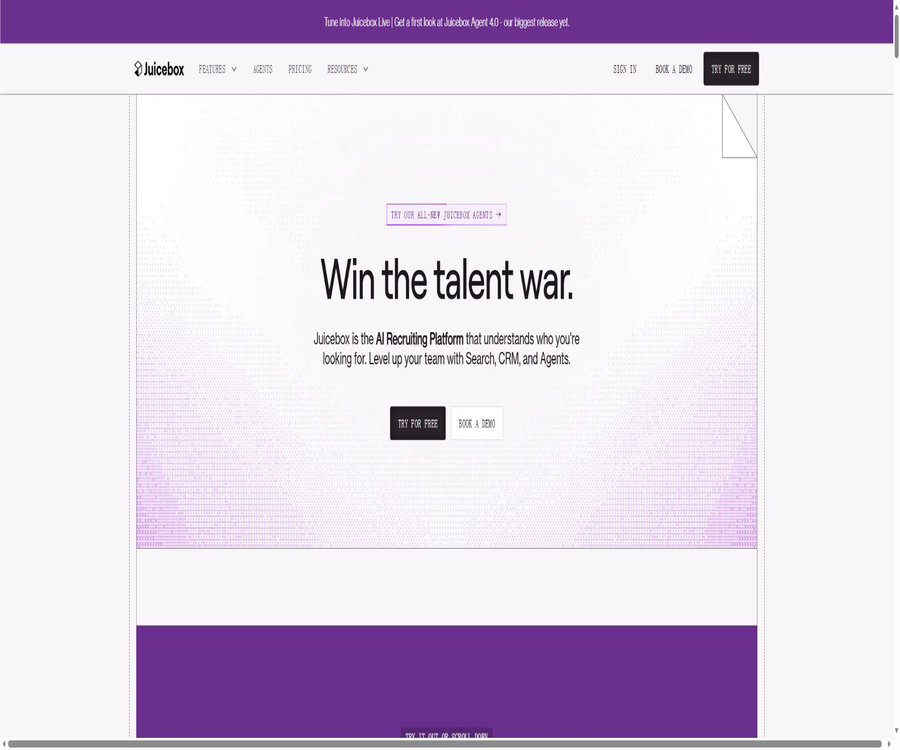
Juicebox.ai
Juicebox.ai: an intelligent tool focused on AI-powered searching.
Tags:AI search engineA one-sentence summary
Juicebox is an AI-based talent sourcing platform designed for recruiters, headhunters, talent teams, and recruitment managers; it allows for searching through professional profiles using natural language, generating recommendations for suitable candidates, accessing contact information, sending email sequences, and deploying recruitment agents that can work continuously.
What is Juicebox?
Juicebox’s core search product is called PeopleGPT; it converts job requirements into actionable criteria for searching for candidates, and returns sorted results from over 800 million professional profiles worldwide as well as from more than 30 data sources. The product also includes features for managing projects, creating shortlists, facilitating outreach, enabling team collaboration, synchronizing data with ATS or CRM systems, and automating the recruitment process.
The platform service is provided by the American company Juicebox App, Inc. It is a tool for identifying and getting in touch with candidates; it is not a system for making final evaluations of applicants, nor should it replace the human judgment of recruiters.
Core product module
| module | Key capabilities | Main output | Appropriate segments |
|---|---|---|---|
| PeopleGPT Search | Natural language search and AI filtering | Sorted list of candidates | Talent discovery |
| Smart Profiles | Merge career, technical, and public signals | Enhance candidate profiles | Preliminary understanding |
| AI Spotlight | Explain why the candidate matches the query. | Brief matching summary | Manual screening |
| Talent Insights | Analyze the talent market and search results | Structured talent insights | Recruitment planning |
| Outreach | Contact information, email templates, sequences, and analysis | Candidate communication process | Talent engagement |
| Juicebox Agents | Ongoing searching, scoring, shortlisting, and outreach | Daily candidate batches | Automated outreach |
| ATS and CRM | Export candidates, notes, and activities | System records | Recruitment Operations |
PeopleGPT natural language search
Recruiters can enter the requirements in the same way they would describe a position to a colleague, without having to create complex Boolean strings first. The system understands the relationships between qualifications, location, skills, company type, industry, and experience.
- Describe the position, level, and key responsibilities.
- Add required skills and optional skills.
- Specify a country, city, region, or distance range.
- Describe the target company, industry, or stage of development.
- Requests signals for specific projects, papers, or technical activities.
- Exclude backgrounds that do not meet the criteria.
- Let AI convert natural language into search and filtering criteria.
Natural language search can reduce the time required to formulate queries, but it can still produce inaccurate results when the requirements are vague. Recruitment teams should list the \"mandatory requirements, additional advantages, and sensitive criteria that must not be used\" separately.
Candidate data coverage
The platform claims to cover more than 800 million professional profiles worldwide, aggregating work experience, education, skills, location, public activities, and contact information from over 30 public or authorized data sources. The scope of coverage is updated regularly, but it does not mean that every profile is complete or current.
| Data type | Primary uses | Possible problems |
|---|---|---|
| Name and region | Identity differentiation and regional filtering | Same name, migration, or outdated region. |
| Work experience | Assessing position, company, and duration of experience | Update delay or incomplete job description |
| Educational background | Understanding professional and academic experience | It cannot replace the verification of educational qualifications. |
| Skills and experience | Meet the job requirements | Part is inferred by AI rather than stated by the individual. |
| GitHub Signal | Observe submissions, language, Stars, and Forks | Participating in public events does not equate to having work competence. |
| Papers and professional activities | Expertise and research background identified | Author disambiguation and domain relevance |
| Email and phone number | Candidate outreach | It may be invalid or belong to personal contact information. |
Explanation of AI screening and matching
PeopleGPT sorts the profiles based on the search criteria, and uses AI Spotlight to explain how well each candidate fits the requirements of the query. This assistance helps recruiters quickly identify relevant experience, but it does not constitute a recommendation for employment or a determination of qualifications.
- View the relevant skills and experiences identified by the system.
- Check the documentary evidence corresponding to each conclusion.
- Distinguish between personal public information and AI-generated insights.
- A separate verification of key qualifications is carried out through resumes and interviews.
- Avoid making judgments based on name, photo, or protected attributes.
- Record the business reasons for approving or rejecting manually.
Search for technical talent
For technical positions, GitHub can provide public indicators such as activity level, the programming languages used, the number of followers, stars, and forks, allowing employers to rely on these factors rather than only on the skill keywords listed in resumes. Some data related to senior developers is available in the Growth and Business categories.
Open-source activities are only part of technical interest and public influence; they do not reflect code quality, teamwork, or the results of full-time work. Excellent candidates who make no public contributions should not be systematically given a lower rating.
Projects and shortlist
Each recruitment campaign allows you to save search and filtering criteria as well as a shortlist; paid plans enable an unlimited number of campaigns. Team members can work together using the same pool of candidates, thereby reducing redundant outreach efforts.
| Project object | Save content | Team usage |
|---|---|---|
| Search | Natural language requirements and filtering criteria | Reusing and continuously improving queries |
| Shortlist | Candidate and manual status | Submit it to the recruitment manager for review. |
| Feedback | Approval, rejection, and specific reasons | Calibration Agent and search criteria |
| Outreach Sequence | Email steps, delays, and templates | Unified candidate outreach |
| Analytics | Opening, clicking, replying, and interest rate | Optimize outreach content |
| ATS Export | Candidates, notes, and activities | Enter the official recruitment system |
Contact data
Using Credits is intended solely for unlocking a candidate’s email addresses and phone numbers; each time this is done, all the available email addresses and phone numbers for that profile are shown. Typically, one Credit is required for each personal and professional email address, while 3 Credits are needed for phone numbers under the Growth plan.
| Contact information | Starter | Growth | Billing instructions |
|---|---|---|---|
| Personal email address | Available | Available | Usually, 1 contact equals 1 Credit. |
| Professional email address | Available | Available | Usually, 1 contact equals 1 Credit. |
| Phone number | Rights not included in the standard package | Available | Usually 3 contact credits. |
| One archive unlocking | Return available email addresses and phone numbers | Return available email addresses and phone numbers | The actual unlocking rules shall prevail. |
The contact information may be outdated, incorrect, or not suitable for recruitment purposes. Before sending it, it is necessary to verify the candidate’s details, the relevant regional regulations, the status regarding requests to stop contacting them, and the company’s own legal guidelines.
Difference between contact person and export quota
Credits for contacts and Export Credits are two separate quotas: the former controls the unlocking of emails and phones, while the latter determines the number of records that can be exported via CSV, ATS, or CRM.
| Limit | Consumption behavior | Starter | Growth |
|---|---|---|---|
| Contact Credits | Unlock email and phone | 500 per month | 1500 per seat per month |
| Export Credits | Export to CSV, ATS, or CRM | 500 per month | 1500 per seat per month |
| Bulk Export | Export files in bulk at once | Up to 100 per time | Up to 250 per time |
| Free Contact | One-time trial for free accounts | 5 one-time Credits | Not applicable |
After unlocking the contact information, exporting data for the same person may consume both types of quotas. When estimating costs, the team should calculate them separately based on the number of people who need to be contacted each month and the number of people who need to have access to the ATS system.
Email outreach
Juicebox can be connected to Gmail or Outlook to send personalized emails from the recruiter’s own email account. Users can create sequences of one to three steps, and set delays between those steps, as well as dynamic fields and content generated by AI.
- Select the recipient from the unlocked files.
- Let AI generate personalized openings based on past experiences.
- Configure the first email and subsequent follow-ups.
- Insert fields for name, position, and company in the template.
- Choose to send it immediately or schedule a sending time.
- Track open, click, reply, and interest statuses.
- Adjust the sequence based on return and response data.
Outreach process
- Verify the position, the employer’s status, and the legal basis for recruitment.
- Establish accurate queries and conduct manual reviews of candidates.
- Unlock the necessary email accounts or phone numbers.
- Connect to a dedicated Gmail or Outlook email account.
- Write emails that are truthful, concise, and relevant to the position.
- Set reasonable follow-up frequencies and termination conditions.
- First, test the delivery and response process with a small number of candidates.
- Handle cancellation requests, rejections, incorrect contact information, and data requests.
- Synchronize effective interactions with ATS or CRM.
Outreach analysis
The sequence dashboard shows metrics such as opens, clicks, replies, interests, and funnel changes, which helps teams compare different topics, templates, and follow-up strategies. Email open rates are affected by privacy protections and client preloading, so they cannot alone prove that a candidate has actually read the message.
The optimization goals should not be limited to increasing the open rate alone. The recruitment team should also keep track of effective responses, interviews, candidate complaints, cancellations, rejected messages, as well as differences in engagement among different groups.
Juicebox Agents
Juicebox Agents can operate continuously around a specific position, automatically searching for and evaluating candidates, generating a daily shortlist, and preparing or sending out outreach messages. Each Agent is charged as a separate add-on.
| Agent phase | Automation capability | Manually controlled points |
|---|---|---|
| Understanding the position | Convert natural language job descriptions into search strategies | Confirm that it must be combined with exclusion conditions. |
| Ongoing searches | Search for new documents and updated information throughout the day. | Check channel coverage and duplicate candidates. |
| Rating | Mark as Good Match, Potential Fit, or Not a Match | Reasons for review and erroneous conclusions |
| Shortlist | A batch of priority documents is presented each day. | Recruiter’s approval or feedback |
| Outreach | Draft personalized multi-step emails | Choose between automatic sending or manual approval. |
| ATS synchronization | Export candidates at the specified trigger point | Control fields, repetitions, and system records |
| Learning | Adjustments are made based on approvals, rejections, and feedback from recruitment managers. | Prevent the entrenchment of historical distortions |
The current Agent allows for the setting of automatic emails or automated shortlists, as well as the granting of access rights to organization members. The higher the degree of automation, the greater the need for clear job criteria, limits on the number of messages that can be sent, approval procedures, and mechanisms to stop any abnormal activities.
Agent usage process
- Create a separate Agent for a real, open position.
- Describe the business objectives and job requirements in plain language.
- Mark the mandatory conditions, bonus conditions, and prohibited conditions.
- Check the first batch of candidates and the reasons for their selection.
- Provide specific and compliant feedback on approvals and rejections.
- Choose to generate only a shortlist or run outreach simultaneously.
- Set the daily number of messages to be sent, as well as the email address and the process for manual approval.
- After connecting to ATS, test the mapping of duplicate files and fields.
- Audit mismatches, complaints, and group differences on a weekly basis.
ATS integration with CRM
The Business package supports integration with ATS or CRM systems, and the platform also allows data export in CSV format. The current price page lists 41 ATS solutions and 21 CRM solutions, including Greenhouse, Lever, Ashby, Workday, BambooHR, iCIMS, Salesforce, and HubSpot.
| Integration method | Transmittable content | Precautions |
|---|---|---|
| ATS | Candidates, contact information, notes, and events | Check for duplicates, phase mappings, and recruitment project mappings. |
| CRM | Contacts, companies, and outreach activities | Avoid mixing recruitment data with sales purposes. |
| CSV | Detailed profile; you can choose whether to include contact information. | The customer is responsible for ensuring security once it has been exported. |
| Individual candidate profile and summary | Do not send it to unauthorized persons casually. | |
| Network Sourcing | Potential candidates within the employee network | Authorization from the company and employees is required. |
The presence of a certain ATS on the integration list does not mean that all its fields and automation functions are available. Before making a purchase, it is necessary to test features such as single sign-on, permissions, two-way synchronization, deletion, handling of duplicate entries, and internal talent discovery.
Free version
The Free plan costs $0 per seat per month; it offers limited search capabilities, AI-based email templates, and a way to create Juicebox Agents. There are only 5 credits available for contacting others, no possibility of exporting files, and no connection to email accounts.
Subscription plan
Starter and Growth can be purchased on a monthly or annual basis; the annual payment option offers a discount of around 15%. Business is available only through annual custom contracts, and all prices are calculated based on the number of seats.
| Package | Monthly price | Annual price converted to monthly rate | Core rights and interests | Suitable for users |
|---|---|---|---|---|
| Free | $ | $ | Limited searches, AI email templates, 5 one-time contact credits | First test |
| Starter | $ | $ | Unlimited searches, 500 credits for contacting others, 500 credits for exporting data, unlimited number of projects, 1 email address | Individual recruiters |
| Growth | $ | $ | All features of Starter, talent insights, 1500 Credits for contact and export per seat, up to 5 seats, 3 email addresses per seat | Small teams, organizations, and startups |
| Business | Custom quote | Only annual contracts | Unlimited credits for contacting clients, custom exports, integration with ATS or CRM systems, online outreach, analysis tools, training services, collaboration spaces, and 6 email addresses per space | Large enterprises and recruitment agencies |
On the Business pricing page, it is indicated that there are 2,250 export instances per seat per month, with an asterisk next to this figure; meanwhile it is also stated that the amount can be customized. Therefore, the actual number of exports should be specified in the order. The fact that there is no limit on Contact Credits does not mean that unlimited transmissions are allowed, nor that there are no restrictions related to reasonable use or legal requirements.
Juicebox Agent price
| Project | Price | Included content | Suitable for users |
|---|---|---|---|
| Single Agent | $ | Ongoing searching, scoring, shortlisting, and outreach automation throughout the day | A position that is continuously being filled, or a pool of candidates. |
| Contact Credits | Unlimited in Agent | Unlock contact information via Agent workflow | Automatic exploration |
| Email Credits | Unlimited in Agent | Supports automatic emails and follow-ups | Automatic outreach |
| Organize visits | Includes | Any organized user can obtain Agent access. | Collaboration across recruitment teams |
The Agent is an add-on to the paid main package; its price usually does not include the cost of the main product subscription. When deploying multiple Agent positions, the total cost should be calculated based on the number of Agents, the number of seats, the status of email accounts, the ATS contract, and the actual volume of external communications.
Number of email accounts
| Package | Can be connected to an email account | Usage suggestions |
|---|---|---|
| Free | 0 | Only templates can be viewed; it is not possible to send anything from the platform. |
| Starter | 1 | Personal recruitment email address |
| Growth | 3 per seat | Sort by brand, region, or recruiter. |
| Business | 6 per seat | Establish organizational-level permissions and domain name policies |
Connecting multiple email accounts increases domain credibility, complicates matters related to credentials, leads to repeated contacts, and adds complexity to the handover process when employees leave. Administrators should limit the sending rate and maintain a global blocklist.
Candidate privacy
Juicebox collects candidates’ names, educational background, work experience, skills, location, email addresses, and phone numbers from public professional profiles and authorized data partners, in order to create an AI search database. The privacy policy states that sensitive data such as health information or political preferences is not collected from these public sources.
| Candidates’ rights | What can be requested? | Responsibilities of the recruitment team |
|---|---|---|
| Access | Learn about the personal information stored on the platform | Comply with legitimate data requests |
| Correction | Correct inaccurate information | Do not continue using data with known errors. |
| Deletion | Delete or remove candidates from the database. | Synchronously clean up exported copies |
| Opt-out of Sale or Sharing | Restrict the provision of information to customers | Respect for the constraints imposed by platforms and enterprises |
| Limit | Restrict the use of specific personal information | Evaluate existing projects and outreach efforts |
| Complaint | File a complaint with the authorities | Retain processing records and legal grounds |
The privacy policy also specifies that Juicebox is registered in Texas as a data broker in accordance with the relevant regulations. Candidates can manage their personal data through the Privacy Center, and customers cannot consider the exported data as assets that can be used permanently and indefinitely.
AI and model data
Juicebox makes use of its own models, self-hosted open-source models, and third-party AI services; its official policy mentions OpenAI, while the Trust Center lists other service providers such as Anthropic. The platform states that customer data is not used to train internal or third-party models.
Third-party AI service providers are required to provide services only for PeopleGPT and to delete personal information within the specified time frame. Companies should use the Trust Center and data processing agreements to determine the actual sub-processors, the retention period, and the location where the data is stored.
Safety and compliance
The Trust Center provides documents such as SOC 2 Type II reports, penetration testing results, data processing appendices, data protection impact assessments, and audits related to compliance with New York City’s Local Law 144; access to some of these documents requires an application.
- Apply for a complete SOC 2 Type II report during the procurement phase.
- View the current 22 sub-processors and regions.
- Evaluate the scope and timeline for web application penetration testing.
- Request the applicable data processing agreement.
- Examine the roles, data, and limitations of AI bias testing.
- Confirm which package single sign-on, permissions, and logging belong to.
- Establish channels for communicating regarding security incidents and candidate requests.
Defining the boundaries for AI compliance in recruitment
The service agreement stipulates that the outputs are probabilistic in nature and do not constitute employment, staffing, or human resources decisions. Customers must not use PeopleGPT’s outputs as the sole or decisive basis for making employment decisions.
- Independent manual review is reserved for all candidates.
- Conduct algorithm impact assessments and bias audits in accordance with local regulations.
- Provide candidates with the necessary notifications, explanations, and consent mechanisms.
- Filtering cannot be performed using protected attributes or their proxy variables.
- Regularly compare the search and outreach results of different groups.
- Recruiters are allowed to correct the AI’s deductions and inaccurate records.
- Record which legitimate business factors were ultimately used to make the decision.
Juicebox defines customers as those who deploy solutions under relevant laws regarding automation in the workplace and AI governance; the responsibility for compliance does not shift merely by purchasing the platform. In cases involving New York City, the European Union, or other regulated regions, it is up to professionals to determine the applicable rules.
Emails and anti-harassment requests
Recruitment outreach may still be subject to rules regarding emails, privacy, marketing, and anti-harassment measures. Once a candidate explicitly declines, the recruitment process should be stopped immediately and that candidate added to the team’s block list.
- Indicate the actual employer, the position, and the purpose of the contact.
- Only data related to career opportunities are used.
- Provide clear and easy-to-follow ways to exit.
- Limit the number of follow-ups and the interval between them.
- Stop sending messages to invalid addresses after handling the return emails.
- Respect candidates’ requests to delete or restrict content.
- Prevent multiple recruiters from contacting the same person repeatedly.
Chrome extensions
The platform offers a Chrome extension that enables recruiters to utilize Juicebox’s functions while browsing job profiles. Before installing it, it is necessary to check the extension’s current permissions, the data from the pages it reads, and the enterprise’s browser settings.
API, GitHub, and open-source status
The current publicly available products are mainly based on web platforms, extensions, ATS, or CRM integrations; there are no complete public development APIs, official SDKs, or identifiable open-source core repositories intended for ordinary customers. The ability to integrate with business systems does not equate to the availability of open, universal APIs.
Juicebox should be classified as a closed-source recruitment SaaS solution; it offers enterprise integration, but its public APIs are not yet confirmed. When purchasing automation interfaces, it is necessary to ask the sales team for details regarding endpoints, authentication methods, rate limits, audit functions, and pricing.
Supported platforms
| Platform or channel | Current status | Primary uses |
|---|---|---|
| Web | Full support | Search, projects, shortlist, outreach, and management |
| Chrome extensions | Support | Assisting in talent recruitment through a browser |
| Gmail | Support | Send sequences from the recruitment email address |
| Outlook | Support | Send sequences from corporate email addresses |
| ATS | Business integration | Synchronize candidates and events |
| CRM | Business integration | Synchronize contacts and outreach. |
| CSV and PDF | Support | Export candidate profiles |
| Native mobile apps | Not confirmed | It is primarily used via the Web. |
| Public API | Not confirmed | Please consult the sales team for details. |
Which users are it suitable for
- Internal recruiters who need to find passive candidates.
- Headhunting and recruitment agencies that handle multiple positions or clients.
- Recruitment managers who lack experience in complex Boolean searches.
- Teams that need technical experts to contribute their skills openly.
- Startups that wish to combine search functions, contact information, and networking tools.
- Large talent organizations that require ATS synchronization and team analysis.
- I hope to deploy a high-frequency recruitment team that continuously searches for agents.
Product advantages
- Use natural language to replace complex Boolean queries.
- It covers over 800 million global archives and more than 30 data sources.
- It also provides candidate search, contact, and outreach sequences.
- The matching summary can explain why a candidate appears.
- Technical positions support public initiatives such as GitHub events.
- Growth supports shared use by small teams and multiple email addresses.
- Business offers a wide range of ATS and CRM integrations.
- The Agent can continuously update the shortlist and carry out automatic outreach.
- The information available in the Privacy Center and Trust Center is relatively comprehensive.
Main limitations
- The public records and contact information may be outdated or incorrect.
- The skills inferred by AI and the reasons for the matching need to be verified manually.
- The free version provides only 5 one-time contact credits and does not allow export.
- Contact persons and exports have different quotas.
- The Starter version does not include phone number unlocking.
- Business only offers annual customized contracts.
- The agent costs $199 per month, with the main package charged separately.
- Automatic outreach increases email credibility and compliance risks.
- The customer is responsible for deploying the AI employment tools.
- Public APIs and open-source code have not been confirmed.
Pre-purchase checklist
- Use real difficult-to-fill job tests to assess coverage and accuracy.
- Randomly check the updates to records, the merging of records with identical names, and the quality of contact information.
- Estimate the contacts per month and the exported Credits separately.
- Compare the total cost per seat for monthly and annual payments.
- The cost of each Juicebox Agent is calculated separately.
- Test Gmail or Outlook delivery, bounce, and stop rules.
- Verify the ATS field mapping, duplication, and deletion processes.
- Apply for security, sub-processor, DPA, and deviation audit documents.
- Completed the AI impact assessment for recruitment and the design of candidate notifications.
- Manual review is used to prove that the platform does not make employment decisions directly.
Frequently Asked Questions
Is Juicebox free?
A free version is available, which allows for limited searches, the use of AI email templates and the setting of agents; however, it provides only 5 credits for contacting people once, and it is not possible to export candidates or connect to email accounts.
How much are Starter and Growth?
The Starter plan costs $119 per seat on a monthly basis, which is equivalent to $99 when paid annually; the Growth plan costs $199 per seat per month, or $179 when paid annually. The annual payment option comes with a discount of around 15%.
How much is the Juicebox Agent?
Each Agent costs $199 per month; it is an additional option available with all paid packages. The cost of the main product license still needs to be calculated separately.
Are there limits on the number of searches?
All paid plans offer unlimited searches, while the free version provides only a limited number of trial searches. The unlocking of contact information and the export of candidates are still subject to separate usage limits.
Does Juicebox decide directly who will be hired?
It must not and should not be used in this way. The service agreement defines the output as probabilistic assistance results, and requires customers to conduct independent manual review as well as to comply with the regulations regarding AI in employment.
Can candidates delete their information?
Access, correction, deletion, restriction, or withdrawal from sales and sharing can be requested through the Privacy Center. Clients who have exported copies must also handle those copies themselves.
Does Juicebox support ATS?
Business supports extensive integration with ATS and CRM systems; other plans allow CSV export based on specified volumes. The specific systems, fields, and capabilities for two-way synchronization need to be tested in practice.
Is Juicebox open source?
No. No official open-source repository or license for the current platform was found, and the public development APIs are not fully available to ordinary users.
Summary
Juicebox is suitable for recruitment teams that wish to quickly identify candidates using natural language, and to integrate candidate profiles, contact information, outreach details, and ATS records into a cohesive workflow. The data coverage provided by PeopleGPT, its AI-based matching capabilities, along with Juicebox Agents, can significantly reduce the need for repeated inquiries.
What truly requires caution are personnel data, AI biases, and automated outreach. When making purchases, it is necessary to take into account the costs related to seats, the two types of credits, agents, and integrations; moreover, systems for manual review, protection of candidates’ rights, suppression of unwanted emails, monitoring of biases, and processes for explaining recruitment decisions should be established.
Tools similar to Juicebox.ai




 Guigong Network Security Registration No. 45132202000164