






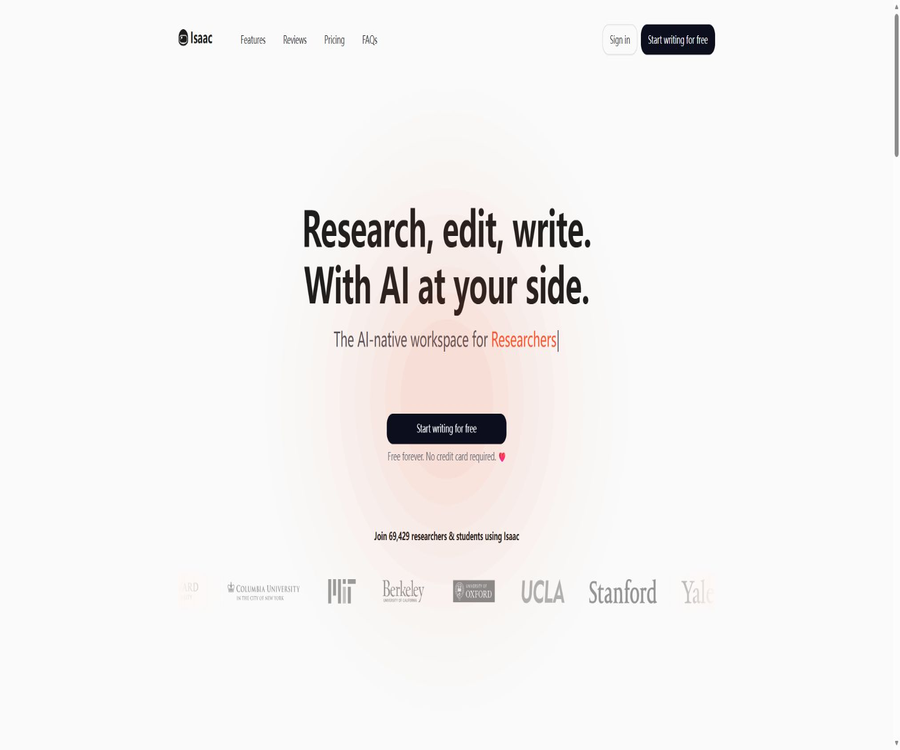
Isaac
Isaac: an intelligent tool focused on AI-driven search.
Tags:AI search engineA one-sentence summary
Isaac is a desktop-based research and writing workspace that integrates paper editing, academic searching, PDF reading, AI-powered Q&A, and citation management.
Tool Introduction
Isaac is operated by AI et al, Inc., and it is intended for undergraduates, graduate students, doctoral candidates, and researchers. It is not a tool that generates papers outright; rather, it allows users to carry out tasks such as searching for literature, reading relevant materials, drafting texts, and managing references within the same project.
The platform’s AI assistant can read the current drafts, notes, and uploaded papers, which allows it to provide responses that are more relevant to the research task than those offered by ordinary chat tools that operate outside the context of a project. The responsibility for formulating research questions, presenting arguments, interpreting data, and taking ultimate accountability remains with the author.
Main functions
| module | Key capabilities | Suitable for tasks |
|---|---|---|
| Academic Editor | Long text editing, heading hierarchy, annotations, and structured formatting | Writing papers, theses, and reviews |
| AI Writing | Continuation, rewriting, interpretation, summarization, and draft of chapters | Overcoming blank pages and language polishing |
| Literature Search | Search for papers in academic databases | Related work and literature review |
| Document Chat | Q&A surrounding one or multiple PDF documents | Extraction methods, results, and research differences |
| Research Assistant | Based on drafts, explanations, verification, and brainstorming | Review of research questions, concepts, and arguments |
| Citation Manager | Insert citations and maintain the reference list | Format switching and submission preparation |
| Workflow Automation | Processes for assisting in the organization and synthesis of literature | Systematic reviews and batch research tasks |
| Collaboration | Shared documents and reference materials | Research team and co-authored papers |
Academic long-text editor
Isaac offers a rich-text editing experience tailored for long academic documents, supporting hierarchical headings, annotations, and structured content. Users can work on the same document throughout its various sections, from the abstract and introduction to the methods, results, discussion, and conclusions.
- Use heading levels to establish the chapter structure, avoiding the need to rely on manual font sizes to indicate hierarchy.
- Placing the research questions, hypotheses, and contributions on the project’s homepage makes it easy to refer to them regularly.
- Insert citations directly in the draft, and the reference list will be updated automatically.
- Use notes to save ideas that have not yet been verified; do not include them directly in the final conclusions.
- Export in standard format regularly and retain the local version.
AI writing assistance
The writing functions include continuing the text in context, rewriting paragraphs, providing academic explanations, creating summaries, and drafting chapters. The system offers suggestions based on the tone and structure of the current document, and the author can choose to accept them, make changes, or reject them.
| Functions | Suitable for use | It should not be used directly. |
|---|---|---|
| Autocomplete | Complete transitional sentences and common expressions. | Generate unverified facts and data |
| Paraphrase | Improve clarity of expression or adjust the tone. | Hiding unquoted copies and avoiding plagiarism detection |
| Rewrite | Restructure lengthy or illogically structured paragraphs. | Change the meaning of the original evidence |
| Summarize | Quickly establish reading cues | Key methods and results for alternative reading |
| Section Draft | Create a draft based on the outline and notes. | Automatically generate a complete paper ready for submission. |
| Concept Explanation | Understanding terms, methods, or statistical concepts | Alternative professional counseling and course requirements |
Academic literature search
It includes built-in search functions that connect to academic databases such as Semantic Scholar and OpenAlex, allowing users to find papers within the editor and add them to the project’s reference list. A large number of search results does not guarantee complete coverage.
- Break down the research question into concepts such as objects, interventions or topics, comparison conditions, and results.
- Prepare keywords, synonyms, abbreviations, and disciplinary terms for each concept.
- Execute multiple searches in Isaac and check the titles and abstracts.
- Include highly relevant papers in the reference list, and then trace their citing and cited works.
- Supplement the systematic review with discipline-specific databases and gray literature searches.
- Save the search date, query criteria, filtering rules, and the number of results.
PDF and multi-document Q&A
Document Chat allows users to upload PDF files and ask questions about their content; it enables comparison of the ideas, methods, and conclusions presented in multiple papers. Answers include page numbers for reference, and it is possible to insert the relevant papers directly into a draft.
- Ask about the research design, sample, variables, statistical methods, and main results.
- It is required to distinguish between the author’s original words, experimental findings, and AI-induced conclusions.
- Use consistent fields and units when comparing different papers.
- Return to the corresponding page number to check the numbers, negative sentences, and restrictive conditions.
- Poor scanning quality or complex tables can affect PDF parsing.
- The upload formats that are currently explicitly supported are mainly PDF.
Research assistant
The integration assistant can take into account uploaded papers, notes, and drafts being written in order to answer questions. It is useful for explaining concepts, organizing research directions, checking whether the arguments and materials are consistent with each other, and identifying any relevant research that may be missing.
Fact-checking still relies on search coverage, document quality, and model judgments. Any answer that involves precise figures, conclusions from studies, or limitations of the methods used must be verified against the original papers.
Reference management
Isaac can import metadata from academic databases, insert in-text citations while writing, and update the reference list at the end of the document in real time. When the citation style is changed, the entire list is automatically reformatted.
| Ability | Support status | Precautions |
|---|---|---|
| Citation style | Over 20 types | Check against the journal’s guidelines before submitting. |
| APA | Supports Version 7 | Check the author, date, and DOI. |
| MLA | Supports version 9 | Verify the carrier and access fields. |
| Chicago, Harvard | Support | Confirm the author-date system or annotated bibliography system. |
| IEEE, Vancouver, AMA | Support | Check the sequence of numbers and journal abbreviations. |
| Database import | Support | If the page number for a missing volume is missing, it should be filled in manually. |
| Zotero and Mendeley | Supports importing existing literature databases. | Import post-processing duplicate records |
Process for using citations
- Import complete metadata from search results or your own literature database.
- Check the author, title, year, journal, volume and issue, page numbers, and DOI.
- Insert citations after the corresponding statements, rather than piling the information only at the end of the paragraph.
- Select the citation style required by the school, journal, or conference.
- Remove duplicate data and correct missing fields.
- Before exporting, verify one by one that the in-text citations correspond to the reference list.
Systematic review workflow
Isaac can assist with searching, reading, data extraction, and synthesizing information across multiple papers; it also enables the organized management of selected materials, notes, and drafts. It does not replace the capabilities of systematic review protocols or double screening.
| Phase | The assistance that Isaac can provide | Researchers must take responsibility. |
|---|---|---|
| agreement | Organize questions and initial structure | Pre-registration, inclusion/exclusion criteria, and analysis plan |
| Search | Find literature in the built-in database | Complete retrieval across multiple databases and query-based record access |
| Filtering | Quickly understand the summary and the full text. | Independent judgment and reasons for exclusion |
| Extract | PDF extraction methods, results, and data points | Original text verification, unit standardization, and handling of missing elements |
| Comprehensive | Comparison of topics, differences, and research gaps | Bias assessment, statistical methods, and strength of conclusions |
| Report | Assistance with drafting and citation formatting | Adhere to PRISMA and ensure full disclosure of AI usage |
Writing papers and theses
Research papers, conference papers, reviews, undergraduate theses, master’s theses, and doctoral theses can all be managed in the same editor. AI can generate draft chapters based on outlines and notes, but the author must rewrite them using their own research findings and arguments.
- First, establish the problems, methods, sections, and milestones, then start generating the text.
- Clearly separate the literature notes from your own data and interpretations.
- In each section, it is checked whether the main argument, the evidence, and the citations are consistent with one another.
- The Methods and Results section avoids having the model fill in missing experimental data.
- Reveal the extent of AI assistance in accordance with the policies of the school or journal before submission.
Supported languages and platforms
| Project | Current situation | Use reminders |
|---|---|---|
| Language | Supports 16 languages | Academic terms and citations in different languages still require manual proofreading. |
| Desktop browser | Support | Current main usage method |
| Mobile version | Not officially supported yet | Do not equate responsive pages with full mobile applications. |
| Native app | No official desktop or mobile client has been confirmed. | Based primarily on the web workspace. |
| Export | Supports standard submission compatible formats. | Check the specific format in the current workspace. |
Free and paid plans
The price information was verified on August 23, 2026; the actual amounts, taxes, exchange rates, and discounts may vary, and the final figures will be those displayed on the settlement page.
| Package | Price | AI quota | Storage | Primary interests | Suitable for users |
|---|---|---|---|---|---|
| Free | $ | 10 AI tokens per day | 100 MB | AI writing, document Q&A, and literature retrieval | Experience and low-frequency writing |
| Basic | $ | 50 AI tokens per day | 1 GB | All Free features, file uploading via chat, and draft generation | Course papers and conventional research |
| Pro monthly plan | $ | Infinity AI and Chat | Infinity | Premium model, draft versions, chat file uploads, and advanced support | Short-term high-intensity programs |
| Pro annual subscription | $ | Infinity AI and Chat | Infinity | Similar to Pro monthly plan, the annual plan saves around 33%. | Long-term research and dissertation |
On the Basic pricing page, the annual fee is clearly shown as $96; the monthly price will be indicated on the settlement page after making the selection. The Pro version shows a monthly fee of $25 and an annual fee of $200. Actual taxes, currency rates, and discounts may vary depending on the location where the payment is processed.
Comparison of package features
| Functions | Free | Basic | Pro |
|---|---|---|---|
| AI-assisted writing | Support | Support | Support |
| Literature search | Support | Support | Support |
| Document chat | Support | Support | Support |
| Upload files during chatting | Not listed | Support | Support |
| Generate a draft of the chapter | Not listed | Support | Support |
| Premium AI model | Not listed | Not listed | Support |
| Usage of AI and Chat | 10 Tokens per day | 50 Tokens per day | Infinity |
| File storage | 100 MB | 1 GB | Infinity |
| Advanced Support | Not listed | Not listed | Support |
AI Tokens and unlimited use
The free and Basic versions have their usage limited by the number of AI tokens per day; the page does not specify the exact rules regarding the consumption of tokens for each action. The Pro version is labeled as offering Unlimited AI and Chat capabilities, but it is still subject to constraints related to reasonable use, model capacity, and service stability.
- Leave high-value tasks to AI, and try to complete routine formatting manually.
- Comparing long PDFs and multiple documents typically requires more resources than simple rewriting.
- First, clarify the issue to reduce repeated questions and unnecessary outputs.
- If you need the Premium model and advanced chat features, consider Pro instead.
- The daily reset time and specific usage amounts should be checked on the account usage interface.
Notes on refunds and subscriptions
The product FAQ states that if Isaac does not function properly, a refund can be requested through the support chat, but it does not specify any fixed deadline for refunds or all the requirements for obtaining one. It is advisable to save the details of the package, the payment cycle, and the page outlining the refund policies before making a purchase.
- First, use the free version that does not require a credit card to test the core writing process.
- Confirm whether the Basic or Pro plan is to be paid on a monthly or annual basis.
- An annual subscription covers the costs for the entire year; one should not focus only on the monthly average figure.
- The terms for cancellation, renewal, and refunds are subject to the conditions at the time of settlement.
- When requesting a refund, provide the account number, the date of payment, and a detailed record of the issue.
Data privacy
Isaac stated that the research data is stored on EU servers that comply with GDPR requirements, and that user research data is not used to train AI models. Before uploading unpublished papers, information about respondents, or documents from collaborating organizations, it is still necessary to verify one’s ethical and contractual obligations.
| Data | Primary uses | It is recommended to exercise control. |
|---|---|---|
| Draft of the paper | Writing assistance and contextual Q&A | Remove un公开的 sensitive information and export it regularly. |
| Upload PDF | Parsing, retrieval, and multi-document dialogue | Verify copyright and sharing permissions |
| Notes and research questions | Project context and content generation | Do not write down direct identity information. |
| Reference library | Quote generation and formatting management | Check the accuracy of metadata. |
| Account data | Login, subscription, and support | Use a strong password and protect your login email. |
The public marketing page does not provide complete information regarding the model suppliers, the duration for which documents are retained, procedures for deleting backups, and the protocols for handling enterprise data. Sensitive or regulated research projects require written confirmation from the support team before they can be carried out.
Academic integrity
Isaac positions itself as a tool for research enhancement, rather than a service that can complete papers automatically. Whether its use is permitted and how it should be disclosed are decisions to be made by schools, journals, funding agencies, and research ethics policies.
- AI must not be used to create experiments, samples, statistics, citations, or information related to research ethics.
- The translation must preserve the original meaning and include any necessary quotations; it cannot be used to conceal plagiarism.
- All citations should be checked by opening the paper to verify the author, title, and conclusions.
- Keep records of the process by which you designed the research, conducted the analysis, and provided the key interpretations.
- Disclose the name of the generative AI tool and its scope of use in accordance with the submission or institutional rules.
- When it comes to manuscripts that require peer review or are confidential, first confirm whether uploading is permitted.
API, GitHub, and open-source status
The current official website does not provide any API or SDK documentation intended for developers, nor is there an official GitHub repository related to the Isaac academic writing product. The Isaac Physics editor and the open-source project with the same name that were found are not related to this product.
Isaac falls under the category of managed business SaaS; it cannot be labeled as open source or suitable for private deployment. When organization integration, single sign-on, or bulk management are required, it is necessary to contact the product team directly to inquire about such capabilities.
Which users are it suitable for
- Undergraduates and postgraduates who need to write course papers while consulting literature.
- Master’s and PhD researchers who manage large numbers of PDFs, notes, and citations.
- Researchers who write articles for journals, conferences, reviews, and survey papers.
- Research teams that hope to compare methods and conclusions across multiple papers.
- Authors who require more than 20 citation styles and import via Zotero or Mendeley.
- Researchers who are not native speakers and need assistance with academic writing in 16 languages.
Product advantages
- Combine editing, retrieval, PDF Q&A, and citation in a single continuous workflow.
- AI assistants can understand project drafts, notes, and uploaded papers simultaneously.
- It supports academic search tools such as Semantic Scholar and OpenAlex.
- Multi-document QA allows for the comparison of methods, as well as the identification and exploration of research gaps.
- More than 20 citation styles can be switched with one click, and the list is updated automatically.
- The free version does not require a credit card, and it allows you to first see if it is suitable for your style of writing.
- The research data is stored in the EU, and it is stated that it will not be used for model training.
Usage restrictions
- At present, it is officially supported only for desktop use; it is not yet ready for mobile devices.
- The built-in literature database cannot guarantee coverage of all discipline-specific databases and gray literature.
- RAG can reduce, but not eliminate, errors and misinterpretations in PDF Q&A.
- Free and Basic plans have daily limits on AI tokens, and the specific rules regarding their consumption are not disclosed.
- Only Pro offers unlimited storage, as well as unlimited AI and Chat capabilities in the Premium version.
- There are no public APIs, SDKs, or open-source versions for private deployment.
- AI cannot replace research design, data analysis, bias assessment, and academic responsibility.
Efficient use of processes
- Establish a project structure and clearly define the research questions, delivery requirements, and deadlines.
- Search for documents using multiple sets of keywords and import them into the existing reference library.
- Upload the key PDFs, and use a fixed issue template to extract methods and results.
- Remove duplicate entries from the reference list and complete the metadata.
- First, write down your own outline and evidence, then use AI to assist in creating a preliminary draft.
- Check each section for accuracy of facts, citations, logic, and consistency with the original paper.
- Apply the submission format, export a backup, and carry out final manual proofreading.
- Record and disclose AI usage in accordance with organizational policies.
Frequently Asked Questions
Is Isaac free?
There is a long-term free version that does not require a credit card; it provides 10 AI tokens and 100 MB of storage per day, along with writing assistance, document chat, and literature search capabilities.
Which papers can Isaac search for?
Built-in searching makes use of databases such as Semantic Scholar and OpenAlex. For systematic reviews or studies involving high risk, discipline-specific databases should still be utilized as a supplement.
Can I upload my own paper?
It is possible to upload PDF files and pose single or multiple questions and answers. Free accounts provide 100 MB of storage space, Basic accounts offer 1 GB, while Pro accounts feature unlimited storage.
Which citation styles are supported?
It supports over 20 formats, including APA 7, MLA 9, Chicago, Harvard, IEEE, Vancouver, and AMA, among others.
Is it compatible with Zotero and Mendeley?
It supports importing existing reference libraries from Zotero and Mendeley. After import, it is still necessary to check for duplicate entries and missing metadata.
Does Isaac support Chinese?
The platform supports 16 languages, allowing users to obtain writing assistance in languages other than English. Chinese academic terms, citations, and language style still require manual proofreading.
Can it be used on a smartphone?
The current product is designed primarily for desktop use, with mobile support still under development. Accessing it through a regular web page cannot be considered an equivalent to a full mobile experience.
Is Isaac open source?
It is not an open-source product that has been verified, nor is there any official code repository or public API available. The Isaac project with the same name available online is different from this academic writing platform.
Summary
Isaac is suitable for students and researchers who wish to carry out tasks such as literature searching, PDF reading, essay writing, and citation management within one single workspace. The free version covers the basic functions; the Basic version increases the daily usage limit, while the Pro version is designed for intensive, long-term writing tasks.
Its greatest advantage is reducing the need to switch between different research tools, but it cannot replace human judgment regarding papers, data, and methods. AI should be used solely for searching, organizing information, and providing assistance with certain aspects of writing; a thorough process of verification and disclosure must remain in place in order to ensure its safe use in formal academic work.
Tools similar to Isaac




 Guigong Network Security Registration No. 45132202000164