






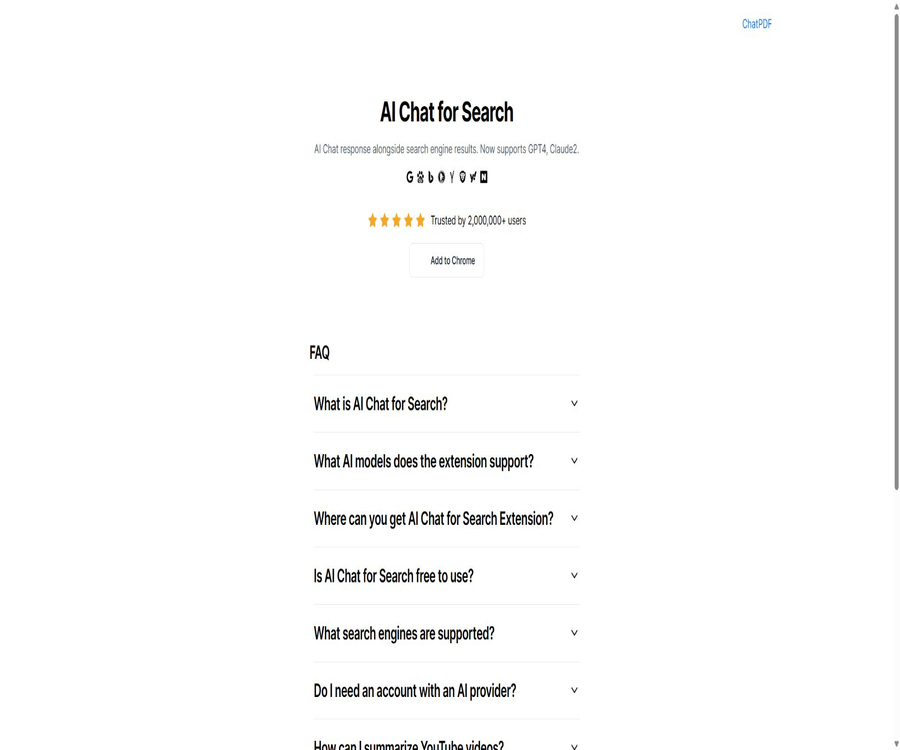
Chatgpt4google
Chatgpt4google, an intelligent tool focused on AI-driven searching.
Tags:AI search engineWhat is AI Chat for Search?
AI Chat for Search is a Chrome browser extension that incorporates AI-generated responses into the search results page; it was often referred to in previous documents as ChatGPT for Google or Chatgpt4google. When users enter a search query, they can view the AI’s summary alongside the regular web page results and ask follow-up questions.
This extension is provided by AI Chat for Search Team; the developer information available in the Chrome Store indicates that the company behind it is BUTTERFLY EFFECT PTE. LTD. It is a third-party aggregation tool, and it does not belong to Google, OpenAI, Anthropic, or any other model developers.
How does it enhance searching?
Traditional search pages mainly display titles, summaries, and web links; users have to open each document individually. AI Chat for Search sends the query to a selected AI service and generates a summarized answer on the same page.
AI-generated answers can help in quickly understanding a topic, but they cannot replace the original search results. When it comes to numbers, policies, news, and professional judgments, it is still necessary to visit the source pages for verification.
Core functions
The AI response is displayed next to the search results.
The extension displays conversational answers alongside the results from compatible search engines. Users can compare web results with the model’s summaries simultaneously, without having to switch between tabs frequently.
Search Agent
The search agent uses multiple keywords to carry out searches based on the query, reads the results, and formulates answers. It is suitable for preliminary research and data compilation, but the scope of the searches and the reasoning process still require manual verification.
Multi-model comparison
All-In-One-Chat allows users to compare the responses of multiple AI models on a single page. Different models may employ different knowledge bases, prompting strategies, and contexts; therefore, when inconsistencies arise, it is necessary to refer to reliable sources for making a decision.
Quick Ask – Fast Questions
Enter the specified trigger word in the browser’s address bar, then press Tab or Space to enter quick-question mode. The question will be sent directly to the currently selected model.
Keep asking questions repeatedly
Users can continue to ask questions in order to find answers, requesting additional explanations, narrowing down the scope, or comparing different viewpoints. Continuous conversations increase the amount of context and the computational resources used by the model.
YouTube video summary
The official page states that these expansions can summarize the key points of YouTube videos, helping to quickly understand their content. The quality of such summaries depends on subtitles, language recognition, and the model’s ability to comprehend the information; important details still need to be checked by viewing the original video.
Code and Markdown display
It now supports Markdown rendering and code highlighting, making it suitable for technical searches and structured responses. Before executing code snippets, it is necessary to check for dependencies, permissions, and security risks.
Supported search engines
| Search engine | Support status | Instructions for use |
|---|---|---|
| Support | The AI’s response is displayed on the results page. | |
| Bing | Support | It can be compared with regular search results. |
| Baidu | Support | Suitable for searching with Chinese keywords |
| DuckDuckGo | Support | Load the extension panel on compatible pages |
| Brave | Support | Changes in the page structure may affect the display. |
| Yahoo | Support | The compatibility of regional version pages needs to be tested in practice. |
| Naver | Support | Suitable for Korean language search scenarios |
| Yandex | Support | The regional and network environment can affect model services. |
| Kagi | Support | A corresponding search service account is required. |
| Searx | Support | The page structure of different instances may vary. |
AI models and account models
At the top of the official website, older models such as GPT-4 and Claude 2 are still displayed, while the text on the current store only states that it supports a variety of popular models as well as connections via the official API. The list of available models changes frequently, so it is necessary to refer to the information shown on the settings page for the most up-to-date details.
| Usage method | What is needed | Fees and restrictions |
|---|---|---|
| Log in to the model service account | Corresponding third-party AI account | Subject to restrictions related to the account’s region, plan, and usage. |
| Provide your own API Key | The user’s own model API key | Model manufacturers charge based on actual usage. |
| Premium mode | Purchase additional premium benefits | All features are available without the need for an external key; the real-time prices are indicated on the payment page. |
The extension is merely an interface for connecting different AI services; it cannot bypass the account status, regional restrictions, and service terms set by the model provider. When using custom keys, the cost of the extension and the cost associated with the model API billing may be calculated separately.
List of main functions
- A concise AI response is displayed next to the search results.
- Use a search agent to organize information based on multiple keywords.
- Compare the answers of multiple AI models on the same page.
- Ask further questions and seek more details regarding the current answer.
- Enter Quick Ask mode from the address bar.
- Generate a summary of YouTube videos and extract the key points.
- It supports Markdown, tables, and code highlighting.
- It offers a dark mode, options for triggering the function, and settings for the font size of the text.
- Compatible with various international and Chinese search engines.
- Supports over 50 interface languages.
What use cases are suitable?
- When searching for new concepts, first get a brief explanation, and then read the web results.
- Quickly sort out the differences when comparing products, software, and services.
- Technicians search for error messages, code usage, and documentation clues.
- Students search for learning topics and generate subsequent questions.
- Content creators research topics, terminology, and background information.
- Market staff initially gather information on competitors, the industry, and customer issues.
- Before watching a long video, read the subtitle summary and key points first.
- Compare the responses of multiple models to controversial issues at the same time.
It is not very suitable for which users
- Users who do not want browser extensions to access search and web browsing activity.
- Scenarios that require completely offline or local model processing.
- Research efforts that require each conclusion to have a strict, derivable chain of citations.
- Enterprise users who handle client secrets, internal systems, and confidential information.
- Those who wish to use advanced models indefinitely for free, without needing an account or API key.
- Organizations that require team permissions, auditing, unified settlement, and enterprise service level agreements.
Installation and initial setup
- Go to the Chrome Store from the official website, and check the extension’s name as well as the developer’s information.
- After reviewing the reading permissions and privacy policies, click to install; do not download the installation package from third-party websites.
- Open a supported search engine to verify that the AI response panel appears correctly.
- Choose one of the options: free login, using your own API Key, or Premium.
- First, use ordinary questions that do not contain personal information to test the compatibility of responses and searches.
- In the settings, adjust the trigger method, dark mode, and text size.
- Expansion can be paused when not needed, or it can be restricted to running on specific websites.
Steps to use the search Agent
- Formulate the problem as a clear goal, such as comparing the current features of three products.
- Enable the Search Agent to allow the extension to split keywords and retrieve multiple results.
- Check whether the answers cover time, region, and comparison dimensions.
- Open the key search results to verify the price, date, and original context.
- Continue to ask questions about the missing information, rather than accepting the initial summary outright.
- Keep your own verification records, and do not rely on AI-generated answers as the only source of information.
Steps for using a custom API Key
- Create a dedicated API key at the official model service provider.
- Set a lower budget limit and alerts for abnormal usage.
- In the advanced settings, select the corresponding service and enter the key and model.
- Send short questions to test whether authentication, streaming responses, and billing are functioning properly.
- Return to the model console to check the actual usage and charges applied.
- In the event of a key leakage or when it is no longer in use, it should be revoked immediately, and it must not be shared with other projects.
Free version and Premium
The FAQ on the official website describes the extension as being available for free use, but the more recent instructions on the Chrome Web Store indicate that there are limits to the free version; those who wish to have unlimited access should opt for the Premium version. These two descriptions do not match exactly, so it is necessary to follow the information provided on the extension’s account page and the purchase page.
| Project | Free mode | Premium mode |
|---|---|---|
| Extended installation | Free | Purchase benefits after free installation |
| Search enhancement | Use in limited quantities | Full amount or higher |
| External model account | It can be connected via a personal account. | It is usually not necessary. |
| Provide your own API Key | Support | It is usually not necessary. |
| Advanced features | Partially restricted | The store instructions state that full access is required. |
| Public price | No installation fee | The official website does not disclose a fixed amount. |
The cycle, currency, auto-renewal options, and refund rules for Premium are not fully detailed on the official website. Before making a purchase, it is necessary to refer to the payment confirmation page within the browser extension; one should not rely on older review articles to determine the current price.
Product advantages
- AI responses are displayed alongside regular search results, reducing the need to switch back and forth.
- It supports various search engines such as Google, Bing, and Baidu.
- It is possible to compare multiple models at the same time, thereby reducing the bias associated with a single answer.
- The search agent can break down keywords and organize multiple results.
- Quick Ask in the address bar is ideal for making frequent and quick questions.
- It supports the use of custom API keys, offering greater flexibility in model management and cost control.
- Markdown, code highlighting, dark mode, and font size settings are quite useful.
- The Chrome Web Store shows a large user base and adheres to recommended extension practices.
Usage restrictions and precautions
- The expansion is operated by third parties, and it has no official affiliation with search engine or model manufacturers.
- The model descriptions on the official website contain information from older versions; the actual model is determined by the settings page.
- The free quota and Premium prices are not clearly listed on the official website.
- After the redesign of the search page, the position of the panels and compatibility may be abnormal temporarily.
- AI summaries may overlook page-specific constraints or misinterpret the original text.
- YouTube summaries rely on the quality of subtitles and cannot guarantee that all visual information is included.
- Using an own API key will incur separate costs for model calls.
- Browser extensions offer broad access to web pages, and their use should be restricted on sensitive websites.
Privacy and data security
The privacy policy of the Chrome Web Store indicates that this extension may handle personal identification information, financial and payment data, private communications, as well as user activities. The developer states that it will not sell or transfer such data outside the permitted uses, nor will it be used for credit assessment.
- Do not enter passwords, identification documents, customer information, or unpublished code into the search box.
- Before installation, check the permissions of the extension regarding the search page, web page content, and account information.
- Suspend expansion in internal systems, online banking, the management backend, and corporate email.
- API keys are used only with dedicated accounts with limited permissions, and consumption limits are set.
- Do not expose keys in screenshots, synchronization settings, or shared browser configurations.
- Regularly check the new permissions and privacy policies that come with updates to the extension.
- Before organizational deployment, domain names and user ranges that can be accessed can be restricted through browser policies.
Official GitHub and open-source status
A real-time search on GitHub did not yield any official extension source code repositories published by AI Chat for Search Team or the current company in charge of its operation. The similar search extensions and configuration lists that appeared in the search results cannot be considered as the source code for this product.
Therefore, the open-source status in the catalog should be marked as not open source. Both custom API keys and official API connections are supported; this only indicates that model services can be configured, but it does not mean that the browser extension itself has an open-source codebase.
Store and platform information
| Project | Information for verification |
|---|---|
| Platform | Chrome browser extensions |
| Version | 5.5.6 |
| Update time | January 5, 2026 |
| Installation scale | The Chrome Store shows around 2 million users. |
| Rating | Around 4.6 points, approximately 4,000 ratings |
| Language | 52 types |
| Developer | AI Chat for Search Team |
| Operating entity | BUTTERFLY EFFECT PTE. LTD. |
| Is it open source? | No |
Basic information
| field | Content |
|---|---|
| Tool name | AI Chat for Search |
| Former name | ChatGPT for Google, Chatgpt4google |
| Tool type | AI search enhancement browser extension |
| Core competencies | Search side answers, Search Agent, multi-model comparison, Quick Ask |
| Supports search engines | Google, Bing, Baidu, DuckDuckGo, and others |
| Price pattern | Limited free version, API key to be provided by the user, Premium version |
| Is an account required? | It depends on the selected model and pattern. |
| Is it open source? | No |
Recommendation score
4.2 / 5. AI Chat for Search offers useful features such as responses alongside search results, comparison of different models, and compatibility with a wide range of search engines; however, the information regarding the free usage quota and prices is not clear enough, and caution is required when it comes to extended permissions, model versions, and the handling of sensitive data.
Frequently Asked Questions
Is AI Chat for Search free?
It can be used for a limited period free of charge, or access can be obtained by using a personal model account or an API key of one’s own. Unlimited or full access requires considering the Premium real-time plan.
Is Baidu search supported?
Supported. The search engines listed by the official source include Baidu, Google, Bing, DuckDuckGo, and others.
Is a ChatGPT account required?
Not necessarily. The free version allows connection to a personal AI service account or the use of an API key, while the Premium version offers full access without the need for any external keys.
Can you summarize YouTube videos?
It’s possible, but it relies mainly on the available subtitles and the model’s understanding. Without subtitles or when there is a lot of visual information, the summary may be incomplete.
Is it an official extension from Google or OpenAI?
No. It was developed by an independent third-party team; it merely connects different AI models on the search page.
Is AI Chat for Search open source?
No official source code repository was found; it should be labeled as a non-open-source browser extension.
Tools similar to ChatGPT4Google




 Guigong Network Security Registration No. 45132202000164