






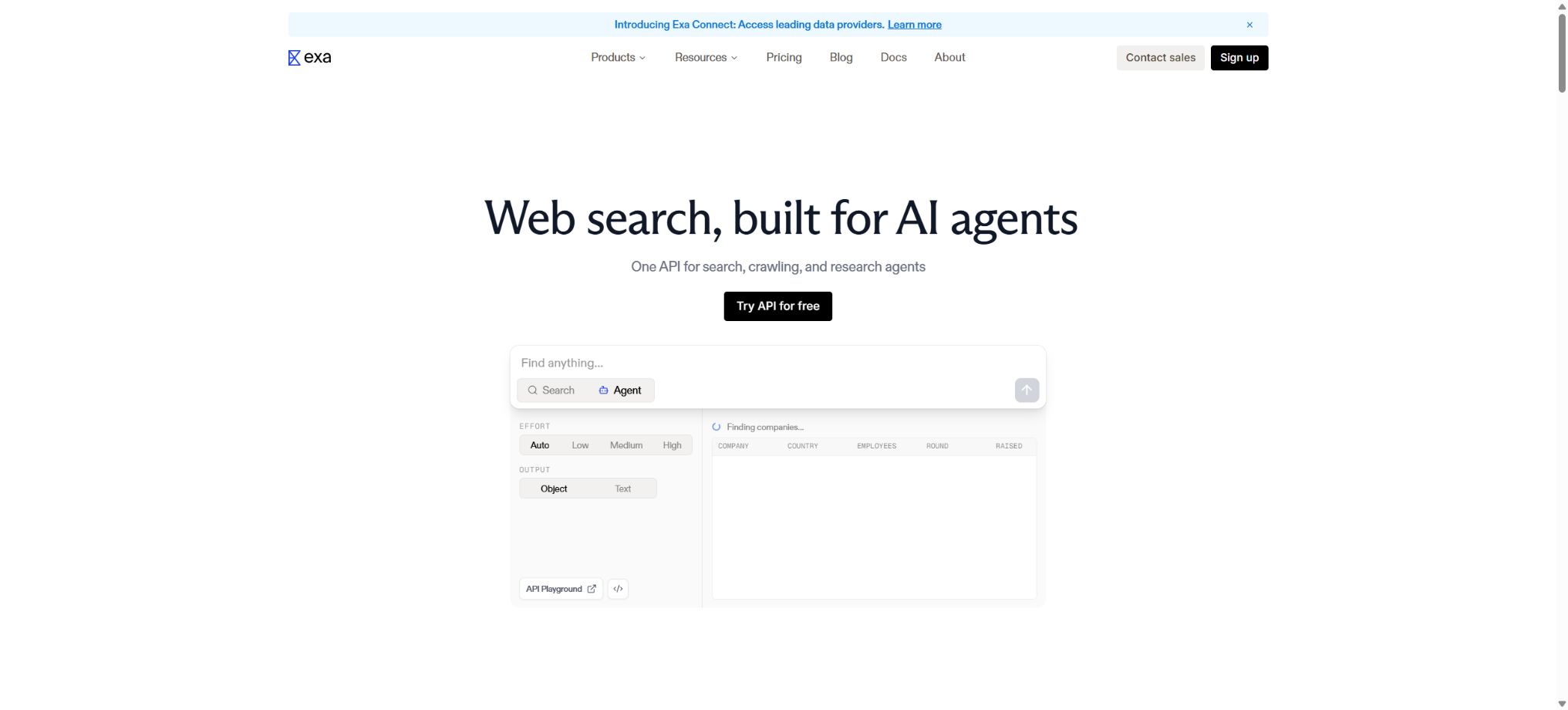
Exa
Semantic search and content retrieval APIs designed specifically for AI agents and developers
Tags:AI search engineWhat is Exa?
Exa is a real-time web search and content retrieval platform designed for AI applications and agents. It provides, via API, relevant web pages, clean text, key excerpts, direct answers, structured research results, and citation information.
Compared to search boxes designed for ordinary users, Exa places more emphasis on programmed queries, low-latency retrieval, semantic matching, and a content format that can be directly fed into large models. Developers can use it for chatbots, research agents, corporate intelligence, searching for talents and companies, as well as for knowledge-enhanced generation.
Exa’s main functions
- Search API:Search real-time web pages using natural language, and retrieve the title, URL, date, author, and relevance scores.
- Multiple search modes:Options for speed and depth include auto, fast, instant, deep-lite, deep, and deep-reasoning.
- Contents API:Extract clean text suitable for use by large models from known URLs or search results.
- Highlights:Only the key segments related to the question are returned, thereby reducing the length of the context and the costs associated with the model.
- Page summary:Generate a brief summary for each page based on the query or structural requirements.
- Answer API:Answer the question directly and include citations based on the search results.
- Deep Search:It performs multi-step searches and reasoning to return synthesized results or structured fields.
- Agent API:Complete tasks such as in-depth research, list creation, and information completion asynchronously.
- Websets:Search for and verify candidate candidates, and enrich the data based on specified fields.
- Monitors:Run queries regularly to detect new events and changes on the webpage.
- Similar pages:Find pages with similar semantics based on a known link.
- Vertical category:Optimize results for companies, individuals, publications, news, and other content types.
Comparison of Exa API products
| Products | Main inputs | Main output | Suitable scenarios |
|---|---|---|---|
| Search | Natural language queries and filtering criteria | Related web pages and optional content | Agent-based web search and RAG retrieval |
| Contents | Website address or Exa document ID | Main text, key points, summary, and links | Web page parsing and context preparation |
| Answer | A fact or a research question | Direct answer with citation | Q&A products and rapid verification |
| Deep Search | Complex problems and output structure | Multi-step research and structured results | Comparison, analysis, and thematic research |
| Agent | Research tasks and effort level | Asynchronous reporting, lists, and fields | Research on long-duration automation |
| Websets | Object description, validation criteria, and additional fields | Validated data sets | Lists of companies, talents, and markets |
| Monitors | Scheduled queries | New events and results | News, competitor, and risk monitoring |
Exa search and content pricing
Exa operates on a pay-as-you-go basis, with no mandatory subscription or minimum spending requirements. New accounts are granted 20 dollars in credits as a bonus, and an additional 10 dollars in credits are provided each month under the free tier.
The limits, taxes, and corporate discounts are based on the real-time information displayed on the Dashboard.
| Interface | Base price | Included range | Extra charging |
|---|---|---|---|
| Search | 7 dollars per 1,000 requests | Up to 10 results per time | After 10 items, $1 per 1,000 results |
| Contents | $ | The main text, Highlights, etc. are billed by type. | AI summary: $1 per 1,000 pages |
| Answer | $ | Direct answer with citation | The current interface rules shall apply. |
| Monitors | 15 dollars per 1,000 requests | Up to 10 results per time | Additional results and summaries are counted separately. |
| Enterprise | Contact sales | High usage, custom indexes, and higher rate limits | SLA, zero data retention, and bulk discounts |
Prices for Deep Search and Agent
| Pattern | Official reference price | Typical delay or positioning |
|---|---|---|
| deep-lite | 12 dollars per 1,000 times | About 4 seconds, lightweight synthesis |
| deep | 12 dollars per 1,000 times | Approximately 4 to 15 seconds, with multi-step reasoning and structured output |
| deep-reasoning | 15 dollars per 1,000 times | Around 12 to 40 seconds, for more difficult research tasks |
| Agent minimal | $ | Minimum fixed effort |
| Agent low | $ | Light tasks |
| Agent medium | $ | Moderate level of research depth |
| Agent high | $ | Complex research |
| Agent xhigh | $ | High-intensity fixed budget |
The \"auto\" mode for Agents and the \"max\" value used in testing can be billed based on actual usage, with a maximum limit set for each execution. Complex tasks may also incur additional costs related to searches, computing units, as well as email or phone communications; therefore, it is necessary to record the cost associated with each operation in a production environment.
How to choose the Exa search mode?
| Pattern | Features | Recommended uses |
|---|---|---|
| auto | Automatically balancing mass and speed | Most general searches |
| fast | Lower latency with good quality maintained | Search and conversations visible to users |
| instant | Prioritize the shortest response time | Voice Agent, auto-completion, and real-time interface |
| deep-lite | A lightweight study with a duration of around 4 seconds | Tasks that need to be synthesized but have a limited budget |
| deep | Multi-step retrieval and structured output | Complex filtering, comparison, and reporting |
| deep-reasoning | Increase reasoning time | Studies with complex conditions that require more careful judgment |
Exa Quick Access Tutorial
- Create an account:Go to the Dashboard to generate an API Key, and check the free credits as well as the speed limits.
- Protection key:Save the Key as a server-side environment variable; do not store it in the frontend or in public repositories.
- Install SDK:Python can use exa-py, and JavaScript can use exa-js.
- Initiate search:First, use the auto mode with 5 to 10 results to verify the quality of the query.
- Content control:For Q&A requests, prioritize Highlights; set the maximum character limit only if the full text is truly necessary.
- Add filtering:Narrow down the search by domain name, publication date, crawling date, category, and required text.
- Record cost:Save billing information such as the request ID, processing time, number of results returned, and costDollars.
- Set downgrade:Prepare caches or alternative paths for timeouts, empty results, 429 errors, and insufficient balance.
Ways to reduce Exa costs
- By default, only 5 to 10 results are returned; do not send requests for a large number of pages for each query.
- Give priority to Highlights; only for complex studies is the full text provided.
- Set maxCharacters for the main text to prevent irrelevant pages from all being fed into the large model;
- Call Contents directly for known URLs, without performing searches repeatedly.
- Cache stable results and establish appropriate livecrawl strategies based on timing requirements;
- For ordinary tasks, use auto or fast; only escalate truly complex tasks to deep.
- Set a fixed effort or a maximum budget per task for the Agent, in order to prevent long-running tasks from getting out of control.
- Monitor the credit consumption of each tenant and feature, and set up alerts and circuit breakers.
Exa usage guide
Create reusable professional workflows
- Break down complex topics into four categories of questions: background, data, comparison, and conclusions;
- The Search API, various search patterns, and the Contents API work together to form a fixed set of research steps.
- Give priority to using the official website, research papers, regulatory documents, and raw data;
- A second person is assigned to review conclusions that are considered high-risk;
- Save queries, evidence, versions, and unresolved issues;
- Re-run after the data changes and update the conclusions;
Which users are suitable for Exa?
- AI application developers:Add real-time online search to chatbots and agents.
- RAG team:Obtain the webpage text, key excerpts, and traceable metadata.
- Research and Advisory Team:Automatically completes research on markets, companies, individuals, and topics.
- Sales and recruitment platforms:Use Websets to search for and verify lists of companies or professionals.
- Risk and Intelligence Team:Track new events, policies, and changes in competitors through Monitors.
- Content products:Generate Q&A, briefings, and research reports with sources.
Product advantages
- Designed around AI consumption patterns, the results can be used directly in the context of large models;
- It also provides capabilities for searching, scraping, obtaining answers, conducting research, monitoring, and managing data sets.
- It supports semantic queries, keyword searches, vertical category filtering, as well as various date and domain name filters.
- Highlights help reduce irrelevant text, increase speed, and save model tokens;
- Deep mode supports structured output, facilitating integration with databases and automated processes;
- The ecosystems of Python, JavaScript, MCP, and AI SDKs reduce the costs associated with integration.
Usage restrictions and precautions
- Search results and AI summaries may be incomplete or incorrect; important facts should still be verified on the original page.
- Real-time scraping is affected by the target website, robot rules, login requirements, paywalls, and page structure.
- Finding a public page does not mean that one has permission to copy it, use it for training purposes, or reproduce it for commercial use;
- The data on individuals and companies may be outdated, and secondary verification should be carried out in recruitment and sales contexts;
- The latency and cost of deep search are higher than those of the regular mode, making it unsuitable for all interaction requests;
- Handling a large number of concurrent requests requires rate limiting, timeout management, retry mechanisms, duplicate elimination, and cost control;
- Generative fields should have a simple and clear structure; complex nesting may reduce stability.
Security, privacy, and corporate capabilities
API Keys must be stored solely on the server, and managed separately for development, testing, and production environments. Complete keys, sensitive queries, or unparsed personal data should not be recorded in the logs.
For projects that involve high volumes of data or are subject to regulatory requirements, Exa can be consulted regarding SLAs, MSA agreements, custom indexing options, customized speed limits, and zero data retention policies. As for whether specific industry compliance requirements are met, it should be determined in accordance with the enterprise contracts and the latest security documents.
Open-source and GitHub projects
The Exa search index, hosting services, and core models are not open-source products; however, the developers have made available on GitHub the Python SDK, JavaScript SDK, MCP Server, and Vercel AI SDK. Several of these official clients are licensed under the MIT license, but developers still need to pay for actual API calls and comply with the service terms.
The open-source SDK is merely a wrapper for making calls; it does not include the full search infrastructure of Exa. When deploying the MCP Server, it is also necessary to protect API keys and to restrict the users who are allowed to initiate searches and incur costs.
Frequently Asked Questions
Can Exa be used for free?
The official pricing page indicates that new accounts receive 20 dollars worth of credits as a gift, while the free tier provides an additional 10 dollars worth of credits per month. Charges are applied based on the actual amount of usage according to the interface specifications.
What is the difference between Exa and regular search engines?
Exa is primarily aimed at programs and AI agents, with an emphasis on semantic search, text extraction, structured analysis, and API calls. It is not a consumer search platform that relies on advertisements and manual browsing.
When to use the Contents API
It is used when the target website address is already known, or when it is necessary to convert search results into clean text, highlights, and summaries. This approach is usually more direct than conducting repeated searches.
Does Exa support MCP?
Support is available; the official MCP Server solution is provided, allowing compatible clients to utilize search and research functions. When deploying it, it is necessary to configure the Exa API Key as well as to manage permissions and costs.
Is Exa open source?
The core search service is not an open-source product; the official SDKs and other client tools are licensed under the MIT license. Having an open-source client does not mean that hosted search services can be obtained for free.
Tools similar to Exa




 Guigong Network Security Registration No. 45132202000164