






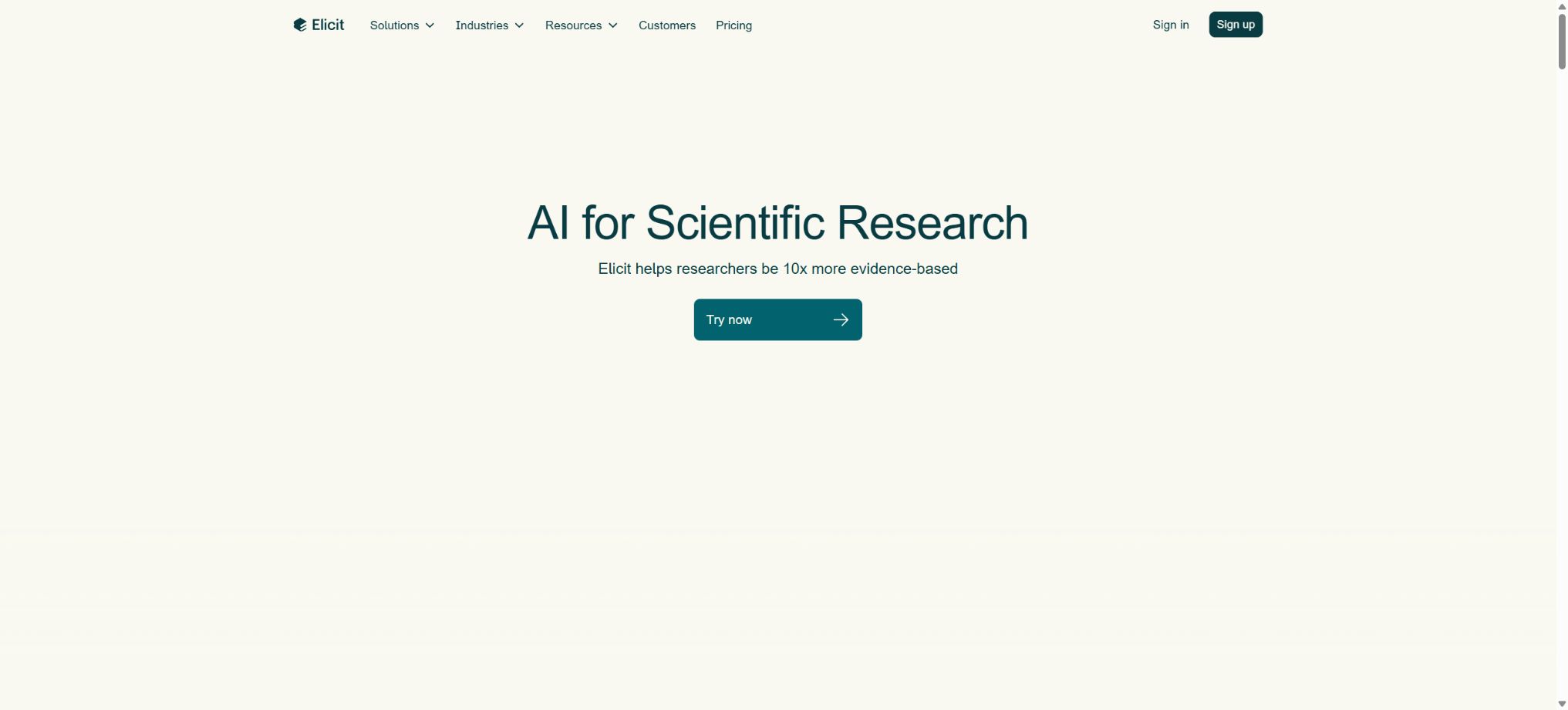
Elicit
An AI research assistant that can search for, summarize, and extract information from hundreds of millions of papers
Tags:AI search engineWhat is Elicit?
Elicit is an AI research assistant designed for researchers, teams in medicine and life sciences, policy analysts, and those involved in evidence synthesis; it is operated by Elicit Research PBC. It is not a regular chatbot, nor does it simply generate a summary after receiving a query – instead, it breaks down the processes of literature search, filtering, full-text reading, structured data extraction, evidence verification, and report generation into distinct steps that can be reviewed, allowing users to see the relevant papers, supporting citations, and the reasons behind the selections made.
As of this verification, Elicit has evolved from its initial form of “AI literature search form” to includeResearch Agent, Find Papers, Paper Chat, Research Reports, Systematic Review, Library, Alerts, API and MCPAn integrated research platform.
Its search scope covers over 138 million academic papers, and some versions can also retrieve more than 500,000 clinical trial records.
The product is primarily used via a web interface, with its core applications and models being cloud-exclusive services.
Core functions
1. Find Papers – semantic literature search
Users can pose research questions in natural language, and Elicit will find relevant papers by means of semantic similarity; even if those papers do not contain exactly the same keywords as those in the question, they can still be identified. Semantic search is suitable for exploring new fields and compensating for the omissions that occur with traditional keyword-based searches due to synonyms not being taken into account.
Advanced search and keyword filtering are suitable for pinpointing more precise concepts.
The combination of the two is more flexible than relying solely on title keywords.
The search results are presented in a table format; each paper comes with a summary related to the specific question being addressed, along with information such as the year of publication, authors, journal name, number of citations, and type of study. Users can filter the results based on criteria such as date of publication, research design, journal quality, and whether the full text is available. They can also add custom columns to extract information in bulk, including sample size, study subjects, interventions, outcomes, methods, and key results.
It should be noted that the wide coverage provided by Elicit does not mean that it covers all databases. A proper systematic review should still involve searching PubMed, MEDLINE, Embase, Web of Science, Scopus, the Cochrane Library, or other databases specific to the field in question, with the search queries, dates, and number of results obtained from each database being recorded.
Semantic search is suitable for expanding the range of results and identifying relevant studies, but it cannot replace publication-level retrieval strategies.
2. Paper Chat: Q&A on papers
Paper Chat enables further questions to be raised regarding one or more papers, such as comparing research designs, interpreting statistical results, identifying limitations, or summarizing the conclusions of different papers. For papers whose full texts are accessible via the system, the free version also allows unlimited discussions of the full text.
If there are only summaries or metadata, there will be less material on which to base the answer.
The proper way to use it is to request answers along with the original evidence, page numbers, or relevant sections of the text, so that one can check the paper accordingly. Tables, appendices, scanned images, complex formulas, and graphical information in papers may not be rendered completely accurately, and secondary summaries might also omit certain details.
When it comes to dosage, safety, significance, sample size, and outcome definition, one should not simply copy the AI’s response.
3. Custom data extraction table
Elicit can convert papers into structured tables. Users can add a new column and enter questions, and the system will extract the answers for each paper individually; this makes it suitable for creating tables that outline research characteristics, evidence matrices, or comparisons with competitors or other mechanisms.
Plans Pro and above also offer custom extraction, AI-based explanations for answers, and more output templates; Scale enhances the ability to extract and interpret figures and charts in papers.
The columns to be extracted should be as specific as possible; for example, “study results” should be broken down into primary endpoints, follow-up period, effect size, confidence intervals, and adverse events. Vague questions can lead to the mixing of different definitions together.
Automatic extraction is suitable for carrying out the first round of sorting, but for formal papers, regulatory documents, and medical decisions, the entire text still needs to be examined either by sampling or by checking each item individually, with records of any manual revisions to be kept.
4. Research Reports – Study Publications
Research Reports carry out searches, filtering, and information extraction focused on specific issues, thereby generating a research overview supported by evidence. Key assertions can be traced back to the relevant papers and supporting citations; users can also view the intermediate steps, make modifications, and continue to interact with the report.
Currently, the Pro report can extract information from up to 135 data sources; this limit has been increased to 200 data sources.
A report is suitable for gaining a quick understanding of a research area, preparing the background for a project, providing a starting point for due diligence, or serving as an internal briefing. It is not equivalent to a peer-reviewed paper or a comprehensive systematic review.
The conclusions in the report, the language used to describe causal relationships, the assessment of the quality of the research, and any gaps in the evidence still need to be examined by professionals; in particular, it is not appropriate to turn findings based on correlation into conclusions about causation.
5. Research Agent
The Research Agent first breaks down complex problems into research tasks, then selects appropriate sources, carries out multiple searches, organizes the collected evidence, and generates tables, narrative reports, or various other outputs as needed. Its capabilities go beyond those of a simple paper writer; it can handle clinical trial data, regulatory documents, press releases, product labels, etc., and it supports the analysis of competitive landscapes, research trends, clinical trials, as well as the exploration of open-ended topics.
The update in 2026 adds support for processing genetic sequences, omics data, microscopic images, research posters, PDB data, FCS data, and custom files; it also enables data analysis, plotting, and image interpretation. The agent will first ask about the scope and desired output format, and after the results are generated, it is possible to ask further questions, narrow the scope, or carry out new analyses.
Research Agent, Reports, and Systematic Review currently share the monthly usage quota available under the plan; complex tasks require more of this quota compared to ordinary searches.
6. Systematic Review Systematic review
Elicit offers a dedicated workflow for systematic reviews, covering the collection of candidate papers, application of inclusion and exclusion criteria, screening of titles and abstracts, full-text screening, structured data extraction, and report generation. Users can import their own search results and PDF files, and then use semantic search to identify additional candidate papers.
AI will provide judgments, explanations, and supporting evidence for each criterion, while humans can override the decisions at any time.
Pro allows for the filtering of up to 5,000 papers within dedicated workflows, while Enterprise can handle up to 40,000 papers and extract 40 columns. The system supports the export of both the filtered lists and the extracted data, which facilitates the creation of audit records.
The PRISMA 2020 update of 2026 enhanced aspects such as duplicate removal, process statistics, and dual-review scenarios; AI can assist the two human reviewers or serve as a second reviewer.
Official evaluations show that it achieves high recall or accuracy rates in searching, filtering, and extracting data from specific Cochrane open-access datasets; however, these evaluations have certain limitations: the sample size for full-text testing is small, and the extraction is based mainly on available open-access articles, so the results may not be applicable to articles behind paywalls, to all non-medical fields, or to different review formats.
For the publication of clinical guidelines or regulatory-level reviews, researchers should pre-register their protocols, validate their search queries, and carry out double screening as well as bias risk assessment, rather than leaving all of this responsibility to AI.
7. Library, Zotero, and Exporting
Library is used to store papers and organize them in collections. The free version allows for importing materials from Zotero;
Users can also upload PDFs or add the search results to their personal library.
It should be noted that the entire Elicit Library cannot be exported at once; therefore, it cannot serve as the only long-term source for storing references, nor can it replace Zotero, EndNote, and Mendeley entirely.
Research Reports can be exported in PDF or Word format for all plans. Plans at the Plus level and above allow the export of Find Papers and Paper Chat tables, while Pro, Scale, and Enterprise plans enable the export of Systematic Review tables.
The table supports CSV or Excel formats; some source lists accept RIS and BIB formats, which can then be imported into a reference manager to generate the desired citation style. The citation style and DOI still need to be verified before formal submission.
8. Research Alerts
The research tool suggests keeping an eye on new papers related to the topic of preservation, which is useful for maintaining an up-to-date review or staying informed about rapidly evolving fields. Pro offers 10 personalized reminders, while Enterprise provides an unlimited number of such reminders.
It should be noted that the results of such reminders are still influenced by the search scope and matching strategies; therefore they should not be used as the sole source for pharmacovigilance, regulatory monitoring, or urgent information.
9. API and MCP
Elicit offers APIs and MCP for Pro, Scale, and Enterprise versions. The Search API enables semantic or keyword searches across more than 138 million papers and records on ClinicalTrials.gov; it supports filtering by year, journal category, and type of study, with retracted papers being excluded by default.
The Reports API can generate reports in Markdown, PDF, or DOCX format; the Systematic Review API enables searching, summarizing, and filtering of full texts, as well as extracting information and creating final reports, with all stages available for export in CSV or XLSX format.
MCP brings the same set of capabilities to Claude Desktop, Claude Code, and other compatible clients, via OAuth 2.0 authentication. The official GitHub repository api-examples provides examples of integration with Python using MCP, and it is licensed under the MIT license.
Developers should properly store credentials, restrict access rights and budgets, and record retrieval parameters, model outputs, retry attempts in case of failures, as well as the status of manual reviews within automated pipelines.
Prices and plans
Elicit offers a free version, individual subscriptions, team subscriptions, and corporate quotes. The official website shows both annual and monthly payment options, and the page displays different pricing tiers depending on the billing cycle selected.
The following are the public USD prices at the time of this verification; fees, taxes, region-specific factors, and any subsequent adjustments will be as indicated on the settlement page.
| Package or version | Prices, quotas, and core benefits |
|---|---|
| Basic | It’s free. There are limits on the use of Research Agent and Reports; however, it is possible to search through more than 138 million papers without any restriction, generate abstracts of these papers, communicate with regard to papers that have full texts available, view the sources of answers, and import them into Zotero. |
| Plus annual plan | This amounts to 11 dollars per person per month, or 132 dollars on an annual basis. Export in formats such as RIS, CSV, BIB, PDF, and DOCX is supported; 5 columns can be added each time, and it is possible to search through more than 500,000 clinical trial records without any limit on the number of searches. |
| Pro annual subscription | The page indicates a cost of $39 per person per month, with an annual fee of $480; the monthly payment amount is $49. The package includes a dedicated system for reviewing data, the ability to process 5,000 records, 20 columns per set of data, up to 135 data sources for generating reports, 10 reminders related to research tasks, as well as customizable templates for extraction, interpretation, and output, along with API and MCP capabilities. |
| Scale annual plan | The cost is $89 per person per month, which amounts to $1,068 on an annual basis; the monthly payment option is $169. It offers increased functionality for Research Agents, Reports, and Systematic Reviews, including chart explanations, real-time collaboration, 200 data sources for reports, up to 30 columns per report, as well as tools for managing administrator usage and seats. |
| Enterprise | Quotation request. Options available include custom usage settings, filtering for up to 40,000 entries, extraction of data from 40 columns, SSO/SAML integration, two-factor authentication, domain name verification, user analysis, custom data sources and templates, customer success services, and single-tenant deployment; the official website states that enterprise customer data is not used for training by default. |
The figures of “39 dollars per month” and “480 dollars per year” for the annual Pro subscription on the official website are not the result of a simple multiplication; the values shown are those as presented on the page, without any conversion being done. It is possible that the Plus option will be displayed when switching to a monthly payment plan, and the specific API limits as well as the amount of data usage required for different workflows may vary. It is therefore necessary to check these details again on the account settlement page before making a purchase.
GitHub and the open-source status
Elicit has an official GitHub organization that provides public API examples, paper search and evaluation tools, machine learning resources, research datasets, as well as a small number of historical projects. Repositories such as api-examples and paper-search-eval are licensed under the MIT license; some older repositories have been archived.
The Elicit web application, Research Agent, search index, systematic review workflow, and cloud models are not fully open source.There is also no community version that can be deployed independently by officials. The public examples and evaluation codes cover only the usage of the interfaces or certain research assets, and they cannot be used as a basis to classify the product as open-source software.
Elicit usage tutorial
Complete a basic task.
- Clarify the issue, time frame, location, source priority, and output format;
- In Elicit, upload the materials for which you have permission to use, or enter a search query;
- First, a framework is established using the semantic literature search tool Find Papers, and then evidence is added through Paper Chat for question-and-answer discussions on papers.
- It is necessary to distinguish between factual information from the source, the author’s opinions, and AI-generated conclusions.
- Check each item for dates, numbers, the original location, and any conflicting evidence;
- The conclusions are manually revised, the verification time is recorded, and then they are published;
Create reusable professional workflows
- Break down complex topics into four categories of questions: background, data, comparison, and conclusions;
- A set of fixed research steps is established by combining semantic literature search via Find Papers, paper Q&A through Paper Chat, and custom data extraction tables.
- Give priority to using the official website, research papers, regulatory documents, and raw data;
- A second person is assigned to review conclusions that are considered high-risk;
- Save queries, evidence, versions, and unresolved issues;
- Re-run after the data changes and update the conclusions;
Which users is it suitable for?
- Students and researchers who search for papers, compile information on the research background, and create reading lists;
- Research teams that conduct rapid evidence reviews, scoping reviews, or systematic reviews;
- Medical and life sciences teams that need to screen clinical trials, regulatory documents, and product labels;
- Consultants and policy experts who prepare structured evidence tables, research reports, and analyses of the competitive landscape;
- Developers who wish to integrate academic searches, reports, or systematic reviews into their internal systems;
- Research organizations that need to continuously monitor topics and maintain living reviews.
Product advantages
- Combining semantic search with keyword filtering is suitable for identifying papers with different wording but related topics;
- Answers, filtering decisions, and extracted results should be accompanied by evidence from the paper to facilitate verification;
- Batch extraction in tabular format is more suitable for organizing research features than copying each item individually;
- It covers fast reports, rigorous systematic reviews, as well as the more flexible Research Agent;
- It supports importing from Zotero, as well as exporting to CSV, Excel, RIS, BIB, PDF, and Word;
- APIs and MCPs are provided, allowing them to be integrated into automated research pipelines;
- The free version already allows for extensive search of papers, retrieval of abstracts, and partial full-text queries.
Restrictions and Precautions
- Elicit can reduce the costs associated with searching, reading, and organizing information, but it cannot guarantee that the papers are comprehensive, that the full text is analyzed accurately, or that the AI-generated conclusions are correct.
- Delays or omissions may also occur in article withdrawal filtering, research topic identification, journal classification, as well as access to citations and full texts.
- Important studies must be revisited in terms of publications, supplementary materials, registration records, and verification of the original data;
- A systematic review should not prioritize speed of production alone;
- Researchers still need to define a PICO or other question framework, registration protocols, develop reproducible search queries, document the reasons for exclusions, address duplicate studies, assess the risks of bias and the certainty of the evidence, and clarify the role of AI at each stage.
- Decisions regarding healthcare, medications, public policy, and investment should not be based solely on automated reports.
- Before uploading unpublished papers, patient data, trade secrets, or the full text of restricted databases, it is necessary to check your institution’s data policies as well as Elicit’s current privacy terms.
- Enterprise offers greater control over identities, security, and deployment, but the specifics regarding data retention, sub-processors, regions, usage for training, and deletion obligations are governed by the contract and the Trust Center.
Frequently Asked Questions
Is Elicit free?
There is a free Basic version that allows unlimited searches among over 138 million papers, generates summaries, and enables interaction with full-text available papers; however, Research Agent and Reports come with limited usage, while advanced functions such as exporting data and conducting systematic reviews require a paid plan.
Can Elicit be used to write systematic reviews?
It can assist with searching, summarizing and filtering full texts, extracting data and generating reports, as well as keeping track of each decision made. However, for publication- or regulatory-grade systematic reviews, it is still necessary to manually develop a plan, search multiple specified databases, review the filtering and extraction processes, and conduct a bias risk assessment.
Does Elicit support Chinese papers?
It is possible to search for and process some non-English papers, but the availability of abstracts, metadata, and full texts varies depending on the language and database. It should not be assumed that all Chinese core journals, thesis papers, and local databases are included; for Chinese-related materials, sources such as CNKI, Wanfang, VIP, or those designated by the institution should be used as supplements.
What is the difference between Elicit and Google Scholar?
Google Scholar functions more like a gateway to a wide range of academic findings; Elicit focuses on searching for information related to semantic aspects, providing summaries related to specific questions, enabling batch customization of data extraction, offering Q&A services related to papers, as well as supporting processes for preparing reports and systematic reviews.
In thorough searches, the two can complement each other; they should not replace one another completely.
Does Elicit provide an API?
Available. Pro, Scale, and Enterprise versions offer search, reporting, systematic review APIs, as well as MCP; examples are available on the official GitHub repository.
The actual amount that can be used varies depending on the subscription and the usage pool.
Is Elicit open source?
The core product is not open source. The official GitHub page provides API examples, evaluation results, and research materials; some of these materials are licensed under the MIT license, but it does not include a complete Elicit platform that can be deployed on one’s own.
Tools similar to Elicit




 Guigong Network Security Registration No. 45132202000164