






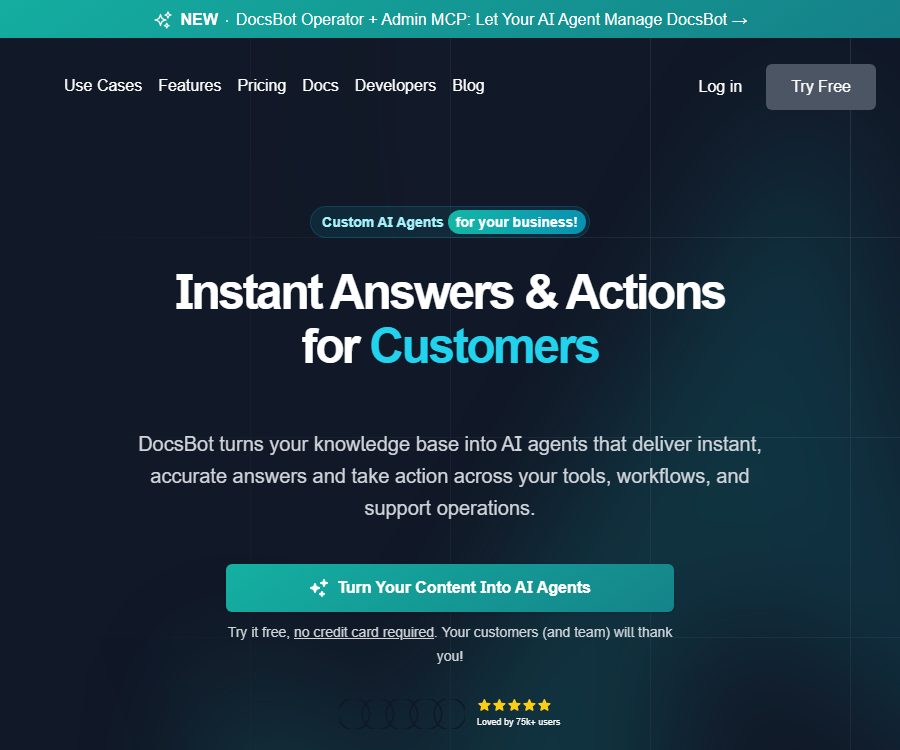
DocsBot
DocsBot – makes AI-driven conversations more efficient and simpler.
Tags:AI dialogue chatWhat is DocsBot?
DocsBot is an enterprise AI agent platform operated by UglyRobot, LLC in the United States. It organizes websites, documents, cloud storage, help centers, tickets, and other content into a searchable knowledge base, enabling agents to answer questions from customers or employees and carry out subsequent actions within the permitted limits.
In its early stages, DocsBot was primarily designed for training chatbots using documents; today its capabilities have been expanded to include Skills, AI Actions, MCP, public APIs, real-time voice functionality, and advanced research tools. It is suitable for use in customer service, pre-sales support, managing internal knowledge, conducting research, and automating processes – it is not just a tool for handling PDF-based questions and answers.
Overview of main functions
| Ability | Main inputs | Main output | Suitable for tasks |
|---|---|---|---|
| Knowledge base Q&A | Websites, files, cloud storage, tickets, and media | Answers with context | Customer service and internal knowledge lookup |
| AI Actions | User intent, business rules, and tool permissions | Queries, reservations, tickets, or system updates | Process business requests in a closed-loop manner |
| Skills | Instructions, data, and executable functions | Proxy skills that can be verified and published | Customization processes and business rules |
| Web and voice proxies | Text or voice issues | Web chat or phone conversation | Customer service, front desk, and pre-sales support |
| Analysis and Evaluation | Dialogue, questions, and resolution records | Theme, emotion, summary, and quality insights | Identify knowledge gaps and optimize customer service. |
| Develop interfaces | API, Webhook, and MCP requests | Chat, search, management, and action results | Product embedding and automated integration |
Data Sources and RAG Q&A
DocsBot cleans and splits the content, then uses proxy-based RAG to retrieve and reorganize relevant segments before presenting them to the model for answering questions. The data sources can be refreshed periodically, so that web pages or cloud documents can be re-indexed after they are updated.
Content that can be accessed
- Website scanning, individual pages, address lists, sitemaps, and RSS.
- PDF, Office, text, Markdown, HTML, EML, ZIP, CSV, TSV, image, and subtitle files.
- YouTube transcription, audio, and video files.
- Notion, Confluence, Zendesk Guide, Google Drive, OneDrive, and other cloud storage services.
- Ticket data from Help Scout, Freshdesk, Zendesk, Salesforce, etc.; some of the connections are still in the testing or pending state.
- Question-answer pairs, raw data, and data sources created via APIs.
The platform lists the connections that are already in use, those that are under testing, and those that will be released soon; not all brands listed on the page can be considered available at the moment. To make a final selection, it is necessary to check within the account the status of the connections, the requirements related to subscription plans, the frequency of updates, and the scope of authorization.
How is the page quota calculated?
One “Source Page” corresponds to approximately 5,000 characters after cleaning; it is not one page of the original PDF. Encodings such as those for Chinese, Japanese, and Korean can result in different numbers of pages for the same content.
Advanced document parsing is charged at 2 AI Credits per page under the supported paid plans. Scanned documents, complex tables, nested attachments, and low-quality OCR results still require verification using actual samples.
Process for creation, training, and deployment
- Create teams and bots, choose between public or private mode, and set the model.
- Add data sources such as websites, files, cloud storage accounts, or tickets, and wait for them to be cleaned, split, and indexed.
- Define roles, tone, refusal rules, upgrade conditions, and business boundaries.
- Test the answers, citations, and behavior in cases of inability to answer using real-world questions.
- View logs and conduct analysis to correct conflicting, outdated, or missing knowledge.
- Embed chat components on a website, or connect to WordPress, Slack, APIs, Zapier, and other platforms.
- Configure minimum permissions, approval processes, and manual intervention for sensitive actions, and gradually increase traffic flow.
The completion of training does not mean that the agent will automatically remain correct. After updates to data sources, changes to prompts, model upgrades, or modifications to third-party interfaces, it is necessary to run the regression test set again.
Customer service, pre-sales, and internal knowledge scenarios
- Customer Service: Answers questions related to products, accounts, and operations; escalates those that cannot be resolved to tickets.
- Pre-sales: Explain the solution, gather information, assess requirements, and schedule a demonstration.
- Internal support: Allows employees to access information on policies, procedures, equipment, and IT services.
- Research: Generate evidence-based analyses by combining internal documents, web searches, and code interpreters.
- Content team: Identifies frequent issues, knowledge gaps, and areas with unclear wording in the documents.
- Training and education: Provides limited Q&A based on courses, manuals, and internal guidelines.
Robots should clearly indicate the identity of AI and the limits of its capabilities, and provide means for human contact. In cases involving refunds, account changes, medical issues, legal matters, or other high-risk situations, it should not be relied on solely for generating responses.
AI Actions and Skills
AI Actions enable agents to invoke approved capabilities in addition to providing responses, such as querying bills, creating tasks, gathering leads, scheduling meetings, opening forms, or updating business systems. These actions can be implemented through APIs, Webhooks, buttons, scheduling tools, Stripe payment actions, search functions, or remote MCP connections.
Skill Builder
Skill Builder is a built-in AI coding agent that can create Skills containing instructions, materials, and executable functions based on business descriptions. Teams can build, validate, test, modify, and publish Skills, which can then be used as customer actions within web components.
- Only the read and write tools necessary to complete the task are enabled.
- Set refunds, deletions, payments, and permission changes to require manual confirmation.
- Do not store keys in plain text within prompts, logs, or code.
- Set input validation, idempotency, timeout, and retry rules for each action.
- Log tool calls and their results, and conduct regular audits of abnormal operations.
- Connect to the production account only after verification in the testing environment.
MCP connections allow the identification of tools that are exposed by remote services, but establishing a connection to a server does not mean that all such tools should be enabled. The security, data scope, and revocation of permissions for third-party MCPs remain the responsibility of the team responsible for their deployment.
Web components and voice agents
Bots can be deployed through dedicated chat pages or customizable web components; they can also be integrated with WordPress, help centers, and various applications. The Standard version offers real-time voice agents as well as components for voice input, allowing businesses to use the same knowledge and workflow processes for phone inquiries.
- Web components are suitable for help centers, product websites, and customer portals after login.
- Voice agents are suitable for answering calls at the front desk, handling appointments, screening sales inquiries, and providing basic customer service.
- Private bots should have access controlled through login status, roles, and short-lived tokens.
- Voice tasks should specify the rules for recording, transcribing, saving, and manual intervention.
- Features such as brand hiding, speed limiting, and PII masking in the client are subject to restrictions imposed by the plan.
Voice input and phone proxy services are not included in all packages; phone lines, call duration, or costs related to third-party communications may be charged separately. It is necessary to verify the actual usage rules on the billing page and in the contract before starting use.
APIs, Webhooks, and development integration
The development documentation covers Chat Agent, streaming chat, scoring, upgrading, session summarization, ticket creation, lead collection, semantic search, MCP Server, and Admin API. The Admin API is used to manage teams, members, bots, data sources, history, leads, Webhooks, research tasks, and statistics.
- Create dedicated API keys and isolate them by environment and purpose.
- Achieve a minimal viable integration using chat or search interfaces.
- Handle streaming responses, errors, timeouts, as well as rate and quota exhaustion.
- Use Webhooks or action callbacks to return the business status.
- Limit the scope of calls to management interfaces, as well as the users who can make such calls and the actions that can be performed.
- Hide keys, personal information, and full customer content in the logs.
- Implement key rotation, revocation, quota alerts, and detection of abnormal requests.
To use the API, a valid subscription is required; the account is responsible for all calls generated by the keys as well as any associated costs. Abnormally high levels of requests or resource consumption can lead to the API being suspended or restricted.
Integration and deployment methods
| Method | Current status | Uses | Precautions |
|---|---|---|---|
| Web components | Already provided | Embedded in websites and help centers | Public and private permissions need to be set separately. |
| WordPress plugins | Already provided | In WordPress configuration and display components | The fact that the plugins are open source does not mean that the platform is open source. |
| Zapier and workflows | Start with Personal | Connect to a large number of third-party applications | Automation is affected by external platform quotas. |
| Slack | Start with Personal | Team knowledge quiz | Channel and member permissions need to be reviewed. |
| Help Scout | Starting from Standard | Customer service upgrade and ticket collaboration | It is necessary to map customer data and permissions. |
| MCP Server | Starting from Standard | Expose the Bot to compatible proxies | Remote MCP connections start from Personal. |
| Public API | Already provided | Build your own chat, search, and management processes | Effective subscription and key management are required. |
Current price and package options
| Package or version | Price | Billing cycle | Core benefits or quota | Suitable for users |
|---|---|---|---|---|
| Free | $ | Monthly quota | 1 bot, 50 pages, 100 points per month, 1 user; the bot remains active for 30 days | Core process of individual testing |
| Personal | $ | Monthly or annual payment | 1 Bot, 5000 pages, 5000 points per month, 3 Actions per Bot, 1 user | Individuals and small businesses |
| Standard | $ | Monthly or annual payment | 3 bots, 15,000 pages, 15,000 points per month, 8 actions per bot, 5 users | Teams that need analysis, voice, and ticket handling |
| Business | $ | Monthly or annual payment | 10 bots, 100,000 pages, 60,000 points per month, 12 actions per bot, 10 users | Multiple business lines and compliance teams |
| Enterprise | Custom quote | Customization | Custom quotas, Azure OpenAI, self-hosting, SSO, SLAs, and data residency, etc. | Large and regulated organizations |
The monthly price is displayed in US dollars; the page also shows the prices in yen, euros, pounds sterling, and Australian dollars. It is stated that a two-month discount is available for annual payments. Taxes, currency conversions, regional prices, and corporate contracts are subject to the details on the settlement page or the sales confirmation.
Additional credit limit
| Additional items | Price | Billing cycle | Increase the limit | Application Instructions |
|---|---|---|---|---|
| AI Credits | 49 dollars | Monthly | Add 5,000 monthly points | Chat, Skills, and API |
| Additional Bot | 19 dollars | Monthly | Add 1 independent bot | Independent knowledge base or use case |
| Source Pages | 29 dollars | Monthly | Add 10,000 pages | Expand index capacity |
| Additional team members | 19 dollars | Monthly | Add 1 seat | Only Business and Enterprise |
How AI Credits are consumed
Standard chat messages cost 1 point each, while larger models, AI Actions, the creation and testing of Skills, as well as longer and more complex requests require multiple times as many points. The usage is counted against the monthly limit in the nearest whole number of points.
Once the quota is exhausted, the bot will stop responding and a message will be displayed to the visitor. The account can be upgraded, automatic reordering can be enabled, or waiting can be done until the next calendar month; for automatic reordering, it is necessary to set a budget and alerts.
Changes to the 2026 package
The Hobby and Pro plans are now considered legacy options and are no longer available to new users. Existing Pro accounts will be converted to the Standard plan starting from March 1, 2026; the current monthly price for the Standard plan is 149 dollars.
Old users used to enjoy discounted rates of $124 for the Standard plan and $299 for the Business plan, but this discount was discontinued on October 21, 2025. The historical promotional prices cannot be applied as current purchase prices.
Trial, subscription, and refunds
The free version does not require a credit card; eligible businesses can apply for a full-featured Standard trial. For some paid trials, payment details are needed first, and renewal occurs automatically after the trial period ends; if you do not want to be charged, you must cancel before the trial is over.
- Monthly or annual subscriptions are automatically renewed; once canceled, they remain valid until the end of the current billing cycle.
- The upgrade is billed immediately based on the proportion of the remaining period, with the unused amount applied as a credit.
- The downgrade takes effect immediately, and the unused amount is applied as a credit on subsequent bills.
- Any changes to prices or plans must be notified at least 90 days in advance.
- The 14-day refund guarantee can only be used once by the same person or entity.
- Access upon payment after a refund within the warranty period ends immediately, and the account data is deleted.
- Refunds for periods exceeding 14 days are determined by the support team based on usage, and a 5% fee may be deducted.
- Repayments for regular subscriptions made more than 30 days in advance are generally not refundable, unless there is an error on the part of the platform’s billing system.
Security, Privacy, and Compliance
DocsBot ensures that data is encrypted both during transmission and when stored statically, and it offers fine-grained permission controls as well as data isolation. The Business package includes SOC 2 Type II, GDPR, and standard DPA; features such as HIPAA compliance, data residency, custom DPA options, and self-hosting are available in the Enterprise package.
- The Bot training data is stored in Weaviate Cloud.
- Data sources, questions, answers, and chat history are saved and processed through the OpenAI API.
- Staff may access relevant data to provide support, ensure quality control, and enforce terms.
- The platform explicitly advises against submitting personal identification information in questions or sources.
- Business can mask personal information in the visitor’s browser before sending messages.
- After the account is deleted, personal information is usually removed within 5 days, unless required by legal provisions.
- Payment and financial records are retained for up to 10 years, while customer service emails and chats may be kept indefinitely.
- Upon detecting a customer data breach, the policy stipulates that customers must be notified via email within 48 hours of the team becoming aware of it.
The free version, as well as the Personal and Standard versions, do not include all the compliance features listed in the price table. Regulated organizations should focus on aspects such as contracts, model providers, data locations, backup deletion, log retention, and incident response, rather than relying solely on the security descriptions provided on the product pages.
Data ownership and usage restrictions
Users retain ownership of the data they upload, while granting the platform a worldwide, royalty-free, non-exclusive license to copy and store such data for the purpose of operating the service. The platform may aggregate or anonymize this data in order to optimize performance and security.
- Once a data source or bot is deleted, it cannot be restored.
- If the account has been inactive for more than 14 days, it may be impossible for the platform to recover the data.
- After the free version or subscription expires, the bot settings, data sources, and logs may be deleted after 30 days.
- It is not allowed to upload content that constitutes infringement, is illegal, malicious, or contains sensitive personal information of others.
- The system must not be used for providing medical advice, for prohibited automated decision-making, or for discriminatory purposes.
- Important knowledge bases, configurations, and logs should be exported regularly and backed up separately.
GitHub, plugins, and open-source status
UglyRobot has released the official DocsBot WordPress plugin, licensed under GPL-2.0-or-later. This plugin connects to the WordPress server’s Admin API, allows for the selection of teams and bots, enables configuration of various components, restricts which pages can be displayed, and provides short-lived tokens for private bots.
This plugin requires WordPress 6.5 or a later version, PHP 7.4 or a higher version, as well as a DocsBot API key. The fact that the WordPress plugin is open source does not mean that the DocsBot cloud platform, model orchestration services, or hosting services are also open source.
| Project | Current status | License or instructions |
|---|---|---|
| DocsBot SaaS platform | Closed-source commercial services | No open-source license available for the platform. |
| WordPress plugins | Open source | GPL-2.0-or-later |
| Embedded components | Already provided | It is used for website integration; it does not mean that the platform’s source code is made available. |
| Public API | Already provided | Chat, Search, Admin, Skills, and Actions, etc. |
| Self-hosting | Enterprise is optional | Commercial deployment options are not the same as open source. |
Advantages and capabilities boundaries
Main advantages
- The data sources include websites, files, cloud storage, tickets, media, and business systems.
- The responses extend to Actions, Skills, MCP, and auditable tool calls.
- It also offers web components, voice functionality, WordPress integration, API access, and workflow integration.
- There are options for detailed conversation analysis, knowledge updating, and corporate compliance.
- The free version allows for the verification of basic RAG Q&A tasks, while the boundaries between different paid tiers are clear.
Main limitations
- Free bots have a lifespan of only 30 days, and they come with a limited amount of credits as well as few knowledge resources.
- Models, Actions, and complex requests can quickly consume multiple times as many points.
- Numerous important analytics, voice, security, and branding features are available only in the premium packages.
- Third-party connections have official, testing, and pending statuses, which need to be verified one by one.
- RAG cannot eliminate incorrect answers, outdated information, and risks related to permission settings.
- The full platform is not open-source software, and self-hosting also requires a corporate contract.
Frequently Asked Questions
Can DocsBot be used for free?
It is possible to create free bots, but these come with only 50 knowledge pages and 100 AI credits per month; moreover, their lifespan is 30 days. For long-term or commercial use, paid plans are required.
How does DocsBot answer questions?
The system cleans up and organizes the data sources, uses proxy-based RAG to retrieve and rearrange relevant segments, and then has the model provide answers by taking the context into account. Errors or outdated knowledge content can directly affect the quality of the results.
Do I need my own OpenAI API key?
It’s not necessary; the package points already include the supported models. It is also possible to connect one’s own OpenAI key, with the platform stating that it will be encrypted and used solely for API calls.
Is one AI Credit equal to one message?
Not necessarily. The standard chat using a 1x model starts at 1 point, while larger models, Actions, Skills, and complex requests may require multiple times as many points.
Can DocsBot be embedded on a website?
Web components, dedicated chat pages, or WordPress plugins can be used. For private knowledge bases, login settings, role management, and token verification are also required.
Can DocsBot carry out actual actions?
Authorized business capabilities can be accessed through Actions, Skills, API, Webhook, buttons, scheduling tools, and MCP calls. High-risk write operations should require manual confirmation.
Is an API provided?
It offers a variety of interfaces for chatting, searching, and management, and also supports Webhook and MCP. Using the API requires a valid subscription, and it is subject to limits regarding credits and resources.
Is DocsBot open source?
Cloud platforms are not open-source products whose source code can be made available. Official WordPress plugins are released under the GPL-2.0-or-later license, but the source code of SaaS platforms is not made available.
Is SOC 2 and GDPR supported?
The Business package includes SOC 2 Type II, GDPR, and a standard DPA. Lower-tier packages do not include these benefits; additional options such as HIPAA and data residency are available for custom solutions.
What is the deadline for a refund?
The new subscription comes with a 14-day refund guarantee; it must be requested explicitly, and the same person or entity can take advantage of this option only once. The refund will result in the immediate termination of the paid access and the deletion of the data.
Is the old Pro package still available for purchase?
No. Pro is an older plan; starting from March 2026, subscribers will be switched to the Standard plan when renewing their subscription. The previous loyalty benefits are no longer available.
Is it suitable for directly handling sensitive personal information?
It should not be assumed that it is suitable. The platform explicitly does not recommend submitting personal identification information; organizations should first implement data masking, access controls, retention policies, and contractual safeguards.
Summary
DocsBot is suitable for teams that wish to quickly put in place customer service, pre-sales, or internal AI agents using existing knowledge, with the intention of expanding these capabilities to include voice functions and various business processes over time. Before making a purchase, it is important to assess the amount of knowledge needed as well as the AI Credits required, to check the connection status, and to verify the permissions, data retention policies, and procedures for manual intervention.
Tools similar to DocsBot




 Guigong Network Security Registration No. 45132202000164