






Doc2Lang
Doc2Lang – makes AI-driven conversations more efficient and simpler.
Tags:AI dialogue chatWhat is Doc2Lang?
Doc2Lang is an online AI document translation service designed for individuals, researchers, and corporate users who need to preserve the structure and format of their files. It processes texts using OpenAI’s ChatGPT API, and then generates translations in formats such as Word, PDF, Excel, PowerPoint, and subtitles.
Users can first upload a file to view a partial free preview and an accurate quote; if satisfied, they can purchase the complete translation in one go. There is no mandatory monthly subscription, but downloading the full file is not permanently free.
Supported files and outputs
| Type | Common inputs | Main output | Key boundary |
|---|---|---|---|
| Word | DOCX | DOCX with paragraphs, tables, and headers/footers preserved | Old DOCs need to be converted first. |
| Text or scanned PDF | Format: PDF, plain-text PDF, or bilingual PDF | Complex layouts require verification, and scanned documents depend on OCR. | |
| Excel | XLSX, XLS, XLSM, CSV, TSV | Table files that retain the workbook structure | Formulas, macros, and worksheet names are not translated. |
| PowerPoint | PPTX | PPTX with preserved slide structure | Old PPTs need to be converted; images and text are not translated. |
| Subtitles | SRT, VTT, ASS, SSA | Subtitles that retain the timeline and format markers | The president’s words, tone, and names need to be reviewed. |
| Others | EPUB, ODT, images, audio, video, ZIP | Corresponding translation, OCR text, or subtitles | The formats and limits vary for different entry points. |
The number of languages listed for different tools varies; the Word page indicates that over 180 target languages are available, while other platforms mention more than 100. The actual list of languages, as well as the capabilities regarding models and formats, should be based on the options provided on those pages.
Translation of Word documents
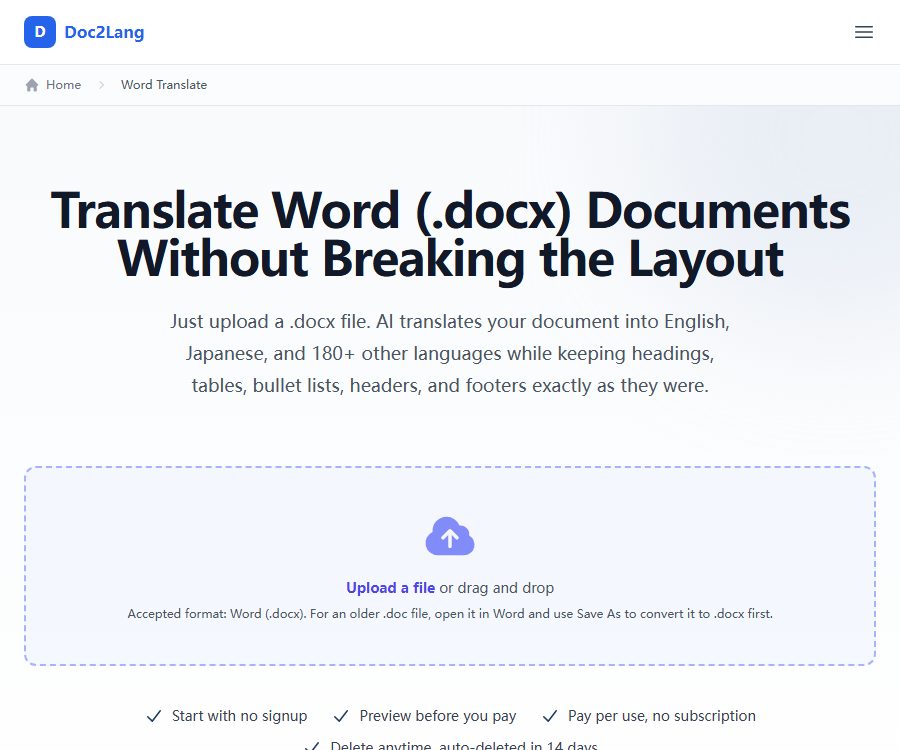
The Word tool currently only accepts DOCX files; older DOC files need to be saved as DOCX first in a word processing software. It can translate the text, headings, lists, tables, page headers and footers, as well as the editable text within text boxes and shapes.
- Paragraph styles, heading levels, bullet points, table borders, and merged cells will be preserved as much as possible.
- Footnotes, endnotes, comments, and revision histories will not be translated.
- The citation fields inserted by EndNote, Zotero, etc., remain in their original form.
- The text embedded in images will not be translated; important content should first be converted into editable text.
- Changes in the length of the text can cause the text box to overflow or lead to page breaks, which require manual adjustment.
PDF and OCR translation
The PDF tool supports both text-based PDFs and scanned PDFs; scanned documents are first processed using OCR. Once that is done, it is possible to choose, depending on the needs, a PDF version with the original layout retained, a plain-text PDF without a background, or a bilingual PDF with the original text and the translation presented side by side.
- The title, colors, column layout, tables, and image positions will be preserved as much as possible, but pixel-level accuracy is not guaranteed.
- OCR errors can be transmitted to the translation; low-quality scans, handwritten text, and complex tables require careful review.
- The prices listed on the page are $2.90 for the Lite version, and $5 for the Pro version.
- The full price is calculated based on the amount of text and the selected mode; an estimate of the cost for the file is displayed during the preview stage.
Excel and table translation
The Excel tool can handle files in the XLSX, XLS, XLSM, CSV, and TSV formats; it also supports packaging multiple files into a ZIP archive. The maximum upload size specified on the page is 50MB, and older XLS files can be converted to XLSX format before being downloaded.
- Translate cell text, chart titles, and axis labels, while striving to maintain the format, merged cells, and conditional formatting.
- Formulas, VBA macros, sheet tabs, cell comments, and image captions remain unchanged.
- It is possible to exclude specific rows or sheets, thereby avoiding the translation of numbers, codes, and data that does not require localization.
- A glossary is suitable for fixed product names, financial terms, and consistent translations of repeated fields.
- Complex pivot tables, macros, and external links should be tested in a real Excel environment after downloading.
PowerPoint and subtitle translation
The PowerPoint tool can handle PPTX files up to 50MB in size; it allows for the translation of titles and text, as well as the editing of charts and shape labels, along with standard speaker notes. Slides, images, and styles are retained, but changes in sentence length may affect line breaks and the density of text within the text boxes.
Subtitle tools support SRT, WebVTT, ASS, and SSA formats, allowing the preservation of sequence numbers, timestamps, order of captions, and format markers. Glossaries and translation styles can help standardize names and tone, but the timeline is not automatically adjusted based on the length of the translated text.
Translation settings and quality control
- The Lite mode focuses on speed and cost, making it suitable for regular content.
- The Pro mode focuses on higher translation quality and is suitable for materials with complex terminology and context.
- Styles such as General, Formal, Casual, Academic, and Technical are used to adjust the tone of expression.
- Custom notes can explain the purpose of the document, the industry involved, and any background related to ambiguous terms.
- The glossary can be used to lock in company names, product names, and technical terms for reuse in subsequent tasks.
- The preview displays the original text alongside its translation, making it suitable for assessing whether the model and settings are appropriate before making a payment.
AI translation may misinterpret specialized terms, negative expressions, numerical values, and contractual definitions. Legal, medical, financial, academic documents, as well as content intended for public publication, should be reviewed by individuals who possess knowledge of the target language and the relevant field.
Complete usage process
- Select Word, PDF, Excel, PowerPoint, subtitles, or another tool that matches the file.
- Check the file extension, size, and elements that cannot be translated; convert the format if necessary.
- Select the source language, target language, Lite or Pro mode, and style of expression.
- Fill in a brief document description and add a glossary of terms that require a fixed translation.
- A free preview is available after uploading, allowing you to check the terminology, tone, numbers, and format.
- To view the exact price, choose to pay by file or use account points.
- Download the complete translation and review it page by page, table by table, or subtitle by subtitle.
- Save it to your own secure storage, and either delete the files from the platform immediately or wait for automatic cleanup.
Price and points
| Package or version | Price | Billing cycle | Core benefits or quota | Suitable for users |
|---|---|---|---|---|
| Free preview | Free | Each file | View some translations and the full quote, without the complete documents | First trial and quality assessment |
| Pay-as-you-go: 1 to 20K | 0.50 dollars per thousand Tokens | One-time use | The minimum fee per file is $5. | Translation of single items or small files |
| Pay-as-you-go: 20K to 60K | $ | One-time use | Charging based on the volume of text | Medium-sized document |
| Pay-as-you-go: over 60K | $ | One-time use | Charging based on the volume of text | Large documents |
| Starter积分 | 5 dollars | One-time purchase | 100 points, approximately 10,000 Tokens | A small number of small files |
| Integral Regular | 19 dollars | One-time purchase | 600 points, approximately 60,000 Tokens | People who translate frequently |
| Points Pro | 99 dollars | One-time purchase | 8,600 points, approximately 860,000 Tokens | Frequent users and small teams |
| Points Business | 199 dollars | One-time purchase | 18,600 points, approximately 1.86 million Tokens | For batch and team use |
| Enterprise solutions | Custom quote | According to the agreement | Mass translation and enterprise needs | Organize customers |
The points are converted as follows: 1 point equals 100 Tokens. The purchased points do not expire, and the minimum charge of $5 per file under the pay-per-use model is eliminated. Points can be used with a free account and shared among team members; for pay-per-use, no account registration is required.
In English, roughly one character corresponds to one Token; other languages may require more Tokens, with a typical page containing between 2,000 and 3,000 Tokens. This estimate is not the final price – the actual cost will be determined after the file is uploaded.
Notes on payments and refunds
Payments are processed by Stripe, and major credit cards and debit cards are accepted. If a user is not satisfied with the free preview, they can choose not to proceed with the payment; after making the payment and receiving the complete translation, a refund will be considered on a case-by-case basis, and it is not guaranteed unconditionally.
- Check the technical terms and key paragraphs in the preview before making a purchase.
- Confirm whether to choose Lite, Pro, or payment by points.
- Keep the quotes, payment records, and screenshots of any issues.
- If there are issues with the translation, contact support as soon as possible and provide the document, language pair, and specific errors.
Privacy, security, and file deletion
Uploading and downloading are carried out via encrypted transmission; the files are processed temporarily on the server. Users can delete them manually right after downloading, and the original files as well as the translated versions that are not deleted manually will be automatically removed after 14 days, at which point they cannot be recovered.
- The document text is sent to the OpenAI API; according to the privacy policy, the data from this API is not used for training purposes.
- Payment card information is processed by Stripe; Doc2Lang does not store the full details of the card.
- The website uses Google Analytics and Microsoft Clarity to analyze usage patterns.
- Staff usually do not view documents, and technical troubleshooting requires explicit authorization from the user.
- Deleting an account will also remove related files, translation history, email addresses, and other personal information.
- The service may involve cross-border data transfer, and regulated materials must first undergo a compliance assessment.
The automatic deletion after 14 days does not mean that all third-party logs and mandatory records are erased at the same time; moreover, the privacy page does not specify the backup schedule for each type of data. Contracts, identification documents, health data, and business secrets can be anonymized first, and then deleted once they are downloaded.
Copyright, Commercial Use, and Limits of Liability
Users retain the rights to the original documents and their translations; they only grant Doc2Lang a limited permission to process the content necessary for providing translations. Users must have the right to upload and translate content, and must not submit any material that is infringing, illegal, or harmful.
The service is provided as it is, without any guarantee that translations in all languages, for complex layouts, or of professional content will be entirely accurate. Whether a translation can be used for commercial purposes depends on the copyright status of the original text, the licensing terms for the materials, the customer contract, and the regulations in the target region; the platform does not grant any additional copyright rights as a result of its processing.
API, GitHub, and open-source status
| Project | Current status | Explanation |
|---|---|---|
| Doc2Lang web service | Already provided | Browser upload, preview, payment, and download |
| Public platform APIs or SDKs | Not yet made public | No official developer onboarding documentation was found. |
| Excel VBA macros | Available on GitHub | Call Microsoft 365’s built-in TRANSLATE function |
| Macro license | The README indicates MIT. | The warehouse does not come with a separate LICENSE file; it is necessary to verify this before use. |
| Doc2Lang platform source code | Not disclosed | Macro Open Source does not mean that translation services are open source. |
| Native desktop or mobile app | Not confirmed yet | The web version is currently available. |
GitHub Macros copies the active worksheet and uses Excel’s built-in translation formulas to process text; it requires a newer version of Microsoft 365. It is not the Doc2Lang cloud translation engine, nor does it offer capabilities for processing PDFs, Word documents, subtitles, or performing OCR tasks.
Suitable for users and scenarios
- Researcher: Translate papers, reports, and foreign-language materials while preserving their structural layout.
- Cross-border team: Translate contract drafts, policies, proposals, and business forms.
- Finance and operations staff: Translate workbooks that contain formulas, formatting, and charts.
- Training and sales teams: localized presentations and speaker notes.
- Video creator: Translate the subtitles while preserving the time codes and format tags.
- Publishing and design staff: Perform manual typesetting checks after processing the layout files.
Advantages and usage limitations
Main advantages
- First, get a free preview and quote; you can see the actual appearance of the file before making the payment.
- It supports various types of office documents, subtitles, scanned PDFs, and batch ZIP files.
- There are two payment options: pay-as-you-go and points-based, with no mandatory monthly fee.
- Style options, background explanations, and a glossary can be used to ensure consistency in terminology.
- It offers proactive deletion and an automatic cleanup mechanism every 14 days.
Main limitations
- Not every document element can be translated; image text, fields, and macros are usually left unchanged.
- Format retention is not guaranteed at the pixel level; text boxes, page breaks, and scanned tables require manual inspection.
- A full translation requires payment; the free version is only for previewing.
- AI translations are not suitable for use in critical legal or medical documents without being reviewed first.
- The platform’s API, SDKs, native applications, and complete source code are not yet available to the public.
Frequently Asked Questions
Is Doc2Lang completely free?
No. File uploading and previews of some translations are free; to download the full translation, one must pay for it or use credits.
Is a subscription required?
There is no need for a monthly subscription. You can pay per file without registering, or you can register for a free account to acquire non-expiring credits.
Are page footnotes and comments in Word translated?
No. The Word tool does not currently translate annotations, footnotes, comments, revisions, and citation fields at the bottom of pages; important content should be moved into the main text first.
Will Excel formulas and macros be rewritten?
When translating cloud-based workbooks, the formulas and VBA code are retained; only the text that can be translated is replaced. After downloading, it is still necessary to test the formulas, macros, external links, and charts.
Can PDFs be translated by scanning?
It can be processed using OCR, but the quality of the result depends on the clarity of the scan, the layout, and the language. It is necessary to first check the recognized text and then verify the translation.
How long will the file be saved?
Users can delete them manually at any time; files that are not deleted will be automatically removed after 14 days. It is necessary to download them and create backups on your own within that time frame.
Do the points expire?
Points purchased do not expire; 1 point is equivalent to 100 Tokens. Points available in the account are used first for new tasks.
Can I get a refund after making the payment?
Refunds after the complete translation is delivered are assessed on a case-by-case basis. It is advisable to thoroughly examine the free preview before making a purchase, rather than assuming that a refund can be obtained without any conditions.
Is Doc2Lang an open-source project?
The cloud platform is not an open-source product. The Excel VBA macros available on GitHub are merely separate auxiliary tools; they do not indicate that the source code of the platform is open.
Is there a public translation API?
Currently, no official platform APIs or SDKs are available. The programming examples presented in public articles usually involve developers combining the documentation libraries with third-party model APIs directly.
Summary
Doc2Lang is suitable for users who need to preserve the structure of office documents, PDFs, and subtitles as much as possible during translation. The proper approach is to first check the format boundaries and view a free preview, then choose between a pay-per-use option or a points-based system; after downloading, the content should be manually reviewed and any sensitive files removed promptly.
Tools similar to Doc2Lang




 Guigong Network Security Registration No. 45132202000164