






CX Genie
CX Genie – makes AI-driven conversations more efficient and simpler.
Tags:AI dialogue chatWhat is CX Genie?
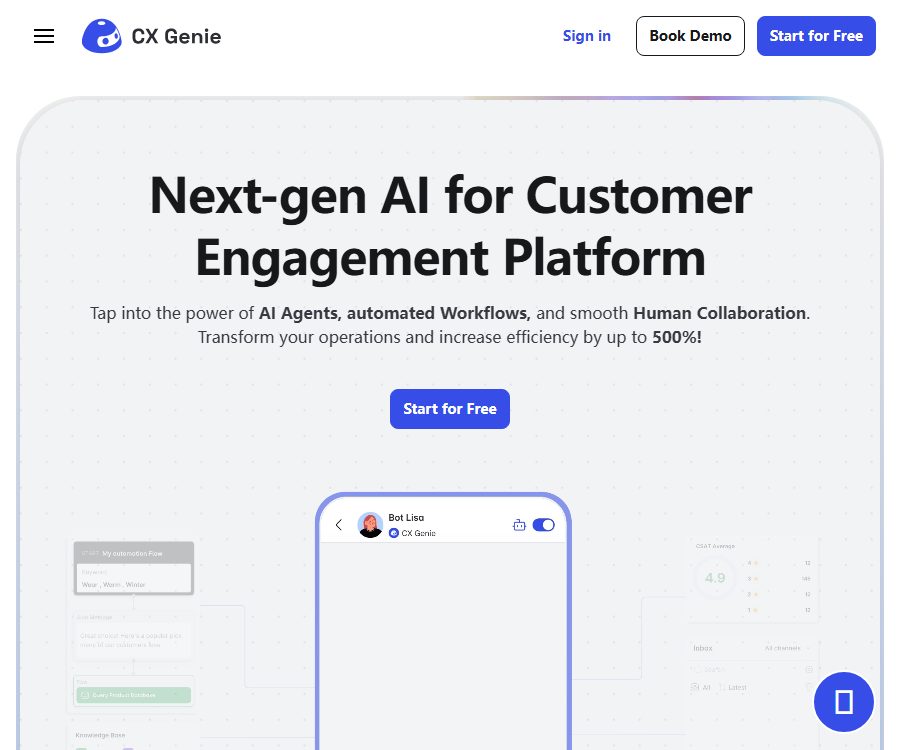
CX Genie is a code-free AI platform designed for customer service and customer interaction; its core function is to integrate knowledge base bots, automated workflows, human customer service agents, and ticket collaboration within the same workspace.
Companies can use AI to answer common questions, identify needs, and gather relevant information first, before passing on complex conversations along with their context to human staff.
Main functions
- AI Agents and knowledge bases: Texts, documents, Q&A pairs, and web content can be used as training material, allowing robots to generate responses for visitors; Support Center documents can also be utilized for knowledge acquisition.
- AI automated response: Robots can handle inquiries in multiple languages around the clock. The current package uses GPT-4o as the default model; it is suitable for answering product-related questions, providing pre-sales support, and handling repetitive requests, though human review is still required for important business responses.
- Visual workflow: Users can organize questions, conditional judgments, forms, API calls, and subsequent actions through nodes, which are used for qualification screening, scheduling, data collection, and routing of requests.
- Intent and emotion recognition: The system can determine the purpose and emotions of visitors based on the conversation, and by utilizing automatic tagging, contact information collection, and routing rules, it helps the team determine the priority for handling tasks.
- Manual takeover and Help Desk: When AI is unable to resolve an issue, it can be passed on to human staff; real-time alerts, task assignment, and customer satisfaction reports facilitate coordinated handling by the team.
- Tickets and unified email: Plans starting with Team offer ticketing and mailbox services, which allow issues that require follow-up to be converted into assignable tasks, enabling centralized handling of customer messages received through various channels.
- Multiple access channels: It can be integrated into websites, and it can be connected to platforms such as WordPress, Shopify, BigCommerce, Magento, Facebook, Instagram, Slack, Discord, Telegram, and WhatsApp.
Input and output
| Type | Content provided by the user | The results generated by the system | Suitable for tasks |
|---|---|---|---|
| Knowledge training | Text, documents, Q&A, web content | Knowledge that can be retrieved and used by AI Agents to provide answers | Product descriptions, FAQs, internal support materials |
| Customer session | Natural language questions, form information, contact details | AI responses, intent and emotion detection, tagging, or manual transfer | Pre-sales inquiries, lead collection, post-sales support |
| Workflow | Trigger conditions, nodes, branches, and API parameters | Automated dialogue workflows and actions of external systems | Qualification screening, booking, notifications, and data synchronization |
| Manual service | Customer service responses, ticket status, and assignment actions | Session records, tickets, satisfaction levels, and team reports | Handling complex issues and tracking service quality |
Usage process
- Create a free account and workspace, and specify the websites, brands, and customer service scenarios that need to be served.
- Select a template or create a new AI Agent, enter text, documents, Q&A pairs, or web content, and check whether the knowledge remains valid.
- Configure the welcome message, question branches, forms, automatic tags, conditions for transferring to a human agent, and the necessary API actions in the visual editor.
- Embed chat components on websites, or integrate with e-commerce, social, collaboration, and instant messaging platforms.
- First, verify the responses, permissions, and failure scenarios using test questions, before making it available to visitors.
- Continuously monitor sessions, tickets, satisfaction levels, and unresolved issues, and update knowledge bases and routing rules.
Prices and packages
The figures below represent the public prices in US dollars. The annual payment amount is the monthly average value shown on the page; taxes, region-specific factors, promotions, and the final amount to be paid are determined according to the details on the account settlement page.
| Package or version | Price | Billing cycle | Core benefits or quota | Suitable for users |
|---|---|---|---|---|
| Free | 0 dollars | Permanently free | 1 seat, 200 conversations per month, 1 robot, 20 documents, including AI Agent, automated replies, workflows, online chat, and Help Desk | Individual testing and websites with low levels of consultation |
| Starter | $ | Monthly or annual payment | 5 seats, 5,000 conversations per month, no limit on the number of robots, 100 documents | Small customer service and sales team |
| Team | $ | Monthly or annual payment | 15 seats, 15,000 conversations per month, no limit on robots or documents; additional support for tickets and Mailboxes | Teams that require collaboration and ongoing follow-up |
| Business | $ | Monthly or annual payment | Unlimited seats, 60,000 conversations per month, no limit on robots or documents; multiple brand robots and white-label options available | Companies with multiple brands or a high volume of consulting requests |
| Enterprise | Contact sales | Custom quote | Configure the volume of conversations as needed, including custom AI training or models, SAML SSO, 24/7 support, a 99.9% SLA, and dedicated infrastructure. | Organizations with requirements for compliance, identity management, and dedicated deployment |
Limits and settlement rules
- A chat initiated by a customer counts as one conversation; even if the customer does not reply subsequently, it still consumes the allocated quota.
- Once the monthly quota is reached, the AI automated responses will be suspended, but other functions will remain available; users can upgrade their plan or purchase additional conversation credits.
- A subscription is applicable to only one workspace. Although it is possible to create multiple workspaces, each one requires its own separate subscription.
- Subscription can be canceled at any time and remains valid until the end of the current billing cycle; the terms do not allow for a refund for any unused periods.
API, integration, and open-source status
Public API V2 allows for the creation of training data in the form of text, documents, Q&A pairs, and web pages; it also enables communication with robots, querying customers and sessions, viewing session details, and uploading files.
- Obtain an access token and the target robot’s ID in the workspace, and store these credentials securely on the server side.
- Construct the request in accordance with the interface requirements, and first verify the processes for training data, sessions, and file uploads in the testing environment.
- Integrate the returned customer, session, or robot results into your own system, and establish logic for handling errors, rate limiting, and changes in permissions.
The public API documentation is labeled as being available for the enterprise version; a price comparison also includes API Access, but the specific subscription plans and production permissions are not clearly specified. It is necessary to check these details in the account dashboard or by contacting sales before integrating the API.
No official GitHub repository, open-source license, or official SDK was identified this time; the ability to use public APIs does not mean that the CX Genie platform itself is open source.
Supported platforms
| Platform | Current confirmation status | Usage method |
|---|---|---|
| Web management interface | Confirmed | Create robots, configure workflows, manage sessions and tickets |
| Website chat component | Confirmed | Embed in web pages and adjust bubbles, auto-opening, and language display |
| Android | Confirmed | Handle customer conversations and support tasks through the official app. |
| iOS | The current listing status is not confirmed. | There is a store entrance in the help documentation, but no valid store page could be identified this time. |
| Browser extensions | Not yet made public | No official expansion confirmed. |
Suitable for users and typical use cases
- E-commerce team: Answers questions regarding products, delivery, and returns, and transfers calls to a human agent when necessary.
- SaaS and Internet services: Robots are trained using product documentation to handle function descriptions, account-related issues, and error resolution.
- Sales and Marketing Team: Uses forms, intent analysis, and workflows to gather leads, filter requirements, and inform the sales team.
- Multi-channel customer service team: Handles inquiries from the website, social networks, instant messaging platforms, and email.
- Technical team: Integrates with CRM, order management systems, or internal systems through APIs, Webhooks, and workflow API calls.
Privacy, security, and commercial considerations
- The platform handles account contact information, device and browser data, usage records, Cookies, and customer sessions; when third-party integrations are enabled, those parties may also process data according to their own rules.
- The privacy policy permits the disclosure of information to service providers, agencies that have a legal right to access it, and business successors, and may involve the transfer of data to the United States or other jurisdictions.
- Users can request the permanent deletion of their personal data from the account; a response is usually provided within seven working days as indicated on the page, though exceptions may apply to certain data that must be retained due to legal obligations.
- Google uses user data solely for the core functions of its applications, and not for developing, improving, or training general AI or machine learning models; this limitation does not apply to customer session data from all channels.
- The data security disclosures on the app store state that data is not shared with third parties, while the privacy policy permits service providers to process data; these two documents may use different definitions of \"sharing\". Sensitive information should be confirmed in writing with the service provider.
- The terms prohibit illegal content, spam, malware, and intellectual property violations; however, they do not fully disclose information regarding the user training data, the ownership of the generated responses, or the general data retention period. It is advisable to review these aspects in conjunction with a contract before using the service for commercial purposes.
Capacity limits and usage restrictions
- When the information in the knowledge base is incorrect, outdated, or contradictory, the AI may generate responses that are not suitable for direct use; high-risk topics such as those related to medicine, law, finance, and refund promises should be subject to manual review.
- The conversation quota is calculated based on the number of chats initiated by the customer, and it takes into account not only the number of times the AI manages to provide a response; websites with high traffic levels need to monitor their consumption.
- Multiple work areas are billed separately; teams with multiple brands should first determine the structure of the work areas and the total cost.
- The production permissions for APIs, the rate limiting rules, and the specifics of the different package offerings have not yet been fully made public; therefore, it is not possible to assume that an account has the necessary permissions based solely on the available documentation.
- The terms and privacy pages still contain placeholder information such as the company’s address, the contact person for data protection, and the jurisdiction in question; it is necessary to identify the actual entity responsible for operations and the party involved in the contract before signing any agreement or handling sensitive data.
Frequently Asked Questions
Is there a permanently free version of CX Genie?
Yes. The Free package is available without any cost; it includes 1 seat, 1 robot, 20 documents, and 200 conversations per month.
How is a conversation counted?
Each new chat initiated by the customer is counted as a separate conversation; even if no further responses are sent, it still consumes part of the monthly quota.
What happens once the conversation limit is reached?
The AI auto-reply feature will be suspended, but other functions will remain available; it is possible to upgrade the package or purchase additional conversation credits.
Is it possible to switch to manual handling or submit a ticket?
It supports the transition from AI handling to human assistance as well as a Help Desk. Ticketing and a unified email address are included in the Team and higher plan packages.
Does CX Genie provide APIs?
Public API V2 is available; it enables management of training data, robot conversations, customers, sessions, and files. However, the specific permissions associated with this package need to be confirmed in the account dashboard or with sales.
Is CX Genie open-source software?
This time, the product’s source code, official open-source license, or official SDK were not identified. The availability of public API documentation does not equate to the platform being open-source.
Tools similar to CX Genie




 Guigong Network Security Registration No. 45132202000164