






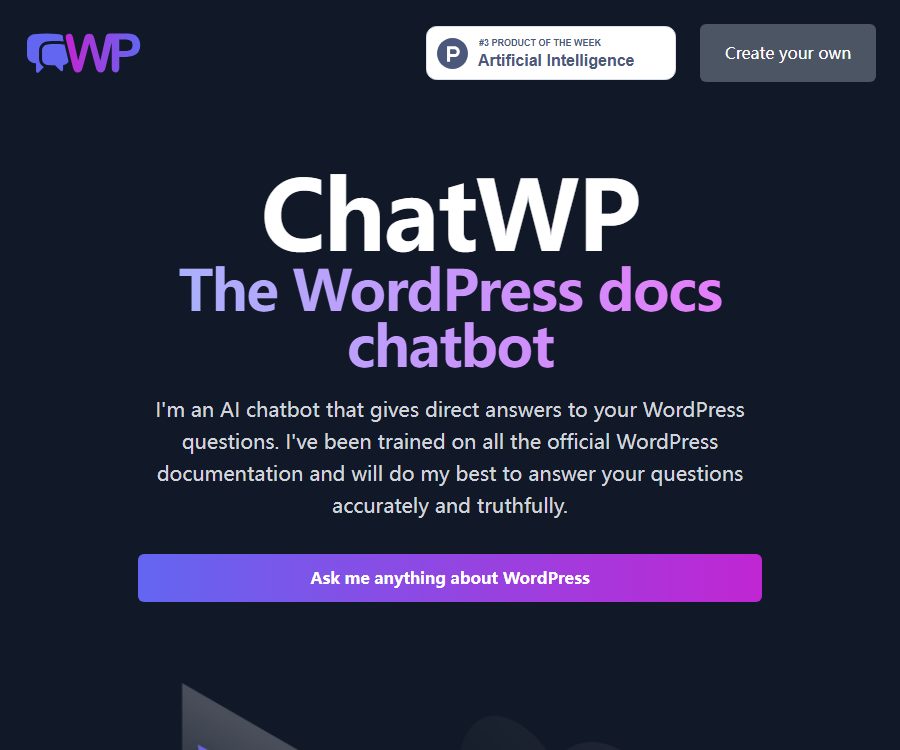
ChatWP
ChatWP – makes AI-driven conversations more efficient and simpler.
Tags:AI dialogue chatWhat is ChatWP?
ChatWP is a WordPress Q&A tool created by Aaron Edwards; users can ask questions related to WordPress directly on the website. It relies on the official WordPress.org documentation as its source of information, with the goal of organizing the scattered documentation content into more straightforward answers.
ChatWP is a standalone web application; it is not a plugin that needs to be installed in the WordPress backend. Nor is it a general search engine for the entire Internet – rather, it is a document-chat demonstration with a limited scope.
Current product positioning
| Project | Status verified | Usage meaning |
|---|---|---|
| Creator | Aaron Edwards | He is also the founder of DocsBot AI. |
| Product format | Web Q&A | There is no need to install WordPress plugins. |
| Scope of knowledge | Official WordPress.org documentation | Suitable for core functions and general operational issues |
| Price | Public Q&A is free. | The standalone paid plans for ChatWP are not displayed. |
| Account | Registration is not required. | Open the page to try asking questions. |
| Maintenance information | Not yet made public | There are no version logs or indications of when the documentation was last updated. |
What can ChatWP answer?
- Core operations of WordPress: installation, backend settings, articles and pages, media, users, and common management processes.
- Content editing: The concept of block editors, content organization, and the steps outlined in the official documentation.
- Technical explanation: Explain functions, configurations, or development concepts as described in the documentation, and provide code examples as required.
- Troubleshooting approach: Break down the problem into separate inspection steps, but these steps cannot replace server logs, environmental information, or actual debugging.
- Response format: Users can request the output in list form, with code examples, in a specific language, or using a particular style of expression.
Specify the content that cannot be covered.
- ChatWP is explicitly limited to covering content from WordPress.org documents that have been learned; it does not answer questions related to specific plugins or themes.
- For the settings, licensing, compatibility, and refunds related to commercial plugins, please refer to the information provided by the respective developers.
- Issues such as issues with the manufacturer’s control panel, server networks, databases, and custom code often require additional environmental information.
- There is no explicit guarantee as to whether robot knowledge is updated in sync after changes to the WordPress core or documentation.
- The generated responses may contain fabricated content; the product page explicitly advises users to verify the information on which the responses are based.
How to ask high-quality questions
- Describe the goal in complete sentences; do not simply use keywords such as “install a plugin”.
- It describes the current environment, such as the WordPress version, whether a block editor or a classic editor is being used, and whether it is a multi-site setup.
- List the steps that have been taken, the messages displayed, and the expected results, but remove the domain names, keys, customer information, and login credentials.
- Specify the desired output format, such as a list of steps, code examples, a troubleshooting checklist, or answers in Spanish.
- If the answer is too general, ask further about the prerequisites, risks, or fallback methods for a particular step.
- Compare the final recommendations with the current official WordPress documentation, the actual interface of the admin panel, and the results from the testing site.
Examples of questions and expected outputs
| Direction of the questions | A more appropriate way of writing it | Possible outputs |
|---|---|---|
| Install extensions | How to install and enable a plugin in the background | Follow the steps to understand the core backend processes. |
| Block Editor | How to create reusable content patterns | Concept explanation and operation steps |
| Code | Please explain a core function using code examples. | Instructions, code, and precautions |
| Multilingual | Please list the steps in Spanish. | List of specified languages |
| Troubleshooting | If an error occurs after the update, which items should be checked first? | Universal checklist |
The more specific the input, the more relevant the document snippets that are retrieved will be. If a question relates to a certain business topic, plugin version, or hosting environment, ChatWP may refuse to answer or provide generic suggestions lacking context.
The relationship between ChatWP and DocsBot
| Project | ChatWP | DocsBot |
|---|---|---|
| Primary uses | Answer questions from WordPress’s official documentation | Train and deploy custom robots using proprietary content. |
| Use the entrance | Public web page | Independent business platform |
| Knowledge content | Predefined WordPress documents | Documents and content provided by the customer |
| Embedded components | Not provided | The product description includes website components. |
| API | No dedicated public interface was found. | Related products offer integrated interfaces. |
| WordPress plugins | It’s not a plugin. | There are also official integration plugins. |
The lower part of the ChatWP page covers DocsBot’s robots, components, text content, tickets, knowledge base, and API. These elements are related to product promotion and cannot be considered as features or credits of the free ChatWP version.
Prices, limits, and accounts
| Package or version | Price | Billing cycle | Core benefits or quota | Suitable for users |
|---|---|---|---|---|
| ChatWP Public Q&A | Free | There is no publicly specified settlement period. | Q&A pages within the official WordPress documentation; the number of questions is not disclosed. | WordPress learners and site administrators |
| DocsBot – a customized robot | It does not belong to the ChatWP package. | According to the rules for separate products | Commercial capabilities such as training with proprietary data, components, and APIs | Teams that need to deploy customer support robots |
ChatWP does not display information regarding subscriptions, points, daily usage limits, enterprise plans, or refund policies. The historical prices mentioned on third-party websites cannot replace the current official pricing details; therefore, they are not considered to be accurate representations of ChatWP’s prices.
Platform and input/output
| Project | Support status | Explanation |
|---|---|---|
| Desktop browser | Supports web access | Enter text directly in the Q&A box. |
| Mobile browser | You can try accessing it via the web page. | No native mobile applications were found. |
| WordPress backend plugins | Not supported | ChatWP is not a plugin in itself. |
| Text problems | Support | It is recommended to use complete natural language questions. |
| Code example | Generation can be requested. | Testing and security review are necessary. |
| File and image upload | Not confirmed yet | The public interface does not provide any instructions. |
| Answer language | It can be specified through commands. | The example on the official website explicitly mentions Spanish. |
Accuracy and safe use
- The responses are of generative nature; they may misinterpret the document, confuse different versions, or add steps that do not exist.
- When dealing with databases, file permissions, updates, caching, and security settings, it is necessary to first create a backup and verify everything in a testing environment.
- Do not submit administrator passwords, API keys, database connections, customer information, or undisclosed vulnerabilities in the Q&A section.
- Before copying the code, it is necessary to check whether the function is part of WordPress core, what version it is suitable for, as well as to consider issues related to escaping characters, permission verification, and cross-site request protection.
- In the event of changes to the production site, a rollback plan should be prepared, and priority should be given to the current official documentation and the recommendations of the maintenance team.
Privacy and data processing
The ChatWP page does not provide a public link to a separate privacy policy or terms of service; it also does not specify the duration for which questions, IP addresses, logs, and responses are stored. The lack of such public information does not mean that the entered data will not be processed by the server, the provider of the modeling technology, or monitoring systems.
- Submit only the minimum amount of information necessary to solve the problem, and replace domain names, accounts, and personal details with placeholders.
- Do not paste the entire configuration file, error logs, or database exports into the conversation, as they may contain keys and user data.
- Enterprises, educational institutions, and regulated organizations should not submit confidential or protected content in the absence of data processing instructions.
- If it is necessary to work with internal documents, one should choose a separate enterprise product that offers data processing protocols, retention periods, and access controls.
GitHub and the open-source status
| Warehouse or component | Public status | Licenses and Judgments |
|---|---|---|
| wp-chat | The public Polymath branch | MIT License, demonstrating the basics of early retrieval-based question answering |
| wp-chat-site | The source code of the public ChatWP frontend website | Since no general open-source license is specified for the warehouse, it indicates that the original template is subject to a commercial license. |
| Currently hosting ChatWP | Web services are accessible. | Public repositories do not prove that all the code and infrastructure used online are open source. |
| ChatWP SDK | Not yet made public | No dedicated client SDK was found. |
| ChatWP API | Not yet made public | The API mentioned on the page belongs to DocsBot. |
The issue of making the basic repository public versus making the entire product open source must be considered separately. The MIT license applied to wp-chat does not automatically apply to ChatWP’s frontend templates, hosting services, datasets, model accounts, or the commercial features of DocsBot.
Suitable for users and typical use cases
- WordPress for beginners: Understand the core backend concepts and basic operations in plain language.
- Site administrator: Organize common management issues into checklists and then verify them in the backend.
- Developing learners: They are asked to explain the core functions and create examples, after which they must consult the documentation and conduct tests on their own.
- Instructor: Demonstrates how to answer questions about WordPress documents using a limited knowledge base.
- It is not suitable for troubleshooting issues related to specific commercial plugins, themes, hosting platforms, or data that contains sensitive production information.
- It is not suitable for organizations that require service level agreements, team accounts, auditing, dedicated APIs, or explicit commitments regarding data retention.
Advantages and limitations
| Aspect | Actual judgment |
|---|---|
| Scope of knowledge | Focus on the official WordPress documentation, with a clear theme. |
| Barrier to entry | You can ask questions for free on public web pages; no plugins are required. |
| Answer format | Steps, lists, code, and a specified language can be requested. |
| Covering boundaries | Do not answer questions regarding specific plugins and topics. |
| Accuracy | It is clear that fabricated content may exist; the documents need to be verified. |
| Price transparency | ChatWP is free, but its usage limits and restrictions are not disclosed. |
| Privacy transparency | Lack of separate clauses, retention periods, and descriptions of data flows |
| Developing openness | Early code is available publicly, but the entire hosting service has not yet been confirmed to be open source. |
Summary
ChatWP is suitable for quickly asking questions about WordPress’s core documentation, with answers provided in the form of steps, code examples, or in a specified language. Its value lies in its clear definition of knowledge boundaries and low barrier to use, rather than in its ability to cover all plugins, themes, and server environments.
When using it, it is necessary to formulate complete questions, remove sensitive information, and check the current official documentation. When integrating a robot into a website, connecting it to an API, or training custom models, separate products such as DocsBot should be evaluated; its commercial capabilities cannot be considered part of the free features offered by ChatWP.
Tools similar to ChatWP




 Guigong Network Security Registration No. 45132202000164