






ChatNode
ChatNode – makes AI conversations more efficient and simpler.
Tags:AI dialogue chatWhat is ChatNode?
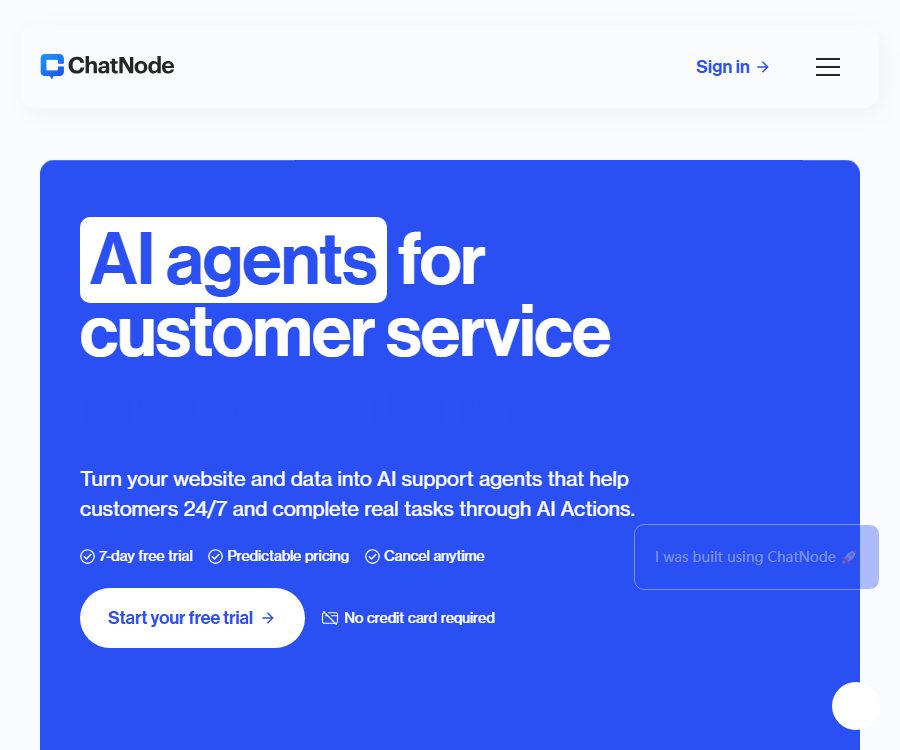
ChatNode is a code-free AI customer service agent platform operated by ChatNode AI LLC; it enables businesses to transform their web pages, documents, and knowledge bases into automated Q&A and business processing assistants for visitors.
It not only answers common questions, but it can also access external systems, gather information, schedule meetings, check bills, and transfer conversations to human customer service when complex issues arise.
Main functions
Train the Agent using corporate data
- It is possible to scrape public web pages and enter text directly; files such as PDF, Word, Excel, PowerPoint, TXT, CSV, and JSON can also be uploaded.
- Google Drive, Notion, Dropbox, OneDrive, and SharePoint can serve as sources of continuously updated information, reducing the need for repeated manual uploads.
- The price page for each paid agent allows up to 12.5 million training characters; there is no limit on the number of files and URLs, although these are still subject to constraints related to the character count, file size, and fair use policies.
- The Standard plan and higher-tier plans offer automatic retraining; the documentation states that website data is updated by default every 14 days, which is suitable for teams whose prices, policies, and product pages change frequently.
Instructions, brand tone, and multi-models
- Users can write system instructions to specify the scope of responses, the tone to be used, the ways in which requests should be declined, the knowledge to be cited, and the conditions under which a human agent should be involved.
- AI Assist can generate or optimize instructions based on business challenges, but it is still necessary to conduct tests for missing information, conflicting policies, and requests that exceed authorized limits before putting it into use.
- The current model menu includes various models such as Gemini 3.1 Pro Preview, Gemini 3 Flash Preview, GPT-5.2, GPT-5-mini, Sonar, Claude, and DeepSeek.
- Most models consume 1 message point per response, while advanced models can consume 20 points; the specific classification of models and their associated costs are indicated in the real-time prompts within the Agent settings.
| Model provider | The models listed currently | Use with consideration |
|---|---|---|
| OpenAI | GPT-5.2, GPT-5-mini, GPT-5-mini Reasoning | General customer service, tool invocation, and reasoning tasks |
| Gemini 3.1 Pro Preview, Gemini 3 Flash Preview | The preview model may be adjusted; stability should be monitored. | |
| Anthropic | Claude 4.5 Haiku, Claude 4 Sonnet | You can choose based on speed and complexity. |
| Perplexity | Sonar, Sonar Pro | Suitable for scenarios that require search capabilities. |
| DeepSeek | DeepSeek V3, DeepSeek R1 | It allows for comparing costs, reasoning, and Chinese responses. |
AI Actions business actions
- Custom server-side actions can call enterprise APIs to retrieve account, order, or inventory information, and then convert the structured results into responses intended for users.
- Client actions can trigger interface operations in the visitor’s browser; before using them, it is necessary to restrict the parameters and define the actions that are allowed to be carried out.
- Stripe is used for reading invoices, managing subscriptions, or updating billing addresses, while Calendly and Cal.com are used to show available times and schedule appointments.
- Slack actions can send notifications to channels or private messages, while the lead form can collect names, email addresses, and phone numbers and store them in the backend.
- The number of actions that can be configured for each agent is 5, 10, or 20 depending on the package; for Enterprise plans, it is determined based on custom requirements.
Website deployment and multi-channel integration
- Copy the embedded code from the Share section and insert it into the website’s HTML, and a pop-up chat component will be displayed; multiple websites can have such agents embedded in them.
- Public Agents can be accessed by anyone through a shared link, while private Agents are available only to the account owner; it is necessary to verify the access status before publishing them.
- The component allows for customization of color, font, profile picture, and welcome message; Scale enables the removal of the ChatNode identifier and the use of a custom domain name.
- Slack, Zendesk, Crisp, Zapier, Make, and Webhooks enable sessions, notifications, and automation to be integrated into existing workflows.
Manual takeover, history and analysis
- Visitors can click the Live Chat button to switch to the manual mode; sessions that require customer service assistance are indicated in red in the backend.
- Once the customer service representative is logged in, they can continue the conversation on the same interface and refer to the full context of previous discussions, thereby avoiding repeated questions.
- In the history area, you can view visitor messages; the analysis area provides statistics on sessions and messages, as well as information on the support time and costs saved, along with feedback in the form of likes and dislikes.
- Manual takeover is available for accounts with Standard or higher tiers; the team should establish duty shifts, response times, and fallback messages in case no one is online.
Input and output
| Process | Enter | Output or action | Typical uses |
|---|---|---|---|
| Knowledge quiz | Web pages, files, text, and cloud storage content | Multilingual responses based on corporate knowledge | Pre-sales consultation and help center |
| Business inquiries | User questions and API parameters | Order, subscription, or account results | Status inquiry and self-service |
| Reservation | Visitor intent and available time | Available time slots and reservation records | Sales demonstrations and consulting services |
| Clue collection | Form details such as name, email, phone number, etc. | Background lead tracking and notifications | Acquiring customers and following up |
| Manual takeover | Visitor requests or preset trigger conditions | Conversations with context included | Complaints, complex, or high-value issues |
Complete usage tutorial
- Register an account and start a 7-day trial – no credit card is required; the trial offers 1 million training characters and 1,000 points.
- Create an Agent by selecting a model, the default language, and whether it should be public or private; then specify the scope of services, the brand’s tone, and the topics that are prohibited from being addressed.
- Add web pages, files, text, or data from cloud storage; once training is complete, conduct tests using actual customer questions, missing information, and conflicting content.
- Configure lead forms, appointments, Stripe, Slack, or custom API actions as needed, and set parameters and permissions for each action.
- Set the color, profile picture, welcome message, and conditions for manual intervention, then copy the embed code or install a WordPress plugin.
- After going live, check the history, user feedback, and success rate of actions, and adjust the relevant data and instructions; automatic retraining can be enabled for versions above Standard.
- Continuously monitor points, abnormal API calls, and queue lengths; purchase additional points or enable automatic top-up before the quota is exhausted.
Trial and pricing plans
The current official pricing page offers a 7-day trial without any cost as an entry point, and it does not list any permanent free plans; the old FAQs as well as certain registration texts still mention a free option, so the actual status of permanent free access should be based on what is displayed for new accounts.
| Package or version | Price | Billing cycle | Core benefits or quota | Suitable for users |
|---|---|---|---|---|
| 7-day trial | Free | 7 days | 1 million training characters, 1,000 points – no credit card required | Functional verification and pre-launch testing |
| Lite | 35 dollars or 350 dollars | Monthly or annual payment | 1 Agent, 1 member, 1250 points per month, 5 actions, API, all models | Individuals and small websites |
| Standard | 89 dollars or 890 dollars | Monthly or annual payment | 3 Agents, 3 members, 12,500 points per month, 10 actions, automatic retraining, manual takeover | Customer service and marketing teams |
| Scale | 377 dollars or 3770 dollars | Monthly or annual payment | 8 Agents, 5 members, 50,000 points per month, 20 actions, custom domain name, brand-free | Scalable customer service operations |
| Enterprise | Contact sales | Customization | No limits on agents, members, or messages; custom features, APIs, account managers, and priority support available | Large and medium-sized organizations with specific compliance requirements |
- The annual price is equivalent to paying for 10 months but getting 12 months of use, with a savings of around 17% as indicated on the page.
- All paid plans currently list 12.5 million characters, all models, APIs, and advanced integrations; the specific features available depend on the settings in the account dashboard.
- There are conflicts regarding the file size limits: the current pricing page specifies 20MB per file, while the FAQ states that the limit for Lite versions is 8MB; as for the number of URLs, there are indications of either no limit or limits of 150, 2000, and 10000 URLs.
- The unlimited message capacity in Enterprise is still subject to contractual restrictions, technical limitations, and fair use policies; it should not be assumed that there are no limits whatsoever for any type of usage.
Integration and additional terms
| Additional items | Price | Billing method | Explanation |
|---|---|---|---|
| Automatic top-up of points | 9 dollars | Every 1,000 points | Automatic purchase is triggered when the value falls below the set threshold; points do not expire. |
| Additional subscription points | 8 dollars | Every 1,000 points per month | Increase Agent credits on a monthly basis |
| Additional Agent | 8 dollars | Each month | Increase the number of agents that can be created. |
| Custom domain name | 53 dollars | Monthly | Use your own domain name |
| Remove the brand | 35 dollars | Monthly | Remove the ChatNode identifier from the component. |
- Subscription points are refreshed on the 15th of each month, and any unused balance is not carried over.
- Automatically recharged points do not expire, but once activated, charges are deducted automatically when a certain threshold is reached; it is therefore necessary to set a budget and alerts.
- A response generated by an advanced model may cost 20 points, which means that the number of actual responses that can be provided within the same monthly quota is significantly reduced.
- AI Actions, external APIs, and model responses may generate ChatNode usage fees as well as costs associated with third-party services.
Auto-renewal, cancellation, and refunds
- Monthly and annual subscriptions are automatically renewed by default; if you do not wish to continue with the subscription for the next period, you should downgrade it or cancel it in the account settings before the renewal date.
- You can also contact support to request cancellation, but stopping the payment method, making a request via chat or phone, or obtaining confirmation from a third party does not constitute a complete cancellation.
- Unless explicitly stipulated in the terms or required by law, paid fees are non-refundable and payment obligations cannot be canceled.
- If there are confirmed issues with a paid service and it cannot be restored to proper functioning within 30 days, the terms allow the user to terminate the service and may receive a proportional refund for the unused period.
- Once an account is deleted, its content cannot be restored; if no logins occur for 24 consecutive months and there are no active integrations, the account and its data may be removed as inactive content.
API and JavaScript SDK
All paid plans include API access, and team administrators can generate a Bearer API Key in the settings. The key should be stored only on a controlled server.
| Development capability | Function | Typical input output |
|---|---|---|
| Send Message | Send questions to the trained agent. | Prompt and session information are exchanged in exchange for answers. |
| Get Leads | Read the collected clues | Session number, name, email, and phone number |
| Get Chat History | Read customer sessions | Messages and conversation list |
| Authenticate Me | Verify key | Valid status and associated user information |
| Embed SDK | Control the web chat component | Client actions, event listening, and toggle methods |
- Generate a key in the API Access section configured for the team; first, call the authentication interface to verify permissions.
- Use the testing agent to call messages, leads, or historical interfaces, and record points, delays, and error handling.
- During deep integration of a web page, the popup script provided by the backend is loaded first, after which client-side actions are registered, events are monitored, or component control methods are called.
- The production environment restricts key permissions and the frequency of calls, in order to prevent the keys from being exposed in browser code, logs, or shared documents.
WordPress and other platforms
| Platform or integration | Current status | Primary uses |
|---|---|---|
| General website | Already supported | Copy script to embed in pop-up chat |
| WordPress | Official Plugin 1.0.0 | After entering the Agent ID, the components across the entire site will be loaded. |
| Slack, Zendesk, Crisp | Already supported | Team notifications, customer service, and session collaboration |
| Google Drive, Notion, Dropbox, OneDrive, SharePoint | Already supported | Synchronized training materials |
| Zapier, Make, Webhook | Already supported | Automated connection process |
| Native iOS and Android apps | Not confirmed yet | No official app store page was found. |
- WordPress plugins are currently embedded automatically across the entire site; short codes, block editors, or the option to disable them per page are not supported.
- Changes to the Agent are automatically reflected in the WordPress frontend, without the need to reinstall the plugin.
- The plugin is responsible only for loading the ChatNode service; a valid account, Agent ID, and the appropriate subscription plan are still required.
Privacy and security
ChatNode employs AES-256 for the static storage of data, TLS 1.3 for encrypted transmission, and provides row-level isolation based on workspaces and organizations.
Its “zero retention” statement refers specifically to the fact that customer input is not used for training or retraining models; it does not mean that knowledge bases, chat histories, leads, and account data are not saved at all.
- The security page states that customers can adjust the data retention period, and it offers audit logs as well as tools for masking sensitive information.
- The service is operated from U.S. cloud environments, and customer content can also be accessed, mirrored, or managed from locations outside the United States.
- The privacy policy states that data related to accounts, bills, communications, IP addresses, browsers, browsing behavior, and cookies is collected, and that the necessary information may be provided to service providers such as those for payment processing and cloud storage.
- SOC 2 compliance is still in progress; it cannot be stated as having been certified. GDPR and DPA compliance can be verified and signed through the Trust Center.
- The terms prohibit the uploading of medical information, financial account numbers, government identification numbers, and data that falls under specific categories as defined by GDPR; they also forbid use in high-risk activities that could cause harm to people or the environment.
Data, copyright, and AI outputs
- The customer retains the rights to the knowledge base, integrated data, as well as input and output data; such input and output data are considered customer content between the two parties, yet they are still subject to applicable laws.
- The customer grants ChatNode a limited license to process, copy, store, and transmit content for the purposes of providing, maintaining, improving it, as well as fulfilling security and legal obligations.
- Companies must ensure they have the right to use training materials and visitor data, and must establish procedures for providing privacy notices, obtaining consent, and deleting such data for the purpose of clue collection.
- AI-generated content may be similar to that of other users, and it should not be presented as being entirely created by humans; facts, code, processes, and business actions must be verified independently.
- It is not allowed to use base models that are trained for output purposes in order to compete with ChatNode, nor is it permissible to use them to make automated decisions that undermine individual rights in the absence of human supervision.
Open-source status
- The ChatNode web platform, backend, hosting agent, and REST API lack verifiable open-source licensing, so they cannot be described as open-source platforms.
- The official WordPress plugin has its source code made available publicly, under the GPLv2 license; however, this license applies only to the plugin itself.
- The JavaScript Embed SDK loads scripts via hosting and provides official documentation; the fact that it can be called publicly does not mean that the SDK or the server-side source code are open-source.
- No official GitHub repository for ChatNode was found; the personal projects with the same name that appeared in the search results are not related to this service.
Suitable for users and typical use cases
- SaaS and e-commerce: Answer questions regarding products, prices, and orders, and check real-time status through Stripe or custom APIs.
- Service agencies: display available booking times, gather customer information, and pass on customers with a high level of interest to the sales team.
- Customer service team: Uses the knowledge base to handle repetitive questions, and takes over manually to address complaints and complex requests.
- Content and member website: The same agent is embedded on multiple sites to provide self-service Q&A for visitors in different languages.
- Development team: Integrates the Agent into existing portals and business processes via APIs, Webhooks, and Embed SDKs.
Advantages and limitations
| Aspect | Actual judgment |
|---|---|
| Functional completeness | Knowledge Q&A, business actions, manual intervention, leads, and analysis together form a closed loop in customer service. |
| Integration | Cloud storage, customer service, collaboration, automation, APIs, and WordPress offer broad coverage. |
| Model | It is possible to switch between different models depending on the task, but advanced models will significantly increase the amount of points consumed. |
| Price | The quotas and additional options are clear; removing the brand and using a custom domain name requires a premium plan or additional fees. |
| Data consistency | There are discrepancies between the old and new pages regarding Free, file size, and the number of URLs; the account settings must take precedence. |
| Safety | Encryption, isolation, and adjustable retention have been addressed; SOC 2 has not yet been completed, and sensitive data is subject to certain restrictions. |
Summary
ChatNode is suitable for companies that wish to integrate knowledge-based queries, leads, actions from external systems, and human assistance into a single website component; Standard represents the key setting for enabling automatic retraining and manual intervention.
Before making a purchase, it is necessary to estimate the cost based on the actual model, and during the trial period it is important to determine the limits on data usage, the permissions for performing certain actions, the third-party data streams involved, the options for cancellation, as well as any additional components that are required.
Tools similar to ChatNode




 Guigong Network Security Registration No. 45132202000164