






ChatHub
ChatHub – makes AI-driven conversations more efficient and simpler.
Tags:AI dialogue chatWhat is ChatHub?
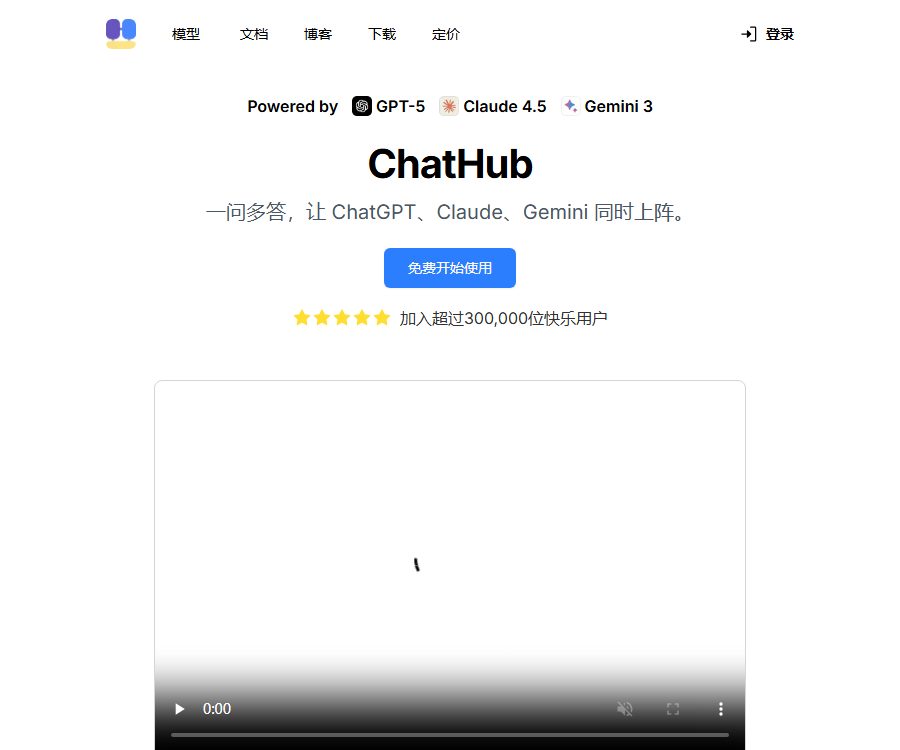
ChatHub is a multi-model AI aggregation client that allows users to invoke models such as GPT, Claude, Gemini, Grok, DeepSeek, and Kimi on the same interface, and compare their responses to the same question side by side.
It is released by entities such as Jike HK Limited; it offers subscriptions with built-in model quotas, and also allows browser extensions to connect to their own model accounts or API keys.
Main functions
Up to six models can converse side by side.
- Users can select up to 6 models and send the same prompt to them simultaneously, in order to quickly compare facts, structure, reasoning paths, and expression styles.
- Side-by-side results are useful for assessing differences between models, identifying omissions, and cross-checking viewpoints; however, the fact that multiple models yield the same answer does not prove that the result is correct.
- One-click summarization allows multiple responses to be condensed into a comprehensive conclusion, reducing the need for manual copying and organizing.
- When making comparisons, it is necessary to keep the prompts, context, and output requirements consistent; otherwise, differences in the models will mix with the differences in the input.
Model and single subscription
- The current page lists models such as GPT-5.6 Sol, Claude Opus 5, Claude Sonnet 5, Gemini 3.7 Flash, Gemini 3.1 Pro, Grok 4.6, DeepSeek-V4 Pro, Kimi K3, MiniMax M3, GLM-5.3, and Qwen3.7 Plus.
- With the subscription plan, users do not need to have a separate API Key; they can utilize both the basic and advanced model quotas within the same account.
- The list of models available will change as upstream services evolve; the generic names such as GPT-5, Claude 4.5 or Gemini 3 mentioned in the homepage promotions may differ from the actual versions currently available within the application.
- Subscribing to ChatHub does not grant access to ChatGPT Plus, Claude Pro, or separate accounts offered by other model providers.
Generation of documents, pictures, and images
- PDFs, spreadsheets, images, and other documents can be uploaded as context for summarization, information extraction, Q&A, and comparative analysis.
- The image generator integrates image models such as Nano Banana, FLUX.2, and Stable Diffusion, and can create illustrations, photos, and creative content based on textual descriptions.
- Different models provide varying levels of support for file formats, number of pages, image processing, and long documents; important data should be verified against the original file.
- The payment amount is calculated based on the number of times documents are uploaded and the number of images generated; it should be checked in the actual account to determine whether failures or retries result in a deduction.
Online searching, web page summarization, and code preview
- Real-time online search enables the model to provide answers by incorporating the most up-to-date information from the web, making it suitable for searching for news, products, market data, and other information.
- Web summary tools are used to compress long pages, while AI translators can handle content in different languages.
- Code preview supports syntax highlighting and real-time viewing of the generated code snippets, making it suitable for front-end prototypes or learning examples.
- Connecting to the internet and executing code increases the risk of external threats and security issues; one should not run unknown code or treat web content as trustworthy instructions.
Tip library, history, and sharing
- The prompt library is used to store and explore commonly used prompts, and it is suitable for standardizing writing, research, and analysis processes.
- The paid plan offers chat history and full-text search, making it easy to retrieve past conversations and reuse relevant context.
- Sessions can be shared with others; before sharing, names, business data, file contents, and model responses that should not be made public must be removed.
- The browser extension repository also offers features such as local history, data import and export, and Markdown sharing; the specific capabilities may vary depending on the version.
Input and output
| Task | Enter | Output | Typical uses |
|---|---|---|---|
| Multi-model comparison | Same prompt and context | Up to 6 responses in parallel | Compare perspectives, styles, and omissions |
| Summary of answers | Results generated by multiple models | Comprehensive summary | Reach preliminary conclusions quickly |
| File analysis | PDF, tables, images, etc. | Summary, extraction, and file-based Q&A | Research, office work, and reading materials |
| Image generation | Text prompt instructions and style requirements | AI images | Illustrations, concept diagrams, and content materials |
| Web search | Questions that require up-to-date information | Answers based on online information | News, product, and market verification |
| Code task | Requirements, code, or errors | Code snippets, explanations, and previews | Learning, debugging, and prototyping |
Usage tutorial
- Create a ChatHub account and choose between a web version, extensions, mobile, or desktop client; you can use the free version if you just want to conduct tests.
- Create a new dialogue, select 2 to 6 models, and keep the same task, background, and output format for all of them.
- After sending the prompt, check each column for facts, logic, omissions, and uncertainties, then decide which version to use or employ the summarization function.
- When an answer based on information is required, upload files or images; to obtain the latest information, enable online searching.
- When using your own account or API Key, select the appropriate mode in the extension settings, and set limits on key permissions and budget.
- After completing the task, save the valuable prompts, remove sensitive sessions, and document any manual modifications made to the final content.
Three ways to integrate the models
| Method | Cost coverage | Advantages | Precautions |
|---|---|---|---|
| ChatHub AI service | ChatHub: free or subscription-based access | No key configuration is required; multiple models can be used uniformly. | Affected by the package limit and available models. |
| One’s own model account | Based on the privileges of the upstream account | Reuse existing services | It may be affected by the login status and upstream rules. |
| One’s own API Key | Pay the call fees directly to the model provider. | Better understanding of control models and costs | It is mainly used for expansion, and the key must be stored securely. |
Browser extensions are suitable for BYOK and custom bots; the methods available for accessing web pages and mobile applications may vary. Do not save highly privileged keys on shared devices.
Price packages
The website currently offers payment options on a monthly or annual basis, with the annual plan providing a lower price when calculated on a monthly basis. The price of in-app purchases through Apple is higher than that on the website; the actual amount may vary depending on the channel, region, and taxes, so it is necessary to refer to the purchase page for accurate details.
| Package or version | Price | Billing cycle | Core benefits or quota | Suitable for users |
|---|---|---|---|---|
| Free | Free | None | Basic functions can now be used; the specific limits regarding messages, models, images, and files have not been made public. | First experience and light tasks |
| Pro | 19 dollars | Monthly payment | 10,000 basic uploads per month, 1,500 advanced uploads per month, 300 image uploads per month, and 300 document uploads per month. | Personal high-frequency comparison and file tasks |
| Pro | 14.99 dollars per month | Annual payment | Similar to the Pro monthly plan, it is billed on an annual basis. | Long-term stable users |
| Unlimited | 39 dollars | Monthly payment | Unlimited basic and advanced queries; no limit on the number of images or documents that can be uploaded – up to 1,000. | High-intensity multi-model users |
| Unlimited | $ | Annual payment | Similar to the Unlimited monthly plan, it is billed on an annual basis. | Users who require a lower long-term unit price |
| Team | Contact sales | Customized by seat | Team-based seat discounts | Organize bulk purchasing |
Differences in channel prices
| Channels | Pro monthly plan | Pro annual plan | Unlimited monthly plan | Unlimited annual payment |
|---|---|---|---|---|
| Web page | 19 dollars | The equivalent amount is 14.99 dollars per month. | 39 dollars | The equivalent amount is 24.99 dollars per month. |
| Apple in-app purchases | 24.99 dollars | 229.99 US dollars | 49.99 US dollars | 379.99 US dollars |
- Both Pro and Unlimited include up to 6 simultaneous models for conversation, online searching, file sharing via chat, summary of responses, a prompt library, historical searches, code preview, session sharing, and priority support.
- \"Unlimited\" usage may still be subject to fair use principles, technical capacity limits, or anti-abuse mechanisms; the thresholds are not specified in detail on the page.
- The quota is reset on a monthly basis, and advanced models are calculated separately from basic models due to their higher cost.
- Regional prices, taxes, and refund options may vary across different app stores.
Cancellation and refund
- A refund can be requested within 7 days for the first purchase, with the amount refunded being reduced proportionally to the number of days used.
- No refund is available for the renewal fee; you must go to your profile before the next renewal date to disable automatic renewal.
- When purchasing through an app store, cancellation and refunds may also be subject to the rules of that particular store.
- After purchase, test logging in, the models, files, and cross-device synchronization immediately; if any issues are found, contact support within a 7-day period.
Supported platforms
| Platform | Current status | Main features |
|---|---|---|
| Web application | Already supported | No installation is required; use the ChatHub model service. |
| Chrome extensions | Available now | Supports ChatHub service, custom accounts, BYOK, and custom bots. |
| iOS and iPadOS | Available now | Mobile chatting, image uploading, voice input, and in-app purchases |
| Android | Available now | Mobile messaging, image uploading, internet connectivity, and image plugins |
| Windows | Provide an installer. | Desktop client |
| macOS | Intel and Apple Silicon versions are available. | Desktop client |
| Independent APK | Download available | When installing around a store, you need to verify the security of the files yourself. |
Privacy and data storage
The main privacy page states that chat data is not stored on servers; historical data is kept only in the browser itself and is not used for model training. Documents uploaded for PDF conversations are stored temporarily and are automatically deleted after 24 hours.
However, this policy came into effect in 2023, and the current range of products now includes accounts, full-text history, web pages, extensions, and mobile apps; yet it is not clear how data is synchronized and stored across different devices.
- Google login collects the email address and profile picture for account identification, storing them in a database.
- The site uses Plausible to collect anonymous analytics data.
- Both the Chrome Store and the Apple Store claim that they do not collect any data, while the Android Store states that it may collect personal information and device identifiers, and it allows requests for deletion.
- The information provided through different channels is not always consistent; enterprise users should obtain the latest guidelines for data processing as well as a list of sub-processors before proceeding with deployment.
- Before uploading contracts, customer documents, medical records, or confidential data, it is necessary to verify the storage and training rules set by the respective client and model provider.
API and open-source status
- The source code for the ChatHub browser extension is available publicly, licensed under GPL-3.0, and instructions for local compilation are provided.
- Public repositories are primarily related to browser extension clients; therefore, it cannot be concluded that the backend of web pages, cloud-based model services, as well as desktop and mobile applications are all open source.
- Extensions can connect to OpenAI, Azure OpenAI, and other model APIs, but this requires the user to have their own keys.
- To date, no API or SDK for the ChatHub product has been made available to external developers; therefore, integrating internal models cannot be considered equivalent to having an open platform.
Suitable for users and typical use cases
- Research and Content Team: Uses multiple models to ask cross-functional questions about the same topic, in order to identify factual contradictions and differences in expression.
- Developer: Compare code suggestions, view previews, and control models and costs via BYOK.
- Analyst: Upload PDFs or tables so that different models can extract, interpret, and summarize them respectively.
- Visual creators: Switch between various image models within a single account to create conceptual assets.
- AI procurement and evaluation specialists: Use unified prompts to continuously compare the performance of models, but formal benchmarks still require fixed parameters and recorded versions.
Advantages and limitations
| Aspect | Actual judgment |
|---|---|
| Advantages | Up to six models in parallel, multiple models per subscription, BYOK, support for files, images, and networking tools – all available. |
| Covering platform | It can be used on web pages, extensions, as well as on iOS, Android, Windows, and macOS. |
| Cost | It is more centralized than subscribing to individual services, but the scope of the quota and the prices of the channels need to be compared. |
| Response reliability | Comparing side by side can reveal differences, but it cannot eliminate model illusions. |
| Privacy transparency | The deletion time for PDFs is clearly specified, but there are inconsistencies between the historical records across different platforms and the information provided in the store. |
| Open-source boundaries | The fact that the client component is available under the GPL open-source license does not mean that the entire platform is open source. |
Summary
ChatHub is suitable for users who need to frequently compare various models, work with files, and generate images. Its main advantage lies in bringing model selection, side-by-side comparison of responses, and productivity tools together in a single interface.
Before making a purchase, it is necessary to compare Pro and Unlimited based on the actual volume of queries, and pay close attention to the prices offered by different channels, the refund period, data synchronization across devices, and any limitations related to the unlimited feature.
Tools similar to ChatHub




 Guigong Network Security Registration No. 45132202000164