






Botnoi
Botnoi – makes AI conversations more efficient and simpler.
Tags:AI dialogue chatWhat is Botnoi?
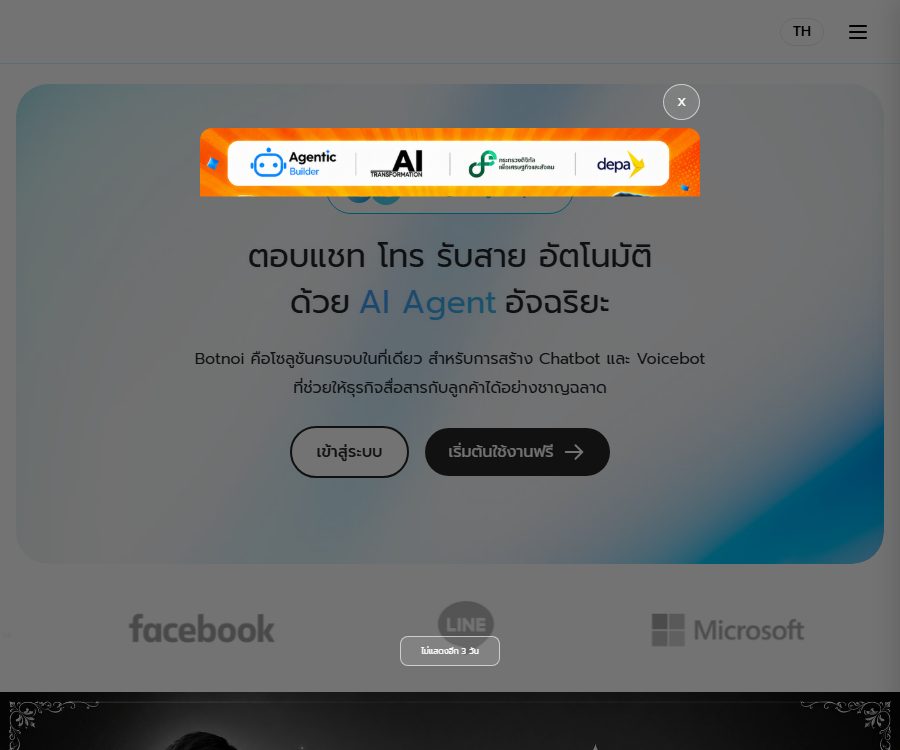
Botnoi is a platform developed by the Botnoi Group for enterprises, offering AI Agents, Chatbots, and Voicebots; it is designed to address issues such as customer inquiries across multiple channels, repetitive questions, lead collection, and the need for human intervention.
The current main product also uses the name Agentic Builder; agents can be created using prompts or templates, and channels, knowledge, and business tools can be connected through the administration panel.
Differences from other Botnoi products
| Products | Positioning | Main inputs and outputs | Suitable for users |
|---|---|---|---|
| Botnoi Agentic Builder | Enterprise AI Agents and customer service robot platforms | Customer messages, knowledge, and business data; generates automated replies, process results, and statistics | Enterprises, operational teams, and developers |
| Botnoi Voice | Independent text-to-speech products | Enter text to output synthesized speech. | Creators, educators, and voice developers |
| Botnoi AI Friend | AI companion applications for individuals | Enter the chat content to generate character dialogues and audio. | Individual mobile users |
The three belong to the same product family, but their account benefits, prices, APIs, and in-app purchases are not identical; this article focuses only on enterprise chatbots and Agentic Builder.
Main functions
- Prompt-based agent creation: Describe the business objectives or select a template; based on this, the system can configure the agent’s role, the way in which it will respond, and the data that needs to be collected.
- Multi-agent workflows: Create agents with different responsibilities and have them work together for tasks such as query routing, data collection, sales follow-up, or service processing.
- Knowledge base Q&A: Import documents, common questions, or website content to enable agents to find answers from the company’s resources, with the ability to continuously update this knowledge base.
- Multi-channel deployment: The home page currently lists LINE, Facebook, WhatsApp, the website, and phone numbers; Instagram is also listed among the steps for creation.
- Chat and voice services: The same platform offers both text-based customer service and voicebots, enabling the handling of online messages as well as phone inquiries.
- MCP Tools: Used to add, switch, and manage MCP tools for agents, enabling them to connect to external data or carry out specific business actions.
- External system integration: Using the platform’s API objects, GET or POST requests as well as request headers and request bodies are configured to send conversation data to other systems.
- Manual takeover: Livechat enables customer service staff to view the messages between users and robots, filter them by channel, status, and tags, and switch to manual handling when necessary.
- Real-time statistics: The dashboard provides figures on the total number of users, active users, messages, unanswered messages, manual requests, and intent triggers, with support for various time ranges.
Robot training and dialogue design
- Intent and Phrases: Group together the user expressions that convey the same purpose under the same Intent, and provide corresponding responses.
- Confidence level and fallback: Set the required confidence level for responses; messages that cannot be understood are directed to the Default Fallback mechanism so as to facilitate further training.
- Entity recognition: Establish sets of similar words or synonyms, and extract user information from continuous conversations.
- Dialogue process: Multiple rounds of question-and-answer are designed using nodes and conditions, with these conditions able to be based on entities, intents, regular expressions, or exact matches.
- Rich messages: It supports the configuration of images, carousel cards, buttons, quick replies, LINE Flex Messages, Rich Menus, and custom payloads.
- Batch data: Training content and conversations can be imported and exported, and some training materials can be managed using Excel.
The workflow from registration to going live
- You can register using an email address on the Botnoi console, or you can choose to log in via LINE or Google as offered on the page.
- Create a new robot or agent by selecting a template or using prompts to describe the business objectives, roles, and data collection requirements.
- Prepare common questions, documents, website content, and standard answers; add them to the knowledge base after removing any outdated or information that should not be made public.
- Set intents, entities, confidence levels, and fallback responses, then use expressions from real users to train the main types of questions.
- Set up Dialogue, multi-agent workflows, external APIs, or MCP tools according to business needs, and define the permissions for each action.
- Connect to LINE, Facebook, websites, or other available channels, and test text, images, buttons, and manual transfers separately.
- Configure business hours, conditions for manual intervention, labels, and customer service permissions to prevent robots from making decisions on high-risk issues on their own.
- After going live, check the unread messages, customer retention rates, user intents, and manual requests, in order to continuously improve the knowledge base, processes, and pricing.
Input, processing, and output
| Stage | Enter | Handling method | Output |
|---|---|---|---|
| Knowledge quiz | User questions, documents, FAQs, website content | Retrieve and organize responses from the knowledge base. | Textual answer or subsequent guidance |
| Intent training | Example phrases, Intent, confidence level | Determine the user’s purpose and provide an appropriate response. | Predefined text or message objects |
| Process dialogue | User responses, entities, and conditions | Advance by using the Dialogue node. | Next question: data recording or business action |
| Manual service | Chat history, status, tags | Assign a customer service representative and switch between Bot or Agent | Manual messages, notes, and status updates |
| External integration | Dialogue parameters, request headers, and request body | Call external APIs or tools | Query results, confirmation messages, or system updates |
| Analysis and optimization | Users, messages, intents, and fallback records | Aggregate indicators by period | Dashboard charts and issues that need improvement |
Suitable for users and scenarios
- Thai and Southeast Asian business teams that need to handle inquiries in a unified manner through channels such as LINE, Facebook, and the website.
- There are a high number of repeated queries; a customer service department that can provide basic responses outside regular working hours would be helpful.
- It is necessary to collect names, requirements, appointment requests, or sales leads, and then pass them on to the operations team so that the staff can take care of them.
- Developers who wish to connect chatbots to customer relationship systems, orders, forms, or internal APIs.
- Companies that need to combine machine responses with human agents, rather than eliminating human review entirely.
- Organizations that operate multiple business roles and wish to utilize multi-agent workflows for task distribution and collaboration.
Product advantages
- It offers code-free creation, rule-based conversations, a knowledge base, as well as APIs and development platforms, enabling teams with varying technical capabilities to make use of it.
- It provides specialized message formats such as Rich Menu and Flex Message for the LINE ecosystem, making them suitable for the commonly used customer service channels in various regions.
- Livechat, fallback messages, and statistical dashboards form a closed loop that goes from automatic responses to manual handling and then to training improvements.
- RESTful APIs and Webhooks enable third-party developers to integrate Botnoi into their own applications or messaging systems.
- Role permissions, channel connections, and external tools can be managed centrally, making it suitable for multiple users to maintain enterprise robots.
Capabilities boundaries and limitations
- Answers from knowledge bases may still contain omissions, misunderstandings, or inaccurate information; therefore, human verification is necessary for medical, financial, legal, and transaction-related matters.
- The message formats supported by different channels are not exactly the same; for example, Flex Message and Rich Menu are primarily designed for LINE.
- Connecting to external APIs, MCP tools, or social platforms introduces additional permissions, costs, rate limits, and third-party terms.
- Robot training requires continuous organization of fallback messages and actual user expressions; it is not possible to avoid maintenance over the long term simply by importing a small number of questions and answers.
- The current official website does not provide a complete list of the underlying models used; the capabilities of these models and their performance in different languages should be verified using one’s own test sets.
- The specific requirements for enabling Voicebot, enterprise integration, and advanced security features may need to be confirmed with sales.
Price, points, and trial period
| Package or version | Price | Billing cycle | Core benefits or quota | Suitable for users |
|---|---|---|---|---|
| New user experience | Free | One-time initial limit | 5,000 points; the package page indicates that 5 points are consumed per message. | Functional testing and small-scale validation |
| Paid plans | The current amount has not been made public yet. | Refer to the account settlement page. | Usage is based on the number of points and advanced features; the specific tiers need to be confirmed by logging in. | Companies and teams that are in formal operation |
| Enterprise services | Contact sales | Customization | Voicebot, system integration, security, and scope of services are determined on a project-by-project basis. | Complex processes and high-traffic organizations |
The public package page currently shows the points available for new users as well as the cost per message, but it does not display in a consistent manner the various pricing tiers, the amounts involved, the validity period of those points, and the rules regarding the costs associated with advanced features.
The issue of canceling subscriptions is listed in the current list of common questions; however, the specific conditions for refunds related to chatbots and the timing at which benefits cease after cancellation have not yet been determined. It is necessary to check these details on the payment page or in the sales contract before making a payment.
API, Webhook, and open-source status
| Project | Current status | Uses and precautions |
|---|---|---|
| RESTful API | Already provided | Integrate chat functionality into your own applications to enable message exchange. |
| Messaging API | The document has been provided. | Handle real-time messages between users and robots |
| Webhook | Already provided | Receive interactive events and push responses or automated results back to the platform. |
| API objects within the platform | Already provided | Configure GET, POST, request headers, and request bodies to connect to external systems. |
| Official SDK | Not confirmed yet | It is clear at present that the API documentation does not equate to the release of a versioned SDK. |
| Open-source product | No | The hosting platform is not provided with open-source code or an open-source license. |
Steps for developers to integrate
- Register a developer account, verify the email address, and then create a Provider.
- Create a Chatbot under Provider, and assign available roles to team members.
- Apply for and protect API credentials, and implement authentication, message handling, and error handling in accordance with the Messaging API documentation.
- Configure the Webhook address, and verify event signing, retry, idempotency, and timeout logic.
- Check text, rich messages, manual intervention, and writes from third-party systems in the testing channel, then gradually increase the volume of traffic.
Privacy and security
- The privacy policy states that the platform processes registration information, content uploaded by users, message contents and timestamps, transaction data, social connections, and device-related technical information.
- When connecting to accounts such as LINE, Facebook, Instagram, and Google, the platform may receive public information, data from pages or official accounts, access tokens, and data within the scope of authorization.
- Google Drive permissions are used to locate files and sheets, while Google Sheets permissions allow for the editing of existing sheets; access should be granted on a principle of minimum necessity.
- Platforms may rely on cloud services, payment systems, messaging providers, and third-party AI tools; companies need to include these outsourced processing activities in their privacy notices and risk assessments.
- The privacy policy states that data is stored in data centers in Singapore, and messages as well as training data are typically kept for 30 days.
- Users can request deletion, and the policy states that this will be carried out within 30 calendar days with a confirmation sent thereafter; data that must be retained due to legal or contractual obligations may be subject to different time limits.
- The platform states that it will not use Google users’ data to train general or non-personalized AI models, but it may process limited data for the purposes of this application’s functions.
- Before going live, it is necessary to restrict the permissions of backend users, regularly rotate tokens, mask logs, and establish procedures for accessing and deleting exported customer information.
Platform and Application Instructions
| Platform | Availability | Explanation |
|---|---|---|
| Web management backend | Available now | Create, train, connect channels, view data, and manage human customer service. |
| Developer Console | Available now | Manage Providers, Chatbots, APIs, and Webhooks |
| Message channels | Multiple channels | The current page lists LINE, Facebook, WhatsApp, websites, phone numbers, and Instagram, among others. |
| Botnoi AI Friend app | iOS and Android | Personal companion products; not enterprise robot management clients. |
| Botnoi Voice app | iOS and Android | For text-to-speech products, the prices and credit points cannot be directly applied to Chatbots. |
| Chatbot Builder native app | Not confirmed yet | The current management method relies primarily on a web console. |
Summary
Botnoi brings together code-free agent creation, traditional intent training, knowledge bases, multi-channel customer service, manual intervention, and development interfaces in a single platform, making it suitable for companies that wish to advance automation step by step.
When making a selection, it is important to verify the effectiveness of the target language and distribution channels, and before paying, to confirm the number of points required, the pricing tiers, refund policies, data handling procedures, and the terms of corporate support.
Tools similar to Botnoi




 Guigong Network Security Registration No. 45132202000164