






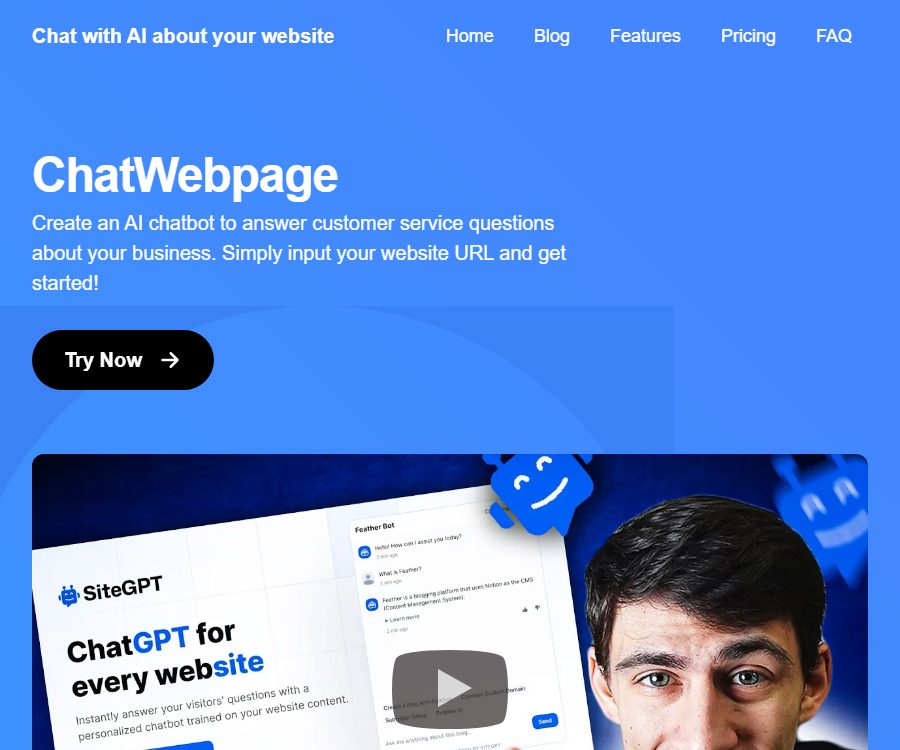
ChatWebpage
ChatWebpage – makes AI-driven conversations more efficient and simpler.
Tags:AI dialogue chatCurrent status of ChatWebpage
The ChatWebpage official website is still accessible, and its functions, pricing information, and FAQ page remain intact; however, all “Try Now” buttons now redirect to SiteGPT. Users can no longer check on that page whether it is possible to create a ChatWebpage account independently.
Therefore, this entry considers ChatWebpage as a product that still has an introductory page, but whose actual access point has been shifted to SiteGPT. The prices listed on the original page can only serve as information for display; they should not be regarded as the actual pricing for the packages available for purchase.
A one-sentence summary
ChatWebpage was once a tool used to convert website content and files into AI customer service robots that could operate in multiple languages; currently, the registration and purchase page for this tool redirects to SiteGPT.
What is ChatWebpage?
The goal of ChatWebpage is to enable companies to enter a website address and quickly create a chatbot that can answer business-related questions. The system analyzes the content of the website and then provides answers related to the information on that site, based on the questions posed by visitors.
It is primarily designed for customer service, pre-sales inquiries, and answering questions related to website content, rather than for open-ended creative tasks. Companies can integrate such robots into their websites to enable visitors to inquire about products, services, and contact information through 24/7 conversations.
Main functions of the original product
Website content training
After the user enters the website address, the system captures and analyzes the page, using its content as knowledge for the chatbot. Different plans set limits on the number of pages that can be trained.
File upload
In addition to website pages, the original package also allows the uploading of files to provide additional information. Each file can be up to 10MB in size, and the number of files permitted varies from 10 to 1000 depending on the chosen plan.
Website AI customer service
The robot can provide answers to contact information, product descriptions, and common business questions, and it operates on the website 24/7. The accuracy of these answers depends on the completeness of the content on the website, its frequency of updating, and the way the questions are phrased.
Multilingual Q&A
ChatWebpage claims to support multiple languages and can respond in the language chosen by the visitor. Before introducing multilingual customer service, it is still necessary to test brand terminology, numbers, addresses, and refund policies.
Web embedding
The premium plan offers unlimited integration options as well as the ability to customize the domain names used for embedding, allowing the chat interface to be integrated into a company’s website. Before embedding it, it is necessary to check the loading speed, the appearance on mobile devices, and the Cookie notifications.
Team and interfaces
The original ChatWebpage solution and the Scale solution listed team members, APIs, and integration capabilities; Scale also included Webhooks and custom integrations. It is not clear whether these capabilities can still be enabled in the original product.
The original page displays the packages.
As of August 24, 2026, the ChatWebpage homepage still displays the following three price options, but the purchase button now leads to SiteGPT. The table below is provided to explain the legacy pages; it does not indicate that these options are still available for purchase.
| Original presentation plan | Page price | Robot | Monthly messages | Training webpage | Other limits |
|---|---|---|---|---|---|
| Starter | $ | 1 | Up to 4,000 items | Up to 200 pages | 10 files, 10MB each |
| ChatWebpage | $ | 2 | Up to 10,000 items | Up to 2000 pages | 100 files, 4 members, API |
| Scale | $ | No restrictions | No restrictions | Up to 100,000 pages | 1000 files, unlimited members, API and Webhook |
The page lists common questions and claims to offer both a free version and a paid version, but it does not provide any clear information regarding the free version, nor any details on the amount of data allowed. Since the process for activating an account has changed, it is impossible to guarantee that free accounts are still available.
Current actual redirection service
Upon clicking the activation button for ChatWebpage, you will be directed to SiteGPT; therefore, new users are actually dealing with SiteGPT’s features, accounts, and billing system. The names, package options, and prices for these two services are different, so the package plans from ChatWebpage cannot be applied to SiteGPT.
Comparison of SiteGPT’s current plans
As of August 24, 2026, the SiteGPT self-service option offers a 7-day trial period, and a credit card is required for activation. The table below shows the monthly price equivalent to an annual payment; purchasing directly on a monthly basis is more expensive. The final amount, taxes, and the duration of the trial extension are subject to the details on the settlement page.
| Plan | Monthly price equivalent to annual payment | Monthly price | Robot | Monthly messages | Training page |
|---|---|---|---|---|---|
| Starter | 39 dollars | 59 dollars | 1 | Up to 4,000 items | Up to 1000 pages |
| Growth | 79 dollars | 129 dollars | Up to 2 | Up to 10,000 items | Up to 10,000 pages |
| Scale | 259 dollars | 429 dollars | Up to 3 | Up to 40,000 items | Up to 50,000 pages |
| Enterprise | Customization | Customization | Configure according to the contract | Customize | Up to 500,000 pages |
Differences in SiteGPT’s main plans
| Ability | Starter | Growth | Scale | Enterprise |
|---|---|---|---|---|
| Team members | 1 person | Up to 4 people | Up to 10 people | Configure according to the contract |
| Analysis | Fundamental analysis | Advanced analytics | Advanced Analytics and AI Insights | Complete advanced capabilities |
| API | Not listed | Includes | Includes | Includes |
| Automatic refresh | Manual | Monthly | Weekly | Daily |
| Webhook | Not listed | Not listed | Includes | Includes |
| Priority support | Not listed | Not listed | Not listed | Includes |
An additional 5,000 messages with SiteGPT, along with the removal of brand identifiers, can be purchased as extra features; the annual price corresponds to $39 per month. The monthly cost of these additional features may vary, so it is necessary to check the billing cycle before making a purchase.
Which users are it suitable for
- Small and medium-sized enterprises: Use website information to automatically answer repeated pre-sales and customer service questions.
- Software service providers: Create self-service Q&A interfaces based on product documentation.
- E-commerce websites: Provide answers regarding products, delivery, returns and exchanges, as well as usage instructions.
- Educational institutions: Allow visitors to search for courses, register for them, and access information on common policies.
- Content websites: help readers quickly locate information on long pages.
- Customer service team: Handles simple questions with robots and transfers complex conversations.
How should new users make a choice?
- Do not base your budget on the old price of ChatWebpage, as the purchase link no longer corresponds to the old version.
- When a service is needed and is available at the moment, it is advisable to evaluate SiteGPT’s current packages directly.
- If you only want to test a single small website, you can use the trial version of SiteGPT or the Starter plan for evaluation.
- API, team collaboration, and automatic refreshing are required; at least Growth should be compared.
- If you need Webhooks, daily scanning of new pages, or insights from AI conversations, consider Scale.
- For matters involving medical data, custom protocols, or large-scale deployment, consult Enterprise.
Tutorial on creating an AI customer service system for websites
- Make sure to use the products that are currently available; do not estimate the benefits based on the old price list.
- Prepare a public website, documentation, FAQs, and product descriptions.
- Remove expired promotions, internal notes, and content that should not be made available to visitors.
- Create a robot and import a webpage or sitemap.
- Upload the necessary files, and check their size, format, and access permissions.
- Set the robot’s name, welcome message, brand color, and response boundaries.
- Test the answers using real customer service inquiries and address any knowledge gaps.
- Configure manual transfer or contact information for when the system cannot provide an answer.
- Deploy the embedded code to the testing environment to check it on desktop and mobile devices.
- After going live, continuously check for conversations with low ratings, unresolved issues, and message quotas.
Knowledge base organization methods
- Each page addresses only one topic, using clear headings and short paragraphs.
- Set clear rules for prices, refunds, delivery, and service times.
- Delete the conflicting old pages to prevent bots from randomly using outdated content.
- Provide unified explanations for product names, abbreviations, and synonyms.
- Write the key limitations in the main text, rather than only including them in the images.
- Regularly update the website’s data and record the dates on which important policies are changed.
Product advantages
- The original product requires low barriers to getting a website up and running – all that is needed is a website address to start training.
- It supports two types of knowledge materials: website pages and files.
- Multilingual skills are useful for visitors from different regions.
- It is capable of handling repeated inquiries around the clock.
- The higher-tier plan used to offer APIs, Webhooks, and custom integrations.
- The current SiteGPT version still focuses on providing customer service support based on website knowledge bases.
Usage restrictions and precautions
- The status of ChatWebpage as a standalone product is unclear; all purchase buttons lead to other products.
- The descriptions of the old plans and the free version may no longer be relevant in terms of actual purchase possibilities.
- The quality of website scraping is affected by login walls, script rendering, and page structure.
- Robots may mix up similar pages, resulting in incorrect or outdated responses.
- Multilingual responses require manual testing of key business terms.
- The quotas for messages and training pages should be estimated based on peak traffic levels.
- A human interface must be provided in cases involving refunds, medical, legal, and financial issues.
- Before going live, it is necessary to update the privacy policy and explain how conversation data will be processed.
How to test the quality of responses
- Collect the most common issues raised by the customer service team over the past month.
- For each question, provide a standard answer approved by human experts along with the corresponding policy.
- Tests were conducted using accurate phrasing, colloquial phrasing, and misspelled words respectively.
- Check whether the robot can refuse to answer questions outside the knowledge base.
- Verify that the price, date, quantity, and negative conditions remain accurate.
- Test switching between Chinese and English, as well as different expressions for the same term.
- Record the incorrect answers and update the page or the rules for questions and answers.
- Gradually increase the traffic volume after achieving the internal accuracy target.
Privacy and security
Website customer service may handle names, email addresses, order numbers, chat content, IP addresses, and device information. Companies should consider robots as a new means of collecting data, rather than just as decorative elements.
- The welcome message advises users not to submit passwords or complete payment details.
- Set access restrictions on email addresses, phone numbers, order numbers, and health information.
- Confirm the model provider, hosting location, retention period, and deletion process.
- The administrator enables strong passwords and multi-factor authentication.
- API keys are stored only on the server side and are rotated regularly.
- Webhooks require signature verification, prevention of replay attacks, and the hiding of sensitive logs.
- Cancel the accounts and integration permissions immediately after an employee leaves the company.
- Complete the dialogue and export of the knowledge base before terminating the contract.
API and Webhook
On the original ChatWebpage page, the API was included in the 99-dollar and 399-dollar plans, while Webhooks were part of the 399-dollar plan. Since the original access point has now been redirected to SiteGPT, it is not possible to determine the current availability of the old interfaces.
SiteGPT’s Growth plan and higher include an API that allows for the management of robots, sending messages, reading conversations, and configuring various settings. Webhooks are available starting from the Scale plan; they are used to receive new messages, trigger upgrades to human support, and handle new leads, among other things.
Suggestions for developers to integrate
- First, confirm the actual product being purchased, the package, and the account holder.
- Create an interface key with the minimum permissions in the testing environment.
- Establish internal robot identifiers that are not dependent on the names of older products.
- Set timeouts, rate limits, and retry options for the messaging interface.
- Perform signature verification and idempotency handling for Webhooks.
- The log retains only the fields necessary for troubleshooting, with personal information masked.
- Export the original conversation and knowledge content before the official migration.
Open source and deployment status
| Project | Situation |
|---|---|
| ChatWebpage product | No official open-source repository was found. |
| Independent registration for ChatWebpage | The current button redirects to SiteGPT. |
| ChatWebpage API | The old price page listed it; its current independent availability is unknown. |
| SiteGPT API | Growth and above are available |
| Private deployment | Not yet officially confirmed |
| Source code license | Unpublished product-level open-source license |
An open API does not mean that the platform is open-source, nor does it imply that it is possible to deploy the complete product on one’s own servers. If the buyer requires that the data be stored in a specific location, this must be specified in the contract along with the procedures for handling such data.
Basic information
| Project | Content |
|---|---|
| Tool name | ChatWebpage |
| Tool type | Website knowledge base and AI customer service robots |
| Current status | The introduction page remains; a link to activate SiteGPT is provided. |
| Original display price | $ |
| Buy now | Activate using SiteGPT’s current plan. |
| Multilingual | Support |
| API | The current status of the original product is unknown; please go to the product page for details. |
| Is it open source? | Open source not confirmed |
| Recommendation score | 2.8 points |
Frequently Asked Questions
Is it still possible to register for ChatWebpage?
The official website is still accessible, but all activation buttons now lead to SiteGPT. There is no separate registration and payment interface for ChatWebpage.
Is the $49 package available on the home page?
It cannot be determined from the current page, as the button does not lead to the pricing for that package. New users should check the actual price of the product to which they are directed.
Is there a free version of ChatWebpage?
The old FAQs mentioned free and paid versions, but there are no current valid quotas available, and the process for activation has changed. Do not consider this old description as a valid commitment.
Can files be uploaded?
The original package allows file uploads, with each file having a maximum size of 10MB; the different plans include 10, 100, or 1000 files respectively. It is necessary to verify again whether file uploads are still possible with the original product.
Does it provide APIs?
The original page included the API in the higher-tier packages, but the status of the standalone interface is unknown. SiteGPT, to which we are currently redirected, offers the API starting with the Growth plan.
Is ChatWebpage open-source software?
It is not an open-source project that has been confirmed, nor is there any official product repository associated with it. Providing embedding scripts or APIs does not mean that the complete source code is made available.
Summary
ChatWebpage was originally focused on easy website training, multilingual Q&A, and round-the-clock customer support, but the purchase option now points entirely to SiteGPT. New users should ignore the apparent availability of the old packages and instead check SiteGPT’s current prices, privacy policies, and APIs; existing users should promptly verify their accounts and arrange for data export and migration.
Tools similar to ChatWebpage




 Guigong Network Security Registration No. 45132202000164