






Curator Ncurator
The curator, Ncurator, makes AI-driven conversations more efficient and simpler.
Tags:AI dialogue chatWhat is a curator?
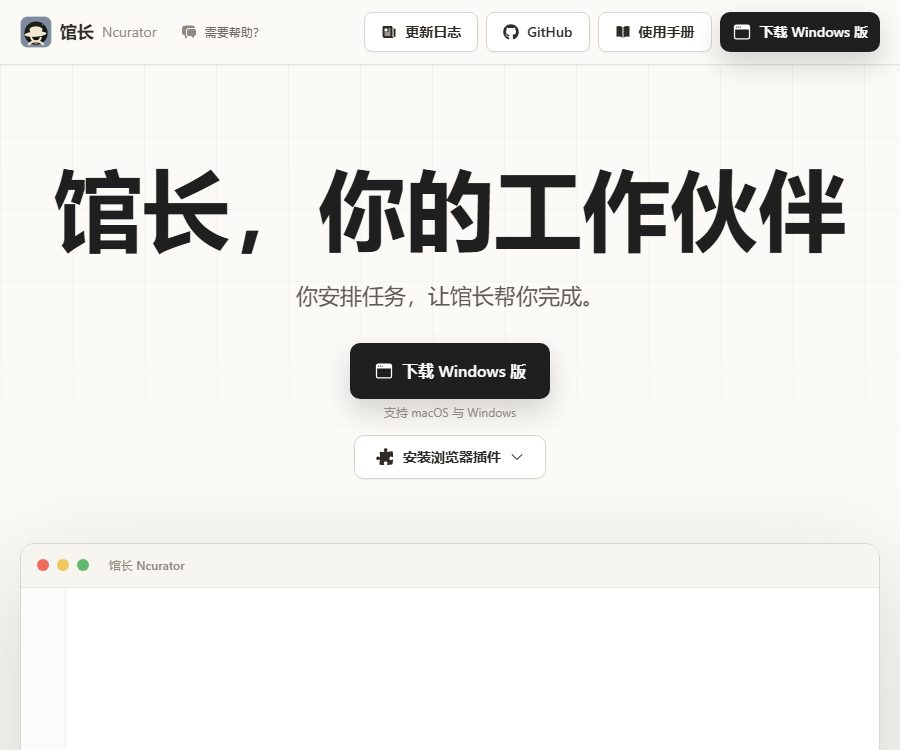
Ncurator is a desktop AI assistant designed for everyday knowledge-related tasks. Once a user assigns a task to it, the assistant can search for information within the workspace, access local knowledge bases, browse the web, operate a browser, and handle files. Currently, the desktop version is available for Windows and macOS.
The curator uses a model key provided by the user; the software itself is free of charge, while the cost of the models is paid directly by the user to the selected service provider. The public code repository contains only the browser bookmark plugin, not the complete source code for the desktop application.
A one-sentence summary
Ncurator is a free desktop AI assistant that allows users to connect to various large models, local knowledge bases, web pages, and office documents in order to carry out tasks related to data organization and document processing.
Core functions
AI carries out tasks autonomously
Users can provide the librarian with the objectives, relevant data, and output requirements, allowing them to plan and carry out various steps within the workspace. The actual level of completion depends on the capabilities of the model, the permissions of the tools, the quality of the data, and the built-in skills.
- Search for and summarize materials in the workspace.
- Answer questions by drawing on local knowledge bases.
- Search public web pages and organize the information.
- Create or modify office documents of a specified type.
- Execute the browser steps after obtaining permission.
Local knowledge base
The workspace can be linked to local directories or to specified web addresses; the librarian will create an index and use it to retrieve relevant content when carrying out tasks. When files or web pages are modified, it is necessary to check for updates and re-create the index.
The knowledge base uses local vector models for indexing; these models need to be downloaded before they are used for the first time. By retrieving only the relevant segments and passing them on to the main model, the amount of text sent each time as well as the associated token costs can be reduced.
Web search and browser operations
The curator can search public web pages and can also use a browser to carry out some tasks. Browser operations may affect the login status, form data, and web page content; any actions involving submission, purchase, deletion, or sending data to external parties should be confirmed by the user.
Word document processing
The tool enables reading and processing of DOCX files; it can be used to organize content or create documents. Complex styles, annotations, revisions, and page formatting need to be checked again in Word.
Excel spreadsheet processing
The museum curator can handle tasks related to Excel, such as organizing table contents, extracting information, and generating structured results. Formulas, macros, pivot tables, and external connections may not function properly; it is important to back up critical data first.
Processing of PPT presentations
These tools can be used to handle PPT-related tasks related to data processing, assisting in organizing the structure and content of the slides. Nevertheless, the final presentation still requires verification with regard to layout, fonts, image copyrights, chart data, and the logic of the presentation.
PDF reading
The current PDF capabilities are marked as read-only; they are suitable for extracting and analyzing document content, but should not be considered a full-fledged PDF editor. The accuracy of recognition for scanned documents, encrypted files, and complex tables depends on the quality of those files.
Image understanding
The curator can configure visual models independently to read JPG, JPEG, PNG, WebP, GIF, and BMP images in the workspace. Larger images consume more tokens, and models that do not support visualization require a different visual model.
Collaborative memory
The official website lists collaborative memory as a feature that is still under development; it cannot be described as a feature that is already available. To determine whether it is usable in the actual version, one should refer to the status of the desktop version and the relevant update notes.
List of capability statuses
| Ability | Current status | Primary uses | Precautions |
|---|---|---|---|
| AI task execution | Already supported | Multi-step data and document processing | Critical operations require manual confirmation. |
| Local knowledge base | Already supported | Table of contents and URL index | The vector model needs to be downloaded. |
| Web search | Already supported | Search for public information | Check the timeliness and reliability. |
| Browser operations | Already supported | Steps to complete web page tasks | Grant account operations with caution. |
| DOCX | Already supported | Word document tasks | Complex layouts require rechecking. |
| Excel | Already supported | Table organization and processing | Macros and external connections may be limited. |
| PPT | Already supported | Presentation task | Visual effects require manual inspection. |
| Read-only | Content extraction and analysis | It is not possible to edit PDFs completely. | |
| Collaborative memory | Under development | Continuous working context | Not considered as a stability capability for now. |
Supported model services
The curator allows the entry of compatible large-model service addresses, interface keys, and model names; the manual lists platforms such as DeepSeek, Alibaba Cloud BaiLian, Volcano Engine, Kimi, and Zhipu. As long as the interface format is compatible, users can also configure other services.
The main model and the visual model can be selected separately; it is appropriate to use a text model for processing documents and a visual model for analyzing images. The list of available models is updated by the supplier, so it is necessary to verify the actual model identifiers before making a selection.
Prices and fees
The price information was verified on August 24, 2026; the desktop version of the platform is available for free at the moment, with no public subscription plans or pricing based on points. Users need to provide their own model service keys and pay according to the actual amount of tokens used by the model provider.
| Project | Charging by the curator | Possible external costs | Explanation |
|---|---|---|---|
| Windows desktop version | Free | Model invocation fee | Obtain it from the official download link. |
| macOS desktop version | Free | Model invocation fee | Versions with Apple and Intel chips are available respectively. |
| Local vector model | Free download and installation | Local storage and computing resources | The knowledge base feature is required. |
| Web search | The software is not charged separately. | Costs for models or search services | It depends on the service used. |
| Browser plugins | Free | No fixed fees | Used for reading favorites. |
| Model Token | The price is not set by the curator. | At the supplier’s price | The user bears the cost directly. |
The temporary free keys provided in the manual are not guaranteed to be available, nor are they suitable for handling sensitive information. For actual work, one should use their own controlled keys, setting budgets, limits, and performing regular key rotations.
Usage tutorial
- Download and install Windows, or the macOS version compatible with the corresponding chip, using the computer system.
- Create your own API key at the model service provider, and check the model pricing and privacy policy.
- Enter the curator model configuration and fill in the service address, key, and main model name.
- If image understanding is required, select a model that supports visual input.
- When a knowledge base is needed, download the local vector model and wait for the installation to complete.
- Create a workspace, and select the local directories as well as any optional web addresses to which the library manager should have access.
- Create a knowledge base index and perform updates when the data changes.
- Start with small tasks, checking the referenced materials, the files generated, and the results of browser operations.
Local knowledge base workflow
- Create a separate directory for each project, to avoid including the entire personal drive in the workspace.
- Remove duplicate, outdated, encrypted, and unauthorized files.
- Download and enable the vector model to index directories and specified web pages.
- When asking questions, it is requested that the curator prioritize using the knowledge base, indicating the file name and the source.
- Manually open the original file to verify key figures, terms, and context.
- Re-index after the file is updated to avoid continuing to use old content.
Browser bookmark plugin
The curator provides Chrome and Microsoft Edge plugins that allow users to view the titles, categories, and URLs of bookmarks, as well as to copy all links in their original order. These plugins request only permission to read bookmarks; they do not create, modify, or delete any bookmarks.
The plugin’s documentation states that bookmark data is processed locally in the browser; it is not uploaded, tracked, or shared with the desktop version. It is a standalone, lightweight tool, and installing it does not mean that the desktop version will automatically read all bookmarks.
Which users are it suitable for
- Knowledge workers who wish to carry out data organization and document preparation tasks using natural language.
- Researchers and students who need to create a personal knowledge base based on local files.
- AI users who wish to choose their own models and control the cost of tokens.
- Office workers who frequently work with Word, Excel, PPT, and PDF documents.
- Marketers and operations staff who need web searches in conjunction with browser functions.
- Individual users who value desktop workflows on Windows or macOS.
Product advantages
- The desktop version is free of charge, it’s not tied to any platform points, and the cost of the models is clearly borne by the user.
- Local knowledge bases, web searches, browser functions, and office document capabilities are all integrated within the same assistant.
- It allows for the separate selection of a primary model and a visual model, and is compatible with various model service providers.
- The knowledge base uses local vector models, which helps to reduce the need to send large amounts of original text repeatedly.
- It supports Windows as well as two types of macOS chips, with clear options available for download.
Restrictions and Precautions
- The desktop version does not make the complete source code available, so it is not possible to audit all activities solely based on the plugin repository.
- The model key must be configured before use, and the cost of AI services depends on the task and the provider.
- PDF is currently read-only; the format fidelity of complex office documents requires manual verification.
- Collaborative memory is still under development, and it cannot be relied on to store important information over the long term.
- Browser operations may alter external states, and high-risk steps should be verified one by one.
- Database searches may miss relevant files or truncate key context.
- The model can still generate illusions; unverified final outputs should not be sent directly.
Privacy and security
A “local knowledge base” means that the indexing and data are based on the local workspace; however, when cloud-based large models are utilized, the retrieved text snippets and task details may still be sent to the model service provider. To determine whether sensitive data can be processed in this way, it is necessary to evaluate both the institution in charge and the selected supplier.
Model keys should be stored in accounts under individual control, with a minimum threshold set; shared keys available online should not be used to handle personal or corporate data. Workspaces should be granted only the directories necessary to complete tasks, while databases, key files, and customer data should be excluded.
In the event of a security block on macOS, the system’s isolation warning should only be addressed after confirming that the installation package comes from an official source. Do not try to bypass this restriction using commands when the integrity of the file cannot be verified.
Interface and open-source status
The curator itself acts as an interface client; users enter the address and key of third-party model services, and it is not the curator who provides the public large-model interface. Currently, there are no documentation documents available for curator desktop automation interfaces intended for external developers.
The public repository only contains the source code for Chrome and Edge bookmark extensions; the complete source code for the desktop version is not available there. No explicit license file is displayed in this repository, so such extensions should be considered as having their source code available, but copying, modifying them, or using them in commercial purposes cannot be permitted by default in the absence of a license.
Supported platforms
| Platform | Support status | Main explanation |
|---|---|---|
| Windows x64 | Support | Desktop installer |
| macOS Apple chip | Support | Standalone installation package |
| macOS Intel chips | Support | Standalone installation package |
| Chrome | Support for plugins | Local reading and copying of bookmarks |
| Microsoft Edge | Support for plugins | Local reading and copying of bookmarks |
| Linux | The desktop version is not yet available publicly. | Do not use the Windows installation package. |
Basic information
| Project | Content |
|---|---|
| Product name | Curator Ncurator |
| Tool type | Desktop AI assistant, local knowledge base, and document agent |
| Price pattern | The software is free, and it includes model keys. |
| Support system | Windows and macOS |
| Knowledge base | Local directory and specified web page |
| Whether to provide a model API | No, connect to third-party model interfaces. |
| Is it open source? | Not available for desktop; the plugin’s source code is available, but no explicit license is specified. |
Recommendation score
It has a recommendation score of 4.5 points and is suitable for users who wish to integrate their own large models, local knowledge bases, and office document tasks onto their desktop. When dealing with sensitive data or performing high-risk browser operations, more stringent permissions and manual verification are required.
Frequently Asked Questions
Is the curator service free?
The desktop software is currently available for free, but users must configure the model keys themselves and pay for the model tokens; local storage and computing are also handled by the user’s device.
Which files are supported?
It supports DOCX, Excel, PPT, and read-only PDF files; it can also read common images using visual models. Complex files require opening them in the respective software for verification.
Is the knowledge base completely offline?
The index utilizes a local vector model, but if the main model relies on cloud-based interfaces, the relevant segments may be sent to the supplier. Full offline operation is possible depending on whether the user has configured a local compatible model service.
Can you operate a browser?
Some browser-related actions can be completed, but operations such as submission, deletion, purchasing, and sending must be confirmed by the user. Do not grant unnecessary account permissions.
Is a Linux version available?
The currently available downloads list only Windows and macOS; Linux desktop versions are not included. Linux users should wait for official support information.
Is the curator open-source?
The complete source code for the desktop version is not made public; the available repository contains only the bookmarking plugin. The source code of this plugin is accessible, but no explicit license is specified, so it cannot be concluded that the entire product is open source.
Summary
The curator transforms local knowledge bases, web pages, browsers, and office documents into a desktop workspace that can be accessed by AI. Its advantages lie in the fact that it is free software along with the option to choose various models; however, users are responsible for managing keys, token costs, file permissions, and output quality.
Tools similar to the curator Ncurator




 Guigong Network Security Registration No. 45132202000164