






Mediar AI
Mediar AI: an intelligent tool focused on AI-driven conversations.
Tags:AI dialogue chatWhat is Mediar AI?
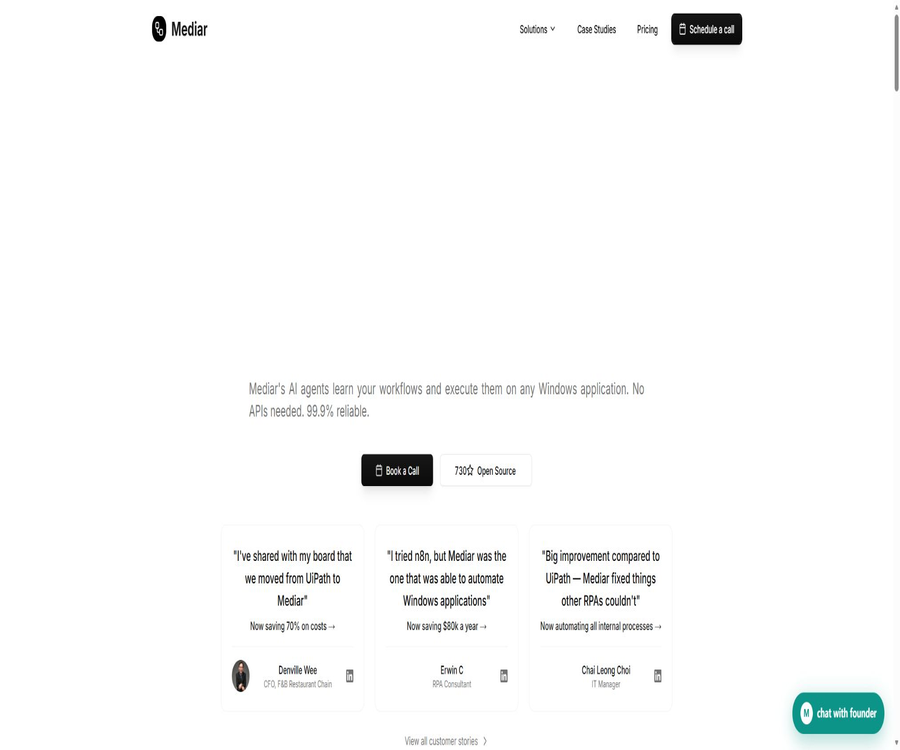
Mediar AI is a desktop workflow automation platform developed by Mediar.ai, Inc.; it is designed to address the issue of repetitive tasks in enterprises operating on Windows systems, browsers, or older systems that lack APIs. It combines process recording, AI-assisted creation, deterministic execution, error recovery, and operational monitoring to form an RPA workflow.
The focus of this product is not on general-purpose chatting, but rather on enabling automated agents to perform actions such as clicking, typing, reading data, and transferring it across different applications in systems like SAP, Oracle, Excel, web forms, insurance claim processing tools, and other internal business software. The platform is designed for enterprise use, while individual developers can make use of the Terminator open-source engine along with its MCP, SDK, and command-line components.
Main functions
- Process recording and discovery: Perform a task on Windows, and the system will record the various actions taken and create an editable process outline. This approach is useful for tasks that involve repeated data entry, reconciliation, form processing, and data copying across different systems; however, it is still necessary to check the scope of recording, the handling of credentials, and any abnormal scenarios before deploying the process.
- Natural language construction: Users can describe the task that is to be automated, and then configure the steps, inputs, and execution conditions within the builder. The results generated need to be tested; complex business rules, approval processes, and irreversible actions should not rely solely on a simple instruction.
- Windows Application Control: The execution engine uses the system accessibility interfaces to locate names, roles, windows, and controls, and it handles tasks such as clicking, typing, starting applications, and managing windows. It is more adaptable to changes in position compared to fixed screen coordinates; however, custom-designed controls, remote desktop displays, and interfaces that lack accessibility information may still require visual or manual processing.
- Browser automation: The Terminator Bridge extension connects to local desktop applications, enabling it to read the structure of web pages, switch between tabs, click on controls, fill out forms, and execute scripts. This extension has access to the web content that the user has chosen to automate; therefore, it is necessary to assign it minimal permissions and to prevent it from running on unauthorized pages.
- Deterministic workflows and AI-based recovery: The standard steps are carried out using pre-generated code or YAML workflows; AI is employed only to assist in recovery when there are changes in the interface or when certain steps fail. The actual success rate depends on the target software, data quality, selectors, permissions, and the extent of testing – promotional metrics cannot replace project acceptance.
- Cross-application data processing: Data from PDFs, emails, web pages, or business systems can be imported into Excel, forms, ERP systems, and other desktop applications. When OCR, field mapping, or amounts are involved, it is necessary to implement format validation, duplicate detection, and manual review.
- Deployment and scheduling: Business platforms allow workflows to be deployed in hosted Windows execution environments where they can run continuously; they also offer options for deployment in hybrid or customer-owned environments. Enterprises can decide who will have control over virtual machines and sensitive data, based on requirements related to data storage, networking, and compliance.
- Operation monitoring: The console displays information on workflows, execution records, speed, success rate, and cost savings, which helps in identifying failed steps and adjusting the process. The amount of savings shown in the reports is an estimated value; it should still be calculated by taking into account labor costs and the time required to handle exceptions.
- Team implementation and support: The hosting solution includes the development of customized processes, deployment, dedicated support, priority repairs, and monthly reports. The scope of services, delivery timelines, SLAs, and any additional usage fees are determined based on the order details.
Input, output, and typical processes
| Stage | Common inputs | Handling method | Output |
|---|---|---|---|
| Process design | Natural language goals, manual operation demonstrations | Record events and generate steps. | Testable automated workflows |
| Desktop execution | Windows, controls, files, and business data | Operate the application using accessibility selectors | Form filled out, updated system records |
| Browser execution | Page structure, tabs, and forms | Expand interactions through local bridging | Results of web page operations or extracted data |
| Exception handling | Step failure, interface changes, missing fields | Retry, AI recovery, or switch to human support | Tasks to be executed after recovery or still pending |
| Operational monitoring | Log, duration, status, and cost data | Summary of execution metrics | Dashboards, reports, and suggestions for improvement |
Usage tutorial
- Select a Windows process that has clear steps, is executed frequently, and involves controllable risks; list the input fields, desired outcomes, required permissions, and conditions under which failure occurs.
- Apply for a demonstration of the commercial platform or for the installation of the Terminator component designed for developers, making sure that the computer used for execution is running Windows.
- Record manual operations or write YAML, TypeScript, Rust, Python, or MCP calls, using stable selectors such as control names, roles, and windows.
- Prepare data for masking tests, covering normal inputs, empty values, duplicate data, interface pop-ups, network disruptions, and insufficient permissions.
- Run the workflow in a testing environment to check the read and write results for each step, and add confirmation or approval for actions related to amounts, deletion, submission, and initiation.
- Choose between local, hosted, hybrid, or customer cloud deployment, and configure credentials, roles, logging, scheduling, and alerts.
- Launch it on a small scale to observe the success rate, time per operation, and the amount of manual intervention, then gradually increase the volume of tasks.
Suitable for users and scenarios
- Finance and Operations team: Responsible for invoice entry, reconciliation in SAP Business One, report preparation, and data transfer between different systems.
- Insurance and medical back-office functions: they assist with the entry of claims-related data, the use of compliance forms, and operations related to older desktop systems; however, sensitive data and automated decision-making processes must comply with industry standards.
- IT and Automation Team: Develop maintainable processes for Windows applications that lack stable APIs, incorporating monitoring and manual intervention.
- Developers and AI assistant users: With MCP, clients that support this protocol can control the desktop, or they can use SDKs to create their own Windows automation solutions.
- It is not suitable for use in systems related to life safety, aviation, nuclear facilities, or any other systems where failures could lead to serious risks to human life and the environment; it should also not be operated in unauthorized accounts or third-party services.
Platforms, components, and development interfaces
| Component or platform | Current status | Uses and precautions |
|---|---|---|
| Mediar business platform | Windows Automation offers options for managed, hybrid, and on-premises deployment. | Process creation, deployment, monitoring, and enterprise support; a complete platform is not equivalent to an open-source project. |
| Terminator core | Supports Windows | Controls desktop applications, windows, and accessibility elements; not supported yet on macOS and Linux. |
| MCP Agent | Windows is available. | Integrate desktop control capabilities into MCP clients such as Claude, Cursor, VS Code, and Windsurf. |
| TypeScript SDK | Windows is available. | Developing desktop and workflow automation |
| Rust SDK | Windows is available. | Direct integration of the Terminator execution capability |
| Python packages | Partial support, experimental | The interface may still change; the version should be locked and tested before it is used in production. |
| Browser extensions | Chrome and Edge bridging | Connecting to the control page via the local device does not mean it is a separate cloud-based browser service. |
API, SDK, and open-source status
The Terminator repository is licensed under the MIT license; it makes available the core execution engine, MCP Agent, TypeScript, Rust, as well as workflow and command-line components. Python support is still partial or in experimental status. The MIT license permits the modification and distribution of code, provided that the requirements specified in the license text and copyright statements are met.
The Mediar business platform, hosting services, enterprise console, and professional implementation services do not automatically become open-source software; their use is governed by the order terms and commercial conditions. Developers should examine the licenses of individual repositories, software packages, and dependencies separately, and cannot use the license for the core engine as a substitute for determining the licensing requirements of all components.
Prices and billing
| Package or version | Price | Billing cycle | Core benefits or quota | Suitable for users |
|---|---|---|---|---|
| Self-hosted open-source engine | The software licensing fee is zero. | Bear the operating costs yourself. | The Terminator component under the MIT license, allowing for self-installation, maintenance, and configuration of models. | Teams with capabilities in development and operation. |
| Execute on demand | $ | Based on the actual amount executed | The page indicates that billing starts after deployment, and it shows the usage rights for Gemini 3 Pro and Claude Code. | Users who wish to purchase execution services based on their usage volume |
| Turnkey Service | $ | Monthly payment | Custom workflow development, dedicated support, hosted deployment, priority repairs, and monthly reports | Enterprises that need construction and management services |
| Enterprise | Custom quote | By order | It includes capabilities for managed solutions, and it is possible to configure local deployment, SLAs, as well as dedicated account managers. | Organizations with requirements regarding compliance, scalability, and customization |
On the package page, the first tier is marked as free, along with the cost per minute of execution; therefore, “free” refers mainly to the self-hosted engine or the phase prior to deployment, and it does not mean that execution is completely free on a permanent basis. The benefits associated with the model, the cost per minute, the details of implementation, and the terms applicable to the enterprise may vary depending on the account, contract, and method of deployment, so it is necessary to confirm the pricing details before placing an order.
The commercial terms stipulate that fees are usually determined based on each order; unless otherwise agreed, they are paid in advance on an annual basis and in US dollars. Additional charges may apply for users who exceed the designated usage limits. Paid fees are generally non-refundable, and any specific refund policies outlined on the Turnkey page are subject to the terms related to refunds specified in the signed order.
Privacy, security, and commercial considerations
- The browser bridge extension receives commands from desktop applications via a local connection, enabling it to read web content and tag information as well as to facilitate interactions. Its privacy policy states that the extension does not transmit any data to external servers, but the desktop application and cloud services may still process account details, workflow information, usage data, and diagnostic information.
- Desktop and cloud services may collect email addresses, names, organizational details, workflow data, anonymized aggregated usage figures, and technical logs. The location of data in the cloud, its retention period, and the procedures for deleting it should be determined based on the deployment method and the relevant contracts.
- The security documentation covers transmission and static encryption, organization-level permissions, audit logs, as well as three deployment models: cloud-based, hybrid, and on-premises. Executing tasks locally or deploying in the customer’s own environment can reduce the risk of data being transmitted outside; however, it is still necessary to properly configure logs, model calls, and connections to third-party services.
- The sections of the page related to SOC 2, HIPAA, GDPR, and ISO 27001 still indicate that the relevant processes are in progress or planned; it cannot be stated that all certifications have been obtained. The purchaser should request the current audit reports, data processing agreements, and a list of subcontractors.
- Customers retain ownership of their business data and are responsible for obtaining the necessary approvals to use automated third-party systems, as well as for handling personal and sensitive data. Production processes should include backup mechanisms, verification procedures, human oversight, and traceable records.
- Non-production licenses cannot be used for commercial production; trial licenses are subject to time and agreement constraints, while enterprise licenses can be used for production on a subscription basis. The commercial use of the open-source Terminator is governed by both the MIT license, the terms related to third-party dependencies, and the terms of service for integration.
- Bypassing usage limits, conducting unauthorized security tests, reverse-engineering commercial products, reselling services, and using the system for illegal or high-risk purposes are all prohibited. MCP or desktop control offers significant powers; therefore, isolated accounts, minimal permissions, and revocable credentials should be used.
Advantages and usage boundaries
- Advantages: It focuses on handling Windows desktop environments and older business applications, which are difficult to automate using regular browsers, and offers various options for implementation such as recording, code-based approaches, MCP, as well as hosted and local deployment.
- Advantages: Accessibility selectors and deterministic steps help improve the consistency of repetitive tasks, while AI is primarily used for construction and error recovery.
- Limits: The current core automation feature is available only for Windows users; macOS and Linux users do not have access to the same desktop capabilities.
- Boundaries: Custom interfaces, Citrix or remote desktops, verification codes, multi-factor authentication, permission pop-ups, and pages that change frequently can increase the failure rate.
- Boundaries: The figures regarding speed, success rate, and savings mentioned in the promotions refer to the performance of the product or specific cases, and it cannot be guaranteed that every customer will achieve the same results.
- Limits: The detailed API quotas, model usage, free usage limits, retention periods, exceptions regarding refunds, and full compliance documentation for business platforms must be confirmed within the account or order details.
Summary
Mediar AI is suitable for companies that need to automate older Windows systems, web pages, and cross-application processes, while Terminator provides developers with an open-source execution framework that is auditable and scalable. When making a choice, it is necessary to consider options such as self-hosted code, pay-as-you-go execution, managed services, and custom solutions; thereafter, real business data should be used to assess reliability, security aspects, and overall costs.
Tools similar to Mediar AI




 Guigong Network Security Registration No. 45132202000164