






Logiclister AI
Logiclister AI: an intelligent tool focused on AI-driven conversations.
Tags:AI dialogue chatWhat is Logiclister AI?
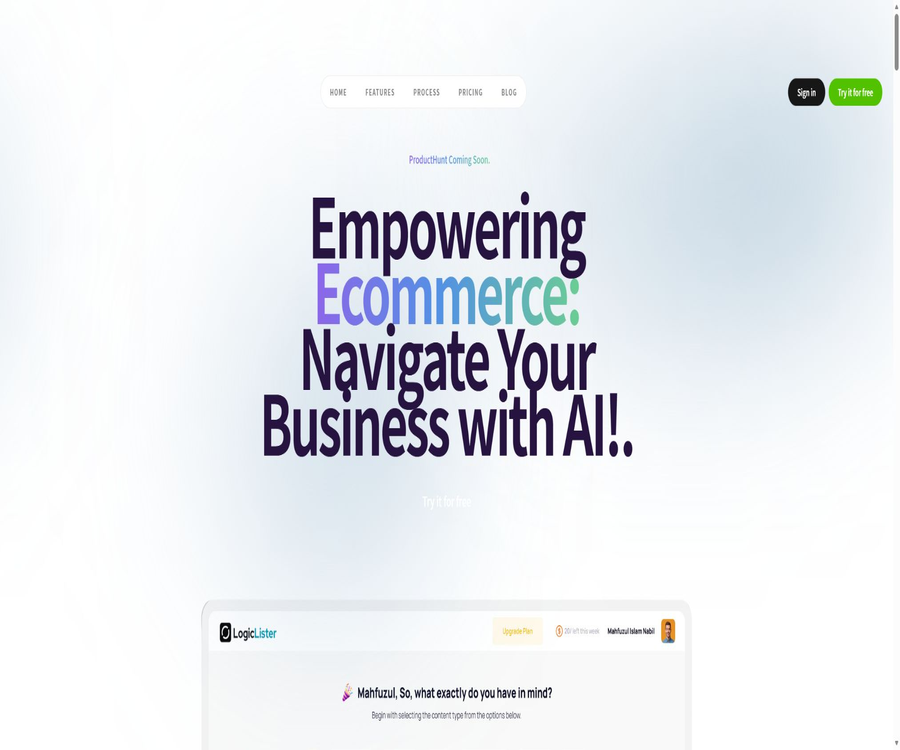
Logiclister AI is a set of web-based AI tools designed for e-commerce businesses, content marketers, and freelancers; it allows tasks related to text, images, and voice to be managed within the same account.
The product positions itself as a business assistant equipped with over 50 AI tools, focusing on the rapid creation of product and marketing content, rather than providing functions related to product catalogs, orders, or advertising systems.
Main functions
E-commerce and marketing copywriting
- Generate product titles and descriptions based on the product name, features, target audience, and tone; these can serve as a draft for the product page on the store.
- Generate blog posts, social media content, news emails, and FAQs to educate customers about products, promote upcoming events, retain clients, and enrich search results.
- It comes equipped with various SEO and business writing tools, but the text generated by them does not guarantee optimal search rankings, factual accuracy, or compliance with platform policies.
Images, audio, and multimedia
- An image generator takes textual descriptions and creates visual content that can be used for concept diagrams, blog illustrations, or preliminary marketing materials.
- Image analysis tools are used to understand the content of the uploaded images; the specific range of elements that can be identified and the maximum file size are limited by the features of the current account.
- Text-to-speech converts scripts into voiceovers, while speech-to-text transforms the audio or video voices into editable text.
- Scripting tools can help create a structure for audio or video production; they are suitable for preparing drafts of storyboards or narration before moving on to the professional editing phase.
Freelancing and job-seeking writing
- Create the text for a Fiverr service page based on the type of service, the content provided, and the target customers; the user should also include their own real-world experience, pricing details, and scope of services.
- Use project requirements, personal skills, and work samples as input to draft an Upwork proposal or a job application letter.
- The automatically generated data on qualifications, commitments, and achievements must be manually verified; experience should not be fabricated in order to enhance persuasiveness.
Input, output, and use cases
| Tool type | Typical input | Main output | Suitable for tasks | Key points of inspection |
|---|---|---|---|---|
| Products and copywriting | Features, audience, tone, keywords | Title, description, blog, email, FAQ | New product launches on e-commerce platforms and content marketing | Facts, tone, repetition, search intent |
| Image | Text description or upload an image | Generation of images or analysis of visual content | Preliminary draft of marketing visuals and understanding of materials | Trademark, portrait, copyright issues, as well as errors in size and details |
| Voice | Text scripts or audio/video | Dubbing or transcribed text | Video narration, audio summaries, and content reuse | Language, pronunciation, transcription errors, and sensitive information |
| Freelance documents | Job or project requirements, skills, and examples | Service pages, proposals, or cover letters | Fiverr, Upwork, and project applications | Authenticity, degree of customization, and platform rules |
Usage tutorial
- After creating an account, select text, images, audio, or freelance tools based on the task, and first determine the desired type of output.
- Enter specific business details, including product features, target audience, tone, length, distribution channels, and any prohibitions.
- The system generates a short sample to check the tone and format; for tasks involving images, voiceovers, or transcripts, it also verifies the file type and length.
- Verify each item in terms of facts, prices, data, trademarks, portraits, licensing, transcription accuracy, and the rules of the target platform.
- Conduct manual editing before official release, job applications, or commercial use to remove repetitions and generic expressions, while retaining the authentic information of the brand or individual.
Suitable for users
- Small and medium-sized e-commerce teams: Quickly draft product details, FAQs, emails, and blogs, which are then reviewed and published by the operation staff.
- Content marketers: Expand a topic into blog posts, social media content, news emails, as well as drafts of images and audio material.
- Freelancers and job seekers: Create a structure for Fiverr service pages, Upwork proposals, or project application letters.
- Teams that require professional design, video editing, automation of product systems, or the development of stable interfaces still need to make use of other specialized tools.
Price and quota
Logiclister AI offers options for registration and trial use, but the current names of the packages, their prices, billing cycles, as well as the limits on text, images, audio usage and storage space have not yet been made publicly available.
The currently available information on free and paid prices is contradictory; before making a purchase, one should refer to the actual settlement page in the account as well as the current benefits available.
The rules for refunds, whether the amount paid can be carried over, the procedures for handling excess amounts, and the time at which cancellations take effect have not yet been made public; it is therefore necessary to save a snapshot of the settlement page and the relevant terms before making a payment.
Platforms, APIs, and open source
- The currently confirmed forms of use are web pages and dedicated accounts; official iOS, Android, or Chrome extensions have not yet been confirmed.
- The developer API, SDK, Webhook, sample projects, or documentation for stable third-party store integration have not yet been made public.
- No product source code or license has been found yet; therefore, the web tools, generation models, or services cannot be considered open-source software.
Privacy, copyright, and commercial usage notes
- The privacy policy, terms of service, data retention policies, sub-processors, and mechanisms for the use and deletion of training data have not yet been made publicly available in a stable form; therefore, customer secrets, unpublished business information, or sensitive personal data should not be entered.
- Before uploading images, audio, or video, it is necessary to ensure that you have the authority to do so; portrait photos, voices, and customer data are also subject to privacy laws, rights related to personal identity, and the platform’s terms of service.
- The ownership rights regarding the generated images, voiceovers, and text, as well as the details of commercial licensing and compensation, have not been made public yet; it is necessary to review the terms of the package and complete the copyright verification before using them for commercial purposes.
- The generated text may contain errors, outdated or repeated expressions; images might have issues with text, hands, or trademarks, and transcription can also lead to misidentification of names and numbers.
Advantages and usage limitations
Main advantages
- Aggregate product descriptions, blogs, emails, FAQs, images, audio, and project proposals in a single web tool suite to facilitate the quick creation of drafts.
- The tools are categorized according to specific tasks; new users can start with a single product, email, or proposal, without the need to create complex workflows first.
Usage restrictions
- Products and registered sites may require access verification, and they may not be accessible reliably in certain regions, networks, or automated environments.
- The current pricing, quotas, models, output formats, and file restrictions lack stable and public documentation; therefore, they are not suitable for being integrated into key production processes without first trying them out.
- The output is an editable draft; it does not serve as a substitute for reviews related to e-commerce compliance, professional credibility, copyright, or data security.
Summary
Logiclister AI is suitable for individuals and small teams who want to use the same account to quickly create e-commerce copy, images, voiceovers, transcripts, and various freelance-related documents.
Before starting, it is necessary to verify the account’s availability and its current credit limit; also, test the quality of the output using a small, non-sensitive sample before deciding whether to use it for commercial content.
Tools similar to Logiclister AI




 Guigong Network Security Registration No. 45132202000164