






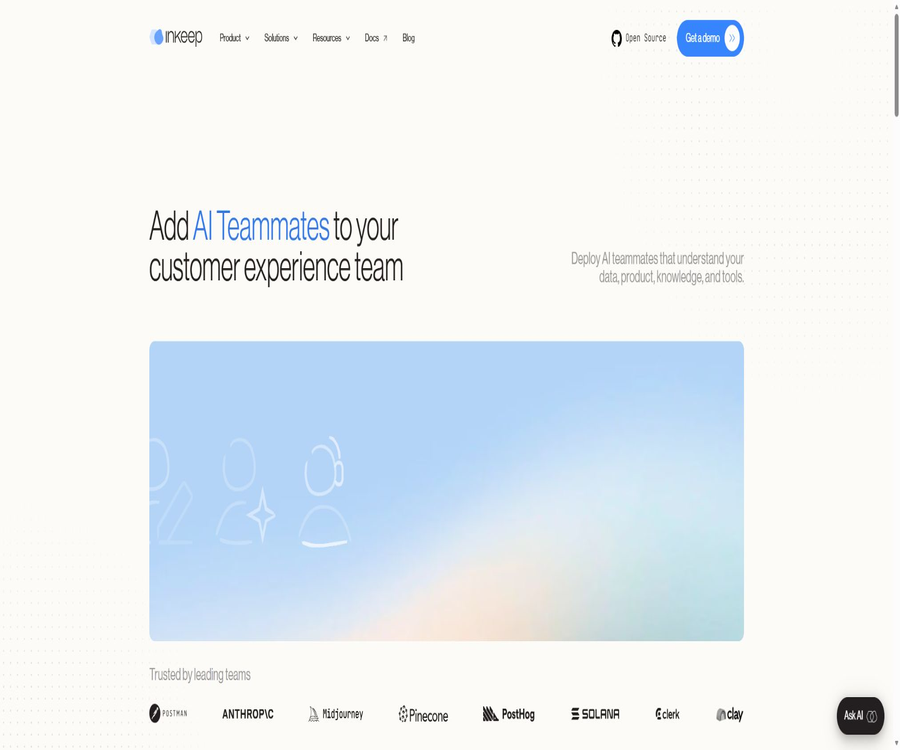
Inkeep
Inkeep, an intelligent tool focused on AI-driven conversations
Tags:AI dialogue chatWhat is Inkeep?
Inkeep is a platform for building AI agents that is designed for both engineering teams and business teams; it enables the creation of conversation assistants, internal Copilots, and automated workflows. Users can configure these elements using a visual interface, or they can develop them through code via the TypeScript SDK.
Its key feature is two-way synchronization between visual configuration and code; business professionals and developers can work on the same agent definitions. The platform also offers multi-agent orchestration, MCP tools, interface components, calling protocols, and operation tracking.
A one-sentence summary
Inkeep is a self-hostable AI agent platform that supports two-way collaboration between no-code tools and TypeScript, and it allows agents to be deployed in websites, products, customer service systems, team chats, and automated workflows.
Main functions
Code-free visual builder
The business team can use a drag-and-drop canvas to create and maintain agents, sub-agents, and workflows, without having to submit all changes to the engineering team. The visual approach is suitable for configuring prompts, tools, routing paths, and collaboration relationships.
TypeScript Agents SDK
Developers can use TypeScript to define agents, sub-agents, and custom tools, and they can take advantage of type checking, editor suggestions, version control, as well as CI/CD capabilities. The stable version of the current SDK package is 0.80.6.
Two-way synchronization between code and interface
The engineering team can push code to the visual builder, as well as bring back any changes made to the interface into the code. This two-way synchronization helps to avoid the problem of the code and business configurations becoming divergent over time after a one-time export.
Multi-agent architecture
The platform can organize multiple specialized sub-agents into teams, with different roles responsible for tasks such as searching, customer service, writing, operations, or business-related actions. To divide tasks effectively, it is necessary to establish clear routing rules, define tool permissions, and set up procedures for handling failures.
MCP tools and credential management
Agents can connect to MCP servers, enterprise APIs, and third-party applications, and access is controlled through credential management. Enterprise deployments can also utilize user-level permissions, a whitelist of allowed tools, and temporary credentials to prevent excessive authorization.
Dialogue interface and custom components
Inkeep offers React, JavaScript, and embeddable chat components that can display ordinary messages, cards, forms, and other custom interfaces. Developers can also use the Vercel AI SDK format to build their own frontends.
Multiple calling protocols
The same agent can be invoked through MCP, the Agent-to-Agent protocol, Webhooks, and the Vercel AI SDK. This allows it to handle real-time conversations, as well as to enable asynchronous automation or to serve as a tool for other AI systems.
Tracking and OpenTelemetry
The platform provides a tracking interface that allows monitoring of sessions, model calls, and tool actions through OpenTelemetry. Engineering teams can use this to identify issues related to errors, performance, costs, and permissions.
Evaluation and quality inspection
Enterprise capabilities include testing scenarios, execution paths, and automatic quality checks, which are used to identify errors before customers interact with the system, as well as to continuously monitor actual sessions. Evaluation criteria can cover tool selection, factual accuracy, tone of voice, and business rules.
Analysis and operational monitoring
The enterprise management interface allows for the tracking of conversations, automated processes, AI-generated messages, and MCP actions, as well as for comparing the usage levels of different agents. These metrics should be combined with the actual resolution rates, instances of manual intervention, customer experience, and business outcomes.
Unified AI search and hosted RAG
The enterprise version offers Unified AI Search, which enables access to various knowledge sources such as public documents, help centers, Notion, and Confluence, and provides hosted search as well as semantic search. The self-hosted free version allows connection to a team’s own RAG services or vector databases.
Closed loop of knowledge and content
Agents can be used to create and update knowledge bases, product documentation, and blogs, as well as to identify gaps in content by analyzing customer service tickets and product changes. Automatically generated content must be reviewed by a supervisor before it is published.
Platform architecture
| Components | Function | Primary users | Key output |
|---|---|---|---|
| agents-api | Manage agents, sub-agents, MCP, credentials, and projects | Platform and backend developers | REST configuration, execution, evaluation, and tracking |
| agents-manage-ui | Visual creation and management of agents | Sales staff and administrators | Agent configuration and workflows |
| agents-sdk | Declare agents and tools using TypeScript | Engineering team | Agent code that is version-controllable |
| agents-cli | Execute push, pull, and development assistance commands | Developer | Code and interface are synchronized. |
| agents-ui | Provides chat and live message components | Front-end developer | Embedded assistant interface |
| OpenTelemetry | Output operational and tool invocation observation data | Operations and AI Engineering Teams | Trajectory, performance, and diagnostic information |
Where can agents be deployed?
| Deployment location | Usage method | Suitable scenarios | Version requirements |
|---|---|---|---|
| Website chat bubbles | Embed UI components | Document Q&A and customer service | The free version can be built. |
| Copilot within the product | Custom React or JavaScript interfaces | Perform actions based on the user’s context. | The free version can be built. |
| Customer service platform | Integration with Zendesk, Salesforce, etc. | Ticket assistance and automated replies | Enterprise Edition |
| Slack, Teams, Discord | Team chat integration | Internal assistants and collaboration workflows | The main channels for unboxing are the enterprise version. |
| Claude, ChatGPT, Cursor | Used as an MCP tool | Allow existing AI clients to call agents. | Free version support available |
| Programmed tasks | Webhook, A2A, or SDK calls | Asynchronous automation and inter-system processes | Free version support available |
Typical use cases
Customer Experience Assistant
Companies can provide knowledge-based dialogue assistants in help centers, technical documentation, or within their products, and can invoke account or business tools as needed. High-risk actions should require identity verification and manual approval.
Support team Copilot
The internal Copilot can summarize customer issues, retrieve relevant information, suggest responses, fill in additional fields in the ticket, and assist with upgrades. It helps to reduce the need for repeated searches, while still allowing support staff to maintain control over the final response.
Document and knowledge maintenance
Agents can identify knowledge gaps in repeated work orders and product changes, and then generate draft documents or update suggestions. The team can set review and release as separate steps.
Sales, marketing, and operations assistant
Internal agents can query business systems, prepare meetings, update CRM data, generate content, and handle repetitive operational tasks. The actual scope of their capabilities depends on the connected tools and the user permissions.
Multi-agent automation
Complex tasks can be broken down into various sub-agents, with a coordinating agent responsible for selecting the appropriate roles and tools. The use of multiple agents does not automatically improve accuracy; instead, it requires more stringent criteria regarding states, costs, and termination conditions.
Self-hosted quick start
For local development, Node.js version 22 or higher, Docker, and pnpm version 10 or higher are required. The first time it is run, the visual builder and the necessary services will be started.
- Install and check the versions of Node.js, Docker, and pnpm, and verify that the Docker service is running.
- Use the project creation tool to generate a new Inkeep Agents directory.
- Enter the project directory and run the development environment setup script to generate the necessary configurations.
- Start the development service and log in to the visual builder using the management account specified in the environment file.
- Open the sample agent and have a conversation to confirm that the model and the service are working properly.
- Configure your own model keys, MCP tools, and permissions; do not use the example credentials.
- Include the agent code in version control, and establish testing and tracking before going live.
The process from prototype to production implementation
- Select a customer or internal scenario with clear task boundaries that can be reviewed manually.
- Organize lists of knowledge, tools, and actions, and assign the minimum necessary permissions to each tool.
- A decision must be made as to whether it should be the business staff who configure it on the canvas, or the developers who define the initial version within the SDK.
- Use two-way synchronization to keep prompts, tools, and routing in sync with the code and the interface.
- Create test scenarios for normal conditions, edge cases, insufficient permissions, and tool failures.
- Access tracking, cost, latency, manual intervention, and business outcome monitoring.
- It will first be made available to a limited number of users; once safety and quality are confirmed, the scope of distribution and automation will be expanded.
Model and tool selection
Inkeep allows users to choose from different LLM providers; the enterprise version explicitly supports OpenAI, Azure OpenAI, Anthropic, as well as options that use custom keys. At its core, the framework utilizes the Vercel AI SDK to interact with these model providers.
- Select the model based on the task’s difficulty – it’s not necessary for all sub-agents to use the most expensive model.
- Production keys should be stored in a server-side key management system and must not be exposed in the browser;
- Before switching models, it is necessary to use the same evaluation set to compare quality, latency, and cost;
- Tool actions should utilize separate identities, minimal permissions, and revocable credentials;
- Actions such as refunds, deletions, payments, and sending messages should be subject to manual approval.
- Structural validation of the model’s output should not rely solely on verbal assurances in natural language.
Protocols and integration methods
| Method | Uses | Representative scenario | Precautions |
|---|---|---|---|
| MCP | Expose or invoke tools | Claude, ChatGPT, Cursor, and third-party services | Verify server and tool permissions |
| A2A | Interoperability between agents | Hand over the Inkeep agent for other agents to invoke. | Verify identity, status, and error semantics |
| Webhook | Events trigger asynchronous tasks. | Tickets, CRM, and content updates | Handle signatures, retries, and idempotency |
| Vercel AI SDK | Connect the model to the chat interface | Custom Web Assistant | Check version compatibility and streaming response. |
| REST API | Configure and execute platform objects | Backend integration and automation | Authentication, rate limiting, and auditing need to be configured separately. |
| OpenTelemetry | Output observable data | Tracking models, tools, and sessions | Logs require masking and retention policies. |
Open-source version and enterprise version
| Ability | Free self-hosted version | Enterprise Edition |
|---|---|---|
| Visual Builder | Support | Support |
| TypeScript SDK | Support | Support |
| Two-way synchronization between code and interface | Support | Support |
| Multi-agent and MCP tools | Support | Support |
| Tracking and OpenTelemetry | Support | Support |
| UI chat component | Support | Support |
| Collection of public and private knowledge | Connect independently | Managed collection |
| Managed RAG and semantic search | Not included | Includes |
| Slack, Teams, Discord | Integration must be done by the user themselves. | Out-of-the-box integration |
| Customer service systems such as Zendesk and Salesforce | It needs to be developed by oneself. | Enterprise integration |
| Single sign-on, RBAC, and audit logs | Not included | Includes |
| PII removal and data control | Implement it yourself | Includes |
| Deployment | Self-hosting | Cloud, hybrid, or self-hosted |
| Support | community | Dedicated engineering team |
Price
The price information was verified on August 23, 2026; the actual amounts, taxes, exchange rates, and discounts may vary, and the final figures will be those displayed on the settlement page.
Inkeep offers a free self-hosting option as well as enterprise solutions with customized quotes. There is no fixed price for the enterprise version; the quote is determined based on expected usage levels, hosting needs, knowledge retrieval requirements, integration needs, as well as requirements related to security and support.
| Package | Price | Billing cycle | Core benefits or quota | Suitable for users |
|---|---|---|---|---|
| Free self-hosted version | The software licensing fee is 0. | Long-term use | Builders, SDKs, multi-agents, MCP, UI, and tracking | Developers and teams capable of managing operations on their own |
| Enterprise | Custom quote | In accordance with the contract | Managed RAG, enterprise integration, security governance, and dedicated support | Production-grade enterprise team |
| Corporate presentation | Free | Single assessment | Customer content can be used for demonstrations. | Organizations in the process of selection |
| Model cost | Based on the supplier’s usage amount | By token or request | Actual LLM inference | All deployments that use external models |
| Infrastructure | Bear the cost yourself or include it in the contract. | By resource | Computing, databases, storage, and networking | Self-hosted or dedicated environment |
\"Free long-term use\" refers only to the fact that no subscription fee is required for the framework license; it does not mean that the operational costs are zero. When hosting the solution yourself, you still have to cover the costs associated with models, servers, databases, monitoring, maintenance, and security.
GitHub and licenses
The Inkeep Agents code is available on GitHub; the main repository is written in TypeScript and is subject to active development. The current stable version of the Agents SDK for npm is 0.80.6, and it is necessary to read the license file contained in the repository before using the code package.
The project uses the Elastic License 2.0 along with additional Inkeep terms; it falls under the categories of fair-code and source-available, and is not a traditional open-source license as defined by OSI, which is not subject to restrictions in commercial contexts.
| Permitted matters | Is it allowed? | Conditions or restrictions |
|---|---|---|
| Internal use and modification | Allow | Comply with ELv2 and supplementary provisions |
| Copying and distribution | Allow | A license and supplementary terms must be provided simultaneously. |
| Embed a specific assistant | Allow | End-users do not have the capability to build and orchestrate agents. |
| Provide customized services for individual clients | Allow | It is operated by the service provider’s staff, with the customer only using the result assistant. |
| Provide a hosting platform to external parties | Not allowed | Third parties must not have access to the core functions of the platform. |
| Develop a third-party Agent Builder | Not allowed | Including general or specialized builders |
| Remove license or copyright markings | Not allowed | The notification must be retained and indicate the changes made. |
Why can’t it be simply described as completely open source?
The code can be viewed, self-hosted, and modified, but additional terms prohibit using it to provide Agent Builder to third parties; they also restrict the repackaging of the building and orchestration functions. Commercial products, SaaS solutions, and proxy services must have their licenses reviewed before being released.
Enterprise security capabilities
| Security capabilities | Current instructions | Use value |
|---|---|---|
| SOC 2 | Type II certification along with annual third-party audits | Verify organizational and technical controls |
| Data encryption | In-transit and static encryption | Protect network and stored data |
| PII protection | Automatic detection and removal, with support for retention policies | Reduce the amount of sensitive data that enters the model. |
| Data retention | Supports customization and zero retention. | Control logs based on business and compliance requirements. |
| Model training | Customer data is not used for training. | Reduce the risk of data reuse |
| Identity access | SSO, SAML, and RBAC | Centralize the management of employees and roles |
| Agent governance | User permissions, tool allowlists, and immediate credentials | Limit the range of motion of the tool. |
| Availability | SLA of over 99.9% | Suitable for production services |
| Deployment | Cloud, hybrid, self-hosted, and private clouds | Meet the requirements of corporate networks |
| Security testing | Regular audits and penetration testing | Infrastructure risks are continuously being identified. |
Privacy and data processing
Inkeep handles the content submitted by customers and their end users to the AI functions, as well as account information and data from third-party integrations. Customers must have legitimate authorization to access the data of their end users, and they should avoid submitting sensitive information such as social security numbers, health details, race, religion, biometric data, and criminal records.
| Data category | May contain | Purpose of processing | Control recommendations |
|---|---|---|---|
| Account information | Name, email, phone number, company, and location | Create accounts, services, and communication channels | Minimize administrator accounts |
| User content | Dialogue, knowledge, attachments, and tool results | Running AI functions and integration | Desensitize and restrict retention |
| Integrated content | Data in third-party applications | Connection business tools | Verify third-party terms and permissions |
| Payment information | Last four digits of the card number and payment status | Subscriptions and billing | Processed through the compliant payment process. |
| Device and usage information | IP, devices, pages, queries, and network data | Operation, analysis, and security | Configure Cookie and logging policies |
| Communication information | Emails, tickets, forms, and attachments | Supports communication with sales teams | Avoid sending sensitive data. |
Model training instructions
The privacy policy states that large language models or base models are not trained using methods that could expose personal data to third parties; the company’s security page further guarantees that customer data is not used for model training. Customers should still verify the model providers and key management solutions they choose.
Sharing and International Transmission
The data may be processed by service providers, professional consultants, third-party applications enabled by customers, affiliated companies, or contractors, and it may be stored in countries such as the United States. Companies should verify subcontractors, locations, and transmission safeguards through data processing agreements.
Data rights
Individuals can request access to, correction of, or deletion of their data; in certain regions, they can also object to processing, restrict it, request portability of their data, or withdraw their consent. End-users should usually first submit a request to the company that holds their data.
Recommendations for agent governance
- Each agent is connected only to the tools and data necessary to complete its task.
- The records that are visible and the actions that can be performed are determined dynamically based on the user’s identity.
- Payments, refunds, deletions, and sent messages must be subject to approval or confirmation;
- Implement signing, idempotency, and retry limits for Webhooks and tool calls;
- Tracking logs have credentials, personal information, and sensitive fields removed before being written;
- Tests are established to detect injection attacks, unauthorized tool usage, and data leakage;
- Implement versioning and rollback for model, tool, and knowledge updates.
Product advantages
- The visualization builder is truly bidirectionally synchronized with the TypeScript SDK;
- The same platform covers chat assistants, automation, and multi-agent workflows.
- It supports open interfaces such as MCP, A2A, Webhook, and Vercel AI SDK;
- It provides UI components, tracking capabilities, and OpenTelemetry, offering a fairly complete development ecosystem;
- The free version allows for self-hosting and lets you choose the model provider;
- The enterprise version includes additional features such as RAG hosting, channel integration, security controls, and dedicated engineering support.
- The code is publicly available and continuously updated, which facilitates the evaluation of its implementation and its own deployment.
Usage restrictions
- Making the source code available publicly does not mean it is open source under unconditional terms – commercial and competitive uses are restricted.
- Self-hosting requires Node.js, Docker, a database, models, and operational capabilities;
- The free version does not include hosted knowledge collection, semantic search, SSO, or PII removal.
- Companies do not provide transparent pricing; quotes must be based on usage, integration level, and scope of services.
- Third-party MCP servers and business APIs increase supply chain and permission risks;
- Multiple intelligent agents increase call costs, latency, and the difficulty of troubleshooting issues.
- AI outputs and tool actions may be incorrect; manual control must not be discontinued for critical operations.
Which users is it suitable for?
- Companies that hope for developers and business professionals to work together to maintain intelligent agents;
- Teams that need to deploy AI assistants on websites, products, and customer service systems;
- I want to create an engineering organization for building versionable agents using TypeScript;
- Developers who need MCP tools, multiple agents, and a custom interface;
- Technical teams that place emphasis on self-hosting, model selection, and observability;
- Large organizations that need RAG hosting, enterprise security, and dedicated implementation support.
In what situations is it not very suitable?
- I just want to use a personal chatbot directly, without intending to develop an application.
- Platform manufacturers that need to use the MIT or Apache license for unrestricted reselling;
- Teams that insist on a fully self-hosted approach despite lacking containers, Node.js, and capabilities for server management;
- There is a need for a procurement process that makes fixed corporate prices public and enables instant online purchases;
- It is hoped that agents will be able to carry out high-risk actions directly in the absence of permission and approval mechanisms.
Basic information
| Project | Content |
|---|---|
| Tool name | Inkeep |
| Tool type | AI agent development, multi-agent systems, workflow automation |
| Construction method | Code-free canvas, TypeScript SDK |
| Synchronization | Two-way synchronization between code and visualization |
| Main agreements | MCP, A2A, Webhook, Vercel AI SDK |
| Free plan | A self-hostable source-available framework |
| Enterprise solutions | Managed, hybrid, or self-managed – customized quotes available |
| SDK version | 0.80.6 |
| License | Elastic License 2.0 with supplementary terms |
| Traditional open source | No, it belongs to fair-code. |
| Safety | SOC 2 Type II, GDPR, encryption, and enterprise access control |
Frequently Asked Questions
Is Inkeep free?
The free self-hosted version does not require any software subscription fees; it includes a builder, SDKs, multi-agent capabilities, MCP, a UI, and tracking functions. However, costs are still incurred for models, servers, databases, and maintenance.
Is Inkeep completely open source?
It is not fully open source in the traditional sense. The code is made available publicly, allowing it to be used internally, modified, and hosted locally; however, ELv2 and its supplementary terms prohibit using it to provide competitive services such as Agent Builder to third parties.
Is it possible to use it without writing code?
Agents and workflows can be configured using a visual builder. Complex tools, data integration, permissions, and custom interfaces usually still require the involvement of developers.
Which programming languages are supported?
The current Agent SDK is primarily written in TypeScript, with front-end components available in React and JavaScript. Other systems can be invoked using REST, Webhook, MCP, or A2A protocols.
Can it be deployed on one’s own server?
It is possible to use Docker in a self-hosted manner; the free version is based on self-hosting. The enterprise version offers options for cloud, hybrid, private cloud, and self-hosted setups as well.
Can it be connected to one’s own RAG?
Self-hosted agents can be connected to custom RAG services, vector databases, APIs, or MCP servers. Hosted knowledge acquisition and semantic search are available in the enterprise version.
Is customer service platform supported?
The Enterprise version offers integration with Zendesk, Salesforce, and other support platforms, while the free version allows for connections to be established through APIs or MCP on one’s own. The exact list of available platforms is determined based on the contract terms.
Will customer data be used to train models?
Enterprise security statements guarantee that customer data will not be used for training, and privacy policies prohibit the use of such data to train foundational models in ways that could expose personal information to third parties. When model keys are available, it is also necessary to review the terms set by the model provider.
How much is the enterprise version?
There is no fixed price for the enterprise version; the cost is determined based on expected usage, hosting, RAG, channel integration, as well as the level of security and support provided. Teams can first request a free demonstration using their own content.
How to control erroneous actions by agents?
It is possible to incorporate user-level permissions, a whitelist of allowed tools, instant credentials, PII removal, tracking, and manual approval. For high-risk actions, permissions and parameters should also be verified again at the business system level.
Summary
Inkeep brings together a no-code canvas, a TypeScript SDK, bidirectional synchronization, multi-agent capabilities, MCP tools, UI components, and observability within a single platform. It is particularly suitable for organizations that need engineering teams and business teams to work together in order to deliver customer assistants and automation solutions for operations.
When making a choice, it is necessary to take into account the operational costs, the pricing for enterprise functionalities, and the licensing constraints. The self-hosted version offers flexibility but requires efforts for maintenance and security setup; the enterprise version provides additional benefits in terms of managed services, security management, and dedicated support. Meanwhile, the fair-code provisions restrict the repackaging of this framework into a platform for building third-party agents.
Tools similar to Inkeep




 Guigong Network Security Registration No. 45132202000164