






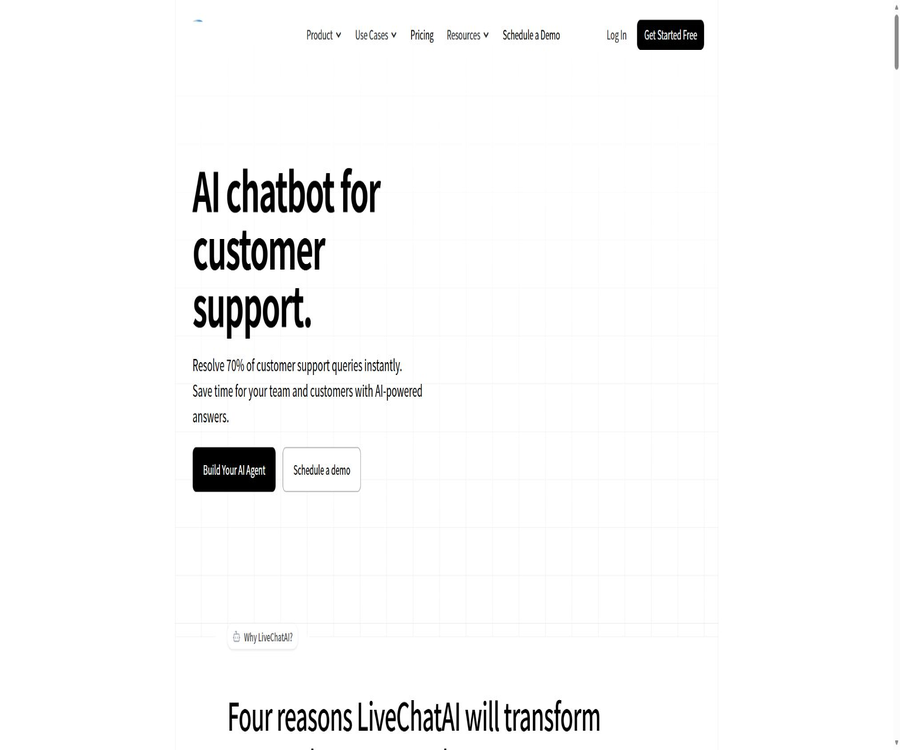
Free AI Chatbot for Customer Support (Best Answer Quality)
Free AI Chatbot for Customer Support (Best Answer Quality), an intelligent tool focused on AI-driven conversations
Tags:AI dialogue chatWhat is LiveChatAI?
LiveChatAI is an AI-powered customer service and online chat platform developed by Popupsmart Inc. Companies can use their own data to train these robots, which can then answer questions automatically on websites and messaging channels; when necessary, the conversation can be transferred to a human customer service representative.
It offers contact collection, conversation analysis, AI Actions, third-party integration, and developer interfaces, making it suitable for teams that wish to combine knowledge-based queries, lead generation, and human support.
A one-sentence summary
LiveChatAI can transform corporate knowledge into AI customer service bots that support 95 languages, and it incorporates live human intervention, automated actions, contact management, and multi-channel integration.
Core functions
| Functions | Primary uses | Suitable scenarios | Precautions |
|---|---|---|---|
| AI Chatbot | Answer the questions based on the company information. | Pre-sales, after-sales, and internal Q&A | The answer still needs to be checked continuously. |
| Live Chat | Live customer service takes over the conversation. | Complex, sensitive, or high-value consultations | It is necessary to configure agents and notifications. |
| Data Sources | Training corporate knowledge | Websites, files, texts, Q&A, etc. | Restricted by character limit |
| AI Actions | Invoke business process | Queries, notifications, reservations, and tickets | High-risk actions require confirmation. |
| Contacts | Collect and manage visitor information | Clues, customer identification, and synchronization | A legal basis for processing is required. |
| Analytics | Analyzing AI and human conversations | Observations on quality, demand, and conversion | Advanced analytics is available only in premium packages. |
| API | Programmatic management and integration | Custom applications and backend systems | Available from Advanced and above |
Train AI customer service using corporate data
Robots can learn from various sources such as websites, plain text, files, Q&A sections, YouTube videos, and Notion pages. Users can consolidate the help center, product descriptions, policies, and frequently asked questions into a single robot.
Supported knowledge types
- Public website and help center pages.
- Upload files such as PDFs.
- The text content pasted directly.
- Manually compiled question-answer pairs.
- Available content in YouTube videos.
- The Notion page authorized for connection.
Suggestions for knowledge base quality
Training materials should have expired pages, duplicate versions, and conflicting policies removed. For information related to prices, refunds, medical matters, legal issues, or account security, an expiration date should be indicated, along with a pathway for human intervention in such cases.
AI responses and multi-model selection
The package page lists a variety of models from OpenAI, Anthropic, Meta, DeepSeek, Google, and xAI. The basic package already includes several models, while the Advanced and Expert versions offer more advanced models as well as the capability to use OpenAI keys.
Principles for model selection
- For high-frequency simple Q&A, speed and cost are given priority.
- Complex policies and multi-step problems require stronger reasoning, but the referenced content must be verified.
- Multilingual customer service requires separate testing of terminology, tone, and regional expressions.
- When a model key is provided, both the platform fee and the fee charged by the model supplier are calculated.
- Model upgrades may change the style of the answers, so regression testing should be repeated.
Live online customer service and takeover
LiveChatAI integrates AI chatbots with human agents in the same workflow. When the bot is unable to provide an answer, or when a visitor requests to speak to a human agent or certain predefined conditions are met, team members can take over the conversation.
Agents and notifications
The \"Seat\" component of the package refers to real-person account credentials that allow access to the console and use of the platform; there is 1 seat for each of the Basic and Pro plans, 3 seats for the Advanced plan, and 6 seats for the Expert plan.
Dialogue flow and clue collection
Conversation Flow allows control over the way the conversation begins, the collection of visitor information, intelligent features, and the conditions under which human intervention is required. Contacts is used to view, filter, and export users identified during conversations, in order to synchronize customer management processes.
Minimum fields recommended for collection
- The name or title that is truly needed to solve the problem.
- Email or phone number for response.
- The minimum identifying information for an order, account, or ticket.
- The user’s explicit choice regarding subsequent contact and marketing.
- Human customer service agents need question summaries to understand the context.
AI Actions workflow
AI Actions enables robots to not only respond with text, but also to execute external processes as specified. The platform allows for the configuration of actions based on open interface descriptions, and it also offers pre-defined scenarios such as sending alerts about critical issues to Slack.
Actions suitable for configuration
- Check order status, reservations, or account status.
- Create a ticket and attach a summary of the conversation.
- Send urgent issue notifications to Slack.
- After collecting clues, they are entered into the customer management system or automation platform.
- Assign the session to the designated team according to clear rules.
Action safety boundary
The risk associated with query-related actions is generally lower than that of actions such as modification, refund, payment, and deletion. Companies should restrict the interfaces, fields, and permissions that can be used, and implement authentication and manual verification for irreversible operations.
Website embedding method
The platform offers various options for communication, such as floating chat components, in-page chatting, full-page chat, and message interfaces for mobile apps. Users can adjust the colors, themes, logos, language, initial messages, suggested questions, and guidance messages.
| Embedded format | Display location | Primary uses |
|---|---|---|
| Widget Messenger | Floating window in the corner of the web page | Universal pre-sales and customer service |
| Inline Messenger | Embed in the specified page area | Help center and in-product Q&A |
| Full Page Messenger | Independent and complete page | Dedicated AI assistant or knowledge portal |
| Mobile App Messenger | Within the mobile app | Entry point for native products |
| Brand-free model | Remove the platform identifier | White-label experience of the Expert solution |
Third-party platform integration
LiveChatAI officially supports WhatsApp, Slack, Make, and Zapier, and it is available for use in website building platforms such as WordPress, Shopify, Wix, Webflow, Ghost, Squarespace, and WooCommerce. The specific installation methods and available functions vary depending on the platform.
| Integration or platform | Primary uses | Precautions |
|---|---|---|
| WhatsApp Business | Receive customer messages on WhatsApp and reply automatically. | Business accounts and channels need to be compliant. |
| Slack | Internal team Q&A and notifications for key issues | Restrict accessible channels and content |
| Make | Connecting business applications to automated processes | Check the data range for each step. |
| Zapier | Trigger cross-application workflows | Independent task fees may arise. |
| Shopify and WooCommerce | Support for e-commerce products and orders | Authentication is required for operations on sensitive orders. |
| Website building platforms such as WordPress | Rapid deployment of website components | A retest is required after updating the theme. |
| Zendesk | Transfer the session to the real human ticketing system. | Mapping and agent workflow need to be configured. |
Tutorial on creating AI customer service robots
- Register an account and create a robot, specifying the products, regions, and languages it is responsible for.
- Add useful materials such as the official website, help documents, files, and live Q&A.
- Set the role, response tone, behavior when unable to answer, and prohibited actions.
- Configure the opening message, suggested questions, contact fields, and conditions for human takeover.
- Test using real customer service inquiries, error messages, and unauthorized requests.
- Choose the embedding format and deploy it on a test page first.
- After going live, check for unanswered questions, incorrect answers, and the rate of manual intervention.
Training knowledge base tutorials
- First, organize the unique and valid versions of the products, policies, and frequently asked questions.
- In the robot, go to Data Sources and select a website, a file, or a Q&A format.
- Only content that is permitted for use by customer service and does not contain any irrelevant or sensitive information is imported.
- Wait for the processing to be completed, then submit standard test questions by topic.
- Check whether the answers omit any constraints, time limits, or exceptions.
- Establish responsible persons for updates and review cycles for variable content.
- Delete the old data and retest the affected issues.
Configure the live human takeover tutorial
- Define the topics that require upgrading, such as refunds, complaints, security, and complex failures.
- Add team members and assign access rights according to package seats.
- Configure settings for manual handling of visitor requests, low-confidence responses, and keyword triggers.
- Set up email, Slack, or other available notifications.
- Ensure that human agents can see past conversations and the collected information.
- Test the visitor experience in online, offline, timeout, and no-answer scenarios.
- Improve the knowledge base and scheduling based on the reasons for takeover.
Tutorial on creating AI Actions
- Select the first business action that is read-only and easy to verify.
- Prepare the restricted keys as well as the specific interface fields, permissions, and error responses.
- Import the interface description or configure actions according to the platform requirements.
- Specify the trigger conditions, questions to ask when fields are missing, and error messages.
- Use the test environment to verify normal cases, lack of permissions, timeouts, and duplicate calls.
- A second confirmation is required for actions that modify data or incur costs.
- After going live, track call, failure, latency, and exception costs.
Which users are it suitable for
- SaaS companies: Use product documentation to handle technical support and account-related issues.
- E-commerce team: Answers questions regarding products, delivery, returns and exchanges, as well as usage.
- Small and medium-sized enterprises: Provide round-the-clock basic customer service with a reduced number of support agents.
- Educational institutions: Provide Q&A regarding courses, admissions, and learning materials.
- Internal support team: Allows employees to access information on policies, procedures, and IT knowledge.
- Marketing and sales team: Collect leads and identify highly interested visitors.
- Developers: Connect their own business systems via APIs and AI Actions.
- Agent: Configure different robots for multiple clients.
Typical use cases
- Repetitive pre-sales and after-sales questions are answered on the official website throughout the day.
- Resolve common product issues according to the help documentation.
- Send automatic replies via WhatsApp and forward them to a human.
- Search for internal knowledge or send urgent alerts in Slack.
- Collect compliance-related clues from conversations and synchronize them with the business system.
- Check the order status and generate a ticket summary.
- Analyze unresolved issues and update the knowledge base.
- Run multiple robots for different brands or business lines.
Product advantages
- Place AI responses and live human support on the same platform.
- It supports knowledge types such as websites, files, text, Q&A, videos, and Notion.
- It supports a variety of mainstream models and up to 95 languages.
- It offers various embedding options such as web pages, full-page displays, in-page integration, and mobile applications.
- WhatsApp, Slack, Make, and Zapier cover common integration needs.
- AI Actions can extend from answering questions to handling business inquiries and sending notifications.
- The public plan lists the limits for messages, characters, bots, and seats.
- Versions Advanced and above offer API access as well as the ability to use built-in OpenAI keys.
- The free plan does not require a credit card, and it is possible to test the effectiveness of the responses first.
Usage restrictions and precautions
- Message credit points are not unlimited for conversations; long sessions may consume multiple messages.
- The knowledge base is subject to character limits; there is no limit on the number of files, but this does not mean that there is no limit on the amount of content.
- Even with the OpenAI keys included, Advanced and Expert versions still require payment to the model provider.
- The API is explicitly available only in Advanced and Expert versions.
- Advanced analytics and the brandless option are available only in higher-tier packages.
- The model may produce incorrect answers, omissions, or responses that are not in line with the latest policies.
- The effectiveness of human takeover depends on scheduling, notifications, and agent response.
- Third-party channels and automation platforms may have separate fees and usage restrictions.
- Visitor identity, order details, and support information are considered personal data, with the company bearing primary responsibility for them.
- The product platform is not open-source; the availability of public interfaces does not mean that it can be deployed in a private environment.
Price of monthly subscription plan
| Plan | Monthly price | Message credit points | Knowledge characters | Robot | Seats |
|---|---|---|---|---|---|
| Free | $ | 250 | 500,000 | 1 | 1 |
| Basic | 39 dollars per month | 4,000 | 5 million | 1 | 1 |
| Pro | $ | 10,000 | 10 million | 2 | 1 |
| Advanced | $ | 15,000 | 10 million | 5 | 3 |
| Expert | $ | 20,000 | 10 million | 10 | 6 |
| Enterprise | Contact sales | Higher limit | In accordance with the contract | In accordance with the contract | In accordance with the contract |
Annual plan price
| Plan | Monthly price equivalent to annual payment | The page shows the annual fee. | Relative monthly payment |
|---|---|---|---|
| Free | $ | $ | No change |
| Basic | 32 dollars per month | $ | Which is equivalent to about 2 months of free service. |
| Pro | 74 dollars per month | $ | Which is equivalent to about 2 months of free service. |
| Advanced | $ | $ | Which is equivalent to about 2 months of free service. |
| Expert | $ | $ | Which is equivalent to about 2 months of free service. |
The price verification date is August 22, 2026. On the official website, there is some repetition in the formatting of certain text related to annual payment cards; therefore, the monthly rate and annual fee stated clearly on the page are used here. Taxes, costs associated with model keys, and channel fees shall be determined based on the actual settlement amounts.
Comparison of package features
| Functions | Basic | Pro | Advanced | Expert |
|---|---|---|---|---|
| Fundamental analysis | Support | Support | Support | Support |
| Advanced analytics | Not supported | Not supported | Not supported | Support |
| API access | Not supported | Not supported | Support | Support |
| Includes an OpenAI key. | Not supported | Not supported | Support | Support |
| Advanced models | Basic set | Basic set | Add higher-order models | Add higher-order models |
| AI Boost and question-answer generation | Not supported | Not supported | Support | Support |
| Remove the brand | Not supported | Not supported | Not supported | Support |
| Real-person seats | 1 | 1 | 3 | 6 |
| Number of robots | 1 | 2 | 5 | 10 |
Refunds and subscriptions
The platform offers a refund guarantee: a full refund can be requested for monthly subscriptions within 15 days, and for annual subscriptions within 30 days. To cancel a subscription, it is necessary to contact the support team following the instructions provided in the help center.
Eligibility for subscription, renewal, and refunds is still subject to the applicable policies and the details of the account at the time. It is advisable to save information regarding the package, order, and refund deadline before making a purchase, and to cancel the service in advance if it is no longer needed.
Message quota and built-in keys
The Advanced tier includes 15,000 platform message credit points, while the Expert tier includes 20,000 such points. By using one’s own OpenAI key, it is possible to overcome the limit on the number of platform messages; however, the cost associated with calling the models remains the responsibility of the user.
| Cost components | Who will collect it | Control recommendations |
|---|---|---|
| LiveChatAI subscription | LiveChatAI | Select by robot, seat, and function |
| Message credit points | Included in the package | Monitor session length and monthly remaining quota |
| Calling with a built-in model key | Model suppliers | Set budgets, limits, and alerts |
| Channels such as WhatsApp | Relevant channels or service providers | Confirm message template and regional prices |
| Make or Zapier tasks | Automation platform | Reduce unnecessary triggers |
| Additional manual support agents | It may affect the package. | Evaluate based on simultaneous logins and team size. |
API and developer integration
LiveChatAI provides a second version of the interface documentation, with requests being verified using API keys. These keys can be viewed and managed in the control panel; those who have account access should store them solely on the server side.
The old interface page indicates that some endpoints have been discontinued; developers should use the current version and avoid relying on outdated examples. Access to these interfaces is considered part of the Advanced and Expert features in the public pricing table.
API Security Checklist
- Use different keys for development, testing, and production environments.
- Do not include the key in website code, mobile applications, or public repositories.
- Only the minimum permissions required to complete the task are granted.
- Validate input, limit request frequency, and handle timeouts.
- Use an idempotent mechanism to prevent the duplicate creation of contacts or tickets.
- Log calls, exceptions, costs, and key rotation.
GitHub, SDKs, and open-source status
As of the time of verification, no public GitHub organization or open-source SDK repository that can be confirmed as belonging to LiveChatAI’s official team was found. Although the platform provides API documentation and options for third-party integration, this does not mean that the source code of the product is made available to the public.
| Project | Public status | Conclusion |
|---|---|---|
| LiveChatAI platform | Managed business services | The product is not open-source. |
| Developer API | Public documents; available only for premium plans. | It can be used for system integration. |
| Official SDK | No clear warehouse was found. | The interface can be used directly or a custom wrapper can be created. |
| Official GitHub | Not confirmed | Third-party warehouses with the same name cannot be considered official. |
| Model weights | Not disclosed | The platform model cannot be run offline. |
| Private deployment | The public page does not provide any information on this. | Enterprise requirements need to be confirmed through a quote request. |
Privacy and data roles
The privacy policy distinguishes between account holder data and end-user data. Account holders may provide their name, email address, phone number, as well as billing and payment information; end-users may submit their contact details, order information, or support-related data through chats and forms.
Corporate clients are in charge of controlling end-user data, with Popupsmart Inc handling things according to the instructions provided by those clients. It is the clients’ responsibility to determine the legal basis for collecting and processing this information, as well as to establish the relevant notification and selection mechanisms.
Data usage, retention, and deletion
The policy states that end-user data will not be used for the platform’s own marketing purposes, for creating user profiles, or for generating revenue from such data; it is used solely to provide services to account holders. Account data is retained as long as the account is active, and it is deleted or anonymized within a reasonable time frame after the account is closed or the user requests its removal, unless required by law.
End-user data is retained until the customer decides to delete it; deleting a contact results in the permanent removal of its associated information, and deleting an entire account also leads to the removal of the data related to its end-users. Data is usually kept for a short period of time, but this period may be extended when security, functional, or legal requirements demand it.
Cross-border and user rights
Data may be transmitted to the United States where it is processed. Users in the EU and the European Economic Area can request access to, correction of, deletion of, restriction of, objection to, portability of their data as well as withdrawal of consent; users in California also have rights to inquire about and have their data deleted.
Content rights and AI accountability
The terms stipulate that users retain the right to their submitted content, while granting the platform the permission to use, modify, display, copy, and distribute such content in order to provide its services. Users must ensure that the materials they upload are legal and do not violate privacy rights, copyright laws, or contractual obligations.
The AI responses are provided for convenience and informational purposes only; the platform does not guarantee their accuracy, completeness, or usefulness, nor is it recommended to use them as the sole basis for professional decisions. Companies should establish mechanisms for random testing, upgrading, and correcting errors.
Basic information
| Project | Content |
|---|---|
| Tool name | LiveChatAI |
| Operating company | Popupsmart Inc |
| Tool type | AI customer service robots, online chatting, and automated customer service |
| Core competencies | Knowledge base Q&A, human takeover, AI Actions, contacts, and analysis |
| Supported languages | Up to 95 languages |
| Main platforms | Web, web components, messaging channels, and APIs |
| Price pattern | Permanently free, monthly payment, annual payment, and enterprise pricing |
| Free quota | 250 messages, 500,000 characters, 1 robot and 1 seat |
| Is registration required? | Creating and managing robots requires |
| Public API | Available: Advanced and above |
| Official SDK | No findings were detected. |
| Is the product open source? | Not open source |
| Official GitHub | Not confirmed |
| Date of entry into force of the privacy policy | September 18, 2025 |
| Applicable Law to the Terms | Laws of Delaware, United States |
| Price verification date | August 22, 2026 |
Recommendation score
Recommendation score: 4.4 / 5. LiveChatAI offers comprehensive features in terms of internal knowledge training, human intervention, multiple communication channels, action automation, and transparency regarding service packages; it is suitable for small and medium-sized enterprises that wish to set up AI-powered customer service quickly.
The shortcomings are that APIs, advanced models, white-labeling options, and sophisticated analysis features are available only in the more expensive plans; moreover, having model keys of one’s own incurs additional costs. Sensitive customer data and automated actions require strict access controls and compliance mechanisms.
Frequently Asked Questions
Is LiveChatAI free?
There is a permanent free plan that includes 250 message credits, 500,000 characters of storage space, 1 robot, and 1 seat, and no credit card is required.
How much is the Basic plan?
The monthly fee is 39 dollars per month, and it includes 4,000 messages, 5 million characters, 1 robot, and 1 human account; the annual fee amounts to 390 dollars.
How much is the Pro plan?
The monthly fee is 89 dollars per month, and it includes 10,000 messages, 10 million characters, 2 bots, and 1 seat; the annual fee amounts to 890 dollars.
Which packages come with an API?
The public price list only lists API access options for Advanced and Expert tiers. When developing, it is necessary to use the current second version of the interfaces and to protect the keys.
Is it possible to use one’s own OpenAI key?
Yes, but only available in the Advanced and Expert versions. Once connected, the limits on the number of messages that can be sent via the platform are lifted; however, there will be separate fees associated with calling the models.
Which training materials are supported?
It supports websites, text, files, live Q&A, YouTube, Notion, and more. Different plans impose limits on the amount of knowledge that can be stored based on the total number of characters.
Is live customer support available?
Supported. Visitors can be transferred from AI to a human agent, and teams can set trigger conditions, notifications, and arrange for third-party personnel to take over.
Is WhatsApp supported?
Integration with WhatsApp Business is supported, allowing robots to answer customers’ questions through this channel. Account fees, template costs, and channel fees need to be confirmed separately.
Is Slack supported?
Supported: It is possible to answer questions within Slack workspaces, as well as send alerts for important questions via AI Actions.
Can the brand logo be removed?
Yes, but the public price list will list brand-free features under the Expert plan, while these features are not included in the lower-tier plans.
How can I get a refund for monthly and annual payments?
A full refund can be requested for monthly subscriptions within 15 days, and for annual subscriptions within 30 days. The actual eligibility is determined by the policies in effect at the time of the refund and the details of the order.
Will end-user data be used for marketing?
The privacy policy states that the platform will not use end-user data for its own marketing purposes, for creating user profiles, or to generate revenue from such data; it processes this data solely to provide services to customers.
What happens if I delete a contact?
According to the policy, once a contact is removed from the robots or contacts section, the corresponding information is permanently deleted from the system; deleting an account also results in the deletion of the data related to that end user.
Is LiveChatAI open source?
It is not open source. It offers a hosting platform and developer APIs, but no official open-source SDK or complete product source code repository that can be identified has been found.
Is it suitable for dealing with medical or legal issues?
General information can be diverted, but AI responses cannot be regarded as professional advice. For high-risk questions, the scope of the response should be limited and the matter should be promptly referred to qualified personnel.
Summary
LiveChatAI is suitable for companies that wish to create multilingual AI customer service solutions using their own data, while still retaining the ability to use human agents, maintain contact information, and carry out business-related tasks. The free version is ideal for testing purposes; the Basic and Pro versions are suitable for basic customer service needs, whereas the Advanced version and higher are better suited for integrating APIs and handling complex automation tasks.
Before going live, it is necessary to clean up the knowledge base, test key issues, establish rules for takeover and execution of actions, and estimate the costs associated with platform subscriptions, model keys, messaging channels, and automation tools. When dealing with customer data, it is important to define procedures for its storage, retention, deletion, and cross-border handling.
Tools similar to Free AI Chatbot for Customer Support (Best Answer Quality)




 Guigong Network Security Registration No. 45132202000164