






Claap
Claap, an intelligent tool focused on AI-driven conversations
Tags:AI dialogue chatWhat is Claap?
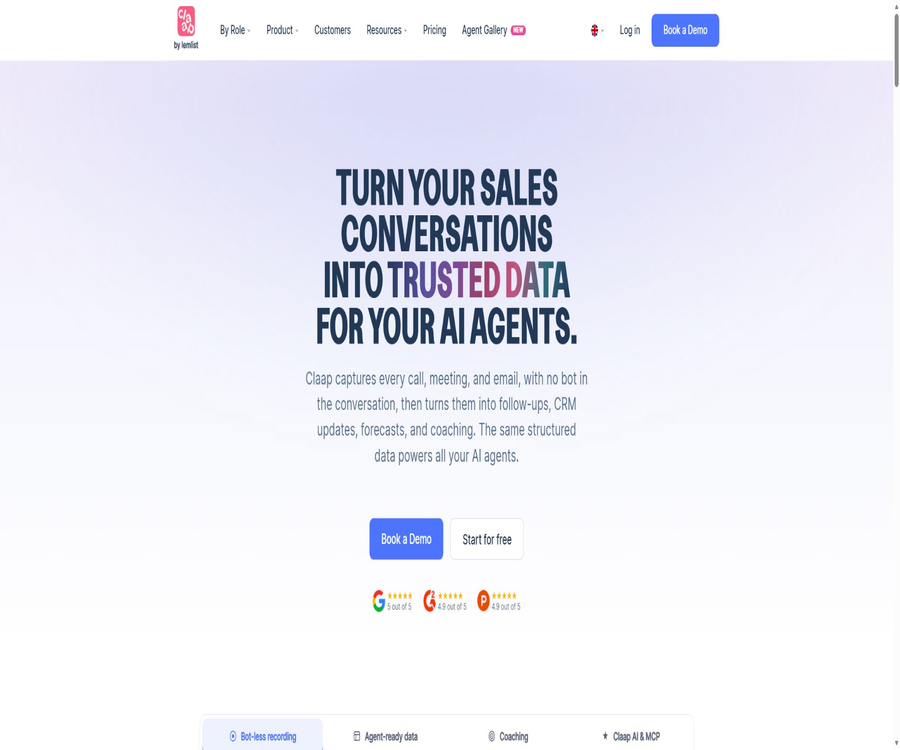
Claap is an AI conversation intelligence platform designed for sales, customer success, and revenue teams. It can record online meetings, phone calls, in-person conversations, and related emails, then organize these dialogues into transcripts, summaries, action items, sales fields, as well as structured data that can be used by AI agents.
The product highlights features such as recording without the use of robots, automatic CRM data enrichment, scoring of sales methodologies, and cross-meeting analysis. It can be used as a personal meeting assistant, as well as as part of a team’s sales data management and automated workflow systems.
A one-sentence summary
Claap can capture sales conversations without having recording robots participate in the meetings, generate multilingual transcriptions and AI summaries, and sync customer needs, objections, next steps, and signs of a deal closure to CRM systems or external AI agents.
Main functions
No robot-based meeting recording
Claap can capture online meetings through local recording, without the need to include a visible robot in the call. When it is necessary to have participants who are visible in the recording, users can choose to invite the Claap robot for each individual meeting.
- It supports starting the recording of online meetings from the calendar, thereby reducing the risk of missed manual initiations.
- It covers common meeting scenarios such as Google Meet, Microsoft Teams, and Zoom.
- It is possible to record the screen, webcam footage, and system audio using Chrome extensions or macOS desktop applications.
- Mobile apps can record in-person meetings, as well as display schedules, summaries, and past records.
- You can also upload existing audio or video files to add additional historical interviews and customer calls.
Transcription in over 99 languages
The current package page lists 99 languages for transcription; other sections of the official website use expressions in over 100 languages and accents. A figure of 99 or more is taken as a safe estimate for the main text, whereas Chinese, dialects, simultaneous speech, and technical terms still require actual testing.
AI Summaries and AI Fields
After the meeting, it is possible to generate basic or advanced summaries, action items, key conclusions, and customized prompt results. The platform is in the process of migrating the old Insights templates to AI Fields and Meeting Views, and the return formats for APIs and Webhooks are also undergoing corresponding changes.
- A basic summary is suitable for a quick review of the meeting’s topics and next steps.
- Custom AI fields can extract information such as budgets, objections, requirements, competitors, and commitments.
- Meeting Views combines multiple fields to create reusable meeting views or smart tables.
- The cross-meeting view is suitable for comparing sales representatives, customer stages, or the implementation of a particular methodology.
Automatic CRM enrichment
Claap is able to generate structured notes based on the content of conversations, and to update both standard and custom fields in the CRM. The official website lists options such as HubSpot, Salesforce, Attio, Pipedrive, as well as custom CRMs.
The system can also score transactions based on sales methodologies such as SPICED, MEDDIC, and BANT. Before automatically saving the data, it is necessary to verify field mappings, permissions, and error handling, in order to prevent the AI’s conclusions from overwriting the data that has been manually maintained.
AI follow-up emails and sales coaching
The Business plan offers AI-generated follow-up emails, call ratings, coaching suggestions, and insights into transactions. Managers can use rating cards to assess whether their approach to asking questions, listening, handling objections, and determining next steps is in line with the team’s methods.
Claap AI and cross-meeting Q&A
Claap AI can generate questions related to a single meeting or multiple meetings, in order to identify the needs, risks, and commitments mentioned by clients. Cross-meeting analysis is more suitable for reviewing project progress and providing team coaching, but the conclusions obtained should still be verified against the original transcripts.
Collaboration and asynchronous video
Users can comment on recorded content, mention colleagues, add reactions, attachments, and video replies; they can also organize materials by team, channel, and permissions. The Pro plan and higher offer more comprehensive features for private channels, roles, and sharing controls.
Video editing and sharing
Claap supports recording from the screen and camera, automatic chaptering, subtitles, video stitching, and AI-assisted editing. Different plans offer varying levels of functionality regarding downloading, themes, thumbnails, and action buttons.
Smart Tables and sales reports
Smart Tables organizes meeting details and AI-related fields into a structured, filterable view. Teams can view objections, next steps, methodology scores, and transaction status at a glance, which makes it more suitable for large-scale analysis than reading summaries one by one.
Complete workflow
- Create a workspace and connect to a Google or Outlook calendar.
- Choose between local recording without a robot, visible meeting robot, mobile recording, or file upload.
- Configure automatic recording, sharing scope, and notification for recording consent.
- After the meeting, check the speaker notes, transcription, summary, and action items.
- Create AI Fields as required by business needs, or use meeting views such as SPICED and MEDDIC.
- Connect to CRM, test the field mapping first, and then enable automatic enrichment.
- Pass authorized data to other workflows via API, Webhook, or MCP.
- Regularly check the recording permissions, storage duration, AI quota, and conclusions with low confidence levels.
Usage tutorial
First recording of the meeting
- After registration, create a personal or team workspace and verify that you have the legal authority to record meetings.
- Connect the calendar to the meeting platform that will be used, and check to see if the upcoming events are listed there.
- Install Chrome extensions or macOS desktop apps, and enable microphone and system audio permissions as needed.
- Choose between automatic recording or manual activation, and provide the participants with all necessary information before the meeting starts.
- After the meeting, wait for the transcription to be completed, then correct the names, speakers, and key terms.
- Check the summary and action items; review the key conclusions in the original conversation before sharing them.
Establish a sales CRM workflow
- Choose a low-risk type of meeting, such as a first discovery call or a client review.
- Identify the fields that need to be extracted, such as pain points, budget, decision-maker, objections, and next steps.
- Create the corresponding AI fields, and use multiple past meetings to verify the stability of the extraction process.
- Connect to the CRM testing environment and map companies, contacts, transactions, and custom fields.
- First, let the system generate a draft or only update the test records, which can then be verified item by item by the sales staff.
- Expand the scope of automation only after confirming accuracy, and keep track of changes as well as the option for manual reversal.
Accessing APIs and Webhooks
- The API and Webhook settings are opened by the workspace Owner or Admin.
- Create API keys with clear purposes, and save them in a secure key management tool the first time they are displayed.
- Test permissions using the recording list and individual recording interfaces; do not request all historical data at once.
- Obtain text or JSON format transcriptions, meeting information, and coach metrics as needed.
- Create a Webhook for the recording_added or recording_updated event.
- Verify the signature, handle duplicate events, retry on failures, and ensure the field format is correct before integrating into the production process.
Which users are it suitable for
- B2B sales representative: Records calls, demonstrations, and negotiations, and creates follow-up materials.
- Sales Manager: Use scorecards and cross-meeting views to identify key coaching priorities.
- Revenue Operations Team: Synchronizes the structured fields from conversations to CRM and reports.
- Customer Success Team: Identifies renewal risks, customer objectives, commitments, and next steps.
- Recruiters and researchers: Transcribe interviews and extract themes upon authorization.
- Product team: Extracts requirements, objections, and feature feedback from customer conversations.
- Automation developers: Connect internal systems or AI agents through APIs, Webhooks, and MCP.
Typical use cases
- Sales discovery call: Automatically identifies pain points, budget, decision-making processes, and competitive information.
- CRM maintenance: Write the confirmed summaries, next steps, and transaction signals back into the corresponding records.
- Sales coach: Compare the ratio of conversations, the quality of questions asked, and the way methodologies are applied.
- Client handover: Helps the implementation or client success team quickly understand the commitments that have been made.
- In-person visits: Use mobile devices to record the discussions that take place on site and generate meeting minutes.
- Asynchronous communication: Record screen recordings with explanations, allowing colleagues to leave comments and responses along a timeline.
- AI agent analysis: Query meetings, emails, contacts, companies, and transactions via MCP.
- Automated notifications: Send a summary to collaboration or knowledge tools once a new recording is completed.
Product advantages
- The absence of robotic recording locally reduces the interference caused by visible meeting robots, while still allowing the use of robotic options if desired.
- It covers various session channels such as online, telephone, offline, file upload, and email.
- Transcription in over 99 languages is suitable for cross-regional teams, but professional corpora still need to be tested.
- Not only are summaries generated, but CRM fields, sales scores, and structured meeting views can also be created.
- It supports the mixed use of Basic, Pro, and Business licenses, enabling cost control based on roles.
- It offers public APIs, Webhooks, and MCP, enabling integration with custom workflows and external AI tools.
- Recording, collaboration, sales coaching, and data activation are all gathered in one workspace.
- The free plan allows you to test the recording, transcription, and basic summarization processes first.
Usage restrictions and precautions
- The 10 videos and 300 minutes available in the Basic plan constitute the total allowance, and this amount is not refreshed automatically on a monthly basis.
- Although Pro allows for an unlimited number of recordings to be created, there are still limits on the amount of time spent on transcription and on the number of recordings that can be uploaded each month.
- There is no time limit for recording Business content, but this does not mean that there are no limits on AI points or on the number of files that can be uploaded.
- The official website shows two options regarding the maximum number of members in the free workspace: 5 Basic licenses or 20 members; the rules applicable to the account shall prevail.
- The labeling of the packages to which APIs and MCPs belong is not entirely consistent across the pricing pages; it is necessary to confirm the desired license before making a purchase.
- AI Fields and the old Insights format are in the process of being migrated; API and Webhook integrations require compatible fields.
- Privately recorded content cannot be accessed via API or MCP by default; it must meet the requirements regarding workspace visibility and global search criteria.
- Automatic summarization, scoring, and CRM fields may misinterpret the context; important transaction details must be reviewed manually.
- The legality of recording varies depending on the country, region, and the person being called; automatic notifications cannot replace the user’s responsibility to comply with relevant regulations.
- Third-party CRM, calendar, and automation platforms broaden the scope of data flow; therefore, the principle of least privilege should be applied.
- Access to the content remains available after canceling the subscription, but new recordings and advanced features are subject to the limitations of the Basic plan.
Prices and packages
The information below was verified on August 21, 2026. Claap offers plans called Basic, Pro, Business, and Enterprise; payments can be made either monthly or annually, with the annual option indicating a 20% discount. The price is displayed in dollars or euros depending on the region, but the actual currency used, any taxes, and the final amount will be as specified on the settlement page.
| Package | Public reference price | Billing method | Core recording quota | Suitable for users |
|---|---|---|---|---|
| Basic | Free | Long-term free license | Each user can have up to 10 videos in total, for a total duration of 300 minutes. | Experience recording, transcription, and basic collaboration. |
| Pro | In the US dollar zone, the annual cost is around 32 dollars per seat per month; in the euro zone, it is around 24 euros annually and 30 euros per month. | Monthly or annual payment | There is no limit on the number of recordings; 1,000 minutes per month. | Individuals, team leaders, and general collaborative teams |
| Business | In the US dollar zone, the annual cost is around 60 dollars per seat per month; in the euro zone, it is around 48 euros annually and 60 euros per month. | Monthly or annual payment | There are no limits on the number of recordings or their duration. | Sales, Revenue Operations, and Management Teams |
| Enterprise | Custom quote | Contract-based billing | No limits on recording, duration, uploading, or storage; AI quota can be customized. | Organizations that require SSO, SCIM, and migration support |
Comparison of quota and storage
| Project | Basic | Pro | Business | Enterprise |
|---|---|---|---|---|
| Video recording | Up to 10 per user in total. | No restrictions | No restrictions | No restrictions |
| Transcription and recording time | A total of 300 minutes | 1,000 minutes per month | No restrictions | No restrictions |
| Video upload | 3 in total | 10 per month | 50 per month | No restrictions |
| Monthly AI points | No fixed limit specified | 500 points per license | 1,000 points per license | Customization |
| Recording storage duration | 3 months | 2 years | 3 years | No restrictions |
| Key AI capabilities | Basic summary | Advanced Summaries and Conference Insights | CRM, email, coaching, and transaction insights | All Business capabilities and enterprise control |
For paid plans, you can contact sales to enable a trial version, and it is possible to use different licenses in the same workspace. Credit cards are an accepted payment method; for methods such as SEPA, you need to contact sales for confirmation.
Cancellation, downgrading, and seat adjustments
- Subscriptions can be canceled, and changes usually take effect at the end of the current billing cycle.
- After cancellation, the workspace changes to Free status; members become Basic members and lose Pro or Business features.
- The existing content remains available for viewing, but no new recordings can be created once the Basic limit is reached.
- Paid licenses that have been disabled or downgraded can be reallocated to other members for the remaining time of the current period.
- If an unused license is not reallocated before the next renewal, no charge will be applied at the time of renewal.
- The page does not promise an immediate proportional refund; it is necessary to check the specific terms of the order before making a purchase.
Platform support and integration
| Category | Support status | Primary uses |
|---|---|---|
| Web applications | Support | Manage workspaces, recording, transcription, views, and teams |
| Chrome extensions | Support | Screen, camera, and asynchronous video recording |
| macOS desktop applications | Support | Audio recording for robot-free meetings and systems |
| iOS and Android | Support | Recording of in-person meetings, schedules, summaries, and inquiries |
| Google Meet, Teams, Zoom | Support | Online meeting recording |
| Google and Outlook calendars | Support | Schedule synchronization and automatic recording |
| HubSpot, Salesforce, Attio, Pipedrive | Support | CRM automatically enriches and synchronizes with transaction data |
| Slack, Notion, Linear, etc. | Support | Collaboration, sharing, and workflows |
| Zapier, Make, n8n | Support | Automation via Webhook or connector |
| Public APIs and Webhooks | Support | Export recorded data and trigger custom workflows |
| MCP | Support | Allow AI-compatible tools to query authorized workspace data. |
The pricing comparison page also lists services such as Aircall, Ringover, lemlist VoIP, Gong, Allo, and Gravite, along with the ability to integrate content into platforms like Jira, GitHub, ClickUp, Confluence, Trello, and Asana. The detailed features and licensing terms should be checked before making a connection.
API, Webhook, and MCP
Public API
Claap offers a public API that allows users to list recordings, retrieve details of individual recordings, download text or JSON transcripts, and access meeting insights and workspace information. It also enables the creation of new recordings by uploading audio or video. API keys can only be created by the workspace owner or admin, and the full key is displayed only once.
The API does not simulate a user from a particular workspace; therefore, private recordings cannot be accessed directly. Both the recordings themselves and the folders in which they are stored need to be accessible to the members of the workspace, and they must also be visible in the global search.
Webhook
Currently, Webhook offers two types of events: recording_added and recording_updated. The event data can include the title, participants, summary, action items, insights, transcription location, and recording metadata.
The team can send events to Zapier, Make, n8n, or a custom receiver. For actual use, it is necessary to verify the Webhook Secret, handle duplicate deliveries, apply retry strategies, and take into account the different formats of AI Fields.
MCP server
Claap MCP enables compatible AI tools to access recorded content, transcriptions, synchronized emails, contacts, companies, transactions, and structured meeting views; it also allows for the publication of the generated slides. Connection is supported via OAuth, and API key authentication can be used for certain workflows.
- Search for meeting transcriptions by keyword or semantics, and use filters based on date, participants, company, or transaction.
- Read the full transcription, email body, contacts, company, and transaction information.
- Read pre-calculated fields from SPICED, MEDDIC, BANT, or custom Smart Tables.
- Allow external AI tools to generate account summaries, coach reports, or presentation content based on authorized data.
- Only data that is within the permissions of the current account and that is visible in the workspace can be accessed.
Privacy and data security
Claap handles account information, videos, audio, screen content, transcripts, attachments, comments, and integrated data in order to provide services for recording, playing, transcribing, summarizing, and collaborating. Administrators and authorized members can view relevant content based on their permissions within the workspace.
The privacy policy states that the AI functions make use of OpenAI’s enterprise API rather than its consumer-oriented chat services. The data submitted to this API is not used for training its models. Data intended for abuse detection is retained for a maximum of 30 days, unless required by law; when a video is deleted, the corresponding transcripts and AI-generated content are also removed from the Claap system.
- The official website states that it complies with GDPR and holds SOC 2 Type 2 certification; companies can view the materials available in the Trust Center.
- The product offers options for data residency, but the specific region depends on the package and contract agreed upon.
- The storage duration for recordings varies depending on the package, ranging from 3 months to an unlimited period.
- After the account is disabled, the team-shared content may remain available for other members to use.
- Calendars, CRM systems, models, and automation integrations will pass the necessary data to the relevant service providers for processing.
- Before starting recording, it is necessary to confirm the local rules regarding unilateral or multi-party consent, and to keep clear records of such information.
- For sensitive clients, as well as in medical, legal or financial meetings, the scope of recording and the permissions for downloading should be restricted.
- API keys, Webhook Secrets, and MCP permissions should be managed under the principle of least privilege and revoked regularly.
GitHub and open source
Claap has a public GitHub organization; currently, around 14 repositories can be seen there, including macOS audio drivers, installation tools, and some branches of third-party projects. Some of these repositories are licensed under MIT or GPL, but they are primarily used for recording components or as the foundation for development work.
The core source code of the Claap business platform, web applications, mobile apps, and the comprehensive sales intelligence system is not made public; therefore, these products should be classified as non-open source. The integration of GitHub content is merely a tool for collaboration, and it does not mean that Claap obtains or makes the customers’ code available.
Basic information
| field | Content |
|---|---|
| Tool name | Claap |
| Tool type | AI conference assistant, intelligent sales conversation tools, and revenue data platform |
| Key capabilities | No robot-based recording, transcription, summarization, CRM enhancements, sales coaching, or AI-driven data activation. |
| Language support | Over 99 languages and accents |
| Price pattern | Free licenses, monthly or annual payment per seat, enterprise customization |
| Free quota | Each user can have up to 10 videos in total, 300 minutes of video content in total, and 3 upload attempts. |
| Main platforms | Web, Chrome, macOS, iOS, and Android |
| Meeting platform | Google Meet, Microsoft Teams, and Zoom |
| Public API | Yes |
| Webhook | Yes |
| MCP | Yes |
| Official language SDK | No clear public information was found. |
| Official GitHub | There are public organization and component repositories. |
| Is the product open source? | No |
| Safety Statement | GDPR, SOC 2 Type 2, and data residency options |
Recommendation score
The recommendation score is 4.5 out of 5. Claap integrates robot-free recording, sales methodology, CRM fields, cross-meeting views, and MCP connections in a comprehensive way; it is suitable for teams that wish to incorporate meeting data into their sales processes and utilize AI agents.
The main shortcomings are the relatively high cost per seat, a few display conflicts on the package page, and the need to take into account AI points as well as the deadline for uploading and storing data. For ordinary users who simply use notes, the sales features available in Business might be more than necessary.
Frequently Asked Questions
Is Claap free?
There is a free Basic license that allows each user to create up to 10 videos, record up to 300 minutes of content, and upload 3 videos in total. Once these limits are reached, an upgrade is necessary in order to continue creating new content.
Does Claap require robots to join the meeting?
It’s not necessary; Chrome extensions and macOS desktop applications enable robot-free recording. Users can also choose which Claap robots to display for a particular meeting.
Does Claap support Chinese?
Support is available: the official version includes Chinese among the languages supported for transcription, and it offers support for more than 99 different languages. The accuracy of transcription for Mandarin, various accents, multiple voices speaking at once, and industry-specific terminology should be tested using actual examples.
Does Claap offer an API?
Public APIs are provided to allow access to information such as recordings, details, transcriptions, insights, and workspace data; it is also possible to upload audio or video files to create new recordings. API key management is available only to Owners and Admins.
Does Claap support Webhooks?
It supports the recording_added and recording_updated events, allowing summaries, action items, insights, and recording metadata to be sent to an automation platform or a custom-built system.
What can Claap MCP do?
MCP enables AI-compatible tools to search for meetings, emails, contacts, companies, transactions, and Smart Tables within the scope of their permissions. It is suitable for creating workflows for account reviews, sales coaching, and cross-meeting research.
Is Claap open source?
Commercial products are not open source. The audio drivers and other components available in the official GitHub repository come with different open source licenses, but this does not allow the entire Claap platform to be classified as open source.
Will the recordings be deleted after unsubscribing?
According to the official help documentation, once cancellation is carried out the existing content remains accessible; the workspace switches to Free status at the end of the billing cycle. Members lose access to paid features, and they are unable to continue recording once they reach the limit set for the Basic plan.
Will the meeting data be used for model training?
According to the current privacy policy, AI functions utilize OpenAI’s enterprise API for transcription, and the data submitted is not used to train these models. The team should still verify how Claap handles its own data, stores it, and interacts with third-party services.
How many people can be invited to a free workspace?
There is a discrepancy on the official page currently: the package comparison table indicates that a Basic license allows up to 5 users, while the FAQ states that a free workspace can accommodate up to 20 members. The actual number of users that can be invited depends on the settings of the workspace within the account as well as the billing rules.
Can the generated sales conclusions be directly entered into CRM?
Technically, it is possible to automatically populate CRM fields, but it is not recommended to overwrite critical transaction data without first conducting verification. Test records and manual review should be used first, before gradually expanding the scope of automatic data entry.
Summary
Claap has evolved from a tool for meeting recording and asynchronous video to a session data platform designed for sales teams. Its value lies in its ability to convert conversations into structured information that can be searched, compared, stored in CRM systems, and accessed by AI agents.
When making a choice, it is necessary to consider factors such as the number of minutes of recording, AI score, number of uploads, storage duration, and sales functions, rather than focusing only on the price per seat. Before official deployment, it is also essential to verify matters related to recording permissions, data storage areas, permission settings, and the migration of API fields.
Tools similar to Claap




 Guigong Network Security Registration No. 45132202000164