






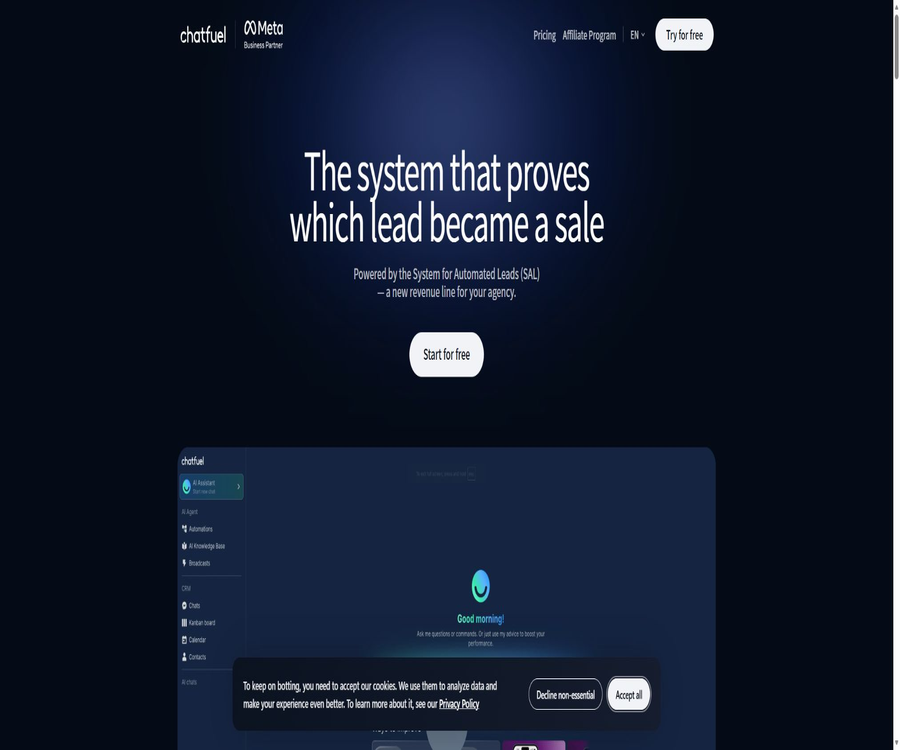
Chatfuel
Chatfuel, an intelligent tool focused on AI-driven conversations
Tags:AI dialogue chatWhat is Chatfuel?
Chatfuel is a code-free automation platform designed for social messaging, website customer service, and lead management. It enables the integration of conversations from WhatsApp, Instagram, Facebook, TikTok, and website visitors into various processes, shared inboxes, and AI assistants.
The current focus of the products is Fulley AI and the System for Automated Leads designed for agents; these tools help companies to automatically respond to inquiries, filter leads, schedule appointments, follow up, and pass complex conversations on to human agents. Chatfuel is also an official partner of Meta as well as a WhatsApp Business Solution Provider.
A one-sentence summary
Chatfuel combines multi-channel chat automation, AI-powered sales support, customer management, and the option for manual intervention; it is suitable for teams that want to acquire and keep in touch with customers through WhatsApp and Instagram.
Main functions
Fuely AI Sales and Customer Service Assistant
Fuely AI is designed for service-oriented businesses; it can provide immediate responses to inquiries, introduce products or services, identify potential customers, schedule appointments, and route conversations to the appropriate personnel. It relies on structured business data and specific instructions, rather than just generic prompts.
Structured knowledge base
The knowledge base is divided into three categories: About Company, Catalog, and FAQ. The company information includes its name, address, operating hours, and payment methods; the Catalog contains details about products or services, their prices, images, and availability status; while the FAQ provides brief answers to common questions.
| Knowledge module | Main content | Writing suggestions |
|---|---|---|
| About Company | Name, phone number, address, hours of operation, payment methods, and brief description | Only include stable corporate facts; do not replicate the entire directory. |
| Catalog | Product or service name, price, image, and availability status | Stay concise and remove duplicate items. |
| FAQ | Delivery, reservations, cancellations, parking, and common policies | The questions are phrased in a way that reflects what the customers say, and the answers are kept short. |
| Additional Instructions | Roles, task steps, output format, and examples | Write behavior rules; do not accumulate corporate data. |
Visualized workflows and automated responses
Chatfuel Light offers automatic responses, a workflow editor, and ready-made templates, which make it possible to set up keywords, buttons, and decision paths. Static responses that are not based on AI, button-driven workflows, broadcasts, and other basic automation features are not included in the AI usage quota.
Multi-channel automation
The current pricing page specifies automation options for Instagram, Facebook, and WhatsApp; the help center also provides documentation on automation for websites and TikTok. Different channels are subject to their own account types, message windows, template approval processes, and regional regulations.
| Channels | Primary uses | Key conditions |
|---|---|---|
| Consultation, booking, reminders, announcements, and lead filtering | Official WhatsApp business integration is required, along with compliance with Meta’s messaging rules. | |
| Automatic replies to private messages, comment-triggered actions, and lead follow-up | A professional account that meets the requirements and Meta authorization are needed. | |
| Homepage messages, auto-replies, and workflows | It is necessary to connect to a Facebook asset with administrative rights. | |
| TikTok | Private message tasks and redirection to appointments or external pages | A TikTok Business account is required, and the messaging rules must be followed. |
| Website | Web chat component and guest inquiries | The component code needs to be added to the site. |
Shared inbox and human takeover
The team can handle real-time conversations in the shared inbox, and take further action when automation requires human intervention. Fuely AI’s \"Move chats to team\" feature allows for the transfer of chats based on the user’s request, sensitive topics, requests outside the defined categories, or during business hours.
Appointments, reminders, and follow-ups
AI PRO supports scheduling, broadcasting, re-engagement, and automatic follow-up, enabling consultations to be translated into actual business actions. Outside of the 24-hour messaging window, WhatsApp requires the use of approved templates, and reminders as well as marketing messages must comply with Meta’s rules.
Clue filtering and routing
Fuely AI can assign a priority level to leads based on the user’s requirements, and then add them to the cultivation process or send them to the sales inbox. Companies should clearly define the eligibility criteria, rejection conditions, and routing rules, and regularly adjust them using actual conversations.
Contact management and grouping
Chatfuel Light includes functions for managing and segmenting contacts, while AI PRO offers more advanced tools for working with them. Teams can organize customers based on various attributes and levels of interaction, but collecting, importing, and using this data for marketing purposes still requires compliance with requirements regarding consent and opt-out options.
Integration and APIs
The pricing page lists connection options such as Google Sheets, Zapier, Stripe, and Chatfuel APIs; the API page also emphasizes that Fuely AI can be integrated with other platforms via REST. The actual available actions, authentication methods, and plan permissions depend on the specific workspace being used.
Agent SAL system
System for Automated Leads is designed for agencies that offer WhatsApp-based lead generation services; it includes lead funnels, templates, reports, and support for delivering services to clients. Compared to the robots that companies develop on their own, it focuses more on the processes related to sales, deployment, and renewal for agencies.
How Chatfuel works
- Create a workspace and connect to WhatsApp or another social platform that provides legitimate administrative permissions.
- Fill in the company details, catalog, and FAQ to create business knowledge that can be used by Fuely AI.
- In the Profile, set the role, task steps, tone, output format, and human boundaries.
- Use visual workflow configurations for keywords, buttons, broadcasts, reminders, and other non-AI automation elements.
- Set the rules for moving chats to a team, designate a responsible person, define working hours, and configure a shared inbox.
- Test appointments, FAQs, lead filtering, and manual requests in Preview Chat.
- After going live, examine the actual sessions, and continue to streamline the knowledge base as well as adjust the prompts and routing rules.
Fuely AI Setup Tutorial
- First, fill in the company name, contact information, address, business hours, and payment method.
- Add the main products or services to the Catalog, and set their prices, images, and availability status.
- Compile 10 to 25 frequently asked questions; keep each answer brief and limit it to the current policies only.
- In Additional Instructions, list the steps as greeting, collecting information, providing options, and confirming the results.
- Add typical examples to help the AI understand the desired format for reservations, quotes, and issues that cannot be handled.
- Configure the routing rules for situations where users request a live person, there are complaints, special requirements arise, or it is outside regular working hours.
- At least four types of complete sessions should be tested: test booking, frequently asked questions, error messages, and live human assistance.
Tutorial on website chat components
- Create a chat component in the website automation section and select the appropriate chat mode.
- Set the welcome message, colors, position of the components, as well as the ways in which AI and automation are used.
- Copy the installation code to the designated location in the website template or tag management tool.
- On the testing page, check the display on desktop and mobile devices, as well as the loading speed and any overlay issues.
- Simulate new visitor inquiries to verify that the relevant details are added to the contact list and can be forwarded to the shared inbox.
- Add a privacy notice, information on cookies, and details regarding the response time of live customer service before going live.
API Integration Tutorial
- Obtain the Token for the respective channel or robot in the workspace, and grant access only to those who need it.
- Based on the goal, choose to invoke the Chatfuel process, send content to contacts, or connect to Fuely AI.
- Store the Token in the server-side key system; do not write it directly into web pages or mobile application code.
- Use a test contact to send a minimal POST request in order to verify the parameters, attributes, and the response status.
- Mechanisms for idempotency and retry are established for repeated transmissions, timeouts, message window issues, and channel errors.
- Monitor API calls, message template status, and user unsubscrictions; suspend automatic sending in the event of any abnormalities.
Chatfuel also offers JSON API capabilities, which enable processes to call external services and bring back the resulting content or attributes to the robot. The classic API documentation and the current Fuely AI REST interface serve different purposes; it is necessary to determine which product module should be used before starting development.
Which users are it suitable for
- WhatsApp is tailored for small and medium-sized businesses: it handles inquiries, appointments, reminders, and follow-ups automatically.
- Instagram and TikTok teams: Convert private messages and comments into leads that can be followed up on.
- Beauty salons, clinics, fitness centers, and local service providers: Book appointments through the Catalog and schedule feature.
- E-commerce team: Answers product-related questions, sends shopping reminders, and handles basic after-sales services.
- Sales team: Filters leads, groups them, and assigns high-intent conversations to the appropriate staff members.
- Marketing agents: Deliver WhatsApp lead generation services to clients using SAL templates and reports.
- Developer: Connect business systems using APIs, JSON APIs, Zapier, or Google Sheets.
Typical use cases
- Handling of ad leads: After a user clicks on an ad, they are directed to WhatsApp where AI carries out an initial screening.
- Reservation service: Displays services and prices, collects preferred times, and sends reminders.
- FAQ Customer Service: Provides automatic responses regarding business hours, address, payment methods, and policies.
- Campaign and new product announcements: Send template messages to eligible contacts who have given their consent.
- Follow up with customers who abandoned their purchase or remained silent: Re-engage them within the allowed time frame and according to the established template rules.
- Complaint routing: Identify sensitive issues and promptly transfer the chat to a human agent.
- Conversion of website visitors: Answering questions via web components and creating contact records.
Product advantages
- The free version of Light already includes automation for three types of Meta channels, a shared inbox, and process editing.
- Fuely AI is structured around corporate information, catalogs, FAQs, and tasks, offering a clear business framework.
- AI can be combined with conventional automation; static processes do not consume the quota allocated for fair use of AI.
- It supports manual takeover, setting of working hours, and team assignment, facilitating the creation of a complete service cycle.
- It covers platforms such as WhatsApp, Instagram, Facebook, TikTok, and websites.
- There are no limits on the number of contacts and messages that can be made public, with the focus shifting to ensuring fair use in AI processing.
- It provides APIs for integration with mainstream systems, enabling collaboration with payment, spreadsheet, and business applications.
- The official partnership status with Meta facilitates connecting to WhatsApp’s business assets through the official channels.
Usage restrictions and precautions
- AI PRO’s AI processing relies on a fair use mechanism; the official website does not disclose any fixed tokens or limits on the number of responses.
- Once the fair use limit is reached, the robot will pause until renewal is performed, the waiting period is reset, or a custom OpenAI key is used.
- The longer the knowledge base, instructions, and session history, the more processing power is typically required for each AI response.
- Different social media platforms have varying requirements regarding account eligibility, message windows, template approval, and marketing consent.
- The costs associated with WhatsApp templates and other related channels may be determined by Meta’s rules, and they should be accounted for separately from Chatfuel subscriptions.
- AI may misinterpret prices, reservations, inventory levels, and refund policies; therefore, confirmation steps should be implemented for critical actions.
- Automatic broadcasting and re-engagement must provide a way to unsubscribe, and marketing messages must not be sent to unauthorized lists.
- The free version of Light primarily offers rule automation; it does not include an AI sales manager or an AI knowledge base.
- The API documentation includes both traditional process interfaces and the new Fuely AI entry points; it is not possible to use the parameters from these two interfaces together.
- The ownership of channel accounts, access permissions, and the procedures for revoking them after employees leave the company are matters that the enterprise must manage on its own.
AI fair use quota
The information on the current quota page indicates that the package includes an unlimited number of active contacts and unlimited messages; however, AI-generated responses, categorized messages, or the use of AI automation services consume part of the fair usage quota for each billing cycle. Keyword-based responses, button-driven processes, broadcasts, and other forms of automation that are not based on AI are not included in this quota.
| Behavior | Is the AI quota being used? | Explanation |
|---|---|---|
| AI-generated response | Consumption | It will read from the knowledge base, instructions, and session history. |
| AI message classification | Consumption | Used to identify intent or clue status |
| AI automation | Consumption | Tasks handled with the participation of the model |
| Keyword response | No consumption | They belong to static rules. |
| Button workflow | No consumption | No limit when AI is not used |
| Broadcasting | It does not consume any AI quota. | It is still subject to channel templates, approval, and sending rules. |
| Regular non-AI automation | No consumption | The rules applicable to the messaging channel itself remain in effect. |
If the limit is reached, the AI robot will stop responding. Users can renew immediately to start a new billing cycle, wait for an automatic reset, or contact support to use their own OpenAI API key so that the model provider handles the billing.
Prices and packages
The prices listed below were verified on August 21, 2026, and are expressed in US dollars. Chatfuel currently offers two plans; the monthly price for AI PRO is 49 dollars, and the annual payment option is said to offer a 29% discount, although the total amount due for an annual subscription is not clearly indicated in the available information.
| Package | Price | Billing method | Main functions | Suitable for users |
|---|---|---|---|---|
| Chatfuel Light | Free | No credit card required | Automation for Instagram, Facebook, WhatsApp; shared inboxes, workflow editing, contact grouping, and templates | Start with a small team to automate the rules. |
| AI PRO | $ | Monthly payment; annual payment – marked as offering a 29% savings | It includes all of Light’s capabilities, with additional features such as an AI sales manager, an AI knowledge base, AI automation, broadcasting, re-engagement, a lead funnel, and advanced tools for contacting humans. | Teams that need AI for sales and customer service |
The price page indicates that the amount of usage is subject to plan limitations, and it advises teams with high usage levels to contact the platform to select an appropriate configuration. The final annual fee, taxes, channel fees, and any special arrangements shall be as specified on the settlement page or in the contract.
Differences between the free version and AI PRO
| Ability | Chatfuel Light | AI PRO |
|---|---|---|
| Automation of social media channel rules | Support | Support |
| Shared inbox | Support | Support |
| Process editor and templates | Support | Support |
| Contact management and grouping | Support | Advanced tools |
| AI Sales Manager | Not included | Support |
| AI knowledge base | Not included | Support |
| AI-driven automation | Not included | Support |
| Broadcasting and re-interaction | The rules of the basic channels shall prevail. | Clearly included |
| Clue qualification funnel | Not included | Support |
Supported platforms
| Platform | Support status | Explanation |
|---|---|---|
| Web management backend | Support | Configure channels, knowledge, processes, contacts, and inbox. |
| Support | Official service integration, AI customer service, and automation | |
| Support | Private messages and related automation | |
| Support | Automation of Facebook channels | |
| TikTok | Support | The help center provides account connection details and task documentation. |
| Website chat component | Support | It is possible to set components and chat handling modes. |
| iPhone and iPad | Support | Official mobile app available |
| Android | Support | Official Google Play app available |
| Native clients for Windows and macOS | No findings were detected. | It is primarily used through the web backend. |
| REST API and JSON API | Support | Used for connecting to external systems and custom processes |
Privacy and data security
Chatfuel handles account details, payment and transaction information, device and network data, cookies, product usage records, as well as the content submitted by customers through the robot. Corporate clients usually need to first deal with requests from end-users, as well as matters related to legal grounds and rights.
The privacy policy states that personal data is generally retained for as long as it is necessary to maintain an account or to provide services; legal requirements, disputes, and debt collection efforts may extend this period. The platform employs physical, technical, organizational, and managerial measures, but it cannot guarantee absolute security in internet transmissions and storage.
- When connecting channels, only the necessary asset and page permissions are granted, and the list of administrators is checked regularly.
- Do not enter identification documents, medical records, bank cards, or other sensitive information directly into the AI knowledge base.
- Before collecting phone numbers and behavior tags, explain their purpose, retention period, and how to cancel subscription.
- Sites that use analysis tools such as PostHog and Google Analytics should have proper Cookie consent settings in place.
- When end-users submit requests to access or delete data, the responsibilities of the enterprise and Chatfuel must be addressed separately.
- The platform does not sell personal data in exchange for money, but some advertising and analytics technologies may involve sharing of data across different contexts.
- Before proceeding with the official purchase, it is necessary to verify the data processing agreement, the sub-processors, the region, and the rules regarding AI model data.
APIs, SDKs, and GitHub
Chatfuel provides an API that enables the sending of specific Blocks or Flows via POST requests, in order to deliver content to contacts with certain attributes. The JSON API allows robot workflows to call external services, and the product page also offers a REST interface for Fuely AI.
As of the time of verification, no complete official multilingual SDK was found. The GitHub organization chatfuel-lab, whose domain has been verified as official, provides an example repository containing a JSON API Lambda implementation; however, this is merely example code and does not indicate that the Chatfuel platform or the Fuely AI server side are open source.
Basic information
| field | Content |
|---|---|
| Tool name | Chatfuel |
| Name of the AI assistant | Fuely AI |
| Tool type | Multi-channel chat automation, AI-powered sales support, and lead management platform |
| Key channels | WhatsApp, Instagram, Facebook, TikTok and websites |
| Price pattern | Free Light and paid AI PRO |
| Minimum payment amount | AI PRO costs $49 per month. |
| Free version | Yes, no credit card is required. |
| Contacts and messages | There is no limit; however, AI processing is subject to fair use limits. |
| Human takeover | Supports shared inboxes and Move chats to team |
| Mobile apps | iOS and Android |
| Public API | Yes |
| JSON API | Yes |
| Official SDK | No complete and publicly available SDK was found. |
| Official GitHub | There are example organizations and JSON API example repositories. |
| Is the product open source? | No |
| Cooperation status | Meta’s official partners and WhatsApp Business Solution Providers |
Recommendation score
The recommendation score is 4.5 out of 5. Chatfuel achieves a good balance between acquiring customers via WhatsApp and Instagram, enabling multi-channel automation, providing structured AI-based knowledge, as well as allowing for manual intervention along with a lightweight CRM system; its free version also makes it easy to test the various rules and processes first.
The main shortcomings are that AI PRO uses fixed, undisclosed quotas for fair usage; the channel rules and template fees require additional understanding, and there is a learning curve associated with working with both traditional APIs and the new AI interfaces. Teams that rely heavily on long-term AI conversations should first assess their actual consumption levels.
Frequently Asked Questions
Is Chatfuel free?
Chatfuel Light is free and does not require a credit card; it offers automation for Instagram, Facebook, and WhatsApp, a shared inbox, workflow editing, contact management, and templates. An AI sales manager and an AI knowledge base are available only with AI PRO.
How much is AI PRO?
The current monthly price is 49 dollars. The official website states that an annual payment can save 29%, but the overall annual cost as well as any related fees depend on the details shown on the settlement page.
Are there any limits on contacts and messages?
The current quota specifications state that active contacts and messages are not subject to any volume limits, but AI processing is governed by a fair usage limit per billing cycle; once this limit is reached, the AI robot will stop working.
Which operations consume AI quota?
Generating responses with AI, categorizing messages, and running AI-based automations consume this quota. Keyword-based responses, button-driven workflows, broadcasts, as well as regular automations that do not make use of AI, do not consume this quota.
Is live customer support via WhatsApp available?
Yes, the team can handle real-time conversations in a shared inbox. Fuely AI can also route chats to specific members based on user requests, sensitive topics, questions outside the defined categories, and business hours.
Is it compatible with Instagram and TikTok?
It supports automation for Instagram, and the help center also provides documentation on connecting TikTok accounts as well as setting rules for tasks and messages. Different platforms require compliance with their respective requirements regarding business accounts and authorization.
Can it be added to the website?
Yes, Chatfuel offers website chat components as well as options for configuring chat modes. Website administrators need to install the relevant code and test how the chat functions on mobile devices, as well as the privacy-related messages and the option for human intervention.
Does Chatfuel offer an API?
It provides APIs for sending Blocks or Flows, a JSON API, as well as the current REST connection endpoint for Fuely AI. Before starting development, it is necessary to check the account package and the documentation related to the specific modules.
Does Chatfuel have an official SDK?
No fully available official language SDKs have been found. The content available on GitHub consists mainly of Lambda examples for JSON APIs, and it cannot be considered a platform SDK.
Is Chatfuel open source?
The Chatfuel platform and Fuely AI are not open source; the example repositories on their official GitHub sites only show partial integration code, and do not include the source code for the server side of these commercial platforms.
What to do once the AI quota is reached?
You can renew immediately to start a new cycle, wait for automatic reset at the next billing cycle, or contact support to obtain your own OpenAI API key. Once you use your own key, the costs associated with AI processing are charged directly by the model provider.
Can I cancel my subscription?
It is possible to cancel the payment plan within the billing settings. A refund can be requested through the in-app support or customer service; whether it is granted depends on the specific billing situation and the applicable rules.
Summary
Chatfuel is suitable for creating an automated workflow that connects advertisements, private social messages, website inquiries, and WhatsApp follow-ups. Light can be used for rule-based processes, while AI PRO incorporates Fuely AI, a knowledge base, lead qualification tools, and the ability to initiate re-interactions.
Before going live, it is necessary to organize structured corporate knowledge and the rules for manual intervention; subsequently, real conversations should be used to assess the level of fair usage by the AI. Compliance with regulatory requirements, customer consent, template approval, and manual verification by key personnel are also essential steps that cannot be ignored.
Tools similar to Chatfuel




 Guigong Network Security Registration No. 45132202000164