






Chat Thing
Chat Thing, an intelligent tool focused on AI-driven conversations
Tags:AI dialogue chatWhat is Chat Thing?
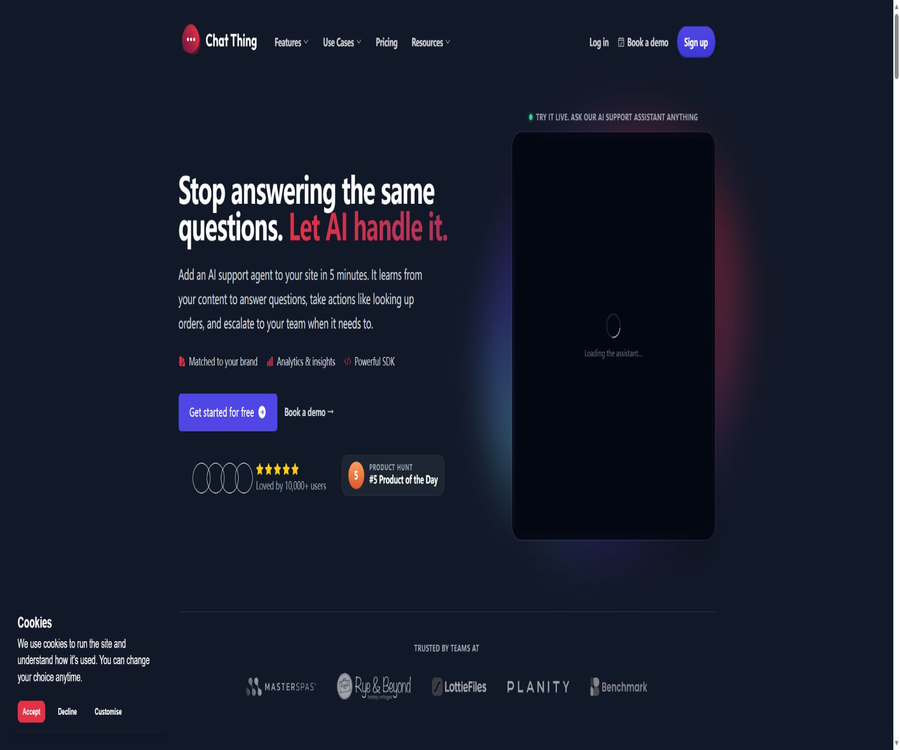
Chat Thing is an AI agent platform designed for use in supporting corporate customers, operated by the British company CHAT THING LTD. Companies can upload their websites, documents, FAQs, and internal knowledge to this platform, allowing the agents to answer customers’ questions continuously; when necessary, they can forward such inquiries to human staff.
It brings together knowledge base Q&A, website chat components, multi-channel deployment, model selection, automated execution tools, and customer service analytics under one backend. The focus of this product is not to provide a generic chat interface, but rather to assist teams in creating intelligent customer service agents that can represent the company in providing responses and taking actions.
A one-sentence summary
Chat Thing enables the creation of AI customer service agents using an enterprise’s existing content, which can be deployed on websites, Slack, Discord, Telegram, WhatsApp and other platforms. It can also be connected to business systems via Power-ups to carry out queries, collect information, and perform various operations.
Main functions
Knowledge base and data sources
Users can synchronize websites, sitemaps, Notion, YouTube, RSS, and manual text; they can also upload various files. The system processes this content to create searchable knowledge, enabling robots to use the company’s information when providing answers.
| Data channels | Supported content | Suitable uses |
|---|---|---|
| Website and sitemap | Web page content, help center, and product pages | Continuously synchronize public knowledge and customer service documents |
| file | PDF, CSV, Word, Markdown, HTML, ePUB, JSON, plain text, and ZIP | Introduction to manuals, policies, catalogs, and internal materials |
| Notion | Authorization page and workspace content | The knowledge base maintained by the reuse team |
| YouTube | Channels, playlists, and video content | Convert tutorials and instructional videos into Q&A materials |
| RSS | Continuously updated subscription content | Synchronize announcements, news, or blogs |
| Manual text | FAQ, rules, tips, and brief information | Quickly replenish key answers |
AI customer service and dialogue management
Robots can answer common questions 24/7, explain products, collect requests, and keep records of conversations. The backend allows for searching through conversations, viewing feedback, and sharing sessions, which facilitates team reviews of responses and helps identify knowledge gaps.
Human takeover and customer upgrade
Plans at Standard and above offer full Human Takeover functionality, allowing customer service agents to take over ongoing conversations. The basic features also include tools to guide users to contact a real person, but this is not the same as real-time takeover from the backend.
Multi-channel deployment
The same agent can be published through website chat components or iframes, and it can also be integrated with Slack, Discord, Telegram, and public APIs. The official features and documentation also mention WhatsApp and email as communication channels; the specific scope of availability and the costs associated with third-party messaging need to be checked in the account settings.
| Channels | Primary uses | Precautions |
|---|---|---|
| Website chat component | A branded customer service portal is available in the lower right corner of the webpage. | Supports theme configuration and web SDK control. |
| iframe | Embedded within pages, portals, or applications | It is necessary to handle both page permissions and size adaptation at the same time. |
| Slack and Discord | Team Q&A, community support, and internal collaboration | Authorization for workspace or server permissions is required. |
| Telegram and WhatsApp | Customer service for mobile messaging channels | Availability, number configuration, and third-party fees need to be verified in real time. |
| Connection to email accounts and assistance with email handling | Optional connections introduce external email processing services. | |
| Public API | Create custom interfaces, processes, and dedicated channels | Official API capabilities are included in the Standard and higher plan tiers. |
Power-ups tool invocation
Power-ups enable robots to not only answer questions but also use various tools to carry out actions once authorized. The platform offers capabilities such as web search, REST API, Zapier, Notion, Shopify, email, calendar, lead collection, as well as actions for Slack and Discord.
- Querying business data: Use REST APIs or third-party connections to retrieve information on orders, inventory, customers, and other real-time data.
- Performing e-commerce tasks: After connecting to Shopify, it is possible to view orders, customers, and products, as well as provide assistance with shopping-related tasks.
- Collecting sales leads: Obtain names, email addresses, and requirements during conversations, and then pass them on to the sales or marketing processes.
- Sending and scheduling: Send emails as authorized, enter information into collaboration platforms, or create calendar appointments.
- Inter-agent collaboration: Allows different robots to handle specialized knowledge, operational tasks, or upgrade tasks respectively.
- Client action: Registering the front-end Power-up using the web SDK, for example by adding products to the user’s shopping cart.
Model selection
Plans at the Standard level and above allow users to choose from a variety of models provided by providers such as OpenAI, Anthropic, Google, Mistral, DeepSeek, xAI, and Qwen. Different models have their own input and output scaling factors; as a result, the same conversation may consume significantly different amounts of data depending on the model used.
Analysis, Emotions, and Evaluation
The Pro package includes session analysis, emotion recognition, theme identification, and suggestions for improvement, while the Enterprise version adds automated testing and evaluation. Teams can use these results to identify common issues, but emotion labels and automatic scores still need to be verified manually.
How does Chat Thing work?
- Create teams and robots, specifying the products they are responsible for, the target audience, the languages to be used, and the scope of answers they are allowed to provide.
- Add websites, files, Notion, or other data sources, and wait for the system to process them and create a knowledge index.
- Set system prompts, response behaviors, brand themes, welcome messages, and procedures for when a question cannot be answered.
- Enable Power-ups as needed, and grant only the external system permissions required to complete the tasks.
- In the testing environment, real questions, erroneous questions, and sensitive questions are used to evaluate the responses and tool calls.
- Choose a website or messaging channel for publication, and set up processes for human intervention, notifications, logging, and feedback.
- Continuously monitor sessions, topics, and failure cases, update the knowledge sources, and retest the robot.
Tutorial on creating an AI customer service system for websites
- Register an account and create a new robot; start by using a single business scope to reduce knowledge conflicts.
- Add the official website or help center as data sources, and exclude headers, footers, and irrelevant navigation content.
- Add product policies, refund rules, and frequently asked questions, and verify that the information is based on the current valid version.
- Adjust the robot’s tone, color, and welcome message, then conduct a round of testing from the visitor’s perspective.
- Copy the website components and deploy them on a test page to check performance on mobile devices, privacy alerts, and loading speed.
- Configure rules for upgrading to human agents to handle questions that cannot be answered automatically, complaints, refunds, and high-risk issues.
- After its official release, regularly check sessions with low ratings and use new information or instructions to address the issues.
Tutorials on integrating Power-ups and APIs
- First, determine whether the robot needs to read from or write to an external system, and list the specific actions that are allowed to be performed.
- Prefer to use read-only test accounts to connect to REST APIs, Zapier, Notion, or e-commerce systems.
- Provide clear names, descriptions, data types, and requirements for tool parameters to prevent misuse of the model.
- Secondary confirmation and manual approval are added for actions such as paying, deleting, sending, and modifying data.
- Test sessions are used to verify the handling of valid inputs, malicious inputs, missing parameters, and interface failures.
- After going live, rotate the keys, restrict permissions, and audit call logs; in the event of any abnormalities, disable the tool immediately.
Web SDK, public APIs, and MCP
| Development capability | Primary uses | Open method |
|---|---|---|
| Web page SDK | Display, hide, or switch components; send messages, read conversations, monitor loading status, identify users, and register client Power-up | After loading the official web components, they are invoked through the browser’s global object. |
| Public API | Integrate robot capabilities into custom products, workflows, or new channels | Available in Standard and higher plan tiers |
| Webhook | Push event security to the enterprise backend | For Standard and higher versions, the official documentation specifies the use of HMAC signatures. |
| MCP service | Use AI clients such as Claude Code, Cursor, Windsurf, and VS Code to create and manage robots. | OAuth is supported; API key services are also available for use in environments without a browser. |
The web SDK is not a general software package that needs to be downloaded; rather, it is a control interface that is loaded into the web page along with the chat components. It can be used to control these components, read messages, and handle client actions, but it cannot replace the public APIs designed for server-side integration.
The MCP service is intended for AI clients that can use the Model Context Protocol; it allows for the creation of robots, the addition of data sources, the configuration of Power-ups, the setting up of channels, and the execution of tests. When connecting to this service, it is necessary to check the authorized teams, the available tools, and key permissions, in order to prevent external agents from gaining management capabilities beyond what is required for their tasks.
Message quota and storage quota
Chat Thing divides the daily usage into message tokens and storage tokens. The former are used for each question and response, while the latter are used to measure the amount of content that is stored in the robot’s knowledge base; these two types of tokens cannot be used as substitutes for one another.
| Limit type | Calculation method | The effects of reaching the upper limit |
|---|---|---|
| Message token | A typical Q&A session consumes around 1,000 to 4,000 units, and this figure can be higher; longer conversations repeatedly include previous content. | The available amount of messages has decreased; it is necessary to wait for the quota to be refreshed, upgraded, or additional capacity to be purchased. |
| Model scale factor | The selected models apply scaling factors to the input and output tokens respectively. | High-cost models consume the message quota of the plan more quickly. |
| Store token | Approximately 1,000 characters is equivalent to 750 English words; the actual usage varies for web pages, PDFs, and videos. | The existing knowledge still works, but it is no longer able to sync new content. |
| Resynchronize | Typically, only the newly added or modified content is taken into account in terms of storage usage. | Repeated and irrelevant pages can still lead to unnecessary consumption. |
The official examples use 200,000 message tokens as an approximation of around 100 messages, but this is merely an estimate for ease of understanding. The length of responses, the conversation history, the content retrieved, tool calls, and the model scaling all affect the actual number of messages that can be used.
Prices and packages
The prices listed below were verified on August 21, 2026, and are expressed in US dollars. The annual pricing is based on the average monthly amount shown on the official website; in practice, payment is usually made upfront for an entire year. Taxes, fees related to events, and any final deductions are as indicated on the settlement page.
| Package | Monthly price | Average monthly price for annual payment | Core limit | Suitable for users |
|---|---|---|---|---|
| Free | $ | $ | 1 agent, 1 data source, 80,000 message tokens; no credit card required | Experience a single source of knowledge and basic robots |
| Basic | 14 dollars per month | $ | 3 agents, 3.5 million message tokens, 3 million storage tokens, 2 members | Small teams that need website components and Power-ups |
| Standard | $ | $ | 6 agents, 19 million message tokens, 10 million storage tokens, 4 members | Enterprises that need model selection, human intervention, multi-channel support, and APIs |
| Pro | $ | $ | 20 agents, 38 million message tokens, 40 million storage tokens, 6 members | Customer service teams that require analysis, emotional handling, and handling of a higher volume of tasks |
| Enterprise | $ | $ | 50 agents, 120 million message tokens, 120 million storage tokens, 8 members | Organizations that require automatic evaluation, unlimited data sources, and high data volumes |
Differences in features across different packages
| Ability | Free | Basic | Standard | Pro | Enterprise |
|---|---|---|---|---|---|
| Basic robots and knowledge question answering | Support | Support | Support | Support | Support |
| Website components and brand theme | Foundation | Support | Support | Support | Support |
| Power-ups tool invocation | Finite | Support | Support | Support | Support |
| Model selection | Not included | Not included | Support | Support | Support |
| Human takeover | Not included | Without a complete takeover | Support | Support | Support |
| All channels and public APIs | Not included | Not included | Support | Support | Support |
| Session analysis and emotional themes | Not included | Not included | Not included | Support | Support |
| Automated testing and evaluation | Not included | Not included | Not included | Not included | Support |
| Infinite data sources | Not included | Not included | Not included | Not included | Support |
Price for additional credit limit
Paid teams can purchase additional quotas on an annual basis, and only the owner or administrator can manage them. The price of these additional quotas is set on an annual basis, and it should not be compared directly with the price of monthly plans.
| Additional items | Annual price | Add content |
|---|---|---|
| Message token | $ | Increase by 5 million |
| Store token | $ | Increase by 5 million |
| Additional agent | $ | Add 1 robot |
| Additional data sources | 40 dollars per year | Add 1 data source |
| Additional team members | $ | Add 1 member |
| Custom domain name | $ | Add 1 custom domain name |
Which users are it suitable for
- E-commerce team: Answers questions related to products, delivery, and orders, and retrieves Shopify data under controlled conditions.
- SaaS companies: Convert product documentation, update notes, and the help center into in-site customer support.
- Customer Success Team: Automatically handles repeated inquiries and routes complex conversations to human agents.
- Community managers: Provide ongoing Q&A on knowledge through Discord, Slack, or Telegram.
- Internal IT and HR teams: Use company documentation to create self-service Q&A portals for employees.
- Development team: Build custom workflows using APIs, web SDKs, Webhooks, or MCP.
Typical use cases
- Pre-sales consultation: Explain the functions, packages, and applicable scenarios based on the product information, while collecting details from potential customers.
- After-sales support: Answers to common questions regarding accounts, configurations, refund policies, and troubleshooting.
- In-app assistant: Embed chat components within the product and use the client-side Power-up to perform page operations.
- Knowledge base entry: Allows employees to quickly find answers in Notion, documents, and internal guidelines.
- Cross-channel customer service: The same set of knowledge and behavioral guidelines is applied to both the website and messaging communities.
- Agent operation and maintenance: MCP enables development tools to create data sources, configure channels, and run tests.
Product advantages
- Knowledge materials include websites, documents, Notion, YouTube, RSS, and manual content.
- From free trials to business packages, clear information regarding storage capacity is provided.
- The same platform covers website components, messaging channels, public APIs, web SDKs, and MCP.
- Power-ups allow connection to external business systems, enabling robots to evolve from merely answering questions to carrying out controlled actions.
- For Standard and higher tiers, a wide range of models from different providers are available, allowing for a good balance between quality and cost.
- Pro and Enterprise offer operational capabilities such as session analysis, emotion topic detection, and automated evaluation.
- The authorities have clearly stated that the data collected will not be used to train AI models.
Usage restrictions and precautions
- Robotic responses may still contain factual errors, omissions, or misinterpretations; for issues related to refunds, contracts, and security, human intervention should be available for further handling.
- The message tokens are not a fixed quantity; long conversations and models with high processing capabilities can consume these tokens rapidly.
- Free offers only one data source and a limited number of messages, making it more suitable for testing purposes rather than for actual customer service operations.
- Full human takeover, model selection, all channels, and public APIs require a Standard or higher plan.
- WhatsApp, email, and third-party services may require additional accounts, permissions, or service fees.
- Power-ups can be written to external systems; it is necessary to restrict permissions and add confirmations for high-risk actions.
- Before uploading customer data or internal documents, it is necessary to confirm the legal basis, scope of access, and retention period.
- Model providers and other sub-processors may handle messages; not using them for training does not equate to complete local processing.
- The official purchase terms involve automatic renewal and generally no refunds; cancellation takes effect at the end of the current period.
Data privacy and security
Chat Thing states that it will not use the data collected for training AI models, and it provides a privacy policy, data processing agreements, as well as a list of sub-processors. The platform still stores account information, files, data sources, conversation records, and usage data in order to offer functions for knowledge retrieval, logging, analysis, and support.
The data may be processed in the United States and within the environments of related processing partners. When making purchases, enterprises should verify the mechanisms for cross-border data transfer, data deletion, retention periods, access rights, and contract terms based on the location of the users.
| Processing stage | Public explanation | Usage suggestions |
|---|---|---|
| Databases, files, and authentication | Infrastructure such as Supabase is primarily used. | Configure minimal permissions and confirm the region and backup strategy. |
| Model message routing | Send messages to the selected model provider via OpenRouter. | Check the data policies of the selected model provider. |
| Voice function | When voice is enabled, OpenAI is used directly for processing the voice. | Do not collect sensitive voice data without prior notification. |
| Email connection | The optional email function makes use of services such as Nylas. | Limit the range of email addresses and review authorization permissions. |
| Payment and Analysis | Use Stripe and product analysis services | Disclose the necessary processing in the privacy notice. |
APIs, SDKs, and open-source status
Chat Thing offers a public API, a web SDK, Webhooks, and an official MCP service. The public API is used for integrating with servers or custom channels; the web SDK is employed to control the front-end chat interface after the component is embedded; MCP enables compatible clients to manage the resources within a robot’s account.
No source code for the Chat Thing product, no official open-source GitHub repository, and no independently released open-source SDK packages were found. The platform, web SDKs, and MCP services should not be labeled as open source; merely supporting open standards or public interfaces does not mean that it is allowed to deploy server-side components on one’s own.
Supported platforms
| Platform or method | Support status | Explanation |
|---|---|---|
| Web management backend | Support | Create robots, manage data sources, channels, conversations, and usage levels |
| Website chat component | Support | Themes can be customized and controlled via the web SDK. |
| iframe | Support | Suitable for embedding in portals and application pages |
| Slack, Discord, Telegram | Support | Used for team or community messaging scenarios |
| WhatsApp and email | Official features and documentation listed | The specific requirements, specifications, and costs depend on the account. |
| Public APIs and Webhooks | Standard and above | Used for custom integration and event handling |
| Web page SDK | Support | It is loaded along with the website components; it is not a standalone installation package. |
| MCP client | Support | It can be connected to a variety of AI development tools that support stream-based network transmission. |
| Native Windows, macOS, iOS, Android apps | No findings were detected. | It is primarily used through the Web and channel integrations. |
Basic information
| field | Content |
|---|---|
| Tool name | Chat Thing |
| Development company | CHAT THING LTD |
| Company registration address | United Kingdom |
| Tool type | AI customer service agents, enterprise knowledge base robots, and multi-channel customer service platforms |
| Price pattern | Free version, monthly or annual subscriptions, annual additional quotas |
| Free version | 1 agent, 1 data source, and 80,000 message tokens |
| Chinese support | The platform claims to support over 50 languages; the quality of Chinese support needs to be tested in practice. |
| Registration requirements | Creating and managing robots requires an account. |
| Public API | Yes, Standard and above |
| Official SDK | Yes, there is a browser SDK built into the web component. |
| MCP | Yes, it supports OAuth and API key authentication. |
| Official GitHub | No findings were detected. |
| Is it open source? | No |
| Primary deployment channels | Websites, iframes, Slack, Discord, Telegram, and other integration channels |
Recommendation score
The recommendation score is 4.4 out of 5. Chat Thing offers a comprehensive set of data sources, channels, model options, and power-ups; its free version is sufficient for testing customer service functions based on a single knowledge base. Additionally, APIs, web SDKs, and MCP provide development teams with multiple options for integration.
The main shortcomings are that the high-value functions are available only at the Standard tier or above; the token quota needs to be understood in relation to the model scaling factor, and multiple models as well as infrastructure services are involved in data processing. Before going live, companies should focus on verifying the accuracy of responses, the possibility of manual intervention, permission settings, and actual usage levels.
Frequently Asked Questions
Is Chat Thing free?
There is a free version that does not require a credit card; it includes 1 agent, 1 data source, and 80,000 message tokens. It is suitable for testing functions, but ongoing customer service usually requires a higher quota and more channels.
Does Chat Thing support Chinese?
Officials state that the platform supports over 50 languages, but they do not disclose the accuracy rates for each language. The Chinese team should test industry-specific terminology, mixed-language content, long questions, and the tone used in customer service interactions.
Can I upload my own files?
Yes, it supports formats such as PDF, CSV, Word, Markdown, HTML, ePUB, JSON, plain text, and ZIP. The content of the files consumes storage tokens; therefore, irrelevant or sensitive information should be removed before uploading.
Is the message token equal to the number of messages?
It’s not equal. Each question-and-answer session typically consumes around 1,000 to 4,000 message tokens; longer conversations, longer responses, and models with a higher precision further increase this consumption.
Is live customer support available?
The full Human Takeover option is available starting with the Standard package. The action of contacting a live person in the basic package should not be confused with real-time takeover from the backend.
Are APIs provided?
Public APIs are provided, and the official package documentation classifies all channels and APIs as having Standard or higher capabilities. Before integrating with them, it is necessary to verify the authentication mechanisms, rate limiting rules, message billing procedures, and error retry strategies.
What can a web SDK do?
The web page SDK enables control over the display of components, sending and receiving messages, monitoring loading status, identifying users, and registering client Power-ups. It operates in conjunction with the website’s chat components and is not a general-purpose backend SDK.
Does Chat Thing support MCP?
Supported. Compatible clients can connect via OAuth or API keys; tools are available for creating and managing robots, data sources, Power-ups, channels, and tests.
Is Chat Thing open source?
It is not open-source. The vendor provides public APIs, web-based SDKs, and MCP services, but no source code for the product or any official open-source repository that allows for self-deployment exists.
Will the data be used to train AI models?
The official privacy statement states that the data collected will not be used to train AI models. Nevertheless, messages may still be sent to the selected model providers via routing services, and companies need to examine each of these processing parties separately.
Can I get a refund if I cancel my subscription?
The official terms state that purchases are generally non-refundable, and the cancellation of a subscription takes effect at the end of the current billing cycle. It is advisable to try out the free version first before making a purchase, and to check the date of automatic renewal in the backend.
Summary
Chat Thing is suitable for teams that wish to set up multi-channel AI customer service quickly using their existing websites and documents. Its advantage lies in the ability to combine knowledge sources, models, Power-ups, human intervention, and development interfaces.
When selecting a package, one should not consider only the number of robots; the actual cost must also be calculated by taking into account message tokens, storage tokens, model scaling factors, data sources, and the required channels. When dealing with external operations or sensitive customer data, permission controls, manual review, and data protocols should be required as conditions for going live.
Tools similar to Chat Thing




 Guigong Network Security Registration No. 45132202000164