






FinChat
FinChat, an intelligent tool focused on AI-driven conversations
Tags:AI dialogue chatWhat is Fiscal.ai?
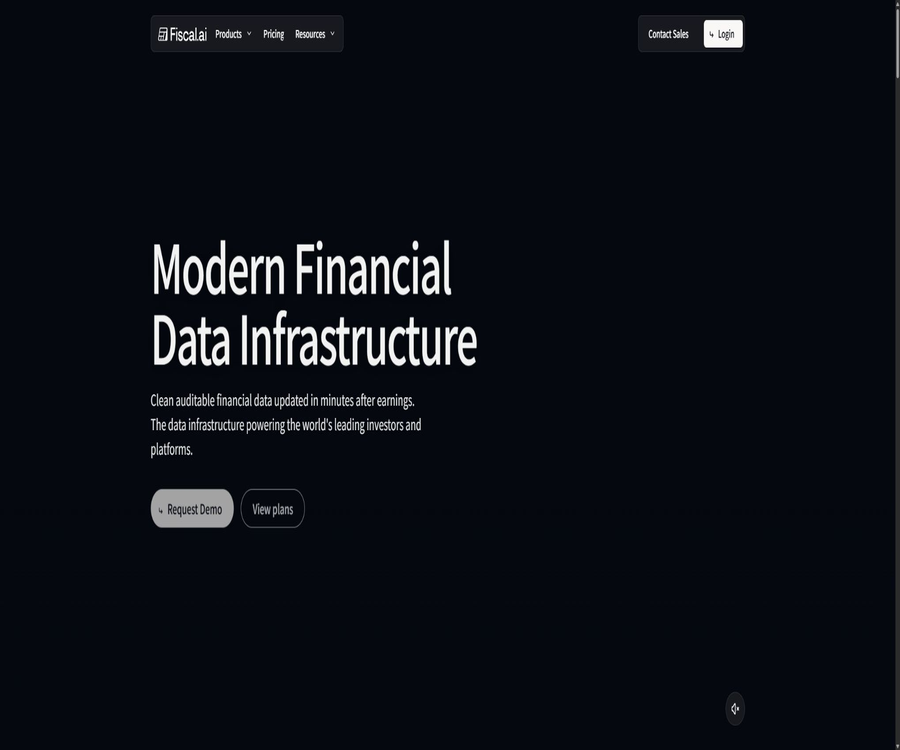
Fiscal.ai is a research platform for publicly traded companies, designed for fundamental investors, research teams, and financial application developers; its original name was FinChat. It brings together company financial data, business segments, key performance indicators, valuation information, announcements, conference calls, news, as well as AI-powered Q&A functions in one single interface.
The platform currently offers three types of products: Fiscal Terminal, Fiscal API, and Fiscal MCP. Individual investors can use the web terminal, while development teams can obtain structured data through the API; moreover, the same data source can be connected to AI tools that support MCP, such as Claude and ChatGPT.
From FinChat to Fiscal.ai
The old name, FinChat, emphasized chatting about financial information, while Fiscal.ai focused on a comprehensive financial data infrastructure. The existing directory name can retain “original FinChat” as an identifier, but the main content and SEO efforts should be centered around Fiscal.ai.
It is not a brokerage firm, nor does it carry out transactions or act as a licensed investment advisor. The information provided by the platform is intended for research and data organization only; it should not be regarded as investment advice or a guarantee of returns.
Three major product modules
| Products | Primary users | Primary use |
|---|---|---|
| Fiscal Terminal | Individual investors, analysts, and research teams | Company research, charts, filtering, comparison, documents, and AI Q&A |
| Fiscal API | Financial applications, funds, and data teams | Obtain financial, KPI, price, ownership, and announcement data through the program. |
| Fiscal MCP | AI assistants and users of intelligent agents | Allow Claude, ChatGPT, and development tools to access Fiscal data. |
Core functions
Company Research Page
The company page provides information on revenue, profits, cash flow, assets and liabilities, valuation, and stock price. The extent of the details varies depending on the market, the company, and the package.
Business segments and operational KPIs
Fiscal.ai extracts key performance indicators related to business segments and industries from the public documents of listed companies, such as the number of users, the number of stores, shipment volumes, or regional revenue. The company claims that these data are obtained through its own data processing methods, and they can be traced back to the publicly available financial reports.
AI financial Q&A
Users can ask in natural language about the company’s performance, financial trends, key drivers of business activities, and the content of documents. AI can reduce the time needed to find this information, but figures, definitions, and investment conclusions must still be verified by referring to the original documents.
Charts and Comparisons
The platform allows multiple financial indicators, valuations, and stock prices to be presented in visual charts, making it possible to compare them across different companies. Users can share these charts, but they must indicate the date, currency, unit of measurement, and any adjustments applied.
Stock filter
Filters allow one to search for companies based on criteria such as country, market value, growth rate, profit margin, valuation, and other indicators. The results of these filters help identify potential candidates for further study, but they do not mean that all risks have been assessed by the model.
Announcements, conference calls, and IR materials
Fiscal Terminal and its data products cover the company’s filing documents, earnings call transcripts, investor relations materials, and news. The timing of when the information becomes available, the scope of what can be searched, and the depth of historical data available depend on the source and the licensing terms.
Portfolio connection to brokerage firms
The official help center provides instructions regarding broker connections, which allow certain holdings to be incorporated into the research workflow. Before establishing a connection, it is necessary to verify the supported regions, read-only permissions, data synchronization scope, and the third-party connection providers.
List of main functions
- View the standardized financial statements and historical metrics of listed companies.
- Study business segments, regional revenues, and key performance indicators for industry operations.
- Use AI-powered Q&A to query company, document, and financial trends.
- Create visual charts for revenue, profit margin, valuation, stock price, and more.
- Compare financial performance and valuations across various companies.
- Use filters to search for companies based on growth, market value, quality, and valuation.
- Search for announcements, conference calls, IR materials, news, and ownership data.
- Export the data that meets the package criteria for further analysis.
- Structured financial data is provided to applications via APIs.
- Financial data is integrated into AI assistants and agents via MCP.
What use cases are suitable?
- Long-term investors examine the quality of a company’s revenues and the factors that drive its business.
- Analysts quickly compare the growth, profit margins, and valuations of their peers.
- The fund team organizes financial reports, conference calls, and corporate disclosures.
- Students learn about financial statements, valuation, and fundamental analysis.
- Content creators produce company research charts backed by data.
- Fintech companies develop stock research, screening, and data products.
- Developers provide Claude, ChatGPT, or code agents with access to reliable financial data.
- The research team monitors the financial and KPI metrics that are updated after the announcements.
It is not very suitable for which users
- Users looking for automated trading signals or strategies that guarantee profits.
- Teams that primarily engage in high-frequency trading and require real-time data for each individual transaction.
- It focuses only on users who deal with unlisted companies, cryptocurrency assets, or personal finance.
- Institutions that require complete original exchange data and low-latency order execution.
- Beginners who do not have the ability to verify financial figures and AI responses.
- Organizations that require all financial data to be stored locally and without the use of cloud services.
Steps to use Terminal to study companies
- Register an account and complete the free trial by first searching for the company name or stock code.
- Read the company overview to determine the listing location, currency, and reporting period.
- View the long-term trends in revenue, profit, cash flow, and the balance sheet.
- Open Segments and KPIs to identify the specific factors driving business growth.
- Use charts to compare valuations, profit margins, and stock prices, including peer companies.
- Read the latest announcements, conference calls, and investor relations materials.
- Pose a single, verifiable question to the AI, and check the referenced or original documents.
- Record the conclusions as research hypotheses; do not proceed with transactions based on them directly.
Steps to use a stock filter
- First, determine the scope of investment, such as the country, exchange, and minimum market value.
- Include quality metrics such as revenue growth, profit margin, return on capital, and debt.
- Set a valuation range to avoid mixing price considerations with fundamental factors in the evaluation.
- Run the filter and check the number of results; if the conditions are too strict, relax them one by one.
- Check one-time items, periodic items, and accounting methods for each company individually.
- Save the filtering criteria and run them periodically to observe the companies that enter and leave.
- Consider the filters as tools for generating candidates, rather than a list of items to purchase.
Terminal package and prices
The official help center lists the free version, Pro, and Max. All new users are automatically granted a two-week Pro trial period without the need to make a purchase first; the features and limits available after the trial period will be as indicated on the account page.
| Package | Monthly price | Annual total price | Converted monthly price | Suitable for users |
|---|---|---|---|---|
| Free | $0 | $0 | $0 | Experience the company page and basic research |
| Pro | $ | $ | $ | Routine personal investment research |
| Max | $ | $ | $ | In-depth research, data download, and more advanced features |
| Enterprise | $ | $ | $ | Teams, complete data, and enterprise functions |
The prices for Enterprise are based on official comparison articles from Fiscal.ai; the actual contract terms may vary depending on the number of seats, data access rights, and level of support provided. Taxes, promotions, regional differences, and any changes to features are subject to the details shown on the settlement page or in the sales quotation.
Max and data export
The official help center specifies that Max users can download or export all available financial data, including data related to business divisions and KPIs. The scope of data that can be exported, as well as the number of rows and the frequency of exports, may be limited for Free and Pro users.
- Before exporting, verify whether the data license permits external distribution or commercial reuse.
- Retain the company, period, currency, unit, and download date.
- Do not mix standardized data directly with the company’s original disclosures.
- When merging multiple companies, use a stable identifier rather than relying solely on stock codes.
- Check the current plan authorization before republishing charts and data.
Free API trial and capabilities
The Fiscal API offers a trial period without the need for a credit card; it provides access to 100 restricted companies and allows 250 calls per day. The range of companies that can use the paid API, as well as the endpoints, call limits, and commercial licensing terms, are specified on the API pricing page or in the sales contract.
| API project | Free trial | Paid or enterprise access |
|---|---|---|
| Company scope | The 100 restricted companies | Expand coverage by package |
| Daily calls | 250 times | Higher speeds will be provided as planned. |
| Credit card | It’s not necessary. | Payment or a contract is required at the time of purchase. |
| Financial statements | Restricted access | Standardization and original caliber endpoints |
| Segments and KPIs | Under trial permissions | Paid endpoints are available. |
| Price data | At day’s end and 15 minutes after the market close | It is not equivalent to the real-time quotes from the exchange. |
| Source tracing | Supported fields and files | Links to images, PDFs, and original files |
Main data types of API
- Company list, company details, and stable company identifiers.
- Income statement, balance sheet, and cash flow statement prepared in accordance with the original disclosure standards.
- Standardized list of financial statements and indicators.
- Company ratios, daily ratios, and outstanding share capital.
- Adjusted indicators and business segments, operational KPIs.
- Institutional holders, institutional holdings, insiders, and insider trading.
- Event calendar, stock splits, and other corporate actions.
- End-of-day stock prices, trading volume, and 15-minute delayed intraday prices.
- Company submission documents, document page images, and source information.
MCP connection capability
Fiscal MCP makes the same set of financial data available to AI clients that support model context protocols. It is one of Claude’s official connectors, and it can also be integrated with tools such as ChatGPT, Microsoft Copilot Studio, Cursor, and Gemini CLI.
MCP does not bypass the permissions associated with a plan; each tool invocation still goes through the Fiscal API, and is subject to corporate restrictions, functional authorizations, and rate limits. OAuth is linked to existing accounts, while other clients can use API keys for authentication.
| Connection method | Applicable tools | Authentication method |
|---|---|---|
| Official or custom MCP connections | Claude, ChatGPT, Copilot Studio, etc. | Log in to the Fiscal.ai account using OAuth |
| Universal MCP client | Cursor, VS Code Copilot, Gemini CLI, etc. | Choose based on whether the client supports OAuth or keys. |
| Development tools and frameworks | Codex CLI, Cline, n8n, LangChain, LlamaIndex, and others | The API Key is used for Bearer authentication. |
Steps to access the API
- Create a Fiscal.ai organization and obtain a free trial API Key.
- Read the endpoint documentation to confirm the company, period, currency, and data parameters.
- Locate the target company using a list of companies or a stable identifier.
- First, retrieve a small amount of financial and price data to verify the response fields.
- Set key environment variables, as well as parameters for timeout, retry, and rate limiting.
- Save the source identifier and disclosure date to establish data quality checks.
- Before going live, verify the commercial licensing, caching, redistribution, and user display rules.
Steps to connect to MCP
- Verify that the target AI client supports remote MCP, OAuth, or custom authentication.
- Add Fiscal MCP on the client side and log in to your existing Fiscal.ai account.
- Only grant the data and tool permissions required for the research task.
- First, inquire about a company’s individual financial indicators, and check the source of the data as well as the time period involved.
- Test multi-company comparison, file retrieval, and KPI queries.
- Monitor API quotas and errors to prevent the agent from continuously consuming call attempts.
- Manual review is retained in investment outbound processes, preventing agents from conducting transactions directly.
Data quality and source tracing
Fiscal.ai emphasizes that the data is automatically aggregated and subject to manual quality checks, and it can be linked to the company’s original submission documents. The API documentation states that the cleaned data will be available within a few minutes after disclosure, though the exact time frame depends on the complexity of the documents and their source.
- Check whether the financial period is quarterly, annually, or on a rolling twelve-month basis.
- Distinguish between the company’s original disclosures and the Fiscal standardization approach.
- Check currency conversion, stock split, and adjustments to per-share figures.
- After a significant announcement, wait for the data to be fully updated before making comparisons.
- Click on the source image or PDF to confirm the key figures.
- When anomalies are detected, cross-verify them with the company’s IR materials and regulatory documents.
Product advantages
- Integrate financial data, charts, documents, filtering tools, and AI-powered Q&A in one terminal.
- The KPIs for business divisions and industries are more detailed than those on ordinary financial websites.
- The numbers can be linked to the company’s original disclosures, facilitating audits.
- Three options for use are available: personal terminal, API, and MCP.
- Supports research on global listed companies and multiple markets.
- Stock screening, company comparison, and charts are suitable for fundamental analysis workflows.
- The API fields cover finance, ownership, price, events, and files.
- MCP can directly provide real-time financial data to common AI assistants.
Usage restrictions and precautions
- The platform is neither a brokerage firm nor a licensed investment advisor; the content it provides does not constitute investment advice.
- AI responses may misinterpret the context, overlook risks, or produce incorrect conclusions.
- Data coverage and historical depth are subject to market, company, and licensing constraints.
- The help center states that some data from 20 years ago cannot be displayed in full on the Dashboard at the moment.
- The stock price displayed during trading is delayed by 15 minutes, making it unsuitable for high-frequency or trading-related purposes.
- The free API covers only 100 companies and 250 calls per day.
- MCP agents may generate a large number of repeated calls, so it is necessary to set budget and step limits.
- Data export and redistribution are subject to the package and license terms.
- The subscription cost is high; individual users should first use the trial version to assess their needs.
Privacy and account security
- API Keys are stored only in server environment variables or specialized key managers.
- Do not write the key in the frontend, public repositories, prompts, or screenshots.
- Brokers should prioritize using read-only permissions for connections, and they should also verify third-party connection providers.
- MCP connects only to trusted clients, and periodically revokes permissions for those that are no longer in use.
- Team members use separate accounts and do not share administrator credentials.
- Delete customer names and non-public trading information before uploading research materials.
- Rotate credentials immediately in the event of departure, loss of equipment, or key leakage.
Official GitHub and open-source status
The API documentation for Fiscal.ai and some information on integration are available for public reading; there is also a repository named Fiscal-ai on GitHub along with numerous projects sharing the same name. No official repository has been found that proves the open-source nature of the Terminal, data pipelines, MCP services, or the core backend as a whole.
Therefore, the catalog should be labeled as a closed-source commercial platform. Public APIs, MCP interfaces, and documentation represent capabilities that enable integration; however, this does not mean that the datasets or server-side code are licensed under an open-source license.
Basic information
| field | Content |
|---|---|
| Tool name | Fiscal.ai |
| Original name | FinChat |
| Tool type | AI stock research terminal, financial data APIs, and MCP |
| Key data | Finance, KPIs, valuation, pricing, documents, news, and ownership |
| Price pattern | Free, Pro, Max, Enterprise, and API plans |
| New user trial | Automatically obtain two weeks of Pro access. |
| Whether API is provided | Yes |
| Is MCP provided? | Yes |
| Is it open source? | No |
Recommendation score
4.6 / 5. Fiscal.ai’s KPIs for different segments, tracking of data origins, charts, filtering tools, as well as its API/MCP framework are very useful for fundamental analysis; however, the price, data licensing options, coverage of historical data, and the accuracy of AI-driven analyses need to be carefully evaluated – they cannot replace professional judgment.
Frequently Asked Questions
What is the relationship between Fiscal.ai and FinChat?
Fiscal.ai is the upgraded brand and product ecosystem of FinChat; it now includes research terminals, financial data APIs, and MCP.
Can Fiscal.ai be used for free?
The free version can be used. New users also receive a two-week Pro trial automatically; the paid features and quotas are specified on the account page.
How much are Fiscal.ai’s Pro and Max versions?
Pro costs $49 per month or $468 per year, while Max costs $99 per month or $948 per year. Regions, taxes, and promotions are as indicated on the payment page.
Can Fiscal.ai export data?
Yes. The official documentation states that Max users can export all available financial data, including information on business units and KPIs; other subscription plans may have restrictions.
Does Fiscal.ai offer APIs and MCP?
Both are available. The API is suitable for application development, while MCP is useful for connecting data to Claude, ChatGPT, and other AI clients.
Is Fiscal.ai suitable for making direct investment decisions?
It should not be relied on directly. It is a research tool; AI-generated answers and data need to be verified, and final decisions should take into account personal goals, risks, and professional advice.
Is Fiscal.ai open source?
It is not open source. The platform offers public documentation, APIs, and MCP interfaces, but the core data and cloud services do not have their source code made available publicly.
Tools similar to FinChat




 Guigong Network Security Registration No. 45132202000164