






ChatX
ChatX, an intelligent tool focused on AI-driven conversations
Tags:AI dialogue chatWhat is ChatX?
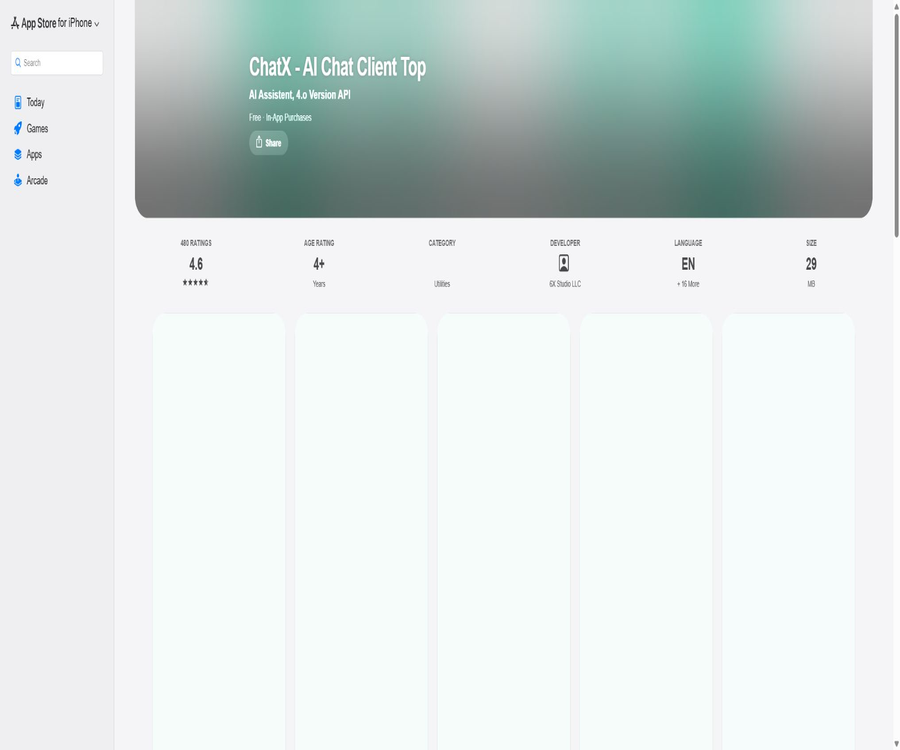
ChatX is an AI chat application for the Apple ecosystem, developed by 6X Studio LLC; it can be used on iPhone, iPad, Mac, and Apple Vision devices. It combines multiple modeling capabilities for conversations, prompt handling, translation and rewriting, image generation, and shortcut commands in a single app.
ChatX is not an official client of OpenAI, Anthropic, or Google. The application can operate using its own high-speed servers based on the number of characters processed, and it also allows users to enter their own model API keys as well as custom service addresses.
Two usage modes
| Pattern | How to invoke the model | Suitable for users | Sources of funding |
|---|---|---|---|
| Word count pattern | Server requests via ChatX | Ordinary users who do not wish to apply for an API on their own | Consuming in-app character packages or related benefits |
| API Key mode | Use the model key and service address provided by the user. | Users who already have a model API account | Costs of the model manufacturer plus potential costs for additional functions. |
The character-count-based approach has a lower threshold for use, but requests are processed through the services provided by the application. The API Key approach makes it easier to monitor the actual usage of the model account; however, users are responsible for ensuring the security of the keys, as well as for managing the billing related to the models and the service configurations.
Supported models and services
The current overview on the App Store lists models such as GPT, Claude, Gemini, and DeepSeek; the version history mentions support for Qwen, Perplexity, Azure, as well as custom services. The actual models available may vary depending on the version, region, mode, and the provider’s interface.
| Model or service | Current use | It is necessary to pay attention. |
|---|---|---|
| GPT series | General Q&A, writing, coding, and image-related capabilities | The model name and interface version may change. |
| Claude series | Long-text, writing, analysis, and coding tasks | Usually, a compatible Claude service needs to be configured. |
| Gemini series | Multimodal question answering and general tasks | The capabilities depend on the current version in use. |
| DeepSeek V3 and R1 | Chinese Q&A, reasoning, and coding tasks | The reasoning process indicates that compatibility with the client must be verified through actual testing. |
| Qwen | Chinese and general tasks | It is necessary to select the correct model and service address. |
| Perplexity | Q&A with search capabilities | The search range and sources are determined as per the data returned by the interface. |
| Azure and custom services | Connect to enterprise or third-party compatible endpoints | You need to verify the authentication methods and data policies on your own. |
Core functions
Multi-model chat
Users can select a model for the session and adjust parameters such as temperature, conversation memory, and context length. The application allows pausing and resuming text generation, as well as resending, rewriting, copying, and sharing messages.
Prompt words and shortcuts
The built-in set of prompts is designed to help get started with writing, as well as for tasks related to summarization and analysis. Common phrases can be sent with just one click, making them suitable for repeated use of fixed instructions.
Translation and text rewriting
A separate interface for translation and rewriting allows processing of existing text and enables stopping the generation process at any point. This feature is suitable for refining emails, adjusting the tone, creating summaries, and communicating in multiple languages.
Image and voice input
The application supports image generation, input of images from cameras or photo albums, as well as uploading multiple images; the version history also indicates that audio input has been added. Whether a particular model supports images and audio still depends on the interface chosen.
Token and cost estimation
The API Key mode offers token calculation and a view of monthly usage, helping users understand input, output, and context consumption. The estimated values may not correspond exactly to the final bill issued by the model provider; the information displayed in the corresponding console should be taken as the authoritative source.
System-level quick access
ChatX supports Siri, URL Scheme, lock screen widgets, and an entry in the Control Center. Mac and iPad also offer keyboard shortcuts, which are useful for frequently opening specific sessions or executing predefined commands.
iCloud multi-device synchronization
The chat lists and settings can be synchronized across Apple devices via iCloud. Before enabling this feature, it is necessary to determine the scope of synchronization, the Apple ID used, and the organization’s requirements regarding cloud data.
List of main functions
- Switch between models such as GPT, Claude, Gemini, and DeepSeek in an Apple desktop client.
- The character-based pattern, which does not require an API Key, is suitable for getting started with conversations quickly.
- The self-provided API Key mode allows for the customization of service addresses and model lists.
- It allows adjustment of dialogue settings such as temperature, memory length, context, and streaming response.
- It supports prompt sets, shortcut phrases, global prompts, and session prioritization.
- It offers translation, text rewriting, image generation, image understanding, and audio input.
- It supports Markdown, LaTeX formulas, and the display of longer texts.
- It is possible to search for past messages and navigate to the corresponding locations.
- Quick start via Siri, URL Scheme, lock screen, and Control Center.
- Use iCloud to sync the chat list and app settings.
What use cases are suitable?
- Conduct AI-based Q&A, writing, and information organization at any time on the iPhone.
- Compare the quality of responses, speed, and API costs across various models.
- Polish emails, social media posts, resumes, and work-related communications.
- Translate the short passage and rewrite it in a formal, concise, or friendly tone.
- Repeat tasks such as summarizing, rewriting, and explaining code using shortcut phrases.
- Use keyboard shortcuts on an iPad or Mac to manage longer conversations.
- Use custom compatible endpoints to access existing model services for individuals or teams.
- Leverage URL Schemes and Siri to integrate fixed prompts into Apple’s automation workflows.
It is not very suitable for which users
- Users who primarily use Windows, Android, or Linux and require a native client.
- Only users who accept the official applications and official technical support from the model manufacturers are allowed.
- Users who do not want to manage API keys, nor those who prefer that requests pass through third-party servers.
- Organizations that require team permissions, auditing, unified management, and enterprise service level agreements.
- Projects that must run offline or process all prompts and files locally.
- Highly sensitive scenarios in which it is not possible to determine whether customer data can be handed over to model service providers for processing.
Steps for using the character count mode
- Install ChatX from the official App Store page and check the system requirements for your current device.
- After opening the app, select the default word count mode; there is no need to enter a model API Key first.
- Select the currently available model, then start asking questions either from a set of prompts or in a blank session.
- First, use short, non-sensitive texts to test the response speed, quality of the Chinese output, and character usage.
- Check the remaining character count on the usage page to understand the consumption rules for different models.
- If you need to continue using it, purchase an appropriate package of characters; the price will be as indicated in the payment popup.
Steps to configure a custom API key
- First, create an API account with the service provider of the target model and learn about the pay-as-you-go pricing rules.
- Generate a key dedicated to ChatX, which is not shared with production servers.
- In the ChatX settings, switch to API Key mode and select the appropriate vendor or custom service.
- Enter the key, service address, and the exact model name.
- Send a short test request to verify that the streaming output, image handling, and context handling functions are working properly.
- At the same time, check the token estimation for ChatX as well as the actual charges shown in the model provider’s console.
- Revoke the key when it is no longer needed, or set spending limits and alerts for the key.
In-App Store purchase prices
The following are the in-app purchases displayed on the App Store in the United States during verification. Prices, taxes, currencies, and the items that can be purchased may vary depending on the country or region; the in-app payment page should serve as the definitive source of information.
| In-app purchases | Reference price for the U.S. market | Explanation |
|---|---|---|
| Pro | $4.99 | The page does not display the full duration of the cycle and all benefits; please check the payment confirmation page before making a purchase. |
| Add Words Pack 1 | $0.99 | Character count supplement pack; the exact number of characters is as indicated within the application. |
| Add Words Pack 2 | $3.99 | Character count supplement pack; the exact number of characters is as indicated within the application. |
| Add Words Pack 3 | $7.99 | Character count supplement pack; the exact number of characters is as indicated within the application. |
| Add Words Pack 4 | $17.99 | Character count supplement pack; the exact number of characters is as indicated within the application. |
| Pro Lifetime | $0.00 | The list of stores shows placeholders with a price of zero; therefore, it cannot be concluded that items can be purchased for free at the moment. |
The App Store listing does not clearly indicate whether the Pro version is a subscription or a one-time purchase, nor does it show the exact number of characters included in each package. Before completing the payment, it is necessary to check the information displayed in the system pop-up regarding the subscription period, automatic renewal, family sharing, and options for restoring previous purchases.
How are API fees calculated?
- The character count is reduced by ChatX in accordance with the rules within the application.
- When an API key is provided by the user, model vendors typically charge based on the input and output tokens.
- Images, audio, inference models, and long contexts may have different prices.
- Historical conversations will be sent again; the more context that is retained, the higher the resource consumption usually is.
- The token calculator is only intended for rough estimation; the final cost shall be based on the invoice provided by the model service provider.
- ChatX in-app purchase fees and external model API charges may exist simultaneously.
Product advantages
- The Apple ecosystem is comprehensive, and it can be used on smartphones, tablets, Macs, and Vision devices.
- Both the character count mode and the self-provided key mode are available, allowing both beginners and advanced users to choose as appropriate.
- It supports multiple models and custom endpoints, offering flexible service switching.
- Prompt words, shortcut phrases, and dialogue parameters are more detailed than those of simple chat interfaces.
- Siri, URL Schemes, and system widgets facilitate the implementation of personal automation.
- Translation, rewriting, image handling, speech processing, and formula display cover a wide range of content-related tasks.
- iCloud synchronization and historical message search facilitate continued work across multiple devices.
Usage restrictions and precautions
- ChatX is a third-party client and is not an official product of any model manufacturer.
- The model name and promotional version may change; the actual identity and capabilities should be verified by the service provider.
- The character count pattern is sent through the ChatX server, while the custom pattern also sends the content to the selected model service.
- Custom addresses may be operated by third parties, and they do not necessarily offer the same level of privacy and stability as those provided by the manufacturer.
- Some advanced models, as well as image and voice capabilities, may require additional API fees or in-app benefits.
- The application is primarily designed for Apple devices; there are no official versions for Windows or Android.
- AI responses may be incorrect; medical, legal, financial, and factual information must be verified again.
- The price and feature descriptions on the App Store are incomplete; it is necessary to check the subscription period and auto-renewal details before making a purchase.
Privacy and data security
Developers on the App Store state that their apps do not collect any data, but the official privacy page indicates that crash analysis data is collected, which may include information about the device, usage patterns, and crash reports. These two statements are not entirely consistent, so users should adopt a more cautious approach when interpreting this information.
- Do not send passwords, keys, customer privacy information, or confidential business data in text mode.
- In the API Key mode, the prompt is sent to the selected service provider; it is necessary to read their data policy as well.
- Create a low-privilege key specifically for ChatX, and set budget or usage limits.
- Do not share the actual keys through screenshots, URL Scheme parameters, or public automation methods.
- Before enabling iCloud synchronization, verify that the chat history and settings comply with the organization’s policies.
- As soon as an abnormal call is detected, the key is revoked immediately, and the usage logs of the model account are checked.
- Crash reports may contain information about the device and the usage environment; sensitive users should decide whether to allow such analysis.
Shortcuts and URL Schemes
The official help page provides URL schemes for opening specific sessions, sending messages, initiating image generation, and setting API configurations. It can be combined with Siri and Shortcuts, but including the keys in shareable links poses a risk of exposure.
It is recommended to use URL Schemes only for transmitting plain text and session names. When authentication information is involved, it should be saved manually within the application, and the scope of sharing and synchronization for shortcuts should be limited.
Official GitHub and open-source status
A real-time search did not yield any official source code repository provided by 6X Studio for this ChatX Apple app. There are several projects on GitHub with the same name as ChatX, but their developers, product objectives, and platforms differ; therefore, they cannot serve as the source code for this application.
Therefore, the open-source status in the catalog should be marked as not open source. The ability to support custom APIs and URL schemes merely indicates scalability, and it does not mean that the client code is available publicly.
Platform and system requirements supported
| Platform | Minimum system requirements | Explanation |
|---|---|---|
| iPhone | iOS 15.0 or higher | Supports mobile chat, components, and access to the control center. |
| iPad | iPadOS 15.0 or higher | Supports keyboard shortcuts and multi-device synchronization. |
| Mac | macOS 12.0 or higher | For Apple devices, keyboard shortcuts are available. |
| Apple Vision | visionOS 1.0 or higher | Compatible operation |
| Windows and Android | Not supported | No official version of this product was found. |
Basic information
| field | Content |
|---|---|
| Tool name | ChatX - AI Chat Client Top |
| Developer | 6X Studio LLC |
| Tool type | Multiple-model AI chat client for Apple devices |
| Main pattern | Character count mode, custom API Key mode |
| Supported models | GPT, Claude, Gemini, DeepSeek, Qwen, etc. |
| Price pattern | In-app purchases, character packs, pay-as-you-go external APIs |
| Is registration required? | Word count patterns and external model services may require corresponding accounts. |
| Is it open source? | No, the official source code repository for this application was not found. |
Recommendation score
4.1 / 5. ChatX’s multiple models, the ability to use one’s own encryption keys, shortcut commands, and support for multiple Apple devices are quite attractive; however, the information provided regarding in-app purchases is incomplete, there are discrepancies in terms of privacy policies, and extra care must be taken when dealing with sensitive content and encryption keys.
Frequently Asked Questions
Is ChatX the official website of ChatGPT?
No. ChatX is a third-party multi-model client developed by 6X Studio; it is not the same product as OpenAI’s official ChatGPT application.
Is it not possible to use it without an API Key?
Yes. The default character limit mode utilizes the ChatX server to call the model, but it consumes the character quota provided by or purchased for the platform.
Can I use my own API Key?
Yes. The application allows for the configuration of model keys, custom service addresses, and a list of models; however, specific compatibility details need to be confirmed through test requests.
Which devices does ChatX support?
It is compatible with iPhone, iPad, Mac, and Apple Vision devices. No official Windows or Android version of this product exists at present.
Does ChatX collect data?
The App Store states that no data is collected, but the official privacy page says that crash analysis data is gathered. Chat messages are also sent to the ChatX servers or to the model service provider chosen by the user.
Is ChatX open source?
No official open-source repository for this application was found. The project with the same name on GitHub has no connection to the Apple app developed by 6X Studio.
Tools similar to ChatX




 Guigong Network Security Registration No. 45132202000164