






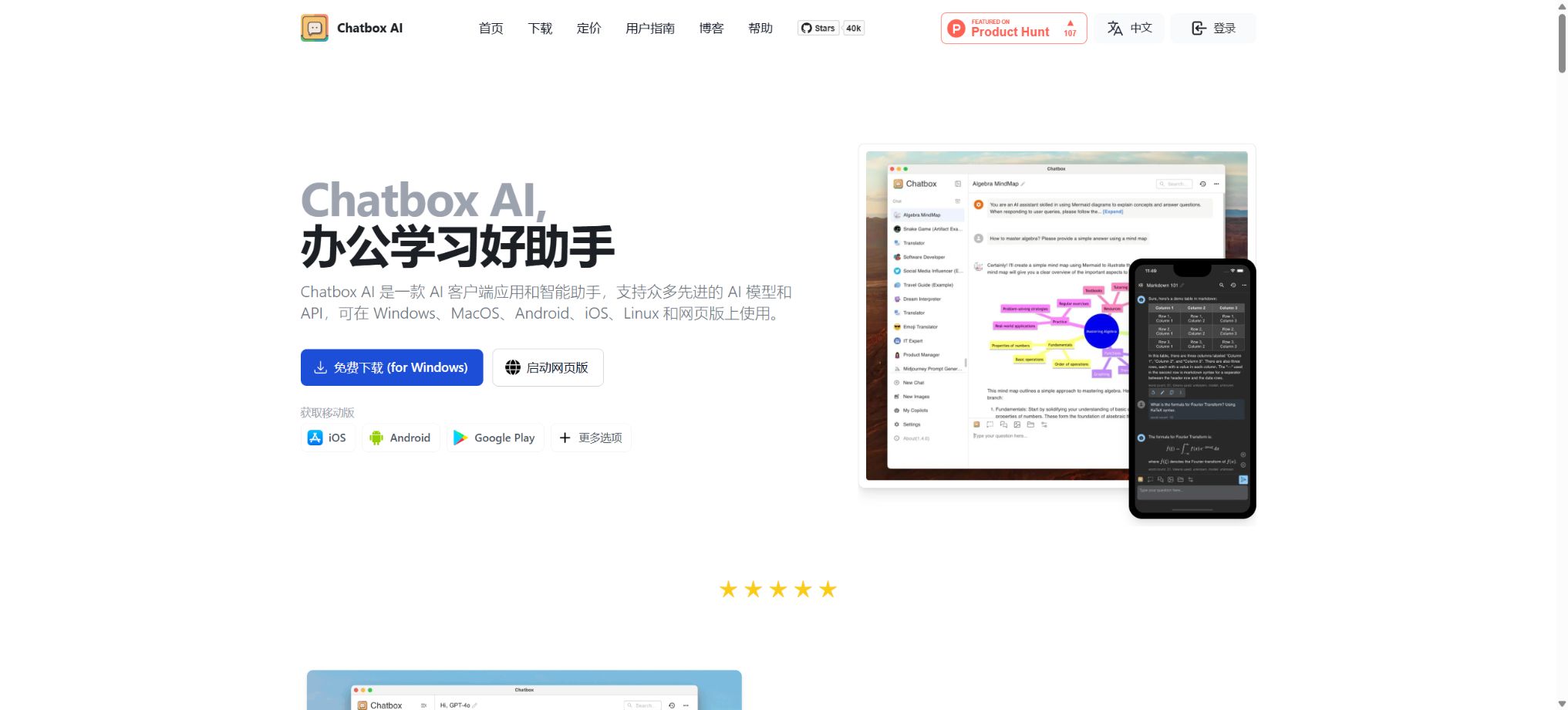
Chatbox
An open-source AI chat desktop client that supports multiple models and local data management.
Tags:AI dialogue chatWhat is Chatbox?
Chatbox is a cross-platform AI conversation client that can connect to OpenAI, Claude, Gemini, DeepSeek, Ollama, Azure OpenAI, as well as other interfaces with compatible protocols. It is available in versions for Windows, macOS, Linux, the web, iOS, and Android, and it is suitable for centralized management of different models and chat histories.
Users can choose to use their own API Key, or they can purchase the Chatbox AI cloud model service that is ready to use out of the box. The client community version has its source code made available under the GPLv3 license, while Chatbox AI’s hosted models, subscription plans, and online interfaces constitute commercial services.
Core functions of Chatbox
Unified chatting for multiple models
Chatbox puts models from different manufacturers and local models in a similar conversation interface, thereby reducing the need to switch between websites frequently. The available models depend on the service provider chosen, the location, account permissions, and the balance of credits available.
Provide your own API Key
Users can enter their own model provider key, API address, and model name in the settings. In this approach, the users are responsible for covering the costs associated with third-party APIs, ensuring network availability, managing model permissions, and complying with data processing regulations; Chatbox cannot guarantee the speed and stability of external interfaces.
Ollama local model
Chatbox can be connected to Ollama, allowing use of compatible models such as Llama, Mistral, Qwen, DeepSeek, etc., that are installed on the local device. Whether these models operate in an offline mode depends on the service configuration; searches over the internet, cloud-based image generation, and remote interfaces will still send relevant data to external services.
Document Q&A and knowledge base
Pro and Pro+ allow users to pose questions about PDF, DOC, XLS, TXT, and code files, and they take advantage of document preprocessing and knowledge base functions. According to the official documentation, the knowledge base is currently primarily used on desktop systems, and individual files should be less than 50MB in size.
The knowledge base supports common office documents, e-books, tables, and image formats. The search results may not include table structures, scanned text, or complex layouts; it is necessary to check the relevant content in the original file.
Online search
The paid plan includes real-time web search, which allows the model to retrieve up-to-date facts, news, and public information. Answers obtained via the internet may still contain outdated data, misinterpreted sources, or incorrect conclusions; therefore, medical, legal, financial, and academic content must be verified manually.
Image understanding and AI drawing
Users can upload images so that the model can identify, extract, and analyze their content; the Chatbox AI package also provides a certain number of credits for generating images.
Before uploading facial images, identification documents, screenshots of business activities, or copyrighted materials, it is necessary to verify the aspects related to privacy and authorization.
Markdown, LaTeX, and code display
Chatbox supports Markdown, mathematical formulas, and code highlighting, and offers streaming responses, a dark theme, shortcuts, a prompt library, and message referencing. It is suitable for programming, academic formulas, and long-text conversations; however, the code and formulas generated by the model still need to be tested.
MCP and extension tools
The Pro and Pro+ versions offer MCP services, which enable the integration of compatible tools and contexts into the client. MCP services may read files or invoke external functions; before using them, it is necessary to check the publisher, permissions, parameters, and scope of execution.
Comparison of prices for Chatbox AI packages
The prices and quotas listed below are based on the information provided on the official pricing page; the figures in the annual payment section represent the average monthly cost when paying annually. Taxes, currencies, list of models, and any promotions may change, so it is necessary to refer to the settlement page before making a purchase.
| Package | Monthly payment | Average monthly amount for annual payment | Points are calculated on a monthly basis. | Primary interests |
|---|---|---|---|---|
| Lite | $ | $ | 2,000,000 | Standard model, web search, image Q&A, 25 AI images per month |
| Pro | $ | $ | 12,000,000 | Advanced and standard models, document Q&A, knowledge base, MCP, 100 AI images per month |
| Pro+ | $ | $ | 30,000,000 | Pro: full features, higher usage volume, 200 AI images per month |
Each License Key can be used on up to 5 devices simultaneously, including computers, smartphones, and tablets. The number of calculation points is not fixed; different models, input lengths, output lengths, as well as file and tool usage all result in varying consumption levels.
Comparison of package features
| Functions | Lite | Pro | Pro+ |
|---|---|---|---|
| Standard Model | Support | Support | Support |
| Advanced models | Not included | Support | Support |
| Online search | Support | Support | Support |
| Image Q&A | Support | Support | Support |
| Document Q&A | Not included | Support | Support |
| Knowledge base and document preprocessing | Not included | Support | Support |
| MCP service | Not included | Support | Support |
The list of official models changes as the service evolves, so no specific version can be considered a permanent entitlement. Before upgrading or renewing, it is necessary to check whether the current package includes the models required, and to compare the actual workload corresponding to the required computing credits.
How to choose between a self-hosted API and the Chatbox AI package
| Usage method | Sources of funding | Advantages | Matters that require responsibility |
|---|---|---|---|
| Provide your own API Key | Model manufacturers charge based on actual usage. | Flexible selection of models and interfaces, with the ability to connect to custom-compatible services. | Keys, balance, network, rate limiting, privacy, and troubleshooting |
| Ollama local model | Local hardware and electricity costs | It can run on the local device, making it suitable for users who place importance on data control. | Model download, hardware performance, updates, and local security |
| Chatbox AI subscription | Lite, Pro, or Pro+ plan | Simple configuration, a unified credit limit, along with search, image, and file handling capabilities. | Package points, model range, expiration date, and number of devices |
For simple Q&A scenarios where a manufacturer account already exists, using an existing API is often more flexible. When knowledge bases, online searching, multiple advanced models are needed, or if one does not want to maintain multiple APIs, it is advisable to compare the Pro and Pro+ versions first.
Platform and system requirements supported
| Platform | Support methods | Explanation |
|---|---|---|
| Windows | Desktop client | The official repository specifies Windows 10, x64 as the minimum requirement. |
| macOS | Intel and Apple chip-based clients | The official repository specifies a minimum macOS version of 11. |
| Linux | Desktop environments such as AppImage | The official repository is based on Ubuntu 20.04 and compatible distributions. |
| Web | Used by browsers | No installation is required; some local and desktop features may vary. |
| iOS and Android | Mobile apps | Suitable for use in mobile Q&A and in synchronization mode |
Chatbox’s own API configuration tutorial
- Install the client:Download the corresponding system version from official sources, and verify the signature and the publisher.
- Create key:Create a separate API Key in the model vendor’s console, and set limits and alerts.
- Select service provider:Go to the Chatbox settings and select the appropriate provider or an OpenAI-compatible option.
- Fill in the configuration:Enter the API Key, interface address, and model name; do not paste the key into the chat window.
- Small-scale test:First, send short questions that do not contain sensitive data to check the connection, the model, and billing.
- Safe storage:Rotate the keys regularly; once abnormal usage is detected, revoke them immediately and inspect the device.
Tutorial for using Ollama local models
- Install Ollama, and download a model suitable for your system based on its memory and GPU capabilities.
- Ensure that the Ollama service is running on the local machine and not exposed to the public internet without proper protection.
- In Chatbox, select Ollama and check the local address and model name.
- Send test questions to observe the speed of processing the first character, memory usage, and output quality.
- Before processing sensitive documents, turn off any unnecessary networking tools and ensure that no cloud-based model is being used.
Instructions for API compatibility with Chatbox AI
Subscribed users with a valid subscription can use the License Key to call Chatbox AI’s OpenAI-compatible interfaces, and they can configure these interfaces in applications that support custom interfaces such as Cursor, Continue, Cherry Studio, and Open WebUI. The calls to these interfaces share the same credit quota as the client account; it is not an additional, separate API quota.
The License Key serves as the authentication credential for the account; it should not be shared, included in front-end code, or uploaded to public repositories. The names of the models and their availability ranges may change, and the application must be able to handle situations such as rate limiting, timeouts, model unavailability, and insufficient credits.
Data storage and privacy
According to the official statements, chat records and settings are stored locally on the device. When using the Chatbox AI model service, the messages sent, the context, as well as images and files must be transmitted to its servers in order to generate responses; these data may also be temporarily stored for subsequent questions and answers.
When third-party APIs or local services are used, the data is processed by the respective providers and in accordance with the user’s settings. Corporate secrets, personal information, and regulated data cannot rely solely on the security features of a \"local client\" to ensure safety; it is necessary to examine the actual processing pathways, logs, backups, as well as the organizational policies as well.
Explanation of open-source licenses
The official repository for Chatbox Community Edition is licensed under the GPLv3 license, and it is kept in sync with the code of the professional version. Individuals can view, build, and modify the community edition, but any distributed modified versions must comply with the source code and licensing requirements set by the GPLv3.
The fact that the client is open source does not mean that the Chatbox AI cloud models, third-party models, and brand materials are also subject to the GPLv3 license. Before carrying out any modifications, integrating them into commercial products, or redistributing the installation packages, it is necessary to examine the files in the repository, the dependencies, trademarks, and the terms of service for online use.
Which users are it suitable for
- Individual users who wish to switch between multiple large models from a single client;
- Developers who need to connect an OpenAI-compatible interface with custom models;
- Users who wish to run local models using Ollama and keep local records;
- Students and office workers who need document Q&A, knowledge bases, and online searching capabilities;
- Teams that prefer open-source desktop clients and have the ability to configure them themselves.
Frequently Asked Questions
Is Chatbox free?
Clients can download it for free and use their own API Key or connect to Ollama; new users can also apply for a trial quota of Chatbox AI that is refreshed on a daily basis. To make use of the hosted models and advanced features, it is necessary to purchase the corresponding packages.
What is the difference between Chatbox and ChatGPT?
Chatbox is a third-party multi-model client, and it is not the official ChatGPT application from OpenAI. It can connect to OpenAI’s API, as well as use services such as Claude, Gemini, DeepSeek, Ollama, and others.
Are Chatbox data stored locally?
Chat histories and settings are saved locally by default, but when cloud-based models are used, the request data is still sent to the actual service provider for processing. Whether operation can be carried out entirely offline depends on the configuration of the current models and tools.
Does Chatbox support a knowledge base?
Yes, the official help center lists the knowledge base as a feature available in the Pro and Pro+ versions for desktop use. For complex PDFs, scanned documents, and tables, the search results still require manual verification.
Is Chatbox open source?
Chatbox Community Edition is released under the GPLv3 license. The Chatbox AI hosting services and third-party models do not become open-source services as a result of this.
Tools similar to Chatbox




 Guigong Network Security Registration No. 45132202000164