






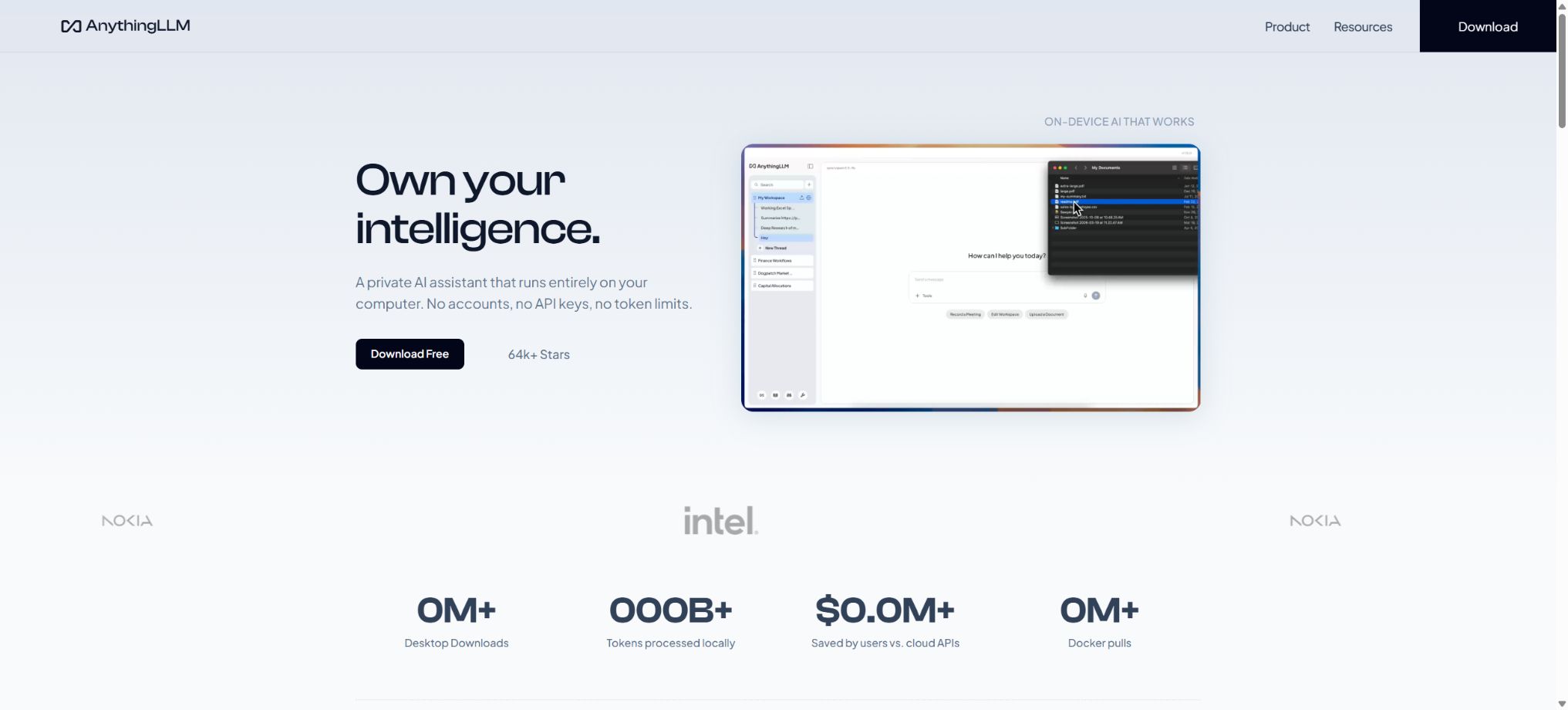
AnythingLLM
An open-source platform that provides a local knowledge base, document-based Q&A, and AI agents.
Tags:AI dialogue chatWhat is AnythingLLM?
AnythingLLM is a free, open-source AI assistant, document knowledge base, and Agent platform developed by Mintplex Labs. It allows users to organize materials such as PDFs, Word files, text, and web pages in a workspace; it enhances the ability to generate answers through RAG retrieval, and it can also connect to local or cloud-based large models, vector databases, Embedding technologies, voice services, and search functions in order to carry out tool calls and automate various processes.
AnythingLLM features the integration of models, documents, vector retrieval, dialogue capabilities, Agents, and permission management within a single interface. Individual users can install the desktop version to create a local knowledge base on their own computers.
Teams can use the Docker version to deploy on servers in order to create multi-user workspaces; those who do not wish to manage servers can opt for official cloud hosting.
The software itself is open-source and licensed under the MIT license, but the models, APIs, cloud servers, and third-party services that are integrated may incur separate costs.
Core functions of AnythingLLM
Document Q&A and RAG knowledge base
Users can upload materials to the workspace; the system will parse the text, divide it into segments, generate embeddings, and store them in a vector database. When a question is posed, AnythingLLM first retrieves the relevant segments and then passes them to the model to generate an answer.
Different projects can have their own separate work areas, within which prompts, models, temperature settings, conversation modes, and available documents can be defined; this approach is suitable for use with personal databases, product manuals, course materials, internal policies, and customer support.
The default vector database is LanceDB local, with indexes and embedded data stored within the current instance; it is also possible to connect to external vector databases. The vector database is a system-level setting, and it is not selected separately for each workspace.
After changing the database, it is usually necessary to re-embed the documents; therefore, before migrating, the storage directory should be backed up and time should be set aside for rebuilding the indexes.
Local models and cloud models
AnythingLLM can connect to local models such as Ollama and LM Studio, and it also supports various commercial model APIs as well as OpenAI-compatible interfaces. When using only local models, local embeddings, and local vector databases, the documents, vectors, and the main inference processes can remain on one’s own device or server.
Once cloud models, online search, external MCPs, or third-party voice services are enabled, the relevant prompts and data are sent to the corresponding service providers.
The model routing feature allows tasks to be allocated between local and cloud-based models according to specific rules; for example, simple questions are handled by low-cost local models, while complex reasoning tasks are delegated to more powerful cloud models. Routing does not guarantee quality or privacy on its own, so the administrator must determine which data can leave the internal network, and they also need to test the models’ capabilities in terms of context handling, tool utilization, and structured output generation.
AI Agents and Agent Flows
The built-in agent can utilize tools such as web searches, document retrieval, SQL, file handling, and custom skills. Agent Flows allows for the visual combination of triggers, models, tools, and conditional branches, enabling the creation of repetitive tasks related to research, data processing, and business processes.
Scheduled tasks can also run Agent processes according to a plan, save execution history, and send notifications.
When an Agent has full permissions equivalent to those of a real tool, there are risks of accidental actions, prompt injection, and data leakage. It is recommended to use credentials with limited permissions, to restrict access to the network and files, to require manual confirmation for high-risk actions such as sending emails, modifying databases, or deleting files, and to keep records of logs as well as set limits on the number of retry attempts in case of failures.
MCP tool extension
AnythingLLM allows integration with files, browsers, databases, and other tools via MCP. The desktop version requires that the corresponding MCP service dependencies be pre-installed, such as Node, npx, uv, or uvx, and that these commands are available in the system’s PATH.
The Docker version can also have an MCP service configured, but it is necessary to place the relevant configurations and dependencies within the container or in persistent storage.
The official documentation states clearly that MCP can be used with the desktop version as well as with self-hosted Docker versions; this functionality is not available in the officially hosted cloud version at present. Before installing third-party MCP solutions, it is necessary to check the source of the code, the permissions, and the environment variables, and avoid including production keys in shared configuration files.
Desktop assistant and application integration
The desktop assistant enables the use of AI within the operating system through a floating interface, and it can assist with formulating questions by taking into account the context of the currently open applications. The product also offers integration options with apps such as Gmail, Outlook, and Google Calendar, allowing the agent to read or process authorized data.
The actual scope of use for such functions depends on the version, account permissions, and service region; when email or calendar functions are involved, the minimum level of permission should be used, and any connections that are no longer needed should be revoked regularly.
Multiple users, permissions, and embedded components
The Docker version supports single-user and multi-user modes. Administrators can create members, assign roles, share workspaces and documents, and embed chat components in websites. If no source whitelist is configured for the public chat component, it may allow calls from any source.
When deploying for the public internet, strict allowlists, identity authentication, access frequency limits, and reverse proxy security policies should be enabled.
Comparison of versions and prices for AnythingLLM
Both the desktop version of AnythingLLM and the Docker self-hosted version are available for free use. The official cloud version is a hosted service; the specific packages, capacities, and prices may change, so it is necessary to refer to the subscription or billing page associated with one’s account.
The fact that it’s free locally doesn’t mean there are no costs: equipment, servers, electricity, storage, backup, as well as external model APIs all need to be taken into account separately.
| Version | Software cost | Applicable scenarios | Main differences |
|---|---|---|---|
| Desktop version | Free and open source | Personal local knowledge base and AI assistant | Single-user version, compatible with Windows, macOS, and Linux; easy to install, with data that can be stored locally. |
| Docker Self-Hosted Version | Free and open source | Personal servers, team, and intranet deployments | It supports single-user or multi-user mode, shared workspaces, permissions, and embedded components; the cost of the server is to be borne by the user. |
| AnythingLLM Cloud | Paid hosting; prices are as indicated on the subscription page. | Users or teams that do not want to maintain servers | The infrastructure is hosted by the authorities; features and quotas vary depending on the package, and the official documentation states that MCP is not supported. |
Comparison of model and data deployment methods
| combination | Main costs | Privacy and the Internet | Suitable for users |
|---|---|---|---|
| Local model + local Embedding + LanceDB | No per-call API fees; only hardware and electricity costs are incurred. | It can operate offline, with the data remaining primarily on the device or on a self-hosted server. | Individuals and organizations that value privacy and have available computing power |
| Local knowledge base + cloud model API | Charged based on third-party model tokens or packages | The search snippets and prompt words are sent to the model provider. | Users who require more powerful modeling capabilities and are willing to use cloud-based processing. |
| External vector library + cloud-based models | Models, databases, and networks can all incur fees. | Data is distributed across multiple services, requiring unified management. | Teams that already have cloud infrastructure or large-scale indexing |
| Official cloud hosting | Subscription fee; external APIs may incur additional charges. | There is no need to manage servers manually; the data is processed in accordance with cloud service terms. | Users who wish to go live quickly without having to manage an operational environment |
AnythingLLM Docker Deployment Tutorial
- Prepare the environment:Install Docker on the server, and ensure that the disk space, memory, ports, and domain name are sufficient to meet the needs of the number of users and the scale of the models.
- Create a persistent directory:Map the host machine’s directories to storage paths within the container. If persistent volumes are not mounted correctly, working areas, documents, and settings may be lost after the container is deleted or recreated.
- Start the container:Configure the service ports using the official mirror; on the first attempt, you can access the initialization page through the local ports. Public servers should not expose unauthenticated ports directly.
- Selecting models and Embeddings:Connect to the local Ollama instance, compatible interfaces, or cloud APIs, and configure the chat model, Embedding components, and vector database as appropriate.
- Create a workspace:Create a project, set the system prompts and search parameters, then upload a small number of test documents to check the quality of parsing, citation, and Chinese responses.
- Configure user permissions:When the team is in use, multi-user mode is activated to distinguish between administrators and regular members, with only the necessary workspaces being shared.
- Add a security layer:Configure HTTPS, reverse proxies, strong passwords, an allowlist of sources, access restrictions, and firewalls; use environment variables or key management services for handling keys.
- Backup and monitoring:Regularly back up the persistent directories and external databases, and keep track of model costs, disk usage growth, failed tasks, and Agent tool calls.
AnythingLLM usage guide
Create reusable professional workflows
- Break down complex topics into four categories of questions: background, data, comparison, and conclusions;
- Combining document-based Q&A with RAG knowledge bases, local models and cloud-based models, as well as AI Agents and Agent Flows, constitutes a fixed set of research steps.
- Give priority to using the official website, research papers, regulatory documents, and raw data;
- A second person is assigned to review conclusions that are considered high-risk;
- Save queries, evidence, versions, and unresolved issues;
- Re-run after the data changes and update the conclusions;
Who is AnythingLLM suitable for?
- Users who wish to create a personal document database on their computer and process data as locally as possible;
- Teams that need to provide internal FAQs for company policies, product manuals, or project documentation;
- Technicians who wish to deploy RAG and multi-user AI assistants in a private environment using Docker;
- AI users who need to connect to various local and cloud-based models and switch between them depending on the task at hand;
- Developers who plan to use Agent Flows, MCP, and scheduled tasks to create automated workflows.
Advantages and usage limitations
- The advantages of AnythingLLM are its free and open-source nature, a variety of deployment options, a complete user interface, as well as support for features such as document RAG, multiple models, Agents, workflows, and team permissions.
- The desktop version reduces the barriers to using a local knowledge base, while the Docker version facilitates organizing and controlling the location of data and the infrastructure.
- It does not ensure that RAG is accurate automatically;
- Scan parsing, table structure, chunking method, embedding models, the number of results retrieved, and the quality of the original data all affect the accuracy of the responses.
- The key conclusions should still be checked against the original text;
- Self-hosting does not equate to automatic security – administrators are responsible for upgrades, backups, authentication, network isolation, and key protection.
- The content generated by the model may contain errors, and medical, legal, financial, and production-related actions should not be carried out without human review.
Frequently Asked Questions
Is AnythingLLM free?
The desktop version and the Docker self-hosted version are available free of charge and are open source. Deploying them on your own incurs costs related to hardware or cloud servers, and third parties may charge fees when integrating commercial services, search functions, voice capabilities, or external databases.
Official hosted cloud services are billed based on the subscription plan.
Can AnythingLLM be used entirely offline?
Yes. By selecting a local model, local embeddings, and a local vector database, and by downloading the required components in advance, it is possible to carry out question-answering tasks on documents in an environment without an internet connection.
Cloud models, web searches, and external MCP functions still require an internet connection.
How to choose between the desktop version and the Docker version?
For individual use on a single computer, the desktop version is preferred; if remote access, multi-user functionality, permission management, website embedding, or deployment on a unified server are required, then the Docker version should be chosen.
Does AnythingLLM support MCP?
The desktop version and the self-hosted Docker version support MCP, but it is necessary to install the corresponding runtime environment and configure the services; the officially hosted cloud version does not support MCP at present.
Is AnythingLLM open source?
It is open source; the official core repository is licensed under the MIT license. The model weights, third-party APIs, databases, and MCP services that are integrated follow their respective licenses and terms of use.
Tools similar to AnythingLLM




 Guigong Network Security Registration No. 45132202000164