






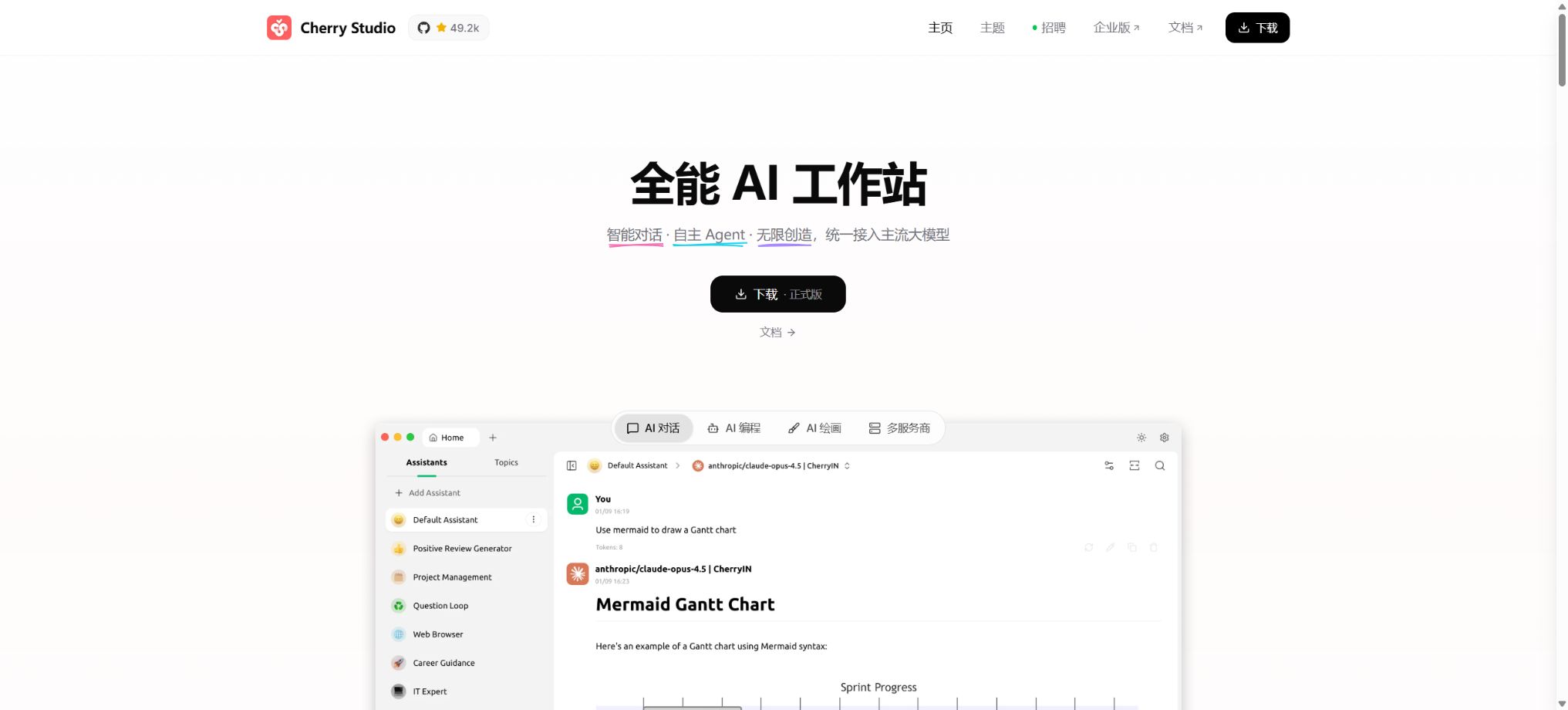
Cherry Studio
An open-source desktop client that supports the integration of multiple models and the management of knowledge bases.
Tags:AI dialogue chatWhat is Cherry Studio?
Cherry Studio is an open-source AI productivity client that integrates various large-model services, chat assistants, local knowledge bases, online search functions, translation tools, AI art generation capabilities, as well as Agent and MCP tools into a single desktop workspace. Users do not need to install separate clients for different model providers; they can configure their own API keys or connect to local inference services such as Ollama and LM Studio, and then switch between models depending on the task at hand.
The officials describe this product as an AI productivity studio. It is suitable for individuals and teams who frequently compare the outputs of models such as GPT, Claude, Gemini, DeepSeek, and Qwen, who wish to manage documents locally, or who need tools to enhance the capabilities of AI.
As of this verification, official sources indicate that more than 300 models and over 50 service providers are supported; the actual number of available models may vary depending on the supplier’s interfaces, location, and account permissions.
Core functions
1. Unified management of multiple suppliers and models
Cherry Studio includes interfaces for accessing models from OpenAI, Anthropic, Google Gemini, Azure OpenAI, as well as various other model providers both domestically and internationally. It also allows the addition of custom services that are compatible with the OpenAI, Gemini, or Anthropic protocols. Some suppliers can automatically retrieve a list of available models, and the same supplier can have multiple API keys configured to enable sequential polling.
The client itself does not provide access to all commercial model quotas. To use cloud models, it is usually necessary to request a key from the relevant supplier and bear the costs associated with tokens.
The model name, context length, speed limits, and billing for the aggregation platform are also determined by the aggregation platform itself.
When setting up a custom address, it is necessary to check the official interface format to avoid handing over keys to third-party services of unknown origin.
2. Comparison of multiple models for the same topic
The same question can be sent to multiple models at once, allowing the quality of their responses, their speed, their reasoning processes, and their format to be compared on a single page. This feature is useful for selecting the best model, verifying translations, comparing different code solutions, and reducing the risk of errors caused by relying on a single model. It also enables the setting of separate system prompts, temperature settings, limits on the amount of context, and other custom parameters for different assistants.
When multiple models are used simultaneously, each one will consume its own quota; it is not possible to estimate the costs based on just one round of interaction as shown in the interface. In cases involving facts, data, and professional conclusions, even if the answers from multiple models are consistent, this does not mean that those answers are correct – it is still necessary to consult the original sources.
3. Assistant market and custom assistants
The software includes a large number of assistants designed for tasks related to writing, programming, translation, learning, marketing, and office work; it also allows users to create their own sets of roles, prompts, models, and tools. The official sources provide different figures regarding the number of these assistants, and it is more accurate to describe them as “hundreds or more” in the documentation, rather than presenting a specific figure as a fixed value.
Conversation records are grouped by assistant and topic; historical content can be searched, and preview in Markdown, mathematical formulas, code blocks, and HTML is available. Full or partial conversations can be exported in formats such as Markdown and Word, making them suitable for organizing meeting notes, research drafts, and prompt assets.
4. Local knowledge base and RAG Q&A
The knowledge base can import files in PDF, DOCX, PPTX, XLSX, TXT, Markdown, and MDX formats; it is also possible to add folders, web addresses, site maps, or plain text. Users need to select an embedding model, and after the system breaks down the content into segments and vectors, it retrieves relevant fragments during conversations and passes the corresponding attachments to the large model.
On the knowledge base page, it is possible to adjust parameters such as the number of results to be displayed and the similarity threshold, as well as to view the excerpts from the documents that match the criteria. This tool is suitable for product manuals, course materials, regulatory documents, papers, and personal notes; however, scanned PDF files, complex tables, formulas, images, and web pages protected by login requirements may not be able to be processed completely.
The official documentation also states that images do not participate directly in the vectorization of ordinary text.
5. Online search, translation, and AI-generated art
Cherry Studio can be connected to search services to provide additional information from the current webpage when answering questions; for the translation function, it is possible to choose a specific model, the target language, and relevant prompts.
AI-based image generation depends on whether the designated supplier provides interfaces for image creation or editing. The quick panel allows for quick tasks such as asking questions, translating text, creating summaries, or processing content from the clipboard in various working scenarios.
The results of online searches can be affected by the coverage of the search interfaces, location, date, and anti-scraping measures. The copyright regarding the generated images, as well as the rules regarding the use of portraits and their commercial application, are determined by both the provider of the model and the source of the materials; it cannot be assumed that these outputs can be used for commercial purposes without any restrictions just because Cherry Studio offers its tools under an open-source license.
6. Agent and Skills
The new version of Cherry Studio includes a dedicated Agent workspace; agents can combine models, memories, Skills, and tools to plan and carry out actions in multi-step tasks. Skills are used to equip specific agents with reusable instructions or capabilities, and they are suitable for handling code, organizing information, and executing fixed workflows.
Tools have greater capabilities than ordinary chat functions; before running them, it is necessary to check what will be read, written, or executed at each step.
The Agent is still in a phase of rapid development; whether the model can reliably use various tools depends on its ability to invoke those tools, as well as on the context and complexity of the tasks at hand. For automated tasks, it is necessary to establish points for manual verification, specify output directories, and define cost limits – it is not acceptable to allow unverified Agents to handle critical credentials or perform actions that cannot be reversed.
7. MCP Extension
Cherry Studio supports the Model Context Protocol; it enables the installation and management of MCP servers for tasks such as file system management, web scraping, memory handling, sequential thinking, and Brave search, and it also allows connection to third-party or self-developed services. An built-in automatic installation feature helps to set up the operating environment, although some servers require uv, Bun, Node.js, or external API keys.
An MCP server can essentially execute local programs, access files, connect to the network, or call external accounts. Before installation, it is necessary to check the repository, dependencies, startup commands, and required permissions; only the necessary directories should be made accessible, and the parameters should be verified on the tool approval form.
Servers from the market or community are not necessarily those that have undergone security audits by Cherry Studio.
8. Call chain tracing
The advanced call chain follows the OpenTelemetry approach, breaking down a single request into various spans such as model sessions, knowledge base searches, online searches, and MCP calls. Users can view the sequence of execution, the time taken, Token usage, as well as certain input and output data, which helps in analyzing why responses are slow, at which stage the tool fails, or which part of the process consumes the most resources.
The tracked content may include prompts, document snippets, and tool parameters. Before sharing screenshots or exporting diagnostic information, keys, personal data, and internal materials should be removed.
9. Backup, restoration, and cross-device migration
Data can be backed up locally, or automatic backup and restoration via WebDAV can be configured. The provider also offers an object storage solution compatible with S3, allowing integration with services such as AWS S3, Cloudflare R2, Alibaba Cloud OSS, Tencent Cloud COS, and MinIO; this facilitates the transfer of settings, chat histories, and knowledge base content between multiple computers.
Remote backup transfers the data to a storage service chosen by the user; the bucket should remain private, and access keys with minimal permissions should be used. The restoration process may overwrite the current data, so it is necessary to create a local backup before proceeding, as well as to verify compatibility between different versions.
Supported platforms
The community desktop version provides installation packages for Windows, macOS, and Linux. The official GitHub release page offers installation versions/portable versions for Windows x64 and ARM64, macOS DMG files, as well as Linux AppImage, DEB, RPM, and other formats; the specific architecture depends on the release files for each version.
CherryHQ also maintains other experimental or standalone client projects, but not all of them can be considered mobile versions with identical functions to the desktop version. Users should download them from the official Cherry Studio website or the official GitHub repository, avoiding downloaded installers from third-party sites that may have been repackaged.
Local models and privacy boundaries
After connecting to Ollama or LM Studio, it is possible to run compatible models on the local device, which is suitable for offline experiments, for protecting sensitive text, and for controlling the long-term cost of tokens. The actual speed depends on the amount of video memory and RAM available, the quantization method used, the length of the context, and the size of the model.
Running locally does not mean that computers with low specifications can still use all models smoothly.
According to the official statements, chat histories, settings, and knowledge base files are primarily stored locally; Cherry Studio does not upload these data centrally in order to provide a community client. However, when users choose cloud services, online embedding, connected search, MCP, or remote backup, the relevant prompts, file fragments, or parameters are still sent to the selected third party.
The actual data flow is determined by the supplier and tools that are activated each time.
Price and version
| Package or version | Prices, quotas, and core benefits |
|---|---|
| Enterprise | CherryStudioEnterprise, the enterprise version, is designed for organizational deployment and offers various management functions such as those related to members, organizational and user groups, unified model providers, assistants, Agents, Skills, knowledge bases, MCP, data analysis, and API gateways. |
| Community version | The Community Edition of CherryStudio can be downloaded and used for free; there is no monthly subscription fee for this version of the software. Therefore, when companies make purchases, they should rely on the real-time offers, contracts, invoices, deployment methods, and scope of services provided by the company itself, and should not assume that the fact that it is a community edition means that hosting and technical support are also free of charge. |
Community version
Cherry Studio Community Edition can be downloaded and used for free; there is no monthly subscription fee for the software itself. Users are still responsible for the costs associated with the API, search services, embedding models, object storage, as well as local hardware and electricity expenses.
Some service providers offer a free quota, but the amount, the region, and the validity period can vary.
Enterprise Edition
Cherry Studio Enterprise is designed for organizational use, offering capabilities for managing members, organizational and user groups, unified model providers, assistants, Agents, Skills, knowledge bases, MCP, data analysis, and API gateways. The official pricing documentation outlines a subscription-based model along with a usage-based Token system; payment can be made via Alipay or bank transfer, and a demonstration environment is also provided.
The public text reviewed this time does not specify fixed amounts in RMB that can be used as a reference for long-term commitments; the subscription tiers are chosen based on the size of the team, and the price per token varies depending on the model used. Therefore, when making purchases, companies should rely on the current offers, contracts, invoices, deployment methods, and scope of services available on their own website, and should not assume that the free community version entails free enterprise-level hosting and technical support.
GitHub and open-source licenses
The source code for the community version of Cherry Studio is stored in CherryHQ’s official GitHub repository, and it is developed primarily using TypeScript. As of the latest check, the most recent stable release is 1.9.6, released on May 15, 2026.
The project is updated frequently; when installing it, check the release page to see if there are any newer versions or security fixes available.
The community version is licensed under the GNU Affero General Public License v3.0. It is explicitly permitted for commercial use, provided that all the conditions of AGPL-3.0 are met.
If a company wishes to be exempted from the relevant open-source obligations, it must apply for a commercial license from the authorities.
The AGPL imposes requirements regarding the source code when making modifications, distributing it, or providing services over the network; teams that plan to carry out further development, use a white-label version, or offer SaaS solutions should have their specific methods of use reviewed by legal experts.
Cherry Studio usage guide
Complete a basic task.
- Clarify the issue, time frame, location, source priority, and output format;
- Upload materials for which you have usage rights in Cherry Studio, or enter a search query;
- First, establish a framework through unified management of multiple suppliers and models, and then use comparisons among different models for the same issue to provide additional evidence.
- It is necessary to distinguish between factual information from the source, the author’s opinions, and AI-generated conclusions.
- Check each item for dates, numbers, the original location, and any conflicting evidence;
- The conclusions are manually revised, the verification time is recorded, and then they are published;
Create reusable professional workflows
- Break down complex topics into four categories of questions: background, data, comparison, and conclusions;
- It integrates unified management of multiple suppliers and models, comparison of different models for the same problem, as well as a marketplace for assistants and the possibility to create custom assistants – all forming fixed steps in the research process.
- Give priority to using the official website, research papers, regulatory documents, and raw data;
- A second person is assigned to review conclusions that are considered high-risk;
- Save queries, evidence, versions, and unresolved issues;
- Re-run after the data changes and update the conclusions;
Which users is it suitable for?
- Individual users who need to manage multiple large models, both domestic and international, from a single client;
- I hope to work with developers on models for comparing similar topics, as well as on storing history of conversations and prompt texts in a unified manner.
- Researchers who use PDFs, Office documents, web pages, and notes to create local knowledge bases;
- Privately sensitive users who wish to connect Ollama and LM Studio in order to run models on their own devices;
- Developers who need to enhance automation capabilities through MCP, Agents, and Skills;
- Enterprise teams that need a unified interface for models, member permissions, usage statistics, and a knowledge base.
Product advantages
- A single interface is used to manage over 50 service providers and more than 300 models;
- It supports parallel responses to the same question using multiple models, which facilitates selection and cross-checking;
- A complete set of functions is available: knowledge base, search, translation, drawing, Agents, and MCP.
- Chat, settings, and the knowledge base are primarily managed locally;
- It supports local inference solutions such as Ollama and LM Studio;
- Windows, macOS, and Linux distributions are fairly complete;
- The community version is open-source and can be audited and modified under AGPL-3.0.
Restrictions and Precautions
- CherryStudio is a client and orchestration tool that does not provide all the models themselves;
- The quality of responses, the context, speed, available regions, and security policies are primarily determined by the model chosen, while changes in the supplier’s interface can also lead to temporary unavailability.
- Database searches only retrieve the segments that the algorithm deems relevant, and may overlook tables, images, footnotes, and cross-page relationships;
- Critical contracts, as well as medical, legal, and financial documents, must be checked against their original versions.
- MCP, Agent, and plugin functionalities carry the risk of execution on the local machine; therefore, the minimum required permissions should be used along with manual approval.
- It is necessary to back up data before upgrading, especially in cases of migrating between major versions, using custom suppliers, or having a large number of users of the knowledge base;
- When using it in a corporate environment, it is also necessary to assess compliance with the AGPL, the terms regarding the processing of data from third-party models, log retention, and key rotation in the event of employee departure.
Frequently Asked Questions
Is Cherry Studio free?
The community version of the software is free and open-source, but the cloud model APIs, search functions, embedding capabilities, object storage, and enterprise services may incur costs. To use local models, one’s own computer hardware is required.
Is Cherry Studio a model?
No. It is a client that connects to, manages, and orchestrates different AI models; its answering capabilities come from cloud models or local models configured by the user.
Which systems are supported?
The desktop version is available for Windows, macOS, and Linux, and it provides distribution assets in the common x64, ARM64, and Linux package formats.
Will the data be uploaded?
Local chats, settings, and the knowledge base are stored on the device; however, when using cloud models, online embedding, search functions, MCP, or remote backup, the relevant data is sent to the corresponding services.
Can Cherry Studio be used for commercial purposes?
It can be used for commercial purposes as long as AGPL-3.0 is fully complied with. If a closed-source exemption, white-labeling, or other licensing arrangements are required, an official commercial license must be obtained.
How is the enterprise version priced?
The official approach is to use subscriptions based on the size of the team, along with an additional charge for the amount of model tokens used; there is no fixed price specified in the public documentation – the details should be checked on the enterprise version’s purchase page or in the sales contract.
Tools similar to Cherry Studio




 Guigong Network Security Registration No. 45132202000164