






AI Meeting Coach
AI Meeting Coach – makes AI-powered meetings more efficient and simpler.
Tags:AI conference toolsWhat is Hedy AI?
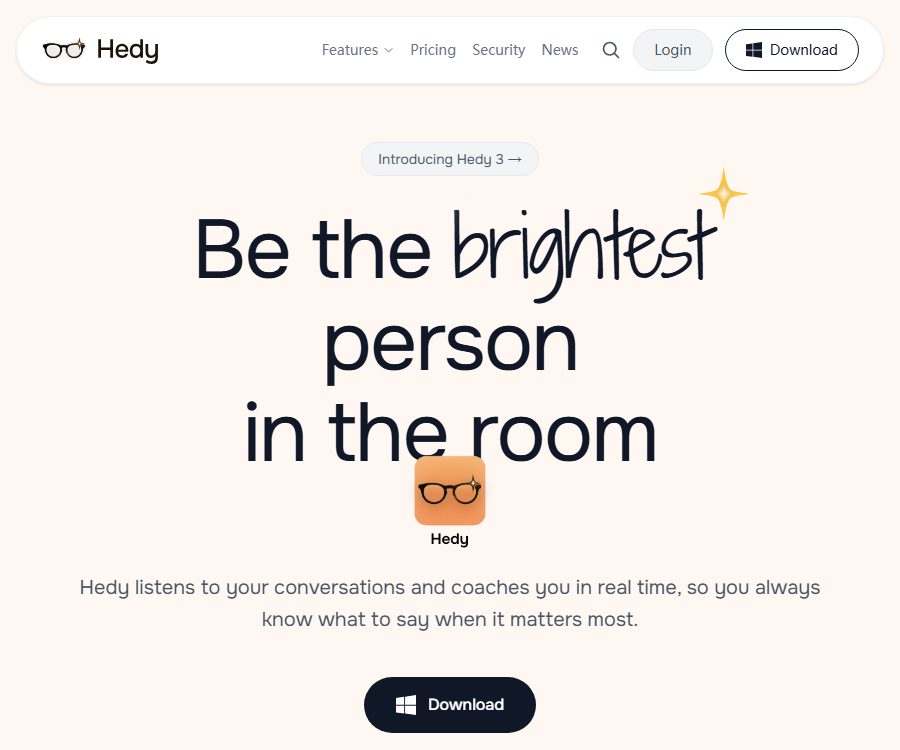
Hedy AI is an AI-driven conversation coach designed for use in meetings, interviews, classrooms, sales discussions, and presentations. It not only organizes the notes taken after a meeting, but also provides context-related suggestions, questions, and reminders during the conversation itself.
The product can be used for both online conversations and face-to-face interactions; it offers features such as real-time transcription, highlighting of key points, summarization, detailed notes, and to-do lists. Compared to tools that are designed solely for taking meeting minutes, Hedy places more emphasis on helping participants give clearer responses during the conversation.
Main functions
Real-time transcription and meeting coaching
- It generates real-time transcripts of conversations and supports over 30 languages.
- Based on the conversation content, provide suggestions for what to say, directions for further questions, and reminders about any overlooked points.
- It offers a variety of session modes that can be used for business meetings, interviews, classrooms, presentations, and negotiations.
- It supports custom contexts and specialized terminology to improve the understanding and recognition of content specific to certain industries.
Summary and task organization after the meeting
- Automatically generates meeting summaries, detailed notes, and key points.
- Extract tasks from conversations to reduce the time required for manual sorting.
- Continue to explore past sessions through post-meeting chats in order to find decisions, opinions, or tasks.
- It allows for editing of the transcribed content, and analysis can be regenerated based on the revised text.
Import, Export, and Share
- Pro users can import existing audio, video, online videos, and transcripts.
- Sessions can be exported in formats such as text, Markdown, CSV, JSON, Word, or PDF.
- It supports public session links, automatic email reviews, and cloud synchronization across devices.
- Relevant sessions can be merged, and long-term projects and topics can be organized using Topics.
Use across multiple devices
Hedy is available for iPhone, iPad, macOS, Windows, Android, Apple Watch, and web browsers. The desktop version can be used in conjunction with common video conferencing software, while the mobile version is suitable for recording in-person meetings.
How to use Hedy AI
- Install an application suitable for the current device, or access the web version, create an account, and select the data storage location.
- Create a session, select a mode such as meeting, class, or interview, and add background information or custom vocabulary as needed.
- Make sure you have permission from the participants in the conversation to record or transcribe their speech before starting to capture the content.
- Check the real-time suggestions during the conversation; mark key points manually if necessary, but avoid interrupting the dialogue by looking at the screen too often.
- After the meeting, check the transcript, summary, and action items; correct any names and technical terms before exporting or sharing them.
Which users are it suitable for
- Managers and project teams: Organize meeting decisions, risks, and follow-up tasks.
- Job seeker: Prepares for interviews and receives real-time feedback during conversations, followed by a review of one’s performance.
- Sales and Consultation: Document customer requirements, objections, and follow-up tasks.
- Students and teachers: Transcribe classroom content, create study notes, and review key concepts.
- Speaker and coach: Analyze the communication process to receive suggestions for asking questions and expressing oneself.
- Developers and automation teams: Connect to existing workflows via APIs, Webhooks, or MCP.
Prices and packages
The prices listed below were verified on August 25, 2026, and are expressed in US dollars. Taxes, prices in app stores, local currencies, and promotions may vary; the actual charge will be as indicated on the purchase page.
| Package | Reference price | Usage quota | Primary interests |
|---|---|---|---|
| Free | $ | Up to 5 hours per month; real-time AI suggestions are available 30 minutes before each session | Over 30 languages, transcription, summaries, and meeting notes |
| Pro monthly plan | $ | No limit on meeting duration or number of sessions | Import of historical recordings, organization of conversations across sessions, integration with Zapier and APIs |
| Pro annual subscription | $ | No limit on meeting duration or number of sessions | Includes all the features of Pro; according to the manufacturer, it saves 36% compared to monthly payments. |
| Lifetime | 299 dollars per use | Lifetime access to the currently available features | Includes Pro features, no need for recurring payments, and future updates |
The Teams version is still in the preparation and testing phase; team sharing spaces, unified seat management, and team-level topics cannot be acquired as part of the official offerings yet. The scope of application for the lifetime version is still governed by the service terms, and it does not guarantee that the product will be available indefinitely.
Developers and automation capabilities
REST API and Webhook
After subscribing to Pro and enabling cloud synchronization, it is possible to create API keys for reading sessions, performing transcription, generating summaries, identifying key points, extracting Topics, and managing tasks. Webhooks can be used to send events to external systems whenever a session is created or ended, key points are generated, or tasks are exported.
MCP integration with third parties
Hedy offers a remote MCP service that utilizes OAuth authentication, enabling compatible AI clients to retrieve data such as meeting information and topic details. It also supports automation tools like Zapier, n8n, and Activepieces, and provides endpoints for the North American and European regions to match the account’s location.
Open-source status
The Hedy AI applications and cloud services are commercial products; the official website does not state that the entire platform is open source. The official GitHub repository contains integration components such as Make, but these repositories only provide connectors or example code – they do not mean that the meeting coaching system itself can be deployed privately.
Privacy and security
- By default, audio capture and speech recognition can be performed locally on the device.
- According to the official specifications, cloud-based AI analysis is processed temporarily in memory and is not used for model training.
- Users can turn off cloud synchronization, delete a single session, or close their account; server account data is typically removed within 30 days after a deletion request is made.
- You can choose between the United States or the European Union as the data region, but this choice has an impact on API settings, MCP settings, and account configurations.
- Transmission is carried out using TLS 1.3, and static data is encrypted with AES-256; the company has completed SOC 2 Type I audits as well as HIPAA assessments.
- Compatible devices enable local AI analysis, allowing summaries, notes, chat replies, and suggestions during meetings to be generated on the device itself.
On the web version, since browsers do not have an equivalent local storage mechanism, data is always stored in the cloud. Even if the product provides security measures, organizations and users are still responsible for fulfilling compliance requirements such as providing notifications, obtaining consent, ensuring legal compliance, and respecting the rights of data subjects.
Product advantages
- It covers both real-time guidance during the meeting and post-meeting summaries, and is not limited to transcription of audio recordings.
- It supports both online and offline conversations, and is compatible with major desktop, mobile, and wearable devices.
- It offers local speech recognition, optional local AI, and region-specific data storage.
- The export formats, APIs, Webhooks, MCP, and automated connection methods are quite comprehensive.
- The free version provides 5 hours per month, allowing you to test the language recognition and the quality of suggestions first.
Usage restrictions and precautions
- Before starting to record or transcribe, it is necessary to be aware of local laws and obtain explicit consent from all relevant parties.
- AI may misidentify names, numbers, accents, and technical terms; the summaries and action items must be reviewed by the attendees.
- Real-time recommendations may not be suitable for highly sensitive, medical, legal, or critical business decisions, and they cannot replace professional judgment.
- Local AI relies on newer Apple devices or Windows computers with a suitable GPU; not all devices are compatible.
- Once third-party cloud speech recognition, OMI devices, or iCloud audio synchronization are enabled, the data is also subject to the policies of those respective services.
- API keys provide access to account meeting data; they must be stored securely and should not be placed in public code repositories.
Frequently Asked Questions
Is Hedy AI free?
There is a free plan that allows up to 5 hours of use per month, and it includes basic transcription, summarization, as well as real-time suggestions for a limited time. Unlimited sessions and advanced integration require the Pro version.
Will it join video conferences as a robot?
Hedy captures conversations primarily through devices, and it can operate without the meeting robot being part of the session. The actual method of capture varies depending on the device, operating system, and context of the conversation.
Can it be used for in-person meetings?
Yes. Mobile phones and Apple Watches can be used for face-to-face conversations, while desktop applications are suitable for online meetings such as Zoom, Teams, and Google Meet.
Will the meeting data be used to train models?
Official statements indicate that AI models are not trained using user sessions, and cloud-based content analysis is handled on a temporary basis. If more stringent local control is desired, local AI can be enabled on compatible hardware with cloud synchronization turned off.
Whether API is provided
REST APIs, Webhooks, and remote MCP services are provided, but the APIs require a Pro subscription as well as cloud synchronization to be enabled. Developers must also use endpoints that correspond to the account data area.
Summary
Hedy AI is suitable for users who want to receive prompts during conversations and have their notes automatically organized after the conversation ends. It offers multi-device compatibility, options for prioritizing local privacy, and good integration capabilities for developers; however, it is necessary to obtain consent for recording before using it, and the transcriptions and summaries generated by the AI must be manually verified.
Tools similar to AI Meeting Coach



 Guigong Network Security Registration No. 45132202000164