






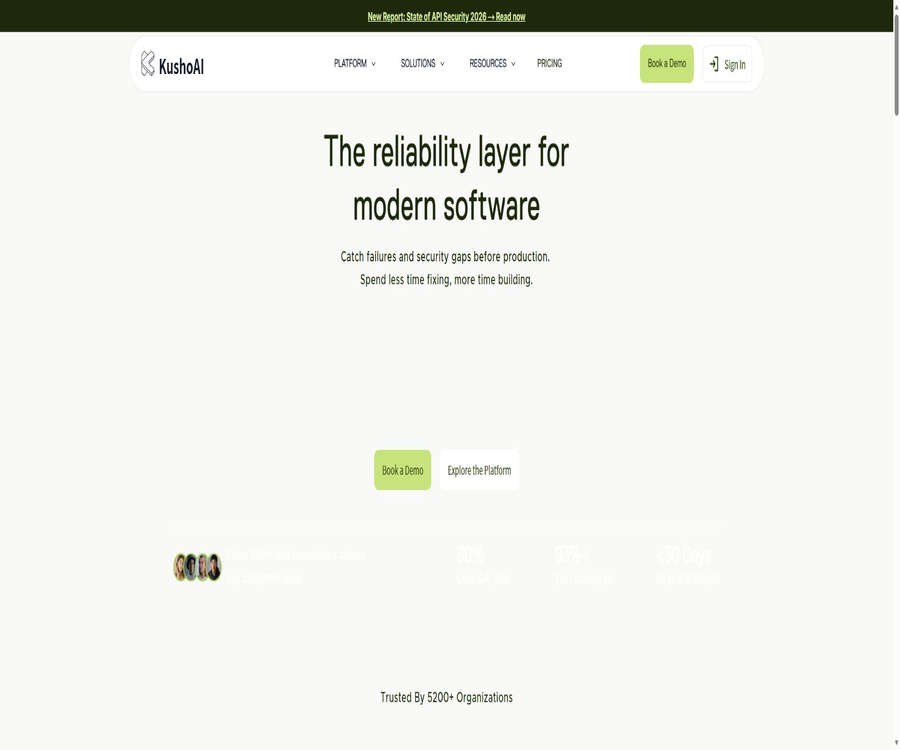
KushoAI
KushoAI, an intelligent tool focused on AI conferences
Tags:AI conference toolsA one-sentence summary
KushoAI is an AI-driven platform for testing and software reliability; it can automatically generate, execute, and maintain API tests, cross-service workflows, security tests, and UI tests based on API specifications or browser operations.
Tool Introduction
KushoAI is operated by Kusho, Inc, and it is intended for developers, QA engineers, engineering managers, as well as companies that need robust testing solutions. The product has evolved from a tool for generating API use cases to a comprehensive testing infrastructure that covers interface contracts, end-to-end processes, OWASP security checks, UI automation, and risk assessment for releases.
Users can upload OpenAPI or Swagger specifications, Postman collections, paste cURL commands, or enter request details manually. For the web interface, it is also possible to record a real operation, after which the AI can generate Playwright tests for various inputs, boundary conditions, and abnormal scenarios.
Product capability level
| Ability level | Main function | Typical input | Main output |
|---|---|---|---|
| API contract testing | Check whether the interface implementation matches the specifications. | OpenAPI, Postman, or a single interface | Requests, assertions, and regression test cases |
| End-to-end workflow | Connect multiple interfaces in series and pass the response fields. | Business process and interface dependencies | Multi-step combined testing |
| Security testing | Check common API security risks | Interface definition, authentication, and testing environment | Security use cases and failure records |
| UI testing | Record user workflows and expand boundary scenarios | Recording of browser operations | Executable Playwright scripts |
| Release intelligence | Combine change, coverage, and failure assessment risks. | Build and test history | Publish risk scores and decision signals |
Main functions
Automatically generate API test suites
KushoAI understands the interface structure, field types, and common business risks, and generates valid requests, invalid inputs, boundary values, combination conditions, and regression test cases. The results produced include request payloads, test descriptions, and verifiable assertions; however, users still need to verify the business semantics.
Multiple API import methods
Users can manually enter the method, request headers, path parameters, query parameters, and request body, or they can import OpenAPI, Swagger, Postman collections, or cURL commands. The product also allows for the identification of potential endpoints from text or Markdown documentation, with the user then confirming the specific endpoints.
API contract testing
The platform reads the interface definitions and checks for any changes in their implementation, thereby helping the team to identify issues before destructive changes are applied to subsequent environments. When the specifications lack constraints, examples, or information on error responses, the depth of automated testing is also limited.
Test execution and assertions
Each test can be run individually, selectively, or as part of a complete set of tests; the results page shows the actual requests, responses, and whether the assertions were satisfied. For test cases without defined assertions, only the responses can be viewed, and it is not possible to automatically verify the correctness of the business logic.
End-to-end API workflow
The enterprise feature enables the connection of 2 to 20 interfaces in a sequential flow, allowing the response fields from one step to be passed on to subsequent requests. It is suitable for validating cross-interface operations such as registration, logging in, placing orders, making payments, and sending notifications.
Dynamic test data
Workflows can generate random dates, strings, identifiers, and other dynamic values; they can also reference the responses from previous interfaces and perform string, array, or arithmetic operations on them. For complex expressions, clear examples should be provided to avoid false positives resulting from incorrect test data.
Interface changes and test updates
When the OpenAPI or Postman specifications change, KushoAI can compare the existing tests and generate suggestions for modifications. The differences are created by AI; before applying them, it is necessary to check whether custom variables, parameterized fields, and manual assertions have been accidentally altered.
Natural language editing test
Users can use plain language to add tests, modify expectations, or expand boundary scenarios, thereby reducing the need to edit scripts directly. Some of the new testing capabilities are marked in the documentation as enterprise features; the actual permissions must be checked within the account.
Testing in groups and batch execution
Test suites can be grouped, allowing teams to run multiple interfaces or entire sets of regression tests at once. Batch tasks should be organized by environment, service, and level of risk, in order to prevent excessive concurrency from affecting the shared testing system.
UI process testing
KushoAI can record clicks, keystrokes, and page navigations in the browser, and use AI to extend these recordings into various real-world scenarios. The scripts it generates are based on Playwright; they can be run in headless mode, and screenshots, videos, and test reports can also be saved.
Security testing
Enterprise capabilities include API security testing in line with OWASP standards, which allows for the identification of common risks related to authentication, authorization, input handling, and business processes. Automated security tests cannot replace threat modeling, manual penetration testing, or verification of fixes.
Self-healing test maintenance
The platform detects any deviations in the API contract and updates the relevant tests, thereby reducing the maintenance costs associated with the invalidation of numerous scripts after interface updates. Automatic repairs include mechanisms for reviewing those changes and for rolling back modifications, so as to prevent tests from altering their expected behavior in order to accommodate defects.
Publish risk score
KushoAI can calculate risk signals for releases based on contract changes, execution coverage, failure occurrences, and historical data. The risk score is useful as a tool to assist in the review process for releases, but it should not be the only criterion for bypassing the approval of responsible persons.
Supported input formats
| Input method | Suitable situations | It needs to be checked. |
|---|---|---|
| OpenAPI or Swagger | Complete interface specifications are already available. | Version, examples, authentication, and error responses |
| Postman Collection | The team already has a set of interfaces. | Environment variables and pre/post-scripts |
| cURL command | Quickly import a single actual request | Delete real tokens and personal data |
| Manual entry | No formal documentation has been created for the interface yet. | Methods, parameters, and request body format |
| Product documentation | Identify interface testing from business descriptions | Only text and Markdown-style files are supported. |
| Browser recording | Generate UI and user flow tests | Test accounts, privacy data, and stability selectors |
API testing generation process
- Register and create an isolated testing workspace.
- Choose manual entry, OpenAPI, Postman, cURL, or the product documentation.
- Remove production tokens, real customer data, and addresses that cannot be tested.
- Check the identified methods, parameters, request bodies, and authentication variables.
- Generate the test suite and first review the case descriptions and load conditions.
- Add clear assertions and business expectations for key scenarios.
- Connect to the testing environment through a browser extension or a local proxy.
- Run a single use case first, then execute the subset and the full suite.
- Determine whether the analysis failure is due to a product defect, an environmental issue, or a testing error.
- Once stability is confirmed, integrate CI/CD and establish failure handling strategies.
Run local and internal API calls
When the browser is subject to cross-domain restrictions, KushoAI can send test requests through a Chrome extension, allowing web applications to access localhost, VPNs, or internal testing environments. The extension should only function on KushoAI pages that have been authorized, but companies still need to review its permissions and code.
If expansion is prevented by corporate policies or when a non-Chromium browser is used, an official local proxy can be deployed. This proxy handles request headers, authentication information, and response content; it must run on a controlled machine and its listening scope should be limited.
| Connection method | Suitable for the environment | Advantages | Precautions |
|---|---|---|---|
| Chrome extensions | Local machine, VPN, and regular testing environment | The setup is simple and allows bypassing cross-domain restrictions. | Check extension permissions and updates. |
| Local proxy | Expansion is not available in non-Chromium environments. | Test routing requests can be performed on this machine. | Restrict ports, network access, and logging |
| CI/CD execution | Automated building and regression environments | It runs automatically each time it is submitted. | Protect API keys and environment variables |
| Enterprise local deployment | Regulated or highly sensitive networks | Testing and execution remain in the enterprise environment. | Procurement, operation, and upgrading arrangements are required. |
End-to-end workflow testing
The end-to-end builder connects nodes through interfaces, and allows subsequent steps to be driven by previous responses, requests, status codes, and request headers. When multiple nodes each select multiple use cases, the number of combinations increases exponentially, which can lead to a rapid expansion in the scale of execution.
- First, draw out the business processes and interface dependencies.
- Select only representative tests for each node.
- Specify which response field should be passed to the downstream request.
- Configure an appropriate waiting time for asynchronous processing.
- Limit the number of combinations to prevent test explosion.
- Add cleanup steps for the created data.
- Save the execution configuration for stable regression testing.
- Compare historical runs to identify intermittent failures.
UI testing workflow
- Select a dedicated test account and clear the historical status.
- Open the recorder and complete a minimal user workflow.
- Check the generated Playwright script after closing the browser.
- Fix unstable selectors, waiting conditions, and sensitive inputs.
- Let AI expand across different data, boundaries, and failure paths.
- Continue to adjust assertions and scenarios in natural language.
- First, run it in a visible browser and observe the behavior of the page.
- Once stable, it switches to headless execution while retaining the report.
- Enable screenshot or video recording when debugging is needed.
- Regularly address script failures caused by page updates.
Test export
API testing suites can be exported in various common formats, facilitating further use on local systems, within existing testing frameworks, or in CI/CD processes. Batch exports result in compressed files, and it is necessary to check whether credentials and environment variables are included before importing them.
| Export format | Primary uses | Precautions |
|---|---|---|
| Postman Collection 2.1 | Continue running and editing in Postman. | Check the compatibility of environment variables with the script. |
| Rest Assured | Integrate Java interface automation | Verify dependency and assertion code |
| TestNG | Generate Java test class | Integrate with build tools and maintain test data |
| JSON | Custom scripts or internal platform processing | Implement execution and reporting on your own. |
| CSV | Analyze in Excel or spreadsheet tools | Being suitable for review does not mean it is ready for execution as a test. |
CI/CD integration
The team can create workspace API keys that are displayed only once, and use them to trigger test suites or groups via CI/CD. These keys must be stored in the pipeline’s secret management system; they should not be included in repositories, build logs, or test reports.
- Create separate keys for different environments.
- Only the minimum permissions required for execution are granted.
- Fix the test suite and environment configuration version.
- Distinguish between blocking the publication and merely issuing an alert for failures.
- Set up an isolation process for unstable tests, rather than infinite retries.
- Limit concurrency to prevent overloading shared services.
- Save the test reports and build identifiers for tracking.
- Rotate the keys immediately upon employee departure or system migration.
Main integration directions
| Category | Representative system | Uses | Risk control |
|---|---|---|---|
| Code repository | GitHub, GitLab, and Bitbucket | Read changes and associate with tests | Minimum warehouse permissions |
| CI/CD | Common build and deployment pipelines | Automated triggering of tests and release of access controls | Protecting keys and limiting concurrency |
| Project management | Jira, Linear, and Azure DevOps | Create a defect and associate it with an execution. | Avoid uploading sensitive responses. |
| Notification | Slack, Teams, and email | Failed transmission and risk alerts | Control message content and channel range |
| Observation | Enterprise logging and monitoring systems | Correlated runtime and service anomalies | Clear tokens and personal data |
| Testing framework | Postman, Rest Assured, TestNG, and Playwright | Reuse existing toolchains | Verify the generated code and version. |
Price and version
At present, KushoAI offers a free Developer Edition as well as an Enterprise version at custom pricing; there is no option for a fixed monthly subscription fee. The enterprise pricing is determined based on the number of interfaces, UI workflows, monthly volume of operations, team size, deployment method, and any required custom integrations.
| Version | Price | Interface quota | Core rights and interests | Suitable for users |
|---|---|---|---|---|
| Developer Edition | $ | Up to 50 API endpoints | API contracts, UI testing, test generation and execution, community support | Individual developers, teams of 2 to 5 members, concept validation |
| Enterprise | Custom quote | Unrestricted or as per contract | OWASP security, comprehensive CI/CD, SSO, RBAC, on-premises deployment, 99.9% SLA, priority support, and a dedicated success manager | Production deployment, enterprise teams, and critical systems |
The Developer Edition does not require a credit card, and it can be used to determine whether the product is suitable for a team. There are no fixed figures specified for the minimum commitment under enterprise contracts, the annual duration, any additional fees, storage costs, support services, or deployment expenses; these details must be confirmed individually when making a purchase.
Factors affecting corporate quotes
| Quotation factors | Public reference range | Issues that need to be addressed |
|---|---|---|
| API endpoint | Between about 500 and over 10,000 | How many interfaces actually need to be generated and kept running? |
| UI workflow | Between about 250 and over 1,000 | How to define a user journey |
| Monthly execution volume | Between about 50,000 and over 5 million times | Are retries and combination tests included? |
| Team size | Approximately 15 to over 500 seats | How are development, QA, and read-only users billed? |
| Deployment method | Cloud, on-premises, or hybrid | Who is responsible for infrastructure, upgrades, and support? |
| Custom integration | Evaluate by project | Scope of delivery, acceptance, and subsequent maintenance |
Comparison of deployment methods
| Deployment method | Operation location | Advantages | Primary responsibility |
|---|---|---|---|
| Managed cloud | Multi-tenant cloud managed by KushoAI | Fast deployment, automatic scaling, and upgrades | Confirm data area, isolation, and availability |
| Local deployment | The company’s own network and infrastructure | Testing and execution remain internal. | Enterprises are responsible for capacity, backup, and operational coordination. |
| Hybrid deployment | Sensitive processes are handled locally, while some aspects of their processing take place in the cloud. | Balancing governance and flexibility | Define cross-environment data flows and failure boundaries. |
The public cloud is deployed in the AWS Stockholm region; companies can discuss options for local or regional deployment. Local deployment is a paid service, and it should not be confused with the free self-hosted solutions provided by GitHub’s deployment scripts or Helm charts.
Data security and compliance
The security portal states that KushoAI complies with SOC 2 Type II and ISO 27001, and it offers DPA, security documentation, and corporate audits. When dealing with regulated procurement, it is necessary to obtain the latest audit reports, scope of application, exceptions, and expiration dates of the certifications, rather than relying solely on the text on the website.
| Controls | Public explanation | Purchase verification |
|---|---|---|
| Cloud region | AWS Stockholm region | Verify the backup, logs, and sub-processor areas. |
| Transmission encryption | TLS 1.2 and above | Verify that both the internal proxy and Webhooks are encrypted. |
| Static encryption | AES-256 | Confirm key custody and rotation |
| Access control | OAuth, SSO, RBAC, and least privilege | Test role boundaries and audit logs |
| Security testing | Automatic and manual inspections, third-party penetration testing | Request information on the most recent cycle and the status of corrective actions. |
| Resilience | Encrypted backups and disaster recovery plans | Verify RPO, RTO, and drill records |
| Enterprise isolation | Logical or physical isolation and local deployment | Write order and architecture attachments |
Privacy and AI data processing
The platform may handle API specifications, request parameters, environment variables, test generation, execution results, CI/CD metadata, integration configurations, logs, and usage analytics. Although direct access to the production user databases is not required, the test loads themselves can still contain highly sensitive information.
The data that companies pay to have deployed will not be used for training AI models, unless both parties agree to it explicitly. Some of the data from the free version may be used to improve products and automation capabilities; therefore, sensitive teams should not upload real production data to free accounts before confirming the relevant policies.
- Replace real customer data with fictional or anonymized data.
- Tokens, Cookies, and keys all make use of secure variables.
- The test logs do not record the complete authentication information.
- Anonymize personal data in failed responses.
- Confirm the AI training terms separately for the developer version and the enterprise version.
- Confirm the retention period for data, as well as the time required for deletion and cleanup after termination.
- When using it across borders, check regional hosting and contract protection.
- Third-party warehouse, ticketing, and notification systems are evaluated separately.
Ownership and usage restrictions
The customer retains ownership of the data submitted to the platform; the KushoAI core platform, documents, and underlying technologies remain the property of the company or the licensor. The test and risk scores generated by AI may not be accurate, and they can only serve as a tool to support internal quality control processes.
- The platform license is intended solely for internal use, on a non-exclusive basis and without the right to transfer it.
- It is prohibited to copy, modify, or create derivatives of the core platform.
- Reverse engineering or attempting to obtain the core source code is prohibited.
- It is not permitted to bypass technical restrictions or compromise the security and availability of the service.
- Third-party integration remains subject to the terms of each provider.
- Unless otherwise specified in the contract, payments are generally non-refundable.
- Access rights cease upon termination, and the relevant data may be deleted in accordance with the retention policy.
- Critical tests still require independent verification, QA, and regulatory review.
GitHub and the open-source status
KushoAI has an official GitHub organization and makes several auxiliary projects available publicly, but its core cloud testing and enterprise governance platforms have not been released as complete open-source products. When determining whether something is open source, it is necessary to consider each individual repository and its license separately.
| Project | Primary uses | License or status | Correct understanding |
|---|---|---|---|
| Kusho UI Testing TUI | Record the UI workflow and generate Playwright tests using a custom model. | The source code is open source; the license terms are specified in the repository files. | An independent local tool does not mean that the core platform is open-source. |
| kusho-test-runner | Run KushoAI tests from GitHub Actions | MIT | CI/CD auxiliary components |
| kusho-proxy | Forward API test requests for web interfaces locally | GPL-3.0 | A proxy as an alternative to browser extensions |
| kusho-crx | Recording and controlling browsers based on Playwright | Apache-2.0 | Browser assistance tools |
| record-replay | Generate tests using recorded API calls. | MIT | Experimental or auxiliary projects |
| APIEval-20 | Assess the capability to generate tests for black-box APIs | Public benchmark | It is not a production testing platform. |
| Core KushoAI platform | Managed and enterprise testing infrastructure | Commercial closed-source | Local deployment by enterprises requires a paid contract. |
Open-source UI testing tools
The local TUI tool requires Node.js version 18 or higher, Git, the Playwright browser, and a terminal editor. It is able to call OpenAI, Anthropic, or Gemini, and it saves the model keys provided by the user in a local credentials file.
- Record browser interactions and generate initial Playwright code.
- Use AI to expand input variation, anomaly, and boundary testing.
- Continue to modify the script using natural language.
- Run tests with a headless or visible browser.
- It is optional to save videos, screenshots, and HTML reports.
- The key should only be sent to the model provider chosen by the user.
- When generating a script, it is still necessary to check the selectors, waits, and assertions.
- Before adopting it, enterprises should audit dependencies, licenses, and the permissions of credential files.
Which users are it suitable for
- Backend developers who wish to quickly create regression suites based on API specifications.
- QA engineers who are responsible for writing repetitive test cases need to be reduced.
- The team responsible for testing cross-microservice business processes.
- DevSecOps teams that wish to incorporate interface security checks into their pipelines.
- An engineering organization is needed to standardize the governance of API and UI quality.
- Companies in regulated industries that require local deployment, SSO, and auditing.
- Developers who wish to create UI tests using Playwright and custom models.
- Project managers who need to issue risk alerts and quality controls.
Typical use cases
| Scene | Recommended practices | Primary value |
|---|---|---|
| New interface launched | Import OpenAPI and generate valid, invalid, and boundary use cases | Rapid formation of an initial coverage |
| Changes to the interface contract | Upload new specifications and review AI differences | Reduce manual maintenance |
| Payment or order process | Connect multiple interfaces and transmit status. | Verify cross-service business logic |
| API security regression | Tests for authentication, authorization, and input risk generation | Common vulnerabilities were identified before release. |
| Key journey of the web page | Record the login, submission, or purchase process and create variations thereof. | Create executable UI regression tests |
| CI/CD quality gates | Execute the key suite during each build and assess risks. | Reduce defects from reaching the production stage |
Product advantages
- It covers API, workflow, security, and UI testing at the same time.
- It supports common specifications, collections, commands, and browser recording inputs.
- Automatically generates requests, assertions, boundary, and regression scenarios.
- It is possible to use previous responses to create complex, multi-interface processes.
- After the specification changes, it is recommended to update the affected tests.
- It supports CI/CD, ticketing, notifications, and monitoring integration.
- Offers cloud, on-premises, and hybrid enterprise deployments.
- The free developer version can be used for actual concept validation.
- Multiple utility tools and testing benchmarks have been made available on GitHub.
- The security portal provides information on encryption, authentication, and access control.
Main limitations
- There is no publicly available fixed price for the enterprise version.
- The developer version supports up to 50 API endpoints.
- The new end-to-end and partial AI testing capabilities are available only in the Enterprise version.
- Browsers need extensions or local proxies to access internal network interfaces.
- The combination of use cases for complex workflows can expand rapidly.
- The AI-generated test, difference, and risk scores may be inaccurate.
- Incomplete OpenAPI documentation can limit the quality of the output.
- UI scripts are still affected by selectors, timing, and page redesigns.
- Automatic security testing cannot replace professional penetration testing.
- Some of the data used in the free version may be utilized to improve performance.
- The core platform is closed-source; local deployment by enterprises requires a commercial contract.
- In public documents, it is necessary to be careful in distinguishing between old email addresses and duplicate page contents.
Pre-launch inspection checklist
- Select API and UI processes with real business significance as samples.
- Prepare to anonymize test data and use an isolated environment.
- Compare the coverage of automated test cases with the team’s existing defect database.
- Random checks verify business outcomes rather than just status codes.
- Evaluate false positives, false negatives, runtime, and maintenance workload.
- Suggestions for differences after testing interface changes, as well as options for rolling back.
- Verify CI/CD keys, permissions, concurrency, and failure policies.
- Check the network boundaries for extensions, proxies, and local deployments.
- Obtain official quotes, SLAs, support, and rules for excess usage.
- Verify SOC 2, ISO 27001, DPA, and data area documents.
- Confirm the paths for exporting tests, deleting data, and migrating after termination.
- The person in charge makes the final decision on publication.
Frequently Asked Questions
Is KushoAI currently only testing APIs?
No, it currently covers API contracts, cross-interface workflows, OWASP security considerations, UI processes, and release risk assessment. API testing remains the most mature and primary approach for working with products.
What API data can be imported?
It is possible to import OpenAPI or Swagger, Postman collections, and cURL files; alternatively, the details of the interfaces can be entered manually. Text or Markdown format product documentation can also be used to identify potential interfaces.
Can I test localhost or the interfaces within the VPN?
Yes, it is possible to send requests from a web browser using Chrome extensions or a local proxy to the local machine and internal network environment. Before use, it is necessary to review the permissions, listening ports, and request logs.
Is KushoAI free?
The Developer Edition costs $0 per month, requires no credit card, and supports up to 50 API endpoints; it is suitable for individuals, small teams, and proof of concept purposes. Custom pricing is available for enterprise-level capabilities.
How much is the enterprise version?
There is no fixed public price; the quote depends on the API endpoints, UI workflows, monthly usage volume, team size, deployment method, and any custom integrations. A written quote along with details of the usage requirements must be obtained before making a purchase.
Can it be deployed locally?
Yes, Enterprise offers local deployment within an enterprise network; it is also possible to use a hybrid architecture that combines cloud and on-premises solutions. The availability of deployment files on GitHub does not mean that the full enterprise platform can be obtained for free.
Can the generated tests be exported?
Yes, the API suite can be exported in the form of Postman Collections, Rest Assured, TestNG, JSON, and CSV. The open-source UI tools generate executable Playwright code.
Is KushoAI open source?
The core platform is not an open-source product, but the developers have made available public repositories for UI testing tools such as TUI, test runners, local proxies, browser tools, and evaluation benchmarks. Each component of this platform is governed by a different license, so it is not possible to use a single license to describe the entire product.
Are corporate data used to train AI?
The data deployed by paid enterprises will not be used to train models, unless explicitly agreed upon in the contract. Some of the data from the free version may be used to improve products and automation capabilities.
Can AI-generated testing replace QA?
No, the generated use cases, assertions, update recommendations, and risk scores may all contain inaccuracies. The team still needs to verify business requirements, test data, security boundaries, and make the final decision regarding release.
Summary
KushoAI is suitable for engineering teams that wish to convert API specifications into executable tests quickly, and to gradually expand their functionality to cover workflows, security, UI, and release governance. Its various import methods, natural language editing capabilities, integration with CI/CD processes, self-healing mechanisms, and support for on-premises deployment make it more than just a regular interface case generator.
Before adoption, it is necessary to test the ability of the Developer Edition to identify complex business defects, as well as its accuracy in making assertions, its false positive rate, and its maintenance costs. When purchasing it, enterprises must also clarify the custom pricing, definitions regarding the volume of processing, data training policies, audit materials, responsibilities for deployment, and arrangements for exiting the system.
Tools similar to KushoAI



 Guigong Network Security Registration No. 45132202000164