






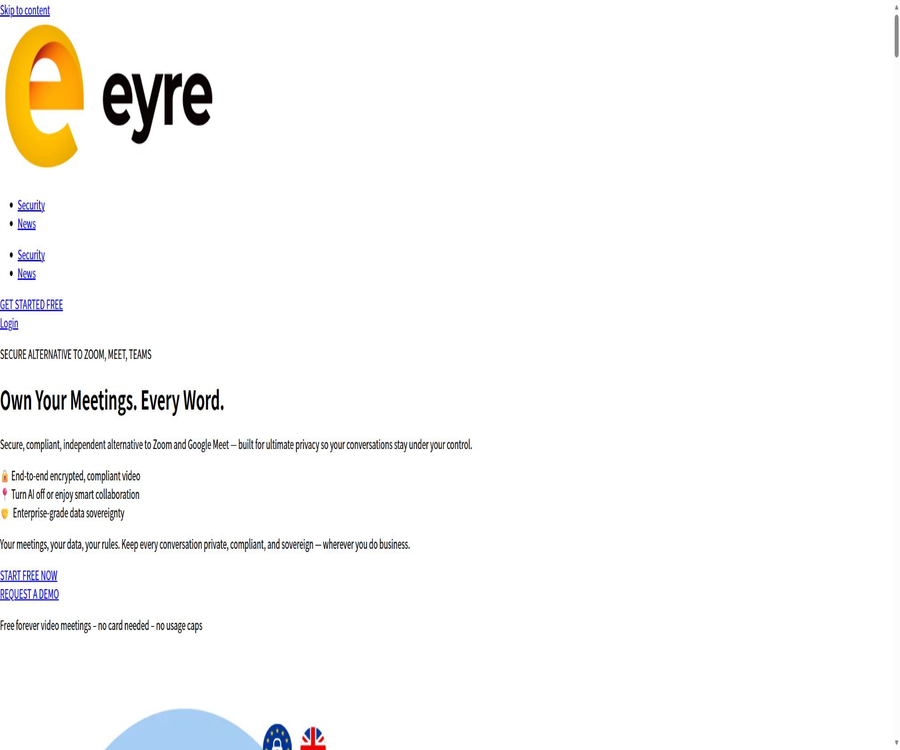
Eyre: European Secure Meeting Platform
Eyre: European Secure Meeting Platform, an intelligent tool focused on AI-powered meetings
Tags:AI conference toolsA one-sentence summary
Eyre AI is a secure meeting and collaboration platform designed for teams that are sensitive to privacy issues; it offers encrypted video and audio calls, AI-powered agenda management, transcription, summaries, action items, the ability to conduct meetings offline, as well as auditable records. It places emphasis on data retention and control within the European region.
Tool Introduction
Eyre, also known as Eyre Meet, is positioned as a sovereign alternative to Zoom, Google Meet, and Microsoft Teams. It handles online meeting connections, while also providing a single workspace for preparation before meetings, collaboration during meetings, and organizing the outcomes after they are over.
The terms updated in February 2026 designate British AI Systems Consulting Ltd as the entity responsible for providing services in the European and Canadian regions. The conference privacy policy identifies EYREACT LTD as the data controller, while the footer of the website shows EYRE AI OÜ from Estonia; therefore, before making a purchase, it is necessary to request that the contract clearly specify the entity in charge of operations, the persons responsible for processing data, and the data centers.
| Phase | Key capabilities | Typical results | User value |
|---|---|---|---|
| Before the meeting | AI agenda, templates, document upload, invitations and permissions | Agenda, discussion points, shared materials | Ask the participants to prepare in advance. |
| During the meeting | Videos, audio, P2P calls, chatting, screen sharing, script assistance and recording | Real-time collaboration and meeting recording | Reduce tool switching and control access. |
| After the meeting | Transcription, summarization, tasks, action items, sharing, and export | Searchable minutes and to-do items | Convert the discussion into actionable results |
| Management | Team roles, retention strategies, auditing, and enterprise integration | Permission and compliance records | Supports governance for regulated organizations |
Main functions
Encrypted video and audio conferences
Users can create or join video conferences and audio calls in their browsers, without the need to install any traditional desktop clients. The official website also offers instant meetings and P2P calls, making it possible to establish one-on-one or multi-person sessions quickly.
- It supports common collaboration features such as video conferences, audio-only calls, chatting, and screen sharing.
- Instant meetings can be shared quickly via encrypted invitation links, eliminating the need for complicated pre-configuration steps.
- The official website states that up to 5,000 participants can be invited to an instant meeting; for large-scale events, the actual capacity and the capabilities of the hosting system must be verified through trials prior to their use.
- Users can turn off the AI and use only basic video conferencing, thereby preventing all meetings from going through the automatic analysis process.
AI Meeting Agenda
When creating a meeting, you can enter a topic or select a meeting type, allowing the AI to generate an agenda and suggestions for discussion points. Users can also edit the topics manually, use templates, and keep track of the progress of the agenda during the meeting.
- Create a structured agenda based on the meeting theme to avoid aimless open discussions.
- Content that is better suited to the context can be generated by combining previous meetings, relevant documents, and the organizers’ notes.
- The agenda can be shared with attendees in advance, and a summary along with action items are provided after the meeting.
- The generated content is merely a suggestion; it should be reviewed by the moderator in cases involving legal, medical, or HR matters.
Real-time transcription and meeting recording
Eyre can generate complete, searchable meeting transcripts after obtaining consent for recording and transcribing. Transcripts are useful for reviewing discussions, identifying decisions, and creating compliant records; however, accents, specialized terminology, and multiple speakers talking at the same time can still affect accuracy.
The product page mentions the generation of hashes for meeting data and the creation of tamper-proof audit records, but it does not provide sufficient technical details to prove that all data and all records are indeed stored directly on the blockchain. Organizations that require proof-level integrity should ask for official clarification regarding the stored objects, the verification methods, and the validity of the evidence.
AI summaries, meeting notes, and action items
After the meeting, the system can summarize the discussions into an outline of key points, decisions made, tasks, and next steps. The Taskmaster feature is used to identify action items, assign responsible persons and deadlines, thereby reducing the need for manual sorting after the meeting.
- Automatically highlights key decisions and issues that require follow-up.
- Generate tasks from the summary, and assign responsible persons and deadlines.
- It allows meeting notes to be shared with participants as material for review or follow-up.
- AI may overlook negatives, conditions, or boundaries of responsibility; it must be reviewed by the moderator before being sent.
AI Copilot and Q&A during meetings
The Max plan includes AI Copilot and AI meeting answers, which can assist in answering questions, organizing information, or guiding subsequent actions within the context of a meeting. The official FAQ still lists cross-meeting question answering as a future feature; therefore, it is not possible to confuse questions from a single meeting with those from the entire organization’s knowledge base.
Script reader and speech assistance tools
Speaker Notes and Teleprompter can display scripts, prompts, and contextual suggestions during speeches, helping speakers to maintain a structured approach. The product also claims to provide feedback on clarity, speech pace, and concentration; however, the actual effectiveness depends on the quality of the microphone and the language support available.
Document upload and collaboration
The paid plan allows documents, files, and images to be uploaded to meetings, enabling participants to view these materials in the same space. The public price information indicated that the maximum size for files per meeting is 5MB; before uploading large files or sensitive attachments, it is necessary to take into account the restrictions set for the current account.
Offline and hybrid meetings
Eyre not only handles online calls, but it also allows for the recording of face-to-face meetings using smartphones or computers, after which summaries, action items, and exportable reports can be generated. This feature is suitable for board meetings, interviews, and in-person discussions; however, consent in accordance with applicable laws must be obtained before recording.
Teams, Roles, and Permissions
The team management features allow for adding members, inviting them in bulk, assigning roles, and controlling access to meeting content. The Max and Enterprise versions further offer the ability to share meeting content, view audit records, and implement organization-wide data retention policies.
Enterprise deployment and integration
The enterprise version offers single sign-on, security information and event management, endpoint security tools, as well as integration solutions for third-party business systems. The vendor also promotes local deployment, white-labeling, customized processes, and API connections; however, these features require demonstrations, contracts, and technical evaluations, and they are not included as part of a standard individual subscription.
Complete meeting workflow
- Register and select the European region service to create instant meetings or schedule future meetings.
- Enter the meeting theme or select a template, review the agenda generated by AI, and upload any necessary materials.
- Set the host role, participant roles, recording permissions, and data retention period, then send the invitation.
- Before the meeting begins, it is necessary to inform participants whether recording, transcribing, and AI use will take place, and to obtain valid consent based on their location.
- During the meeting, discussions progressed according to the agenda; decisions were recorded and responsible persons were assigned for each action item.
- After the meeting, check the transcripts, summaries, and tasks; correct names, numbers, negative statements, and deadlines before sharing them.
Usage tutorial
Create a secure online meeting
- Log in to the web workspace and create a meeting, specifying a clear topic, time, and list of participants.
- Choose whether to enable AI, recording, and transcription; you can turn off AI when analysis is not required.
- Create or edit an agenda, remove irrelevant AI suggestions, and allocate time for each item.
- Configure invitations, access permissions, and shared materials to prevent public links from being sent to uncontrolled channels.
- Once the meeting begins, a prompt indicating that recording is in progress remains visible, allowing those who do not wish to record to exit or switch to a mode that does not involve recording.
- After the meeting, the summaries, transcripts, and tasks are manually reviewed before being shared to the minimum necessary extent.
Handling in-person meetings
- Enable the offline meeting feature on your phone or laptop, and test the microphone as well as the network connection in advance.
- Explain to all participants on site the procedures for recording, transcribing, AI processing, and the retention period.
- Capturing can begin once the necessary consent is obtained; the device should be placed in a location where sound can be heard clearly without interfering with the meeting.
- After completion, a summary and action items are generated; the proper nouns and responsible persons are corrected based on the original discussions.
- Share the results only with authorized personnel, and delete the recordings and unrelated materials within the agreed timeframe.
Which users are it suitable for
- Legal and advisory team: It is necessary to protect client discussions and maintain searchable meeting minutes and action items.
- Financial and investment institutions: Need to control access to strategic, trading, and client meeting areas as well as to relevant data.
- The public sector and European organizations: seeking to reduce their reliance on American cloud-based conferencing platforms and to meet requirements related to data localization.
- Medical and life sciences teams: Strict procedures are required for recording consent, data retention, and access control, but it is first necessary to ensure that the specific modules comply with contractual requirements.
- Journalists and researchers: It is necessary to organize interviews, preserve context, and restrict access to sensitive materials.
- Board of Directors and management team: There is a desire to convert online, offline, and hybrid meetings into records of decisions, tasks, and audits.
- Small and medium-sized teams that are sensitive to privacy: they need basic encrypted meetings, with AI being enabled as needed rather than being used for mandatory analysis.
Typical use cases
- Controlled video conferences are established between lawyers and clients; the transcripts are then reviewed by the lawyer and stored for a limited period of time.
- Transform the board’s discussions in person into meeting minutes, resolutions, and a clear list of actions with assigned responsibilities.
- Generate an agenda before sales or customer success meetings, and automatically extract commitments and deadlines after the meetings.
- It provides video collaboration with regional hosting for teams across Europe, and limits access to sensitive project data through role-based permissions.
- Use a teleprompter to assist with public speeches, training sessions, or high-stakes negotiations, while retaining materials for review after the event.
- Pilot local deployment, single sign-on, auditing, and data retention policies for the enterprise, before deciding whether to proceed with a large-scale migration.
Product advantages
- Clear privacy focus: European services emphasize regional data storage, encryption, and control by participants over recordings.
- AI can be disabled: Meetings that only require video calls need not undergo automatic analysis, giving organizations more options for handling such meetings.
- Covers the entire meeting lifecycle: agenda, calls, transcriptions, summaries, tasks, and sharing are all available on the same platform.
- Combining online and offline methods: Face-to-face meetings can also be included in the unified process for minutes and action items.
- The rights of participants are specified in detail: recorded prompts, options to refuse, access, delete, and carry away the content are listed openly.
- Rich enterprise control options: it supports local deployment, single sign-on, custom retention, white labeling, and security integration.
- Free basic meetings do not require a credit card; individual users can first test browser compatibility and connection quality.
Usage restrictions and precautions
- Different pages on the official website use varying descriptions regarding the operating company, the European data controller, and the information listed in the footer; it is essential to identify the contracting party in the purchase contract.
- Certain sections on the European homepage list Canada as the hosting location, while the European terms and the page for participants mention Germany, France, or European infrastructure; it should be determined based on the account’s location and the contract terms.
- The official website claims compliance with standards such as GDPR, HIPAA, ISO 27001, and SOC 2, but the public pages do not display all current certification reports or the scope of application.
- On the home page, the medical module is also described as something that will be released soon; healthcare institutions cannot assume that the current version already meets their legal obligations based solely on promotional statements.
- AI-generated transcriptions and summaries may contain spelling errors, confusion regarding the speakers, or omitted action items; therefore they should not be used as official records in legal, medical, or HR contexts.
- The rules regarding consent for recording vary from country to country and region to region; the host must determine whether consent comes from one party or from all parties, and keep a record of such consent.
- The public price page is not stable enough at the moment; there are differences between the comparison pages, search caches, as well as the currencies and benefits offered by regional sites, so it is necessary to review everything before settling any transactions.
- The claim that free meetings are unlimited contradicts the previous description of monthly meeting limits; the actual quota available in the account is more reliable than what was stated in the past.
- Browser-based meetings rely on the network, a camera, a microphone, and browser permissions; technical trials should be conducted first for large or critical meetings.
- Claims related to blockchain, data integrity, zero-knowledge, and real-time threat detection need to be evaluated in conjunction with technical whitepapers, the scope of audits, and the methods of deployment.
Prices and packages
The following is a reference plan prepared on August 22, 2026, based on the recently published pricing information for services in Europe. The sources from which these prices are obtained are not yet stable; the official website’s comparison pages still use the dollar symbol, while the terms state that payments in Europe should be made in euros or pounds. Therefore, the actual currency used, any taxes applied, and the associated benefits will be as indicated on the settlement page.
| Package | Reference price | Billing cycle | Primary interests | Suitable for users |
|---|---|---|---|---|
| Free | 0 euros | Free for a long time | Basic video and audio conferencing, encrypted connections, calendar integration, and a help center; no credit card required | Individual users who hold meetings occasionally |
| Pro | 9.95 euros per month or 79.95 euros per year | Monthly or annual payment | 30 P2P calls and 30 video conferences per month, full AI features, document uploading, and priority support | Individuals and small professional teams |
| Max | 19.95 euros per month or 215.40 euros per year | Monthly or annual payment | Unlimited P2P and video conferencing, unlimited AI capabilities, AI Copilot, content sharing, recording, action items, AI Q&A, 24-month data retention | Frequent meetings and growing teams |
| Enterprise | Custom quote | In accordance with the contract | Local deployment, SSO, secure integration, white labeling, custom branding, APIs, training, and dedicated support | Regulated industries and large organizations |
Subscription and discount information
- In Europe, Visa and Mastercard can be used for services, while bank transfers can be arranged for business accounts.
- Subscriptions are subject to periodic billing, and cancellation takes effect at the end of the current payment cycle.
- The latest terms state that all purchases are non-refundable; it is necessary to first use the free version or the enterprise trial before starting to pay.
- Educational institutions and non-profit organizations can apply for special discounts in addition to the 10% discount offered under the Max program; the maximum discount stated on the official website is 90%, and eligibility must be confirmed by contacting the relevant authorities.
- The price for enterprises depends on factors such as organizational size, functions, deployment requirements, and integration needs; it is necessary to request a demonstration and a quote first.
- Taxes, regional currencies, and annual discounts may change; the Canadian dollar prices listed on the Canadian site cannot be used as a substitute for the settlement prices in Europe.
Platform support and integration
| Platform or integration | Support status | Uses | Precautions |
|---|---|---|---|
| Web browser | Support | Create and join online meetings | A camera, microphone, and browser permissions are required. |
| Mobile browser | Support | Join meetings and record in-person meetings | The official website has not confirmed the existence of a standalone native app. |
| Google Calendar | Currently supported | Schedule meetings and synchronize calendars | Account authorization is required. |
| Log in with a Google account | Currently supported | Simplify registration and login | It is necessary to assess the scope of identity data sharing. |
| Summary and recording export | Currently supported | Share and access external workflows | After export, the recipient is responsible for permissions and retention. |
| CRM and productivity tools | Partial planning or enterprise integration | Connects customers with the task system | Ordinary solutions are not all readily available. |
| SSO, SIEM, and endpoint security | Enterprise solutions | Organizational identity and security monitoring | Custom implementation is required. |
| APIs and third-party connectors | Enterprise solutions | Connect to systems such as Teams, Slack, Salesforce, etc. | There are no public developer documents; confirmation from sales is required. |
| Local deployment | Enterprise solutions | Processing meetings and AI with proprietary infrastructure | Technical assessment and a customized contract are required. |
Privacy and data security
The conference privacy policy will come into effect on January 11, 2026; it states that European conference data is stored on servers in Germany, with a backup option in France also listed on the participants’ page. The provisions for February 2026 specify that European data is processed using infrastructure located within the European Economic Area and is not transferred outside of this region.
Data collected and processed
- Basic identity information includes name, email address, and company affiliation.
- Meeting connection information includes date, time, duration, network address, device, browser, and connection quality.
- Once the host starts the session and obtains approval, the platform will process audio, video, chat messages, shared files, and screen content.
- The account administrator also submits information related to registration, billing, meeting configurations, and the use of various functions.
- The policy states that explicit consent is required for recording and transcribing, and participants can withdraw or choose not to have their speech transcribed during the meeting.
Retention, deletion, and participants’ rights
The conference privacy policy states that recordings are retained by default for 30 days; the host can set this period to a maximum of 365 days. Chat messages and transcripts are retained for the same duration as the corresponding recordings. The page detailing information for participants indicates that recordings are usually kept for 30 to 90 days, while conference metadata is retained for 90 days. These two periods differ, and in actual projects, specific retention periods should be specified in the account settings and the contract.
- Participants can request access to, correction of, deletion of, restriction on, objection to their data, as well as data portability.
- A visual or verbal indication should appear before recording begins, and clear signs should be in place throughout the recording process.
- Participants can leave before recording, raise objections, request copies, or ask for the content to be deleted.
- Officials state that the meetings will not be used for AI training, nor will personal data be sold to advertisers.
- The recordings can be provided in MP4 format, while the meeting metadata can be supplied in machine-readable formats such as JSON or CSV.
- Account data is usually retained during the period of service, and an additional 12 months is kept for business records.
How to understand security commitments
The official website claims that end-to-end encryption is used for the transmission of data during meetings, while AES-256 encryption is employed for static data; in addition, access control measures, security assessments, and penetration testing are implemented. Before adopting this solution, companies should request the latest architecture diagrams, instructions for key management, a list of subcontractors, and independent audit reports.
There are technical boundaries between encrypted meetings and AI-based transcription: if the server is required to generate transcripts or summaries, it is necessary to determine where the data should be decrypted, which model will process it, and when it should be deleted. It cannot be assumed that all AI processing takes place on the end device just because of the term “end-to-end encryption”.
APIs, GitHub, and open source status
The Eyre corporate website mentions that it is possible to integrate systems such as Teams, Slack, and Salesforce through APIs and third-party connectors, but no developer documentation intended for the public, information on authentication procedures, or fixed API pricing are available. Developers should not create unauthorized production integrations based on requests contained on the website.
The official FAQ states that end-to-end encryption is provided by the open-source Eyre Protocol; however, no GitHub repository, release package, or license that can be verified by the officials was found at the time of verification. The Eyre conference platform itself should be considered a closed-source commercial product, and it cannot be assumed that the entire platform is auditable or suitable for private deployment just because it is promoted as open source.
- The search results on GitHub mainly show Rust error-handling libraries with the same name; they have nothing to do with the Eyre conference platform.
- No official SDK, command-line tools, or developer example repositories have been confirmed.
- The enterprise version allows discussion of API and on-premises deployment, but the extent to which the source code will be made available needs to be specified in a contract.
- If the official party later makes the protocol repository available, it will be necessary to re-check the ownership details, the submission history, as well as the correspondence between licenses and production versions.
Procurement and go-live inspection
- Confirm whether the user’s region will be assigned to the European or Canadian service, and record the contracting entity.
- Request the data processing agreement, a list of sub-processors, the locations of data centers, and information on encryption and key management.
- Have the security team verify SSO, logging, permissions, deletion, backup, and incident response processes.
- Select a set of non-sensitive meetings for a pilot test to evaluate network quality, transcription accuracy, and summary precision.
- Check each option – Free, Pro, Max, or Enterprise – and include the details regarding capacity, retention periods, support, and termination terms in the contract.
- After establishing systems for notification of recording, consent, manual review, and data deletion, these measures are then extended to sensitive meetings.
Basic information
| Project | Content |
|---|---|
| Tool name | Eyre AI |
| Common names | Eyre, Eyre Meet |
| Tool type | Secure video conferencing, AI-powered meeting minutes, and collaboration platforms |
| Entities involved in service contracts in Europe | AI Systems Consulting Ltd |
| Conference Privacy Policy Data Controller | EYREACT LTD |
| Main functions | Video and audio conferences, agendas, transcripts, summaries, tasks, offline meetings, permissions |
| Price pattern | Free version, Pro, Max, and enterprise customization |
| Is registration required? | The host and account functions are required; the method of invitation to attend depends on the conference settings. |
| Data area | European services focus on the European Economic Area; the specific primary and backup locations as well as the relevant entities are determined by the contract. |
| Can AI be turned off? | It’s possible. |
| Chinese support | No complete Chinese interface or transcription commitment was found. |
| API | Enterprise integration is possible; there are no public developer documents available. |
| Official SDK | Not confirmed |
| Is it open source? | The platform is not open source; while the Eyre Protocol claims to be open source, there is no official repository that can be verified. |
| Main platforms | Web browsers, mobile browsers, and enterprise local deployments |
| Minimum age | 18 years old |
Recommendation score
Recommendation score: 4.0 / 5. Eyre places regional data control, encrypted meetings, the possibility to disable AI functions, meeting minutes, and participant permissions at the core of its product, which makes it particularly attractive to teams that are sensitive to privacy issues in Europe.
The deductions are mainly due to inconsistencies in the descriptions of the legal entity and hosting details on the official website, instability in the pages where prices are displayed, a lack of proper certification evidence for compliance-related communications, and the absence of verifiable repositories for open-source licenses. Small teams can benefit from a free trial first, while regulated organizations must carry out security and contractual due diligence.
Frequently Asked Questions
What does Eyre AI do?
It is a secure video conferencing and AI-based meeting management platform that handles agendas, calls, recording, transcription, summaries, tasks, and post-meeting sharing. It places particular emphasis on data storage in Europe and privacy controls.
Is Eyre free?
There is a long-term free plan; the official website states that no credit card is required for basic individual video conferences. The information available regarding the free AI quota and the limitations on historical records is not consistent, so it is necessary to check the current account benefits after registration.
How much are the Pro and Max versions?
In Europe, the current public prices are 9.95 euros per month for Pro and 19.95 euros per month for Max; an annual payment option is also available. The pricing varies depending on the currency and version, and the actual amount to be paid must be confirmed at the time of purchase.
Can I get a refund if I cancel my subscription?
The latest version of the terms states that no refunds are available for any purchases. Users can cancel their orders at any time through their account, and the cancellation takes effect after the current payment period has ended.
Does Eyre support Chinese?
The authorities have not provided a complete Chinese interface, real-time Chinese transcription, nor any guarantees regarding accuracy. Chinese-language meetings should first be tested using samples that include multiple speakers, various accents, and specialized terminology.
Can the AI be turned off?
Yes. The official website explicitly allows disabling the AI and using only regular video conferences, which is suitable for users who do not want a meeting to go through automatic transcription or summarization processes.
Will the meetings be used to train AI?
The official FAQ and the guidelines regarding participants’ rights state that meeting data will not be sent to third-party AI services for training or storage, nor will those meetings be used for AI training. Companies should still clarify the applicable terms in their contracts and data processing agreements.
Where are the meeting data stored?
The European terms of service specify that data is processed in European infrastructure located within the European Economic Area, while the privacy page indicates that the main server is in Germany and there is a backup server in France. Given that other sections of the official website use a mixture of languages specific to different regions, key customers should obtain written confirmation from the authorities.
Is it necessary to get approval to record a meeting?
It is usually necessary to inform participants, and in some areas all participants are required to give explicit consent. The moderator should explain the purpose of recording, who will have access to the footage, and how long it will be stored before starting the recording, and should offer those who do not agree an option to withdraw or to avoid being recorded.
How long will the recording be saved?
The default setting for the privacy policy is 30 days; the host can set it to a maximum of 365 days, while the participant page indicates that it is usually between 30 and 90 days. Users should check the specific settings for each meeting, rather than relying solely on general instructions.
Is an API provided?
The Enterprise version mentions APIs and third-party connectors, but no developer documentation is available. Organizations that wish to integrate such features should consult sales to determine the scope of the interfaces, the authentication requirements, quotas, support options, and any additional costs involved.
Is Eyre open-source software?
The conference platform is not an open-source software whose availability has been confirmed. The official website states that encryption is carried out using the open-source Eyre Protocol, but no code repository or license that can be verified by official sources was found.
Can it be deployed locally?
The enterprise solution offers support for local meeting management and data storage. The scope of deployment, AI models, upgrades, security responsibilities, and access to the source code need to be specified through a custom contract.
Is it suitable for medical institutions?
The official website contains information related to HIPAA, but the homepage states that the medical module is still in the process of being developed. Medical institutions must check the current version, sign the necessary agreements, and conduct their own compliance assessments; they cannot rely solely on the marketing pages.
Summary
Eyre is suitable for teams that wish to combine secure communication, AI-powered meeting summaries, and regional data control within a single platform. Its AI functionality, the option for offline meetings, the feature for defining action items, and the controls related to participant rights offer a more comprehensive set of capabilities than those provided by simple meeting robots.
The most important step before making a choice is to eliminate any differences related to entities, hosting options, and packages that are available in the public information. It is first necessary to conduct tests using non-sensitive meetings; only after that, by means of contracts, can the data areas, encryption boundaries, retention periods, compliance evidence, and exit mechanisms be determined – at which point it becomes appropriate to move on to handling critical business tasks.
Tools similar to Eyre: European Secure Meeting Platform



 Guigong Network Security Registration No. 45132202000164