






Dicte.ai
Dicte.ai, an intelligent tool focused on AI conferences
Tags:AI conference toolsA one-sentence summary
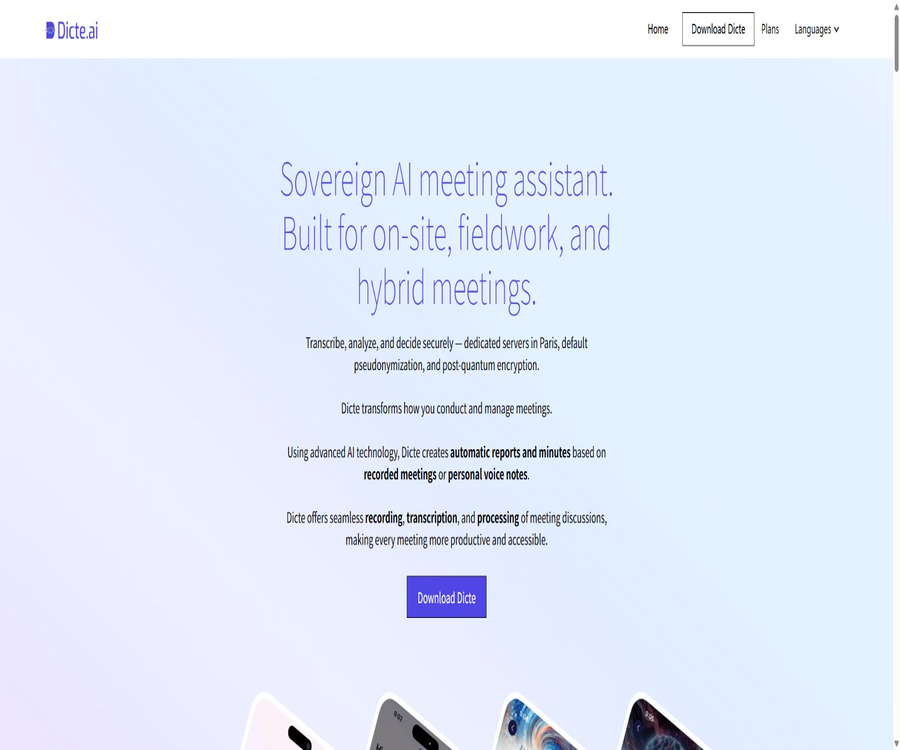
Dicte.ai is a cross-platform AI tool for meeting transcription and voice note-taking; it allows for the recording or import of audio, and it automatically handles multi-language transcription, identification of speakers, generation of summaries and transcripts, as well as conversational analysis.
Tool Introduction
Dicte is operated by the French company Livdeo SAS, and it is intended for individuals, teams, as well as organizations that place importance on data sovereignty. It covers face-to-face meetings, video conferences, and instant voice recordings; moreover, its SKILL analysis tool is used to transform the transcriptions into summaries, mind maps, or SWOT analyses and other documents.
The product can be used on iOS, Android, ChromeOS, Windows, macOS, and browsers. The web application is primarily used for accessing and processing content; it does not provide direct recording capabilities. The desktop version is currently available in beta form.
Core workflow
| Phase | Key capabilities | Enter | Output |
|---|---|---|---|
| Collection | One-click recording or audio import | In-person meetings, video conferences, or documents | Local recordings and pending tasks |
| transcription | Speech recognition and speaker identification | Audio in over 100 languages | Editable word-for-word script |
| Protection | Text kanaization | Identity information in the transcription | Text with the identification information replaced |
| Analysis | SKILL and conference analysis | Transcription and user commands | Summary, minutes, SWOT, or mind map |
| Q&A | Dialogual Agent | Meeting, workspace, or organization details | Question answering and knowledge retrieval |
| Delivery | Edit, share, and export | Transcription and analysis results | PDF, Word, and Markdown |
Main functions
One-click meeting recording
The mobile version allows for the recording of face-to-face meetings and voice notes, while the desktop version can record the audio from popular video conferencing systems. The maximum duration for each recording of a face-to-face or video meeting is 4 hours.
External audio upload
Users can also upload existing recordings for transcription; the official specifications indicate that a maximum of 20 hours of external audio can be uploaded per month. The specific format and maximum file size should be confirmed again within the account.
Over 100 languages
All solutions indicate support for over 100 recording languages and offer multilingual analysis. The examples on the official website include English, French, German, Spanish, and Italian; the actual accuracy level is affected by accent and sound quality.
Speaker recognition
Dicte uses anonymous speakers to separate different voices within the same meeting, thereby making it easier to organize the statements and action items. Users can edit the transcripts to correct names, terms, and recognition errors.
SKILL analysis tool
SKILL is an optional AI processing template that includes meeting minutes, mind maps, SWOT analyses, and other types of business analysis. Public analysis models are available for all solutions, while private or customized models are primarily used in Business and Enterprise contexts.
Dialogual Agent
Users can ask questions related to the content of the meeting. Both the free and Plus versions offer meeting-based conversation capabilities, while the Business and Enterprise versions extend these functions to three levels: meetings, workspaces, and organizations.
AI search across workspaces
The advanced version allows for searching for meeting-related information across multiple workspaces, which is useful for finding decisions, project background details, and responsible persons based on past discussions. The search results should still include the original transcriptions for verification.
Export in multiple formats
The final transcribed and analyzed documents can be exported in PDF, Word, and Markdown formats, making them suitable for archiving, editing, or integration into internal knowledge bases. Unnecessary personal and confidential information should be removed before sharing.
Recording and transcribing tutorials
- Create an account and install the mobile version or the Beta desktop version on your device.
- Before the meeting begins, all participants are informed about the purposes of recording, transcribing, and AI processing.
- Select the language and start recording; keep the device close to the main speaker.
- After the meeting, it is submitted for processing, while waiting for the speaker identification and transcription to be completed.
- Check names, numbers, dates, technical terms, and action items section by section.
- Select the desired SKILL to generate a summary, abstract, mind map, or SWOT analysis.
- Confirm the content before exporting or sharing, and delete the original materials as needed.
Video conference usage guide
- Install Dicte Desktop Beta on Windows or macOS.
- Check the system microphone, audio capture, and privacy permissions.
- Open a common video conferencing tool and use an internal test call to check the sound quality.
- Obtain the participants’ consent before starting the formal meeting and initiate Dicte recording.
- Avoid using the same account to handle another meeting simultaneously during recording.
- After completion, revise the transcription in the application and generate the required analysis.
- In the event of audio leakage, retain the original recording from the platform as a supplementary reference for manual correction.
Meeting analysis workflow
- First, correct the key errors in the transcription to prevent erroneous content from being included in the analysis.
- Select a SKILL that matches the goal, such as minutes, SWOT, or mind maps.
- Check whether the summary covers decisions, disputes, responsible parties, and deadlines.
- Ask the meeting-level Agent for the basis and go back to the original paragraph to verify it.
- The action items are confirmed by the meeting organizer, rather than being assigned automatically.
- Export it in a format suitable for the team, and then import it into the project or knowledge system.
Which users are it suitable for
- Manager: Reduce manual recording and enable quick access to decisions and action items.
- Project team: Maintain a history of meetings and search for information across different meetings.
- Consultants and researchers: Transcribe interviews and produce structured analyses.
- Journalists and creators: recording interviews, editing transcripts, and exporting documents.
- Multilingual team: Records international meetings in over 100 languages.
- Public institutions: Use administrative payments and collaboration spaces through Business.
- Regulated enterprises: Assess the local processing and configurable areas of DicteBOX.
- Teams that do not wish for their content to be used for training: they can rely on their explicit data commitments.
Product advantages
- It provides coverage for mobile, desktop, and web devices, making it suitable for both in-person and online meetings.
- The free version offers 120 minutes per month, allowing individuals to test its actual effectiveness first.
- It supports over 100 recording languages and speaker differentiation.
- SKILL converts the script into summaries, mind maps, and SWOT analyses.
- It supports PDF, Word, and Markdown, facilitating editing and archiving.
- The audio is deleted after processing, and the text is converted into kana before being fed to the AI.
- By default, models are not trained using user content, unless explicit consent is given.
- Enterprise offers options for local deployment using DicteBOX virtual machines or bare-metal servers.
Usage restrictions and precautions
- AI transcription can be affected by noise, distance, accent, multiple speakers speaking at the same time, and specialized terminology.
- Each live or video conference recording can last up to 4 hours.
- Web applications do not have a recording function; recording must be done on mobile or desktop devices.
- The desktop version is still in beta, so backup recording solutions should be prepared for important meetings.
- The unlimited duration and storage offered by Plus are subject to the fair use policy, and they are not truly unlimited.
- The terms prohibit a single account from handling multiple meetings at the same time, as well as sharing accounts.
- Business and Enterprise require an annual subscription as well as a minimum number of licenses.
- Custom analysis models and SSO may be paid add-ons.
- Linguistic obfuscation can reduce risks, but it cannot guarantee that an individual’s identity cannot be reidentified from the context.
- The user is responsible for obtaining the consent of all meeting participants regarding recording and processing.
Prices and packages
The following shows the information from the official pricing page as of August 22, 2026. The annual price for Plus is displayed on a per-user basis, with the monthly cost indicated; it is stated that this option saves 50% compared to the monthly payment. For Business and Enterprise plans, it is necessary to contact sales.
| Package | Price | Minimum license requirement | Billing conditions | Core positioning |
|---|---|---|---|---|
| Free | 0 euros/month | 1 | 120 minutes per month | Individual basic recording, transcription, and analysis |
| Plus monthly plan | 19.99 euros per month per user | 1 | Web application credit card subscription | No limit on meeting duration and reasonable use of storage |
| Plus annual plan | That’s equivalent to 9.92 euros per month per user. | 1 | Annual payment – 50% savings indicated | Long-term personal or professional use |
| Business | Contact sales | 3 licenses | Only annual subscription | Collaboration, integration, and three-tier agents |
| Enterprise | Contact sales | 10 licenses | Only annual subscription | DicteBOX, local deployment, and enterprise support |
Comparison of package features
| Functions | Free | Plus | Business | Enterprise |
|---|---|---|---|---|
| Monthly recording quota | 120 minutes | Reasonable use is unrestricted. | Reasonable use is unrestricted. | Contractual agreement |
| Public analysis model | Support | Support | Support | Support |
| Dialogue Agent | Meeting level | Meeting level | Meetings, workspaces, organizations | Meetings, workspaces, organizations |
| Collaborative workspace | Not included | Not included | Support | Support |
| Custom analysis models | Not included | Not included | Paid add-ons | Contains 5; extra charge applies. |
| Custom vocabulary | Not included | Not included | Not included | Support |
| API, tools, and CRM integration | Not included | Not included | Not included | Support |
| SSO | Not included | Not included | It can be added for a fee. | Support |
| SLA and dedicated support | Not included | Not included | Support | Support |
| DicteBOX local processing | Not included | Not included | Not included | Support |
Platform and output format
| Platform or format | Status | Uses | Notes |
|---|---|---|---|
| iOS | Support | On-site recording and content access | Install through the official store |
| Android and ChromeOS | Support | Mobile recording and processing | Install through the official store |
| Windows | Beta | Record video conferences | The system audio needs to be tested. |
| macOS | Beta | Record video conferences | Recording permissions need to be granted. |
| Web | Support | Access, edit, and analyze | No direct recording is provided. |
| Support | Share in a fixed layout | Check for sensitive information before publishing. | |
| Word | Support | Continue editing | Suitable for official minutes |
| Markdown | Support | Knowledge base and technical processes | Facilitates processing by text systems |
Privacy and data processing
According to the official policy, audio recordings are first stored on the user’s mobile device; during processing they are temporarily sent to the Dicte server for transcription, and then deleted immediately after that. The website further states that the audio is processed in data centers located in Paris, with no centralized storage system for audio files.
- The service handles account information, connection logs, usage statistics, and user content.
- The transcribed text is converted to kana before being fed into the AI module.
- The fields that are converted to kanji include names, addresses, phone numbers, email addresses, and identification numbers.
- The user retains the intellectual property rights to the recordings, transcriptions, and analysis results.
- The content is licensed for limited use solely to provide services, and such license ceases upon deletion.
- User-generated content is not used for training or improving AI by default, unless explicit consent is given.
- The servers are located in Europe, and cross-border processing is subject to policies and applicable agreements.
- Users can request access, correction, deletion, restriction, portability, and objection to processing.
Security and local deployment
Dicte mentions encryption of transmitted and static data, access restrictions, firewalls, intrusion detection, and regular security audits. The official website also states that Kyber post-quantum encryption is used for static text; companies purchasing this solution should verify the specific implementation methods, key management practices, and relevant components.
What is DicteBOX?
DicteBOX is Enterprise’s local AI edge computing solution; it can process data in an organizational environment using virtual machines or bare-metal servers. It is suitable for organizations that require offline operation or have stricter requirements regarding data sovereignty, but the hardware, models, upgrades, and support needed must be assessed on a case-by-case basis.
Enterprise deployment checklist
- Confirm where audio, transcription, analysis, and backup are located respectively.
- Check the specific versions of the local model, the open model, and the European model.
- Clarify the responsibilities for keys, administrators, logging, and data deletion.
- Test whether transcription, analysis, and export function properly in offline mode.
- Include SLAs, updates, security incidents, and disaster recovery in the contract.
- Verify SSO, user lifecycle, and minimum privilege configuration.
APIs and Integration
The official comparison table lists API, tool, and CRM integration as part of the Enterprise capabilities, while Business only indicates that integration is available. Currently, there is no public developer portal, no information on authentication procedures, no endpoints, no limits on the number of calls that can be made, and no SDKs available for download.
| Ability | Current status | Applicable packages | Explanation |
|---|---|---|---|
| API | Corporate capabilities, internal documents | Enterprise | Technical documentation must be provided by the seller. |
| Tools and CRM | Enterprise integration | Enterprise | The specific list of products has not been made public. |
| Business integration | Summary support | Business | The scope and implementation costs need to be confirmed. |
| Public Webhook | Not confirmed | Not specified | Do not assume it exists by default. |
| Official SDK | No findings were detected. | Not specified | Community packages cannot be regarded as official. |
GitHub and open source
Dicte’s official website states that it will use open-source and European AI models, but no official GitHub repository or open license that belongs to the Dicte product itself could be found; the platform and applications in question should be classified as closed-source services.
Using an open model does not mean that the product is open-source, nor does it imply that the same model is used every time a transcription is performed. Enterprises should require suppliers to specify the models actually used in deployment, as well as the licenses, versions, and update policies.
Basic information
| Project | Information |
|---|---|
| Tool name | Dicte.ai |
| Operating company | Livdeo SAS |
| Location | France |
| Tool type | AI assistant for meeting recording, transcription, and analysis |
| Recording language | Over 100 kinds |
| Supported platforms | iOS, Android, ChromeOS, Windows, macOS, and Web |
| Export format | PDF, Word, and Markdown |
| Free quota | 120 minutes per month |
| Minimum payment amount | The annual Plus plan amounts to 9.92 euros per month per user. |
| Enterprise deployment | DicteBOX virtual machine or bare metal |
| Public API | No public documentation available; enterprise solutions offer integration. |
| Official GitHub | No findings were detected. |
| Is it open source? | The product is not open-source; some open-source models are used. |
Recommendation score
The recommendation score is 4.5 out of 5. Dicte’s coverage of various platforms, support for over 100 languages, the ability to edit transcriptions, a wide range of SKILLS, as well as functions for removing audio and converting text into kana, make it suitable for use in meetings held by individuals and companies in Europe.
The main limitations are that the desktop version is still in beta status, Plus is subject to reasonable use restrictions, and enterprise integration as well as local deployment require a quote. The performance of the Chinese language and specialized terms should first be tested using the 120-minute free trial period.
Frequently Asked Questions
Is Dicte.ai free?
There is a free plan that includes 120 minutes of recording and analysis per month. If more time is needed, you can choose the Plus plan or contact Business and Enterprise.
Is Chinese supported?
Officials claim support for over 100 languages, but the public examples do not list all of them. Chinese users should use the free quota to test the accuracy of Mandarin, dialects, and specialized terms.
Is it possible to distinguish between speakers?
It is possible to distinguish between anonymous speakers. The identification results may still be incorrect in cases of multiple speakers overlapping or when the sound quality is poor; manual correction is recommended.
Can it record online meetings?
It is possible to use the Windows or macOS desktop version to record popular video conferences; the current desktop version is in Beta stage, and each recording session can last up to 4 hours.
Can the web version record audio directly?
No. The official documentation makes it clear that web applications do not have a recording function; recording should be done using mobile or desktop applications.
Will the recordings be stored in the cloud for a long time?
The policy states that recordings are temporarily uploaded during processing, and they are deleted immediately after transcription is generated. Users should still check for local copies, backups, and the organization’s retention policies.
Will the content be used to train AI?
By default, this does not happen. The terms stipulate that user content shall not be used to train, improve, or develop AI services unless the user gives explicit and specific consent.
What is DicteBOX?
It is an on-premises solution from Enterprise; it can be deployed using virtual machines or bare metal servers, and is suitable for organizations that wish to operate offline and have control over where their data is stored.
Does Dicte provide an API?
The Enterprise version includes API, tools, and CRM integrations, but no public development documentation is available. For information on coverage, costs, and technical requirements, please contact sales.
Is Dicte.ai open source?
The product itself is not open-source software. The developers emphasize the use of certain open-source or European AI models, but this is something different from making the source code of the application available to the public.
Summary
Dicte.ai integrates cross-device recording, transcription in over 100 languages, speaker identification, SKILL analysis, and export in multiple formats to create a complete meeting workflow; the free tier is sufficient for carrying out practical tests.
Teams that are concerned about privacy should give special attention to options such as deleting audio data after processing it, using pseudonyms for text, avoiding training by default, and deploying DicteBOX locally. Before making a final purchase, it is still necessary to verify the language performance, determine appropriate usage limits, and consider the details of integration with corporate systems.
Tools similar to Dicte.ai



 Guigong Network Security Registration No. 45132202000164