






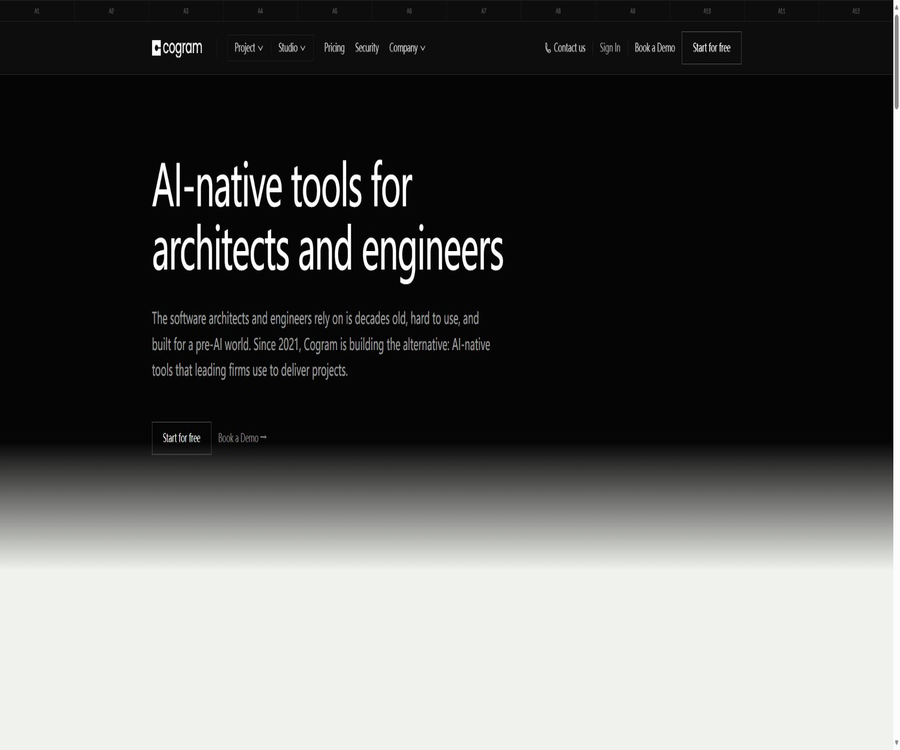
Cogram
Cogram, an intelligent tool focused on AI conferences
Tags:AI conference toolsWhat is Cogram?
Cogram is an AI-based platform for the construction, engineering, and building industry, launched by Cogram Inc.; it is intended for architects, designers, engineering consultants, and contractors. Its functions range from AI-powered meeting minutes to on-site reports, project agents, email management, as well as RFI and Submittal processes.
It focuses on organizing meetings, emails, project documents, and site records within the context of a project, and then generating editable outputs based on corporate templates. Cogram is not merely a tool for transcribing regular video conferences, nor is it software for architectural design or BIM modeling.
A one-sentence summary
Cogram uses web platforms and mobile apps to record meetings and on-site observations, and then leverages AI tailored for AEC projects to generate summaries, action items, on-site reports, and answers to project-related questions.
Product composition
| Product module | Main inputs | Main output | Typical user |
|---|---|---|---|
| Meeting Minutes | Audio for online or offline meetings | Summary, topic notes, action items, and Word minutes | Project manager, architect, and consultant |
| Field Reports | Voice, text, photos, drawing positioning, and on-site information | On-site report for enterprise templates | On-site engineers and construction managers |
| AI Agent | Project meetings, emails, RFI, Submittals, and documents | Project Q&A, analysis, reports, and draft status | Project team and management staff |
| Email Management | Outlook or Gmail project emails | Automatic archiving, shared retrieval, and project communication records | Project team and contract management personnel |
| RFIs and Submittals | Procore data, specifications, and submission materials | Synchronized dashboard, categorization, inspection alerts, and approval process | Architects, engineers, and contractors |
| REST API | Projects, users, action items, and export requests | System synchronization, automation, and backup status | Corporate IT and Integration Teams |
Main functions
Automatic meeting minutes
Cogram supports Microsoft Teams, Zoom, Webex, Google Meet, as well as face-to-face meetings. Users can arrange a Notetaker from the meeting panel, connect to calendars, forward valid calendar invitations, or paste the meeting link after it starts so that others can join.
- During the meeting, a real-time speaker timeline is displayed, and it is possible to pause, resume, or end recording.
- After the meeting, a summary is generated, along with detailed notes organized by topic and action items.
- All AI-generated results can be edited and formatted; they do not automatically become the final project record.
- Action items can be marked as completed or deleted, and are displayed collectively on the action items page.
- Users can keep their own handwritten notes, and such content is not displayed on the public sharing page.
- Administrators can set and lock the default rules for the summary emails sent after a meeting.
Cogram will not automatically join all meetings in an aggressive manner; it is the users or administrators who decide which meetings should be recorded. The content generated by default is visible only to those who have invited Cogram, and it is not sent automatically to external participants.
Enterprise templates and Word export
Organization administrators can upload standard Word templates, and using placeholders to determine the layout and content of the minutes, site reports, RFI responses, and submissions. The header, logo, font styles, and fixed text are retained as part of the template.
| Output method | Possible contents | Permissions and restrictions |
|---|---|---|
| Word template download | Meeting details, summaries, notes, action items, and custom insights | The template is configured by the organization administrator. |
| Copy to clipboard | Transcription, notes, action items, or summary | Retains the original format; can be pasted into emails or project systems. |
| Read-only sharing link | Meeting page and AI summary | Those who possess the link can view it; it should be sent with caution. |
| Internal email links | Draft meeting minutes | Available only to organization members after login; the link expires after 30 days. |
| REST API export | Package data by organization or project | An API key is required, and there are restrictions regarding scope, concurrency, and time. |
The placeholders in the template are case-sensitive; if a placeholder is missing, the corresponding section will not be displayed. Before going live, it is necessary to test pagination, tables, images, headers, and long texts using actual company templates, rather than only checking the default template.
Mobile on-site reporting
The Cogram mobile application is designed for use at construction sites and during site inspections. Users can select the type of project and report, and then add voice or text notes, photos, diagram locations, list of attendees, as well as other required fields. The system also includes information on the weather conditions at the location.
- Use Quick Observation to take notes while walking, and then add those observations to the formal report.
- Each observation can save a description, photos, type, and status.
- The administrator determines the fields that need to be filled in for different reports via Report Type.
- Once the report is completed, it is uploaded to the team space and exported as a Word template for the company via the web interface.
- Deleting a report will result in the removal of its observations and photos permanently, with no option to undo it.
Offline on-site work
Mobile apps save the content from the site on the device first, and upload it automatically once the network connection is restored. Observations, photos, notes, site reports, and records of face-to-face meetings can be completed offline, while drawings must be downloaded before departure.
| Status | Meaning | What should the user do? |
|---|---|---|
| Draft | Still being edited locally on the device; not yet uploaded. | Complete the required fields and submit officially. |
| Awaiting Upload | Completed and waiting for network connection. | Keep the applications and local data; do not uninstall them. |
| Uploading | Sending to server now | Waiting for the upload to complete. |
| Uploaded | The server has received it and is available for the team to view. | Web-based review and export can continue. |
| Failed to Upload | An error occurs during uploading, and it will automatically retry. | Restore a stable network; in case of continuous failures, copy the error messages. |
| Processing | The meeting audio has been uploaded; content is being generated. | Wait for the processing to be completed and verify the results. |
Drafts are not uploaded automatically; it is necessary to ensure that there are no drafts or items in the \"Awaiting Upload\" state before deleting an app, removing local data, or changing devices. The ability to work offline improves availability on-site, but it also requires organizations to manage device encryption, lost devices, and local photos properly.
AEC Project AI Agent
Cogram Agent allows users to search for meetings, emails, RFI requests, submissions, and documents related to a specific project, helping to identify decisions, tasks, risks, and past communications. It can also draft status updates, meeting summaries, and other project reports.
- Search for the same issue across multiple project data locations.
- Track decisions and action items that arise in meetings and communications.
- Generate a report or a preliminary draft of the status update based on the available data.
- Inherits the project access permissions already held by the organization and users.
- It supports customizing system prompts at the organizational level, thereby standardizing the behavior boundaries of agents.
The agent’s responses may still omit attachments, misinterpret the context of the contract, or confuse similar items. In cases involving change orders, allocation of responsibilities, payments, timelines, and compliance matters, it is necessary to refer back to the original records and have them verified by a professional.
Automatic email archiving and searching
After connecting to Outlook or Gmail through Email Management, project-related emails can be identified and archived in a shared project space. Team members can search for past approvals, design decisions, and correspondence, thereby avoiding information silos created by individual email accounts.
Email integration means that the platform may be able to read or modify the contents of email messages. Before enabling the enterprise version, it is necessary to check the scope of permissions for emails, the sharing rules, the retention period, and the procedures for handling accounts of employees who leave the company. Do not grant excessive permissions to the entire email account just for convenience.
RFI and Submittal management
This module performs two-way synchronization with Procore, displaying the tasks in various statuses such as received, under processing by consultants, internal pending, and issued. AI can carry out preliminary classification of the incoming items, compare them with the specified requirements, and indicate any incomplete information.
- View a large number of RFI and Submittals with fewer page transitions.
- Synchronize the updates from Cogram back to the Procore project.
- Maintain access to the synchronized data in case of interruptions to Procore access.
- AI pre-checking alerts for specifications that do not meet requirements or missing submission content.
- The review process is handled in conjunction with communication with Outlook projects.
AI-based preliminary checks cannot replace the formal review conducted by architects, engineers, or contract managers, nor should they be considered as a form of approval. Before issuance, it is necessary to verify the latest standards, the version of the drawings, the contractual authorities, and the synchronization status in Procore.
Integration of projects with enterprise systems
Cogram can be connected to Microsoft Teams, Outlook, Gmail, Zoom, Google Meet, Procore, Autodesk Construction Cloud, Deltek, and Unanet. Projects and team members can also be synchronized from PM or ERP systems such as Deltek Vantagepoint and Unanet.
The integration scope associated with different modules varies; some capabilities are available only to team members or corporate clients. When making a purchase, it is necessary to specify the read/write objects, synchronization direction, latency, retry options in case of failures, and field mappings for each module.
REST API
Cogram offers a stable REST API that allows users to read and manage project-related data using API keys; it also enables tasks such as handling users, project members, project types, data export, action items, board tasks, and backup operations. By default, each key permits up to 1,000 requests per minute.
The API makes use of pagination and standard error responses; when exporting certain data, only one active task is allowed at a time. Global exports for an organization are usually restricted to a period of six months, while exports on a project basis allow for a longer time frame. The specific capabilities are subject to the current documentation and licensing terms.
Cogram meeting workflow
- Register for Cogram and connect it to your work calendar to set the organization’s rules for recording, sharing, and notifications.
- Select the event in the meeting panel and enable Attend, or send an invitation with a valid calendar attachment.
- Before the meeting begins, all participants are informed that Cogram will be responsible for transcription, and the necessary consent is obtained.
- Check the record status during the meeting, and pause, resume, or end it early if necessary.
- After the meeting, wait for the summary, key notes, and action items to be generated.
- Verify the speaker, decisions, responsible persons, dates, and project terminology, and manually correct any errors.
- Choose to download a corporate Word template, or copy the specified section into the project system.
- Share it only with those who have permission to access project details, and complete the approval process before formal issuance.
Tutorial on using meeting minutes
- First, use a 14-day trial to create a test project that does not contain sensitive information.
- Connect to Outlook or Google Calendar from account settings.
- Confirm the default transcription language and make any changes before the meeting.
- Select an internal testing meeting and arrange for Cogram to join.
- Explain the purposes of transcription, the content to be stored, and the scope of sharing, and obtain the participants’ consent.
- After the meeting, review the summary, notes, and action items section by section.
- Manual corrections are made for incorrect names, technical terms, and dates.
- Download using the default Word template to check the layout, and then decide whether to create a corporate template.
Tutorial on creating on-site reports
- Install Cogram on an iPhone, iPad, or Android device and log in using your work account.
- Before setting off, select the relevant items and download the drawings needed for that day so that they can be viewed offline.
- Click Start Field Report, and fill in the title, items, and report type.
- Add observations, audio descriptions, photos, status, and drawing locations one by one.
- Fill in all the required fields related to site conditions, personnel, and settings defined by the administrator.
- Check whether the photos correspond to the correct observation before completing the report.
- Wait until the status changes from Awaiting Upload to Uploaded before clearing the device data.
- Return to the web interface to manually review the AI-generated summary and download it using the company’s Word template.
Tutorial on configuring enterprise templates
- Collect the Word files of meeting minutes or on-site reports currently in use by the company.
- Remove sensitive content that is specific to a single project, while keeping the headers, logo, and styles.
- Insert placeholders with exact case matching in the locations where dynamic generation is required.
- Only keep the summaries, notes, action items, and custom insights sections that are truly necessary.
- The organization administrator uploads the template and specifies the applicable modules or report types.
- Export using a sample that contains long text, tables, multiple people, and multiple photos.
- Adjust pagination, image proportions, table width, and empty sections.
- Have the project leader and the document control officer confirm it together before release.
API Integration Tutorial
- First, verify that the team license includes the required API objects and organizational permissions.
- API keys with specific purposes are created by the organization administrator.
- Store the key in server environment variables or a dedicated key management system, rather than in the front-end code.
- First, call the project list and use pagination to verify authentication as well as the structure of the response.
- Test members, action items, or export functions based on the scope of the project, to avoid pulling in data from the entire organization on the first run.
- Handles pagination, the limit of 1,000 requests per minute, and retry delay information.
- Record the data synchronization scope, field mapping, and methods for handling deletions and conflicts.
- Regularly rotate keys, deactivate unused integrations, and audit abnormal calls.
Which users are it suitable for
- Architectural firm: Automatically organizes minutes of meetings among owners, architects, and contractors.
- Engineering consultant: Tracks design decisions, action items, RFI and Submittal reviews.
- Construction management team: Generates reports on site using photos, audio, and diagram locations.
- General and specialty contractors: Centralized management of project communications and document submission.
- Project Manager: Locate decisions, responsible parties, and risks across meetings, emails, and documents.
- Document controller: Convert the AI draft into the company’s Word template and archive it in a unified manner.
- Enterprise IT team: Integrates with existing processes through APIs, SSO, permissions, and system integration.
Typical use cases
- OAC and design coordination meetings: Generate summaries and action items organized by topic.
- On-site inspection: Record issues, photos, weather conditions, and the location of drawings offline.
- Project history tracking: Search for approvals, comments, or commitments in emails from months ago.
- Initial review of RFI and Submittals: synchronized with Procore, with alerts for missing items.
- Project status report: Prepare weekly reports based on meetings, emails, and tasks.
- Standardization of corporate documents: Consolidating the outputs of different projects into a single Word template.
- System integration: Integrates projects, team members, action items, and exports into the internal data processes.
Product advantages
- It is designed around AEC projects rather than general meetings, and its functions include meeting, on-site, and contract management.
- It supports both online meetings and face-to-face recordings, and can generate Word files based on corporate templates.
- On mobile devices, it is still possible to record observations, take photos, generate reports, and conduct meetings even in areas without a signal.
- The project Agent can search across meetings, emails, RFI requests, submissions, and documents.
- It can be integrated with Procore, Autodesk, Deltek, Unanet, and common meeting platforms.
- It provides REST APIs to facilitate companies in synchronizing data such as projects and tasks.
- It is publicly stated that audio transcriptions are deleted after processing, videos are not saved, and customer data is not used to train models.
- SOC 2 Type II, SSO, MFA, role-based permissions, and private deployment options are suitable for enterprises to evaluate.
Usage restrictions and precautions
- The product is designed specifically for the AEC industry; ordinary sales teams or general conference teams may not need all of its modules.
- The individual version costs $79 per month, while the team module has a price based on the number of users; it is not a permanently free tool available to everyone.
- By default, only transcription from English is supported; for other languages, early access must be requested, and full support for Chinese is not available by default.
- Meeting AI may miswrite names, terms, numbers, dates, decisions, and responsible persons, so manual verification is necessary.
- It is the user’s responsibility to obtain the consent of the participants before recording a meeting, and to comply with local regulations regarding recording and privacy.
- The audio of meetings is deleted after transcription, but the transcription text, minutes, and action items are retained by default.
- Read-only sharing links can be forwarded; sensitive items should preferably be shared through controlled mechanisms within the organization.
- Offline drafts are stored only on the device, and uninstalling the app or deleting local data can result in their permanent loss.
- The AI preliminary checks carried out by RFI and Submittal do not constitute professional approval, nor do they replace the review processes specified in the contract.
- Email integration may grant broader access to email accounts; it is necessary to verify the minimum permissions and the scope of sharing.
- Enterprise private clouds or on-premises data storage require separate discussions and are not included in the personal self-service version.
- No official open-source repository or open-source license was found, making it impossible to audit the complete source code of the product on one’s own.
Prices and packages
The prices listed below were verified on August 21, 2026, and are expressed in US dollars. Cogram adopts a modular and flexible licensing approach: the individual version comes with a fixed monthly fee, while teams and firms are charged based on the number of seats and the products selected.
| Plan | Price | Billing method | Core rights and interests | Suitable for users |
|---|---|---|---|---|
| Personal version | $ | Monthly subscription | AI Agent, Meeting Minutes and Field Reports | Independent architects, engineers, and individual project managers |
| Personal trial version | 14 days free | Limited-time trial | Experience the core modules of the personal version | Users who wish to verify the workflow on their own |
| Team and firm | Contact sales | Quotation based on seats and modules | Optional email management, RFI and Submittal, SSO, integration, and enterprise services | Architectural firms, engineering companies, and contractors |
| Guided trial | Contact the team | The trial terms will be confirmed separately. | Combining enterprise workflow demonstration and verification | Organizations preparing to purchase or migrate |
| External account | Free | No fees are charged for external account seats. | Used for external collaboration; specific permissions are controlled by the organization. | Consultants, clients, and project partners |
| Private cloud or local storage | Contact sales | Corporate customization | Specify the cloud region or internal environment for data deployment. | Companies with data residency and compliance requirements |
The pricing page for the individual version does not list Email Management, RFIs and Submittals, SSO, as well as all enterprise integrations as standard features; these are to be confirmed based on the team quote. The final price, minimum number of licenses required, rules regarding floating licenses, API capabilities, and data retention period are determined according to the contract and billing pages.
Platform support and integration
| Platform or system | Support status | Primary uses |
|---|---|---|
| Web platform | Support | Projects, meetings, agents, management, review, and export |
| iPhone | Supported; iOS 17 or higher is required. | On-site observations, photographs, reports, and face-to-face meetings |
| iPad | Supported; iPadOS 17 or higher is required. | On-site records, drawings, and reports |
| Android | Support | On-site partners, observations, photos, and reports |
| Microsoft Teams | Support | Virtual meeting minutes |
| Zoom, Webex, Google Meet | Support | Virtual meeting minutes |
| Outlook and Gmail | Support | Calendar, meeting scheduling, and email management |
| Procore | Support | Two-way synchronization between RFI and Submittal |
| Autodesk Construction Cloud | Support | Integration of project data with AEC workflows |
| Deltek and Unanet | Support | Synchronization of projects and team members, integration with ERP |
| REST API | Support | Projects, users, exports, action items, and integrated automation |
| Standalone desktop version for Windows or macOS | No findings were detected. | It is primarily used through a web browser. |
Privacy and data security
During conference transcription, Cogram saves the audio files temporarily; once the transcription is complete, neither the audio nor the video files are retained. The transcribed text, meeting notes, and action items are stored by default, but an organization can request that the transcribed text not be kept after a summary is generated.
- By default, only users who have been invited by Cogram can view the meeting notes.
- The platform does not automatically send the content to external conference participants.
- Customer data will not be used to train Cogram’s AI or machine learning models.
- AES-256 is used for the static storage of data, while TLS encryption is employed for its transmission.
- It supports SAML 2.0 single sign-on, multi-factor authentication, and role-based access control.
- It offers custom deletion schedules, manual deletion requests, and options for data retention.
- Discussion is possible regarding storage in private clouds such as Azure, AWS, Google Cloud, or in internal environments.
- The platform maintains SOC 2 Type II certification and undergoes annual third-party penetration testing.
- The user still needs to obtain the consent of the meeting participants and manage the sharing link.
- Mobile devices should have screen locks and device encryption enabled, and offline uploads should be completed in a timely manner.
API, SDK, and open-source status
Cogram provides an official REST API, which is authenticated using a Bearer API key created by the organization. This documentation covers projects, members, users, data export, action items, board tasks, and backup operations; it also specifies pagination rules, error codes, as well as a default limit of 1,000 requests per minute per key.
No official SDK for the common language, nor any public repository containing the complete source code of the product was found. Cogram should be classified as a closed-source commercial SaaS solution; the provision of APIs and options for enterprise-level private deployment does not mean that the product is open source, and repositories with the same name available on the Internet cannot be considered as the official code.
Basic information
| field | Content |
|---|---|
| Tool name | Cogram |
| Operating entity | Cogram Inc. |
| Date of establishment | 2021 |
| Tool type | AI projects, conference, and on-site management platforms for the AEC industry |
| Core module | Meeting minutes, on-site reports, project agents, emails, RFI and Submittals |
| Price pattern | Monthly individual plan, 14-day trial period, team pricing based on the number of seats |
| Minimum publicly listed price | Personal version: $79 per month |
| Default language | English; for other languages, an early access request is required. |
| Mobile apps | iPhone, iPad, and Android |
| API | Provides REST API |
| Official SDK | No findings were detected. |
| Official GitHub | No findings were detected. |
| Is it open source? | No |
| Security capabilities | SOC 2 Type II, SSO, MFA, role-based permissions, and encryption |
| Data training | Official statements say that customer data is not used to train AI models. |
Recommendation score
The recommendation score is 4.3 out of 5 points. Cogram integrates the minutes of AEC meetings, on-site records, questions and answers related to project documentation, as well as email and contract management processes within a single project context; its enterprise Word templates and offline mobile versions offer significant value in specific industries.
The main drawbacks are the high individual pricing, the need to inquire about prices for team packages, and the fact that only English is supported by default. For users who have meetings in Chinese or who only need simple transcription, it is necessary to first assess the language capabilities and the accuracy of transcription before deciding whether to use this service.
Frequently Asked Questions
Is Cogram free?
There is no permanent free individual plan. The individual version offers a 14-day free trial, after which the cost is $79 per month; businesses can also apply for a guided trial.
What features are included in the personal version?
The current pricing page lists AI Agents, Meeting Minutes, and Field Reports explicitly. Email management, RFI and Submittal processes, SSO, and other enterprise integrations need to be confirmed through team solutions.
How much is the team version?
The team and the agency charge based on seats and modules; no fixed price is listed on their official website. Before making a purchase, it is necessary to request that the quote include details regarding the modules, optional licenses, APIs, integration services, support, and deployment benefits.
Does Cogram support Chinese-language meetings?
By default, only English is supported; other languages require contact with support to enable early access to this feature. The fact that translation languages can be selected does not mean that Chinese is already officially supported for all accounts.
Is face-to-face meeting supported?
Supported. Users can use mobile apps or browsers to record face-to-face meetings, and after the meeting ends, summaries, notes, and action items can be generated; however, it is still necessary to obtain the participants’ consent before starting the recording.
Will the audio and video be saved?
Audio is only saved temporarily during the transcription process and is deleted once the task is completed; videos are not saved. The transcribed text and AI-generated summaries are retained by default, but organizations can request to have them not stored.
Are the meeting minutes automatically sent to everyone?
By default, this is not the case; only users who have been invited by Cogram can see it. Administrators can enable controlled sharing of emails among organization members, and external participants will not receive such emails automatically.
Can it be used without an internet connection on site?
It is possible to record observations, photos, notes, on-site reports, and face-to-face meetings, with the option to upload them once the connection is re-established. The drawings that need to be viewed must be downloaded in advance; moreover, local Draft files cannot be restored after the application data is deleted.
Is it possible to export a Word file?
Yes. Both meeting minutes and on-site reports can be downloaded using either the default or custom Word templates provided by the company; administrators determine which sections should be included by using placeholders.
Are APIs provided?
REST APIs are provided, offering capabilities such as managing projects, users, members, exporting data, handling action items, and working with dashboard information. The specific scope of access depends on the team’s license and the organization’s permissions.
Is Cogram open source?
It is not open source; no official complete source code repository or open source license has been found. The availability of REST APIs, integration options, and private cloud storage options does not mean that the product’s source code is available to the public.
Is Cogram suitable for regular meetings?
It can record regular meetings, but its product design, integration, and pricing are clearly aimed at construction, engineering, and building projects. Users who only need basic meeting transcription may have to deal with additional complexity due to the industry-specific modules that are not necessary for them.
Summary
Cogram has evolved from a meeting minutes tool into an AI platform for AEC projects, covering meetings, site activities, emails, project-related queries, as well as RFI and Submittal processes. It is ideal for firms and project teams that wish to use their existing Word templates and consolidate various project documents under a single access control system.
Before making a choice, it is essential to test the proficiency in languages other than English, the accuracy of use of technical terms, the capabilities related to email and Procore access, as well as the ability to upload files offline on mobile devices and to approve official documents. Matters related to contractual responsibilities and engineering decisions must be reviewed by qualified personnel.
Tools similar to Cogram



 Guigong Network Security Registration No. 45132202000164