






AdKit
AdKit, an intelligent tool focused on AI conferences
Tags:AI conference toolsWhat is AdKit?
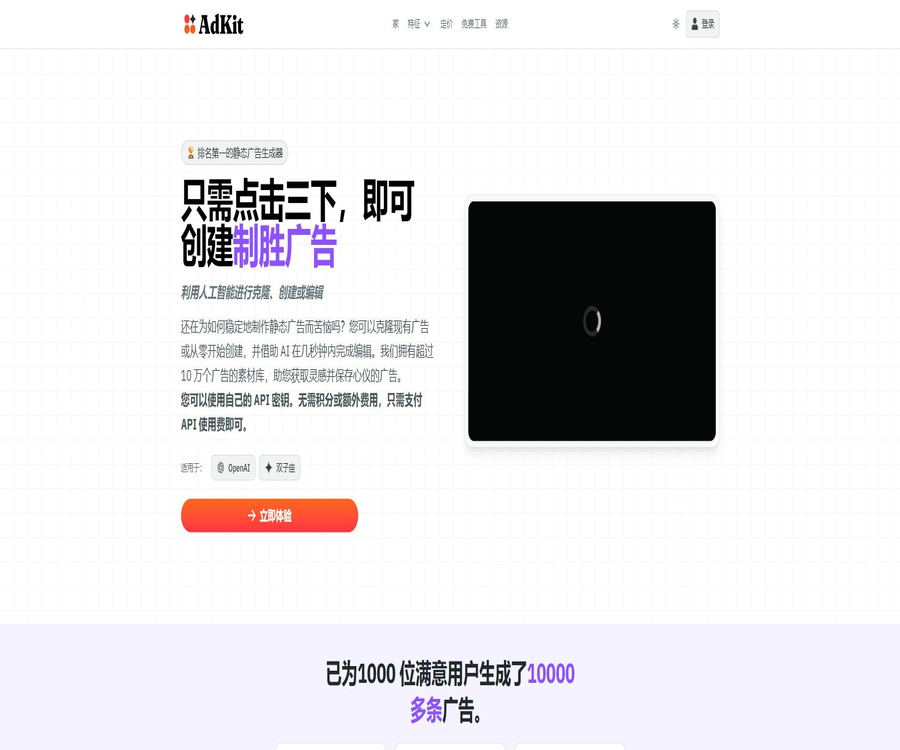
AdKit is a set of advertising tools designed for marketers, entrepreneurs, growth teams, and advertising agencies. It brings together functions such as competitor ad analysis, asset collection, static creative creation, multi-platform campaign management, and AI Agent integration in one workspace.
In its early stages, AdKit focused on creating static ads through a three-step process; today, its scope has expanded significantly. Its key feature is the draft-first mechanism: the AI Agent first creates content for review within AdKit, and it is only after the user gives approval that it is added to the actual advertising account.
Current main product modules
- Competitor tracking: Enter competitive brands or websites to continuously monitor changes in their advertising.
- Advertising asset library: Search through hundreds of thousands of ads and creative ideas across various platforms.
- Swipe File: Save assets, hooks, and landing pages as a source of inspiration.
- Ad Cloner: Generates new, branded static creatives from reference ads.
- AdKit Studio: Create and edit ads in various sizes.
- Ads MCP: Allows AI Agents to analyze, create, and manage ads.
- Multi-platform accounts: Connect to advertising platforms such as Meta, Google, TikTok, etc.
- Draft approval: All high-impact actions first go into draft form.
- Advertising report: Query expenses, CPA, ROAS, and trends in natural language.
- Free tools: Provide calculators for profit, budget, and advertising metrics.
What is Ads MCP?
Ads MCP is a connection layer that allows Claude, ChatGPT, Codex, Cursor, and other compatible clients to utilize advertising tools. Users can query performance, create campaigns, adjust budgets, or generate content using natural language, without having to navigate through multiple advertising management interfaces repeatedly.
- Read the performance of ad accounts, campaigns, ad groups, and creatives.
- Analyze the issues of high CPA, low ROAS, and budget waste.
- Create new campaigns, audiences, keywords, and ad drafts.
- Suspend, resume, or adjust multiple eligible items at once.
- Create ad copy and visual variations suitable for the platform.
- Search for competitor ads and ad asset libraries.
- Prepare weekly reports and client-friendly summaries of performance.
- Publish the draft after user approval.
Supported advertising platforms
| Advertising platforms | Current capabilities displayed on the official website | Typical tasks |
|---|---|---|
| Meta Ads | Connect, analyze, create, and manage | Facebook and Instagram campaigns, audience, assets, and budget |
| Google Ads | Connect, analyze, create, and manage | Search keywords, negative words, display ads, and bidding |
| TikTok Ads | Connection and Agent operations | Short-video campaigns, audience, and budget |
| Reddit Ads | Connection and Activity Management | Community audience, advertising, and performance analysis |
| LinkedIn Ads | Connection, reporting, and draft creation | Job target audience, Sponsored Content, and lead generation campaigns |
| X Ads | Connecting, creating, and reporting | Audience targeting, traffic campaigns, and budget control |
| Microsoft Ads | The official website currently lists it as supported. | Search ads and account management; the specific scope requires confirmation in the backend. |
Draft-first security mechanism
The advertising campaigns, budgets, and status changes proposed by the AI Agent are first saved in AdKit drafts; the actual advertising account remains unchanged until approved by the user. This design reduces the risk of costs being incurred as a result of errors made by the Agent, but users still need to carefully review each parameter.
- Users describe the advertising task to be carried out in natural language.
- The AI Agent reads the necessary account and performance data.
- AdKit saves the suggested actions as internal drafts.
- The user checks the platform, target audience, budget, target group, and materials.
- When an error is found, modify or discard the draft.
- It is only released on media accounts after explicit approval.
- After publication, continue to monitor it through the original media backend and AdKit.
Competitor ad tracking
- Import competitors by brand name or website.
- Automatically collects ads from sources such as Meta, Google, and LinkedIn.
- Distinguish between recently tested materials and those used in long-term operation.
- Check for changes in copy, creativity, format, and landing pages.
- Receive summaries of new ads or significant changes.
- Add the advertisements that are worth considering to the Swipe File.
- Use an AI Agent to inquire about the approaches being used by competitors.
- Convert the observations into your own test hypotheses.
Advertising asset library
The official website states that the ad database contains over 500,000 ads from sources such as Meta, Google, and LinkedIn. This database can help users find creative ideas, catchy phrases, and layout options; however, the duration and frequency of use of these ads can only serve as hints, and they do not prove the actual profitability of competitors.
- Search by industry, brand, platform, format, and keywords.
- View images, videos, text, titles, and action buttons.
- Read some video transcripts and creative hooks.
- Identify multiple ads associated with the same landing page.
- Save the ideas and landing pages in the research list.
- Have the AI Agent identify the common patterns among competitors.
- The duration of the advertisement can be used as a guide to determine whether it is worth conducting further research on it.
Ad Cloner – Ad cloning
Ad Cloner allows users to select a reference ad and use it as a basis to create new static ads that incorporate their own products, copywriting, and brand style. By \"cloning\" it is meant to refer to adopting the structure and marketing strategies involved, rather than copying competitors’ copyrighted images, trademarks, or copywriting.
- Select reference materials from the ad library or by uploading images.
- Identify the layout, hooks, and visual structure of the reference ad.
- Replace it with your own brand, products, and genuine selling points.
- Generate various sizes and design variants.
- Further modify the text, colors, and visual highlights.
- Save the selected version as a draft or download it.
- Complete copyright and platform policy checks before publishing.
AdKit Studio for generating static ads
- Start with the product page, marketing brief, or reference images.
- Create static creatives suitable for social and display advertising.
- Automatically combines products, titles, action buttons, and backgrounds.
- Create common sizes such as squares, portrait formats, and banners.
- Multiple versions are quickly created around the same selling point.
- Use your own model key to cover the generation call costs.
- Add the finished product to an active draft or export it for use.
Built-in model key mode
AdKit’s creative tools make use of model keys; users configure the keys for the supported model services on the platform, and the costs associated with generating those models are covered by their own model accounts. The example costs provided on the official website start at around $0.05 per ad, though the actual expense depends on the model used, the resolution, and the number of attempts made.
| Cost components | Payment recipient | Explanation |
|---|---|---|
| AdKit subscription | AdKit | Advertising research, projects, Agent connections, and platform features |
| Image or text model invocation | Model service provider | Charging is based on the real-time price of the model, using the user’s own key. |
| Advertising media spending | Media such as Meta and Google | The actual budget allocated is not included in the software subscription. |
| Taxes and fees | By settlement region | It may be charged separately in the software or model billing. |
| Team operation costs | Internal or agent | Review, design, deploy, and analyze human resources |
Advertising performance analysis
- Aggregate expenses by platform, account, activity, and date.
- Calculate metrics such as CTR, CPC, CPA, ROAS, and frequency.
- Identify activities or keywords with high costs but no conversions.
- Identify material fatigue, budget depletion, and interruptions in delivery.
- Explain the changes in performance using natural language.
- Generate weekly or monthly team reports.
- Convert the suggested action into a draft awaiting approval.
Appropriate use cases
- SaaS founders study their competitors and run their own advertising campaigns to acquire customers.
- The growth team conducts unified analysis of Meta, Google, and TikTok campaigns.
- The agent uses AI Agents to assist with repetitive tasks for multiple clients.
- The creative team creates a structured Swipe File based on the ads of competitors.
- Ad pitchers enable bulk creation of keyword, ad, and budget drafts.
- Small teams use their own model keys to control the costs associated with creative generation.
- Marketers manage ads using Claude, ChatGPT, or Codex.
- The team requires that all automatic operations be approved manually first.
Which users are not suitable for it
- Only teams that generate video or virtual voice-over ads are needed.
- Users who do not wish to connect to any advertising accounts and do not conduct research on competitors.
- Companies that need a fully open-source and locally deployable platform as a whole.
- We hope that agents can directly manage large advertising budgets without going through approval processes.
- There are no new projects that involve conversion tracking or a foundation of ad accounts.
- Users who cannot afford the costs associated with model calls and media advertisements.
- Companies that require a complete Chinese-language interface and localized services.
Tutorial on Integrating AdKit with AI Agents
- Register AdKit and create projects corresponding to the brand or customers.
- Choose Claude, ChatGPT, Codex, or another compatible client.
- Add the AdKit MCP service following the official connection steps.
- Log in and grant permissions only to the ad accounts that need to be managed.
- First, use a read-only query to test whether the accounts and metrics are correct.
- Have the Agent create a draft of a low-risk activity or report.
- Check the budget, audience, and materials for drafts in the AdKit backend.
- Once verified, it is approved, and the result is reviewed in the media backend.
Competitor Research Tutorial
- List direct competitors, alternative products, and industry benchmarks.
- Add competitors to tracking by brand or domain name.
- Select the target platform, region, and the time range of the last 30 to 90 days.
- Priority should be given to studying advertisements that have been running for a long time and those that appear repeatedly in recent times.
- Record hooks, selling points, proofs, layout, and landing pages.
- Save representative ads in Swipe Files for different themes.
- Have the Agent identify common patterns and uncovered perspectives.
- Test hypotheses using original materials, rather than directly copying those of competitors.
Tutorial on creating ad campaigns
- Specify the product, target audience, platform, region, objectives, and budget.
- Prepare brand materials, genuine selling points, and conversion pages.
- Have the Agent generate the structure of the campaign, the copy, and draft ideas.
- Check conversion events, dates, regions, and excluded audiences.
- Preview image cropping, character limits, and the landing page.
- Confirm the daily budget, total budget, and automatic rules.
- After approving the draft, check the publication status in the media backend.
- Run a complete learning cycle with a small budget, and then decide to increase resources.
Price packages
According to the information available on AdKit’s official website, there are two main paid subscription options, along with a 7-day free trial period. Some pages display the costs on a monthly average basis or as an annual fee; it is necessary to confirm the payment cycle, taxes, and any current discounts at the time of purchase.
| Plan | Public reference price | Project scope | Team Seats |
|---|---|---|---|
| Single Project | $ | 1 project, including Ads MCP and core tools | The official website states that seats are available and no additional fees are charged based on the account used. |
| Multiple Projects | $ | No restrictions on products; suitable for agents and multi-brand operations | No limit on seats |
| Free trial | 7 days | Used to experience the main process | The payment method required is subject to the settlement page. |
| Model invocation | Charged separately on a usage basis | Use your own model key | Not part of an AdKit subscription |
| Media advertising costs | Paid separately | Based on the actual consumption across various advertising platforms | Not part of an AdKit subscription |
Suggestions for package selection
| User type | Suggested solution | Reasons |
|---|---|---|
| Single brand or individual entrepreneur | Single Project | A single project can cover research, creativity, and event management. |
| Growth teams for multiple brands | Multiple Projects | Avoid project quantity limits and ensure unified collaboration. |
| Advertising agency | Multiple Projects | Unlimited projects and seats are more suitable for customer workspaces. |
| Just an ad calculator is needed. | Free tools | Public computing tools can be used without the need for a subscription. |
| It is necessary to verify MCP stability. | 7-day trial | First, test the target advertising platform and the Agent client. |
It is necessary to confirm before making a purchase.
- Are $29 and $49 the monthly prices or the annual rates after conversion?
- Whether a credit card is required for the trial period and the method for renewal after it expires.
- Limits on projects, ad accounts, team seats, and historical data.
- The read and write operations currently supported by the target media platform.
- The ad library takes into account factors such as country, historical depth, and update frequency.
- Which services and models are supported by the built-in model key?
- Rules for cancellation, refunds, data export, and account deletion.
- Enterprise security, data residency, and service level requirements.
Agent permissions and security
- Only connect the advertising accounts that are necessary for the current project.
- Let’s start with read-only query and reporting functions.
- Use separate project and account tokens for different clients.
- Agents are prohibited from bypassing AdKit’s draft approval process to publish directly.
- Set up internal approvals for budgets, status, and bulk operations.
- Regularly check third-party permissions and the access rights of employees who have left the company.
- Maintain budget alerts and emergency suspension options in the media backend.
- After publishing, check the AdKit draft against the results of the actual account.
Copyright considerations for competitor materials
- Only draw on creative structures, audience insights, and marketing perspectives.
- Do not copy the trademarks, characters, images, or entire text of competitors.
- Use genuine and verifiable selling points for your products.
- Confirm the commercial usage terms for the generated model and the reference images.
- Additional reviews are conducted on medical aspects, financial elements, and performance commitments.
- Record the source of the material, the modification process, and the person who gave final approval.
- Check the advertising policies of the target platform before publishing.
Product advantages
- It covers the entire process, including competitor research, content creation, publishing, and analysis.
- Ads MCP can connect to a variety of popular AI Agents and development tools.
- It supports seven types of advertising platforms, making it suitable for cross-channel teams.
- The draft-first mechanism reduces the risk of AI errors affecting real accounts.
- Competitor tracking and ad libraries can be accessed directly from the creative workflow.
- Built-in model keys make the generation costs more transparent.
- The multi-project plan has no limit on the number of participants, making it suitable for agents to work together.
- The official GitHub has released Ads MCP, advertising skills, and tracking tools.
Usage restrictions and precautions
- AI Agents may still generate incorrect budgets, target audiences, or advertising promises.
- Draft approval helps reduce risks, but it cannot replace professional ad review.
- The level of functionality and the interface limitations of different advertising platforms vary.
- The data in the ad library may be delayed, incomplete, or contain duplicate materials.
- Long-term investment in competing products does not necessarily mean that the advertising will be profitable.
- Creative generation also incurs costs associated with calling external models.
- Video generation is not AdKit’s most prominent core capability at the moment.
- Products and public materials are primarily in English.
- The full platform is not open source, and corporate data requirements need to be reviewed separately.
GitHub and the open-source status
AdKit has an official GitHub organization, and it makes projects such as Ads MCP, advertising strategy tools, conversion tracking, and Meta Pixel available to the public. However, the full AdKit web platform, the database of competing products, Studio, and the business backend remain closed-source services; the availability of these repositories does not mean that the entire product can be hosted independently.
| Project | Open-source status | Uses |
|---|---|---|
| AdKit commercial platform | Closed source | Projects, ad library, Studio, approval processes, and account backend |
| ads-mcp | Public warehouse | Multi-platform advertising Agent connection and examples |
| ads-skills | Public warehouse | Advertising strategies, structure, creativity, and optimization skills |
| conversion-tracking | Public warehouse | Google Ads and Meta conversion tracking wrappers |
| meta-pixel-js | Public warehouse | JavaScript and TypeScript tools for Meta Pixel |
| Complete self-hosted version | Not provided | Open-source components need to be distinguished from commercial services. |
Basic information
| field | Content |
|---|---|
| Tool name | AdKit |
| Founder | Nico Jeannen |
| Company location | Singapore |
| Date of establishment | 2025 |
| Tool type | Advertising research, AI-driven creativity, Ads MCP, and multi-platform management tools |
| Primary users | Marketers, SaaS founders, growth teams, and agents |
| Price pattern | 7-day trial, single-project and multi-project subscriptions |
| Advertising costs | Media expenses are calculated separately. |
| Is it open source? | The entire platform is not open-source; the vendor provides several publicly available components. |
Recommendation score
4.6 / 5. AdKit provides a comprehensive integration of competitor analysis, static creative elements, Agent-based advertising operations, and manual approval processes; it is particularly suitable for teams that wish to manage advertisements across multiple platforms through an AI-powered client. However, before publishing, it is still necessary for professionals to review the drafts, assess the costs associated with the models, and check compliance with platform policies.
Frequently Asked Questions
What is AdKit mainly used for?
It is used to study competitor ads, save ideas, generate static content, and enable AI Agents to analyze and manage multiple advertising platforms.
Which advertising platforms is AdKit compatible with?
The official website currently lists Meta, Google, TikTok, Reddit, LinkedIn, X, and Microsoft Ads.
Will the AI Agent modify the advertising account directly?
The default process is to first create a draft in AdKit; the changes are only deployed to the actual advertising account after explicit approval by the user.
Can AdKit be connected to Codex?
Yes, the official website lists Codex as one of the compatible Agent clients; it also supports Claude, ChatGPT, Cursor, and other MCP clients.
How much is AdKit?
According to public information, the plan for a single project costs $29 per month, while the plans for multiple projects or unlimited access cost $49 per month; a 7-day trial period is also available.
Is there an additional fee required to create ads?
It may be necessary. AdKit can use the user’s own model keys; the costs associated with image and text generation are charged separately by the model provider.
Is the advertising media budget included in the subscription?
It is not included; the actual cost of advertising on platforms such as Meta and Google must be paid separately by the user.
Can competitor ads be cloned?
Brand-specific variations can be created by referring to the structure of advertisements, but content protected by copyright, trademarks, or portrait rights cannot be copied directly.
Is AdKit suitable for agents?
It is suitable; multi-project solutions allow for an unlimited number of projects and seats, and enable the management of multiple brands or clients through separate work areas.
Is AdKit open source?
The entire platform is not open-source, but the company has made available projects such as Ads MCP, advertising capabilities, conversion tracking, and the Meta Pixel.
Tools similar to AdKit



 Guigong Network Security Registration No. 45132202000164