






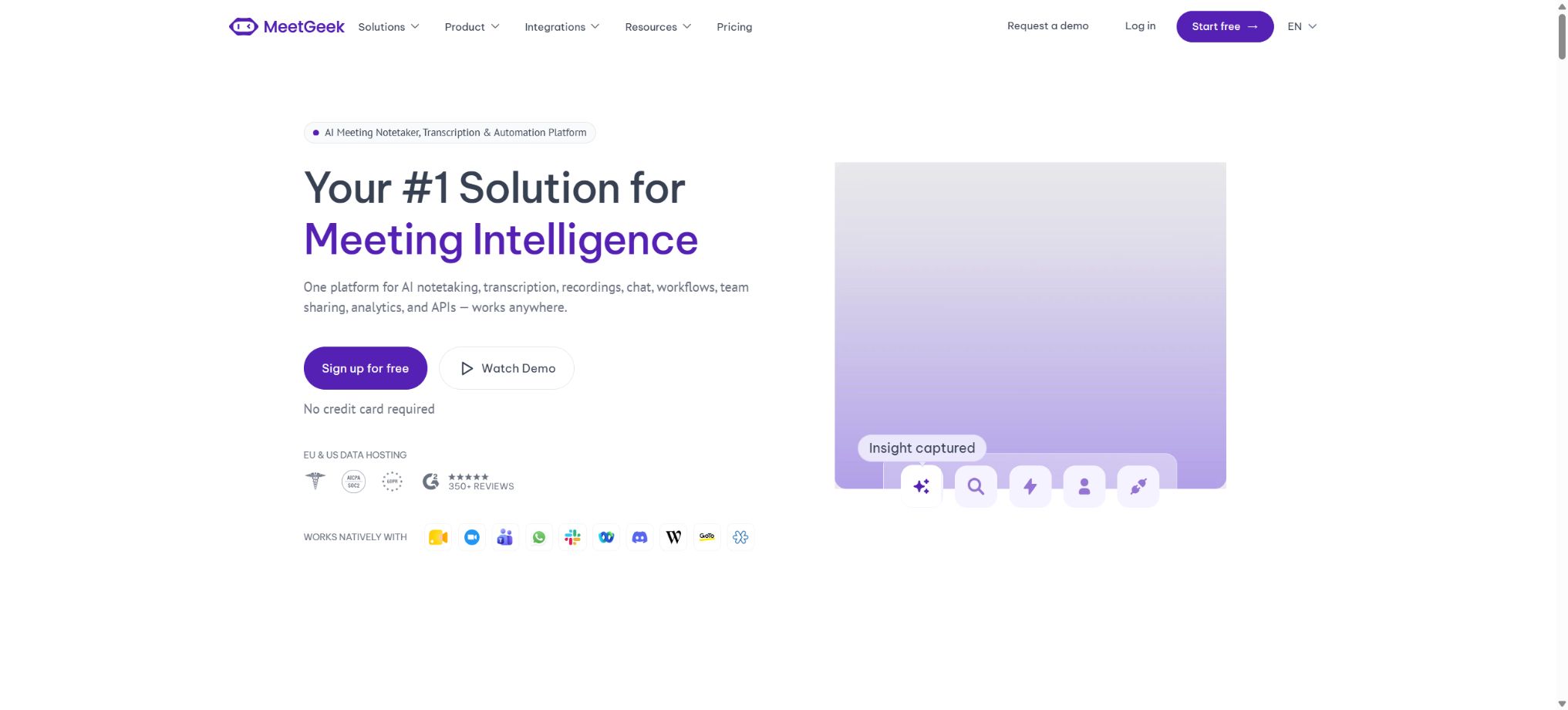
MeetGeek
An AI-powered meeting efficiency platform that automatically records, summarizes, and connects workflows.
Tags:AI conference toolsWhat is MeetGeek?
MeetGeek is an AI platform for meeting recording, transcription, summary generation, and workflow automation; it can handle recordings from Zoom, Google Meet, Microsoft Teams, Webex, as well as in-person meetings and phone calls. It produces recordings, verbatim transcripts, summaries, key points, action items, and analysis of the meetings.
MeetGeek allows the Notetaker robot to automatically join meetings, and it also enables recording without the use of such a robot through browser extensions, as well as on desktop and mobile devices. The content from the meetings can be synchronized with CRM systems, task management tools, document storage solutions, and messaging applications.
Main functions of MeetGeek
- Automatic membership:Connect to Google or Outlook calendars so that Notetaker can add scheduled meetings according to rules.
- No robot recording:Record meetings, training sessions, and face-to-face conversations via browser, desktop, or mobile device.
- Multilingual transcription:It supports over 100 languages and offers automatic language and speaker recognition.
- AI Meeting Summary:Extract key discussions, conclusions, themes, action items, and timeline.
- Meeting template:Different summary structures are used depending on the scenario, such as sales, interviews, team coordination, and customer communication.
- AI Chat:Search for past meetings using natural language, generate responses, draft follow-ups, and trigger tools.
- AI Agents and workflows:Create multi-step automated tasks based on the meeting content.
- Team space:Automated sharing of meetings for collaboration, commenting, and searching within team or group spaces.
- Meeting analysis:View engagement, emotions, speaking ratio, topics, and individual or team trends.
- Smart sales:Identify objections, competitors, win/loss signals, coach metrics, and transaction health.
- Integrated ecosystem:Connect to tools such as Slack, Notion, HubSpot, ClickUp, Zapier, Make, n8n, and more.
- API and MCP:Read transcripts, key points, and analyses, and integrate the meeting context into AI and business systems.
The four recording methods of MeetGeek
| Method | Suitable scenarios | Main advantages | Precautions |
|---|---|---|---|
| Notetaker robot | Scheduled Zoom, Meet, and Teams meetings | Calendars are added automatically, and team processes remain stable. | Participants will see robots and will need to give their consent. |
| Browser extensions | Temporary web meeting | No robot is required; recording can start quickly. | Depends on browser, tab, and system audio permissions. |
| Desktop application | Training, internal calls, and other desktop sounds | It has few restrictions and is suitable for scenarios without robots. | Check the local microphone and the system audio source. |
| Mobile app or upload | In-person meetings, phone calls, and existing recordings | Non-video conference content can be added. | The quality of the recording and the file permissions affect transcription. |
Comparison of MeetGeek package prices
The following shows the average monthly price in dollars for annual payment, as displayed on the official pricing page; annual payment can save up to 40%. The monthly price, taxes, currency, and any promotions may vary, and the actual amount due at the time of purchase or renewal will be indicated on the settlement page.
| Package | Average monthly amount for annual payment | Transcription quota | Save the word-for-word script | Audio and video storage |
|---|---|---|---|---|
| Basic | Free | 3 hours/month | 3 months | Audio is available for 1 month; no video is saved. |
| Pro | $ | 20 hours/month | 1 year | Audio is available for 6 months; no video is saved. |
| Business | $ | Unlimited | No time limit | High-definition video for 12 months |
| Enterprise | Contact sales | Unlimited | No time limit | Customize retention period or local storage |
For Basic and Pro plans, the maximum duration of a single meeting is 2 hours, while for the Business plan it is 3 hours, and for the Enterprise plan it is 4 hours. When the Pro plan exceeds its allocated quota, the official rate is $0.50 per additional hour of transcription.
Unlimited usage in Business still needs to comply with reasonable use and service rules.
Comparison of features across different packages
| Package | Suitable for users | Main new capabilities |
|---|---|---|
| Basic | Occasional meetings and initial trials | Infinity AI: summarization, search, AI Chat, uploading, basic analysis, APIs and MCP |
| Pro | Individuals and regular meeting users | Templates, scene recognition, unlimited integration, Agent workflows, export and management |
| Business | Frequent meetings and collaborative teams | Team space, team analysis, comments, brand, custom summary, and private default settings |
| Enterprise | Organizations with governance and compliance requirements | SSO, SCIM, custom retention, local storage, organization locking, and dedicated services |
Teams can combine free and paid seats within the same workspace, thereby reducing the costs for those who only need to view the meeting content. MeetGeek also offers a 30% discount to eligible startups, non-profits, and educational institutions upon request.
MeetGeek Quick Start Guide
- Register an account:Log in using a Google or Microsoft account, and select the data storage location.
- Connect calendar:Authorize only the calendars that need to be recorded; do not include personal calendars that are unrelated to work.
- Set addition rules:Configure separately whether to automatically join internal, external meetings, and meetings where one is not the host.
- Select the recording method:Robots can be used to schedule meetings, while recording without robots can be an option for ad-hoc or sensitive scenarios.
- Configuration for consent prompt:Clearly specify the scope of recording, transcription, saving, and sharing.
- Complete testing:First, hold a short meeting to check the microphone, speaker, language, and summary template.
- Manual inspection:After the meeting, verify the names, numbers, conclusions, responsible persons, and deadlines.
Methods for creating high-quality meeting minutes
- Use appropriate templates for sales, interviews, project updates, and client meetings respectively.
- Before the meeting, the objectives, decision-making issues, and the persons responsible for confirmation should be specified in the agenda.
- When speaking, use full names as well as precise numbers and dates to reduce ambiguity in transcription.
- Before the meeting ends, verbally recap the conclusions, tasks to be carried out, responsible persons, and deadlines.
- After the meeting, the original transcription along with the corresponding time points are opened to correct any mishearings or excessive generalizations by the AI.
- The full recording is shared only with relevant members, while summaries or excerpts can be shared with external parties.
- Sync the confirmed action items to the task system; do not leave the minutes in the email.
How to use AI Chat and meeting search
- Summarize the product requirements that came up repeatedly in all customer meetings last week;
- List the action items confirmed in this meeting, the responsible persons, and the deadline dates;
- Identify the main objections of customers regarding price, integration, and security.
- Compare the changes in scope, timeline, and budget between the two project meetings;
- Prepare a brief decision summary for the managers who were not present at the meeting;
- Generate follow-up emails, CRM notes, or task drafts based on the meeting conclusions;
- Mark the meetings and time points related to the answers, to facilitate returning to the recordings for verification.
Workflow and Integration Tutorials
- Select trigger:Start from the end of a meeting, a specific tag, meeting type, or the appearance of a keyword.
- Define extraction fields:Clarify the customer’s name, the issue, action items, responsible person, and transaction stage.
- Connect to target tool:Authorize CRM, task, document, or chat systems, applying the principle of least privilege.
- Set up review:A draft is created first; once it is approved by the employee, it is entered into the customer record or a message is sent.
- Handling exceptions:Branches are designed for missing fields, transcription failures, duplicate meetings, and API errors.
- Monitoring results:Regularly sample automated content to record the failure rate and the reasons for manual corrections.
Who is MeetGeek suitable for?
- Sales Team:Automatically records requirements, objections, competitors, commitments, and CRM fields.
- Customer Success:Track risks, renewal signals, issues, and subsequent responsibilities.
- Product and user research:Cluster feedback, extract functional requests, and establish a request context.
- Recruitment Team:After obtaining consent, organize the interview details and evidence of candidate evaluations.
- Engineering team:Convert discussions into decisions, incident records, work orders, and knowledge transfer.
- Manager:Search for meetings you haven’t attended, and view team trends and key metrics.
- Training and education:Transcribe courses, identify key points, and create searchable study notes.
Product advantages
- It supports both robotic and non-robotic recording, and is not dependent on any single meeting platform.
- The free Basic tier still offers summarization, searching, uploading, API access, and MCP;
- It supports over 100 languages and can automatically identify the language and the speaker;
- Meeting templates, AI Chat, Agents, and workflows cover everything from recording to execution;
- Individual, team, and sales analysis can help identify trends at the level of various meetings;
- Teams can combine free and paid seats for greater purchasing flexibility.
Usage restrictions and precautions
- AI transcription can be affected by accent, noise, interruptions, poor network connection, and technical terminology.
- The summary may present suggestions as decisions, and the key conclusions need to be confirmed by the speaker;
- The free version allows only a limited amount of time for transcription and saving, so important documents should be exported before that time expires.
- The inclusion of robots in a meeting may affect the atmosphere there, and it is necessary to obtain the consent of the participants;
- Manual review and duplication removal should be implemented before automatically inserting data into the CRM and task systems;
- When the meeting includes customers, patients, candidates, or minors, an additional assessment of compliance is required;
- Sharing links and embedding snippets publicly may increase access to sensitive content.
Privacy, security, and data retention
MeetGeek states officially that none of its packages use customer data to train the underlying models, and it offers data centers located in the United States or the European Union. The platform claims to comply with SOC 2 Type II, GDPR, and HIPAA standards; however, regulated organizations should still confirm the applicable scope through contracts and specific arrangements.
- Before recording, explain to all participants the purpose, type of content, retention period, and those to whom it will be shared;
- Check the automatic retention period for scripts, audio, and video according to the package plan;
- For sensitive meetings, use private settings by default, apply exclusion rules for participants, and restrict sharing.
- The organizational version should be equipped with SSO, SCIM, administrator roles, and an off-employment recovery process.
- Enterprise can consult on zero or custom data retention and local storage solutions.
API, MCP, and open-source details
MeetGeek offers REST APIs, Webhooks, and MCP, which enable external systems to access the verbatim transcripts, key points, summaries, and analyses of meetings. The implementation of MeetGeek’s MCP Server is available on its official GitHub repository, but the MeetGeek platform itself, its transcription services, and its core AI models are not open-source products.
The open-source MCP serves only as a connection layer; to use it, a MeetGeek account, the appropriate permissions, and a sufficient service quota are still required. API keys and OAuth authentication should be handled on the server side, while production systems need to manage tasks such as pagination, retries, permission changes, and session deletion.
Frequently Asked Questions
Is MeetGeek free?
The Basic package is available for free forever and includes 3 hours of transcription per month, unlimited AI summarization, search capabilities, upload options, as well as API and MCP access. Transcripts are stored for 3 months, while audio files are stored for 1 month.
Will MeetGeek definitely have the robot join the meeting?
Not necessarily; it is possible to carry out robot-free recording using browser extensions, desktop applications, or mobile devices, or by uploading existing audio and video files. All these methods can generate transcripts, summaries, key points, and action items.
What is the difference between MeetGeek Pro and Business?
Pro offers 20 hours of transcription, templates, integration, and workflow capabilities per month, while Business provides unlimited transcription, a team space, team analytics, high-definition video, and longer storage periods. Teams that collaborate frequently are better suited for Business.
Does MeetGeek support Chinese?
The official pricing page indicates support for over 100 languages, as well as automatic language recognition. The quality of Chinese transcription can still be affected by dialects, terminology, and the device used.
Is MeetGeek open source?
The core platform is not an open-source product; the vendor has made available only connection components such as the MCP Server. Even when using open-source connectors, reliance remains on MeetGeek’s hosting services and account permissions.
Tools similar to MeetGeek



 Guigong Network Security Registration No. 45132202000164