






Sembly
An AI assistant for generating meeting minutes, tasks, and multi-meeting analysis
Tags:AI conference toolsWhat is Sembly AI?
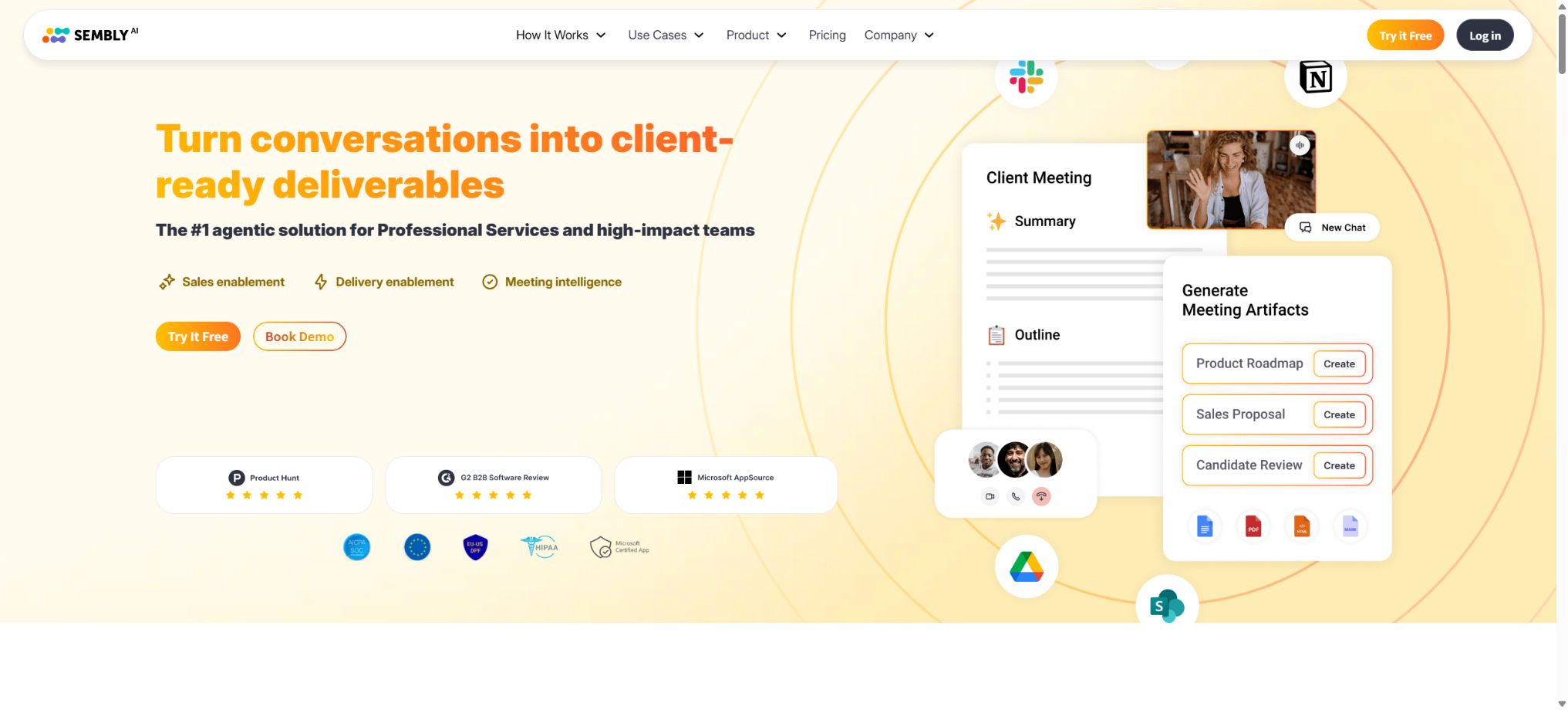
Sembly AI is an intelligent platform for meeting recording, transcription, summarization, and analysis of conversations. It focuses particularly on client-facing scenarios such as professional services, consulting, sales, project management, product research, outsourcing, and recruitment. The platform extracts tasks, decisions, risks, issues, requirements, and important events from conversations, and converts meetings into reports, plans, briefings, and other deliverables for clients.
Starting from March 1, 2026, Sembly will introduce new subscription plans: Basic, Pro, MAX, and Enterprise. The old plans of Personal, Professional, Team, and Team Plus are still available on various third-party websites; new users should no longer consider the prices of $0 for Personal, $10 for Professional, and $20 for Team as the current rates.
Meeting Agent recording
Sembly Agent can automatically join meetings in Microsoft Teams, Google Meet, Zoom, and Webex to perform recording, video capture, and transcription. Users can connect to Google Calendar, Outlook Calendar, or ICS calendars, set languages for meetings and workspaces, as well as define rules for automatic joining and sharing.
With the paid Basic plan, it is possible to change the name of the Agent in Zoom and Teams; the Pro, MAX, and Enterprise plans allow for customizing the name and avatar in Google Meet as well. The meeting host can refuse certain Agents from joining the meeting, and companies should set up notifications and options for recording such meetings.
Microphone recording and file uploading
In addition to meeting robots, Sembly allows for the recording of in-person conversations using microphones, and it is also possible to upload recorded audio or video files. The free Basic plan provides 1 hour of agent recording, 1 hour of microphone recording, and 1 hour for uploading per month.
Recording of Agents and microphones in paid plans is unlimited.
There is still a monthly limit on uploads: Basic subscribers get 5 hours per user, Pro subscribers get 10 hours, while MAX and Enterprise subscribers get 15 hours. Therefore, “unlimited meetings” do not mean unlimited bulk import of historical media.
Over 40 languages and mixed languages
The documentation for the new package indicates support for over 40 languages, while the marketing pages on the official website state that support is available in 48 languages worldwide; these numbers can vary depending on dialects and the time of launch. Chinese is included in the list of supported languages, and users can choose the language for their work areas and individual meetings.
Pro, MAX, and Enterprise support Mixed-language Meetings, allowing two different languages to be used in the same meeting. Minutes, tasks, and Key Items are generated in the language that was used most frequently during the meeting.
If the actual speech is not in the selected language, the recording will still be retained, but the transcription may be severely distorted.
Transcription, speaker, and search
Sembly transcripts include the speaker, timestamps, and editable text; users can search using keywords, speaker, date, meeting type, and other criteria. Advanced Transcript Search is available in Pro and higher versions.
Custom Vocabulary can be used to add company names, products, abbreviations, and industry terms.
Speech transcription is affected by accent, background noise, multiple people speaking at the same time, and microphone quality. Important contracts, medical matters, interviews, and customer commitments should be reviewed using the original recordings; the AI-generated transcriptions cannot be used as a complete record of the meeting.
Meeting Notes and custom templates
Sembly can automatically generate meeting summaries, key discussions, and action items, using different Note formats depending on the type of meeting. Users can also use Ask Sembly or Semblian to request the generation of summaries in a specific structure via natural language queries.
Pro, MAX, and Enterprise offer Custom Meeting Notes, which allow for the creation of unified templates for status reports, sales interviews, project reviews, user research, and candidate interviews.
Task and responsibility tracking
Sembly identifies tasks, responsible persons, and deadlines from conversations, gathering them in the Tasks view. Users can edit these tasks, assign them to others, and synchronize them with project management tools.
The platform also extracts key items such as Issues, Risks, Events, and Requirements, which are useful for tracking project and customer deliveries.
AI may mistake suggestions for commitments, or overlook tasks that are only specified in the chat area. After the meeting, participants should confirm the Owner, Deadline, and dependencies.
Ask Sembly single-session Q&A
Ask Sembly is an AI chat tool based on the transcription of a single meeting; it can answer questions related to the participants, decisions made, issues raised, and next steps, and it can also draft agendas, emails, and minutes. It does not use any data from outside that meeting to provide answers.
When a question is posed by a speaker, the accuracy depends on whether the speaker is correctly identified in the transcription. If the speaker is not properly matched or if there are manual errors, the AI may fail to recognize the person’s name.
Semblian 2.0 Cross-Meeting AI
Semblian 2.0 allows for the integration of answers, reports, and professional documents from multiple meetings, making it suitable for creating client briefs, project weekly reports, sales proposals, gap analyses, and knowledge summaries. It is different from Ask Sembly, which only retrieves transcripts from a single meeting.
Semblian is currently included in the Pro, MAX, and Enterprise versions; it is not available in the paid Basic version. It is no longer offered as an additional package for existing Professional users, and only those who had subscribed to it previously can continue to use it during the transition period in 2026.
AI Artifacts and AI Insights
AI Artifacts enables the creation of documents that are closer to what the client will ultimately receive, such as proposals, project briefs, Pitch Deck structures, client reports, risk logs, and decision records. AI Insights is used to identify trends and patterns within a set of meetings.
Pro includes 5 AI Artifacts and 5 AI Insights per user, while MAX and Enterprise provide 40 of each per user. The customer documents generated by AI must be reviewed by professionals to verify the scope, figures, responsibilities, and business commitments involved.
Collections, automatic sharing, and analysis
Collections allows relevant customers, projects, or interview sessions to be grouped together into datasets. The Auto-Sharing Groups in MAX and Enterprise can automatically distribute meetings to the appropriate teams based on predefined rules.
Workspace Analytics is available in Pro and higher versions; administrators can view the number of meetings, duration, average number of participants, active speakers, tasks, level of engagement, as well as an estimate of the time saved through summary generation. These metrics should not be used as the sole criteria for evaluating an employee’s performance.
Automation with integration of over 50 services
Sembly can send Meeting Notes, Transcripts, and Tasks to Salesforce, HubSpot, Notion, Slack, Microsoft tools, as well as task and storage services. The number of rules available for Native Automations, Zapier, and Custom Automations increases as the package level rises.
The free version includes only 1 native rule; the paid Basic version provides 3 rules and allows the use of Zapier templates.
For Pro, there are 5 Native and 5 Custom items per user, in addition to 5 Workspace Native and 5 Workspace Custom items; for MAX and Enterprise, the respective limits are increased to 20.
Sembly MCP
Pro, MAX, and Enterprise offer MCP Access, which enables AI clients that support the Model Context Protocol to read and utilize meeting data. This feature is suitable for retrieving information from multiple meetings in external AI tools, generating reports, and integrating with subsequent processes.
An MCP connection exposes the contents of a meeting to another AI client; administrators should review the scope of authorization, the way in which data is processed by the application, and whether private client meetings are included.
API status
The Enterprise plan offers a File Upload API for importing media on an enterprise scale. For ordinary developers, Sembly relies primarily on Custom Automations, Webhooks, Zapier, and MCP for integration; at present, there is no universal REST API or official SDK available that covers all subscription plans and all types of meeting objects.
GitHub and the open-source status
A real-time search revealed no official GitHub SDK repository that corresponds clearly to the Sembly official website or its help center. The Sembly platform, the transcription engine, Semblian, and AI Artifacts are not open-source products; moreover, MCP Access does not enable the private deployment of the core services.
Basic free tier
The Basic Free Trial Mode is available for only 1 user; no credit card is required. It provides 1 hour of agent meetings, 1 hour for microphone recording, and 1 hour for file uploading per month. Transcription, summaries, tasks, Ask Sembly, and 1 instance of Native Automation are also included.
Texts, audio files, minutes, tasks, and Key Items are retained for 4 months; after that period they are automatically deleted and cannot be restored. Although it is called Free Trial Mode, the new pricing scheme labels both monthly and annual subscriptions as FREE, yet its scope of use differs from that of an actual paid trial package.
Price and version comparison
| Package or version | Prices, quotas, and core benefits |
|---|---|
| Price and benefits of the paid Basic version | The paid Basic plan costs $17 per month or $120 per year, which is equivalent to $10 per month; it is intended for just 1 user. It offers unlimited Agent meetings and microphone recording, 5 hours of uploading time per month, HD video quality, 1 year of text/audio history, 3 Native Automations, and Zapier templates. The Basic plan does not include Semblian 2.0, multi-language support, AI Artifacts, AI Insights, custom Notes, nor MCP; it is suitable for individuals who mainly need transcription, summarization, and basic tasks. |
| Pro price and benefits | The Pro plan costs $29 per user on a monthly basis, or $240 per user annually, which is equivalent to $20 per month; it supports up to 40 users. It includes unlimited meetings, 10 hours of uploading time per month, 2 years of history data, Semblian 2.0, support for multiple languages, Advanced Search, Custom Vocabulary, Collections, Sentiment analysis, Analytics, and MCP. Each user also receives 5 AI Artifacts, 5 AI Insights, 5 Native automations, and 5 Custom automations; in addition, there are 5 Native rules and 5 Custom rules per workspace. A 7-day trial is available upon registration for the paid plan. |
| MAX price and benefits | MAX costs $39 per user per month or $360 per user per year, which is equivalent to $30 per month. The minimum number of seats is 3, while the maximum is 500 users. It includes unlimited historical data, 15 hours of uploading time per month, 40 AI Artifacts and 40 AI Insights per user, 20 Native automations and 20 Custom Automations, automated access control, an Audit Log, and Auto-Sharing Groups. When MAX is activated, 3 seats are created automatically; after the trial period, charging starts from 3 seats. Small teams should confirm the number of seats and whether auto-renewal will apply before the end of the trial period. |
Price and benefits of the paid Basic version
The paid Basic plan costs $17 per month or $120 per year, which is equivalent to $10 per month; it is available for only 1 user. It includes unlimited Agent meetings and microphone recording, 5 hours of upload time per month, HD video support, 1 year of text/audio history storage, 3 Native Automations, and Zapier templates.
The paid Basic version does not include Semblian 2.0, mixed languages, AI Artifacts, AI Insights, custom Notes, and MCP; it is suitable for individuals who primarily need transcription, summarization, and basic functions.
Pro price and benefits
The Pro plan costs $29 per user per month, or $240 per user per year, which is equivalent to $20 per month; it supports up to 40 users. It includes unlimited meetings, 10 hours of uploading time per month, 2 years of history data, Semblian 2.0, support for multiple languages, Advanced Search, Custom Vocabulary, Collections, Sentiment analysis, Analytics, and MCP.
Each user receives 5 AI Artifacts, 5 AI Insights, 5 Native automations, and 5 Custom automations; at the workspace level, there are 5 Native rules and 5 Custom rules available. A 7-day trial is provided upon registration for the paid plan.
MAX price and benefits
MAX costs $39 per user on a monthly basis, or $360 per user on an annual basis, which is equivalent to $30 per month. The minimum number of seats is 3, while the maximum is 500 users.
It includes unlimited history, 15 hours of uploading per month, 40 AI Artifacts and 40 AI Insights per user, 20 Native and 20 Custom Automations, automated access control, an Audit Log, and Auto-Sharing Groups.
When MAX is activated, 3 seats are created automatically; after the trial period, charging starts from 3 seats. Small teams should confirm the number of seats and the auto-renewal option before the trial ends.
Enterprise plan
Enterprise offers a customized price for setups with at least 10 seats; it includes the MAX functions and an unlimited number of users. It also provides a File Upload API, Custom SSO, Custom SMTP Relay, HIPAA compliance support, the option to request priority handling for certain features, a dedicated Success Manager, a BI Reporting Hub, Custom DPA, and the ability to choose custom hosting locations.
Private Cloud and Isolated Storage options.
Supported platforms
- Web browser version;
- Microsoft Teams, Google Meet, Zoom, and Webex;
- There are iOS and Android mobile apps;
- Microphone recording and audio/video uploading;
- Google, Outlook, and ICS Calendar;
- Zapier, Native/Custom Automations, and MCP;
- Enterprise File Upload API.
Sembly AI Usage Guide
Complete a basic task.
- Verify recordings, audio, music, and participant authorization;
- Upload or enter clear audio into Sembly AI;
- Select settings such as language, speaker, and recording agent for meetings;
- Use the microphone to record audio and upload files to generate transcripts, dubbed versions, or cleaned-up content;
- Check each segment for names, numbers, pauses, volume, and mood;
- Before exporting, verify the format, loudness, copyright, and privacy requirements;
Create reusable professional workflows
- A test set is created using real noise, accents, and multi-person segments;
- Compare the differences in handling between conference Agent recordings, microphone recordings, and file uploads, as well as support for over 40 languages and mixed languages.
- Retain the original recordings and the unmodified transcripts;
- Arrange for a manual hearing before releasing it to the public;
- Statistically analyze processing time, error rate, and quota consumption;
- Regularly update the glossary, sound licensing, and deletion policies;
Which users is it suitable for?
- Individuals who need meeting transcripts, minutes, and action items;
- A professional service team capable of creating proposals, reports, and briefs based on multiple client meetings;
- A PMO that requires tracking of risks, decisions, requirements, and action items;
- The product team that aims to consolidate user feedback, reviews, and iteration meetings;
- Multinational organizations that require mixed languages, automatic sharing, and workspace analysis;
- Enterprises that require a private cloud, isolated storage, and control over the hosting location.
Product advantages
- Generate tasks, risks, decisions, and professional documents directly from meetings;
- Ask Sembly and Semblian handle single-session and multi-session Q&A respectively;
- Supports over 40 languages and bilingual mixed meetings;
- There is a free version as well as new packages suitable for different teams;
- Features automation, MCP, mobile support, and over 50 types of integrations;
- Enterprise offers private clouds, isolated storage, and custom regions.
Restrictions and Precautions
- The transition period between the old and new packages will last until 2026; therefore, the old Professional/Team prices should not be used to determine the cost of new purchases.
- In the free version, only 1 hour of recording is possible per month, with historical data retained for 4 months;
- The minimum order quantity is 3 seats for MAX, and 10 seats for Enterprise;
- Although there is no limit on the number of real-time meetings in paid plans, there is still a limit on file uploads.
- The core platform is not open-source, and the available public APIs are limited;
- AI-generated minutes, tasks, and client deliverables still require manual review;
Frequently Asked Questions
Is Sembly AI free?
The Basic Free Trial Mode is available for free; it includes 1 hour of meeting time, 1 hour for microphone recording, and 1 hour for file uploading per month, with historical data retained for only 4 months.
How much does Sembly AI cost?
The Basic plan costs $17 per month or $120 per year; the Pro plan costs $29 per user per month or $240 per year.
MAX: $39 per user per month or $360 per year, with a minimum of 3 seats; custom pricing for Enterprise.
What is the difference between Ask Sembly and Semblian?
Ask Sembly relies solely on the responses and content generated during a single meeting; Semblian 2.0 is capable of generating insights, reports, and professional documents by combining information from multiple meetings.
Does Sembly support Chinese?
Supported. The official documentation for the new packages lists over 40 languages; users on the Pro plan and above can also pre-select two languages for a single meeting.
Does Sembly have APIs and MCP?
MCP is available for Pro and higher tiers, along with Custom Automations and Webhooks; Enterprise offers a File Upload API.
Currently, there is no complete public REST API or official SDK available for all users.
Is Sembly open source?
It is not open source. MCP and automation are capabilities that enable connection to hosted services; they do not mean that the core platform can be deployed in a private environment.
Tools similar to Sembly



 Guigong Network Security Registration No. 45132202000164