






Avoma
A platform that covers meeting transcripts, intelligent dialogue processing, and sales coaching.
Tags:AI conference toolsWhat is Avoma?
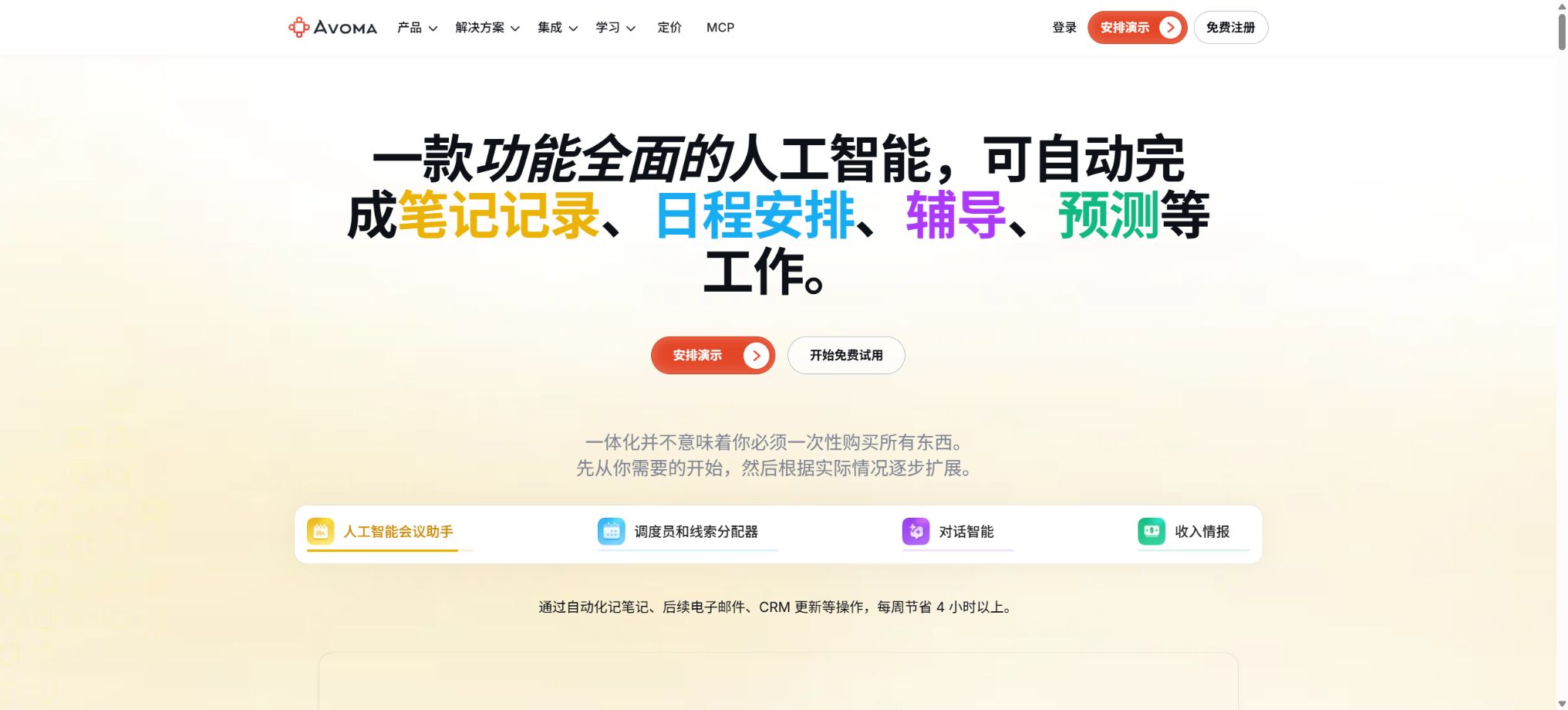
Avoma is an AI-powered meeting assistant and conversation intelligence platform designed for sales, customer success, product, and revenue teams. It can automatically record video meetings, provide real-time transcription, generate AI summaries and follow-up emails, and save notes and action items in the CRM.
In addition to meeting notes, Avoma brings together one-on-one appointments, team scheduling, conversation coaching, automatic call scoring, transaction risk assessment, forecasting, win/loss analysis, and lead routing under the same platform. The basic subscription and the three add-ons for different teams are charged separately; the total cost of all seats must be taken into account at the time of purchase.
Automatic recording and meeting platforms
After connecting to Google or Microsoft Outlook Calendar, Avoma can identify calendar meetings and automatically record them based on criteria such as whether the meeting is internal or external, who is the host, or who the participants are. The platform currently supports Zoom, Microsoft Teams, Google Meet, Webex, GoToMeeting, etc.; it also allows recording without the use of a bot, either through built-in functions or on certain platforms.
Recording audio and video must comply with the consent of the participants, company policies, and local laws. Automatic recording rules should exclude meetings related to human resources, medical matters, legal consultations, and other sensitive discussions.
Transcription and translation in over 70 languages
Avoma’s official price list is available in over 70 languages; the help center lists Mandarin, Simplified Chinese, Traditional Chinese, Cantonese, English, Japanese, Korean, Hindi, and various major European languages. Organizations and above can have their transcripts and notes translated into other languages as well.
Users can record a Voiceprint to help identify their own voice, and the system will match names based on the speaker status shown in the meeting video. Multiple people speaking at once, poor audio quality, accents, and technical jargon can all lead to errors; manual verification is necessary for important meetings.
AI summary notes
Avoma divides meetings into intelligent sections, identifying requirements, pain points, competitors, pricing, issues, decisions, and next steps based on over 40 default Smart Topics. It also offers more than 10 default note templates such as Demo, MEDDIC, SPICED, SPIN, and 1:1.
Organizations and above can create Custom AI Topics, custom templates, and automatic assignment rules. Startups can regenerate notes twice per session using standard templates, while Organizations and Enterprises can do so four times using custom templates.
Ask Avoma
Startup includes Ask Avoma for individual meetings, allowing users to ask questions about customers’ needs, concerns, decisions, and action items. Enterprise and the Conversation Intelligence Add-on provide Global Ask Avoma, enabling inquiries across multiple conversations.
Revenue Intelligence allows for questions related to CRM accounts and transactions.
AI responses can only be based on data to which the user has access and that has been successfully recorded. Key quotes, contractual commitments, and risk indicators should be reviewed against the original statements.
AI-generated follow-up emails and automatic CRM saving
The system can generate follow-up emails based on the key points of a meeting and the next steps to take, and it automatically saves notes into the Account, Opportunity, and Contact records in CRM systems such as Salesforce, HubSpot, Zoho, Pipedrive, and Copper. Organization also offers custom email templates and more comprehensive organization strategies.
Email sending and CRM updates should remain subject to manual review, to prevent AI from treating assumed stages of the transaction, budgets, or deadlines as facts that have been confirmed by the customer.
Reservation and Lead Router
The basic version of Startup offers unlimited 1:1 scheduling links. The Organization version adds team scheduling and round-robin scheduling options.
The Lead Router Add-on can determine leads in real time based on form responses, CRM contacts or account owners, custom fields, and polling rules, and schedule meetings accordingly.
Conversation Intelligence Add-on
The dialogue intelligence module includes AI Coaching Recommendations, AI-based automatic call scoring, customizable Scorecards, scoring using methodologies such as MEDDICC/SPICED/Sandler, Smart Playlists, a real-time Answer Assistant, Global Ask Avoma, trends related to members and scorecards, as well as Smart Topic Trackers.
Managers can monitor Talk Time, speech speed, filler words, patience, the number of questions asked, and emotional aspects. These indicators are meant to assist coaches; they should not be used alone to determine performance, make hiring decisions, or impose penalties.
Revenue Intelligence Add-on
The Revenue Intelligence module offers Dealboard, 2-way CRM Field Updates, AI Deal Risk Alerts, Deal Health Score, tracking of sales methodologies, aggregated forecasts, AI Win-Loss Analysis, and pipeline reports. It identifies transaction signals by combining data from meetings, calls, emails, and CRM systems.
Predictions and risk scores serve as a tool to assist in decision-making, but they cannot replace the sales manager’s assessment of a customer’s background. The model may produce inaccurate results due to missing data, outdated CRM information, or incomplete recordings.
APIs, Webhooks, and Scoped Keys
The price list for Organization and higher tiers includes options for API Integration and Webhooks. The Developer Center provides references to the Avoma API as well as information on Webhook events, which enable the connection of meetings, transcripts, and notes to external workflows.
Organization administrators can create API Keys with restricted scope, and select the appropriate permissions based on whether access is granted on an Organization or User basis, as well as whether it is limited or full access. The old Legacy Keys offer broad organizational access and cannot be converted directly; instead, new Keys with minimal permissions should be created, and the old Keys should be revoked after the integrations have been updated.
Avoma MCP Connector
The official MCP Connector enables the integration of meeting transcripts, summaries, action items, CRM data, and analytics into AI tools that support MCP, allowing for the creation of transaction reports, customer feedback reports, performance assessments, and product requirement summaries. Some of these tools also allow for the control of meeting results and privacy settings.
MCP supports OAuth or API Keys; the desktop client’s support for OAuth may be incomplete. It is advisable to use a user-limited scope, and to expand permissions only when private meetings or access to entire organizational data are truly necessary.
GitHub and the open-source status
The official Avoma-AI GitHub repository showcases the company’s resources as well as those of certain developers, but Avoma’s core features such as meeting recording, transcription, AI Notes, Conversation Intelligence, Revenue Intelligence, and Lead Router are not open-source products. The availability of public APIs and a GitHub repository does not mean that it is possible to deploy the entire platform on a private basis.
14-day free trial
Avoma does not offer a permanent free version with sustainable recording capabilities. After registration, it is possible to try the service for 14 days without needing a credit card; during this period, unlimited access to all Organization features and all Add-ons is available.
No charges are applied automatically once the trial period ends; the account is converted to a Viewer status, allowing access to historical records but not the ability to record new meetings.
Price and version comparison
| Package or version | Prices, quotas, and core benefits |
|---|---|
| Startup price and equity | The Startup plan costs $19 per recorded seat per month for an annual payment, or $29 per month; a maximum of 25 paid Recorder Seats are allowed. This plan includes unlimited real-time transcription, AI-generated summary notes, 1:1 scheduling, automatic video recording, the ability to ask questions within a meeting using Avoma, AI-driven follow-up emails, automatic saving of CRM notes, and integration with a dialer. Users can upload up to 5 pre-recorded video files per month, and the Usage Intelligence and conversation trend views are available for the past 7 days. If a Startup needs expert onboarding assistance from Avoma, a one-time fee of $1000 is listed in the pricing table. |
| Organization prices and benefits | The standard annual fee for Organization is $29 per recording slot per month, while the monthly fee is $39; a maximum of 100 paid slots are allowed. The promotional price of $24 is shown on the card at the top of the website, but the detailed comparison table indicates the standard annual fee of $29; the actual discount applied at checkout shall prevail. This service offers Custom Topics and Templates, Group and Round-robin Scheduling, limited Conversation Intelligence, Smart Playlists and AI Automations, transcription/translation of notes, custom emails, organization-level policies, APIs, Webhooks, and a shared Customer Success Manager in the Startup version. 10 files can be uploaded per user per month, with a usage period of 30 days. |
| Enterprise prices and benefits | Enterprise offers only an annual payment plan at a rate of 39 dollars per recording seat per month, with a minimum of 10 paid seats. Building on the Organization package, it includes Global Ask Avoma, the option to assign a Success Manager, customized onboarding and training, quarterly business reviews, unlimited Usage Intelligence, team-level access control, a bilateral DPA, SAML/OIDC SSO, data retention policies, and HIPAA compliance support. A maximum of 20 files can be uploaded per user per month. |
| Add-on price | Conversation Intelligence and Revenue Intelligence both cost 29 dollars per seat per month on an annual basis, or 35 dollars per month on a monthly basis. Lead Router costs 19 dollars per seat per month on an annual basis, or 25 dollars per month on a monthly basis. A 10% discount is available when two add-ons are purchased together, and a 15% discount applies when all three are purchased; the discount applies only to the cost of the add-ons. The add-ons can be assigned flexibly to the members who need them, but they must follow the monthly or annual payment schedule of the main subscription. The cost of a full-featured sales account can be much higher than the initial price of 19 dollars mentioned in the advertisements. |
Startup price and equity
The annual subscription for Startup plans is $19 per recording seat per month, while the monthly subscription costs $29; a maximum of 25 paid Recording Seats are available. This plan includes unlimited real-time transcription, AI-generated summary notes, 1:1 scheduling, automatic video recording, the ability to ask questions within a meeting using Avoma, AI-driven follow-up emails, automatic saving of CRM notes, and integration with a dialer.
The limit for uploading pre-recorded video files is 5 per user per month; the Usage Intelligence and conversation trend views are available for the past 7 days. If a startup requires expert Onboarding from Avoma, the price list specifies a one-time fee of $1,000.
Organization prices and benefits
The standard annual fee for Organization is 29 dollars per recording slot per month, while the monthly fee is 39 dollars; a maximum of 100 paid slots are allowed. The promotional price of 24 dollars is shown on the card at the top of the website, but the detailed comparison table indicates the standard annual fee of 29 dollars. The actual discount applied at the time of payment shall prevail.
It adds Custom Topics and Templates, Group and Round-robin Scheduling, limited Conversation Intelligence, Smart Playlists and AI Automations, transcription/note translation, custom emails, organization-level policies, and APIs to Startup.
Webhooks and shared Customer Success Managers.
10 files can be uploaded per user per month, with a usage period of 30 days.
Enterprise prices and benefits
Enterprise only offers an annual payment plan at 39 dollars per recording seat per month, with a minimum of 10 paid seats.
Built on the Organization framework, it offers Global Ask Avoma, the ability to designate a Success Manager, customized onboarding and training programs, quarterly business reviews, unlimited Usage Intelligence, team-level access control, bilateral DPA agreements, SAML/OIDC SSO, data retention policies, and HIPAA compliance support.
A maximum of 20 files can be uploaded per user per month.
Add-on price
Conversation Intelligence and Revenue Intelligence both cost 29 dollars per seat per month on an annual basis, or 35 dollars per month on a monthly basis. Lead Router costs 19 dollars per seat per month on an annual basis, or 25 dollars per month on a monthly basis.
A combination of any 2 Add-ons gives a 10% discount, while selecting all 3 provides a 15% discount; the discount applies only to the cost of the Add-ons.
Add-ons can be assigned flexibly to the members who need them, but they must follow the monthly or annual payment cycle of the basic subscription. The cost of a full-featured sales account can be much higher than the initial price of $19 mentioned in the ads.
Recorder and free Viewer
Only those who need to record and transcribe meetings, namely the Recorder, have to pay a fee. Viewers, Listeners, and Collaborators, who can listen to the recordings, view the transcriptions and notes, add comments, and share them, can do so for free forever.
All Recorders within the same organization must use the same Startup, Organization, or Enterprise plan; mixing them is not allowed.
Supported platforms and applications
- Web browser version;
- Desktop applications for Windows and macOS;
- iPhone and Android apps;
- Chrome extensions;
- Meeting platforms such as Zoom, Meet, Teams, Webex, GoToMeeting, etc.;
- CRM tools such as Salesforce, HubSpot, Zoho, Pipedrive, Copper, etc.;
- REST API, Webhooks, and MCP Connector.
Avoma usage guide
Complete a basic task.
- Verify recordings, audio, music, and participant authorization;
- Upload or enter clear audio into Avoma;
- Select the language, speaker, as well as settings for automatic recording and the conference platform;
- Generate transcriptions, voiceovers, or cleaned-up content using transcription and translation in over 70 languages;
- Check each segment for names, numbers, pauses, volume, and mood;
- Before exporting, verify the format, loudness, copyright, and privacy requirements;
Create reusable professional workflows
- A test set is created using real noise, accents, and multi-person segments;
- Compare the differences between automatic recording and conference platforms, transcription and translation in over 70 languages, and AI-powered summary generation.
- Retain the original recordings and the unmodified transcripts;
- Arrange for a manual hearing before releasing it to the public;
- Statistically analyze processing time, error rate, and quota consumption;
- Regularly update the glossary, sound licensing, and deletion policies;
Which users is it suitable for?
- Customer teams that require automatic transcription, AI-generated summaries, and CRM data entry;
- Organizations that need custom meeting templates and multilingual translation;
- Sales teams that require automated call scoring, Playbooks, and personalized coaching;
- RevOps, which requires analysis of transaction risks, forecasts, and outcomes;
- SDR teams that need to route form clues in real time based on CRM fields;
- Developers who need API, Webhook, or MCP to access meeting data.
Product advantages
- Integrate meeting minutes, appointments, CRM, coaching, and forecasting in one platform;
- Unlimited transcription, AI Notes, and video storage;
- Supports over 70 languages, as well as Chinese and transcription translation;
- A fee is charged only to the Recorder, while Viewers and Collaborators use it for free;
- Add-ons can be assigned to individual members, and it is not mandatory for everyone to purchase them.
- It offers Scoped API Keys, Webhooks, and the official MCP.
Restrictions and Precautions
- There is no permanent, free recorder solution – after the trial period ends, it becomes impossible to record new meetings.
- Dialogue coaching, revenue forecasting, and lead routing require additional charges per seat, which can make the total cost significantly higher than that of the basic package.
- There is still a monthly limit per user for file uploads, and a one-time fee applies for bulk imports.
- AI transcription, emotion detection, scoring, risk assessment, and prediction can all be inaccurate.
- The core products are not open source, and the HIPAA, DPA, SSO, and data retention features available in the Enterprise version do not automatically address all of a company’s compliance requirements.
Frequently Asked Questions
Is Avoma free?
A 14-day trial period without the need for a credit card is available; during this time, Organization and all Add-ons can be used. There are no permanently free recording slots, but Viewers and Collaborators can use them for free.
How much is Avoma?
For annual billing, the cost is 19 dollars per recording slot per month for Startup plans, 29 dollars for Organization plans, and 39 dollars for Enterprise plans. An additional 29 dollars is charged for Conversation and Revenue Intelligence services on an annual basis, while Lead Router costs an extra 19 dollars.
Does Avoma support Chinese?
It supports Mandarin, Simplified/Traditional Chinese, Cantonese, and more; the official price list lists over 70 languages.
Does Avoma have APIs and MCP?
Yes. Organizations and higher tiers offer APIs and Webhooks, and the official MCP Connector enables connection to AI clients.
It is recommended to use a Scoped Key or the minimum required OAuth permissions.
Is Avoma open source?
No. The official team has a GitHub repository and developer APIs, but the core conference and revenue intelligence platforms are not open source.
Tools similar to Avoma



 Guigong Network Security Registration No. 45132202000164