






tl;dv
AI tools for recording online meetings, generating summaries, and providing insights across meetings
Tags:AI conference toolsWhat is tl;dv?
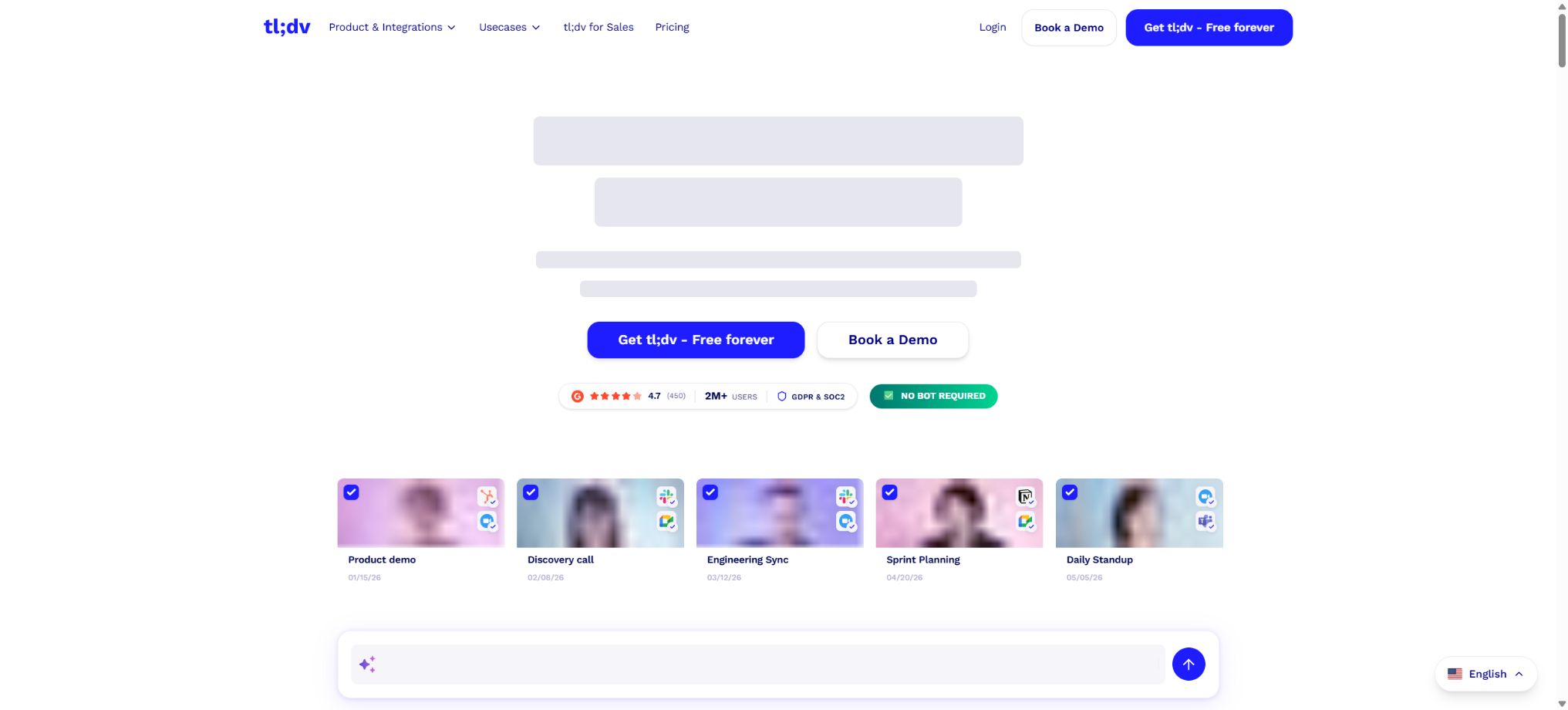
TL;DV is an AI tool for recording, transcribing, and analyzing meetings; its name comes from the phrase “too long; didn’t read”. It can automatically join meetings held on Google Meet, Zoom, and Microsoft Teams, generating transcripts with the speakers’ names and timestamps, AI-generated summaries, action items, and shareable segments.
Compared to note-taking tools that handle only individual meetings, tl;dv places greater emphasis on AI-driven Q&A across multiple meetings, scheduled AI reports, automatic CRM data filling, topic tracking, sales playbooks, and coaching analytics. It is suitable for taking notes on personal meetings, as well as serving as a knowledge repository for conversations in sales, customer success, product research, and recruitment teams.
Automatic recording of Google Meet, Zoom, and Teams
After connecting to a Google or Microsoft calendar, tl;dv can automatically record all meetings, internal meetings, and external meetings based on preferences, or it can only record the meetings in which the user is participating. The notetaker enters the room as a participant; the host may still need to grant permission manually.
The free version does not allow simultaneous recording of overlapping meetings; paid users are given priority when the server is busy. The maximum duration for a single recording or upload under all plans is 3 hours.
Bot-free recording without robots
Desktop applications for Windows and macOS support recording without the need for a bot; they can capture audio directly from the microphone and the system, making them suitable for use in platforms such as Google Meet, Zoom, Teams, Slack Huddle, Discord, and other communication tools that allow audio playback on a computer. These desktop applications can also detect ongoing calls and alert users to start recording.
Bot-free currently only captures audio; it does not record video, screen sharing content, or chat messages. Notifications and music played by the system may also be recorded.
Users must still inform the participants and comply with the local requirements regarding recording permissions.
Transcription in over 30 languages
In short, transcription is currently supported in over 30 languages, including Mandarin, English, Japanese, Korean, French, German, Spanish, Portuguese, and Russian. Users can switch the language for each individual recording, or they can set a default preference.
The platform offers a default transcription model as well as an advanced Whisper model; the latter supports a wider range of automatic language detection. Re-transcribing the text may affect the alignment of the speakers, and technical terms, accents, and overlapping speech still require manual correction.
AI meeting minutes and custom templates
After the meeting, tl;dv can generate a summary, key topics, decisions made, issues identified, and next steps to take. Paid users can create custom Meeting Note Templates that output the fields required for sales qualification processes, user interviews, job interviews, or regular project meetings.
AI summaries eliminate the need for post-meeting organization, but they are not legal shorthand; the responsible persons, dates, quotes, contractual commitments, and negative statements should be verified against the transcription timestamps and the original recordings.
Ask tl;dv Q&A
By using the tl;dv function, you can ask questions related to one or multiple meetings – for example, to find out the most common objections raised by customers, to trace back to the first call in which a certain functional requirement was mentioned, or to summarize the tasks pending from various project meetings. The results include the relevant meetings and their excerpts.
Free accounts come with only 10 lifetime AI prompts, and this limit is not refreshed on a monthly basis. Accounts at the Pro level and above enjoy unlimited or higher numbers of AI notes per meeting, as well as the Ask tl;dv and AI Reports features.
Multi-meeting AI Reports
AI Reports enables the generation of reports on fixed topics across multiple meetings, and it allows for scheduled email deliveries. Teams can use it to summarize customer complaints, product issues, mentions of competitors, project obstacles, and sales progress on a weekly basis.
Free provides 10 AI reports for life. Scheduled reports can reduce the costs associated with manual searching, but if the sharing permissions, recording scope, or naming conventions vary from one meeting to another, the conclusions drawn across those meetings will be incomplete.
Timestamps, Clips, and Reels
Users can manually add timestamped notes during meetings, use tags to inform colleagues, and cut out key segments into Clips or combine them into Reels. This approach is suitable for sharing customer feedback, demonstration clips, evidence from user research, and training examples.
Free allows users to create and share only 4 Clips, and the Clips created in the free version cannot be downloaded. Personal information, customer data, and internal discussions that are not related to the topic should be removed before sharing them with others.
Meeting database and search
All recordings, transcriptions, and notes can be organized within the meeting database. The paid plans offer global transcription search, team-specific folders, as well as options for sharing and controlling visibility. Users can retrieve records by title, participants, date, or transcription content.
Free recordings are retained for 3 months, and the transcripts and notes remain accessible. After 3 days, the recordings are moved to archived storage, and it may take up to 1.5 hours to retrieve them again;
Free recordings can be downloaded only within the 4-week window prior to the scheduled deletion.
Integration with over 5,000 applications via CRM
Users on the Pro plan and above can synchronize meeting notes, action items, and timestamps with over 5,000 different tools such as HubSpot, Salesforce, Pipedrive, Notion, Slack, Google Drive, ClickUp, etc., and they can use Zapier to automate subsequent processes.
Business supports more advanced CRM field mapping as well as customizable automation. The transaction amounts, stages, objections, and next steps identified by AI should not override the manually confirmed data in CRM without prior review.
Sales Playbook and AI Coach
Business is designed for sales and customer success teams; it allows monitoring to determine whether meetings address the issues outlined in specific Playbooks, tracking of objections and competitors, generation of AI-driven recommendations, and analysis of speaker patterns across multiple meetings.
The analysis is intended to help identify training opportunities; speech speed, the proportion of spoken words, emotions, or the degree of script alignment should not be used as the sole criteria for assessing employee performance. Managers should explain to employees what the data is used for and who can access it.
File upload
Users can upload existing audio or video recordings for transcription and summarization; they can also use Zapier to do this. Users with a free account can manually upload 5 files, and the help center specifies that this is the lifetime limit for such uploads, with no renewal on a monthly basis.
Mobile phone usage
Users can use the calendar to automatically record online meetings attended from their phone, but they cannot see the real-time recording interface of the desktop version on their phone; the host still needs to grant permission to the Notetaker. When the option “Only record calendar meetings I’m attending” is selected, meetings held on the phone may not be recorded automatically.
The official help center also states that the native mobile app designed for in-person meetings is still in the early testing stage; therefore, it cannot be considered a fully functional app for iOS and Android.
APIs and Webhooks
In short, v1alpha1 of the public API is now available; an API key can be used to import meetings or media via HTTPS interfaces, list meetings, retrieve details about individual meetings, download recordings, and obtain transcripts and meeting notes. Webhooks allow events to be sent to external systems once a meeting or transcript is ready.
The current English version of the help documentation states that the API can be used by both Pro and Business users, but older versions in other languages may still indicate that it is available only for Business users. The API is still in the alpha stage; its endpoints can change, and whether a particular meeting can be exported depends on the organizer’s payment plan, rather than merely on the visibility settings within the application.
MCP and GitHub
In short, the tl;dv-public GitHub organization has made tldv-mcp-server available; this server allows connections to the tl;dv API via the Model Context Protocol, enabling AI clients that support MCP to retrieve meeting data. To deploy this service, a tl;dv API Key and API permissions corresponding to the appropriate plan are required.
The open-source MCP connector does not mean that the tl;dv core platform is also open source. Meeting robots, transcription services, AI-generated summaries, meeting databases, CRM synchronization, and sales coaching remain hosted as commercial services; it is not possible to deploy the full product on a private basis.
Price and version comparison
| Package or version | Prices, quotas, and core benefits |
|---|---|
| Benefits and limitations of the free version | Free Forever includes unlimited meeting recording, unlimited transcription, manual timestamped notes, and automatic speaker recognition; it is compatible with Google Meet, Zoom, and Teams. For the first 10 meetings, AI Notes are available for the entire duration of those meetings, but thereafter AI Notes are generated only for the first 10 minutes of each meeting. The plan also includes 10 AI Prompts, 10 AI Reports, 20 Integration Credits, 4 Clips, and 5 manually uploaded files – all of which are lifetime limits for the account and are not refreshed on a monthly basis. Recordings are retained for only 3 months, and Free version does not support overlapping meetings. |
| Pro price and benefits | The annual subscription costs $18 per seat per month, while the monthly subscription is $29 per seat per month. It provides unlimited AI Notes for multiple meetings, the Ask tl;dv feature, and AI Reports for multiple meetings; it also allows for downloading recordings and transcripts, global search, custom note templates, team folders, unlimited uploads, integration with over 5,000 different services, CRM synchronization, and priority support. The official website indicates that the annual plan can offer up to a 40% discount, but prices may vary depending on promotions and region. The final cost will be determined by the currency used on the billing page, taxes, the number of seats, and any discounts applied. |
| Business prices and benefits | The Business plan costs 59 dollars per seat per month for an annual subscription, while the monthly subscription fee is 98 dollars per seat per month. It includes all the features of the Pro plan, in addition to sales playbook monitoring, AI coaching, insights into multiple speakers in a meeting, more detailed CRM field mapping, integration with call systems, multi-team management, improved consent and GDPR management capabilities, as well as API and Webhooks functions. The price difference between Business and Pro is significant; the main advantages of the Business plan lie in sales coaching, team-level analysis, and advanced CRM automation. Teams that only need meeting minutes and search functions should first consider the Pro plan. |
tl;dv usage guide
Complete a basic task.
- Verify recordings, audio, music, and participant authorization;
- Upload or enter clear audio into tl;dv;
- Select the language, speaker, and set automatic recording options for platforms such as Google Meet, Zoom, and Teams;
- Use Bot-free to generate transcripts, voiceovers, or cleaned-up versions without relying on robots.
- Check each segment for names, numbers, pauses, volume, and mood;
- Before exporting, verify the format, loudness, copyright, and privacy requirements;
Create reusable professional workflows
- A test set is created using real noise, accents, and multi-person segments;
- Compare the differences in processing capabilities among automatic recording of Google Meet, Zoom, and Teams, robot-free recording methods, and transcription in over 30 languages.
- Retain the original recordings and the unmodified transcripts;
- Arrange for a manual hearing before releasing it to the public;
- Statistically analyze processing time, error rate, and quota consumption;
- Regularly update the glossary, sound licensing, and deletion policies;
Benefits and limitations of the free version
- FreeForever offers unlimited meeting recording, unlimited transcription, manual timestamped notes, and automatic speaker recognition; it is compatible with Google Meet, Zoom, and Teams.
- First, AINotes will be available for the entire 10 sessions, while after that only AINotes from the first 10 minutes of each session will be provided.
- There are also 10 AIPrompts, 10 AIReports, 20 IntegrationCredits, 4 Clips, and 5 manually uploaded files – all of these represent the lifetime limit for the account and are not refreshed on a monthly basis.
- Videos are retained for only 3 months, and Free does not support overlapping meetings either;
Pro price and benefits
The Pro annual plan costs 18 dollars per seat per month, while the monthly plan costs 29 dollars per seat per month. It provides unlimited AI Notes for multiple meetings, the Ask tl;dv feature, and AI Reports for multiple meetings; it also allows for the download of recordings and transcripts, global search, custom note templates, team folders, unlimited uploading capacity, integration with over 5,000 different services, CRM synchronization, and priority support.
The official website indicates that the annual payment plan can offer up to a 40% discount, but prices may vary depending on promotions and location. The final amount will be determined by the currency used on the settlement page, any taxes applied, the number of seats, and any discounts available.
Business prices and benefits
The Business plan costs 59 dollars per seat per month for an annual subscription, or 98 dollars per seat per month for a monthly subscription. It includes all the features of the Pro plan, in addition to sales playbook monitoring, AI coaching, insights into multiple speakers in a meeting, more detailed CRM field mapping, integration with call systems, multi-team management, improved consent and GDPR management functions, as well as API and Webhooks capabilities.
The price difference between Business and Pro is significant; the main advantages of Pro lie in sales coaching, team-level analysis, and advanced CRM automation. Teams that only need meeting minutes and search functions usually opt for the Business version first.
Enterprise plan
Enterprise is a customized pricing option for sales outreach, intended for organizations that require advanced organization and data management capabilities, private-hosted AI solutions, customized reports, dedicated customer success managers, customized invoicing, and large-scale deployment. Specific terms regarding SSO, SCIM, data residency, retention periods, and support services must be specified in the contract.
Privacy, Security, and Consent
TL;DV means that data hosting is provided by the EU, with security measures in line with GDPR and SOC 2 standards. Companies should check, based on the chosen package, what data can be collected and stored, how long it will be retained, whether it can be downloaded in transcript form, and who has access to it as an administrator.
Meeting recordings may contain personal information, trade secrets, interview details, and health-related data. Automatic recording should not apply to all calendar meetings without exception; exclusion rules should be set for sensitive meetings.
Which users is it suitable for?
- Individuals who need to record and transcribe online meetings for free;
- Research teams that wish to share customers’ original voices using timestamps and clips;
- Sales teams that need to customize meeting minutes and update the CRM system;
- Customer success managers who need to work with meeting trends, Playbooks, and coaches;
- Developers who need to connect to meeting knowledge via API, Webhook, or MCP.
Product advantages
- Free offers unlimited recording and transcription for an extended period;
- Supports Google Meet, Zoom, and Microsoft Teams;
- On the desktop version, it is possible to record audio without using a bot on any calling platform;
- Ask tl;dv and AI Reports support cross-meeting queries;
- Clips, Reels, and timestamps are suitable for sharing evidence of conversations;
- Offers over 5,000 integrated solutions, CRM mapping options, as well as API and open-source MCP connectors.
Restrictions and Precautions
- Free’s AI, Reports, Clips, Uploads, and IntegrationCredits come with a lifetime limit, and videos are retained for only 3 months;
- In-depth sales analysis focuses on the Business segment with higher prices;
- The mobile app for offline recording is still in the early testing stage, and its API is at version v1alpha1;
- The core platform of the product is not open-source; no bots are used, only audio is recorded.
- Prices, annual payment promotions, and benefits may vary depending on region and time; the information provided on the settlement page and in the current help documents should be taken as reference.
Frequently Asked Questions
Is tl;dv free?
There is a Free Forever option that allows unlimited recording and transcription, but with AI Notes only the first 10 sessions are available; in addition, the quotas for other AI features, integration options, Clips, and uploads remain limited for life.
TL;DV, how much is it?
For Pro, the annual fee is 18 dollars per seat per month, while the monthly fee is 29 dollars; for Business, the annual fee is 59 dollars and the monthly fee is 98 dollars.
Enterprise needs to contact sales.
Does tl;dv support Chinese?
It supports transcription into Mandarin and offers more than 30 languages. For language detection and meetings with a mix of Chinese and English, it is recommended to first test it using actual recordings.
Is it possible to record without allowing bots to join?
Yes. Desktop applications for Windows and macOS can capture microphone and system audio, but they do not include video, screen sharing, or chat functions.
Does tl;dv have an API?
There are v1alpha1 APIs and Webhooks; the current English documentation indicates that these options are available for Pro and Business plans. The interfaces are still in the alpha stage, so it is necessary to keep an eye on any version changes as well as the permission settings related to the meeting organizers.
Is tl;dv open source?
The core meeting-related products are not open source. The MCP Server is available on the official GitHub for connecting to hosted APIs, but this does not mean that the entire solution can be deployed in a private environment.
Tools similar to tl;dv



 Guigong Network Security Registration No. 45132202000164