






Fireflies.ai
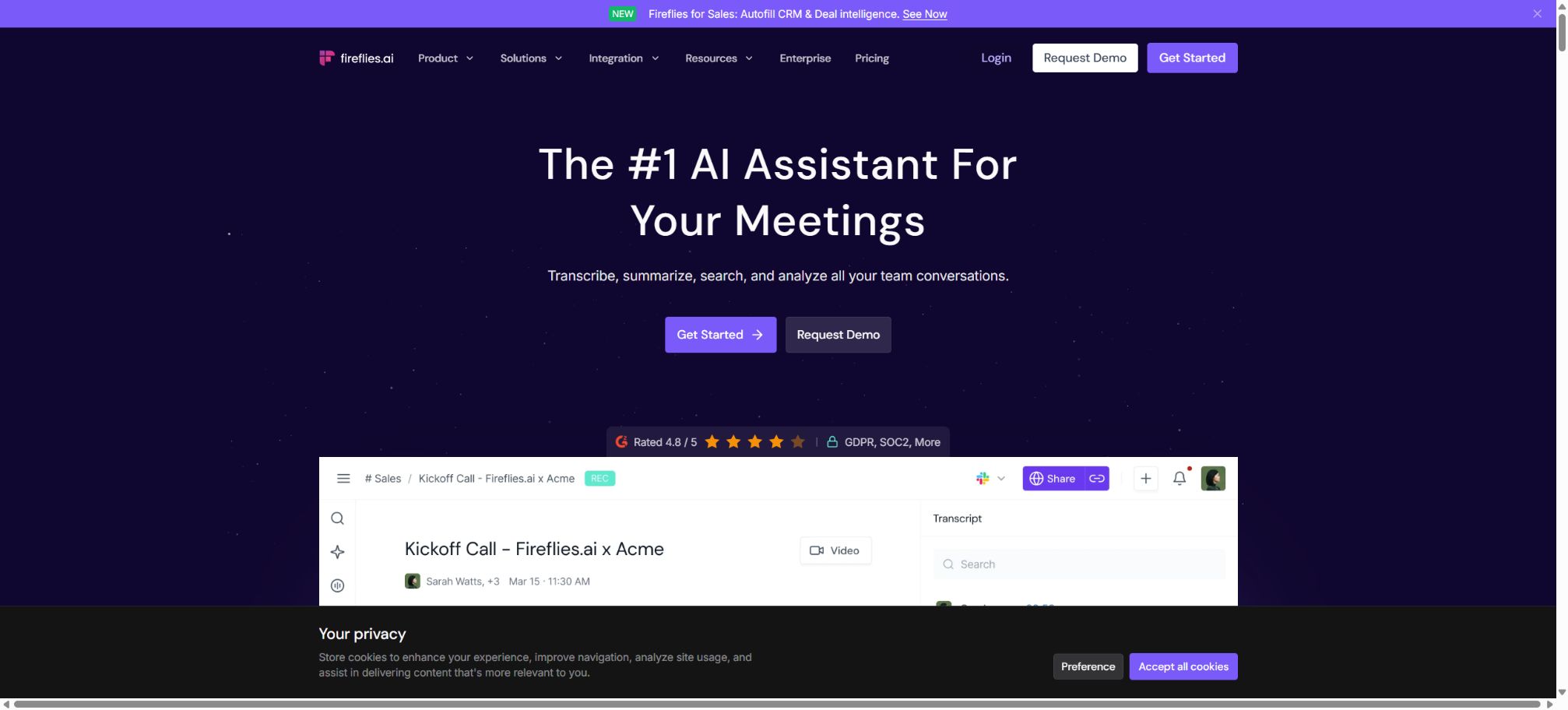
An AI assistant that automatically records, transcribes, summarizes, and retrieves meeting content
Tags:AI conference toolsWhat is Fireflies.ai?
Fireflies.ai is an AI meeting assistant that can automatically participate in online meetings, carrying out tasks such as recording, speaker identification, speech-to-text conversion, generation of summaries, extraction of action items, and sharing of meeting content after they conclude. Users can also record meetings using a Chrome extension, desktop application, or mobile app, or they can simply upload existing audio and video files.
It not only generates meeting minutes but also stores all transcripts in a searchable workspace, and continues to analyze the content of the meetings through AskFred, AI Skills, Conversation Intelligence, Personal Assistant, and Voice Agents. As a result, Fireflies serves various purposes: personal note-taking, team knowledge management, analysis of sales conversations, and automation for developers.
AI Notetaker for automatic attendance at meetings
After connecting to Google Calendar or Outlook Calendar, Fireflies Notetaker can automatically join meetings such as Zoom, Google Meet, Microsoft Teams, and Webex based on the user’s settings. It appears as a participant in the meeting, records the conversations, and processes the transcripts afterward.
Administrators can decide which meetings should be recorded automatically, who can view the recordings, and whether to send a summary to the participants. The meeting host may still need to manually allow the robot access.
The external robotics policies of certain organizations can also affect membership.
No robot recording required
If you don’t want a note-taker to be present during a meeting, you can use the Fireflies Chrome extension in Google Meet to carry out robot-free recording. The official desktop application can capture both online meetings and local conversations, while the mobile app is suitable for in-person interviews and face-to-face meetings.
The ability to record without using a bot does not mean that recording can be done secretly. Before recording conversations with employees, customers, candidates, or in medical settings, it is necessary to inform the relevant parties in accordance with local laws and organizational policies and obtain their consent.
Transcription and speaker recognition
Fireflies converts conversations into text with timestamps and speakers identified, allowing users to search within a single meeting, modify the transcripts, adjust the playback speed, and return to the original audio. Global search enables finding past meetings by title, date, host, or keywords from the transcripts.
The accuracy of transcription is affected by the microphone, accent, multiple people speaking at once, technical terms, and internet quality. For important content such as contracts, medical documents, HR-related materials, investment information, and academic citations, it is necessary to listen to the recordings again and carry out manual verification.
Over 100 languages and multilingual modes
The current official price page and documentation indicate that transcription and automatic language detection are supported in over 100 languages, including Chinese. Business plans and higher offer a Multi-language Mode to handle situations where multiple languages are used within the same meeting.
Automatic detection is not the same as true multilingual transcription in meetings. Situations involving mixed languages, dialects, or a combination of Chinese and English still require testing; the quality should not be judged solely based on the number of languages involved.
AI Meeting Summary
After each meeting is processed, key points, decisions, topics, and next steps are generated. All current packages indicate unlimited AI summaries on their price pages; standard transcription, notes, and summary emails do not incur charges based on AI Credits.
Users can expand, regenerate, or edit summaries. However, customizing summary sections is an advanced AI feature that may consume AI Credits; the concept of “unlimited AI summaries” does not mean that all AI operations are unlimited.
AskFred Q&A sessions
AskFred enables users to ask questions related to one or multiple meetings, such as summarizing customer objections, comparing decisions made in various project meetings, or identifying the tasks assigned to certain people. Live Assist also provides real-time transcription, answers, and suggestions during meetings.
AskFred and real-time AI queries rely on AI Credits; the amount deducted varies depending on the complexity of the question, the number of meetings involved, and the volume of processing. The responses may still overlook negative phrases or incorrectly attribute statements to certain speakers, so it is necessary to verify such information by consulting the transcripts and recordings.
AI Skills conference workflow
AI Skills can automatically convert meetings into structured outputs. The platform offers over 100 templates for various scenarios such as BANT, MEDDIC, interview feedback, customer feedback, and project updates; it also allows for the customization of prompts and output formats.
The billing for the standard summary template differs slightly from that of custom AI Skills. Before enabling services such as Daily Digest, Meeting Prep, or automated Skills that run on a scheduled basis, it is necessary to estimate the monthly amount of Credits the team will consume.
Personal Assistant and tasks
Personal Assistant includes features such as a daily summary, preparation tools for meetings, and a task manager that helps users organize the key topics, tasks, and relevant information related to various meetings. According to the current official rules, the Tasks function is always active and does not consume AI Credits; whereas Daily Digest and Meeting Prep need to be activated manually and do consume Credits.
Conversation Intelligence
Business and higher tiers offer conversation intelligence and team analysis, allowing users to view speaking time, emotions, issues, key topics, conversation ratios, and participation trends. Sales and customer success teams can use Topic Trackers to monitor competitors, objections, pricing-related terms, and risk-related expressions.
Emotion analysis, speaking ratios, and the number of meetings are only auxiliary indicators; they cannot be used on their own to assess employee performance, interview candidates, or determine customer intent.
Soundbites, Channels, and Collaboration
Users can cut out segments of conversations to create Soundbites, add comments, reactions, and bookmarks, then share them through Playlists or Channels. Free offers 3 public Channels; Pro expands the number of public Channels available; Business and higher tiers provide an unlimited number of both public and private Channels.
Public meetings and sharing sessions increase the risk of leaks. It is necessary to determine the access level before sending anything, and it is advisable for teams to set passwords and expiration dates for external links.
Voice Agents
Fireflies Voice Agents enable two-way voice conversations in the officially hosted browser-based call page, and are suitable for lead screening, interviews, demonstrations, and information collection. It is possible to configure questions, knowledge base content, tone, language, participant verification, and post-call summaries, and these can be shared via links, QR codes, or embedding.
For each minute of a call, a Voice Agent consumes 1 AI Credit, with the cost calculated based on the actual duration of the call. Such calls do not rely on third-party meeting services like Google Meet, but companies still need to establish clear rules regarding identity verification, recording consent, and the collection of sensitive information.
Integration and CRM automation
Fireflies can be connected to common video conferencing tools, CRM systems, dialers, project management applications, storage solutions, and messaging platforms. The Pro version offers unlimited integration options, while the Business version provides integration permissions, Autofill CRM functionality, and more comprehensive team workflow features.
Autofill CRM can extract fields related to contacts, opportunities, and deals from conversations, and then insert them into systems such as HubSpot or Salesforce. Companies should first define rules for review and field mapping, in order to prevent the AI from presenting assumptions as facts.
GraphQL API
Fireflies offers a public GraphQL API that allows developers to retrieve meeting transcripts, summaries, participant information, spoken words, action items, and team data. They can also upload audio files, add live meetings, delete transcripts, manage sharing options, and subscribe to Webhooks. The API utilizes a single GraphQL endpoint along with Bearer Token authentication.
API access is listed as an available capability in the current price comparison, but certain mutations require a Pro or higher plan; moreover, requests are subject to restrictions related to rate limits, permissions, ownership, and file uploads. Webhooks are triggered only for meetings that belong to the user.
Fireflies MCP
The authorities also provide an MCP Server that connects to meeting data, enabling AI clients that support MCP to search for transcripts, view summaries, analyze action items, and access user data. There is also a Documentation MCP designed for searching API documentation; the two serve different purposes.
The scope of MCP tools is being updated, and there are version differences in the descriptions of read and write operations on some document pages. For actual use, it is necessary to follow the current list of tools, OAuth scopes, and account permissions; testing should be carried out in a test workspace first.
GitHub and the open-source status
The official GitHub organization makes available repositories containing API documentation, examples, as well as technical job postings; on the API documentation page, it is also possible to submit suggestions for edits and create issues.
The Fireflies.ai conference platform, transcription models, AskFred, AI Skills, and the dialogue intelligence engine are not open-source software; just because the company has a GitHub account does not mean they can be labeled as “open source”.
Price and version comparison
| Package or version | Prices, quotas, and core benefits |
|---|---|
| Free free version | Free is a permanently free plan; the price page specifies unlimited transcription, unlimited standard AI summaries, 400 minutes of storage, support for over 100 languages, real-time note-taking, meeting search, limited use of AskFred and AI Apps, desktop and mobile applications, Chrome extensions, as well as API access. The maximum duration for a single recording is 2 hours. The transcription process for free accounts still relies on Transcription Credits and certain rules regarding their usage, and uploading files may also require the consumption of these credits. The price page and various help pages differ in whether the 400 minutes are counted per team or per user – the information displayed on the account’s current Billing page is the one that applies. |
| Pro price and benefits | The Pro plan costs $10 per seat per month for an annual payment, and $18 per seat per month for a monthly payment. It includes unlimited transcription and standard AI summaries, 8,000 minutes of storage per seat, 720p video recording, the ability to download transcripts, summaries, and videos, advanced summary features, a Personal Assistant, AI Skills, Voice Agents, task management, and unlimited integration options. The Pro plan still has a limit of 2 hours per recording session. It is suitable for individuals and small teams who need video recordings, downloads, and ample storage for historical data; however, advanced AI credits are not included in the price per seat. |
| Business prices and benefits | The Business plan costs $19 per seat per month for an annual payment, or $29 per seat per month for a monthly payment. It allows for unlimited team members, a maximum recording duration of 3 hours per session, and it includes features such as Multi-language Mode, Conversation Intelligence, administrator team analysis, User Groups, unlimited public and private channels, access to public meetings, and priority support. The Business plan is suitable for teams that are in growth phase, for sales analysis, and for cross-departmental knowledge management. The video resolution is 720p; if 1080p resolution, SSO, SCIM, and private storage are required, then the Enterprise plan should be considered. |
| Enterprise prices and benefits | Enterprise offers only an annual subscription at a cost of 39 dollars per seat per month. It includes all the features of Business, in addition to support for recording sessions up to 4 hours long, 1080p video quality, a Rules Engine, SSO, SCIM, API Audit Logs, HIPAA compliance, private storage, custom data retention options, a mode that provides only transcripts and summaries, a Super Admin role, and dedicated customer support. The Super Admin can view organizational data despite the privacy restrictions associated with regular meetings; before enabling this feature, it is necessary to assign minimum permissions and keep audit records. HIPAA compliance does not mean that all medical-related compliance requirements are automatically met. |
Free free version
Free is a permanently free plan; the current pricing page specifies unlimited transcription, unlimited standard AI summaries, 400 minutes of storage space, support for over 100 languages, real-time note-taking, meeting search, limited use of AskFred and AI apps, desktop and mobile applications, Chrome extensions, as well as API access. The maximum duration for a single recording is 2 hours.
The transcription process for free accounts still involves Transcription Credits and certain rules regarding their usage; uploading files may also require the consumption of these credits. The pricing page and various help pages differ in their description of whether 400 minutes are counted on a per-team basis or per seat, and it is the information displayed on the account’s current Billing page that is applicable.
Pro price and benefits
The Pro annual plan costs $10 per seat per month, while the monthly plan costs $18 per seat per month. It includes unlimited transcription and standard AI summaries, 8,000 minutes of storage per seat, 720p video recording, the ability to download transcripts/summaries/videos, expandable summaries, a Personal Assistant, AI Skills, Voice Agents, task management, and unlimited integration options.
Pro still has a limit of 2 hours per recording. It is suitable for individuals and small teams that need to record videos, download them, and store a large amount of historical data; however, advanced AI credits are not included in the price of this plan.
Business prices and benefits
The Business plan costs $19 per seat per month for an annual payment, and $29 per seat per month for a monthly payment. It allows for unlimited team expansion, an increase in the maximum duration of a single recording to 3 hours, and it includes features such as Multi-language Mode, Conversation Intelligence, administrator team analysis, User Groups, unlimited public and private channels, access to public meetings, and priority support.
Business is designed for teams in growth phases, sales analysis, and cross-departmental knowledge management. The video resolution is 720p; Enterprise should be considered if 1080p resolution, SSO, SCIM, and private storage are required.
Enterprise prices and benefits
Enterprise offers only an annual subscription fee of 39 dollars per seat per month.
It includes all of Business’s features, in addition to support for recording up to 4 hours, 1080p video, a Rules Engine, SSO, SCIM, API Audit Logs, HIPAA compliance, Private Storage, Custom Data Retention, a Transcript and Summary Only Mode, Super Admin privileges, and a dedicated account manager.
Super Admins can override the privacy restrictions of regular meetings in order to access organizational data; before such functionality is enabled, it is necessary to assign the minimum required permissions and keep audit records. The fact that HIPAA support is available does not mean that all medical compliance requirements are automatically met.
AI Credits and additional fees
AI Credits are used for advanced AI features such as AskFred, AI Skills, custom summaries, Magic Soundbites, Personal Assistant, Voice Agents, Sales Assist, Slack Assistant, and Autofill CRM.
The current free quota per use is 20 for Free, 20 for Pro, 30 for Business, and 50 for Enterprise; these quotas are shared across teams, and adding more users does not result in a proportional increase in the quota.
Paid accounts can purchase monthly add-on packs: 50 units for $5, 200 units for $20, 1000 units for $90, 2500 units for $200, 5000 units for $375, 7500 units for $450, and 10000 units for $600. The purchased Credits are renewed automatically on a monthly basis, and any unused portion is not carried over; it is necessary to check the Auto-Upgrade and Trial to Paid settings.
Uploading, storage, and excess usage
For media uploaded through dashboards, APIs, Zapier, Dropbox, Box, OneDrive, dialers, and telephone systems, paid individual accounts are typically limited to 3,000 minutes per month per source; team accounts have a limit of 3,000 minutes per seat, resulting in a maximum of 150,000 minutes per source.
The excess amount is charged at $0.01 per minute.
This upload limit does not apply to real-time meetings using the Notetaker robot, nor to recordings made with the Google Meet Chrome extension. The storage capacity refers to the total number of minutes of meetings that can be stored, and it is not based on the number of new minutes of transcripts added each month.
Supported platforms
- Web page applications;
- More than 10 meeting platforms such as Zoom, Google Meet, Microsoft Teams, and Webex;
- Desktop applications for Windows and macOS;
- Android and iOS mobile apps;
- Chrome extensions allow recording without bots;
- GraphQL API, Webhooks, and MCP Server.
Fireflies.ai Usage Guide
Complete a basic task.
- Verify recordings, audio, music, and participant authorization;
- Upload or enter clear audio into Fireflies.ai;
- Select settings such as language, speaker, and automatic participation by AI Notetaker;
- Use robot-free recording to generate transcripts, voiceovers, or cleaned-up versions;
- Check each segment for names, numbers, pauses, volume, and mood;
- Before exporting, verify the format, loudness, copyright, and privacy requirements;
Create reusable professional workflows
- A test set is created using real noise, accents, and multi-person segments;
- Compare the differences in processing between AI Notetaker for automatic attendance, robot-free recording and transcription, and speaker recognition.
- Retain the original recordings and the unmodified transcripts;
- Arrange for a manual hearing before releasing it to the public;
- Statistically analyze processing time, error rate, and quota consumption;
- Regularly update the glossary, sound licensing, and deletion policies;
Which users is it suitable for?
- Individuals who need meeting minutes and action items to be generated automatically;
- Multinational teams that need to record and transcribe content in multilingual meetings;
- Business teams that require CRM data entry, script tracking, and sales coaching;
- Projects that require sharing meeting assets by channel need to work with the operations team;
- Developers who need to retrieve meeting data via API, Webhook, or MCP;
- Enterprises that require SSO, SCIM, storage locations, and retention policies.
Product advantages
- The free version can be used for transcribing actual meetings and generating standard summaries;
- It also offers a Notetaker, Chrome extensions, as well as recording options for desktops and mobile devices;
- Supports over 100 languages and multi-language conference modes;
- AskFred, AI Skills, and conversational intelligence can turn meetings into follow-up actions;
- It provides features for Channels, Soundbites, task management, and enterprise permission control.
- It offers an official GraphQL API, Webhooks, and MCP.
Restrictions and Precautions
- Advanced AI features are billed separately from seat subscriptions; Credits are not carried over, and certain settings may lead to automatic purchases.
- Uploading large amounts of audio and video content can also result in additional charges per minute, so companies cannot estimate costs based solely on the price of the basic subscription plans.
- Meeting robots may be rejected by the host or organizational policies, and transcription as well as AI summaries can contain errors.
- Recording, video recording, employee analysis, and CRM data entry must comply with the requirements regarding notification, consent, data minimization, and access control.
Frequently Asked Questions
Is Fireflies.ai free?
There is a permanent free version that offers unlimited transcription, standard AI summaries, 400 minutes of storage space, support for over 100 languages, as well as basic AskFred/AI apps; however, the storage space, the number of uploads allowed, and the AI credits are limited.
How much does Fireflies.ai cost?
For Pro, the cost is $10 per seat per month on an annual basis, or $18 per month; for Business, it is $19 annually or $29 per month.
Enterprise offers only an annual subscription at 39 dollars per seat per month.
Can Chinese meetings be transcribed?
Yes. It is officially stated that it supports over 100 languages, and versions Business and above also allow for switching between different languages in multi-session meetings.
Must the robot be included in the meeting?
Not necessarily. In addition to the Notetaker robot, Chrome extensions, desktop applications, mobile apps, or file uploads can also be used.
Does Fireflies have an API?
Yes. The official platform provides GraphQL API, Webhooks, and MCP Server; it allows for querying transcripts, summaries, and action items, as well as supporting audio uploads. The specific permissions available depend on the plan selected and the data ownership rights.
Is Fireflies.ai open source?
The core platform and the AI engine are not open source. While the official GitHub page provides documentation on the API and other related materials, this does not mean that the product can be deployed in a private environment.
Tools similar to Fireflies.ai



 Guigong Network Security Registration No. 45132202000164