






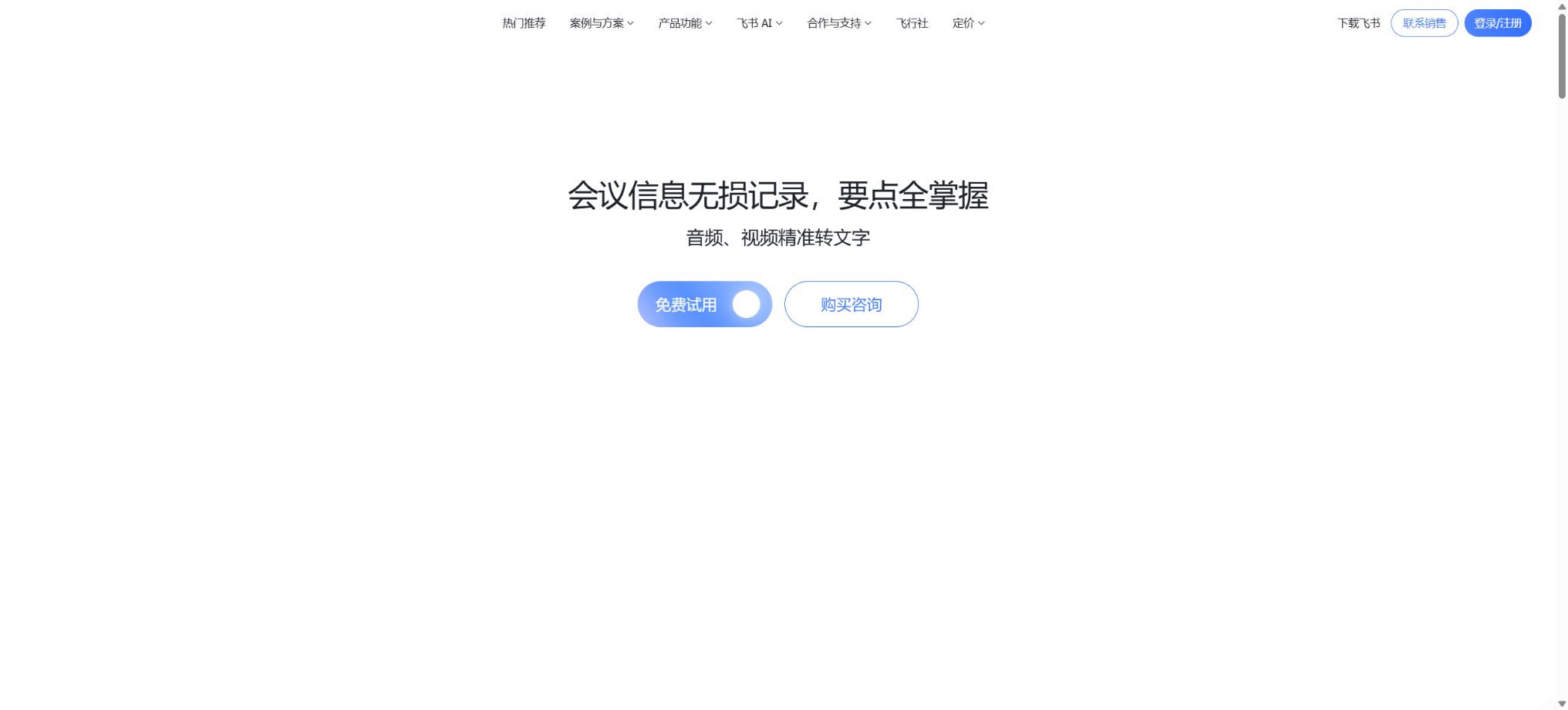
Feishu Miaoji
A meeting tool that combines audio transcription, subtitles, summaries, and collaboration features.
Tags:AI conference toolsWhat is Lark Note?
Feishu Miaoji is a tool built into the Feishu suite for converting audio and video content into text as well as for preserving knowledge from meetings. It is suitable for use in meetings, interviews, training sessions, courses, client visits, and media recordings. This tool can transform recordings from Feishu meetings, on-device recordings, local audio/video files, or Feishu cloud files into verbatim transcripts with a timeline; thereafter, Feishu AI is used to generate meeting summaries, sectional highlights, action items, and key information.
The advantage of Miaojì is that it does not provide just a transcribed text; instead, it brings together functions such as audio playback, text highlighting, identification of speakers, searching, translation, editing, commenting, sharing, exporting, and permission control on a single collaborative page. Members who were not present can grasp the context quickly through the summary, while those who were present can refer back to the original audio to verify decisions and commitments.
Core functions
1. Multiple ways to create memorable mnemonics
Users can enable recording during Lark video meetings and generate summary notes afterward; they can also use the Lark mobile app to record audio directly, upload local audio and video files via the desktop version, or import files from Lark’s cloud storage. This approach works for both online meetings as well as for in-person discussions, classes, training sessions, and existing recorded materials.
The current limitations stated in the official help documentation are as follows: a single Lark meeting can be recorded for up to 16 hours; the maximum size of a single local file that can be uploaded is 4GB.
The maximum recording time on the mobile app is 4 hours. To avoid causing processing delays, officials recommend uploading no more than 25 files per hour.
Different entry points, client versions, and enterprise configurations can affect the available formats and limits.
2. Text transcription from speech and timeline playback
Miaoji splits audio content into segments based on time and generates searchable text; by clicking on a particular piece of text, one can go directly to the corresponding audio or video section. The transcribed text can be edited and corrected, making it useful for finding specific product names, decisions, numbers, or customer feedback within long meetings, without having to replay the recording from the beginning each time.
Speech recognition can be affected by accent, noise, echoes, network issues, the distance from the microphone, multiple people speaking at once, and technical jargon. When it comes to contracts, quotes, personnel decisions, medical information, or research citations, it is necessary to listen to the original audio again and conduct manual verification; the AI-generated transcript cannot be considered an accurate record in a legal sense.
3. Speaker recognition and voice printing
The system is able to distinguish between the statements of different speakers and organize the content by speaker. In recordings taken on mobile devices, if a member has authorized voiceprint registration, their name can also be displayed.
When the identity cannot be determined, the user can manually modify the speaker label after the meeting.
Voice prints are considered sensitive biometric information; before they are put into use, it is necessary to clarify their purpose, the permissions associated with them, and the rules for storing them. Automatic separation merely allows the model to distinguish between different sound sources, but errors can still occur when multiple people speak at the same time or when the sound quality is poor. It is essential to verify important statements.
4. AI-powered meeting minutes
Smart Summaries extract the key points of meetings from the transcribed content provided by Miaojì, and generate more appropriate summary formats based on the specific context of the meeting. The product page currently highlights AI-generated summaries, structured chapter-based summaries, and the identification of tasks to be carried out; these features enable users to first take a look at the conclusions before going back to the full discussion by chapter.
AI may misinterpret discussion suggestions as definite conclusions, or it might overlook negative aspects, conditions, or responsible parties. Before the official minutes are released, the meeting chairperson or the relevant responsible person should verify the action items, deadlines, as well as the status of data and decisions; in particular, financial, legal, or HR-related actions should not be carried out based solely on automated summaries.
5. Real-time summaries and multilingual translation
The new version of Miaojì Lùyīn allows for the generation of real-time AI summaries during recording, and it enables real-time translation of the transcribed text into languages such as Chinese, English, and Japanese. The official product documentation also highlights its capabilities for multi-language transcription and translation, making it suitable for international meetings and foreign language training.
Translation can help with quick understanding, but names of people, companies, laws and regulations, numbers, technical terms, and expressions with cultural connotations are prone to errors. Materials intended for external release, use in contracts, or for compliance purposes should be reviewed by someone who is familiar with the target language.
6. Search, edit, and highlight positioning
Users can search for keywords in the transcript, correct identification errors, mark important points, and retrieve the original audio based on the timeline. As a result, long interviews and training materials can be transformed from one-time recordings into searchable resources, making it easier to organize excerpts into documents, review materials, or knowledge bases.
7. Comments, @Mentions, and Collaboration
The Miàojì page allows for comments and the use of @mentions; those who missed a meeting can still add questions or opinions regarding specific parts of the content. Teams can keep the transcripts and discussions within the same context, thereby avoiding the dispersion of information that occurs when recordings, summary documents, and chat screenshots are sent separately.
Comments and AI-generated to-do items do not automatically constitute official tasks. Teams that need to carry out these tasks should still transfer the confirmed tasks to Feishu’s task management system, project management tools, or responsibility lists, specifying the person in charge and the deadline.
8. Fragment creation, sharing, and export
Users can select specific sections from a complete recording to create excerpts, sharing only the content that is relevant to the recipient; this reduces the effort required for the recipient to view long recordings and also helps to control the scope of sensitive information. Depending on the settings, the system allows for the export of transcribed text, subtitles, or related content, as well as the download of audio and video files.
The export options are influenced by the version, administrator policies, and owner permissions. The subtitle timeline, speaker names, punctuation, and technical terms should be checked before using the video in formal contexts, and the exported files must comply with the organization’s rules regarding data storage and deletion.
Permissions and external sharing
The owner of Miaojì can add collaborators and assign them specific permissions such as viewing, editing, commenting, sharing, downloading audio and video files, as well as exporting transcripts. Once a sharing link is sent in a Feishu chat, team members can access the content within the scope of permissions granted to them.
The owner can revoke permissions.
Enterprise administrators can also restrict whether MiJi can share information outside the organization.
For customer interviews, assessments, board meetings, as well as R&D and legal meetings, the principle of minimum privilege should be followed; broad settings that allow access merely by obtaining a link should be avoided. Before making content public, it is necessary to examine the transcript, comments, attachments, participants, and context on the page, rather than relying solely on the extracted audio portion.
Free quota and transcription rules
| Package or version | Prices, quotas, and core benefits |
|---|---|
| Professional Edition | The Business Standard version has a capacity of 1500GB, the Business Professional version offers 5TB, and the Business Premium version provides 15TB. The Enterprise Standard version comes with 15TB of storage, while the Enterprise Professional and Enterprise Premium versions offer 15TB plus 30GB for each additional user. The current official annual subscription prices for these Business versions are: 50 yuan per user per month for the Business Standard version, 80 yuan per user per month for the Business Professional version, and 120 yuan per user per month for the Business Premium version. |
| Enterprise Edition | For corporate editions and purchases by large organizations, it is usually necessary to contact sales for a quote. The time limit for video meetings in the basic edition is 60 minutes per session, while the commercial and corporate editions allow up to 24 hours per session. |
The basic version of Lark provides 300 minutes of text transcription service per user per calendar month, and this quota applies to conference recordings, voice recordings, local file uploads, and cloud file imports. Once this quota is exhausted, video conferences can still be recorded, but no further text transcription will be possible.
The limit is refreshed on the first day of the following month.
Real-time subtitles during meetings are not included in this text-to-speech quota.
In the Business and Enterprise versions, there is no limit on the duration for text transcription using Miaji; however, the files generated are still stored in the enterprise’s shared storage. The fact that there is no limit on transcription time does not mean that all FlyBook AI functions can be used indefinitely – AI summarization, Q&A, and other related capabilities may still be subject to restrictions based on AI credits and version permissions.
AI points consumption
Lark’s newer AI quota rules are based on a point system. Uploading audio and video content to create notes, as well as using the note-recording feature, incurs 0.5 points per minute, with the amount rounded up.
In video conferences, the use of AI for summarization or recording is allowed; up to 5 minutes of such use does not count against the quota, while any usage beyond 5 minutes incurs a charge of 0.5 points per minute.
When AI summarization and recording are enabled simultaneously at the same meeting duration, the time is counted only once and not repeatedly.
The quota for video conferences is usually deducted from one member’s account: the conference organizer is given priority, and if that isn’t possible, the deduction is made according to the rules applied to the person who actually started the conference; in cases where multiple people start the conference, the decision is made based on rules such as the last person to do so.
Individuals can purchase Feishu AI premium memberships to increase their usage limits; the rights and allocation methods for enterprises are determined by the management dashboard and the purchase page.
Storage space
Miaoji shares its content with services such as instant messaging, email, and cloud documents, making use of Lark’s enterprise storage solutions. The storage capacities specified in the current documentation are: 15 GB for the unauthenticated basic version, and 100 GB for the authenticated basic version.
Business Standard version: 1500GB; Business Professional version: 5TB; Business Premium version: 15TB. Enterprise Standard version: 15TB; Enterprise Professional and Enterprise Premium versions: 15TB plus 30GB per additional user.
Even in the Business and Enterprise versions, where there is no limit on the duration of transcription, storing too much data can prevent further generation and saving of notes. Administrators should establish rules for archiving, exporting, and deleting data; important recordings should not be kept solely in one online account.
Lark versions and prices
The basic version of Lark is available for free. The current official pricing for the commercial versions on a yearly basis is as follows: 50 yuan per user per month for the Standard Commercial version, 80 yuan per user per month for the Professional Commercial version, and 120 yuan per user per month for the Premium Commercial version.
Different versions are categorized based on user limits, storage capacity, meeting duration, security management, AI capabilities, and service support.
For enterprise editions and purchases by large organizations, it is usually necessary to contact sales for a quote. Advanced Feishu AI memberships, enterprise AI versions, capacity expansions, and other additional features may incur separate charges.
The prices on the official website can change depending on promotions, contracts, the number of users, and the region; the amounts listed in the catalog are intended only to help understand the structure of the different versions. The actual prices should be based on those shown on the purchase page or in the corporate contract.
Lark Magic Note Usage Guide
Complete a basic task.
- Verify recordings, audio, music, and participant authorization;
- Upload or enter clear audio into Feishu Miaoji.
- Options for selecting the language, speaker, and various methods for generating memorable phrases, along with other processing settings;
- Use text-to-speech and timeline playback to generate transcripts, dubbed versions, or cleaned-up content;
- Check each segment for names, numbers, pauses, volume, and mood;
- Before exporting, verify the format, loudness, copyright, and privacy requirements;
Create reusable professional workflows
- A test set is created using real noise, accents, and multi-person segments;
- Compare the differences in the ways of generating memorable transcripts, text-to-speech conversion, timeline playback, speaker recognition, and voiceprint analysis.
- Retain the original recordings and the unmodified transcripts;
- Arrange for a manual hearing before releasing it to the public;
- Statistically analyze processing time, error rate, and quota consumption;
- Regularly update the glossary, sound licensing, and deletion policies;
Meeting and document restrictions
- The basic version of video conferencing allows sessions of up to 60 minutes at a time, while the business and enterprise versions support sessions that can last up to 24 hours.
- Liaoshi recordings generated from Lark meetings can last up to 16 hours;
- The maximum size for a single file uploaded locally is 4GB;
- On the mobile app, a single recording session with Miaoli Jilu can last up to 4 hours;
- The basic version provides 300 minutes of transcription time per user per month;
- The transcription time is unlimited in the Business and Enterprise versions, but it is affected by shared storage resources and AI quotas.
- It is recommended to upload no more than 25 files per hour.
Open platform API
Lark’s open platform provides server-side interfaces related to Miaoji. Developers can retrieve information such as the owner of a particular Miaoji entry, its creation date, title, cover image, duration, and page address; they can also export the transcribed text or obtain viewing statistics, provided they have the appropriate advanced permissions.
The frequency limit for accessing individual memorable information through the interface is 5 times per second.
APIs must be authenticated using application access credentials, and they must also meet both the application’s permissions as well as the user’s rights to access the target data. The fact that an interface is open does not mean it is possible to bypass the controls of the owner or administrator.
When connecting to a enterprise, only the necessary permissions should be requested, access tokens must be protected, call audits should be kept, and a deadline for storing the exported transcripts should be set.
Supported platforms
- Lark Web version;
- Browsers supported by Windows, macOS, and Linux;
- Lark desktop clients for Windows and macOS;
- Lark for iPhone, iPad, and Android mobile devices;
- Lark Open Platform server API.
The web version is currently compatible with Chrome, Sogou, QQ, 360, and Edge on Windows; Chrome, Safari 12.1 and later versions, as well as Edge on macOS; and Chrome on Linux. The official recommendation is to use the latest browser to enjoy a complete experience.
Open-source status
Feishu Miaoji is a commercial cloud service provided by Feishu, and it is not an open-source project. The Feishu Open Platform offers APIs, SDKs, and sample code; this allows developers to access certain Miaoji data within the limits set by the permissions granted, but it does not mean that voice recognition, AI-based summarization functions, collaboration tools, or backend services can be deployed on one’s own.
Which users is it suitable for?
- Teams that need to organize regular meetings, project meetings, and remote meetings;
- People who conduct customer interviews, make sales visits, and carry out user research;
- The human resources team that records interviews and analyzes the candidates’ statements;
- Teachers and students who engage in courses, training sessions, sharing meetings, and lectures;
- Multinational teams that require multilingual transcription and translation;
- Enterprise developers who wish to read or export Miaji data via API.
Product advantages
- All functions for recording meetings, capturing audio on-site, and uploading files are available;
- The script is synchronized with the audio and video timeline, making it easy to listen back and verify;
- AI summaries, sections, and to-do lists reduce the difficulty of reading long meetings;
- It supports speaker identification, translation, search, editing, and commenting;
- Works in conjunction with Lark’s chat, document, task, and organization permission systems;
- It provides server-side APIs, suitable for integrating enterprise workflows.
Restrictions and Precautions
- Meeting recordings, voiceprints, verbatim transcripts, and AI summaries may contain personal information, trade secrets, and sensitive decisions;
- It is necessary to inform the participants clearly and obtain the required authorization before recording;
- When sharing externally, downloading, exporting, and external access should be restricted.
- AI transcription and summarization can both be error-prone, especially in situations involving multiple speakers speaking at the same time, dialects, noise, and specialized terminology.
- Important conclusions need to be heard in their original audio form, and formal tasks must be confirmed by the person responsible.
- The commercial version, which offers unlimited transcription time, is still subject to constraints related to storage capacity, meeting duration, AI credits, and the enterprise’s management policies.
- Before making a purchase, it is necessary to check the transcription rights, AI quota, storage capacity, options for external sharing, and data compliance requirements at the same time.
Frequently Asked Questions
Is Lark Notes free?
The basic version of Lark is available, with each user entitled to 300 minutes of text transcription per month. Once this quota is used up, the user must wait until the next month or upgrade to a higher version.
Some AI capabilities also consume AI points.
Can Lark Notes be used to upload files?
Yes, it is possible to upload local audio and video files or import files from Feishu’s cloud storage. According to the current documentation, the size of a single local file should not exceed 4GB, and it is recommended to upload no more than 25 files per hour.
Can Lark Notes generate meeting minutes automatically?
Yes, Smart Minutes can generate AI summaries, chapter-wise outlines, and task lists, but the results must be reviewed by the participants; they cannot be considered as finalized decisions outright.
Is there no limit on transcription in the commercial version?
There is no limit on the duration of text transcription in the Business and Enterprise versions; however, it is still subject to constraints such as the limits on shared storage, meetings, or recordings within the enterprise, AI credits, and administrator settings.
Does Lark Note support APIs?
Supported. The open platform allows access to the basic information of 妙记, and it is possible to export the transcribed text or view statistical data when appropriate advanced permissions are available.
Is Lark Magic Notes open-source?
It is not open source. The vendor does provide open platform APIs and SDKs, but the Miaojì products and its AI services are considered commercial cloud services.
Tools similar to Feishu Miaoji



 Guigong Network Security Registration No. 45132202000164