






Krisp
Provides noise reduction, transcription, summarization, and voice enhancement for online meetings.
Tags:AI conference toolsWhat is Krisp?
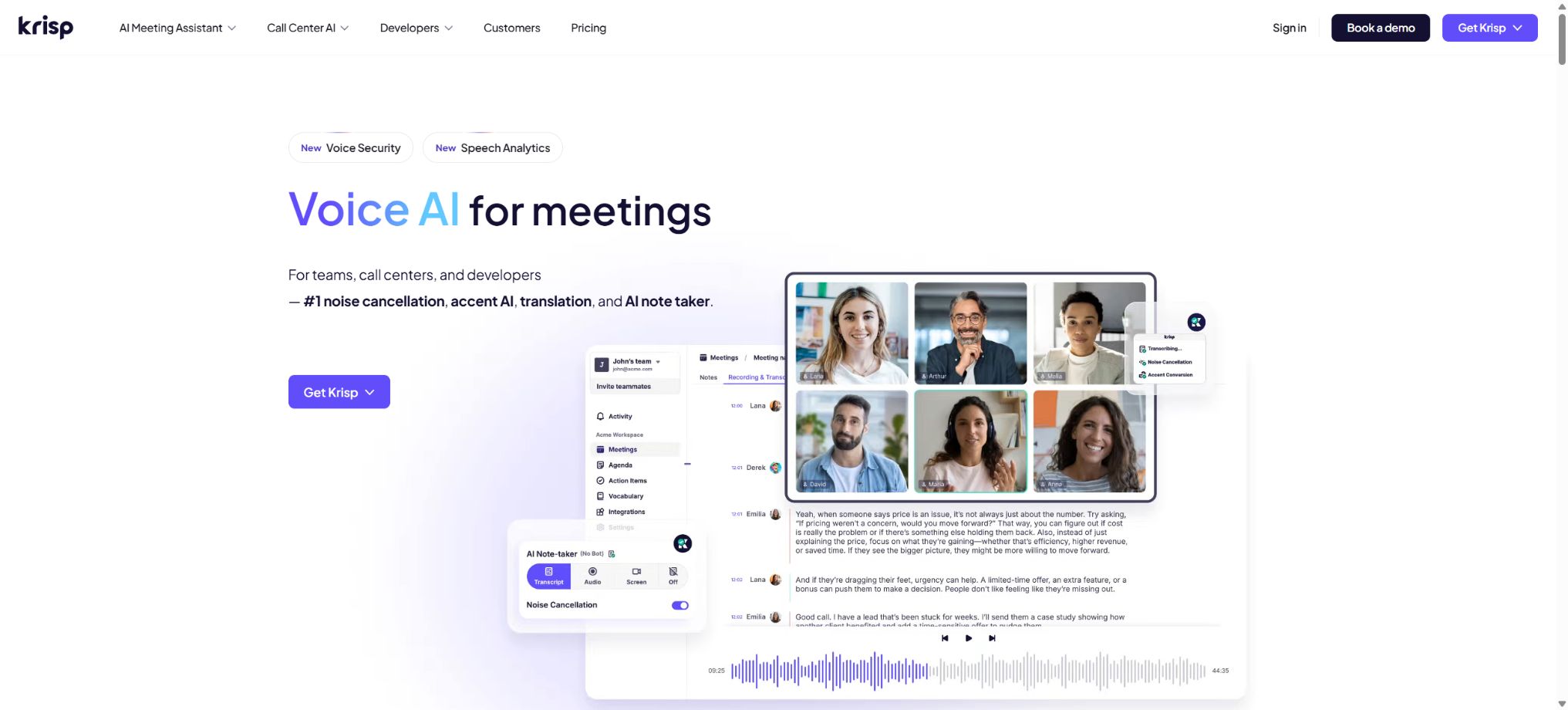
Krisp is a cross-platform AI tool for video conferences; it was initially known for its real-time noise reduction capabilities, and has since evolved into a platform that offers conference recording, transcription, summarization, generation of action items, and accent conversion. Its desktop application allows integration with Zoom, Microsoft Teams, Google Meet, Slack, and other communication software through virtual microphones and speakers, without being dependent on any single conference platform.
Users can either have Krisp operate at the local audio level without adding a visible robot to the meeting, or they can invite the Krisp Bot when video recording or remote transcription is needed.
Core functions
- Bidirectional noise reduction:Separately remove keyboard noises, fan sounds, traffic noise, pet sounds, and various environmental noises from the user’s microphone as well as from the other party’s speaker.
- Echo and background voice removal:It reduces room echoes and dampens the voices of other people nearby, thereby making conversations in open offices and home environments clearer.
- AI meeting assistant:After the call, a transcript containing the speaker’s words, a summary, key points, and action items are generated, which can be shared, searched, or synchronized with other work systems.
- No robot records:The desktop version captures audio directly from the Krisp Microphone and Krisp Speaker, and no additional bots appear in the list of conference participants; choosing the wrong input and output devices may result in only one party’s audio being recorded.
- Krisp Bot:It supports Zoom, Google Meet, and Microsoft Teams; it allows users to join meetings for video recording, or to record on their behalf when they cannot install the desktop version, though this requires approval from the meeting host.
- Mobile and face-to-face meetings:iOS and Android apps can record in-person meetings or voice memos, import audio files, and also send bots to online meetings.
- Accent conversion:It allows for real-time adjustment of the clarity of the accent of either the speaker or the listener, and is designed primarily for multinational teams and call centers; it does not involve translation of content, and the availability of different accents as well as the duration for which they can be used are limited by the specifications of the system.
- Team analysis and integration:The advanced version offers CRM, integration of sales and management functions, meeting evaluation, administrator controls, and enterprise security features.
Prices and packages
| Package or version | Prices, quotas, and core benefits |
|---|---|
| Free / Trial | The new pricing page offers a 7-day trial of the advanced features without the need for a credit card. Some of the rules applicable to existing free accounts still include 60 minutes of noise reduction per day, unlimited transcription, and 2 meeting notes per day; the actual benefits available may vary depending on the time of registration and the region. |
| Core | The reference price for an annual subscription is 8 dollars per user per month, while the monthly subscription costs around 16 dollars. Unlimited AI note-taking, transcription, audio and video recording, as well as recording of face-to-face meetings are provided, along with unlimited noise reduction. Accent conversion is typically available for 1 hour per day. |
| Advanced | The reference price for an annual subscription is 15 dollars per user per month, while the monthly subscription cost is 30 dollars. The Core version includes additional capabilities such as more voice accent conversion options, integrations with Salesforce, management views, and enhanced administrator controls. |
| Enterprise | Custom quotes are available, offering SSO, SCIM, audit and security reports, super administrator access, centralized deployment, and enterprise support. |
In recent years, Krisp has changed the names of its Free, Pro plans, as well as the new Free Trial, Core, and Advanced plans; therefore, the prices for the Pro plan and the details regarding permanent free benefits mentioned in older articles may differ from those on the new registration page. Before making a purchase, it is necessary to log in to your current account to view the available options, paying special attention to the duration of noise reduction, the number of hours for accent conversion, storage space for recordings, and the number of team seats available.
The contact center products and developer SDKs are charged separately and are not included in the regular meeting assistant subscription.
Language, privacy, and platforms
The official help documentation lists 16 languages for conference transcription, including English, Spanish, French, German, Russian, Italian, Dutch, Polish, Portuguese, Hindi, Czech, Korean, Ukrainian, Danish, Swedish, and Norwegian; Chinese is not yet included. Meeting notes can be in the same language as the transcription.
The Krisp desktop version is available for Windows and macOS, while the mobile app is available for iOS and Android.
Noise reduction and certain speech processing tasks are handled on the device itself; when Recording or Note Taker is enabled, audio, video, or meeting content may be stored in order to enable transcription and note-taking.
In the Transcribe Only mode, transcription is carried out locally depending on the language and settings, or it is deleted immediately after being uploaded to the server for transcription.
The official pricing page states that meeting data will not be used to train the Krisp model, and transmission as well as static encryption are provided. In the case of meetings related to customers, healthcare, legal matters, or HR issues, it is still necessary to obtain the consent of the participants, and storage and sharing permissions must be set in accordance with the organization’s rules.
Krisp usage tutorial
Complete a basic task.
- Verify recordings, audio, music, and participant authorization;
- Upload or enter clear audio into Krisp;
- Select settings such as language, speaker, and two-way noise reduction;
- Use echo and background voice removal to generate transcripts, dubbed versions, or cleaned-up results;
- Check each segment for names, numbers, pauses, volume, and mood;
- Before exporting, verify the format, loudness, copyright, and privacy requirements;
Create reusable professional workflows
- A test set is created using real noise, accents, and multi-person segments;
- Compare the differences in performance between two-way noise reduction, echo and background voice removal, and AI meeting assistants.
- Retain the original recordings and the unmodified transcripts;
- Arrange for a manual hearing before releasing it to the public;
- Statistically analyze processing time, error rate, and quota consumption;
- Regularly update the glossary, sound licensing, and deletion policies;
Which users are it suitable for
- Remote workers who hold frequent meetings in noisy homes, offices, or while on the go
- Individuals and teams who hope to be able to generate meeting minutes without the need for visible robots.
- Sales, customer service, and call center roles that require improving comprehension of accents from different countries
- Organizations that need unified recording across platforms such as Zoom, Teams, and Meet
Restrictions and open-source status
- Noise reduction cannot fix severe interruptions, excessively low input levels, or network packet losses; moreover, excessive processing may weaken soft sounds and music.
- The transcription accuracy is still affected by accent, overlapping speech, terminology, and device settings; key decisions and action items must be verified manually.
- The absence of robots does not mean the absence of recording or cloud-based data processing; users still have an obligation to provide information.
- Krisp’s core noise reduction model, accent conversion, and the conference platform are not open source;
- The authorities provide SDKs/APIs for developers and enterprises, but these are intended for commercial integration purposes only, and they do not allow for the download of models for private deployment.
Frequently Asked Questions
Does Krisp have to be added as a meeting bot?
It’s not necessary. Desktop applications can operate without any robotic recording at the audio device level;
Krisp Bot can be chosen for video recording or attending meetings on behalf of someone else.
Does Krisp support Chinese transcription?
Chinese is not listed among the 16 languages available in the current official documentation; therefore, Chinese-language meetings should first be tested in practice or tools that provide explicit support for Chinese should be used.
Is it necessary to inform the participants when using Krisp?
It is recommended, and in many areas it is a mandatory requirement: whenever recording, transcribing, or taking notes is done, it is necessary to inform others in advance in accordance with local laws and company policies.
Tools similar to Krisp



 Guigong Network Security Registration No. 45132202000164