






Fathom
Automatically record meetings and generate summaries, key points, and action items.
Tags:AI conference toolsWhat is Fathom?
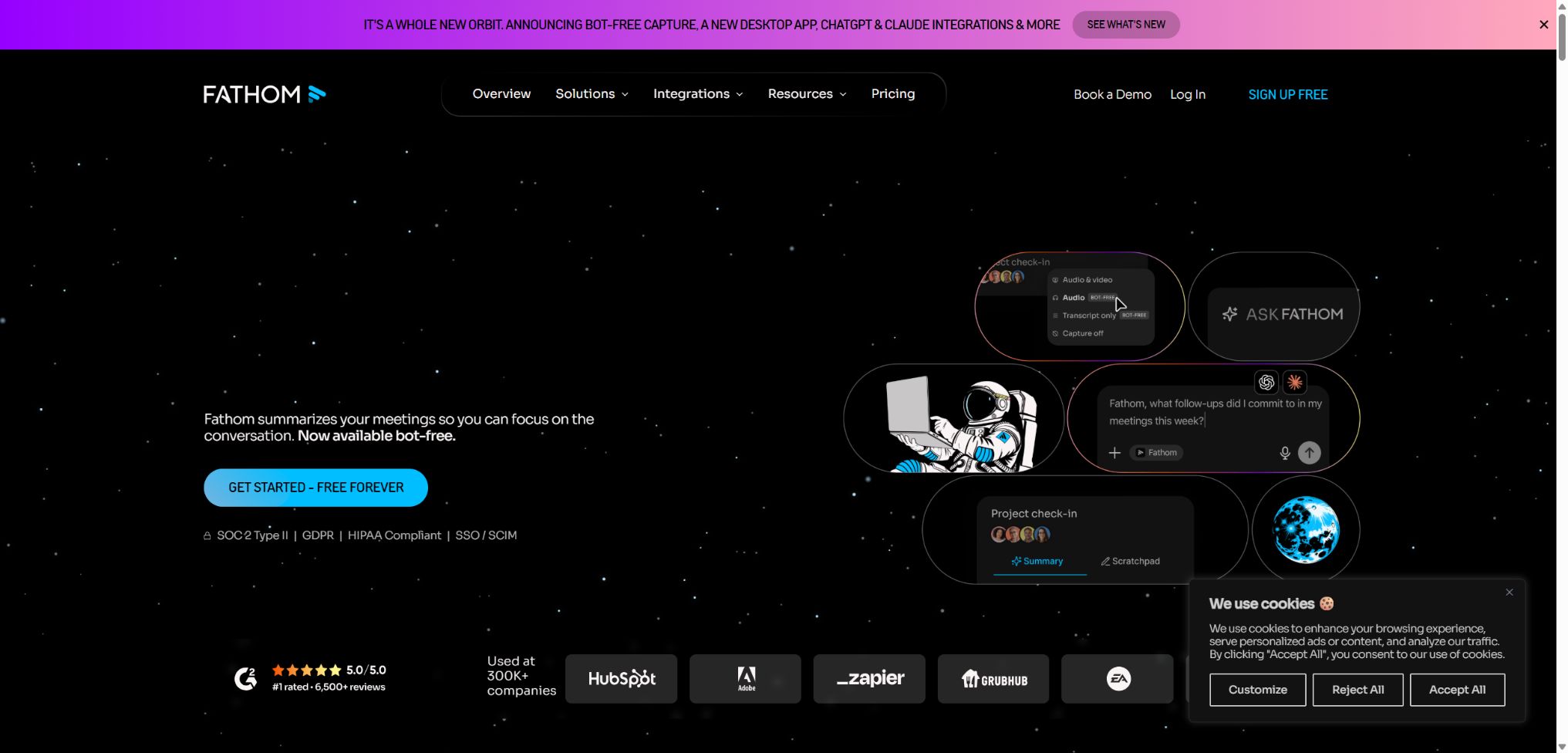
Fathom is an AI-powered tool for meeting transcription, recording, and knowledge management; it can capture audio from Zoom, Google Meet, and Microsoft Teams. After a meeting, it generates searchable transcripts, summaries, key excerpts, action items, and follow-up materials.
Individual users can use it to reduce the need for manual notes, while teams can consolidate customer conversations in a workspace and synchronize CRM data, search for relevant topics, and access sales insights. Public APIs, Webhooks, and an official MCP are also available.
Main functions of Fathom
- The free plan includes unlimited meeting recording, transcription, and long-term storage;
- Supports online meetings via Zoom, Google Meet, and Microsoft Teams;
- You can choose between the meeting Bot or desktop capture without a Bot for testing;
- Transcription supports 38 languages and automatically identifies the speakers;
- Automatically generates a chronological summary, key points, and action items;
- Ask Fathom allows for natural language queries regarding individual meetings or past meetings;
- It is possible to create Clips and Playlists to share key segments of conversations;
- The team provides folders, comments, keywords, and AI search alerts;
- Connects to HubSpot, Salesforce, Close, Slack, Zapier, and Make;
- Public APIs, SDKs, Webhooks, and MCP support automated integration.
Capture of meetings with and without bots
In the traditional approach, Fathom Notetaker is used as a participant who joins the meeting, and both the host and other participants can see it. The new method, which does not rely on bots, involves using a desktop application to record the meetings; this feature is currently available in a phased manner for testing on Macs.
Neither of these methods can be used for secret recording; the interface will provide visible alerts or a consent mechanism. The platforms and permissions available in the bot-free mode may still vary, and companies should conduct pilot tests before implementing it.
Transcription, summary, and action items
Fathom supports 38 transcription languages and automatically generates general summaries as well as summaries for specific time points. The Premium and team subscription plans offer advanced templates, AI-driven action items, follow-up emails, and custom summaries.
Free users can use advanced summaries for the first 5 meetings per month; after that, they are reverted to standard summaries. AI may fail to detect implied commitments, negative tones, or technical terms, so it is still necessary to review the original audio and video to grasp the key points.
Ask Fathom and cross-meeting search
Ask Fathom enables users to ask questions about meetings, locate decisions, risks, customer feedback, and follow-up actions. Paid individual accounts offer more comprehensive access to their past meetings, while the scope of historical data available for team meetings varies depending on the subscription plan.
Keywords and AI Search Alerts can notify the team when new meetings match a certain theme; they are useful for monitoring competitors, identifying risks of customer loss, and detecting functional requirements. The search results should be checked against the corresponding time points, rather than being used as factual reports outright.
Clips, Playlists, and Collaboration
Users can cut out important segments to create Clips, which can then be combined into Playlists for use in training, receiving customer feedback, and transferring projects. Teams can organize multiple meetings using folders, comments, mentions, and customer views.
External sharers usually do not need a Fathom account, but link permissions must be set carefully. Enterprise administrators can restrict anonymous linking, downloading, deletion, and retention periods.
CRM and Sales Intelligence
Fathom enables the synchronization of summaries, key points, and meeting links to HubSpot, Salesforce, or Close. Business adds CRM field mapping, Deal View, coaching metrics, AI Scorecards, and custom team summaries.
Before automatically writing data to CRM, it is necessary to define the field owners, update conditions, and conflict resolution strategies. The amounts, dates, and next steps identified by AI require confirmation from sales staff.
ChatGPT, Claude, and MCP
The official MCP Server enables ChatGPT, Claude, and other compatible clients to access Fathom meetings within the scope of their authorized permissions. Compared to copying transcripts, this approach allows users and teams to retain their existing access rights.
Connecting meetings to external AI services still adds additional parties involved in data processing; it is necessary to verify the client, the model, and the organizational policies. Personal AI accounts should not be allowed to bypass the team’s safeguards and access controls.
Public APIs and Webhooks
The Fathom External API allows listing meetings, teams, and members, as well as retrieving transcripts, summaries, action items, and CRM-related data. Webhooks can be used to push new meeting details into workflows; Python and TypeScript SDKs along with OAuth are provided by the service.
Comparison of Fathom features
| Ability | Personal Free | Personal Premium | Team plan |
|---|---|---|---|
| Recording, transcribing, and storing | Infinity | Infinity | Infinity |
| Advanced Summary | First 5 sessions per month | Infinity | Provided as per the plan |
| Action items and follow-up emails | Finite | Complete | Complete |
| Ask Fathom across meetings | Finite | Unlimited backtracking for individual meetings | Individual and team scope |
| Team collaboration and global search | None | None | Yes |
| CRM fields, Deal View, and Scorecards | None | None | Business starts |
Fathom price
The Fathom Personal Free version is available permanently at no cost, while the paid plans are priced in dollars. The annual payment rate is lower than the monthly rate, and for Team and Business plans, at least 2 licenses must be purchased.
| Package | Monthly payment | Annual equivalent | Primary interests |
|---|---|---|---|
| Free | $ | $ | Unlimited recording, transcription, storage, basic summarization, Clips, and searching |
| Premium | $ | 16 dollars per person per month | Advanced summaries, action items, follow-up emails, Ask Fathom, and custom bots |
| Team | $ | $ | Premium features, team search, Playlist, comments, folders, and reminders |
| Business | $ | $ | CRM field synchronization, Deal View, coach metrics, Scorecards, and custom summaries |
| Enterprise | Contact sales | Contractual agreement | SSO, SCIM, custom retention, organizational security, deployment support, and SLAs |
Suggestions for package selection
| Usage status | Suggested solution | Reason for selection |
|---|---|---|
| Individuals only need to record a general summary. | Free | There is no monthly limit on core records and transcripts. |
| Individuals need action items and advanced templates. | Premium | Advanced AI features are no longer limited to 5 uses. |
| The team needs to share and search across meetings. | Team | Provides team workspaces, reminders, and collaboration tools. |
| Sales organizations need CRM fields and coaches. | Business | Add Deal View and Scorecards |
| Regulated or large organizations | Enterprise | Supports identity, retention, contract, and compliance controls. |
The official website currently offers a trial period and a 90-day guarantee for paid teams, but these conditions may change. Information regarding taxes, eligibility for refunds, and any discounts for nonprofit and startup projects can be found on the settlement and application pages.
Fathom usage tutorial
Complete the minutes of the first meeting
- Register using a Google or Microsoft account and connect to the main calendar;
- Install the official desktop application on Mac or Windows;
- Connect to Zoom, Meet, or Teams and set rules for automatic joining;
- Before the meeting, participants are informed about recording, its purpose, and the scope of sharing;
- During the meeting, verify that the Bot has been granted access or that no Bot capture has been initiated;
- After the meeting, check the transcripts, summaries, and action items;
- Share recordings, Clips, or follow-up emails only with those who need them.
Establish a process for team client meetings
- Determine which internal and external meetings allow automatic recording;
- Configure the team dictionary, summary templates, and bot names;
- Set default sharing, downloading, and retention policies;
- Connect to CRM and first test field mapping;
- Create folders for customers, transactions, or topics;
- Use Search Alerts to monitor risks and demands;
- Regularly conduct random checks on recordings, CRM entries, and permissions.
Process meeting data through APIs
- Create API credentials or register an OAuth application;
- Store the key and refresh token in secure Secrets;
- Read meeting and team data on a minimal scale;
- Create a Webhook to receive events indicating the completion of new meetings;
- Verify signatures, remove duplicates, and handle failed attempts by retrying;
- Store transcripts, summaries, and action items based on meeting permissions;
- Implement deletion, retention, and audit processes.
Who is Fathom suitable for?
- Sales team: Records customer needs, objections, commitments, and next steps;
- Customer success: Monitoring risks, satisfaction, and renewal signals;
- Product team: Aggregates user interviews and feature feedback;
- Recruitment and HR: Organize records of interviews and communications with employees;
- Consulting and Service Team: Reduce minutes while retaining project context;
- Manager: Search for decisions, actions, and trends across meetings;
- Developer: Access internal tools via API, Webhook, and MCP.
The advantages of Fathom
- The free plan includes unlimited recording, transcription, and storage.
- It covers the three major conference platforms and 38 languages;
- Bot and bot-free capture offer options for different meeting policies;
- Summaries, action items, follow-up emails are linked to specific time points;
- Clips, Playlists, and searches are suitable for reusing meeting knowledge;
- CRM, Sales View, and Scorecards cover the revenue team;
- Public APIs, SDKs, Webhooks, and the official MCP are quite comprehensive.
Usage restrictions and precautions
- External audio files cannot be uploaded for analysis; only real-time meeting recording is supported.
- Desktop recording is available only on Mac and Windows, and not on Linux or Chromebooks.
- Bots must be approved by the host, and corporate policies may prevent them from joining.
- A user can only capture one meeting at a time;
- The experience without bots is still in the phase of testing, and it is currently available primarily for Mac.
- Multiple people speaking at the same time, accents, noise, and specialized terminology can reduce the accuracy of transcription.
- AI summaries and CRM fields may omit or misjudge key facts;
- Recording must comply with the laws regarding participants’ consent, labor rights, and privacy.
Privacy, security, and consent for recording
Fathom has achieved SOC 2 Type II certification and complies with the requirements of GDPR and HIPAA; application data is encrypted both during transmission and when it is at rest.
In HIPAA scenarios, appropriate solutions must still be adopted, a BAA must be signed, and organizational policies must be configured correctly.
Enterprise supports SSO, SCIM, custom data retention policies, access control, and download restrictions. Teams should establish internal guidelines specifying the minimum required retention period, as well as the default responsibilities for sharing and deleting data.
- Before the meeting, explain the purpose of recording, the visitors, and the retention period;
- Obtain verifiable authorization in areas where unanimous consent is required;
- By default, the sharing method that allows access only to invited persons is used;
- Restrict the downloading of sensitive meetings, anonymous links, and CRM synchronization;
- Regularly remove members who have left the organization and review OAuth and MCP authorization settings;
- Important conclusions should be reviewed at the original time point and confirmed by the person in charge.
API, GitHub, and open-source information
Fathom offers a formal External API, OAuth, Webhooks, as well as Python and TypeScript SDKs, in addition to an official remote MCP Server. The API allows access to the meeting content to which a user has rights, but it is not possible to bypass the existing team sharing permissions.
Fathom’s core transcription, summarization, web services, and meeting bots are not open-source projects. The official GitHub repository does provide some infrastructure branches and SDK-related code, but these cannot be used to deploy the entire Fathom platform on a private basis.
Frequently Asked Questions
Is Fathom free?
Free is permanently free; it includes unlimited recording, transcription, and storage, as well as basic summaries, clips, and search functions. Advanced summaries are available for the first 5 sessions each month.
How much is Fathom Premium?
The monthly cost is $20 per person; when paid annually, this amounts to $16 per person per month. This plan includes advanced summaries, action items, follow-up emails, and the Ask Fathom feature.
Does Fathom support Chinese?
Yes, Chinese is one of the 38 languages that can be transcribed currently. In cases of multiple speakers speaking at the same time, dialects, or mixed use of Chinese and English, manual editing is still required.
Does Fathom provide an API?
Official APIs, SDKs, Webhooks, and MCP are available to access meetings, transcripts, summaries, and action items, and they support OAuth integration.
Is Fathom open source?
No, the meeting capture, transcription, and AI knowledge platforms are not open source. The fact that projects are available on GitHub does not mean that the complete products can be hosted on one’s own server.
Tools similar to Fathom



 Guigong Network Security Registration No. 45132202000164