






Otter.ai
Automatically transcribe meetings and generate summaries, action items, and intelligent Q&A.
Tags:AI conference toolsWhat is Otter.ai?
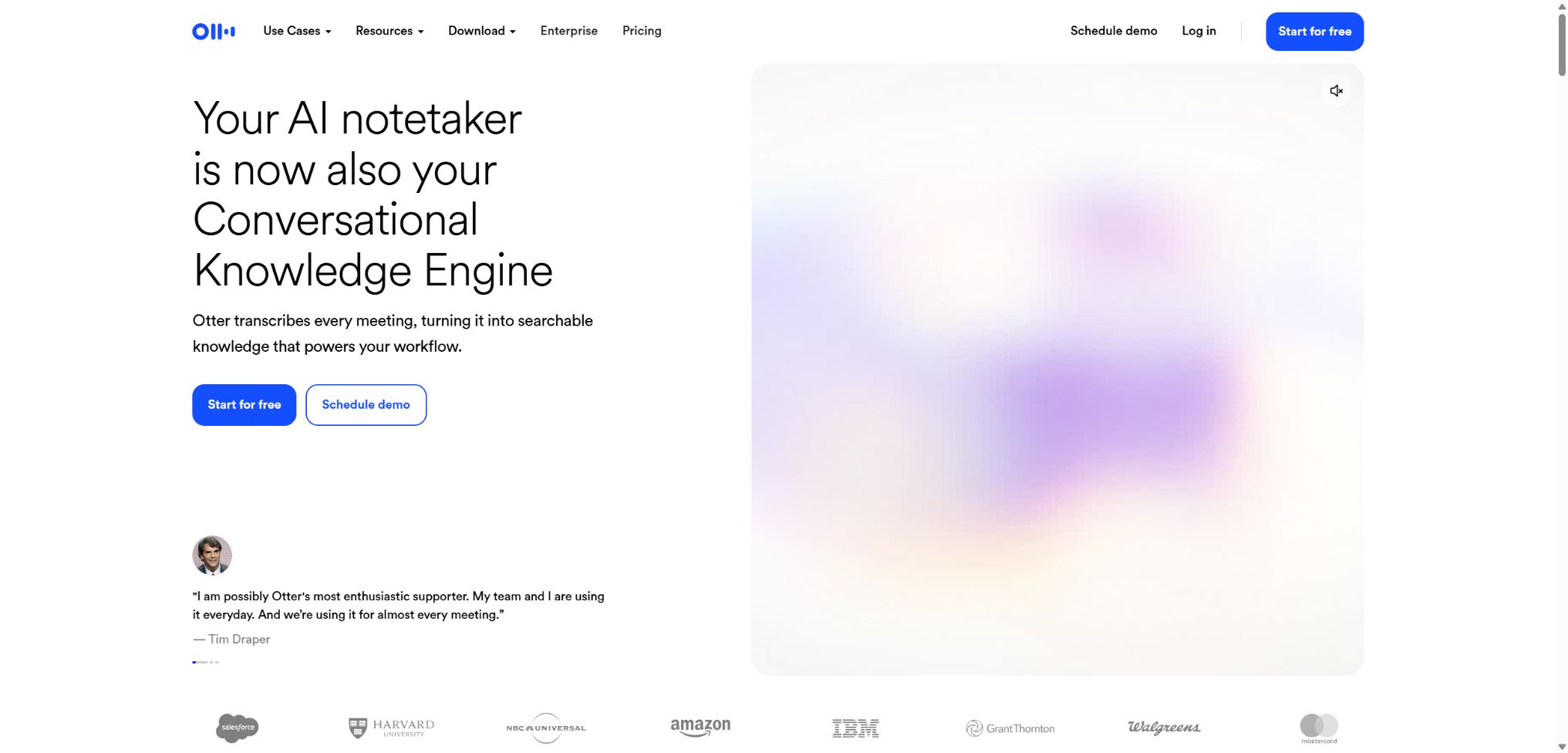
Otter.ai is a meeting assistant that focuses on real-time speech transcription, AI-powered meeting summaries, and conversation knowledge bases. It allows the Notetaker to automatically join meetings in Zoom, Google Meet, or Microsoft Teams, and it also enables recording directly on computers, Chrome browsers, and mobile devices.
After the meeting, Otter retains searchable transcripts, speakers, summaries, action items, and key points. The team can also use AI Chat to query multiple meetings and generate follow-up emails, reports, and project plans.
Main features of Otter.ai
- Real-time transcription of conversations online, offline, and on mobile devices;
- Automatically join Zoom, Google Meet, and Microsoft Teams meetings;
- Identify speakers based on voice prints and user tags;
- Generate meeting summaries, outlines, decisions, action items, and insights;
- Ask about questions related to the current meeting or across different meetings using Otter AI Chat;
- Highlight, comment, assign tasks, and share during transcription;
- Automatically captures the slides shared during meetings;
- Use meeting templates and custom AI workflows to achieve consistent output;
- Synchronize the insights from sales meetings and follow-up actions with CRM;
- Access meeting knowledge through Public API, Webhook, or MCP.
Notetaker supports various recording methods
After connecting to Google or Microsoft Calendar, users can set Notetaker to automatically attend meetings indicated by meeting links. If they do not want the robot to attend such meetings, they can use desktop or Chrome devices to record audio; for in-person meetings, a smartphone can be used for recording.
Real-time transcription and speaker recognition
Otter will display a timestamped transcript while listening; the text and the names of the speakers can be modified afterward. By training an individual’s voice print, creating a team-specific vocabulary, and identifying speakers, the ability to recognize common names and terms can be improved over time.
AI summaries, action items, and meeting templates
The system can automatically organize summaries, outlines, key topics, and action items; advanced templates allow for the generation of fixed fields specific to hiring, projects, courses, or sales meetings. The responsible persons, times, and decisions involved can be misinterpreted, so the meeting organizer should review them before sending them out.
Otter AI Chat
AI Chat can provide details about a specific meeting, as well as help search for information related to multiple authorized meetings. It can also generate follow-up emails, status reports, meeting agendas, and draft texts; however, its responses are subject to the user’s permissions and the accuracy of the transcripts.
Channels and team collaboration
Channels are used to organize conversations by customer, project, or department; team members can leave comments, highlight text, and assign tasks within the shared transcripts. Administrators should avoid setting overly broad default sharing settings and regularly review the permissions of employees who have left the company as well as external guests.
Otter Sales Notetaker
The sales function can identify pain points, objections, purchase signals, competitors, and next steps from customer conversations, and it can automatically draft personalized emails. Enterprise can be integrated with Salesforce, HubSpot, or custom CRM systems; however, important sales predictions still need to be confirmed by the responsible person.
Comparison of Otter.ai’s core capabilities
| Ability | Enter | Output | Suitable scenarios |
|---|---|---|---|
| Notetaker | Online meeting | Real-time transcription and summarization | Regular meetings, interviews |
| Device recording | Computer or mobile phone audio | No records of robots that have joined the group. | Offline meetings with sensitive topics |
| File Import | Audio and video are already available. | Transcription, speaker, and summary | Recorded lectures, interview database, courses |
| AI Chat | Meeting knowledge and instructions | Answers, emails, and reports | Review, follow-up, project inquiries |
| Sales Notetaker | Sales meetings and CRM | Purchase signals and follow-up | Business opportunity management and coaching |
| API / MCP | Code or AI client | Meetings, Transcripts, and Insights | Enterprise automation and analysis |
Languages and file types supported by Otter.ai
Otter currently supports English, Spanish, French, German, Japanese, and Simplified Chinese, with the latter being focused on Mandarin. A transcription language must be selected for each conversation; speaking in multiple languages simultaneously, using dialects, or switching between languages reduces accuracy.
Users can import common audio or video files, with each file having a maximum size of 5GB. Background noise, microphones located at a distance, multiple people speaking at the same time, and insufficient volume can all affect the accuracy of transcription as well as the ability to distinguish between different speakers.
Otter.ai prices
Otter is available through user-based subscriptions, with an annual payment price that is lower than the monthly one. The table below shows the current prices in US dollars as listed on the official website; promotional offers, taxes, and sales prices may vary depending on the region.
| Package | Monthly payment | Annual equivalent | Main credit limits and benefits |
|---|---|---|---|
| Basic | Free | Free | 300 minutes per month, 30 minutes per session, 3 file imports for life |
| Pro | $ | $ | 1,200 minutes of in-app recording per month, 10 imports, 90 minutes per import |
| Business | $ | $ | Unlimited meetings and in-app recording; 4 hours per session, with 3 meetings running simultaneously |
| Enterprise | Contact sales | Contract quote | SSO, SCIM, domain capture, HIPAA add-ons, APIs, Webhooks, and sales features |
In Business’s official documentation, the term \"unlimited\" refers to recording within meetings and applications; however, there is still a fair use limit of 6,000 minutes per month for file imports. Deleting transcripts does not restore the minutes that have already been used up in that month.
Differences in package features
| Functions | Basic | Pro | Business | Enterprise |
|---|---|---|---|---|
| Maximum number of workspace members | 5 | 5 paid users | 25 paid users | Infinity |
| Custom meeting template | 5 sessions/user | 15 sessions per user | 30 sessions per user | Infinity |
| File import | 3 times per account | 10 times per month | Unlimited times, with a monthly limit of 6,000 minutes | Contract configuration |
| Conference concurrency | 1 | 1 | 3 | Customization |
| Management, SSO, and SCIM | Foundation | Foundation | Enhanced management | Complete enterprise control |
| Public API and Webhooks | - | - | - | Support |
Otter.ai usage guide
Automatically record online meetings
- Log in to Otter and connect to your work calendar;
- Set the types of meetings that Notetaker can automatically join;
- Inform the attendees in the invitation that AI recording will be used;
- Confirm the meeting link, language, and sharing scope before the meeting;
- During the meeting, you can view the real-time transcription with key content highlighted.
- After the meeting, the speakers, proper nouns, and decisions are revised;
- Share after confirming the summary and action items.
Import an existing recording
- Confirm that the file is less than 5GB and in a supported format;
- Only authorized meetings, interviews, or courses can be uploaded;
- Set the primary language in the recording;
- Check the remaining number of imports and minutes available in the package.
- Upload and wait for transcription and AI summary processing;
- Mark the speakers and correct any misheard technical terms;
- Export text, subtitles, or other available formats as needed.
Use AI Chat to generate follow-ups after the meeting.
- First, correct the key errors in the meeting transcript;
- Have AI list the confirmed decisions, pending issues, and action items;
- Each task must have a responsible person and a deadline specified.
- Verify the original text by checking each timestamp one by one;
- Generate follow-up emails by specifying the audience, tone, and length;
- Remove undiscussed AI assumptions and promises;
- After being reviewed by the meeting organizer, it is sent and synchronized with the task system.
Who is Otter.ai suitable for?
- Project team: Saves decisions, risks, tasks, and status;
- Sales representative: Records customer requirements, objections, and next steps;
- Recruitment team: Organizes the interview content and conducts consistent evaluations;
- Teachers and students: Transcribing classes, lectures, and study discussions;
- Journalists and researchers: Organize interviews and quickly locate quotes;
- Medical and compliance teams: Documentation is carried out under Enterprise contracts and with proper configuration;
- Enterprise IT: Uses APIs, MCP, and management controls to govern meeting data.
The advantages of Otter.ai
- It also supports conference robots, device recording, and mobile phone recording.
- Transcription, audio, speaker, summary, and slides are displayed together;
- AI Chat allows users to search through multiple meetings and generate subsequent documents;
- Team vocabulary and speaker training help improve recognition;
- Channels, comments, highlights, and task assignment are suitable for collaboration;
- The sales templates, integrated with CRM, cover the entire follow-up process;
- Enterprise offers APIs, MCP, SSO, SCIM, and compliance controls.
Usage restrictions and precautions
- The accuracy of dialects other than Mandarin, strong accents, and mixed use of multiple languages is unstable.
- Multiple people talking at the same time, noise, echoes, and signals from distant sources all increase the likelihood of errors;
- AI summaries may omit a few perspectives or misidentify action items;
- Basic’s 30-minute limit per session truncates the transcript that can be viewed;
- Free accounts allow only 3 imports of files for life, not 3 times per month;
- The unlimited recording capability in Business does not mean that there is no limit to the amount of data that can be imported.
- Meeting robots can be rejected by the host, or they may exceed the concurrency or permission limits.
- Transcribing meetings must comply with local laws regarding recording permissions, as well as labor and privacy regulations.
Privacy, recording consent, and security
Otter has completed SOC 2 Type II certification, and it offers Enterprise additional HIPAA compliance features such as BAA, SSO, SCIM, as well as controls for logging and data retention. HIPAA compliance is not automatically achieved just by using Otter; medical institutions still need to establish the necessary contracts, make the required configurations, and implement internal processes.
By default, the Enterprise workspace disables Otter model training; its meeting, transcription, and note-taking features are intended solely to provide workspace functionality, and they are not used to improve the global model or third-party LLMs. Individuals and other plan types require checking their account and privacy settings separately.
- Before the meeting, the purpose of recording, the retention period, and those who have access to the recordings should be clearly specified.
- Obtain proof of consent in areas where the consent of all members is required;
- Set up Channels and sharing based on customers, departments, and sensitivity levels;
- Set the minimum required retention period for recordings and transcripts;
- Use SSO, SCIM, MFA, and audit log management to control enterprise access.
API, MCP, GitHub, and open-source information
Otter.ai’s Public API will be available to enterprises in 2026; it enables programmed access to Channels, meetings, transcripts, audio files, action items, insights, and outlines. Webhooks can be used to automate responses to events such as new meetings. The official website also provides an MCP Server, which allows external AI clients to retrieve meeting information under OAuth and the permissions of existing workspaces.
Otter.ai’s core transcription models, web-based products, and hosting platform are not open-source projects. Various Otter login scrapers and Python wrappers available on GitHub are labeled as unofficial; they should not be confused with the current Enterprise Public API.
Frequently Asked Questions
Is Otter.ai free?
Basic is available for free; it includes 300 minutes of transcription per month, with a maximum of 30 minutes per session, and the account allows only 3 imports of files for life.
How much are Otter Pro and Business?
The Pro plan costs $16.99 per person per month, which is equivalent to $8.33 per month when paid annually; the Business plan costs $30 per month, or $19.99 per month on an annual basis.
Fees, promotions, and corporate contracts are subject to the settlement page.
Does Otter.ai support Chinese?
It supports the transcription of Mandarin into Simplified Chinese. Cantonese, other dialects, strong accents, and frequent switching between Chinese and English are not currently covered by this functionality.
Does Otter.ai have an API?
Yes, the official Public API and Webhooks are features available in the Enterprise package; they allow access to meetings, transcripts, audio content, action items, and insights. Regular users should not use unofficial APIs that require the retrieval of session credentials from web pages.
Is Otter.ai open source?
No, core transcription, AI summarization, and the conference knowledge platform are all hosted services. The projects with similar names on GitHub are mostly third-party tools; they do not represent open-source versions of Otter’s official products.
Tools similar to Otter.ai



 Guigong Network Security Registration No. 45132202000164