






Granola
AI meeting notes and action item assistant for meeting robots
Tags:AI conference toolsWhat is granola?
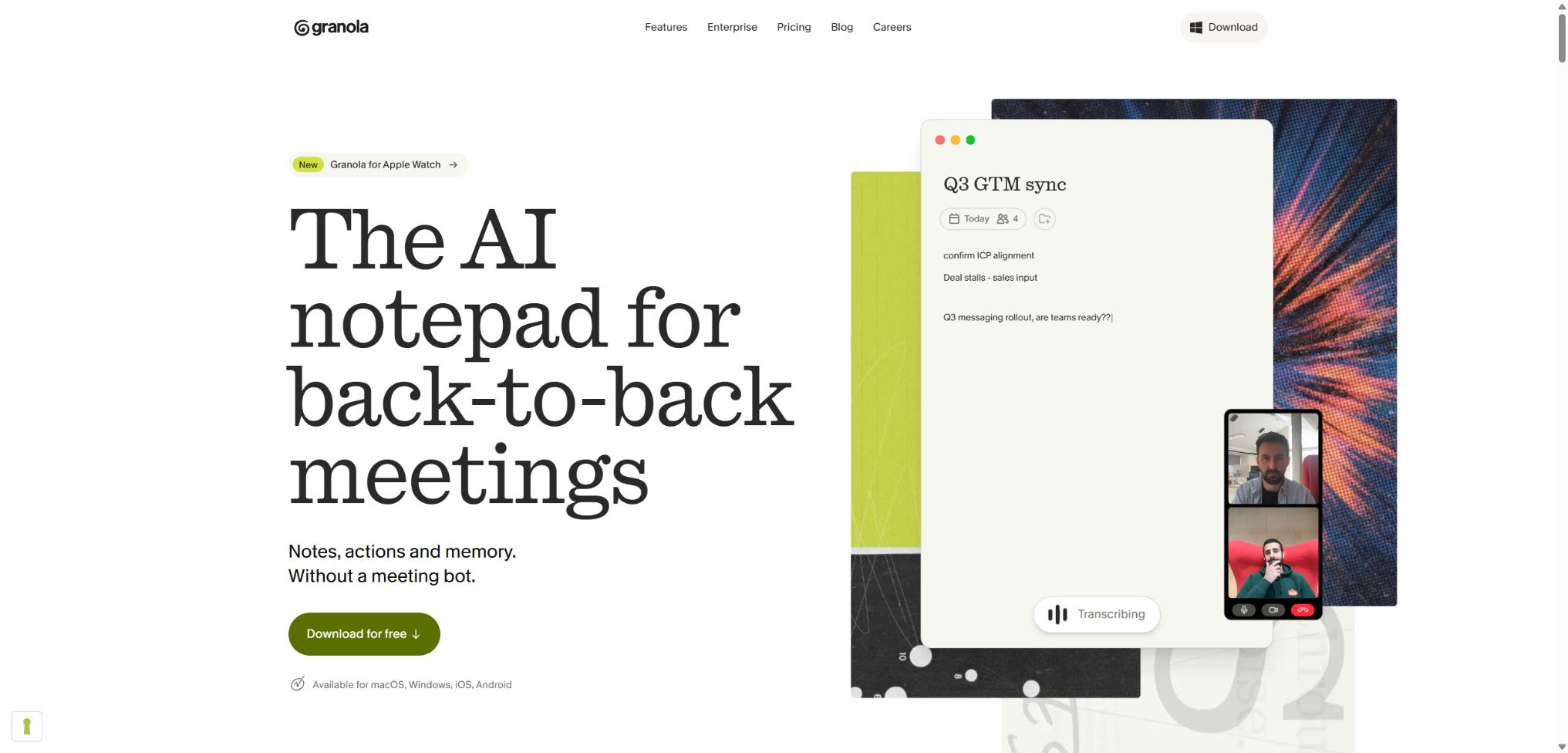
Granola is an AI meeting note-taking tool that focuses on manual notes. It does not send robots to video conferences; instead, it captures the system audio and microphone input on the computer, or uses the phone’s microphone to record face-to-face conversations once the user initiates them.
Users can note down key words during meetings, and Granola uses these along with the transcription to create structured summaries, action items, and follow-up details. It supports cross-meeting queries, pre-meeting briefings, team sharing, Recipes, as well as MCP and API functions, making it suitable for turning scattered meeting notes into searchable knowledge.
Main functions of granola
- There is no need for a meeting robot – the audio of the meeting can be captured directly from the device.
- Combine the user’s brief notes with the full transcription to create enhanced notes;
- It provides a real-time transcription panel, as well as functions for pausing, resuming, searching, and copying;
- Automatically organizes summaries, decisions, action items, questions, and follow-up emails;
- Use Granola Chat to query one or multiple meetings and retrieve the references;
- Use Recipes to reuse interview analysis, PRD, and follow-up templates;
- Use Briefs to compile the calendar, past meetings, and participants’ backgrounds before the meeting;
- Share meeting knowledge through folders, Team Spaces, and links;
- Connect Slack, Notion, HubSpot, Attio, Affinity to Zapier;
- Meeting data is delivered to external AI or business systems via MCP and API.
No robot-generated meeting transcription
The desktop version runs on macOS and Windows, and can be used in conjunction with meeting tools such as Zoom, Google Meet, Microsoft Teams, Webex, and Slack Huddles. It accesses the system’s audio and microphone inputs, so no additional virtual agents appear in the list of meeting participants.
Granola will not start recording automatically just because there is a meeting scheduled in the calendar; the user must first open the relevant note or create a new one. The web version allows only viewing and editing of existing content, and it is not possible to record or transcribe meetings.
AI-enhanced notes and custom templates
Granola does not require users to choose between \"manual note-taking\" and \"fully automated summarization.\" The key points entered by the user guide the AI to focus on the important information, while the transcription service adds the necessary context and any missing details.
Templates can be used to reorganize the same meeting into customer interviews, sales summaries, one-on-one discussions, or project reviews. When the accuracy of the transcription is insufficient, it is necessary to go back to the original transcription in order to verify numbers, names, commitments, and technical terms.
Granola Chat and Recipes
Granola Chat allows you to ask questions related to the current note, a specific folder, or a set of past meetings, and it can cite the relevant meetings in its answers. It is useful for identifying recurring customer requirements, organizing decisions made over multiple weeks, or creating documents based on evidence from meetings.
Recipes are reusable guidance processes that can handle both individual meetings and multiple meetings. Business and Enterprise versions also offer more advanced thinking models; the generation of complex outputs generally requires more processing time than that of simple summaries.
Pre-meeting briefs and team knowledge
Briefs generates pre-meeting context on the desktop based on the calendar and existing meetings, helping users understand what was discussed previously and what tasks remain unfinished. Teams can store notes in shared folders or spaces so that authorized members can access the common context.
Comparison of platforms and recording methods
| Platform | Recording method | Applicable scenarios | Precautions |
|---|---|---|---|
| macOS | Real-time transcription of system audio and microphone input | Online meetings, ad-hoc calls | Permissions for audio and microphone must be granted. |
| Windows | Real-time transcription of system audio and microphone input | Zoom, Meet, Teams, etc. | Affected by the default audio device and the company network. |
| iPhone and Android | Current microphone input on the phone | Face-to-face meetings, interviews | The audio is cached temporarily and deleted after transcription is completed. |
| Apple Watch | Quick start of recording on the wrist | Mobile scenarios and ad-hoc meetings | The scope of functions is determined by the current version of the application. |
| Web version | Audio capture is not supported. | View, edit, and share existing notes | It cannot be used as an entry point for meeting transcription. |
Price of Granola
Granola offers monthly subscriptions based on the number of users; the website currently lists three tiers: Basic, Business, and Enterprise. Prices, taxes, currencies, and promotions may change, and team purchases should be subject to the details on the settlement page or in the contract.
| Package | Price | Historical range | Primary interests |
|---|---|---|---|
| Basic | $ | Limited history; mainly the last 30 days are available. | AI meeting notes, Chat, shared folders, custom templates, multiple languages, and MCP |
| Business | 14 dollars per user per month | Infinity meeting notes and history | Advanced thinking models, CRM and collaboration integration, centralized billing, complete MCP and APIs |
| Enterprise | $ | Infinite history, with configurable retention policies | SSO, management controls, usage analysis, priority support, organization-wide training programs, and security policies |
Basic does not limit the number of meeting notes; rather, it restricts the range of historical data that can be viewed and processed. When long-term retrieval, complete transcription, automated integration, or team management is required, Business or Enterprise should be considered.
Differences in package features
| Functions | Basic | Business | Enterprise |
|---|---|---|---|
| AI meeting notes | Includes | Includes | Includes |
| Meeting history | The last 30 days are the main period. | Infinity | Infinity, with customizable retention policies |
| MCP | Available, but with limitations on history and tools. | Complete history and transcription capabilities | It can be controlled by the administrator. |
| Personal and workspace APIs | Not included | Includes | It includes and defines the scope of management. |
| Native integration and Zapier | Finite | Includes | Includes |
| SSO and organizational security controls | Not included | Basic management | Includes |
| Model training settings | Individuals can withdraw. | Individuals can withdraw. | The organization can exit by default, and forced exit is also possible. |
Granola usage guide
Use the desktop version to record the first meeting.
- Install macOS or Windows applications and log in using a work account;
- Connect to Google or Microsoft Calendar and grant the necessary permissions;
- Allow microphone and audio capture in the system settings;
- Before the meeting began, participants were informed that AI transcription would be used and gave their consent;
- Open the calendar meeting notes or click on \"Create new note\" to start transcribing;
- Enter keywords during the meeting and check whether the real-time transcription is working properly;
- Stop manually at the end, and check the enhanced notes and action items.
Create team meeting templates and sharing processes
- Select a category of recurring meetings and define a fixed output structure;
- Create a template containing a summary, decisions, responsible person, and deadline;
- Test the template with a real meeting and adjust the instructions;
- Create a team space or shared folder and set a minimum level of access.
- Add the reviewed notes to the corresponding folder;
- Connect to Slack, Notion, CRM, or Zapier as needed;
- Regularly check error messages, shared links, and the permissions of members who have left the team.
Connect to MCP or API
- First, verify that the AI client being used supports MCP and browser OAuth.
- Enable MCP in the Granola connector settings and complete the authorization process;
- Test the range of returns using issues with specified dates or folders;
- For programmed integration, upgrade to Business or Enterprise;
- Create an API Key in the desktop settings and select the scope of access for notes;
- Store the key on the server, and do not save it in web pages or public repositories.
- Implement review, logging, and revocation mechanisms for automatically generated minutes.
Which users are it suitable for
- Manager: Keeps track of one-on-one conversations, decisions, and tasks across meetings;
- Sales team: Organize customer requirements, objections, and CRM follow-up information;
- Products and researchers: Analyzing recurring themes across multiple interviews;
- Recruiter: Generates interview summaries and standardizes the evaluation framework;
- Consulting and service team: Maintains information on clients and the decision-making process for projects;
- Remote teams: Share searchable context across different meeting platforms;
- Developers and operations teams: Automatically transmit meeting information via MCP, API, and Zapier.
The advantages of granola
- There is no need to include the meeting robot in the call, resulting in a simpler list of participants.
- Artificial abbreviations can help AI focus on what is truly important;
- Both desktop-based online meetings and phone calls in person can be covered;
- Chat, Recipes, and Briefs connect before, during, and after meetings;
- The free plan allows you to try out the core meeting notes and MCP features;
- Business offers a complete history, integration, and official APIs;
- Enterprise offers SSO, retention periods, and organization-level privacy controls.
Usage restrictions and precautions
- The web version cannot capture or transcribe meetings; a desktop or mobile app must be used.
- The absence of robots does not mean that the obligation to notify the participants can be waived;
- Basic allows access to and viewing of only the historical meetings from the last 30 days;
- At the moment, it is not possible to import pre-recorded audio files for transcription.
- The authorities have no plans to provide a feature for recording audio or video conferences for the time being.
- Transcripts cannot be edited directly; any errors must be corrected through notes or by regenerating them.
- Apple Calendar is not currently included in the official calendar synchronization scope;
- Multiple languages, accents, Bluetooth devices, and network limitations can affect accuracy.
Language, Privacy, and Security
The desktop multilingual mode supports English, French, German, Spanish, Italian, Portuguese, Dutch, Japanese, Russian, and Hindi. iOS and Android also support Mandarin Chinese, Finnish, Korean, Polish, Turkish, Ukrainian, and Vietnamese.
On the desktop version, real-time transcription is carried out without saving the meeting audio; on the mobile version, the audio is temporarily cached and removed from Granola as well as third-party systems once transcription is complete. The platform retains the transcripts and notes, unless the user deletes them or the administrator sets a policy for their retention.
- Notes are private by default, and only those to whom they are shared can access them.
- Third-party model providers are not allowed to use customer data to train their models;
- Non-business users can disable anonymous data to improve the Granola model;
- By default, Enterprise exits model training, and this setting can be enforced uniformly;
- The data is encrypted both during transmission and when stored statically, and it is hosted in the AWS environment in the United States;
- Granola does not currently comply with HIPAA and should not handle protected health information;
- For sensitive meetings, prompts should be enabled, transcription should be paused, and the scope of sharing limited.
API, MCP, and open-source details
Granola MCP allows connection to AI tools that support this protocol as well as OAuth; Basic enables access to notes from the last 30 days, while Business and Enterprise provide access to the full history along with transcription capabilities. Whether notes created by other users in shared folders are visible depends on the capabilities of the specific tool and the permissions set.
The official API is intended for Business and Enterprise users; it allows them to access meeting notes, transcriptions, and AI-generated summaries based on their permissions, and it supports both individual keys and workspace keys. Granola’s core product is not an open-source project, and many MCP tools with the same name available on GitHub are third-party implementations that cannot be considered official source code or SDKs.
Frequently Asked Questions
Is granola free?
It can be used for free. The Basic version costs $0 and includes AI-powered meeting notes, chat functionality, shared folders, custom templates, multilingual support, as well as limited MCP features; however, the history is limited to the last 30 days.
Will Granola send robots to join the meeting?
No. Desktop applications access the system’s audio and microphone directly, while mobile applications use the phone’s microphone; however, the user still needs to initiate the process manually and inform the participants in advance.
How much is Granola Business?
The current price on the official website is $14 per user per month, and this includes unlimited meeting history, advanced models, integration capabilities, MCP, and APIs. The actual bill may also be affected by taxes and the currency used.
Does Granola support Chinese?
Mandarin is currently listed among the languages supported on iOS and Android, but it is not included in the list of languages available on the desktop. Multilingual meetings and accents can still affect the accuracy of transcription.
Is Granola open source?
No, the core client, cloud services, and AI workflows have not been released as complete open-source projects. Third-party GitHub projects do not represent Granola officially.
Tools similar to Granola



 Guigong Network Security Registration No. 45132202000164