






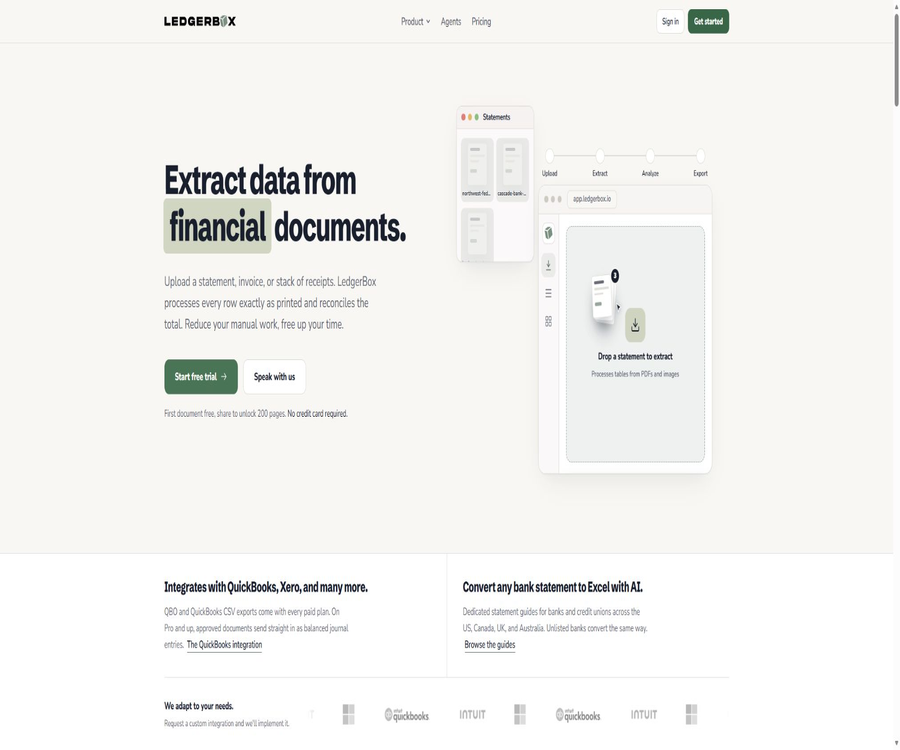
LedgerBox
LedgerBox: an intelligent tool specialized in the processing of AI-related spreadsheet data.
Tags:AI table data processingWhat is LedgerBox?
LedgerBox is a browser-based tool that converts financial documents into structured data; it is operated by Lumen Holdings LLC in Wisconsin, United States. It is designed for bookkeepers, accounting firms, financial teams, lending institutions, and developers who need to process large amounts of transaction data.
After the user uploads a PDF, a scanned document, or photos from a smartphone, the system identifies the structure of the pages and the financial fields involved, and organizes the information into editable, verifiable, and exportable tabular data. Its focus is not on general text recognition, but rather on extracting financial tables, performing arithmetic checks, and integrating with accounting software.
Main functions
- Extract financial data from digital PDFs, scans, and photos.
- Identify bank and credit card statements, invoices, receipts, and paystubs.
- Handle purchase orders, broker reports, checks, tax forms, and merchant settlement statements.
- Mark uncertain rows as pending review, rather than deleting them silently.
- Perform an arithmetic check based on the opening balance, closing balance, and total transactions.
- Export to Excel, CSV, QuickBooks CSV, QBO, and JSON.
- Send approved transactions via a QuickBooks Online connection.
- Use APIs, TypeScript SDKs, Webhooks, and MCP to integrate automation processes.
- Collect pending documents through the customer portal and email forwarding.
Supported document types
LedgerBox uses the same upload and verification process for various types of financial documents, but each document yields different fields and verification results. When a document page contains no structured data, it is sent to the OCR process; digital PDFs, on the other hand, have their text and layout read directly.
| Document type | Typical extracted content | Suitable for tasks |
|---|---|---|
| Bank and credit card statements | Account period, beginning and ending balances, date, description, debit and credit amounts, and balance | Adding historical transaction records, performing month-end closing, and preparing for audits |
| Invoice | Supplier, expiration date, tax amount, total amount, and detail rows | Entry of accounts payable and archiving of invoices |
| Receipt | Merchant, date, payment details, taxes, total amount, and product lines | Expense reimbursement and document organization |
| Payroll | Employers, employees, pay cycles, income, deductions, and net amount | Structuring salary data |
| Purchase order | Buyer, supplier, delivery details, amount, and product specifications | Entry of procurement data and reconciliation |
| Broker and merchant reports | Account summary, transaction or settlement details | Organization of investment and receipt records |
| W-2, 1099, and checks | Tax or invoice fields | Tax preparation and cheque information archiving |
| General PDF tables | Headers, rows, and columns detected on the page | Convert other table-based files into structured data |
Input format and file restrictions
| Project | Support status | Precautions |
|---|---|---|
| Support | Digital PDFs can be read directly; scanned PDFs require OCR. | |
| JPEG, JPG | Support | Suitable for scanned documents and phone photos |
| PNG | Support | It is necessary to ensure that numbers, dates, and table boundaries are clear. |
| HEIC, HEIF | Support | Some phone-generated files can be processed directly. |
| Input in CSV, QBO, OFX, QFX, QIF formats | Not supported | LedgerBox reads documents without converting existing data files. |
| WebP, TIFF | Not supported | It should first be converted to a supported PDF or image format. |
| Single upload | Up to 20 files | Batch processing capacity and parallel efficiency are affected by the package. |
Extraction and verification of financial data
The system will analyze the table structure, align the columns, and extract the information that is actually printed on the page, row by row. Bank statements are verified by checking the opening balance, transaction amounts, and closing balance, while invoices and purchase orders have their detailed totals checked to ensure they equal the total amount specified in the document.
- Split the date, description, debit, credit, and balance into separate fields.
- Maintain a single row per transaction to facilitate filtering and summarization.
- Provide a label and the reason for rows that cannot be verified.
- Users are allowed to review and modify the recognition results before exporting them.
- The original content will not be replaced with guesses based on categories that are not supported by documentation.
- No unified and accurate accuracy rate applicable to all banks and formats has been published.
Comparison of export formats
| Export format | Content features | Common uses |
|---|---|---|
| Excel workbook | Actual dates and numeric cells, frozen table headers, and readable column widths | Accounting review, pivot tables, and monthly working papers |
| Standard CSV | One line per transaction, with fields that facilitate import into other systems. | Database import, cleaning, and program processing |
| QuickBooks CSV | Provides a three-column or four-column format compatible with QuickBooks. | Import QuickBooks using the specified mapping. |
| QBO | Transaction files for QuickBooks Web Connect | Reduce manual column mapping |
| JSON | Structured fields and validation status | API integration and automated workflows |
| OFX and QIF | It can be used in some compatible scenarios. | Migrate transactions to software that supports these formats. |
| QFX | Not supported | This format requires authorization from a specific organization identifier. |
Excel and combined export
The Excel output is not a simple text file with a changed extension; it is a workbook that can be opened directly in Excel, Numbers, and Google Sheets. Dates remain as dates, and amounts remain as numbers, which facilitates sorting, summing, and creating pivot tables.
- By default, it includes columns for date, description, debit, credit, and balance.
- The table headers are set to be frozen, so that the fields can still be viewed as the long statement scrolls.
- The debit and credit amounts are kept separately to avoid confusion regarding positive and negative signs.
- Add a document name column when merging multiple statements.
- Multiple files can be combined into one workbook.
QuickBooks workflow
All paid plans allow the download of QuickBooks CSV and QBO files; plans at the Pro level and above also enable the sending of approved documents to QuickBooks Online. File export and direct online connection are two distinct functions, and it is important to keep this in mind when choosing a plan.
- Upload bank statements or other supported financial documents.
- Wait for the extraction to complete and check the verification status.
- Review each marked transaction and balance discrepancy individually.
- Approve the document and select a QuickBooks CSV or QBO file.
- With a Pro or higher plan, it is possible to connect to QuickBooks Online and synchronize the accounts.
- In the accounting software, verify again the debit and credit directions, duplicate transactions, and the ending balances.
Batch processing and automation
Plans Pro and above support up to 20 files per batch, as well as Webhooks, automated workflows, and email forwarding. The Business plan is designed for higher monthly page volumes and team collaboration, while the Enterprise plan offers additional options such as custom integrations, white labeling, and on-premises deployment.
- Create batch tasks and view the processing progress in one place.
- Download a single result at a time or combine the results.
- Receive customer documents by forwarding emails.
- Use Webhooks to monitor document completion or status changes.
- External clients can submit documents through the customer portal.
- Apply for custom integration for specific business systems.
Free trial
The new workspace can be tried out for 14 days without the need to provide a credit card; it initially includes 10 pages. By inviting colleagues, sharing content publicly, submitting reviews, or selecting a package, up to 200 pages can be unlocked during the trial period. The actual number of tasks that can be used is determined by the instructions displayed in the account.
| Trial project | Rules | Precautions |
|---|---|---|
| Trial period | 14 days | No automatic charge will be made upon expiration due to the absence of a credit card. |
| Initial page count | 10 pages | Usually, this is sufficient to test one statement. |
| Number of pages that can be unlocked | Up to 200 pages | It is necessary to carry out the unlocking actions listed for the account. |
| Excel, CSV, and JSON | Available during the trial period | Suitable for verifying extracted fields and quality. |
| Sent via API, Webhooks, and QuickBooks Online | The trial period allows for testing. | After the trial period ends, operations will be carried out under the permissions of the regular plan. |
| QuickBooks CSV and QBO downloads | The trial period is not included. | It is necessary to select a paid plan. |
Prices and packages
The price information was verified on August 23, 2026; the actual amounts, taxes, exchange rates, and discounts may vary, and the final figures will be those displayed on the settlement page.
LedgerBox is subscribed based on the number of pages to be processed; each page of a document counts as one unit, and no fees are charged based on the number of transactions or exports. The quota is reset at the end of each settlement cycle, and processing stops once the limit is reached; no additional charges for exceeding the quota are issued automatically.
| Package | Monthly price | Monthly price equivalent to annual payment | Basic page count | Core rights and interests | Suitable for users |
|---|---|---|---|---|---|
| Starter | $ | 17 dollars per month | 60 pages per cycle | All export formats, balance verification, API, SDK, unlimited users, and email support | Freelance bookkeepers and users with low usage levels |
| Pro | $ | $ | 640 pages/cycle | All capabilities of Starter, plus QuickBooks Online sending, Webhooks, batch processing of 20 files, automation, and email forwarding. | A small firm that manages multiple clients |
| Business | $ | $ | 2000 pages/cycle | All Pro capabilities, with enhanced team collaboration and priority support. | Teams with a stable high monthly usage level |
| Enterprise | Custom quote | Custom quote | Customize number of pages | Custom integration, white labeling, on-premises deployment, training, and go-live support | Organizations with requirements for deployment or system integration |
Page range and upgrade rules
Each standard package also offers different page count options: Starter covers 60 to 300 pages, Pro covers 640 to 1500 pages, and Business covers 2000 to 5000 pages. The price for the higher tiers varies depending on the number of pages selected; therefore, it is necessary to check the final amount based on the actual monthly page count at the time of purchase.
- A 12-page bank statement will consume 12 pages of space.
- A photo of a receipt is usually counted as 1 page.
- Re-exporting the same result will not incur additional charges per row.
- When the quota is insufficient, processing is paused; it resumes after an upgrade.
- Upgrades during a subscription period usually only incur a charge for the remaining duration.
- Annual payment is approximately 30% cheaper than monthly payment; the actual taxes and currency will be as indicated on the settlement page.
How to choose among different packages
| Actual demand | Suggested version | Reason for selection |
|---|---|---|
| Process a small number of statements each month and download the forms. | Starter | The basic version includes all major export formats, APIs, and unlimited users. |
| Send directly to QuickBooks Online | Pro or higher | Starter only provides file export; it does not include online sending. |
| Batch upload, email forwarding, and Webhooks | Pro or higher | These automation capabilities are available starting from Pro. |
| Thousands of pages are processed each month, and team collaboration is required. | Business | Offers a larger range of page counts and prioritized support. |
| White-label, custom integration, or on-premises deployment | Enterprise | Sales assessment and customized contracts are required. |
| Only verify the recognition accuracy. | Free trial | It is possible to verify an authentic document without a credit card. |
API, SDK, and MCP
LedgerBox offers a document processing interface that utilizes API keys for authentication; it allows files to be uploaded, the status of tasks to be checked, and structured JSON results to be obtained. Each response includes information on the verification status of the document as well as a flag indicating whether it needs further review, which helps programs decide whether to allow the data to be included in the ledger.
| Openness capability | Current status | Uses and limitations |
|---|---|---|
| REST API | Provide | Uploading documents, checking status, and obtaining structured results require an API key. |
| TypeScript SDK | Provide | The npm package is named @ledgerbox/sdk, and it is used to encapsulate API calls. |
| SDK license | Apache-2.0 | Viewing and reusing client code is allowed, but the platform server is not included. |
| Webhooks | Pro and above | Used to receive asynchronous completion and status events |
| MCP server | Provide | Enable document extraction via compatible clients such as Claude Desktop and Cursor. |
| Local deployment | Enterprise option | A customized quote and confirmation of implementation are required. |
Open-source status
The LedgerBox platform, the recognition models, and the server-side components are not open-source products; therefore, it is not possible to classify the entire tool as open-source merely on the basis of an open SDK. The TypeScript SDK and the client components related to MCP are licensed under the Apache-2.0 license, with the openness applying mainly to the code used to call these interfaces.
- The open-source status of the products in the tool catalog should be marked as no.
- The fact that the SDK is open source does not mean that the recognition service can be deployed for free.
- API calls still require a LedgerBox account and a valid credit limit.
- Do not link to the repository of the encryption hardware project Ledger with the same name.
- Enterprise local deployment is a commercial solution; it is not the same as open-source self-hosting.
Privacy and data security
Documents and extraction results are encrypted both during transmission and when stored statically; the minimum required connection standard is TLS 1.2, and tenant isolation is implemented by the organization. The processing environment is located in the United States, and the uploaded data is not used for training, fine-tuning, or evaluating models.
- The document is stored in private storage locations in the United States, where independent model deployment takes place.
- The processing workflow does not include any step for manual review.
- The platform will not sell customer documents or use them for advertising.
- Internal services access data with the minimum required permissions.
- Maintain audit records for management actions and production changes.
- The database is backed up daily, and the backups are retained in accordance with internal policies.
- There are currently no available SOC 2 Type I or Type II reports.
- Currently, there is no self-service data processing protocol available, and SAML or SCIM are not supported.
Saving and deletion mechanisms
Documents in regular work areas are not automatically deleted after 30 or 90 days; they remain stored until the user initiates the deletion process and completes the necessary steps for erasure. At present, to completely remove stored files and data rows, a deletion request must be submitted – the removal action displayed in the account interface does not constitute actual erasure at the underlying level.
The customer portal allows setting a deadline for files; the uploaded files are removed once extraction is complete, but the structured documents resulting from that extraction are not automatically deleted as a result of this setting. Before processing sensitive files such as bank statements or identification documents, it is necessary to determine the company’s own retention period, any cross-border requirements, and the procedures for terminating such processing.
Standard usage process
- Create a workspace and verify the email address.
- Select bank statements, invoices, receipts, or other document types.
- Upload a clear PDF or a supported image file.
- Wait for the system to extract the table and complete the arithmetic verification.
- Check all the marked rows, account periods, and ending balances.
- Based on the subsequent system selection, choose Excel, CSV, QBO, or JSON.
- When automation is required, create API keys, Webhooks, or MCP connections.
- After the recording is completed, delete the document in accordance with internal policies and confirm that it has been erased.
Which users are it suitable for
- Accountants who need to enter historical bank transaction records into the accounting system.
- An accounting firm that handles monthly settlement documents for multiple clients.
- A finance team that is responsible for organizing invoices, receipts, and purchase orders.
- Auditors who need to verify the total of loans and debts as well as the ending balance.
- Hope to extract the documents and integrate them into the internal system’s development team.
- Small businesses that need QuickBooks files or the ability to send data online.
- Services that require a customer portal, batch processing, and a white-label solution.
Product advantages
- It also supports digital PDFs, scanned documents, and common phone images.
- It covers a variety of financial documents, not just bank statements.
- Use arithmetic verification and review markers to reduce the risk of silent errors.
- Excel preserves the actual dates and numeric cells in the results.
- All paid plans include API, SDK, and export of the main files.
- Pro begins to cover QuickBooks Online, Webhooks, and batch automation.
- A trial version does not require a credit card, making it easy to assess the performance using actual documents.
- The security page clearly outlines the corporate capabilities that are not yet available.
Restrictions and Precautions
- The recognition system may still make mistakes, so manual verification cannot be skipped.
- It cannot convert existing CSV, QBO, OFX, QFX, or QIF files as input.
- During the trial period, downloads of QuickBooks CSV and QBO files are not available.
- To send directly to QuickBooks Online, a Pro or higher plan is required.
- Batch processing capabilities and Webhooks are not available in the Starter plan.
- There is no publicly available, consistent accuracy rate, nor are there any SOC 2 compliance reports.
- There are no SAML, SCIM, or self-service data processing protocols.
- Regular documents are not automatically deleted after a set period of time.
- The locations where data is processed in the United States may not meet the compliance requirements of all regions.
- The availability of an SDK does not mean that the platform, models, or server side are open source.
Pre-purchase checklist
- Test the completeness of fields using a real but properly anonymized document.
- It is necessary to determine whether the review markers can cover the most common layout errors in business documents.
- Count the actual number of pages in documents on a monthly basis, rather than just counting the number of files.
- Confirm whether file export is required or a direct connection to QuickBooks Online.
- Assess whether batch uploading, email forwarding, and Webhooks are needed.
- Check the monthly/annual pricing, page count options, taxes, and the cost difference for upgrades.
- Confirm that the handling procedures and document retention rules in the United States are in compliance with internal policies.
- Before making a purchase, companies should ask for audit reports, data processing agreements, and proof of deletion.
- Before integrating the access, test the API limits, asynchronous status, and error retry mechanisms.
- Maintain manual approval and duplicate transaction checks before official recording.
Frequently Asked Questions
Is LedgerBox free?
LedgerBox does not offer a permanently free, unlimited-version plan, but it provides a 14-day trial period without the need for a credit card; this trial includes 10 pages initially. After completing the required actions to unlock additional features, the number of pages available in the trial can be increased up to 200.
Can it convert scanned bank statements into Excel?
Yes, PDF files and photos from mobile phones can be processed via OCR, while digital PDF files can be read directly. Before exporting, it is still necessary to check the date, amount, direction of transactions, and balance.
Can LedgerBox import CSV data and then convert it to QBO?
No, it can only read PDF files and supported image documents; it does not accept CSV, QBO, OFX, QFX, or QIF files as input. Existing data files need to be converted using other tools in different formats.
Is QuickBooks supported?
All paid plans allow for the download of QuickBooks CSV and QBO files, while plans at the Pro level and above enable sending these files to QuickBooks Online. The trial period permits testing of the online integration, but downloading of QuickBooks files is not possible during this time.
Are APIs and SDKs provided?
It offers REST APIs that use API keys for authentication, along with TypeScript SDKs, Webhooks, and MCP integration options. The Starter version includes the APIs and SDKs, while Webhooks are available starting from the Pro version.
Is LedgerBox an open-source tool?
No, the platform, recognition models, and server-side components are closed-source commercial products. What is available publicly is the TypeScript SDK under the Apache-2.0 license, along with the related calling components.
Will the document be deleted automatically?
Documents in regular work areas are not automatically deleted after a set number of days; to completely remove files and retrieve data, it is necessary to submit a request according to the existing deletion procedures. The customer portal allows setting an expiration date for uploaded files, but it does not automatically delete the results obtained from those files.
Summary
LedgerBox is suitable for teams that need to organize statements, invoices, receipts, and other financial documents into data ready for accounting purposes. Its advantages lie in its arithmetic verification features, markers indicating items awaiting review, a variety of export formats, as well as multiple ways to access it, from the browser to APIs and MCPs.
Before official adoption, it is essential to verify the accuracy of format recognition, the number of pages per month, the QuickBooks workflow, and the deletion mechanisms. In cases involving regulatory requirements or purchases by large enterprises, it is also necessary to ensure that the location of data processing in the United States, SOC 2 reports, single sign-on capabilities, and data processing agreements meet the required standards.
Tools similar to LedgerBox





 Guigong Network Security Registration No. 45132202000164